Hướng dẫn proxy Multilogin: proxy dân cư, di động và ISP
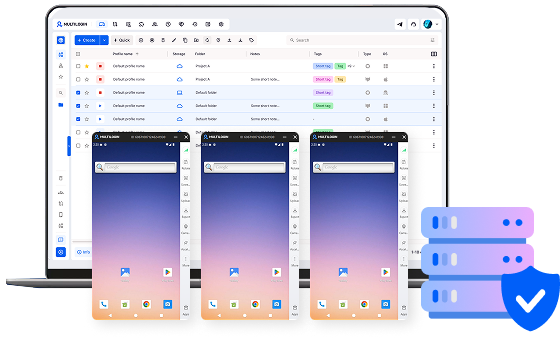
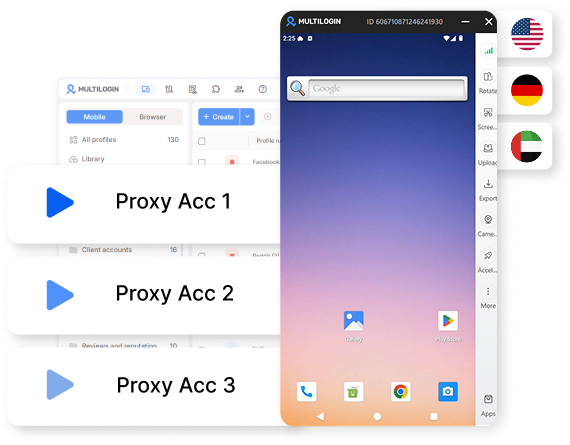
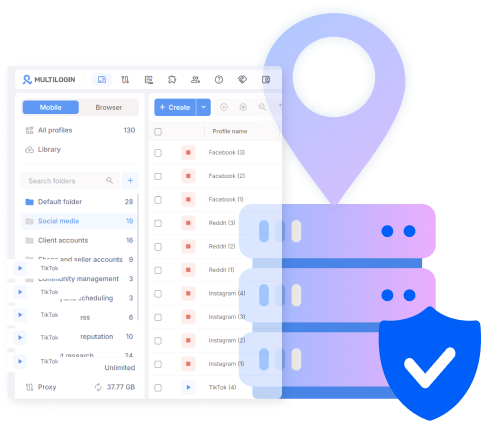
Multilogin proxy gồm ba loại proxy: dân cư, di động và ISP. Mỗi loại được gán trực tiếp cho một hồ sơ ngay trên màn hình tạo hồ sơ. Proxy Multilogin hoạt động theo cùng một cách dù hồ sơ chạy trên điện thoại đám mây Android thật hay hồ sơ trình duyệt được cô lập, vì Multilogin là nền tảng điện thoại đám mây dành cho các nhà tiếp thị mạng xã hội, được xây dựng cho cả con người và tác nhân AI. Mọi proxy trong Multilogin đều được thiết lập tại cùng một nơi. Hướng dẫn này sẽ giúp bạn xác định loại proxy phù hợp với từng nền tảng, cách thiết lập proxy Multilogin và chi phí mua thêm dung lượng proxy khi đã sử dụng hết lưu lượng đi kèm trong gói.
Ba loại proxy Multilogin
- Proxy dân cư định tuyến lưu lượng qua các địa chỉ IP gắn với kết nối Internet gia đình thực, phù hợp với những nền tảng cần kiểm tra tính ổn định và tự nhiên của kết nối trong thời gian dài.
- Proxy di động định tuyến lưu lượng qua mạng của nhà cung cấp dịch vụ di động, tương tự loại kết nối mà điện thoại thực sự sử dụng khi truy cập dữ liệu di động.
- Proxy ISP kết hợp tốc độ của trung tâm dữ liệu với địa chỉ IP được đăng ký cho nhà cung cấp dịch vụ Internet, tạo ra lựa chọn cân bằng giữa hai loại proxy còn lại về cả chi phí lẫn đặc tính hoạt động.
Không loại proxy nào được tự động ghép với một nền tảng cụ thể. Đội ngũ sẽ lựa chọn loại proxy trong quá trình tạo hồ sơ dựa trên nhu cầu của tài khoản, và lựa chọn đó sẽ tiếp tục được gắn với hồ sơ về sau.
Proxy dân cư cho Reddit, YouTube và các nền tảng trình duyệt khác
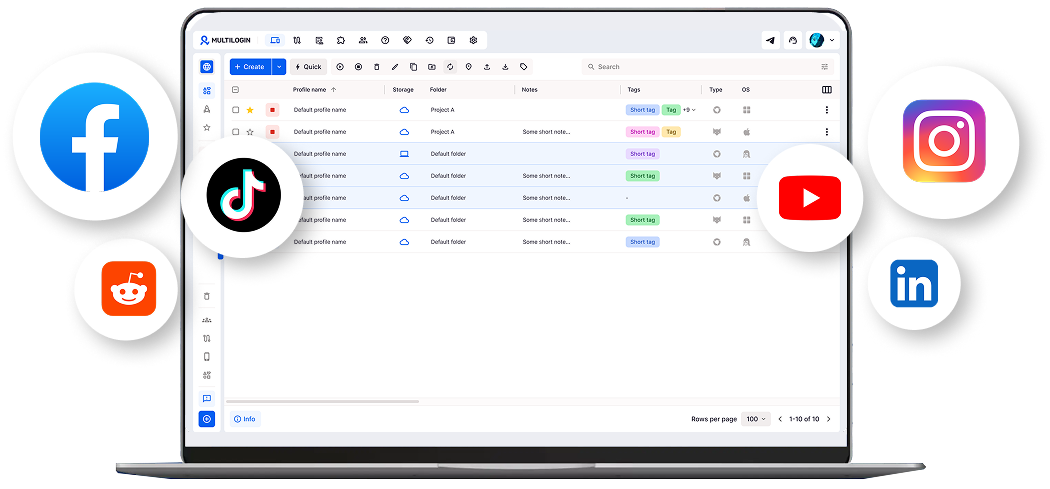
Proxy dân cư phù hợp nhất với Reddit, YouTube, LinkedIn và X. Các nền tảng này hoạt động thông qua hồ sơ trình duyệt được cô lập thay vì điện thoại đám mây, đồng thời chú trọng đến lịch sử tài khoản và tính nhất quán của quá trình đăng nhập theo thời gian. Một tài khoản Reddit đăng nhập qua cùng kiểu kết nối IP dân cư trong nhiều phiên liên tiếp sẽ trông giống một người dùng thông thường hơn là một thiết bị mới liên tục xuất hiện. Bài phân tích về lệnh cấm IP trên Reddit giải thích lý do hành vi của địa chỉ IP có thể khiến tài khoản bị gắn cờ ngay từ đầu.
Nguyên tắc tương tự cũng áp dụng khi quản lý kênh YouTube, nơi tính nhất quán của mô hình đăng nhập có thể ảnh hưởng đến trạng thái tài khoản từ trước khi kênh bắt đầu đăng nội dung thường xuyên. Nếu đang xây dựng một kênh từ đầu, bạn có thể kết hợp cách thiết lập này với hướng dẫn về cách quảng bá kênh YouTube.
Proxy di động cho TikTok, Instagram và các ứng dụng di động khác
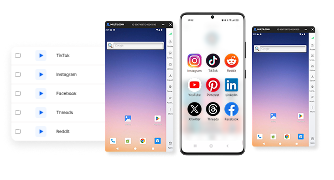
Proxy di động phù hợp nhất với TikTok, Instagram, Facebook và WhatsApp. Các nền tảng này hoạt động dưới dạng ứng dụng di động gốc, và Multilogin chạy chúng trên điện thoại đám mây Android thật thay vì giả lập thiết bị. Proxy di động phù hợp với cách thiết lập này vì lưu lượng được định tuyến qua cùng loại mạng nhà cung cấp dịch vụ mà điện thoại thực tế sử dụng, giúp loại kết nối đồng nhất với loại thiết bị.
Điều này đặc biệt quan trọng trên TikTok, nơi hoạt động của tài khoản thường được đánh giá kỹ và một kết nối không phù hợp với thiết bị có thể trở nên bất thường. Những ai quản lý nhiều tài khoản TikTok sẽ có lợi khi hiểu cách nền tảng đánh giá hoạt động, được giải thích chi tiết trong bài phân tích về thuật toán TikTok.
Proxy ISP cho tài khoản sàn thương mại điện tử và xác minh quảng cáo
Proxy ISP phù hợp nhất với các công việc liên quan đến sàn thương mại điện tử và xác minh quảng cáo, vì trong những trường hợp này, tốc độ và độ ổn định thường quan trọng hơn việc kết nối trông giống lưu lượng Internet gia đình:
- Tài khoản sàn thương mại điện tử và thương mại điện tử như Amazon, eBay và Etsy cần kết nối nhanh, ổn định trên nhiều gian hàng, thay vì đặc tính chậm hơn và biến động nhiều hơn của IP dân cư.
- Công việc xác minh quảng cáo, chẳng hạn kiểm tra cách quảng cáo hiển thị tại nhiều khu vực khác nhau, cần một kết nối đáng tin cậy hơn là một kết nối mang đặc tính giống mạng dân cư.
Proxy ISP có mặt tại hơn 150 quốc gia, bao gồm Việt Nam, đáp ứng phần lớn nhu cầu nhắm mục tiêu theo khu vực cho hoạt động trên sàn thương mại điện tử hoặc xác minh quảng cáo mà không cần sử dụng một nhà cung cấp riêng cho từng thị trường.
Cách thiết lập proxy Multilogin hoạt động như thế nào?
Quy trình thiết lập proxy Multilogin gồm ba bước giống nhau, bất kể bạn chọn loại proxy nào:
- Tạo hồ sơ mới và chọn nền tảng sẽ chạy trên hồ sơ đó, ứng dụng di động hoặc trình duyệt.
- Chọn loại proxy: dân cư, di động hoặc ISP.
- Chọn khu vực, sau đó lưu hồ sơ. Proxy sẽ tiếp tục được gắn với hồ sơ đó trong những lần sử dụng sau.
Quy trình vẫn hoàn toàn giống nhau dù tài khoản đang được thiết lập là hồ sơ Instagram đầu tiên hay hồ sơ thứ năm mươi.
Quản lý proxy trên nhiều hồ sơ
Quản lý proxy ở quy mô lớn chủ yếu là giữ cho hàng chục hoặc hàng trăm proxy được tổ chức rõ ràng, thay vì chỉ tối ưu từng proxy riêng lẻ:
- Các đội ngũ sản xuất nội dung bằng AI trên nhiều tài khoản cần đảm bảo proxy của từng hồ sơ duy trì tính nhất quán theo thời gian. Tài liệu về quản lý nội dung do AI tạo giải thích cách tổ chức loại hình vận hành nhiều tài khoản này.
- Các đội ngũ có quy trình phê duyệt tài khoản thường cũng theo dõi loại proxy đang được sử dụng cho từng tài khoản, nhằm tránh việc proxy dân cư vô tình bị thay bằng proxy di động trong quá trình bàn giao. Danh sách kiểm tra quy trình phê duyệt mạng xã hội này trình bày những hạng mục thường có trong quá trình đánh giá đó.
Kết nối proxy Multilogin với tự động hóa và tác nhân AI
Proxy Multilogin được tự động chuyển tiếp sang bất kỳ tập lệnh hoặc tác nhân nào điều khiển hồ sơ thông qua cùng quyền truy cập ADB và API được dùng để kết nối Selenium, Puppeteer, Playwright và Postman. Một tác nhân AI đăng nội dung thông qua API đó không cần cấu hình proxy riêng; tác nhân sẽ kế thừa proxy đã được gán sẵn cho hồ sơ.
Điều này đặc biệt hữu ích đối với các quy trình nội dung vận hành bằng AI. Một tài khoản người ảnh hưởng bằng AI được xây dựng trên điện thoại đám mây sẽ giữ nguyên proxy di động trong mọi phiên mà tập lệnh hoặc tác nhân tự động kích hoạt. Nguyên tắc tương tự cũng áp dụng trên X, nơi hướng dẫn về tự động hóa Twitter bằng tác nhân AI cho thấy một tác nhân có thể vận hành hồ sơ từ đầu đến cuối mà không cần cấu hình lại proxy.
Mua thêm dung lượng proxy trên Multilogin có giá bao nhiêu?
Dung lượng proxy bổ sung trên Multilogin có giá 3,50 USD mỗi GB và có thể được mua thêm trực tiếp sau khi đã sử dụng hết dung lượng đi kèm trong gói:
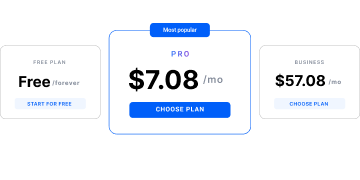
- Gói miễn phí: bao gồm lưu lượng proxy miễn phí, không giới hạn thời gian và không cần thẻ tín dụng.
- Gói Pro: từ 7,08 USD/tháng, bao gồm một lượng lưu lượng proxy nhất định.
- Gói Business: từ 57,08 USD/tháng, bao gồm lượng lưu lượng proxy lớn hơn.
- Lưu lượng proxy bổ sung: 3,50 USD/GB, không cần nâng cấp gói.
- Số phút sử dụng điện thoại di động vượt quá hạn mức của gói: 0,011 USD/phút.
Cả lưu lượng proxy và số phút sử dụng điện thoại chưa dùng hết đều được cộng dồn sang kỳ tiếp theo, vì vậy trong những tháng sử dụng ít hơn, số dư mà đội ngũ đã thanh toán sẽ không bị đặt lại.