


不限数量账号,随心运营
您可以使用Multilogin 的 Quick AI Actions 批量创建浏览器配置文件,轻松管理多个爱彼迎账号,无需复杂设置。每个配置文件都可以为对应的账号一键分配独立、干净的 IP资源。
用不同地区 IP 管理全球房源
用 Multilogin 内置的住宅代理,您可以为每个 Airbnb 房东账号分别选择国家、城市或 ISP 级别的网络位置,让账号的登录环境与实际运营地区保持一致。轻松检查不同地区的房源展示情况、调整价格,管理各地的预订日历。
团队协作管理账号
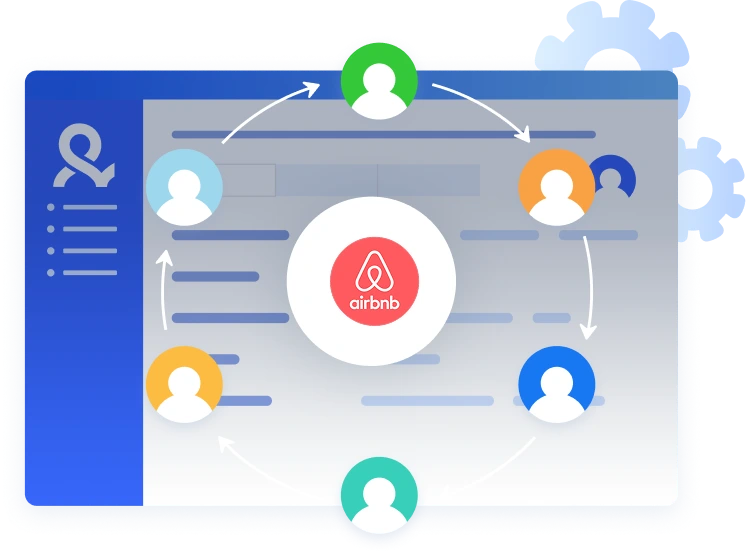
整个团队只需共享统一控制台,即可共同管理多个爱彼迎账号。每个账号都拥有独立的浏览器指纹环境,有助于降低账号受限的风险。您可以分配不同角色,控制成员查看或编辑环境的权限,同时保持每个浏览器会话相互隔离。

内置代理,轻松打开全球市场
Multilogin 提供内置住宅代理,帮助您的IP地址在每次登录爱彼迎时都保持稳定一致。您可以使用覆盖 150+ 地区 的全球 IP资源,并根据运营需求灵活切换地区,轻松打开全球市场。
立即体验免费试用
-
免费试用Multilogin
-
5个云端或本地配置文件
-
包含200MB全局IP流量
-
免费试用Multilogin
-
5个云端或本地配置文件
-
包含200MB全局IP流量
云手机是什么?
云手机相当于一个真正的安卓设备,只是在云上虚拟运行。每个云手机都是一个独立的设备,具有独立的运行系统、硬件参数、储存功能和网络信号。使用云手机时,您可以随意安装和运行您需要的app,与实体安卓设备没有任何差别。

为什么 Multilogin 是爱彼迎多账号管理的好帮手?
Multilogin 提供适合规模化管理多个爱彼迎房东账号的工具,让日常运营更加高效、稳定且有序。每个账号都可以运行在独立的浏览器环境中,并搭配内置代理,减少不同账号之间因环境重叠而产生的关联风险。此外,Multilogin 兼容 Puppeteer、Playwright 和 Selenium 等自动化工具,可以进一步简化重复性的 Airbnb 运营任务,提高多账号管理效率。

什么是 Multilogin?
探索更多产品功能
观看 Multilogin 使用演示
获奖最多的多账号管理平台















Multilogin 品质服务,值得信赖

Nino Latif




George M.
联合创始人,小型企业
Airbnb Multiple Host Accounts: How to Manage More Than One Profile Safely and Without Getting Flagged
Running one Airbnb host account is easy. The problems start when you try to manage multiple accounts on the same device. If you’ve ever switched between profiles and suddenly faced a flag, pause, or ban, you already know how strict Airbnb is.
Property managers, agencies, co-hosts, and rental operators use multiple Airbnb accounts every day, and Airbnb doesn’t block that. What it fights is linked behaviour — shared IP addresses, shared fingerprints, or anything that makes accounts look connected.
This guide shows why hosts use multiple Airbnb host accounts, what triggers bans, and how to keep profiles technically separate so they stay safe. If you’ve been asking “Can I have multiple Airbnb host accounts?” the answer is yes — but only when each account runs as its own clean identity.
Why hosts use multiple Airbnb accounts
There are legitimate, practical reasons people run multiple Airbnb accounts:
- Managing properties for different owners
- Operating listings in different countries
- Separating high-risk listings from mature ones
- Running an agency offering Airbnb management
- Creating branded experiences under different identities
- Keeping one account for long-stays and another for short-stays
- Protecting your core account in case a new listing gets flagged
Each of these use cases is normal in the short-term rental industry. The challenge isn’t the work — it’s keeping those accounts technically separate. If they link through IP, device fingerprint, cookies, or behavioural signals, Airbnb may treat them as one person trying to bypass restrictions.
And when Airbnb decides accounts are linked, you feel it immediately:
- One message pops up.
- One account freezes.
- Then another gets hit next.
If that happens, you need to rebuild clean profiles with new IPs and new browser fingerprints. But with the right setup, you avoid that pain altogether.
What triggers bans on multiple Airbnb accounts
Airbnb uses several layers of detection. If you understand them, you can avoid them.
The main triggers:
- Logging into several accounts from the same IP
- Using the same browser or device fingerprint across accounts
- Copying activity patterns (same timing, same behaviour)
- Sharing cookies or emotional patterns between profiles
- Switching accounts too quickly from one device
- Creating multiple accounts with identical environment settings
If Airbnb sees these overlaps, it assumes one person is trying to create duplicates. That’s why people who try running multiple Airbnb accounts with just incognito mode, VPNs, or manual logouts get banned fast.
You need full separation — fingerprints, cookies, IP, everything. This is where Multilogin becomes essential.
Keep each Airbnb host account isolated with Multilogin
Trying to run multiple Airbnb host accounts without proper isolation is the most common reason hosts get flagged.
Multilogin solves that by giving every account:
- Its own browser fingerprint
- Its own cookie jar
- Its own storage and extensions
- Its own IP (with built-in residential proxies)
- Its own behaviour pattern
To Airbnb, these accounts look like completely different hosts using different devices in different environments — not one person switching tabs.
Why Multilogin works for Airbnb hosts
ChatGPT said:
Managing multiple Airbnb host accounts comes with a long list of daily tasks—creating and verifying new profiles, uploading listings, adjusting pricing, handling calendars, answering guests, testing ranking changes, and coordinating with team members. Add regional research and switching between accounts, and things get chaotic fast. If you’ve ever moved between profiles in the same browser, you know how quickly Airbnb links them and starts throwing warnings. Multilogin antidetect browser stops that entirely by giving each account its own isolated environment, letting you manage everything cleanly without accidental cross-signals.
- You can build separate environments for each account
- All profiles stay stored in secure cloud or local storage
- You never mix cookies, IPs, or device data
- Pre-farmed cookies help warm new accounts naturally
- No technical skills required — it runs out of the box
If you already faced a ban, start fresh:
- Create a new Multilogin profile
- Assign a new residential IP
- Avoid copying actions from your old account
- Warm the account gradually with normal browsing
This rebuild method lowers the chance of hitting a flag again.
Can I have multiple Airbnb host accounts?
Yes. Airbnb does not forbid having several host accounts — what they forbid is linked accounts used to bypass restrictions or avoid penalties.
This is the difference:
Allowed
- Managing listings for different property owners
- Running an agency
- Operating listings in separate cities or countries
- Using separate accounts for separate business units
Not allowed
- Duplicate accounts created to evade penalties
- Mass-created accounts made from the same machine
- Accounts sharing IP, environment, or identity signals
The line is clear:
Multiple accounts = allowed
Linked accounts = banned
What you can do with multiple Airbnb accounts
With the right setup, multiple host accounts open the door to better business control, testing, and risk management.
You can:
- Manage listings for multiple owners
- Split responsibilities between team members
- Test pricing strategies without affecting your main account
- Operate listings in different regions
- Separate commercial properties from personal ones
- Build a management portfolio without cross-contamination
- Protect yourself if one account is suspended
- Keep one brand for luxury stays and another for budget stays
Multiple accounts = more flexibility + more protection + more scale.
What hosts need to run multiple Airbnb accounts safely
Most hosts want simplicity — not a technical puzzle.
Here’s what they actually need:
- Unique residential IP for each account
- Isolated browser fingerprints
- Cookie separation
- Stable sessions that don’t randomly break
- Ease of use (no technical setup)
- Scalability (from 2 accounts to 200+)
- Secure team access with permissions
- Built-in residential proxy traffic so you don’t buy from 3 vendors
Multilogin is built for those needs.
Why use Multilogin instead of a VPN or incognito mode
A VPN and incognito mode look helpful on the surface, but they only cover tiny parts of what Airbnb actually checks. A VPN changes your IP, and incognito mode clears your history, but neither stops Airbnb from seeing your real device fingerprint — the combo of system settings, hardware signals, and browser details that stay the same no matter how often you switch modes. That’s why accounts still get linked even after using a new IP.
Multilogin fixes the real issue by creating completely separate browser identities. Each Airbnb account gets its own fingerprint, cookies, storage, and residential IP, so nothing overlaps. To Airbnb, every profile looks like a different person using a different device. That’s something a VPN or basic proxy will never achieve.
Multilogin Built-in residential proxies included
Multilogin replaces the need to buy proxies from external providers.
Every plan includes free residential proxy traffic you can assign to each Airbnb profile with one click.
That means:
- No more matching proxies to fingerprints manually
- No broken configurations
- No extra subscriptions
- No competing IP pools
It’s one system handling all account identities — clean, organized, risk-free.
Start with the €1.99 trial (5 profiles + 200MB proxy traffic) to test how isolated accounts behave.
Create multiple Airbnb host accounts FAQ
Can I have multiple Airbnb host accounts without getting banned?
Yes. You can operate multiple Airbnb host accounts legally as long as they are not linked to each other. The risk comes from sharing the same IP, device fingerprint, or cookies. If Airbnb detects overlap, accounts can be restricted. Using isolated browser profiles and unique residential IPs keeps accounts safe.
Why does Airbnb flag or suspend accounts when I switch between profiles?
Airbnb tracks more than your login details. It reads your device fingerprint, IP address, cookies, and usage patterns. When two accounts share any of these signals, Airbnb treats them as one person. That’s why switching accounts in the same browser, even in incognito or with a VPN, often triggers verification checks or bans.
How do I safely manage multiple Airbnb accounts from one computer?
You need separate environments for each account. This means unique browser fingerprints, isolated cookies, and different IP addresses. Tools like Multilogin create these isolated profiles automatically and assign residential proxies, making each account look like a separate device.
What is the safest way to create a new Airbnb host account after a ban?
Start with a clean browser profile, a fresh residential IP, and pre-warmed cookies. Avoid copying previous behaviour patterns or logging into other accounts from the same environment. Multilogin helps rebuild a clean identity that Airbnb will treat as a new, genuine user.
Do VPNs or incognito mode protect multiple Airbnb accounts?
No. A VPN only changes your IP, and incognito mode only hides history. Airbnb still sees the same device fingerprint across accounts, which leads to linking. An antidetect browser like Multilogin changes fingerprints, cookies, and environment data, giving each account a unique identity.
Who needs multiple Airbnb host accounts and why?
Property managers, co-hosts, agencies, and rental operators use multiple accounts to handle listings for different owners, regions, or business units. Separate accounts reduce risk, improve organization, and protect well-performing profiles if one account faces restrictions.
