






Create Airbnb multiple host accounts
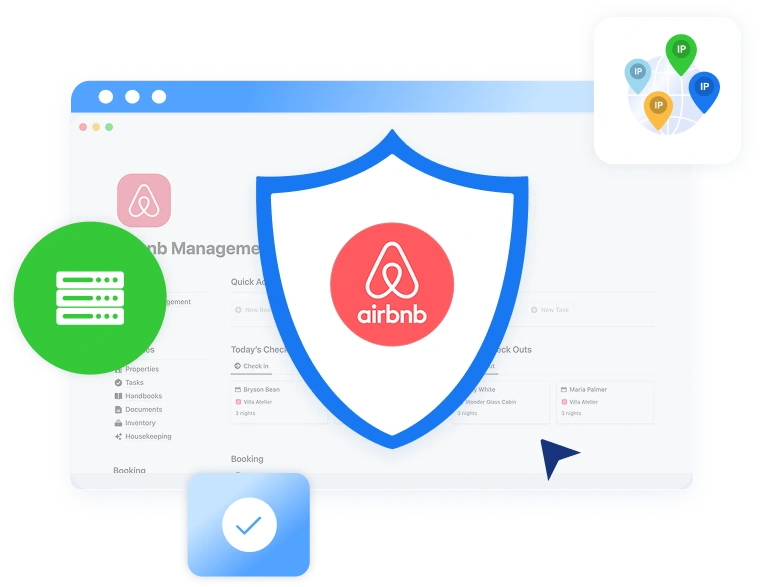
Run every Airbnb host account as a fully separate identity. Each profile gets its own fingerprint, residential IP, and isolated cookies—no overlap, no linking, no unexpected flags. Everything works out of the box so you can scale your listings without risking your accounts.
Post more,
work less
Perfect for multiple accounts
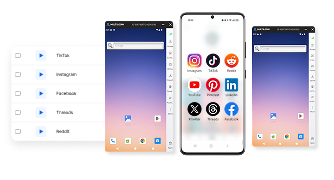
Unique cloud phones for each account
Built-in proxies
Residential and mobile proxies included in every plan
Grow organically
Post from real devices
Manage Airbnb multiple host accounts
Run multiple Airbnb host accounts from one clean, organized dashboard. Each profile loads with its own unique browser fingerprint and isolated data, so Airbnb treats them as completely separate hosts. No shared signals, no accidental linking, no surprise suspensions.
Run as many Airbnb host accounts as you need
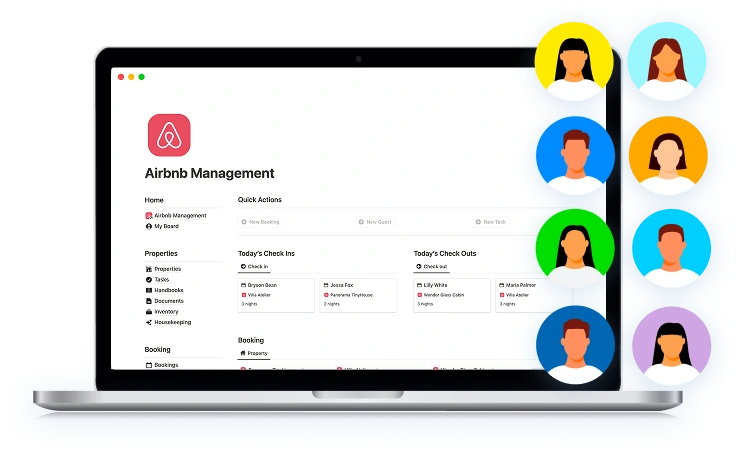
Set up built-in residential proxies and create isolated browser profiles you can clone, transfer, or export in one click. Run as many Airbnb host accounts as you need — from a few to 10,000+ profiles — while keeping every identity fully separate, stable, and protected from linking.
Manage global listings with region-specific IPs
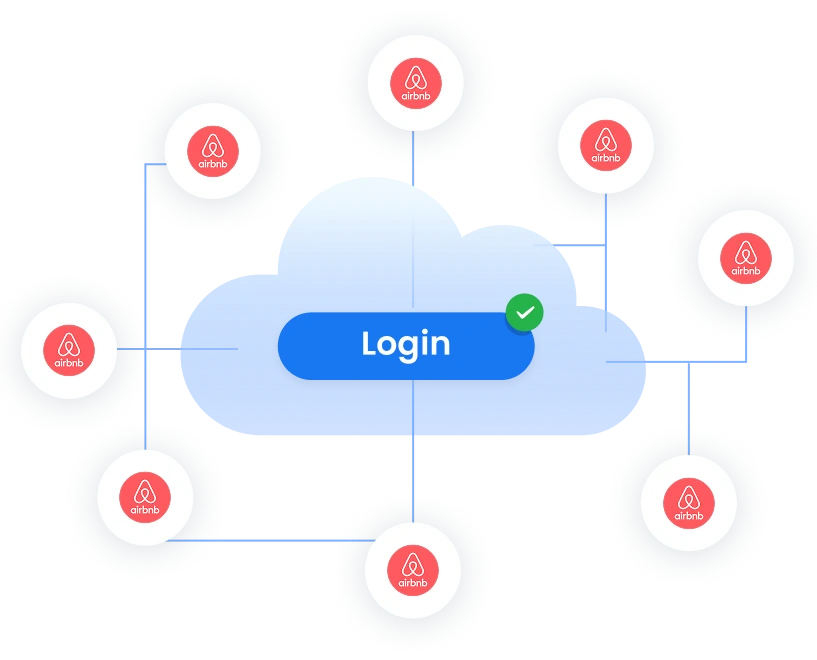
Log into each Airbnb host account as if you’re physically in that city. With Multilogin’s built-in residential proxies, you can pick country, city, or ISP-level IPs for every profile, making your listings look truly local. Check visibility, adjust pricing, and manage calendars across regions without triggering location-based checks or verification prompts.
Share Airbnb multiple host accounts with your team
Share Airbnb multiple host accounts with your team using secure, permission-based access. Assign roles, control who can view or edit profiles, and keep every browser session isolated. Your team can log in, pause, or resume accounts without ever exposing device data or risking cross-linking.
Avoid Airbnb account bans with built-in proxies
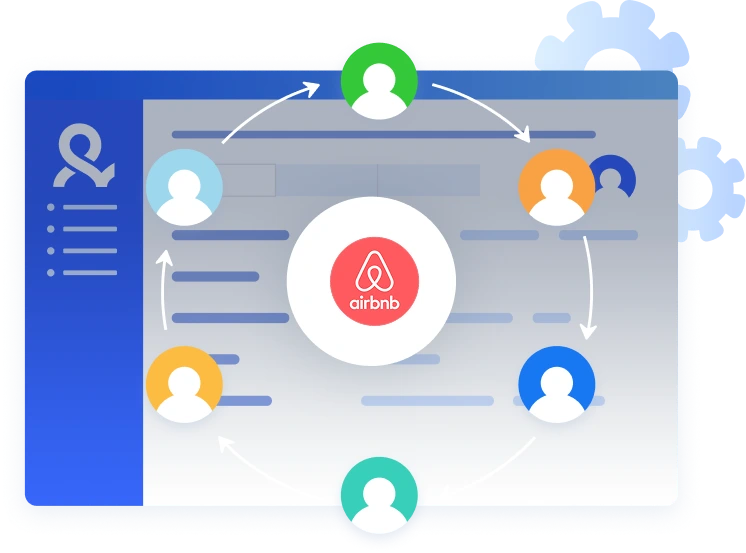
Airbnb flags accounts when they share the same IP. Multilogin prevents that by assigning each profile its own clean, built-in residential IP. No third-party setup, no overlap — just fully separate sessions that stay safe from bans and verification checks.
Grow your social media accounts with Multilogin cloud phones
Build account trust, reach any location, and boost your engagement
- Unlimited time
- Mobile and browser profiles included
- Free built-in proxies & mobile minutes
What is antidetect browser?
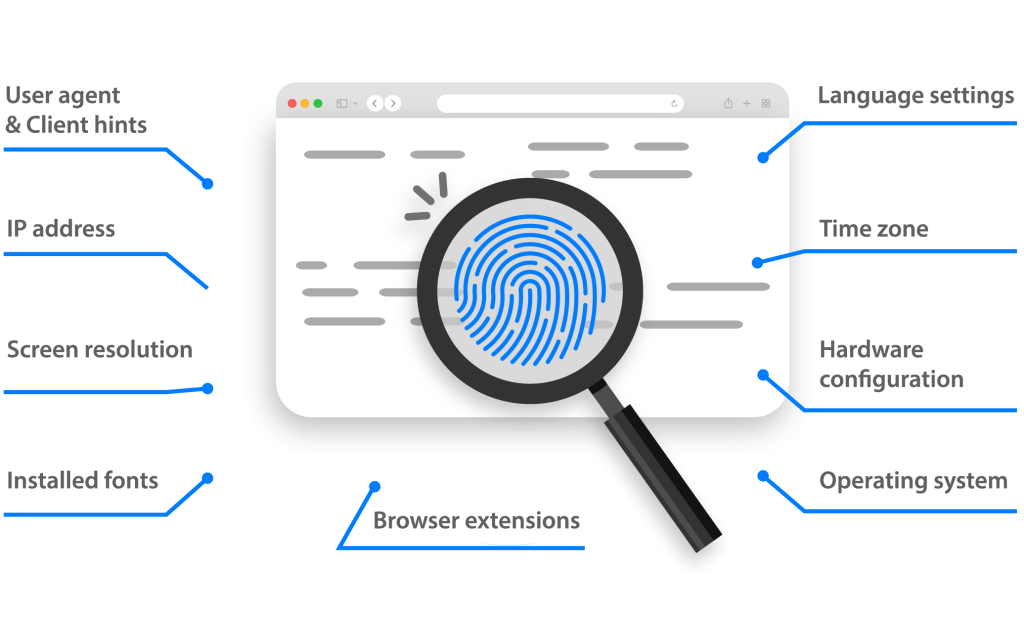
These browsers hide your computer’s “digital fingerprint,” which includes things like browsing history, cookies, and hardware details. So, each account you create has its own unique identity, even though they’re all on the same machine. It’s like having an army of anonymous users, all ready to grab those free tokens, without detection!
Why choose Multilogin?
Multilogin gives you the tools to manage multiple Airbnb host accounts faster, safer, and at scale without getting flagged. You get isolated browser profiles that look like real devices, built-in residential proxies to prevent account linking, and full compatibility with automation tools like Puppeteer, Playwright, and Selenium for streamlined Airbnb operations.
Manage multiple Airbnb host accounts with no bans
Start using Multilogin today
Multilogin features for creating multiple FB accounts
Try Multilogin today and experience safer, smarter multi-accounting
Run unlimited accounts securely, bypass detection, and stay human-like online — all from one platform.
Multilogin: manage multiple accounts across 25+ platforms

























Explore more multi-accounting solutions
- Create multiple AliExpress accounts
- Create multiple ASOS accounts
- Create multiple AttaPoll accounts
- Create multiple Binance accounts
- Create multiple Bing accounts
- Create multiple Bluesky accounts
- Create multiple CapCut accounts
- Create multiple Discord accounts
- Create multiple eBay accounts
- Create multiple Etsy accounts
- Create multiple Facebook Marketplace accounts
- Create multiple Fiverr accounts
- Create multiple Fortnite accounts
- Create multiple Gmail accounts
- Create multiple Google Accounts
- Create multiple Google Ads accounts
- Create multiple InShot accounts
- Create multiple Instagram accounts
- Create multiple Kwai accounts
- Multiple Kwork accounts
- Create multiple OnlyFans accounts
- Create multiple Outlook accounts
- Create multiple Pinterest accounts
- Create multiple Rakuten accounts
- Create multiple Reddit Ads accounts
- Create multiple Roblox accounts
- Create multiple SHEIN accounts
- Create multiple Shopee accounts
- Create multiple Shopify stores
- Create multiple Snapchat accounts
- Create multiple social media accounts
- Create multiple social media accounts
- Create multiple Steam accounts
- Create Multiple Temu Accounts
- Create multiple Threads accounts
- Create multiple Ticketmaster accounts
- Create multiple TikTok Shop seller accounts
- Create multiple Tinder accounts
- Create multiple Truth Social accounts
- Create multiple Twitch accounts
- Multiple Upwork accounts
- Create multiple Venmo accounts
- Create multiple Vinted accounts
- Create multiple WeChat accounts
- Manage multiple email accounts
- Manage multiple QQ accounts
- Manage Multiple Yelp Accounts Without Bans
- Manage TikTok accounts with cloud phones
- Multiple PayPal accounts
- Multiple Signal accounts
- Social media marketing
- Traffic arbitrage
- Multi‑account browser with cloud phones
- Multi-account management
- AIGC Management
- Create multiple Instagram accounts
- Create multiple Reddit accounts
- Create Multiple Facebook Accounts
- Create multiple WhatsApp accounts
- Create multiple YouTube accounts
- Create multiple LinkedIn accounts
- Create multiple Twitter accounts
- Create multiple Telegram accounts
Most Awarded Antidetect Browser













How to start using Multilogin
Start collecting data effortlessly with the industry leading antidetect browser.
Sign up
Register using a verified email address.
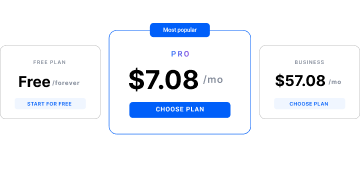
Choose your plan
Select from various subscription plans tailored to your business needs.
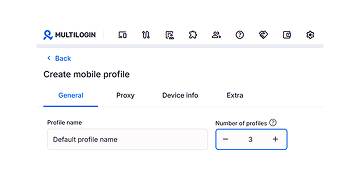
Run multiple Airbnb accounts
Set up and manage as many Airbnb accounts as you need using separate browser profiles, all from one secure platform.
Why people love Multilogin
-

A Good Cloud Phone for Account Management
Running a small team means I need control over who can access what, and Multilogin handles that well. The team access controls let me manage permissions without giving everyone the keys to every account. On top of that, the cloud phones keep everything isolated so one account issue doesn’t put the rest at risk. Solid choice for agencies managing multiple clients or accounts.
-

The best service for great ideas and big minds!
Always here for their clients, always ready to help out. I am using the service for 3-4-5 months now and brought me lots of great things 🙂 Hope to grow it on a larger scale and continue using the service …
-

Cloud phones make it easy to manage multiple TikTok accounts with AI agents
I use Multilogin to manage a bunch of AI agents running TikTok accounts for different countries. Since each agent needs its own account, I wanted an easy way to keep everything organized. Cloud phones make it super easy. Every account has its own phone, so I don’t have to buy or manage a bunch of real devices. I can see everything in one dashboard while the AI agents handle posting and the rest of the daily work.
-

Ideal for Social Media Management
I mainly use Multilogin for client social media management, and the cloud phones have been the biggest advantage for me. I can keep different clients in separate environments, leave their sessions running, and jump between accounts without constantly switching physical devices. It feels much more practical than trying to manage everything from a pile of phones.
-

Perfect browser for work, worth the money!
My overall experience with Multilogin has been excellent. I really like its intuitive dashboard, reliable customer support, and competitive pricing. It has become an essential part of my e-commerce business, and I highly recommend it to anyone looking for a dependable solution.
-

Safer accounts using Cloud Phones for social profiles
Running social profiles on cloud phones feels safer, everything is properly separated instead of relying on browser fingerprint tricks alone. Been running mine for a couple months with zero linking issues.
-

Efficient Account Management and Outstanding Support with Multilogin
Multilogin has been an excellent tool for managing multiple accounts efficiently. The setup was quick, and I was able to start using it right away with no learning curve. The interface feels just like Chrome, making it easy to navigate and work without interruption. Performance has been smooth, and browsing feels natural and responsive.
Experience Multilogin: smart, secure multi-accounting made for Airbnb.
Run unlimited accounts securely, bypass detection, and stay human-like online — all from one platform.
Watch the Multilogin Demo
See how to run multiple accounts in just 2 minutes.
Watch the demo below and discover how Multilogin can streamline your workflow.
Airbnb Multiple Host Accounts: How to Manage More Than One Profile Safely and Without Getting Flagged
Running one Airbnb host account is easy. The problems start when you try to manage multiple accounts on the same device. If you’ve ever switched between profiles and suddenly faced a flag, pause, or ban, you already know how strict Airbnb is.
Property managers, agencies, co-hosts, and rental operators use multiple Airbnb accounts every day, and Airbnb doesn’t block that. What it fights is linked behaviour — shared IP addresses, shared fingerprints, or anything that makes accounts look connected.
This guide shows why hosts use multiple Airbnb host accounts, what triggers bans, and how to keep profiles technically separate so they stay safe. If you’ve been asking “Can I have multiple Airbnb host accounts?” the answer is yes — but only when each account runs as its own clean identity.
Why hosts use multiple Airbnb accounts
There are legitimate, practical reasons people run multiple Airbnb accounts:
- Managing properties for different owners
- Operating listings in different countries
- Separating high-risk listings from mature ones
- Running an agency offering Airbnb management
- Creating branded experiences under different identities
- Keeping one account for long-stays and another for short-stays
- Protecting your core account in case a new listing gets flagged
Each of these use cases is normal in the short-term rental industry. The challenge isn’t the work — it’s keeping those accounts technically separate. If they link through IP, device fingerprint, cookies, or behavioural signals, Airbnb may treat them as one person trying to bypass restrictions.
And when Airbnb decides accounts are linked, you feel it immediately:
- One message pops up.
- One account freezes.
- Then another gets hit next.
If that happens, you need to rebuild clean profiles with new IPs and new browser fingerprints. But with the right setup, you avoid that pain altogether.
What triggers bans on multiple Airbnb accounts
Airbnb uses several layers of detection. If you understand them, you can avoid them.
The main triggers:
- Logging into several accounts from the same IP
- Using the same browser or device fingerprint across accounts
- Copying activity patterns (same timing, same behaviour)
- Sharing cookies or emotional patterns between profiles
- Switching accounts too quickly from one device
- Creating multiple accounts with identical environment settings
If Airbnb sees these overlaps, it assumes one person is trying to create duplicates. That’s why people who try running multiple Airbnb accounts with just incognito mode, VPNs, or manual logouts get banned fast.
You need full separation — fingerprints, cookies, IP, everything. This is where Multilogin becomes essential.
Keep each Airbnb host account isolated with Multilogin
Trying to run multiple Airbnb host accounts without proper isolation is the most common reason hosts get flagged.
Multilogin solves that by giving every account:
- Its own browser fingerprint
- Its own cookie jar
- Its own storage and extensions
- Its own IP (with built-in residential proxies)
- Its own behaviour pattern
To Airbnb, these accounts look like completely different hosts using different devices in different environments — not one person switching tabs.
Why Multilogin works for Airbnb hosts
Managing multiple Airbnb host accounts comes with a long list of daily tasks—creating and verifying new profiles, uploading listings, adjusting pricing, handling calendars, answering guests, testing ranking changes, and coordinating with team members. Add regional research and switching between accounts, and things get chaotic fast. If you’ve ever moved between profiles in the same browser, you know how quickly Airbnb links them and starts throwing warnings. Multilogin antidetect browser stops that entirely by giving each account its own isolated environment, letting you manage everything cleanly without accidental cross-signals.
- You can build separate environments for each account
- All profiles stay stored in secure cloud or local storage
- You never mix cookies, IPs, or device data
- Pre-farmed cookies help warm new accounts naturally
- No technical skills required — it runs out of the box
If you already faced a ban, start fresh:
- Create a new Multilogin profile
- Assign a new residential IP
- Avoid copying actions from your old account
- Warm the account gradually with normal browsing
This rebuild method lowers the chance of hitting a flag again.
Can I have multiple Airbnb host accounts?
Yes. Airbnb does not forbid having several host accounts — what they forbid is linked accounts used to bypass restrictions or avoid penalties.
This is the difference:
Allowed
- Managing listings for different property owners
- Running an agency
- Operating listings in separate cities or countries
- Using separate accounts for separate business units
Not allowed
- Duplicate accounts created to evade penalties
- Mass-created accounts made from the same machine
- Accounts sharing IP, environment, or identity signals
The line is clear:
Multiple accounts = allowed
Linked accounts = banned
What you can do with multiple Airbnb accounts
With the right setup, multiple host accounts open the door to better business control, testing, and risk management.
You can:
- Manage listings for multiple owners
- Split responsibilities between team members
- Test pricing strategies without affecting your main account
- Operate listings in different regions
- Separate commercial properties from personal ones
- Build a management portfolio without cross-contamination
- Protect yourself if one account is suspended
- Keep one brand for luxury stays and another for budget stays
Multiple accounts = more flexibility + more protection + more scale.
What hosts need to run multiple Airbnb accounts safely
Most hosts want simplicity — not a technical puzzle.
Here’s what they actually need:
- Unique residential IP for each account
- Isolated browser fingerprints
- Cookie separation
- Stable sessions that don’t randomly break
- Ease of use (no technical setup)
- Scalability (from 2 accounts to 200+)
- Secure team access with permissions
- Built-in residential proxy traffic so you don’t buy from 3 vendors
Multilogin is built for those needs.
Why use Multilogin instead of a VPN or incognito mode
A VPN and incognito mode look helpful on the surface, but they only cover tiny parts of what Airbnb actually checks. A VPN changes your IP, and incognito mode clears your history, but neither stops Airbnb from seeing your real device fingerprint — the combo of system settings, hardware signals, and browser details that stay the same no matter how often you switch modes. That’s why accounts still get linked even after using a new IP.
Multilogin fixes the real issue by creating completely separate browser identities. Each Airbnb account gets its own fingerprint, cookies, storage, and residential IP, so nothing overlaps. To Airbnb, every profile looks like a different person using a different device. That’s something a VPN or basic proxy will never achieve.
Multilogin Built-in residential proxies included
Multilogin replaces the need to buy proxies from external providers.
Every plan includes free residential proxy traffic you can assign to each Airbnb profile with one click.
That means:
- No more matching proxies to fingerprints manually
- No broken configurations
- No extra subscriptions
- No competing IP pools
It’s one system handling all account identities — clean, organized, risk-free.
Start with the €1.99 trial (5 profiles + 200MB proxy traffic) to test how isolated accounts behave.
Create multiple Airbnb host accounts FAQ
Can I have multiple Airbnb host accounts without getting banned?
Yes. You can operate multiple Airbnb host accounts legally as long as they are not linked to each other. The risk comes from sharing the same IP, device fingerprint, or cookies. If Airbnb detects overlap, accounts can be restricted. Using isolated browser profiles and unique residential IPs keeps accounts safe.
Why does Airbnb flag or suspend accounts when I switch between profiles?
Airbnb tracks more than your login details. It reads your device fingerprint, IP address, cookies, and usage patterns. When two accounts share any of these signals, Airbnb treats them as one person. That’s why switching accounts in the same browser, even in incognito or with a VPN, often triggers verification checks or bans.
How do I safely manage multiple Airbnb accounts from one computer?
You need separate environments for each account. This means unique browser fingerprints, isolated cookies, and different IP addresses. Tools like Multilogin create these isolated profiles automatically and assign residential proxies, making each account look like a separate device.
What is the safest way to create a new Airbnb host account after a ban?
Start with a clean browser profile, a fresh residential IP, and pre-warmed cookies. Avoid copying previous behaviour patterns or logging into other accounts from the same environment. Multilogin helps rebuild a clean identity that Airbnb will treat as a new, genuine user.
Do VPNs or incognito mode protect multiple Airbnb accounts?
No. A VPN only changes your IP, and incognito mode only hides history. Airbnb still sees the same device fingerprint across accounts, which leads to linking. An antidetect browser like Multilogin changes fingerprints, cookies, and environment data, giving each account a unique identity.
Who needs multiple Airbnb host accounts and why?
Property managers, co-hosts, agencies, and rental operators use multiple accounts to handle listings for different owners, regions, or business units. Separate accounts reduce risk, improve organization, and protect well-performing profiles if one account faces restrictions.