



Discover why teams choose Multilogin

Multilogin vs. Octo Browser

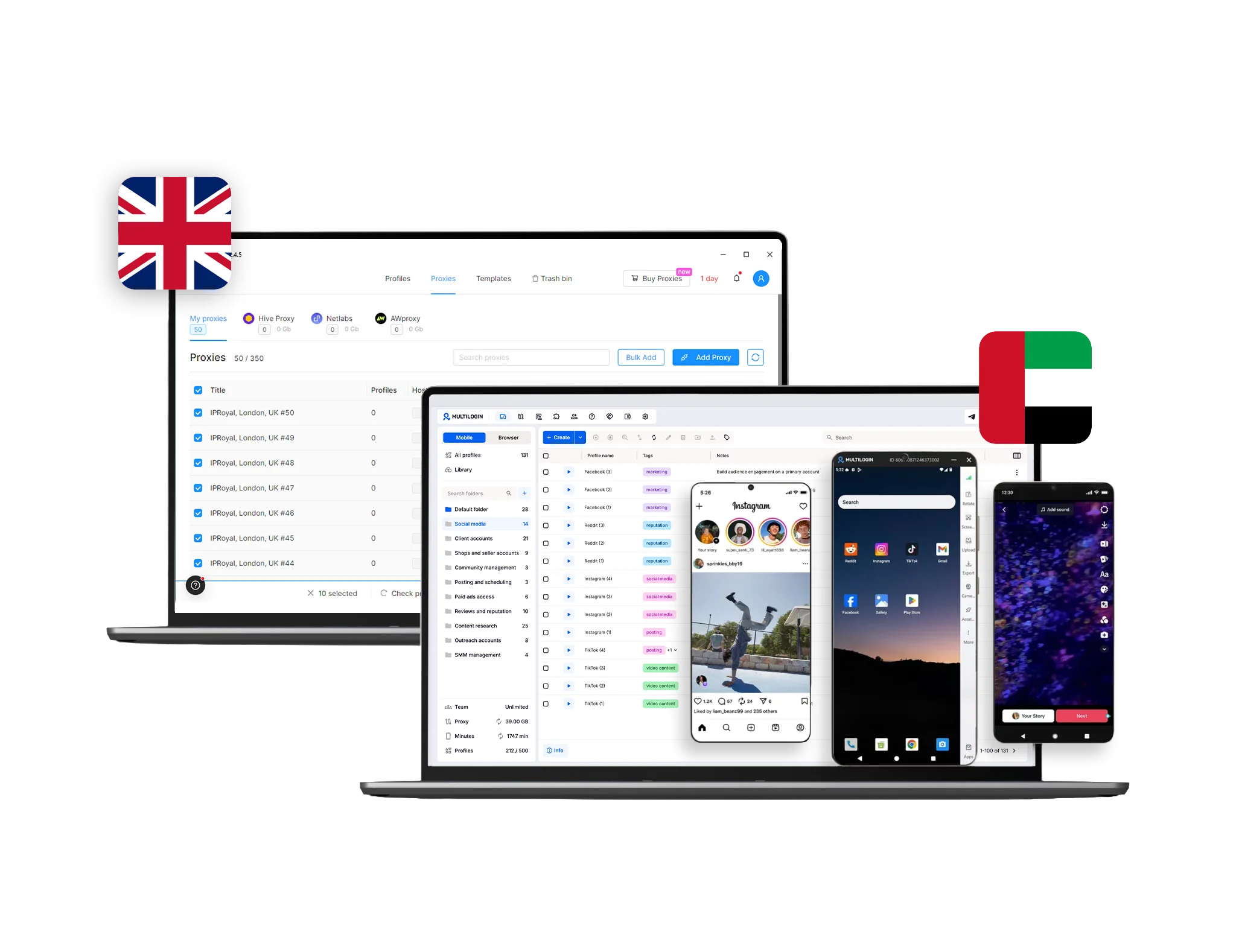
Multilogin vs Octo Browser dashboard comparison for cloud phones and browser profiles with United Kingdom and Estonia flags.
Multilogin logo representing the Estonian-origin platform for advanced multi-account management and anonymity.
Octobrowser logo
Cloud phones in Multilogin Icon

Cloud phones

Multilogin Cloud Phones are complete Android devices running in the cloud, each with a dedicated system fingerprint and a consistent device identity. They allow you to open and operate native mobile apps, manage multiple cloud phones from one central dashboard, and use built-in residential proxies to maintain stable, platform-trusted sessions.

Octo Browser does not include integrated cloud phones or a real Android/iOS environment, as it’s core focus remains on desktop browser profiles rather than full cloud-based mobile sessions, so users needing true cloud phone functionality typically look to alternatives like Multilogin’s dedicated Cloud Phones.

Built-in proxies

Multilogin offers built-in residential proxies, making setup fast and easy. By handling proxies directly within the platform, it reduces the risk of account bans and ensures stable, reliable performance. Users get access to a massive proxy pool of 30M+ IPs across 150+ countries, bandwidth rollover, and smart IP filtering for consistent speed worldwide. Already working with your own provider? You can easily import and manage external proxies as well, giving you full flexibility to customize your setup.

Octo Browser doesn’t offer built-in proxies, requiring users to purchase them separately, which can be costly. The Start plan also limits users to one proxy across multiple profiles, increasing the risk of account blocks. Additionally, the Proxy Manager lacks the flexibility and reliability that comes with integrated proxy solutions.

web automation

Web automation

Multilogin integrates smoothly with tools like Postman, Selenium, Playwright, and Puppeteer, allowing you to use the scripts you already rely on.  Additionally, the Multilogin app and Multilogin CLI make automation even more efficient by eliminating manual steps, ensuring a smoother experience across both web and desktop versions.

Octo Browser supports automation with tools like Selenium, Puppeteer, and Playwright, allowing users to build custom scripts. However, it lacks support for CLI and Postman, limiting flexibility for more advanced automation. Additionally, Octo Browser offers basic team collaboration tools, but permissions are limited, there’s no granular role-based control, and profiles are stored locally, requiring manual file transfers that can lead to version issues. No real-time activity logs also make it harder to manage team actions effectively. 

Teamwork

Teamwork

Multilogin’s collaboration features are beginner-friendly and highly convenient, making it easy for individuals and small teams to work together without any technical setup. You can share browser and cloud phones profiles or entire workspaces instantly, assign simple role-based permissions, and manage everything from a clean, intuitive dashboard. All browser profiles are securely synced in the cloud, eliminating the need for manual file transfers — ensuring everyone works with the latest data. Real-time activity logs and flexible team seats ensure smooth coordination as your team grows, making Multilogin especially comfortable for newcomers while still powerful enough for larger teams.

Octo Browser offers basic team collaboration tools, but permissions are limited and there’s no granular role-based control, making it harder to manage access levels. Since profiles are stored locally, sharing often requires manual file transfers, which can lead to version mix-ups. While team seats exist, collaboration feels restricted and less seamless, with no real-time activity logs to track team actions. These limitations make teamwork in Octo Browser more manual and less beginner-friendly compared to Multilogin’s cloud-based experience.

Browser flexibility icon blue

Browser flexibility

Multilogin supports cloud phone mobile profiles and web browser profiles in the same platform. Profiles run locally or in the cloud, with per profile extensions, user agent, resolution and device overrides, plus window sync and per profile proxy assignment, so you can match real world Android and desktop environments precisely.

Octo Browser is built on a single Chromium-based engine, and does not offer multiple browser engine options like Multilogin.

Browser fingerprinting Customization

Multilogin lets you control 55+ fingerprint signals, including Canvas, WebGL, geolocation, timezone, language, hardware, and fonts, so each profile behaves like a real, separate device. You can also use cloud phones when you need a mobile environment for social media apps.

ChatGPT said:

Octo Browser offers basic fingerprinting customization, allowing users to adjust common parameters like canvas, WebGL, geolocation, timezone, and language. However, it lacks the depth and flexibility of more advanced tools. 

Multilogin X app (desktop)

Desktop app

Multilogin provides a stable Multilogin app with a clear, beginner-friendly interface. The layout is simple to navigate, so even first-time users can manage profiles without guessing where things are. The app is designed for efficiency: it loads fast, stays stable under heavy use, and makes handling large numbers of profiles smooth and uninterrupted.

Octo Browser does include a desktop app, but it feels local and manual rather than streamlined. Profiles are stored on the device, so switching computers or working with teammates requires manual file transfers — a process that slows teams down and increases the chance of profile mismatches or bans. The app also lacks full cloud syncing, meaning every update or setup step depends on the user, making ongoing maintenance more work than it needs to be.

Data privacy & security

Data privacy & security

Multilogin offers granular role-based access, cloud-synced profiles, and real-time activity logs to ensure your team and projects stay secure. As a GDPR-compliant European company, your data is automatically deleted three months after your subscription ends. Passwords are hashed, account data is protected with AES encryption, and sessions are encrypted before being stored in the cloud. Enable 2FA for added security—blocking access even if a password is compromised. It’s quick to set up and ensures that only trusted team members can access shared workspaces.

Octo Browser includes basic security measures to protect users, such as encryption for profiles and saved credentials, which helps prevent exposing data in plain text. It also supports two-factor authentication (2FA) for account logins, though it’s not enabled by default. Enabling 2FA is recommended to reduce the risk of unauthorized access. However, Octo Browser’s security is more basic compared to advanced solutions, and unlike providers that follow strict compliance frameworks like GDPR, Octo Browser lacks clear data deletion policies, offering a more limited approach to data protection.

Icon symbolizing customer support services, highlighting availability and assistance in the comparison.

Customer support

Multilogin support team is skilled and available 24/7. Moreover we speak five languages – English, Vietnamese, Russian, Chinese, and Portuguese – without relying on automated translation. In addition we test Multilogin on over 50+ websites daily for top performance.

Octo Browser support system has slower response times and lacks live chat options, which, as a result, may limit users seeking quick help. Instead, it primarily relies on a ticket-based approach, making it less ideal for those who prefer direct communication channels to resolve issues efficiently. In comparison, Multilogin offers faster and more accessible support, making it a better Octo Browser alternative for those who value responsive customer service.

Browser core & antidetect updates​

Browser core & updates

Multilogin provides detailed updates with the best schedule: every 2 to 4 weeks after the official release. Specifically, the focus is on browser core and fingerprinting technology. Moreover, these updates, driven by user feedback, improve functionality, security, and compatibility with web scraping and automation tools.

Octo Browser is frequently updated to improve its core functionality. Therefore, this demonstrates a consistent commitment to maintaining performance and functionality for users.

Icon representing pricing or cost information, typically symbolized by a dollar sign or price tag.

Pricing

Multilogin gives new users a Free Plan to start, which includes 5 browser profiles so you can test your setup before paying anything. Paid plans start from $7.08/month. Cloud Phone usage is billed per minute, with starter packages already included in the subscription. Core features and built-in proxy infrastructure are part of every plan, so costs stay predictable as you scale.

Octo Browser’s most affordable plan, the Lite package, starts at €10/month. While it gives you a chance to test the platform, the package is very limited—it includes only 3 profiles and no built-in proxies. This means you’ll need to manually find, purchase, and integrate your own proxy provider before you can start working.

What Multilogin offers that Octo Browser doesn't

Real-time external IP change detection

Unlimited free team member accounts

Daily testing on 50+ websites

Cookie Robot for profile warm-up

Assisted onboarding

Passes all browser fingerprint checkers

Free plan

One-click profile creation​

Custom browser fingerprint generation​

Octo Browser user or new to the game? Discover Multilogin, a reliable alternative to Octo Browser.

Explore Multilogin, a smarter alternative to Octo Browser.

Multilogin vs. Octo Browser recap chart

Find out why Multilogin is the preferred Octo Browser alternative

Multilogin logo representing the Estonian-origin platform for advanced multi-account management and anonymity. Octobrowser logo
Country of origin

Estonia Flag  Estonia

Belarus Flag  Belarus

Chromium
Yes (Mimic)
Yes
Cloud phones
Yes
No
Mobile App Marketplace
Yes
No
Platform compatibility
macOS, Windows, Linux
Windows, MacOS, Linux (beta)
Resource consumption
Requires 4GB RAM
Requires 4GB RAM
Desktop app
Yes
Yes
Security
High security
Standard security

Anti-fingerprinting technology

High level
Standard level
Quick profile creation
Yes
Yes
Custom browser fingerprint generation
Yes
No
Account password protection
Yes
Yes
Frequent updates
Frequent and detailed updates
Regular updates
Built-in proxies at no additional cost
Yes
No
Custom browser fingerprint generation
Yes
No
Account password protection
Yes
Yes
Knowledge center
Yes
Yes
Suits well for team management
Yes
No
Market Position
Beginner-friendly and scalable for individuals, small teams, and businesses of any size
Built for advanced users and larger teams, but less beginner-friendly for small or non-technical groups.
Support
24/7 Live Support, supports 5 languages
Available, can be slow

Grow your social media accounts with Multilogin cloud phones

Build account trust, reach any location, and boost your engagement
  • Unlimited time

  • Mobile and browser profiles included

  • Free built-in proxies & mobile minutes

  • Unlimited time

  • Mobile and browser profiles included

  • Free built-in proxies & mobile minutes

Why people love Multilogin

Nino Latif

The best service for great ideas and big minds!
Always here for their clients, always ready to help out. I am using the service for 3-4-5 months now and brought me lots of great things 🙂 Hope to grow it on a larger scale and continue using the service ...
Nick H.

Nick Horvath

Marketing agency

Efficient Account Management and Outstanding Support with Multilogin
Multilogin has been an excellent tool for managing multiple accounts efficiently. The setup was quick, and I was able to start using it right away with no learning curve. The interface feels just like Chrome, making it easy to navigate and work without interruption. Performance has been smooth, and browsing feels natural and responsive.
Sagar Chandra R

Sagar C.

Social Media Marketing

Effortless Multi-Account Management with Multilogin
I use Multilogin to manage multiple social media accounts safely and efficiently. It keeps each account in a separate digital profile, preventing blocks and saving time. I love the account isolation and friendly interface, which makes managing multiple profiles fast, secure, and easy. The initial setup was straightforward and easy.
Hamza Arif

Hamza Arif

E-commerce Manager

Perfect browser for work, worth the money!
My overall experience with Multilogin has been excellent. I really like its intuitive dashboard, reliable customer support, and competitive pricing. It has become an essential part of my e-commerce business, and I highly recommend it to anyone looking for a dependable solution.

Nino L.

Marketing Agent, Small-Business

Started using Multilogin in August/September 2021. Been using it for a couple of years now and I am very satisfied overall. They are always looking and finding ways to improve their app and make it easier...
Nathan Green

Nathan Green

Digital Marketing Specialist

Great Tool with Even Better Support
I've been using Multilogin for a while now, and I’m genuinely impressed with both the product and the support behind it. Their customer support is outstanding — always quick to respond, super helpful, and ready to assist with any issues or questions you have. You really feel like you're being taken care of.

George M.

Co-Founder, Small-Business

Quite Likely The Best Privacy Browser Out There!

There are quite a few things I like about Multilogin. My favorite, most definitively, is the teams feature allowing you to easily share specific browser profiles with different team members...

Award winning multiple account management platform

High Performer
Momentum leader
Best support
Momentum leader

See more comparisons

Compare with

Compare with

Compare with

Incogniton logo displayed on the Multilogin comparison page, linking to its detailed comparison with Multilogin.

Compare with

Undetectable logo

Compare with

Adspower logo featured on the Multilogin comparison page, representing the browser's branding and identity.

Compare with

MoreLogin logo displayed on the Multilogin comparison page, representing the browser's brand in the comparison with Multilogin.

Compare with

VMLogin logo, representing the antidetect browser solution, featured in a comparison with Multilogin.

Compare with

The official logo of NST Browser, showcased in a detailed comparison with Multilogin and VMLogin for antidetect browser features.

Compare with

Ghostbrowser logo, representing the brand in the antidetect browser comparison.

Watch the Multilogin Demo

Learn how Multilogin can boost your business. Check the video below to see its full capabilities in a short demo video.

Octo Browser vs. Multilogin: which multi-account management platform performs better in 2026?

Managing multiple accounts on platforms like Facebook, TikTok, or Amazon has gotten trickier. With detection systems constantly improving, regular browsers just don’t cut it anymore. This is where multi-account management platforms step in. They create isolated environments, so you can run multiple accounts without getting flagged.

Octo Browser and Multilogin are two of the most talked-about options. Both offer strong browser-level profile isolation, but Multilogin goes further by combining browser profiles with real Android cloud phones, meaning teams can manage both desktop and mobile identities inside one system.

Let’s see how they stack up in 2026.

Octo Browser vs Multilogin: user experience

Octo Browser starts off with a familiar interface that feels close to Chrome. If you’re used to Chrome, getting started doesn’t take much effort, creating new profiles is quick, and the dashboard is clean.

Things get more complex as the number of profiles grows, though. Managing dozens of accounts or switching between them means digging through more layers of clicks, and the interface starts to feel less suited to large-scale work.

Multilogin is built for professional multi-account work without adding friction as you scale. The interface stays clear even when you manage hundreds of identities, including bulk actions like automating Instagram logins across cloud phones instead of logging into each profile by hand. What sets Multilogin apart is that it doesn’t stop at browser profiles. The same workspace also includes cloud phones: real Android environments running versions 10 to 16, with around 12 device brands and smartphone models available. That means you can manage mobile app accounts and browser-based accounts side by side, without switching tools.

Octo Browser vs Multilogin: proxy integration

Proxies are the backbone of multi-account stability, and the way each platform handles them makes a real difference.

Octo Browser has a built-in Proxy Shop, so you can buy proxies directly inside the app rather than sourcing them externally. That’s convenient, but quality depends on third-party suppliers, and targeting options stay more limited than enterprise-grade setups.

Multilogin brings proxy management directly into the platform, across both browser profiles and cloud phones. It includes built-in residential proxy infrastructure with over 30 million IPs across 150+ countries, city-level targeting, and sticky sessions up to 24 hours.

This matters because mobile workflows need the same stability as desktop ones. With Multilogin, your Android cloud phone identity and your browser profile identity stay aligned under consistent proxy and location signals, which cuts down on bans, CAPTCHAs, and sudden verification loops. That location consistency is also what makes geo-targeted mobile ad testing reliable, since a mismatched IP and device location is one of the fastest ways to get a test campaign flagged.

Octo Browser vs Multilogin: desktop app and mobile coverage

Octo Browser‘s desktop app syncs profile data across devices automatically, so switching between a desktop and a laptop doesn’t require manual file transfers. That covers desktop-to-desktop use, but Octo Browser has no way to run native Android apps at all: there’s no cloud phone or emulation layer, so anything that needs to happen inside a real app, like TikTok or Instagram’s mobile app specifically, has to be handled through a separate tool.

Multilogin covers both sides from the same desktop app. Profiles and cloud phone sessions stay synced across devices and team members, and because cloud phones run real Android environments inside the same workspace, you can open and use apps like TikTok and Instagram directly, without installing anything on an actual phone or switching to a separate tool. With secure cloud storage, 2FA, and encrypted sessions, Multilogin keeps both desktop and mobile identities under one system instead of two.

Social media management: Multilogin vs Octo Browser

Since Octo Browser has no cloud phone or Android emulation layer, native apps like Instagram and TikTok fall outside what it can run directly, and any account work inside those apps needs a separate tool. That gap grows for teams managing content, not just logins.

Multilogin closes it with cloud phones built for the job. You can run and grow multiple Instagram accounts with Multilogin cloud phones, each with its own device identity and login history, without needing a second tool for the mobile side of the work.

Octo Browser vs Multilogin: fingerprinting technology

Octo Browser offers fingerprinting controls covering standard parameters like canvas, WebRTC, timezone, and geolocation. For casual or smaller-scale users, this level of customization is often enough to pass common fingerprint checks. Against platforms with more advanced anti-fraud systems, though, these protections can fall short.

Multilogin, by contrast, provides 55+ fingerprint parameters that go deeper, including canvas, WebGL, audio, fonts, timezone, geolocation, language, and hardware signals on the browser side. On the mobile side, Multilogin cloud phones run real Android environments with genuine device identifiers (IMEI, Android ID, MAC), plus selectable smartphone models and OS versions. That means identities stay consistent whether you’re operating through mobile apps or browser sessions, which is a combined depth few competitors match across both desktop and Android.

Octo Browser vs Multilogin: Teamwork and Collaboration (Which Works Better for Teams)

Octo Browser encrypts profile data with AES-256 and supports two-factor authentication, which covers the basics well for most individual users. The platform doesn’t publicly detail broader compliance measures, so its protections lean more on core encryption than enterprise-level guarantees.

Multilogin takes a stricter stance as a European-based company. It follows GDPR regulations, meaning your data is automatically deleted three months after you end your subscription. Passwords are hashed and never stored as plain text, account data is protected with AES encryption, and sessions are encrypted before they’re saved to the cloud. Teams are also required to enable 2FA, adding another safety layer. Strong isolation reduces how often something goes wrong, but it’s still worth having a social media crisis plan ready for the accounts that matter most, since no platform can promise zero risk.

Octo Browser vs Multilogin: Pricing & long-term value 

Octo Browser offers team features that cover the basics for browser-only agencies: role-based access, profile sharing, and activity logs are all part of the platform. Where it runs into limits is scope, since none of that extends past the browser. A team split between mobile app management and desktop work still needs a second tool for the mobile side.

Multilogin is built for agencies managing both. Users can share browser profiles and cloud phones without sharing login credentials, assign role-based permissions, and track activity logs across mobile and desktop work from the same dashboard. That matters most when multiple managers operate across mobile apps and browser workflows at the same time, since there’s one place to check who did what, on either side of the account. Agencies coordinating output across several clients often pair that structure with a process for planning social media content, so account isolation and content scheduling stay in sync instead of drifting apart.

Octo Browser vs Multilogin: pricing and long-term value

Octo Browser starts with its Lite plan at €10/month for 3 profiles, with no proxies bundled in, so you’ll buy those separately through the built-in Proxy Shop. API access is gated behind the pricier Base plan, so automation isn’t available to test until you’re paying closer to €79/month. There’s also no free plan, so you can’t try the desktop app before committing to a paid tier. That unpredictability adds up fastest for high-volume, low-margin work, like running accounts to earn money from surveys, where per-profile cost has to stay low to make sense.

Multilogin gives new users a Free Plan to start, which includes 5 browser profiles, cloud phone access, and API access, so you can test automation before paying anything. Paid plans start from $7.08/month (billed annually) and bundle profile management, cloud and local storage, automation access, and premium residential proxies starting at $3.50/GB. Cloud phone usage is billed transparently per minute, so teams can scale mobile workflows without committing to fixed device-based pricing.

Multilogin is the more complete choice for combined desktop and mobile workflows

Both Octo Browser and Multilogin are well-known names in the market, but they’re built with different users in mind.

Octo Browser is a solid entry point for users who want a Chrome-like interface and built-in proxy purchasing, and its team features hold up well for agencies working entirely in the browser. It becomes more limited once a workflow needs to run native Android apps like TikTok or Instagram alongside that browser work, or when testing automation before paying matters.

Multilogin is built for professionals who need stable account environments across both desktop and mobile. With isolated browser profiles, real Android cloud phones, enterprise-grade security, and built-in proxy infrastructure, it provides one system for managing accounts across both.

If your workflow in 2026 includes both browser operations and mobile app environments, Multilogin is the more complete choice. Account isolation solves the safety side of the equation; pairing it with a social media content calendar covers the coordination side, so posting schedules stay consistent across every profile you run.

Try Multilogin for free and explore its cloud phone and multi-account management features.

FAQ

Octo Browser works on Windows, macOS (Intel and Apple M1/M2 chips), and Linux (beta). At the moment, it does not support the newer Apple M3 processors, which can cause compatibility issues on the latest MacBooks. It’s also desktop-only, with no cloud phone or Android emulation layer, so managing accounts inside mobile-only apps like TikTok or Instagram’s app has to happen through a separate tool.

Multilogin runs on Windows, macOS, and Linux too, but pairs that with cloud phones in the same workspace, so the mobile side doesn’t need a separate tool.


Octo Browser supports HTTPS, SOCKS5, and SSH proxies. You can import them in bulk, test connections, and assign them to profiles. The platform also has a Proxy Shop, where you can buy proxies directly inside the app.

Multilogin takes a different approach: residential proxy traffic is bundled into every plan, so there’s no separate purchase to make before a profile is ready to use.

Octo Browser lets you adjust standard parameters, from canvas and WebRTC to timezone, fonts, and hardware specs, and it passes common tests like Pixelscan or BrowserLeaks. That’s enough for casual or smaller-scale use, though it covers fewer parameters overall than Multilogin‘s 55+.

Yes. Octo Browser integrates with Selenium, Puppeteer, Playwright, and CDP through its API, so developers can build automation workflows using any of those frameworks. The catch is access: API is only available on the Base plan and above, so testing automation means paying for a higher tier first.

Multilogin includes API access starting on the Free Plan, so you can test automation before committing to anything paid.

Octo Browser‘s Proxy Shop lets you buy proxies inside the app, but they’re a separate purchase on top of your plan. Multilogin includes its own residential proxy pool, with 30M+ IPs across 150+ countries, bundled into every plan at no extra cost.

That means you don’t need to budget for proxies separately, which also reduces the risk of account bans from mismatched or low-quality IPs.

Android emulators simulate mobile devices on a desktop machine, which often creates detectable patterns and unstable performance at scale.

Multilogin cloud phones run as real Android devices in the cloud, with genuine device identifiers and mobile network behavior, making them more reliable for long-term mobile account activity.

Yes. Pairing Multilogin’s cloud phones with an AI agent for social media can handle repetitive parts of the workflow, like scheduling or responding to routine interactions, while each account still keeps its own isolated device identity and login history.

Yes. One of Multilogin‘s biggest advantages is that cloud phones and isolated browser profiles are managed within the same platform. Teams can handle desktop and mobile accounts side by side, apply consistent proxy settings, and keep each environment separate without switching tools.

Yes. Multilogin is a strong Octo Browser alternative for users who need cloud phones, browser profiles, proxy management, and scalable multi-account workflows in one platform.

Try Multilogin for free to compare the experience.

Both platforms support multi-account management, but Multilogin is better suited to teams managing accounts across desktop browsers and Android apps, since its centralized cloud phone and browser profile management reduces fragmented workflows.

Yes. Multilogin includes real Android cloud phones designed for native mobile apps and mobile-first workflows, giving you a more complete setup when browser profiles alone aren’t enough.

Yes. Each cloud phone keeps its own device identity and login history, which is useful for running TikTok Ads Manager across multiple accounts without one account’s activity affecting another’s ad performance or account standing.

Telegram
We’re checking this platform.
Please fill your email to see the result.

Thank you! We’ve received your request.
Please check your email for the results.

Multilogin works with amazon.com