


丝滑创建多个Etsy账号
有了 Multilogin,您就无需再依赖多个实体设备。只需一台设备,即可在一个后台中创建和管理多个 Etsy 账号,更高效地开展账号运营和工作。


多账号管理利器
每个账号配备专属云手机

发布覆盖全球
触达 150+ 个地区

自然增长
使用真实设备发布内容
一个平台 不限数量 Esty 账号

任意Etsy账号无需密码,跨设备安全登录

团队协作管理Etsy账号

足不出户,打开Esty全球市场



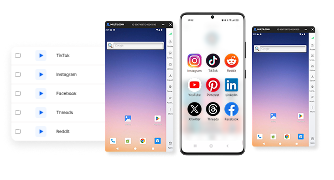
观看 Multilogin 使用演示
Multilogin 是谁?
Multilogin 品质服务, 值得信赖

Nino Latif




George M.
联合创始人,小型企业
即刻启动,搭建Esty账号矩阵
上传内容、自动发布并管理互动,只需一个控制后台。
探索账号矩阵解法 海量平台供您选择
FAQ
Can I have multiple Etsy accounts?
How can I create multiple Etsy accounts?
Step 1: Prepare Your Information
Gather the necessary information for each account. Ensure that you have distinct branding elements (shop name, logo, product listings) ready for each account.
Step 2: Use Multilogin to Create Profiles
Install and open Multilogin create separate profiles that will give you an opportunity to run unique email addresses for each Etsy shop. Use the multiple profiles on the browser to ensure that each of the Etsy accounts has its profile. This enables you to store your cookies, sessions and data separately so that each shop runs on its own, and so that it is conformant with the Etsy guidelines.
Step 3: Register Each Etsy Account
For each profile in Multilogin, go to the Etsy website and click on “Register.” Follow the prompts in created account, entering the unique email and shop details for that specific profile. Repeat this process for each account.
Step 4: Set Up Your Shops
After registering, set up each shop by adding product listings, writing descriptions, and establishing shop policies. Use Multilogin to easily switch between your accounts and manage each shop efficiently without risk of data overlap.
What are the benefits of having Etsy multiple accounts?
What should I do if my Etsy account is banned?
How can I manage multiple Etsy accounts effectively?
It becomes quite challenging to administer various accounts at the same time, specified to Etsy. Managing multiple Etsy accounts can seem difficult, but with the right platforms, it’s easy to manage. For managing multiple Etsy accounts, you need separate browsers running with unique proxies to avoid raising suspicion with its security. Multilogin helps by allowing you to set up separate browser profiles for each account, meaning you can switch between accounts without logging in and out repeatedly.
Keep multiple Etsy accounts organized. Learn how in our article on managing multiple Chrome profiles.
Can I use a cloud phone to manage multiple Etsy accounts?
Why should I use a separate cloud phone for each Etsy account?
Can I use the Etsy app on a Multilogin cloud phone?
Can I manage Etsy accounts with both cloud phones and browser profiles?
Do cloud phones change Etsy’s rules for multiple accounts?
Create Multiple Etsy Accounts in 2026
Create multiple Etsy accounts if you need separate shops for different brands, clients, or product lines. Etsy allows sellers to run more than one shop, but each shop needs its own Etsy account and email address, and you must follow Etsy’s disclosure and seller requirements. In this guide, you’ll learn how to create a second Etsy account step by step, when opening another shop makes sense, what rules to keep in mind, and how to organize multiple accounts without making your workflow harder to manage.
Switching between one or two shops is usually manageable. But as you add more accounts, keeping logins, files, sessions, and daily tasks tied to the right shop becomes the bigger challenge.
With Multilogin Android cloud phones, you can give each Etsy workflow its own separate mobile environment, keeping apps, sessions, files, and account data organized instead of constantly switching between accounts on the same device.
👉 Set up your first Multilogin cloud phone and create a dedicated workspace for your Etsy shop.
Can You Have Multiple Etsy Accounts?
Yes. Etsy allows sellers to operate multiple shops at the same time.
However, you cannot create several shops under one Etsy account. Each shop needs:
- A separate Etsy account
- A unique email address
- Its own shop setup
Etsy also requires sellers with multiple accounts to list all of the shops they operate in the Public Profile section of each account. Every shop still needs to comply with Etsy’s Seller Policy.
This means multiple Etsy accounts are allowed when they are created and managed transparently. They are not a way to bypass Etsy rules or restrictions.
When Should You Create a Second Etsy Account?
A second Etsy account can be useful when there is a clear reason to separate one shop from another.
For example, you may want another account if you:
- Run two completely different brands
- Sell products aimed at different audiences
- Manage Etsy shops for different clients
- Operate separate regional workflows
- Want a dedicated shop for a new product line with different branding
- Need to keep independent teams or business units separate
You do not always need another account just because you sell several types of products.
Etsy itself suggests considering shop sections when your products can reasonably live under the same brand. A second shop makes more sense when the new offering is substantially different from your existing shop.
Can You Use the Same Browser for Multiple Etsy Accounts?
Technically, you can access multiple Etsy accounts from the same computer. The practical issue is session management.
Etsy notes that most browsers do not allow you to stay signed in to multiple Etsy accounts at the same time. Etsy therefore suggests using different browsers if you want to avoid signing out and signing back in repeatedly.
That approach works for a small number of shops.
For example:
- Shop A in Chrome
- Shop B in Firefox
- Shop C in another browser
But this becomes inconvenient as the number of accounts increases.
At that point, dedicated browser profiles or separate mobile environments provide a cleaner workflow because each Etsy account can keep its own saved session.
How to Manage Multiple Etsy Accounts Without Constantly Switching
Creating the accounts is usually the easy part.
Managing them every day is where complexity starts.
Suppose you run five Etsy shops. Each may have its own:
- Email login
- Listings
- Product images
- Customer messages
- Orders
- Brand assets
- Team member
- Saved session
If all five workflows share one browser or phone, it becomes easy to open the wrong account or mix assets between shops.
A simple solution is to treat every shop as a separate workspace.
Use one dedicated environment per Etsy account
Instead of constantly logging in and out, assign each account its own persistent environment.
For web-based Etsy work, that can be a separate browser profile.
For mobile workflows, you can use a dedicated Android environment such as a Multilogin cloud phone.
The main advantage is organization: the Etsy app, files, session data, and working context can remain connected to the correct account.
Use Multilogin cloud phones for mobile Etsy workflows
When your Etsy workflow involves Android apps or mobile tasks, Multilogin cloud phones let you create separate Android environments from one dashboard.
Each cloud phone can have its own:
- Apps
- Login session
- App data
- Files
- Device environment
- IP and location setup
For example:
Etsy_BrandA_US
Etsy_BrandB_UK
Etsy_ClientC_CA
This is easier to recognize than repeatedly opening the same phone and checking which Etsy account is currently active.
The goal is not to hide legitimate relationships between shops. Etsy already allows multiple shops when its rules are followed. The benefit is simply keeping each workflow clearly separated and easier to manage.
Use browser profiles for desktop Etsy work
Not every Etsy task needs a cloud phone.
Listing management, detailed shop settings, reporting, and other web-based tasks may be easier in a browser.
A practical setup is:
Cloud phone for mobile workflows + browser profile for desktop workflows.
Both environments can then be organized around the same Etsy shop or client.
Can Team Members Manage Multiple Etsy Shops?
Yes, but Etsy’s account structure matters.
Etsy now supports Shared Access for eligible shop owners. Shop owners can invite up to five team members, and each invited person signs in using their own Etsy account rather than sharing the owner’s password.
However, an Etsy account can only be associated with one shop at a time. If the same team member needs Shared Access to another Etsy shop, Etsy says they need a different email address and a separate Etsy account for that shop.
Shared Access can currently let team members help with tasks such as:
- Managing orders
- Creating and editing listings
- Publishing listings
- Replying to buyer messages
Common Mistakes When Creating Multiple Etsy Accounts
A few mistakes can make a multi-shop setup unnecessarily difficult.
- Using the same email address: each Etsy account needs its own email.
- Forgetting Public Profile disclosure: Etsy requires you to list the other shops you operate.
- Creating too many shops: open another account only when there is a clear business or branding reason.
- Constantly logging in and out: dedicated environments make multiple-account workflows easier to manage.
- Mixing files between shops: keep creative assets and working files organized by account.
- Sharing primary passwords: use Etsy Shared Access where available.
- Using inaccurate seller information: multiple accounts do not remove Etsy’s identity, payment, tax, or seller requirements.
Should You Create Multiple Etsy Accounts?
Multiple Etsy accounts make sense when there is something meaningful to separate. That could be:
- Different brands
- Different clients
- Different audiences
- Independent product businesses
- Separate operational teams
If you simply want to organize several categories of related products, one Etsy shop with clear shop sections may be easier.
The best setup is not the one with the most accounts. It is the one where every account has a clear purpose and can be managed without creating unnecessary operational complexity.
Manage Multiple Etsy Accounts More Easily With Multilogin
Once you move beyond one or two Etsy shops, the challenge is less about creating accounts and more about managing them consistently.
Multilogin helps you organize those workflows by giving each Etsy account its own dedicated browser or Android environment.
Use browser profiles for web-based Etsy work and cloud phones for mobile workflows. Each environment can keep the relevant session, apps, files, and working context attached to the correct account.
That means less time checking which account is open and a cleaner structure for sellers, agencies, and teams managing multiple Etsy shops.
⭐️ Set up your first Multilogin cloud phone and create a dedicated workspace for your Etsy account.
