云手机一键管理领英多账号

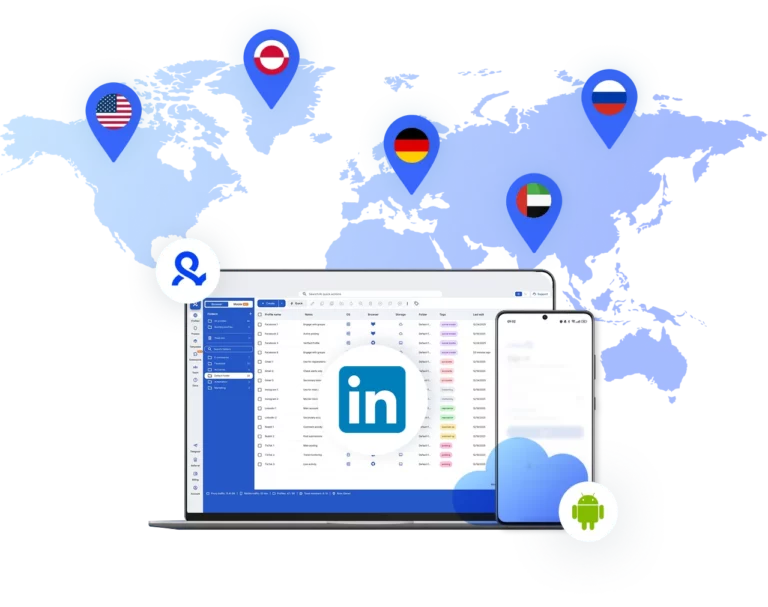
真人用户与 AI Agent 都可用:只需一个控制后台,用真实的安卓云手机和隔离的浏览器配置文件,运营多个领英账号。

Create multiple LinkedIn accounts
发布更多, 操作更少

多账号管理利器

每个账号配备专属云手机

发布覆盖全球

触达 150+ 个地区

自然增长

使用真实设备发布内容

一个平台 不限数量领英账号

轻松运行领英账号

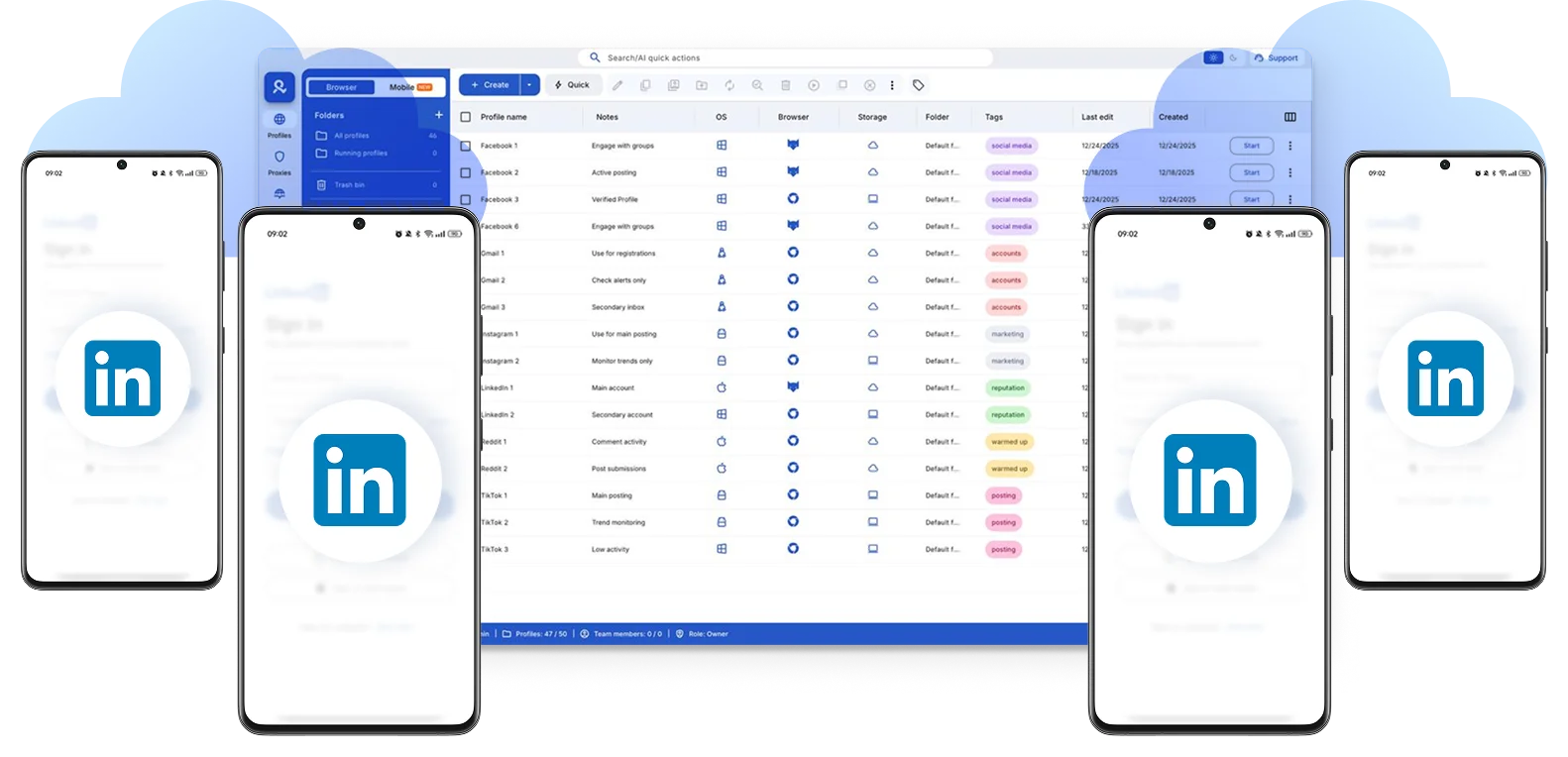
仅需一个操作后台,用安卓云手机和隔离浏览器配置文件管理上百个领英账号。保持会话,无需来回切换。
Run multiple LinkedIn accounts

自动化运营领英多账号

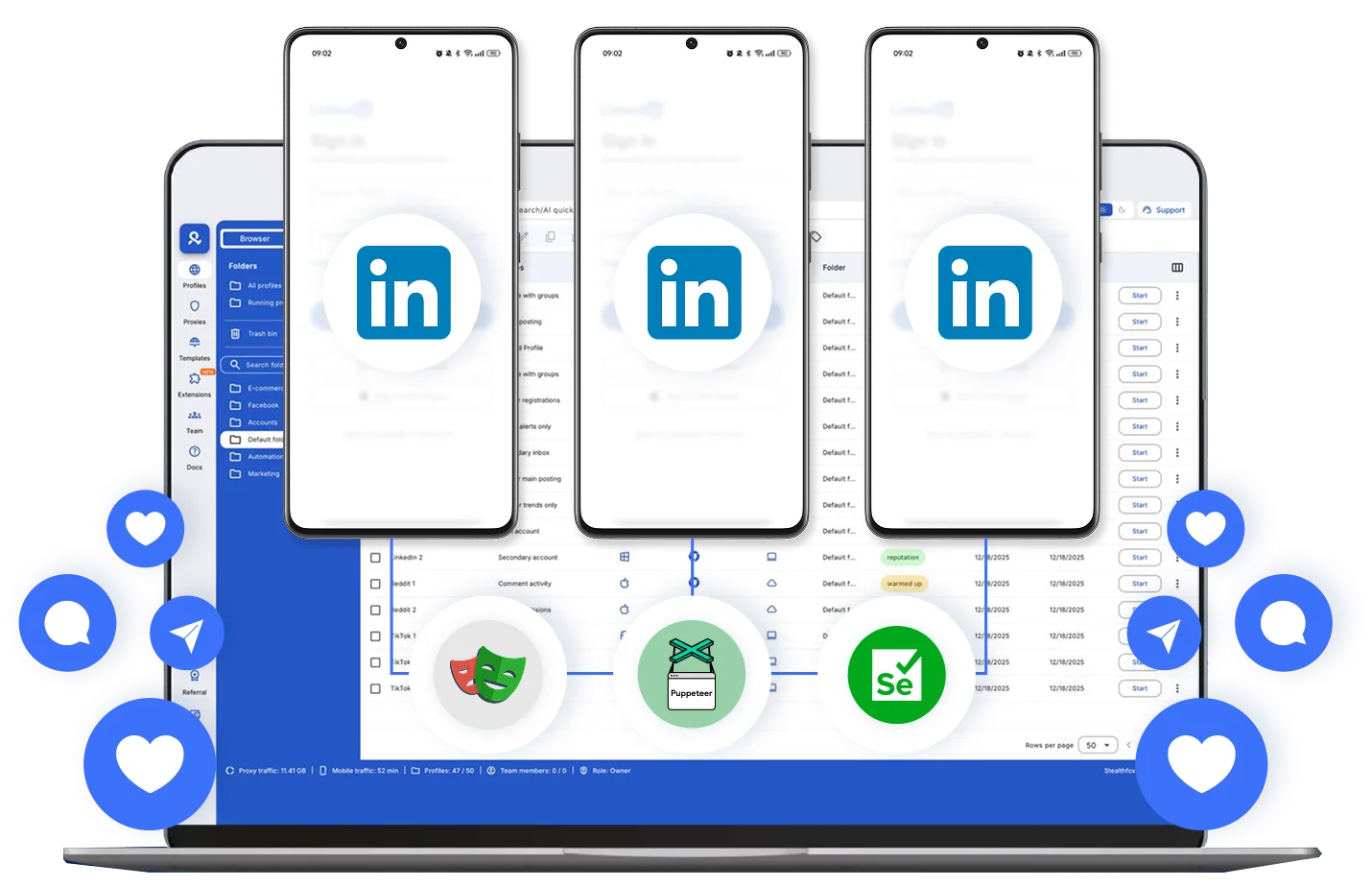
自动化多个领英账号的重复性操作。连接 AI agent或 Selenium、Playwright、Puppeteer、Postman 等自动化工具,利用自定义脚本提速增效。
Automate TikTok actions

为每个领英账号配置专属云手机

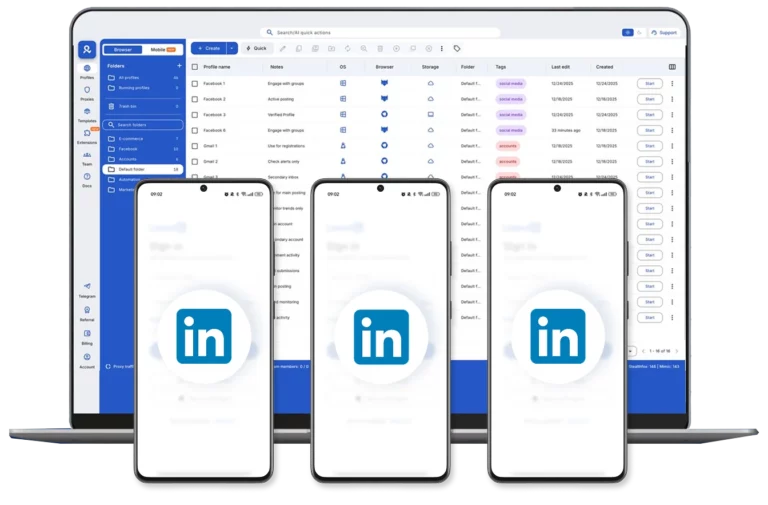
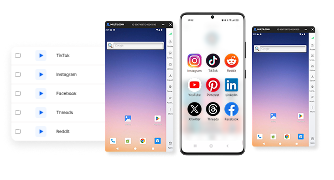
为每个 Facebook 账号配置专属的安卓云手机,拥有独属的数据、定位、会话,再也不用担心账号关联。
Dedicated cloud phone for every LinkedIn profile

足不出户,打开领英全球市场

平台自带代理,支持您从全球 150 多个地区中为云手机和浏览器配置文件选择定位,丝滑在受众所在地区开展营销活动。
Choose the Location for Each LinkedIn Profile

如何创建领英账号矩阵

时间即金钱,即刻开启。

Step 1
Step 2
Step 3
step-1
注册

选择套餐,下载应用

创建云手机

自定义设备模型,选择定位

step-image-general
运行账号

各账号完全独立,无需担心关联

观看 Multilogin 使用演示

了解 Multilogin 如何助力您的业务增长。观看下方演示视频,2分钟快速了解 Multilogin 的完整功能。

Multilogin 是谁?

Multilogin 提供一个新手友好的平台,助您轻松管理多个领英账号。您无需使用额外工具,即可获得浏览器端和移动端账号管理所需的完整功能。
云手机
New
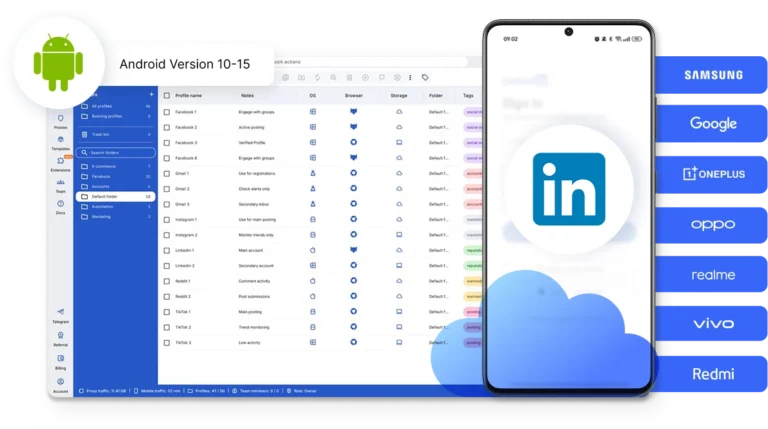
稳定支持 Android 10–16 系统版本,完全兼容主流移动应用
内置代理
覆盖 150+ 国家和 1400+ 城市,提供 3000 万+移动和住宅 IP
浏览器配置文件
基于 Chromium 的浏览器,支持自定义指纹,适用于桌面端多账号管理
新手友好操作界面
轻松创建浏览器环境,自选平台图标、文件夹、标签和访问权限管理
团队协作
统一控制后台轻松管理团队,高效协同工作
手机应用市场
一键安装 TikTok、Instagram、Reddit等主流应用

Multilogin 品质服务, 值得信赖

Nino Latif

为卓越创意与远大思维而生的最佳服务!
他们始终站在客户身边,随时准备提供帮助。我已经使用这个服务三到五个月,收获颇丰 🙂 希望未来能扩展到更大的规模,并继续使用这个服务……
Nick H.

Nick Horvath

营销代理公司

Multilogin 带来高效的账号管理与出色的支持
Multilogin 一直是高效管理多个账号的出色工具。设置很快,几乎没有学习成本,我立刻就能上手。界面和 Chrome 几乎一样,操作顺手,工作不被打断。性能一直很流畅,浏览体验自然且响应迅速。
Sagar Chandra R

Sagar C.

社媒营销

用 Multilogin 轻松管理多账号
我用 Multilogin 安全高效地管理多个社媒账号。它把每个账号放在独立的数字配置文件中,避免封号并节省时间。我很喜欢它的账号隔离和友好界面,让管理多个配置文件既快速、安全又简单。初始设置也很直接、很容易。
Hamza Arif

Hamza Arif

电商经理

非常适合工作的浏览器,值这个价!
我使用 Multilogin 的整体体验非常好。我很喜欢它直观的操作后台、可靠的客户支持和有竞争力的价格。它已经成为我电商业务中不可或缺的一部分,我强烈推荐给任何在寻找可靠方案的人。

Nino L.

营销代理,小型企业

我在 2021 年 8 月 / 9 月开始使用 Multilogin,至今已经使用多年,整体非常满意。他们一直在寻找并落实改进产品的方法,让使用变得更简单……
Nathan Green

Nathan Green

数字营销专员

出色的工具,更出色的支持
我已经使用 Multilogin 一段时间了,对产品和背后的支持团队都由衷佩服。他们的客户支持非常出色——响应迅速、乐于助人,随时帮你解决任何问题或疑问。你会真切感受到自己被认真对待。

George M.

联合创始人,小型企业

很可能是目前市面上最好的隐私浏览器!
Multilogin 有不少我喜欢的地方。最喜欢的毫无疑问是团队功能,它让你可以轻松地把指定的浏览器配置文件共享给不同的团队成员……
支持 80+ 平台

即刻启动,搭建领英账号矩阵

上传内容、自动发布帖子并管理互动,只需一个控制后台。

常见问题

配置得当的云手机能为每个账号分配独立的 IP 地址和设备指纹,从而减少将账号关联起来的明显特征。虽然没有任何设置能确保账号绝对无法被检测到,但保持一致性与隔离性有利于降低风险。

有必要。多个账户共用同一个 IP 地址,是导致这些账户被领英的检测系统关联起来的最快途径之一,尤其是当这些账户在短时间内相继登录时。

领英的用户协议通常要求每人仅拥有一个个人档案,不过许多正规的业务设置(如代理机构、公司主页、销售团队)会针对不同职能运营多个档案。鉴于政策细节会随时间推移而调整,建议您针对自身具体情况查阅 LinkedIn 的相关条款。

没有官方规定的具体数量。相比数量,更重要的是每个账号是否拥有独立的运行环境和IP,以及其活动特征看起来是否像真实的个人用户,而非批量操作。

安全管理多个领英账号通常需要三类工具协同工作:用于移动端访问的云手机、用于桌面端的防关联浏览器,以及将各账号运行环境关联起来的代理或独立 IP。

未必总是,但如果您的其中任何账户使用了 领英 Premium 或 Sales Navigator,采用单独结算的方式会让管理多个领英账号变得更简单;这是因为共享结算信息有时可能会成为不同个人资料之间的一种关联纽带。

模拟器在您的本地计算机上运行,​​通常使用您的真实 IP(除非您另外配置代理);而云手机则在远程运行,拥有独立的 IP 和内置的设备配置信息,这使得在无需额外配置的情况下,更易于跨多个账号进行大量操作。

轻松管理领英多账号:手机端和电脑端一起搞定

管理多个领英账号,是招聘人员、代理机构、创业者和增长团队的常见需求。这些账号可能用于个人品牌、客户开发、地区性营销活动或招聘项目。

本指南将介绍如何规划账号访问、隔离会话、协调团队工作流程,并减少账号数量增加后出现的运营阻力。

真正的难点不是创建更多账号,而是长期保持每个账号的设备环境、登录会话、代理和团队访问方式一致。如果多个账号重复使用同一个浏览器或同一台实体手机,工作流程很快就会变得难以整理和控制。

Multilogin 通过统一的多账号管理平台解决这一问题,将相互隔离的浏览器环境与真实安卓云手机整合在一起。每个 LinkedIn 账号都可以在独立、持久的桌面端或移动端环境中运行,团队则可以通过一个控制面板管理环境、会话和访问权限。

这样,无需同时管理多台实体设备或彼此独立的工具,也可以更轻松地扩大 LinkedIn 工作流程。

开始使用 Multilogin 免费套餐,通过一个结构清晰的工作空间管理多个 LinkedIn 账号。

哪些人需要管理多个领英账号?

大多数管理多个领英账号的用户,并不是为了违反规则。他们只是需要代表多个不同的职业身份。

例如,一家社交媒体代理机构可能同时管理 10 个客户账号,而每个账号都需要保持独立的表达方式、人脉关系和发布计划。

B2B 销售人员可能在维护企业账号的同时,建立个人行业影响力。招聘人员可能负责多个地区市场,职业教练可能帮助管理学员账号,而小企业主则可能无力聘请全职社交媒体人员。

这些使用场景本身并不存在问题。真正容易引发混乱的,是每天通过同一个浏览器标签页、同一个 IP 地址和同一个设备指纹登录多个账号。

领英的检测系统不会判断您的主观意图,而是分析您的行为模式。多个账号共享 IP、使用相同的浏览器指纹,并以相同的时间规律登录,正是可能导致账号被标记、限制或停用的信号。

领英如何识别相关账号?

与大多数大型平台一样,领英会综合分析多种信号,包括 IP 地址、设备指纹、浏览器配置、输入和滚动方式,甚至设备报告的时区。

如果两个或三个看似不同的账号呈现相同的浏览器指纹,或在几分钟内通过同一个 IP 登录,系统不会将其视为巧合,而会识别出重复模式。自动化风险检测系统正是为发现此类模式而设计的。

许多并无恶意的用户会在这里犯错。他们可能在同一个浏览器中切换账号、清除 Cookie,甚至使用无痕模式,并认为这样已经足够。

实际情况通常并非如此。无痕模式只会对同一设备的其它使用者隐藏您的浏览历史,并不会向领英的服务器隐藏设备指纹。

为什么需要隔离领英账号环境?

刚开始时,在多个领英账号之间登录和退出似乎还可以应付。随着活动量增加,各种小问题会逐渐出现:

  • 反复显示登录提示

  • 会话意外重置

  • 要求进行身份验证

  • 浏览器数据相互重叠

  • 团队成员共享设备

领英会监测不同设备、浏览器和位置上的行为模式。当多个账号在同一个环境中运行时,会话可能彼此干扰,并给长期工作流程带来阻力。

明确隔离不同账号可以减少混乱,并在扩大运营规模时保持工作井然有序。

查看创建和管理多个领英账号的分步指南。

用云手机管理领英账号

云手机是托管在远程服务器上的安卓云手机,无需运行在实体设备上。

它的使用方式与真实智能手机相同:您可以安装领英移动应用、保持登录状态,并在不同会话之间保留应用数据。

无需准备多台实体手机,每个领英账号都可以运行在独立的安卓云手机中。设备环境会长期保持一致,包括:

  • 持久应用存储

  • 已保存的登录状态

  • 稳定的设备参数

  • 与位置匹配的网络连接

这些特点使云手机适合长期管理领英账号,而不仅是临时访问。

详细了解如何使用 Multilogin 创建第二个领英账号!

如何同时管理手机端和电脑端领英账号?

领英工作流程通常同时需要移动端和桌面端访问,而且两种环境分别适用于不同任务。

移动应用通常用于日常操作,例如:

  • 发送私信

  • 开展客户开发

  • 快速编辑账号资料

  • 回复通知

网页界面通常更适合:

  • LinkedIn Recruiter

  • Sales Navigator

  • 查看数据分析

  • 结构化发布内容

如果移动端和桌面端会话运行在同一个环境中,活动记录会变得混乱,会话也可能发生重叠。

结构清晰的配置会将两者分开:

  • 领英移动应用运行在专用安卓云手机中

  • 领英网页版运行在相互隔离的浏览器环境中

Multilogin 等平台将这两种环境整合到同一个控制面板中,让您可以通过同一个工作空间管理云手机和浏览器环境,同时保持各个会话清晰隔离、井然有序。

为每个领英账号匹配合适的IP定位

跨地区管理领英账号时,位置一致性非常重要。

安卓云手机可以使用与所选国家或地区匹配的内置住宅代理。Multilogin 提供覆盖 150 多个国家和地区、拥有 3,000 多万个 IP 的住宅 IP网络,让您可以选择与每个 LinkedIn 账号目标市场相匹配的地区。

这尤其适合:

  • 服务不同地区客户的代理机构

  • 面向特定就业市场的招聘人员

  • 开展国际业务的销售团队

用 Multilogin 管理多个领英账号

如果每个 LinkedIn 账号都有独立的移动端或网页端环境,多账号管理就会更加轻松。

Multilogin 将安卓云手机、相互隔离的浏览器环境、内置住宅代理和团队访问功能整合到一个平台中,帮助您保持会话有序,并简化工作流程管理。

您可以从 Multilogin 免费套餐开始使用。该套餐没有时间限制,也无需绑定信用卡,最多提供 5 个环境,包括云手机和浏览器环境,并包含 200 MB 代理流量和 30 分钟云手机使用时间,让您可以在升级前测试完整工作流程。

免费开始使用,通过一个控制面板管理所有领英账号。

Create multiple LinkedIn accounts

Manage and grow multiple LinkedIn profiles from one dashboard with real Android cloud phones and isolated browser profiles – built for people and AI agents.

Create multiple LinkedIn accounts
Post more, 
work less

Perfect for multiple accounts

Unique cloud phones for each account

Publish everywhere

Reach more than 150 locations

Grow organically

Post from real devices

One platform, unlimited LinkedIn accounts

Run multiple LinkedIn accounts

Run hundreds of LinkedIn profiles from one dashboard with Android cloud phones and isolated browser profiles, keeping sessions organized and reducing tool switching.
Run multiple LinkedIn accounts

Automate LinkedIn actions

Automate repetitive LinkedIn tasks with API and ADB access, connect AI agents, and run structured workflows across multiple profiles with less manual work.
Automate TikTok actions

Dedicated cloud phone for every LinkedIn profile

Give every LinkedIn profile its own real Android cloud phone, with separate apps, sessions, data, and location for consistent mobile workflows.
Dedicated cloud phone for every LinkedIn profile

Choose the location for each LinkedIn profile

Choose a location for each LinkedIn profile using built-in residential proxies across 150+ countries, helping teams align IP and profile location for regional campaigns.
Choose the Location for Each LinkedIn Profile

How to get started and grow your LinkedIn

Time is money. Start in minutes

Step 1
Step 2
Step 3
step-1
Sign up

Choose a plan and download the app

Create mobile profile

Customize the device model and choose location

step-image-general
Run your accounts

Use separated browser profile to earn

Sign up

Choose a plan and download the app

Step 1
Create mobile profile

Customize the device model and choose location

Step 2
Run your accounts

Use separated browser profile to earn

step-image-general
Step 3

Watch the Multilogin Demo

Learn how Multilogin can boost your business. Check the video below to see its full capabilities in a short demo video.

What is Multilogin?

Multilogin lets you manage multiple LinkedIn accounts from one beginner-friendly platform. You get a full set of features needed for both browser and mobile account management without any extra tools.
云手机
New
稳定支持 Android 10–16 系统版本,完全兼容主流移动应用
内置代理
覆盖 150+ 国家和 1400+ 城市,提供 3000 万+移动和住宅 IP
浏览器配置文件
基于 Chromium 的浏览器,支持自定义指纹,适用于桌面端多账号管理
新手友好操作界面
轻松创建浏览器环境,自选平台图标、文件夹、标签和访问权限管理
团队协作
统一控制后台轻松管理团队,高效协同工作
手机应用市场
一键安装 TikTok、Instagram、Reddit等主流应用

Trusted by thousands of creators, sellers & online earners

review_ha_d

Ha D.

Social Media Marketing Retail

A Good Cloud Phone for Account Management
Running a small team means I need control over who can access what, and Multilogin handles that well. The team access controls let me manage permissions without giving everyone the keys to every account. On top of that, the cloud phones keep everything isolated so one account issue doesn't put the rest at risk. Solid choice for agencies managing multiple clients or accounts.

Nino Latif

The best service for great ideas and big minds!
Always here for their clients, always ready to help out. I am using the service for 3-4-5 months now and brought me lots of great things 🙂 Hope to grow it on a larger scale and continue using the service ...

Stanislav K.

Marketing Manager

Cloud phones make it easy to manage multiple TikTok accounts with AI agents
I use Multilogin to manage a bunch of AI agents running TikTok accounts for different countries. Since each agent needs its own account, I wanted an easy way to keep everything organized. Cloud phones make it super easy. Every account has its own phone, so I don't have to buy or manage a bunch of real devices. I can see everything in one dashboard while the AI agents handle posting and the rest of the daily work.

Elen S.

Marketing Manager

Ideal for Social Media Management
I mainly use Multilogin for client social media management, and the cloud phones have been the biggest advantage for me. I can keep different clients in separate environments, leave their sessions running, and jump between accounts without constantly switching physical devices. It feels much more practical than trying to manage everything from a pile of phones.
Hamza Arif

Hamza Arif

E-commerce Manager

Perfect browser for work, worth the money!
My overall experience with Multilogin has been excellent. I really like its intuitive dashboard, reliable customer support, and competitive pricing. It has become an essential part of my e-commerce business, and I highly recommend it to anyone looking for a dependable solution.
Yasmin's Review

Yasmin D.

Social Media Manager

Safer accounts using Cloud Phones for social profiles
Running social profiles on cloud phones feels safer, everything is properly separated instead of relying on browser fingerprint tricks alone. Been running mine for a couple months with zero linking issues.
Nick H.

Nick Horvath

Marketing agency

Efficient Account Management and Outstanding Support with Multilogin
Multilogin has been an excellent tool for managing multiple accounts efficiently. The setup was quick, and I was able to start using it right away with no learning curve. The interface feels just like Chrome, making it easy to navigate and work without interruption. Performance has been smooth, and browsing feels natural and responsive.
Support 80+ platforms

Start planning your project today

Upload content, automate posts and engagements: all in one unified dashboard

FAQ

A well-configured cloud phone gives each account a distinct IP and device fingerprint, which reduces the obvious signals that link accounts together. No setup makes an account undetectable, but consistency and isolation go a long way toward reducing risk.

Ideally yes. Sharing one IP across several accounts is one of the fastest ways to get them linked together by LinkedIn’s detection systems, especially if logins happen close together in time.

LinkedIn’s user agreement generally expects one personal profile per person, though many legitimate business setups (agencies, company pages, sales teams) operate multiple profiles for different roles. It’s worth reading LinkedIn’s own terms for your specific situation, since policy details shift over time.

There’s no official number. What matters far more than quantity is whether each account has its own isolated environment and IP, and whether its activity looks like a real, individual user rather than a batch operation.

Managing multiple LinkedIn accounts safely usually comes down to three tools working together: a cloud phone for mobile access, an anti-detect browser for desktop, and a proxy or dedicated IP tying each account’s environment together.

Not always, but if any of the accounts use LinkedIn Premium or Sales Navigator, managing multiple LinkedIn accounts gets simpler when each subscription is billed separately, since shared billing details can sometimes become another link between profiles.

A quick weekly check is usually enough when managing multiple LinkedIn accounts, just to confirm each profile’s IP, device fingerprint, and login pattern haven’t accidentally started overlapping with another account.

An emulator runs locally on your own machine and typically shares your real IP unless you add a proxy separately. A cloud phone runs remotely with its own IP and device profile built in, which makes it easier to scale across several accounts without extra configuration.

Create multiple LinkedIn accounts: A structured way to manage mobile and web workflows

Managing multiple LinkedIn accounts is common for recruiters, agencies, founders, and growth teams running personal branding, client outreach, regional campaigns, or hiring projects. In this guide, you’ll learn how to structure account access, separate sessions, coordinate team workflows, and reduce the operational friction that appears as your account portfolio grows.

The main challenge is not creating more profiles. It is keeping each account’s device environment, login session, proxy, and team access consistent over time. Reusing the same browser or physical phone across multiple accounts can quickly make workflows harder to organize and control.

Multilogin addresses this with a unified multi-account management platform that combines isolated browser profiles with real Android cloud phones. Each LinkedIn account can operate in its own persistent desktop or mobile environment, while teams manage profiles, sessions, and access from one dashboard. This makes it easier to scale LinkedIn workflows without juggling multiple physical devices or disconnected tools.

Start your Multilogin free plan and manage multiple LinkedIn accounts from one structured workspace.

Manage different LinkedIn profiles for different business goals

Most people who end up managing several LinkedIn profiles didn’t set out to break any rules. They just have more than one professional identity to represent.

Think about a social media agency handling ten client accounts at once, each one needing its own voice, its own connections, its own posting schedule. Or a B2B sales rep who keeps a company account active while also building a personal thought-leadership presence on the side. Add recruiters covering multiple markets, career coaches managing student profiles, and small business owners who simply can’t afford a full-time social media hire, and you’ve got a huge, mostly legitimate crowd of multi-account users.

None of these use cases are inherently shady. What gets messy is the execution: logging into five accounts from the same browser tab, on the same IP address, using the same device fingerprint every single day.

Reduce risks when managing multiple LinkedIn accounts

LinkedIn’s detection systems don’t check your intentions, they check your patterns. Shared IPs, matching browser fingerprints, and identical login rhythms across accounts are exactly what gets flagged, restricted, or suspended.

Under the hood, LinkedIn (like most large platforms) leans on a mix of signals: your IP address, your device fingerprint, your browser configuration, your typing and scrolling behavior, even the time zone your device reports. When two or three “different” accounts show the same fingerprint or hop onto the platform from the same IP within minutes of each other, the system doesn’t see coincidence. It sees a pattern, and patterns are exactly what automated risk engines are built to catch.

This is where a lot of well-meaning users trip up. They’ll switch accounts within the same browser, clear cookies, maybe even use incognito mode, and assume that’s enough. It rarely is. Incognito hides your browsing history from other people using your device, not your fingerprint from LinkedIn’s servers.

Keep LinkedIn sessions stable as your workflow scales

At the beginning, logging in and out of LinkedIn profiles feels manageable. As activity grows, small issues start to appear: repeated login prompts, unexpected session resets, verification requests, overlapping browser data, and devices being shared between team members.

LinkedIn monitors behavior patterns across devices, browsers, and locations. When multiple accounts operate from the same environment, sessions can interfere with each other and create long-term workflow friction. Clear separation between accounts reduces confusion and keeps operations organized as you scale.

Check out our step‑by‑step guide on creating and managing multiple LinkedIn accounts.

What Is a cloud phone for LinkedIn?

A cloud phone is an Android cloud phone hosted remotely instead of on a physical device. It works like a real smartphone: you can install the LinkedIn mobile app, stay logged in, and keep app data between sessions.

Instead of using multiple physical phones, each LinkedIn account can run inside its own dedicated Android cloud phone. The device environment remains consistent over time, including:

  • Persistent app storage

  • Saved login state

  • Stable device parameters

  • Location-aligned network connection

This makes cloud phones useful for long-term LinkedIn account management rather than temporary access.

Learn more about how to create a second LinkedIn account!

Manage LinkedIn mobile and web workflows together

LinkedIn workflows usually require both mobile and desktop access, and each environment serves a different purpose. The mobile app is commonly used for day-to-day actions like direct messaging, outreach, quick profile edits, and responding to notifications. The web interface is typically preferred for tools such as LinkedIn Recruiter, Sales Navigator, analytics review, and structured content publishing.

When mobile and desktop sessions run inside the same environment, tracking activity becomes messy and sessions can overlap. A structured setup keeps them separate:

  • LinkedIn mobile app runs on a dedicated Android cloud phone

  • LinkedIn web runs inside isolated browser profiles

Platforms like Multilogin bring both environments into one unified dashboard, so you can manage cloud phones and browser profiles from the same workspace while keeping sessions clearly separated and organized.

Choose the right location for each LinkedIn profile

Location consistency matters when managing LinkedIn accounts across different regions.

Android cloud phones can run with built-in residential proxies aligned to a chosen country. Multilogin provides access to residential IP coverage across 150+ countries and 30M+ IP addresses, allowing you to select the region that matches each LinkedIn profile’s intended market.

This is especially useful for:

  • Agencies handling regional clients

  • Recruiters targeting specific job markets

  • Sales teams operating internationally

Final thoughts

Managing multiple LinkedIn accounts becomes easier when each profile has its own dedicated mobile or web environment. Multilogin brings Android cloud phones, isolated browser profiles, built-in residential proxies, and team access into one platform, helping you keep sessions organized and workflows easier to manage.

You can start with Multilogin’s Free plan, which has no time limit and requires no credit card. It includes up to five profiles, cloud phones, browser profiles, 200 MB of proxy traffic, and 30 mobile minutes, so you can test the full workflow before upgrading.

Start free and manage your LinkedIn profiles from one dashboard.

Telegram
Thank you! We’ve received your request.
Please check your email for the results.

Multilogin works with amazon.com