


How to transfer cloud phones to another Multilogin account
 ~2 minWritten by Yelena V
In Multilogin, profile transfer lets the account owner move cloud phones to another Multilogin account.
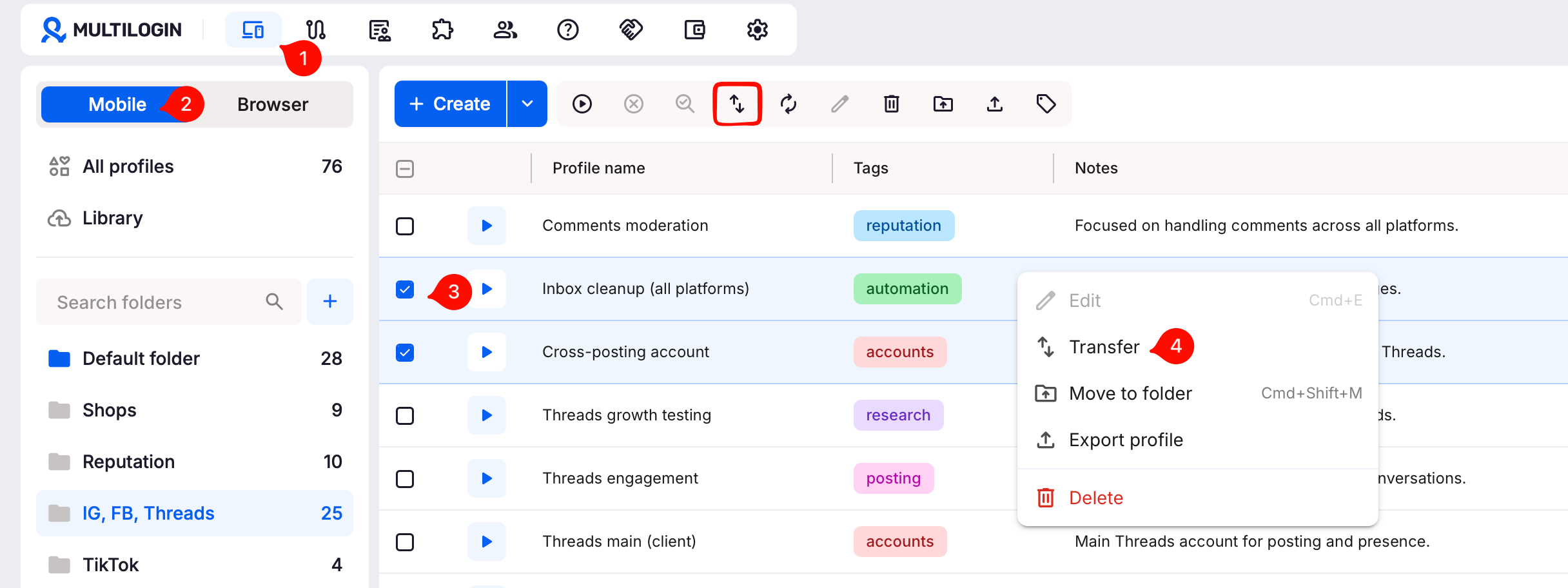
➡️ Go to “Profiles” → “Mobile” → select the cloud phones → “Transfer” → enter the receiver’s email → “Confirm”.
Use this when handing cloud phones to a client or teammate, moving work between company accounts, or changing who owns them.
The transfer includes profile settings, notes, installed apps, and files stored on the cloud phone. Transfers are automatic and permanent.
Want to transfer browser profiles instead? The flow is a bit different because the receiver needs to accept the transfer. Read How to transfer cloud browser profiles.
Who can use this feature?
- 👨💻 Account owner
- 💰 Available on Pro 20 and higher
What are the limitations
- Only the account owner can transfer profiles
- Transfers are permanent – transferred profiles will disappear from the owner's account
- The receiver must have a Multilogin account with an active subscription
- The receiver must have enough profile slots in their account
- The owner can transfer up to 100 profiles at once, as long as the receiver’s plan allows it
How to transfer mobile profiles
- Go to the “Profiles” tab in the top menu
- Select “Mobile” from the left-side selector
- Right-click a profile in the list, or select profile(s) using checkboxes and use the top menu
- Click “Transfer”
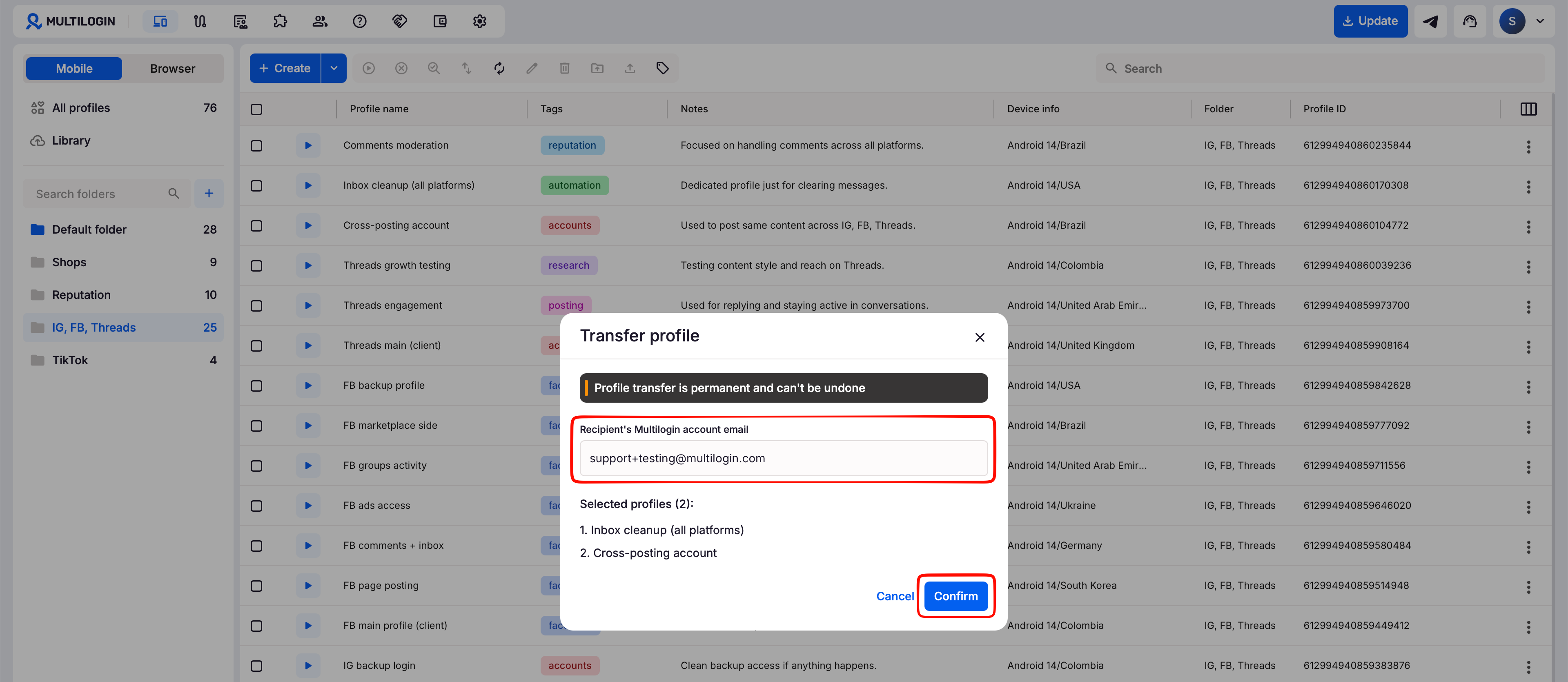
- Type the receiver’s Multilogin account email in the transfer window
- Click “Confirm” to complete the transfer
What happens next?
- Once confirmed by the sender, the transfer is accepted automatically
- The sender and receiver get an email confirming the transfer
- The receiver gets a notification in their Multilogin account and can find the transferred profiles in their profile list
- Transferred profiles disappear from the sender's account
FAQs
Can the sender undo a transfer?
No, once confirmed, transferred profiles disappear from a sender's account permanently.
Can the sender transfer more than 100 profiles at once?
No. 100 is the maximum per transfer.
Does the receiver need a paid plan?
Yes – and they must have enough profile slots available.
Does the receiver need to accept the transfer?
No. Transfers are automatic.


