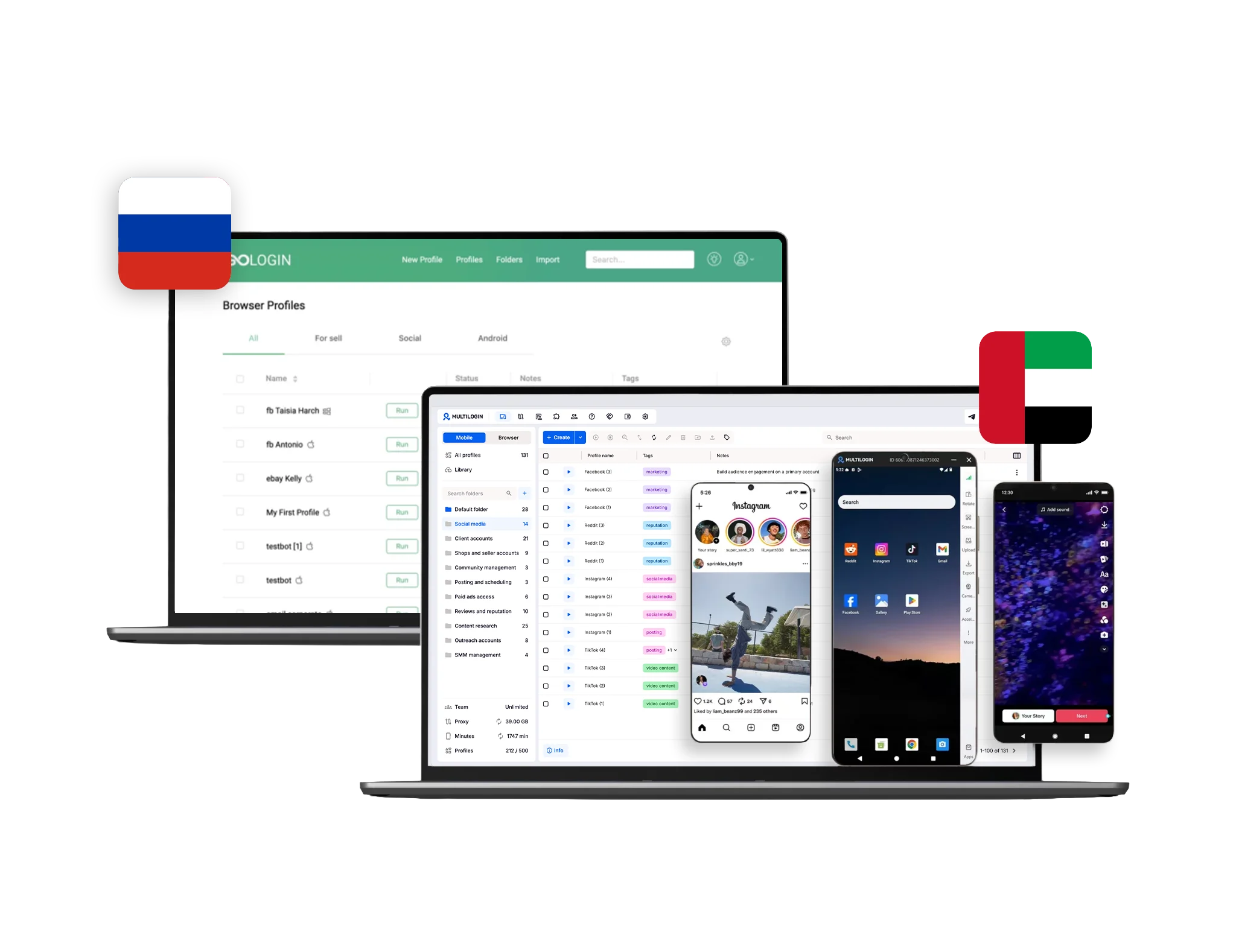
What does Multilogin include for multi-account management?
Multilogin combines cloud Android phones, browser profiles, built-in proxies, mobile minutes, team tools, and automation in one platform for managing multiple accounts.
Mobile-app accounts can run on real Android devices in the cloud. Web-based accounts can run in isolated browser profiles. Both environment types are managed from the same Multilogin platform. Explore Multilogin cloud phones
How does Multilogin manage both mobile apps and browser accounts?
Multilogin uses cloud Android phones for native mobile apps and isolated browser profiles for web-based accounts.
This lets operators choose the environment that matches each task instead of forcing every account into a browser or every workflow into a cloud phone.
Use a Multilogin cloud phone when the account depends on a native Android app.
Use a browser profile when the workflow happens primarily on the web.
Both can be organized and managed from the same platform.
GoLogin also supports browser and Android workflows. Its core product is its Orbita-based antidetect browser, while Cloud Android adds support for native Android apps.
Are Multilogin cloud phones real Android devices?
Yes. Multilogin cloud phones run native Android apps on real cloud-hosted Android devices.
Users can choose from multiple Android versions and device models. Each cloud phone keeps its own:
app data;
login history;
account state;
device configuration;
location;
and network setup.
Apps can be installed from the available app library, through Google Play where applicable, or by uploading an APK. See Multilogin cloud phone features
This makes cloud phones useful when the account workflow depends on the mobile version of a platform rather than its website.
Does Multilogin include built-in proxies?
Yes. Multilogin includes built-in proxy traffic in every plan, and the monthly allowance increases on larger paid plans.
Current paid allowances include:
The Free plan includes 200 MB as a one-time allowance. Compare Multilogin plans and proxy allowances
Multilogin provides access to 30M+ residential and mobile IPs and supports built-in and custom proxy configurations. Users can also connect third-party HTTP, HTTPS, and SOCKS5 proxies. See Multilogin residential and mobile proxy options
Unused paid proxy traffic rolls over while the applicable subscription remains active.
GoLogin also offers built-in residential, mobile, and datacenter proxies and supports external proxies. Its paid plans include 2 GB of residential proxy traffic per month. That allowance refreshes monthly and does not roll over.
For higher-volume operations, the important difference is not simply whether proxies are included. Compare monthly traffic, additional traffic costs, proxy types, geographic coverage, and rollover rules.
Which has more included proxy traffic, Multilogin or GoLogin?
Multilogin can include more proxy traffic on larger plans, while GoLogin includes 2 GB per month across paid plans.
Multilogin currently includes:
GoLogin includes 2 GB of residential proxy traffic per month on paid plans. Check current GoLogin plan limits
Multilogin’s paid proxy traffic can roll over. GoLogin’s monthly allowance does not.
The better value depends on how much traffic the operation actually uses.
Which is better for browser automation: Multilogin or GoLogin?
Both support browser automation, but Multilogin supports a broader documented mix of browser integrations, while GoLogin provides its own API, SDK, and Browser MCP options.
Multilogin supports:
Selenium;
Puppeteer;
Playwright;
Postman;
CLI workflows;
and API access.
Multilogin can also manage cloud-phone environments through its API, including profile creation and configuration. See Multilogin cloud phone API documentation
GoLogin supports:
REST API;
SDKs;
Selenium;
Puppeteer;
and Browser MCP.
Before moving an established automation workflow, check the exact capabilities your scripts require.
Compare:
profile creation;
profile updates;
proxy assignment;
browser launch;
API rate limits;
concurrency;
error handling;
session persistence;
and library compatibility.
Two products can both provide APIs without exposing the same functions.
Which is better for Android automation: Multilogin or GoLogin?
Multilogin currently provides the more clearly documented Android automation stack through ADB, Appium-compatible workflows, and cloud-phone APIs.
ADB is available on all paid Multilogin plans for cloud phones running Android 11 or later. See how ADB works with Multilogin cloud phones
It can be used to:
Multilogin’s API can separately create and configure cloud-phone environments, including:
GoLogin offers Cloud Android but does not currently document an equivalent ADB/Appium workflow.
For teams that need programmatic control inside native Android apps, this is one of the more important differences between Multilogin and GoLogin.
Which is better for browser profiles: Multilogin or GoLogin?
Both support separate browser profiles, but browser profiles play different roles in the two platforms.
Multilogin provides isolated browser profiles as the web layer of its cloud Android phone platform.
Each Multilogin browser profile keeps separate:
Users can apply a built-in Multilogin proxy, a third-party proxy, a saved proxy template, or their existing connection to a browser profile. See Multilogin browser profile proxy settings
Browser profiles are useful for browser-first workflows such as:
marketplace seller back offices;
Facebook Business Manager;
YouTube channel administration;
Reddit web workflows;
advertising dashboards;
and client portals.
GoLogin’s core product is its Orbita-based antidetect browser. Each profile can use separate browser settings, proxy configuration, location, and session data.
For a browser-only workflow, compare profile limits, automation, sharing, proxies, and price directly.
Which is better for mixed mobile and browser workflows?
Multilogin is designed around mixed mobile-and-web account management, while GoLogin starts from browser profiles and extends into Cloud Android.
With Multilogin, an e-commerce operator might use:
a cloud phone for a marketplace Android app;
a browser profile for the seller back office;
and API automation for profile-management tasks.
A social media agency might use:
cloud phones for Instagram or TikTok;
browser profiles for Business Manager or web administration;
and shared team access for client handover.
Multilogin’s plan limits cover both Android cloud phones and browser profiles. Compare Multilogin mobile and browser profile limits
GoLogin also combines browser profiles with Cloud Browser and Cloud Android.
The useful comparison is therefore how deeply each product supports both environment types, not simply whether mobile and browser options exist.
Which is better for social media account management: Multilogin or GoLogin?
Both can support social media workflows across Android apps and browsers, but Multilogin is built around cloud Android phones as the primary environment for mobile accounts.
A social media team can use Multilogin cloud phones for native apps such as:
The same team can use browser profiles for:
This lets teams use a cloud phone only where the mobile app is actually needed.
GoLogin also combines Orbita browser profiles with Cloud Android.
The practical comparison should focus on:
account volume;
mobile usage;
browser workload;
proxy traffic;
team access;
and automation.
Neither platform guarantees that an account will avoid restrictions. Platform policies, verification, account history, content, and user activity still apply.
Which is better for agencies: Multilogin or GoLogin?
Both support account sharing, but Multilogin includes structured team access earlier in its paid plans and provides unlimited team seats on Business.
Multilogin supports:
Current Multilogin plans include:
GoLogin supports profile sharing, folders, and workspaces. Full Team Member functionality starts from Business, with one additional seat included by default and additional seats available separately.
Agencies should compare:
A high profile limit alone does not tell an agency whether collaboration will remain manageable.
Which is better for e-commerce and marketplace accounts?
Both can support marketplace workflows, but Multilogin lets sellers manage native Android apps and browser-based seller tools within the same platform.
A marketplace seller might use a cloud phone for:
The same seller can use a browser profile for:
This is relevant to workflows around eBay, Walmart, AliExpress, Depop, Whatnot, Amazon, and other marketplaces.
GoLogin also provides browser profiles and Cloud Android.
Marketplace verification, seller eligibility, regional availability, and platform rules remain independent of either tool.
Is Multilogin or GoLogin better for dropshipping?
Neither platform is specifically required for dropshipping; the right choice depends on the marketplaces, stores, apps, and browser accounts the business actually uses.
A dropshipping operation may work with:
marketplace seller accounts;
Shopify or another storefront;
supplier dashboards;
advertising platforms;
social accounts;
analytics;
and marketplace mobile apps.
Use browser profiles for browser-first work.
Use cloud Android environments where native Android apps are genuinely required.
Multilogin lets both environment types sit within the same account-management platform.
GoLogin also supports browser profiles and Cloud Android.
Can Multilogin and GoLogin support advertising account workflows?
Yes. Both provide separate browser environments that can support web-based advertising account workflows.
Browser profiles are usually the relevant environment for browser-based advertising dashboards.
A cloud Android phone is more relevant when the workflow genuinely requires a native Android app.
Multilogin can manage browser-based advertising administration alongside mobile account environments from the same platform.
GoLogin also provides separate browser profiles.
Neither Multilogin nor GoLogin changes advertising-platform verification requirements, account rules, or enforcement policies.
Can Multilogin and GoLogin be used for affiliate workflows?
Yes, but the correct setup depends on the accounts and tools involved rather than the affiliate-marketing label itself.
An affiliate operation might use:
browser accounts;
advertising dashboards;
analytics tools;
social platforms;
mobile apps;
or automation.
Browser-first tasks can use browser profiles.
Native mobile workflows can use cloud Android environments.
Multilogin’s broader focus is multi-account management rather than affiliate marketing specifically, so operators should evaluate it against their actual workflow.
Which is better for managing many client accounts?
Multilogin and GoLogin can both organize multiple client environments, but account ownership, permissions, and handover become increasingly important at larger scale.
A small setup may work with profile names alone.
A larger operation usually needs:
Multilogin provides these management capabilities across cloud phones and browser profiles.
GoLogin provides profile organization, sharing, folders, and workspaces, with broader Team Member functionality starting from Business.
For agencies, the important question is whether another operator can identify the correct environment and continue the work without rebuilding the setup.
Which is better for web automation and scraping?
Both provide browser automation capabilities that can support permitted automated web workflows, but the better choice depends on API requirements, proxies, concurrency, and existing automation tools.
Compare:
automation-library compatibility;
API limits;
browser concurrency;
proxy configuration;
cloud-browser capabilities;
session persistence;
error handling;
and total operating cost.
For an entirely browser-based workflow, a cloud Android phone may add little value.
If the operation also includes native Android apps, Multilogin adds ADB and Appium-compatible mobile automation.
Always follow the applicable access rules and terms of the websites involved.
Which is more cost-effective as you scale: Multilogin or GoLogin?
The answer depends on how many profiles, mobile minutes, proxy gigabytes, team seats, and automation capabilities the operation needs.
Which is more cost-effective for browser-only workflows?
GoLogin may fit browser-focused operators who mainly need Orbita profiles, proxy options, sharing, and browser automation.
Its annual pricing also lowers the published entry subscription price.
For a browser-only operation, compare:
Which is more cost-effective for mobile and browser workflows?
Multilogin may fit operations that regularly combine native Android apps with browser-based account work.
A Multilogin subscription can include:
cloud mobile profiles;
browser profiles;
built-in proxy traffic;
mobile minutes;
browser automation;
Android automation;
and team access.
Current Multilogin Pro plans include 10, 20, or 50 profiles across mobile and browser environments, while Business starts from 100 profiles. See current Multilogin pricing and profile limits
This makes it easier to compare the combined cost of mobile and browser workflows within one platform.
Which is more cost-effective for teams?
Multilogin includes team access from its Pro plans and unlimited team seats on Business, while GoLogin’s full Team Member functionality starts from Business.
Multilogin Pro 10 includes one team seat, Pro 20 and Pro 50 include two, and Business provides unlimited team seats.
GoLogin Business includes one Team Member slot, while additional seats can be purchased separately.
The cost difference therefore depends heavily on how many people need access.
Which is more cost-effective for automation-heavy workflows?
For browser automation, compare APIs, libraries, rate limits, and concurrency. For Android automation, Multilogin currently has the more clearly documented ADB and Appium-compatible workflow.
The lowest subscription price is not necessarily the lowest operating cost if the required automation capability is missing.
What should you check before choosing Multilogin or GoLogin?
Start with the workflow you actually need to run, then compare the products against those requirements.
Ask:
Which accounts require native Android apps?
Which accounts can remain browser-based?
How many mobile and browser profiles do you need?
How many environments need to run simultaneously?
How much proxy traffic will you use?
Which countries or cities are required?
How much mobile runtime do you expect?
How many team members need access?
Do you need browser automation?
Do you need ADB or Appium?
Which API functions are required?
How will accounts move between operators?
Then test the same real workflow on both platforms.
This produces a more useful comparison than simply counting features.
Multilogin vs GoLogin: which setup fits which workflow?
GoLogin fits browser-centered multi-account workflows and extends them with Cloud Android. Multilogin is built around cloud Android phones for multi-account management and includes browser profiles for web-based accounts.
GoLogin may suit operators whose primary requirement is managing separate browser profiles with proxy, sharing, and browser automation tools.
Multilogin may suit operations where native Android apps are a central part of daily account management, especially when browser profiles, built-in proxies, team collaboration, ADB, Appium-compatible workflows, and API management are also required.
For mixed workflows, compare how each platform handles the complete mobile-and-browser operation rather than selecting based on one feature.