


How to fix error “Plan limits reached”
 ~2 minWritten by Yelena V
The “Plan limits reached” error means your workspace has more profiles or team members than your current Multilogin plan allows.
➡️ Check your profile and team-seat usage → remove resources you no longer need or upgrade your plan → permanently delete browser profiles from “Trash” if you need to free their slots.
This often happens after a downgrade or when you reach your current plan capacity.

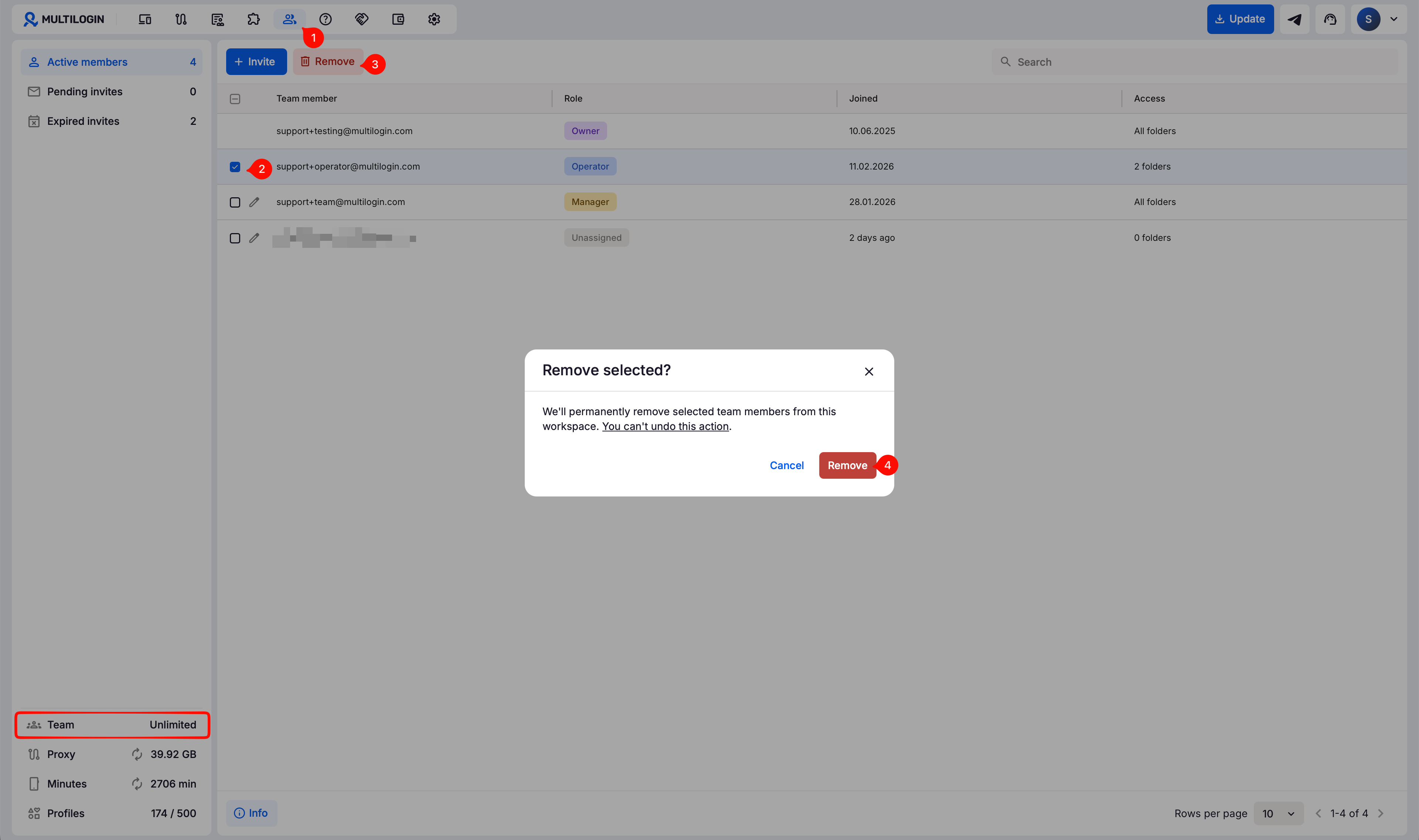
Remove extra team members
Check your team member limit in the bottom-left status section. If you have extra team members:
- Go to the “Team” tab
- Use checkboxes on the left to select a team member you need to remove
- Click the “Remove team member” button in the top menu
- Confirm with “Remove” in the pop-up window
Delete extra profiles
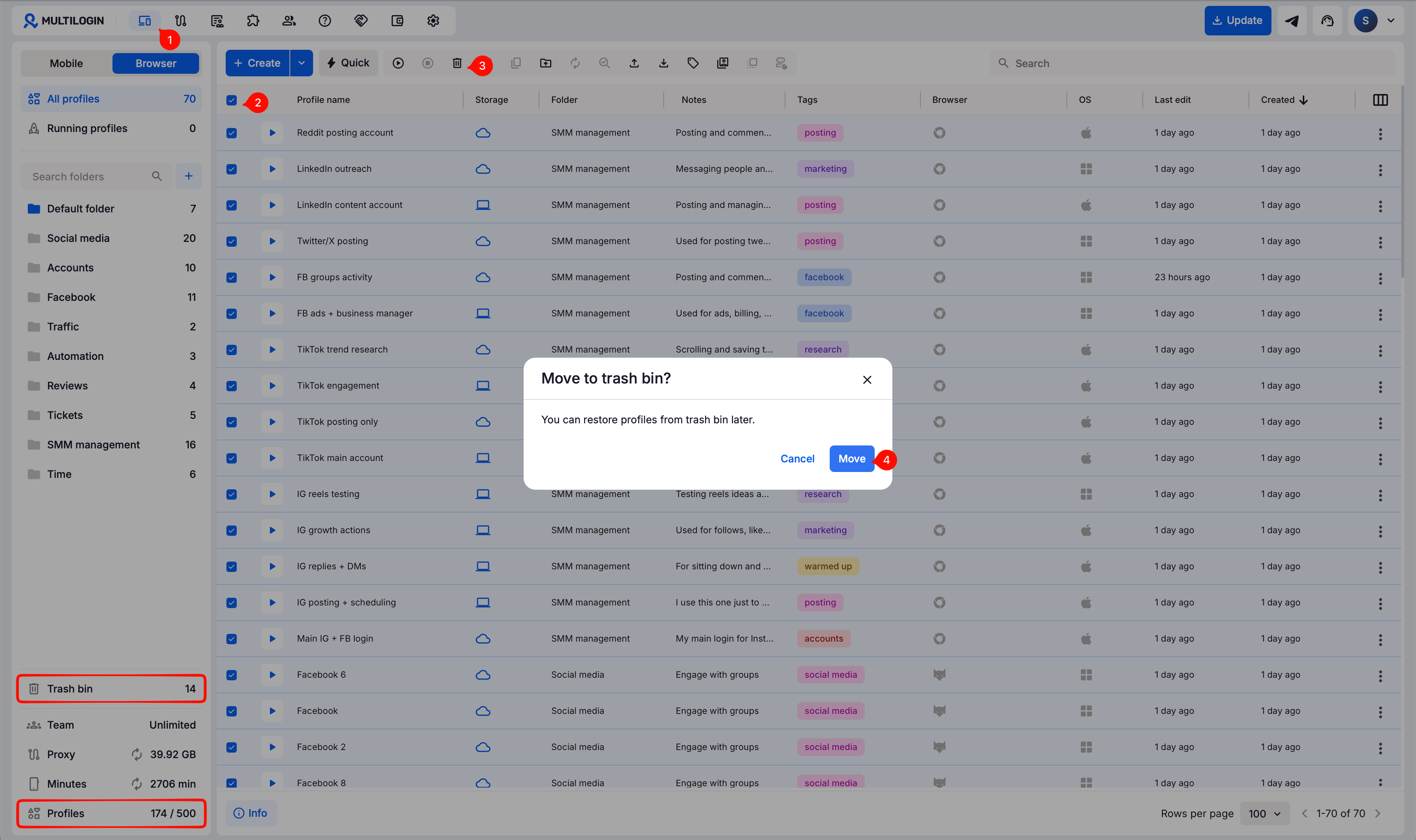
Check your profile limit in the bottom-left status section. If you have extra profiles:
- Go to the “Profiles” section in the top navigation bar
- Select profiles that you don't need
- Click the trash bin in the top menu
- Confirm your choice
Don’t forget to empty your trash bin:
- When you delete browser profiles, they first move to the trash bin and still count toward your profile limit until you permanently delete them there
- When you delete mobile profiles, they’re removed permanently right away and can’t be recovered
Nothing helps?
If the issue keeps showing up after you've removed extra team members and profiles, don’t hesitate to reach out to us. You can contact our support team via live chat or email us at [email protected]. We're always here to help!


