How to renew a subscription
 ~1 minWritten by Yelena V
In Multilogin, renewal keeps your profiles available after the current billing period ends. Some payment methods renew automatically, while others require you to pay manually.
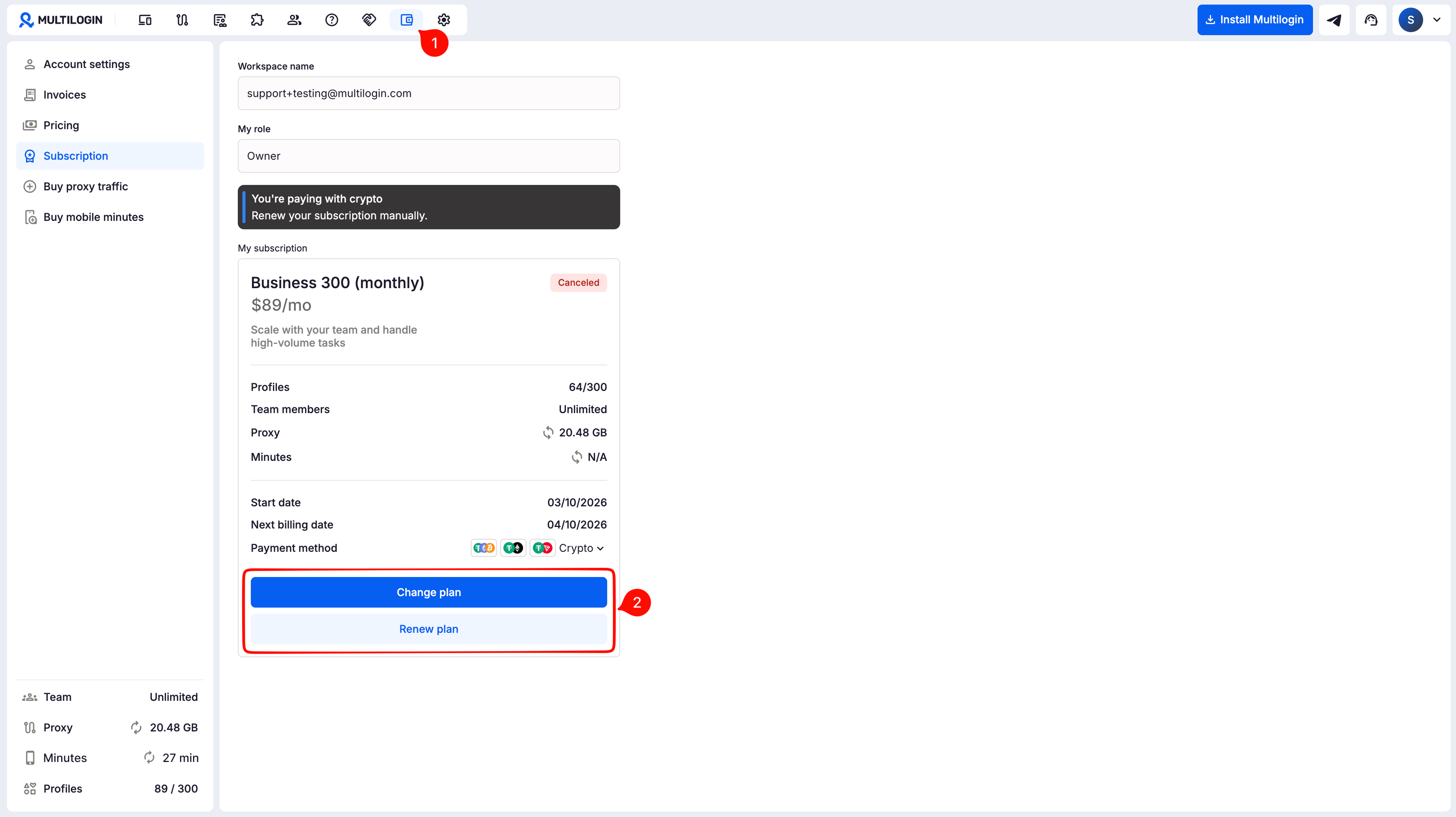
➡️ To renew manually, go to “Billing” → click “Renew plan” to continue with the same plan or “Change plan” to choose another one → complete the payment.
Use this guide if your plan is about to end, has already expired, or you aren’t sure whether payment will happen automatically.
How renewal works
Your payment method decides what you need to do:
- 💳 Credit card, Apple Pay, and Google Pay: renew automatically
- 🪙 Crypto, VietQR, SberPay, and YooMoney: require manual payment
Multilogin sends a reminder before your renewal date, giving you time to check your payment details.
How to renew a subscription
- Click “Billing” in the top menu
- Depending on your subscription status,
- Click “Change plan” to select a new plan
- Click “Renew plan” to reactivate your old plan
- Complete the payment