


How to get your Multilogin API token
 ~2 minWritten by Yelena V
In Multilogin, an API token helps you authenticate API requests when you connect automation tools or scripts to your workspace.
➡️ Switch to the Multilogin workspace you want to use → click “Info” → click “Copy” next to “API token”.
Regular API tokens expire after 30 minutes. You can refresh a token with the “User Refresh Token” endpoint or create an automation token with a longer expiration period.
Copy your API token from the dashboard
Section titled “Copy your API token from the dashboard”The quickest way to get your API token is to copy it directly from the Multilogin dashboard.
- Click “Info” in the bottom-left corner of the main Multilogin window
- Find “API token” in the “Information” window and click “Copy”
You’ll see the “API token copied” confirmation when the token is saved to your clipboard.
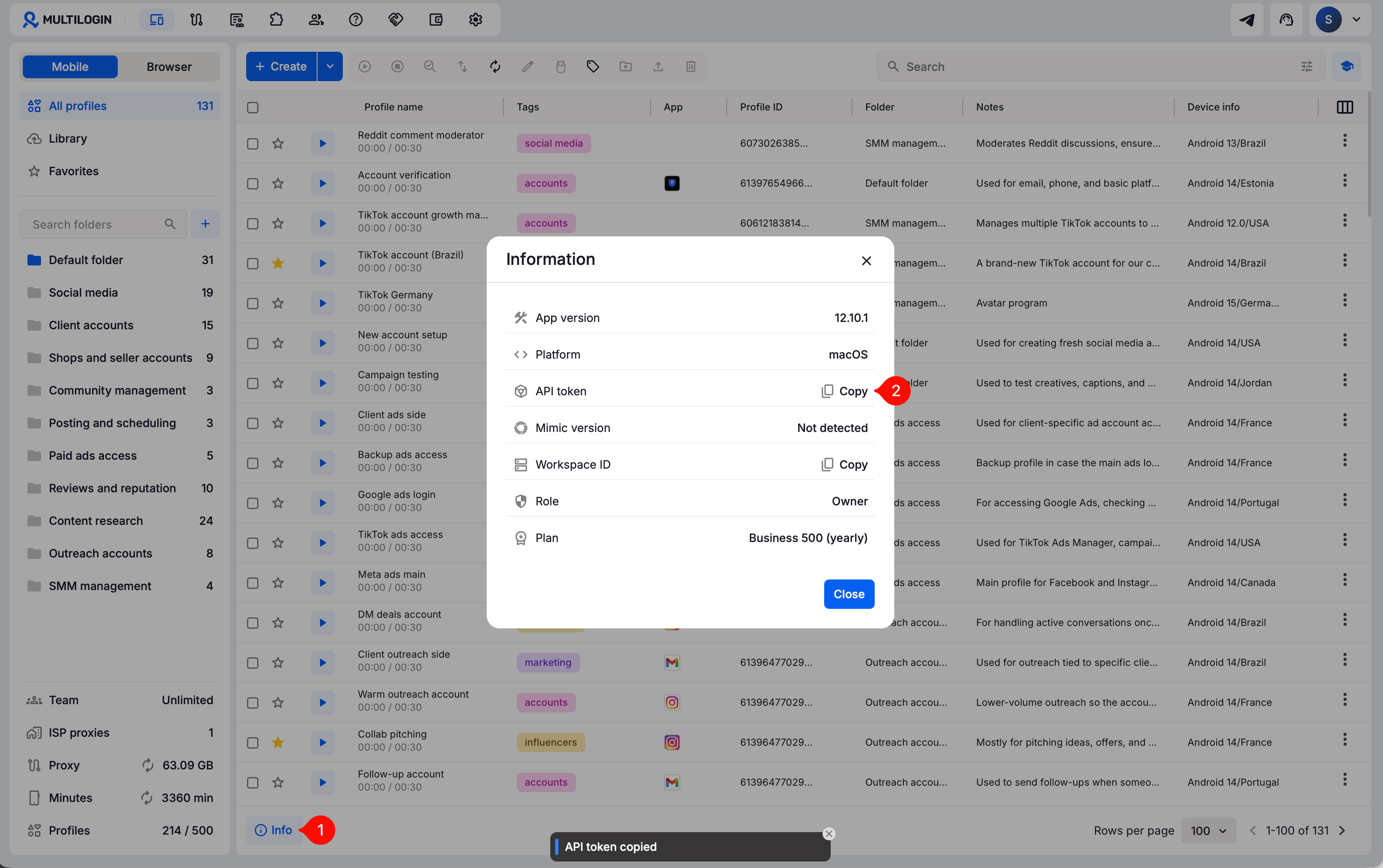
Click “Info”, then click “Copy” next to “API token”
Find your API token in DevTools
Section titled “Find your API token in DevTools”Use DevTools if you can’t copy the token from the dashboard.
Desktop app
- Open the Multilogin app.
- Open DevTools:
- Windows and Linux: press
Ctrl + Shift + F12. - macOS: press
Cmd + Shift + Fn + F12.
- Windows and Linux: press
- Choose the storage-related tab:
- Windows: switch to “Application”.
- macOS and Linux: switch to “Storage”.
- In the left menu, choose the storage location:
- If you selected “Remember me” when signing in, choose “Local storage” → “wails”.
- If you can’t find the token or didn’t select “Remember me”, choose “Session storage” → “wails”.
- Copy the full value of the
tokenattribute.
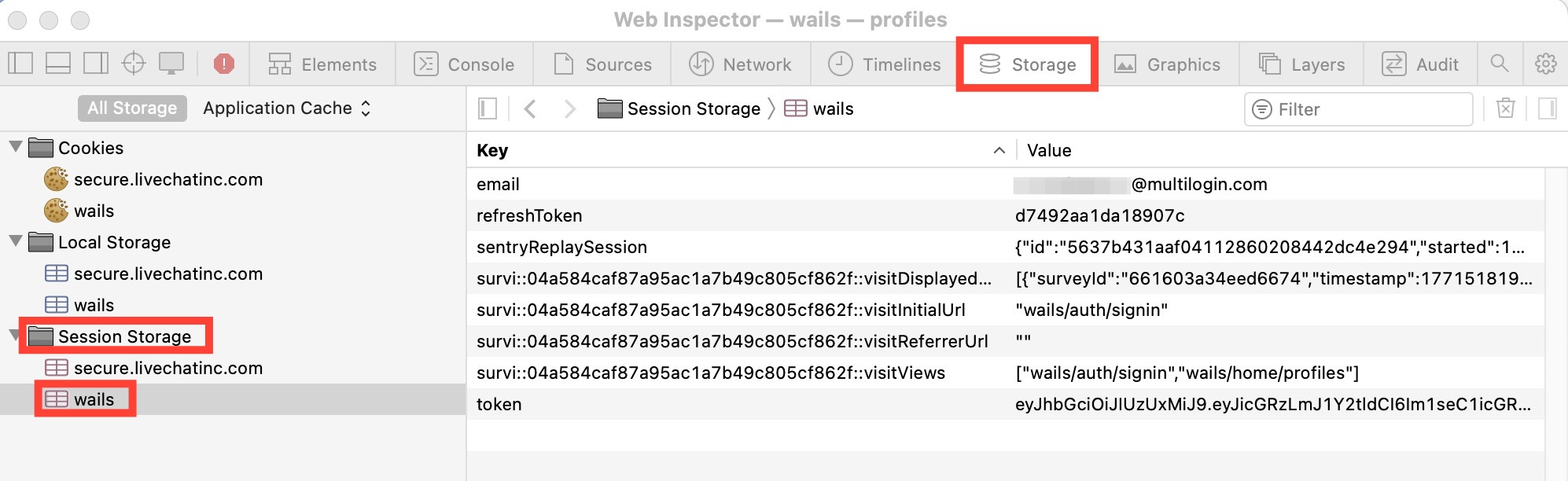
Web interface
- Sign in to Multilogin.
- Open DevTools in your browser:
- Windows and Linux: press
Ctrl + Shift + I. - macOS: press
Cmd + Option + I.
- Windows and Linux: press
- Open “Application” in a Chromium-based browser or “Storage” in Firefox.
- In the left menu, choose the storage location:
- If you selected “Remember me” when signing in, choose “Local storage” → “
https://app.multilogin.com”. - If you can’t find the token or didn’t select “Remember me”, choose “Session storage” → “
https://app.multilogin.com”.
- If you selected “Remember me” when signing in, choose “Local storage” → “
- Copy the full value of the
tokenattribute.


