


Invite & earn: get 15% from every paid referral
 ~3 minWritten by Yelena V
In Multilogin, the referral program lets account owners earn 15% of eligible plan payments and renewals by sharing a referral link or code. Use the referral program when friends, teammates, followers, or clients could benefit from Multilogin.
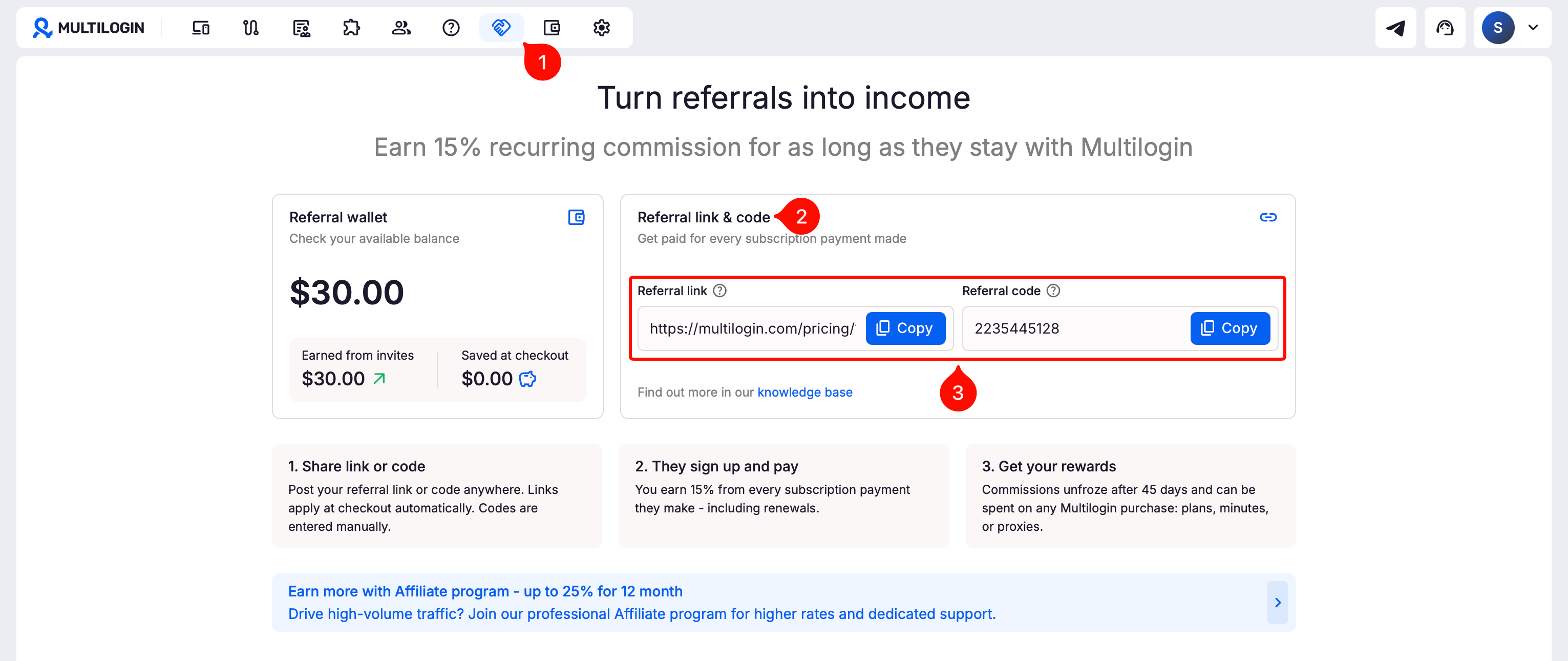
➡️ Click “Referral” → “Referral link & code” → click “Copy” next to your link or code → share it → your invitee applies it at checkout and completes the payment.
After the 45-day waiting period, confirmed rewards move to your referral balance, which you can spend on plans, mobile minutes, or proxy traffic.
Who can use this feature?
- 👨💻 Account owner
- 💰 Available on all paid plans
How it works
- Share your referral link or code
- Your friend signs up and pays for a plan
- You earn 15% of the final amount before tax and after discounts
- Your reward appears in "Referral history" as frozen
- If there’s no refund or cancellation for 45 days, it goes to your referral balance
- You can spend it at checkout
How to share a referral link or code (inviter)
- Click "Referral" in the top menu
- Go to "Referral link & code"
- Click "Copy" next to your referral link or code
- Send it to someone you'd like to invite
How to apply a referral (invitee)
Your friend only needs to use your referral once. After their first eligible payment, the referral stays linked to their account, so you can keep earning from their renewals.
Share the steps below with them so they can get started.
Option 1: use a referral link
- Open your referral link
- Choose a paid plan
- Go to checkout
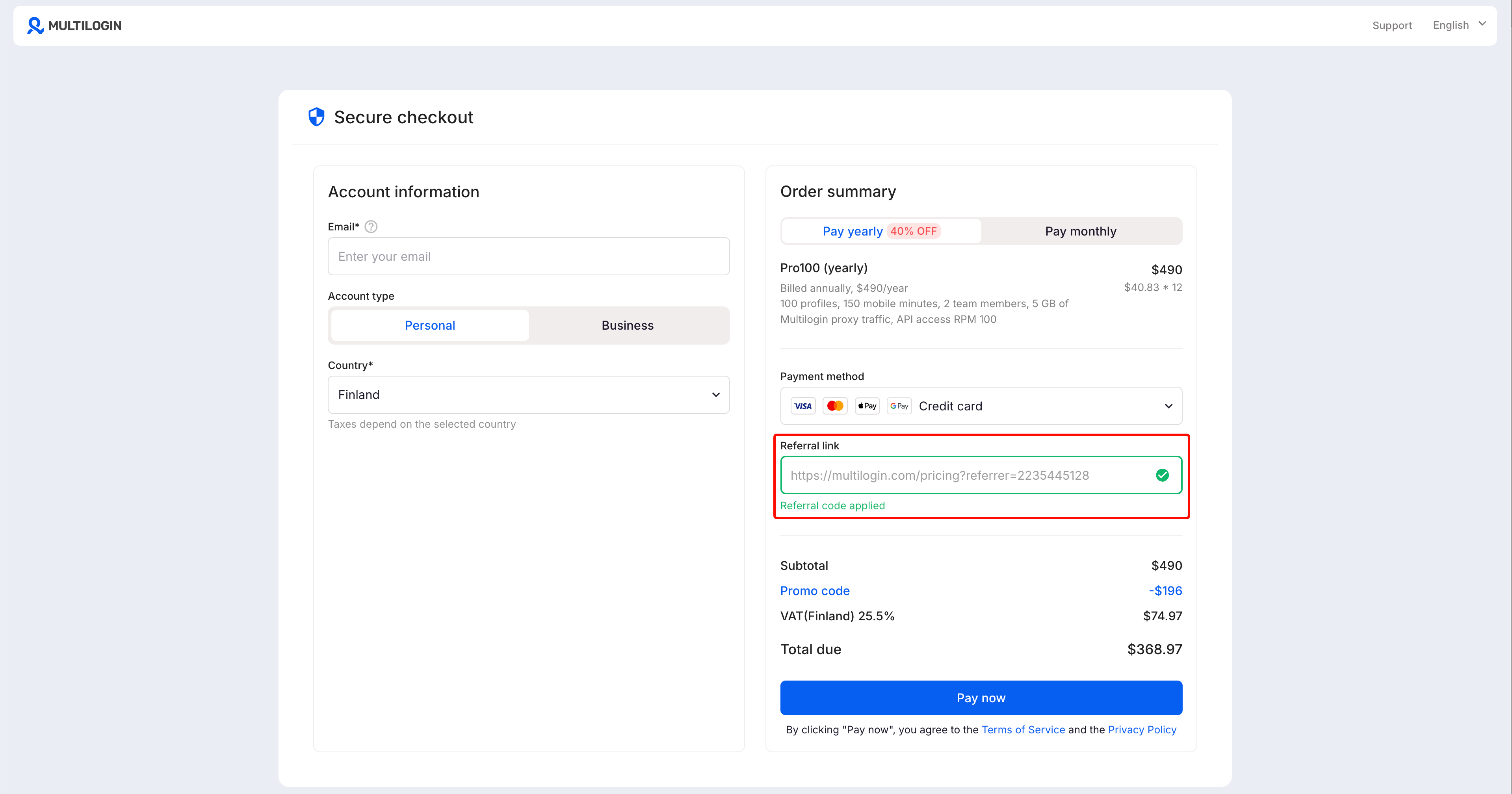
- Check that the referral code is filled in
- Complete the payment
Option 2: use a referral code
- Choose a paid plan
- Go to checkout
- Paste your referral code into the referral code field
- Click "Apply"
- Complete the payment
Referral limitations
You won’t earn referral rewards from:
- Free plan signups
- Failed payments
- Mobile minutes purchases
- Proxy traffic purchases
A few more important notes:
- Referral balance can’t be withdrawn as cash
- Referral balance can’t be transferred to another account
- Refunds, chargebacks, or cancellations cancel a reward
- For annual plans, rewards are added monthly instead of all at once
What referral statuses mean
- Frozen: the reward is still in the 45-day waiting period – you can’t spend it yet.
- Available: the waiting period is over, and the reward is ready to use
- Cancelled: the reward was removed because the payment was refunded or cancelled
- Used: you’ve already spent this balance at checkout
How to spend your referral balance
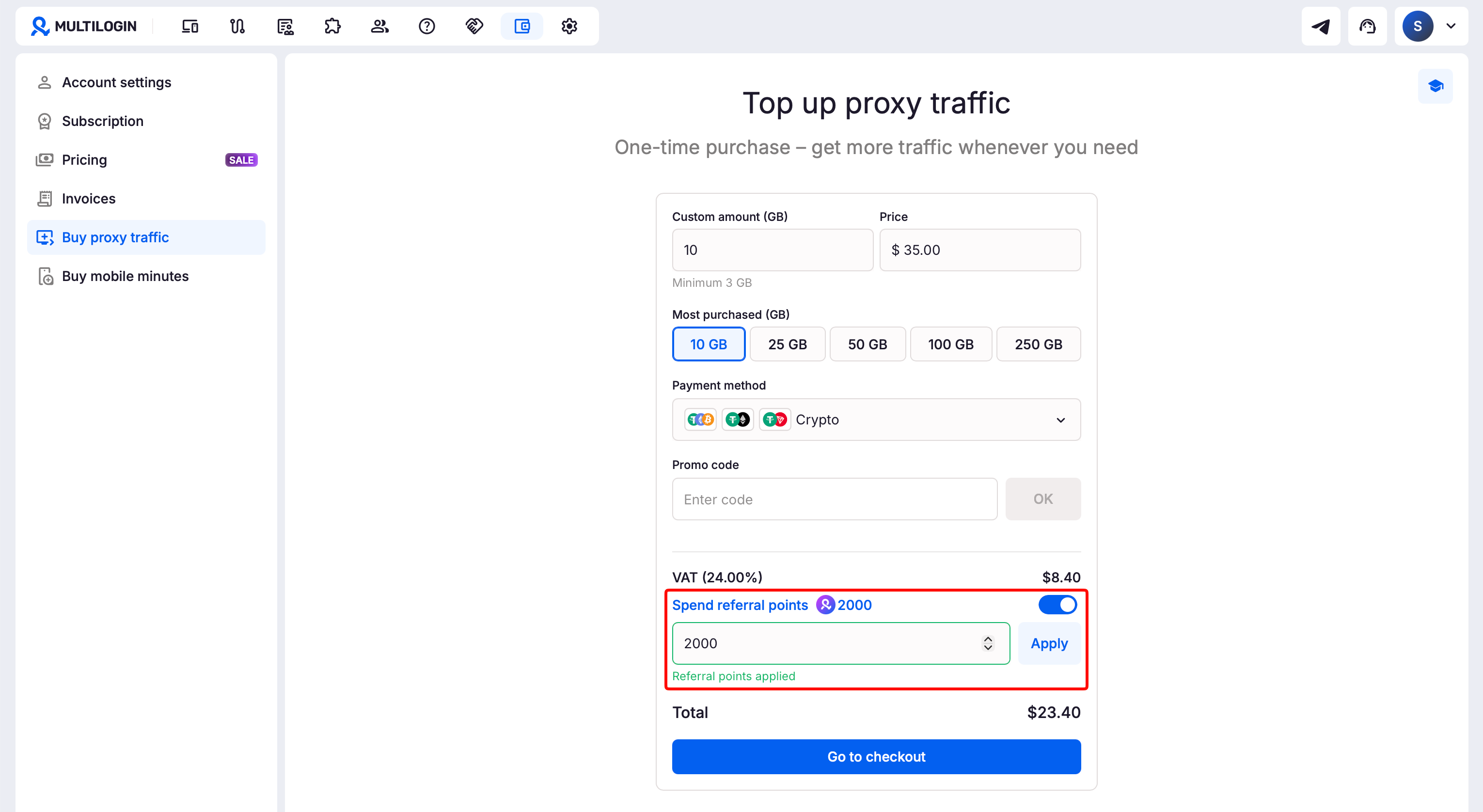
- Go to checkout
- Find your available referral balance
- Enter the amount you want to use
- Click "OK"
- Check the remaining amount to pay
- Complete the payment
You can use all of your balance or just part of it for plan purchases and renewals, as well as mobile minute and proxy traffic top-ups.
FAQs
Can I withdraw my referral balance as cash?
No. You can only spend referral balance inside Multilogin.
Can I use referral balance for mobile minutes or proxy traffic?
Yes. You can spend referral balance on mobile minutes and proxy traffic.
Do mobile minutes or proxy purchases earn referral rewards?
No. You earn rewards only from eligible plan payments and renewals.
Do I earn from renewals?
Yes. You earn from every successful renewal for the lifetime of your friend’s subscription.
Does my friend need to enter my referral code again for renewals?
No. Once the code is applied at checkout, the referral stays connected to their account.
What happens if a subscription is cancelled?
- If you cancel your own subscription, your available referral balance stays in your account
- If your invitee cancels their subscription, any frozen reward from that payment is cancelled
- If your invitee renews later, a new frozen reward is created from the new eligible payment and becomes available after 45 days if there’s no refund, chargeback, or cancellation


