





A social media content calendar is the difference between a consistent, intentional content operation and a constant scramble to post something before the day ends. But most calendar templates out there are either too simple to be useful or so complex they never actually get filled in.
This guide covers how to build a content calendar that works in practice — for solo managers, agency teams, and everything in between. We’ll go through what a calendar should actually contain, how to structure your planning process, which tools are worth using, and how to manage calendars at scale when you’re handling multiple clients simultaneously.
If you’re already comfortable with the concept and want to skip straight to the template or the tool recommendations, use the section headers to navigate. But if you’ve tried content calendars before and found them unused after week two, the process sections are worth reading — the problem is usually in how the calendar is built, not in the idea of having one.
What a Social Media Content Calendar Actually Is
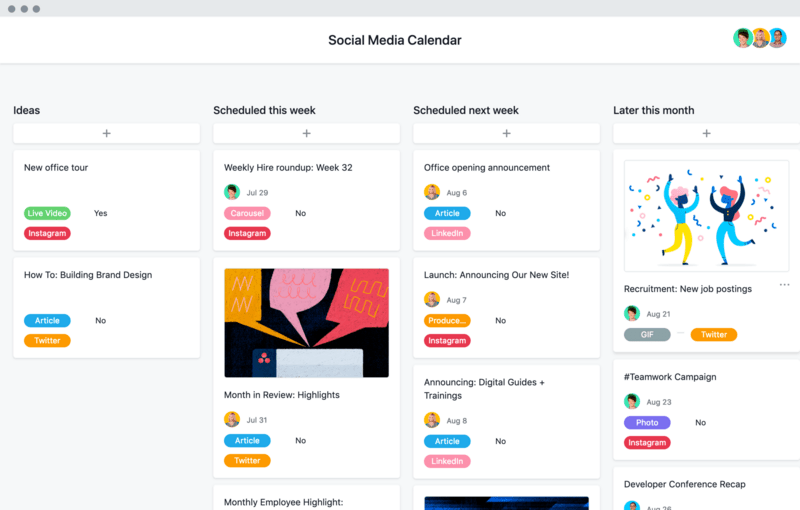
A content calendar is a planning document that maps out what you’re posting, on which platforms, at what times, over a defined period (usually one month). It might live in a spreadsheet, a dedicated tool, or a project management system — the format matters less than the habit of using it.
A good calendar captures:
- The platform (LinkedIn, Instagram, TikTok, Facebook, X, etc.)
- The content type (video, image, carousel, story, text post, reel, etc.)
- The post copy or at minimum a working draft
- The asset status (does the image or video exist yet?)
- The publish date and time
- Any campaign or theme the post belongs to
- Status (draft, in review, approved, scheduled, published)
That’s it. More fields than that and people stop filling it in. The temptation is to build a comprehensive tracking system — but a calendar with twenty columns that nobody maintains is worse than a simple one that everyone actually uses.
The calendar is also a communication tool, not just a planning tool. When clients, team members, or stakeholders can see what’s coming, approvals happen earlier, surprises are minimized, and the whole operation runs more smoothly.
📅 Social media content calendar
Click any copy cell to edit. Click a status badge to advance it. Add your own posts, then download as CSV for your team.
| Date | Platform | Pillar | Format | Copy draft | Asset | Status |
|---|---|---|---|---|---|---|
Why a Content Calendar Matters More Than You Think
Consistency is the single most important factor in growing any social media account. The algorithm rewards consistent posting. Audiences build expectation over time. Your own content quality improves when you’re planning rather than reacting.
A calendar forces consistency because it surfaces gaps. If Thursday looks empty two weeks from now, you know about it Monday — not Thursday at 5pm. This shift from reactive to proactive is the core operational change a content calendar creates.
There’s also a quality argument. Content created under deadline pressure is almost always worse than content created with time to think, draft, revise, and let sit. A calendar creates the planning buffer that makes thoughtful content possible. When you know what you’re posting next Tuesday, you have a week to make it good.
For agencies managing multiple clients, a calendar also provides the structure that makes managing social media accounts for multiple clients possible at scale. Without it, content management is ad hoc and unscalable. Client reviews become chaotic, approvals get missed, and posting times slip. With it, you have a repeatable process that works the same way for client one and client ten.
How to Build Your Content Calendar: Step by Step
Step 1: Audit What You’re Currently Posting
Before you plan forward, look back. What’s actually been posted in the last 30-60 days? How often? On which platforms? What performed best? This baseline tells you what’s working and where the gaps are.
Pull platform analytics and note the posts with the highest reach, engagement, and click-through. These aren’t just wins to celebrate — they’re signals about what your audience responds to. Your calendar should create more of what’s already working, not just more of what feels easier to produce.
If you’re starting from zero with a new client or a new account, skip this step and go straight to platform selection. You’ll build your baseline over the first 30-60 days of posting.
Step 2: Define Your Platform Mix
Not every business needs to be on every platform. Choose platforms based on where your audience actually is, not where you feel like you should be. Spreading effort across six platforms and doing all of them poorly produces worse results than doing two or three well.
- LinkedIn is where B2B audiences, professionals, and executives spend time. If your target customer has a job title and a business problem to solve, LinkedIn is worth prioritizing. It’s also a platform where consistent organic content compounds particularly well over time.
- Instagram works for visually-driven brands, lifestyle products, e-commerce, and consumer audiences. Strong for brand awareness and community building, and the Reels format now has meaningful discovery potential.
- TikTok is dominant for discovery and reaching new audiences at scale, especially under 35. The algorithm surfaces content to non-followers more aggressively than any other major platform, making it the best channel for organic reach in 2026.
- Facebook still has the largest total user base and works well for community (Groups), local businesses, and older demographics. Organic reach on pages is limited, but Groups and paid amplification remain effective.
- X (Twitter) is best for real-time commentary, news-driven industries, and audiences that value speed over polish. Less important for most brand content strategies in 2026 than it was three years ago, but still valuable for specific niches.
Pick two or three platforms to do well rather than five to do poorly. Your content calendar will reflect this choice — fewer platforms means more depth and quality per platform, which produces better results than shallow coverage of many.
Step 3: Set Your Posting Cadence
Be honest about what’s sustainable. A calendar you can actually execute consistently is better than an ambitious one that falls apart by week two.
- LinkedIn: 3-5 posts per week for active growth. 1-2 per week for maintenance.
- Instagram: 4-7 posts per week including Stories. 3-4 feed posts per week minimum for growth.
- TikTok: 1-3 videos per day for aggressive growth. 3-5 per week for steady growth.
- Facebook: 3-5 posts per week.
- X: 3-10 posts per day for relevance. 1-2 for maintenance.
These are guidelines, not rules. What matters is finding a frequency you can sustain at quality, then hitting it consistently week after week.
Step 4: Define Your Content Pillars
Content pillars are the three to five core topics or themes your account covers consistently. They give your audience a reason to follow you and give your team a framework for generating ideas without starting from scratch every week.
For a B2B SaaS company, pillars might be: product education, industry insights, customer stories, team culture, and practical tips. For a retail brand: new arrivals, styling inspiration, user-generated content, behind the scenes, and promotions.
Every post should map to at least one pillar. If you’re regularly posting things that don’t fit any pillar, your content strategy needs reexamining. Pillars aren’t restrictions — they’re the structure that makes content planning sustainable and audience-building possible.
A practical test: if you removed every post that doesn’t fit your defined pillars, would what remained form a coherent feed that clearly communicates what the account is about? If not, your pillars need refining.
Step 5: Build the Calendar Template
The simplest working format is a spreadsheet with columns for: Date, Platform, Content Type, Copy/Caption, Visual Asset, Status, and Notes. One row per post.
Color-code by platform or by status — both work. The goal is to see at a glance what’s coming up and what’s not done yet. If you have to read every row carefully to understand the state of the calendar, the visual system isn’t working.
Monthly view first, weekly view for execution. Use a monthly calendar (Google Sheets calendar or Notion calendar view) for planning and campaign mapping, then a weekly view for day-to-day execution and approvals. The monthly view keeps the big picture visible. The weekly view is where you actually get things done.
Step 6: Build the Content One Week at a Time
Planning the entire month in detail before you’ve produced any assets is setting yourself up to replicate without considering what’s actually performing. Instead, use this three-level rhythm:
- Month-level: map themes, campaigns, big moments (product launches, holidays, industry events)
- Week-level: write copy, assign assets, set exact publish times
- Day-level: review, approve, schedule
This rhythm keeps the calendar meaningful rather than a document you make once and ignore. It also allows you to incorporate real-time trends and performance data into your planning — something that’s impossible if you’ve planned the entire month rigidly in advance.
Social Media Content Calendar Template
Here’s a practical Google Sheets template structure you can replicate. Each row is one post. Keep it to the fields your team will actually fill in.
Content Calendar Tools Worth Using in 2026
Spreadsheets (Google Sheets / Excel / Notion)
The humble spreadsheet remains the most flexible and widely used format. It works at any scale, integrates with any workflow, and costs nothing. For solo managers or small agencies, it’s often the right call.
Notion takes this further — you can toggle between spreadsheet view and calendar view on the same database, add status fields, embed content assets, and collaborate in real time.
The calendar view in Notion is particularly useful for visualizing upcoming content at a glance. Airtable offers similar flexibility with stronger relational database features, which matters when you’re linking content to campaigns, assets, and approval records.
Dedicated Social Media Scheduling Tools
- Buffer. Simple, clean, and reliable. Buffer lets you schedule posts across major platforms, manage a queue, and see basic analytics. Good for small teams and individual creators.
- Later. Strong for Instagram and visual planning. Later’s drag-and-drop calendar lets you see your grid before posts go live, which matters for Instagram aesthetic.
- Hootsuite. The enterprise option. More expensive, more features, better for large agencies managing dozens of client accounts. The bulk scheduling and approval workflows are more robust than Buffer or Later.
- Sprout Social. Similar to Hootsuite in capability, with slightly cleaner reporting. Good if the analytics matter as much as the scheduling.
- Metricool. An underrated option that’s gaining traction with agencies. Solid scheduling, decent analytics, and better pricing than Hootsuite for the feature set.
Multi-Account Management for Agencies
One challenge that scheduling tools don’t fully solve: managing the actual platform logins for multiple clients. Even with a scheduling tool, you often need to log into platform native interfaces for things like responding to comments, managing ad accounts, or handling platform-specific features that scheduling APIs don’t cover.
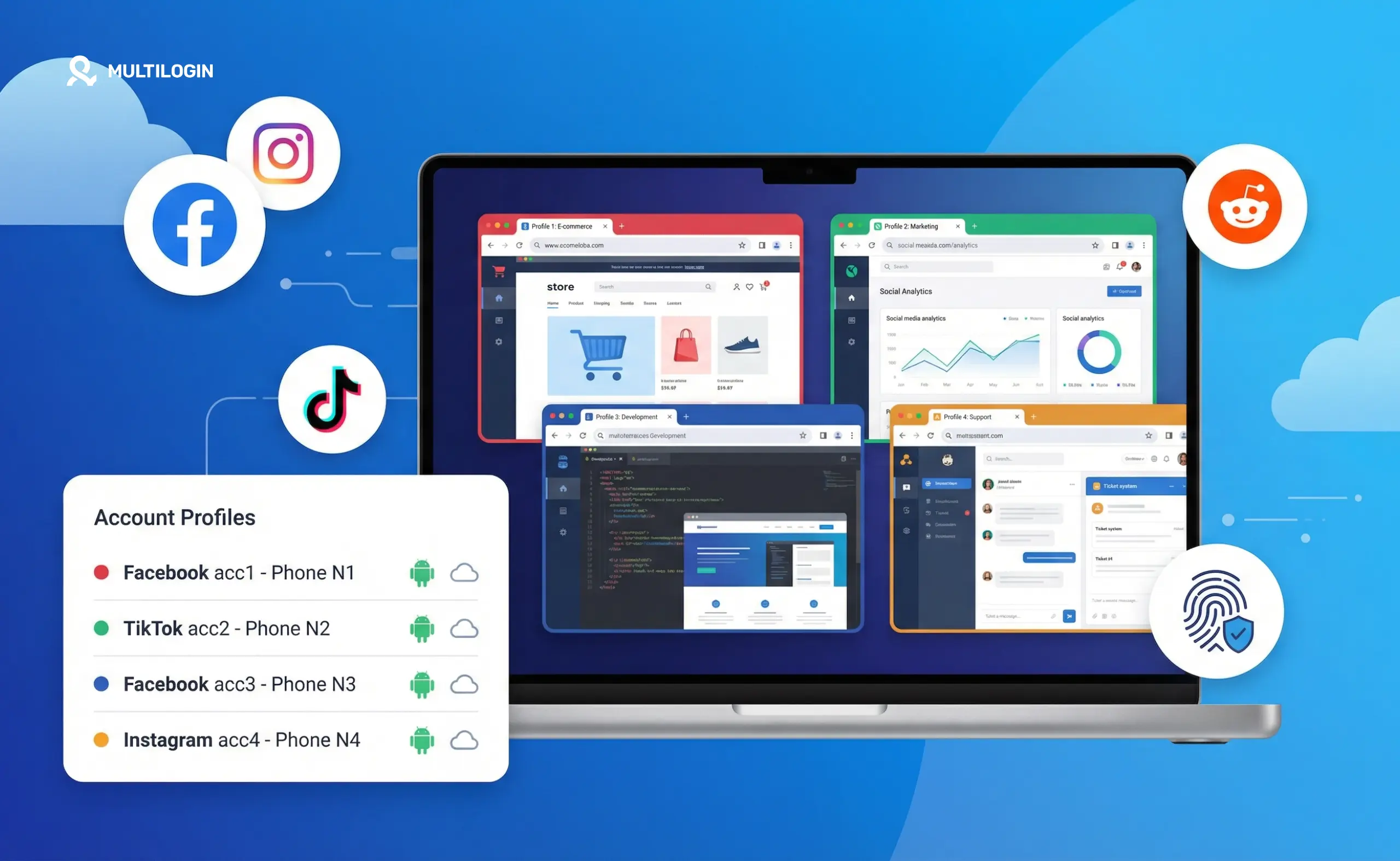
When managing ten clients across multiple platforms, logging in and out constantly is inefficient — and logging into multiple accounts simultaneously on the same browser causes session conflicts and can trigger platform security checks. This is the operational problem that Multilogin addresses specifically.
Each client gets an isolated browser profile with separate cookies, session data, and optionally a dedicated proxy. You can switch between client accounts instantly without logging out, without accounts interfering with each other, and without platforms seeing unusual login patterns. If you’re managing multiple social media accounts professionally, this kind of isolation is how you keep operations clean at scale.
Platform-Specific Calendar Considerations
LinkedIn Content Calendar
LinkedIn content requires more advance planning than most platforms because the content itself tends to be more considered — thought leadership, case studies, and industry commentary take time to produce well. Build your LinkedIn content calendar with a two-week buffer wherever possible: posts planned two weeks out give you time to write, review, revise, and get approval before the publish date.
LinkedIn also rewards topical timeliness — commenting on industry news, responding to trending conversations, and reacting to events in your sector. Your calendar should have flex slots for reactive content rather than being fully locked in advance.
Instagram Content Calendar
Instagram’s visual nature means asset production needs to be in the calendar, not just the post itself. A post that goes live on Tuesday needs its image or video ready by Friday at the latest to allow time for copy writing, review, and scheduling. Build your production timeline backwards from the publish date.
Stories and Reels have different production requirements than static feed posts. Stories can be more spontaneous (and often perform better when they feel that way). Reels require more production time. Your calendar should distinguish between these formats and assign realistic lead times to each.
TikTok Content Calendar
TikTok’s volume requirements make it the most demanding platform to maintain a content calendar for. At 3-5 posts per week for steady growth, you need a constant pipeline of video concepts, scripts, and production slots. The calendar for TikTok needs to function more like a production schedule than a posting schedule.
Build your TikTok calendar around content batches — filming multiple videos in one session and scheduling them over the following week. This approach is more efficient than filming each video the day it’s scheduled to post, and it gives you a buffer when unexpected priorities arise.
Cross-Platform Campaigns
When a client has a campaign (a product launch, a seasonal promotion, an event), your content calendar needs to show how that campaign runs across all platforms simultaneously. A launch campaign might have a LinkedIn thought leadership post, an Instagram Reel, a TikTok video, and a Facebook event post all going live in the same week — coordinated to reinforce each other with platform-appropriate versions of the same message.
Building cross-platform campaigns into a single calendar view helps you see the full picture. A master campaign row at the top of your monthly view, with platform-specific posts mapped underneath it, is a simple way to maintain this visibility.
Content Calendar for Multi-Platform Agencies: What Changes
When you’re managing content for multiple clients simultaneously, the calendar stops being one document and becomes a system. Here’s what that system needs:
- Each client has their own calendar. These don’t mix — separate documents (or separate database filters in Notion or Airtable) per client. Clients should never see each other’s content, and your team needs to be able to focus on one client’s pipeline without the noise of others.
- Cross-client awareness. You need a master view that shows what’s due across all clients in a given week, so you can staff production realistically. A week where four clients have major content deadlines on the same day needs to be spotted in advance — not discovered the morning of.
- Approval workflows. Each client needs a clear path: draft > internal review > client review > approved > scheduled. Tools like Notion or Airtable make these workflows visible. Each post should have a clear owner and a clear deadline for each stage.
- Access control. Not every client needs to see every other client’s content. Keep access scoped appropriately. Most project management tools allow per-workspace or per-database permission settings.
- Reporting cadence. Monthly reports per client should map back to the calendar — what was planned vs. what was published, and what performance looked like. The gap between planned and actual is a useful metric for operational health.
The account access challenge at scale is also worth planning for. Clients often expect agencies to handle community management, ad account management, and platform-native tasks — not just posting.
Each of these tasks requires direct platform access. For agencies managing multiple social media accounts for ten clients, that means ten sets of platform logins across LinkedIn, Instagram, TikTok, Facebook, and X — managed by a team that may be in different locations.
Keeping those sessions organized, isolated, and accessible without constant re-authentication is an operational problem that browser profile management solves cleanly. Each client profile is its own environment. Team members can access assigned profiles without sharing passwords or dealing with session conflicts. It’s the infrastructure layer that makes agency multi-client management actually workable.
Building a Content Calendar Workflow That Sticks
Most content calendars fail not because the tool is wrong but because the workflow isn’t sustainable. Here’s what makes the difference:
- Weekly planning sessions. Block one hour every week to populate the calendar for the following week. This isn’t optional — it’s the habit that keeps the calendar alive. Without a recurring planning session, the calendar gets treated as a reference document rather than a working tool.
- Separate ideation from planning. Keep a running idea list (a Notion page, a notes doc, a shared spreadsheet) where content ideas can be captured at any time without committing to a date. When you sit down for your weekly planning session, you pull from this idea list rather than generating ideas under time pressure.
- Build in flex posts. Leave 15-20% of your calendar slots as flex — unplanned posts that give you room for reactive content, trending topics, or client requests that come in last-minute. A calendar with zero flex is brittle.
- Review performance weekly. Spend fifteen minutes each week looking at what performed well the previous week and why. The content that resonates tells you what to create more of. The content that underperforms tells you what to adjust or cut. This feedback loop is what makes a calendar improve over time.
Get client buy-in on the process. The most common reason client content calendars fail is that clients don’t review and approve content on time. Make the approval deadline explicit and the consequences clear: posts that aren’t approved by Wednesday don’t go out that week. Setting this expectation upfront prevents the scramble.
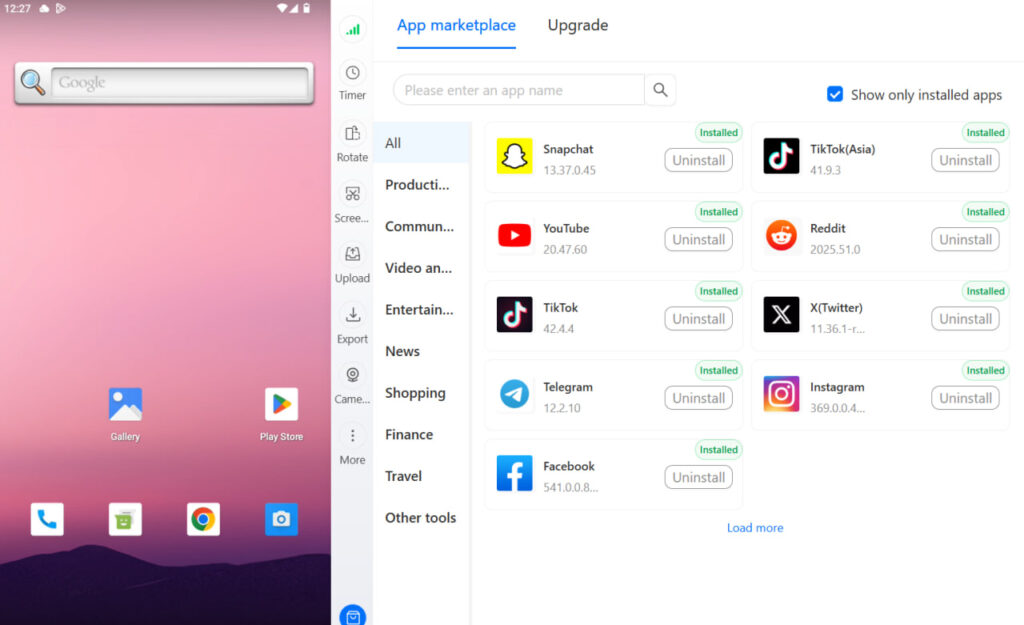
No more juggling physical devices or risking account links. Try Multilogin's cloud phones now.
Frequently Asked Questions About How to Build a YouTube Content Strategy
At minimum: platform, post date, content type, copy draft, asset status, and publication status. Anything beyond that is useful if your team actually uses it, and clutter if they don’t.
One month is the standard. Map themes and campaigns for the month, then plan detailed copy and assets week by week. Too far ahead and the content becomes stale; too close and you lose the consistency benefits.
Depends on your scale. Solo managers and small teams: Google Sheets or Notion. Growing agencies: Airtable or Asana. Enterprise agencies: Sprout Social or Hootsuite with built-in approval workflows.
Give each client their own calendar (separate sheets or Notion databases). Build a master tracker that aggregates what’s due across clients each week. Use separate browser profiles or a multi-account management tool to handle platform logins efficiently.
Set explicit approval deadlines in your process document and onboarding materials. Tie approval deadlines to specific consequences (content that isn’t approved by X date gets held until the following week). Make reviews as frictionless as possible — a shared preview link is better than emailing assets.


