





Instagram has two billion monthly active users. That number alone doesn’t mean much, but here’s the part that does: a large slice of those users are actively looking for products, brands, and services to buy from. They’re not just scrolling past ads. They’re saving posts, clicking profile links, and making purchase decisions from what they see in their feeds.
For small businesses, agencies, and solo operators, Instagram remains one of the highest-ROI marketing channels available. You don’t need a big budget. You need a real strategy and the patience to execute it.
This guide walks through everything you need to do it properly in 2026.
Managing multiple Instagram accounts for different clients or brands? Multilogin keeps every account isolated, fingerprint-clean, and safe from linking. Start your plan from €5.85/month.
Switch to a business account first
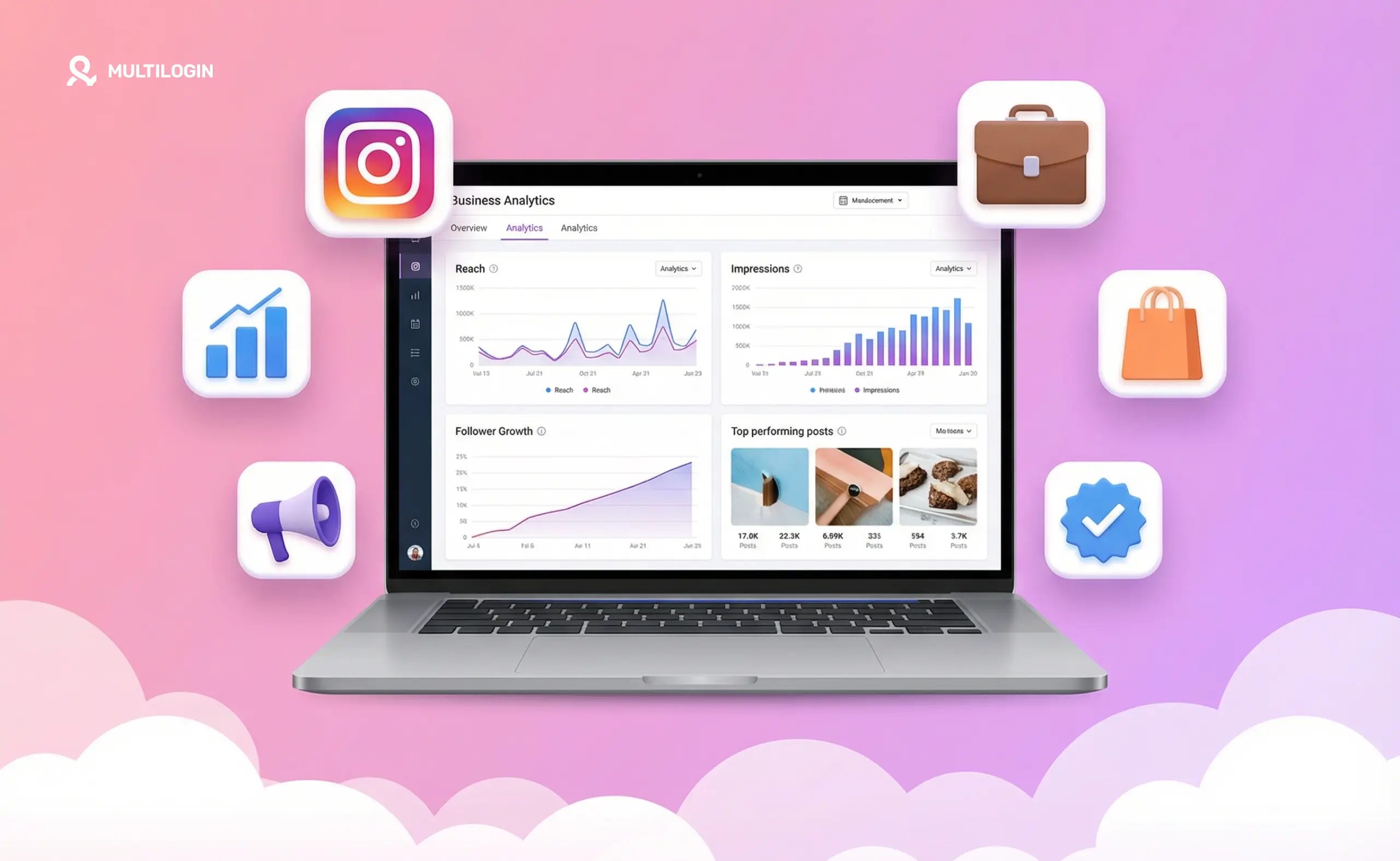
If you’re still on a personal profile, change that before anything else. Business accounts give you Instagram Insights (your analytics dashboard), the ability to run paid ads, contact buttons on your profile, Stories link support, and full access to Meta Business Suite.
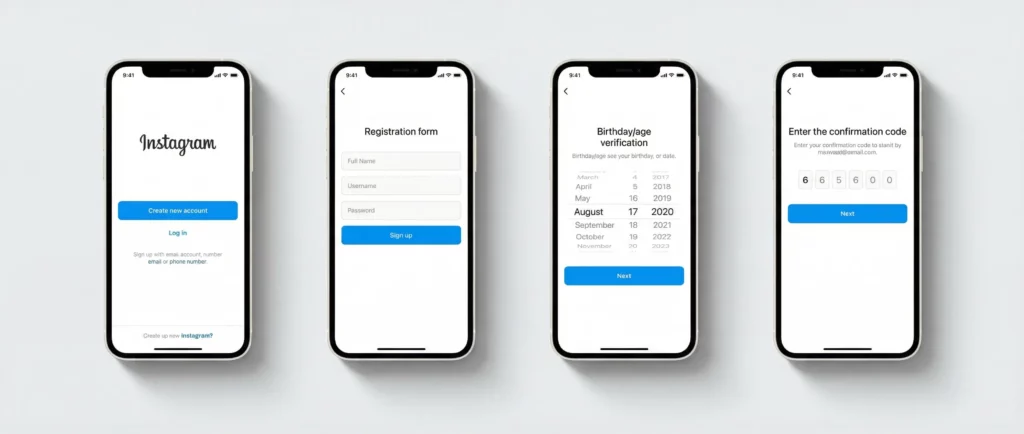
Go to your profile, tap the three lines in the top right, then Settings and privacy, Account type and tools, and Switch to professional account. Choose Business rather than Creator, which is better suited to individual influencers.
Once you’re set up, connect your Facebook Page. This is required for running ads through Meta, and it unlocks Meta Business Suite for managing both platforms together.
Build a profile that does the selling before you post a word
Your profile is the landing page for everyone who discovers you. If it doesn’t clearly explain what you do and why someone should follow you, no posting strategy will save you.
A few things that matter:
Your username should match your business name as closely as possible. Your display name is searchable, so use it wisely. “Luna Bakery | Austin Custom Cakes” tells Instagram’s algorithm and real users exactly what you are. “Luna” tells nobody anything.
Your bio has 150 characters. Use them to answer what you sell, who it’s for, and what someone should do next. A CTA with a link is not optional. Use a link-in-bio tool like Linktree or Later if you want to direct people to multiple destinations.
Your profile photo should be your logo, clean and legible at thumbnail size. Lifestyle photos and team shots belong in your feed, not your profile picture.
Understand Instagram’s four content formats
Instagram isn’t one thing. It’s four overlapping content channels, and each one reaches people differently.
Feed posts (photos and carousels) are your permanent content. They live on your profile, show up in hashtag and Explore results, and are what new visitors scroll through when they land on your page. Carousels consistently outperform single images for engagement because the swipe behavior signals interest to the algorithm. Every swipe is a positive signal that says this content is worth viewing.
Reels are the current priority format. Short-form video gets distributed to people who don’t follow you through the Reels tab and Explore page. No other format gives you organic reach to cold audiences the same way. If you want to grow, Reels are where to spend your creative energy. Hook within the first two seconds. Add on-screen text because most people watch without sound.
Stories reach your existing followers and disappear after 24 hours. Use them for behind-the-scenes moments, polls, questions, countdowns before launches, and the kind of casual, personal content that builds a relationship with people who already know you. Stories drive a different kind of engagement than feed posts. More intimate, less polished.
Lives are underused by small businesses, which means the bar for standing out is low. Product demos, Q&As, and launch events work well here.
Build a content strategy you can actually stick to
The most common Instagram mistake is trying to post every day with no system. By week three you’re out of ideas and the account goes dark. Consistency over months matters far more than posting frequency in any given week.
A workable content mix for most businesses: around 40% educational or helpful content relevant to your niche, 30% product or service content, 20% behind-the-scenes or personality content, and 10% promotional posts with direct CTAs. These ratios aren’t rigid rules, but they stop your feed from becoming a catalogue nobody wants to follow.
Batch your content. Set aside a few hours once or twice a month to create everything at once, then schedule it in advance using Meta’s built-in scheduler or a tool like Later or Buffer. It’s the same content, produced in a fraction of the time.
Use hashtags as a categorization tool, not a growth hack
Hashtags in 2026 are less of a discovery driver than they were five years ago. Instagram’s algorithm now understands content context well enough that hashtags are a secondary signal, not the primary one. That said, using a small set of relevant, specific hashtags still helps the algorithm understand where your content belongs.
The mistake most accounts make: using the most popular hashtags possible (#instagood, #photooftheday, #love) where your post drowns in tens of millions of others within seconds. Nobody finds you there.
Mix hashtag sizes instead. One or two large hashtags (1M+ posts) for broad visibility, a few mid-size ones (100K to 500K posts) for category relevance, and a few small niche hashtags (under 50K posts) where you can actually be seen. Use 5 to 10 total. Put them in the caption, not the comment.
Post when your audience is actually online
There is no single “best time to post on Instagram.” The right time is when your specific audience is active. You find this in Instagram Insights under Audience, which shows you the days and hours your followers are most online.
If you’re new and don’t have meaningful data yet, a reasonable starting point is weekday mornings (7 to 9am), midday (11am to 1pm), and evenings (6 to 9pm) in your target audience’s time zone. Test for a month, then let the data tell you what’s working.
Make Stories work harder than just content
Stories aren’t just a place to dump repurposed feed content. They’re where relationships are built.
A good Stories cadence for a business looks like three to five stories per day, mixing content types. Use polls and question stickers regularly because they generate replies, which move your account higher in followers’ story priority queues. Behind-the-scenes clips, day-in-the-life moments, and “ask me anything” sessions all perform well because they feel real.
Highlights are the Stories you save permanently on your profile. Think of them as navigation for new visitors. Good Highlights structures usually include: About, Products or Services, Reviews, FAQs, and Behind the Scenes. Update them at least once a quarter. Stale Highlights with content from two years ago actively hurt your credibility.
Run ads without wasting budget
You can run effective Instagram ads with $5 to $10 per day if you target correctly. The platform is not pay-to-win. It rewards relevance.
A few things that matter more than budget:
Use Ads Manager, not the Boost button on a post. Boosting is fast but limited. Ads Manager gives you control over objectives, audiences, placements, and creative formats that Boosting doesn’t.
Start with retargeting before spending on cold audiences. People who’ve visited your website, engaged with your Instagram profile, or watched your videos are already warm. They convert at far higher rates than strangers. Run retargeting ads first.
Once you have a customer list, build a Lookalike audience. Instagram finds users who share characteristics with your best customers. This is one of the most cost-effective targeting approaches available for growing businesses.
Reels: the single best organic reach tool right now
If you only have time for one content format, make it Reels. Instagram actively distributes Reels to non-followers through Explore and the Reels feed. This is how new audiences find you without any ad spend.
You don’t need to be a video editor or appear on camera. Product demonstrations, text-on-screen tips, time-lapses, before-and-after reveals, and packing or process videos all work. Keep them short (7 to 20 seconds typically outperforms longer formats). Start with a strong visual hook in the first frame. Use trending audio when it makes sense, because Instagram distributes Reels using trending sounds more aggressively.
Track what matters, ignore what doesn’t
Instagram Insights gives you reach, impressions, saves, shares, profile visits, and link clicks at the post level. The metric you care about depends on your goal.
Saves mean people want to come back to your content. That’s a strong signal. Shares mean people think it’s worth passing on. Comments mean genuine interest. Profile visits from a specific post mean the content made someone curious enough to learn more. Follows from a post mean the content converted a viewer into a fan.
Check your top five performing posts every month. Look for patterns in format, topic, and creative style. Do more of what’s working. Cut what isn’t.
Managing multiple Instagram accounts without getting flagged
If you’re running multiple brand accounts, managing client accounts, or operating at any real scale, Instagram’s account linking detection is something you need to understand. Logging into multiple accounts from the same browser, same IP address, or same device leaves a trail. Instagram uses these signals to link accounts and flag behavior it considers suspicious.
Multilogin solves this with fully isolated browser profiles. Each account gets its own unique fingerprint, separate cookies, and independent session storage. From Instagram’s perspective, each profile looks like a completely different user on a different device.
For mobile-native account management through the Instagram app, Multilogin cloud phones give each account a real Android environment with genuine hardware identifiers. Not emulation. Real device parameters. Account setup requiring phone verification is handled through third-party virtual number providers that Multilogin supports.
Read more on how to use Multilogin for social media management and the best antidetect browsers for Instagram. For ban prevention, the Instagram ban prevention academy guide covers everything you need to know.
Start your Multilogin plan from €5.85/month and stop worrying about account linking.
How to Get Started With Multilogin Cloud Phones
Step 1: Sign up at multilogin.com Choose a plan based on the number of Instagram accounts you manage. Plans scale with the number of cloud phones.
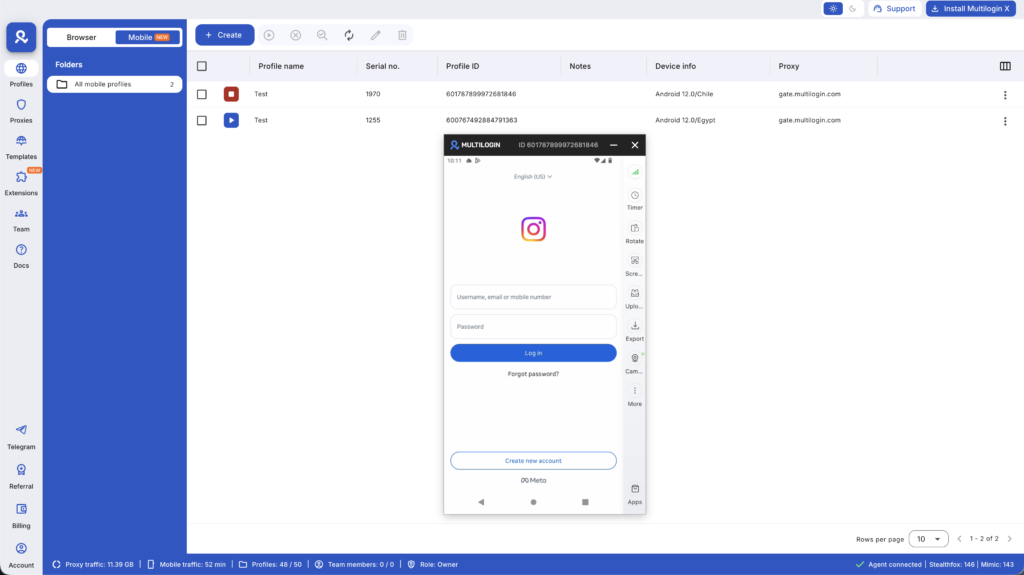
Step 2: Create a Cloud Phone for each account From the dashboard, click “Create Cloud Phone.” Set the location to match each account’s target audience (a US-focused account should have a US IP), choose the Android version, and label it clearly.
Step 3: Set up Instagram on each cloud phone Launch each cloud phone. Install Instagram from the Play Store, log in or create a new account, and switch to Creator or Business account for analytics access. Complete the profile fully before starting any growth activity.
Step 4: Build each account’s growth strategy independently Each account has its own niche, its own content calendar, and its own engagement strategy. Run them independently from their individual cloud phones. The isolation is automatic.
Step 5: Manage from the dashboard All cloud phones are visible and accessible from Multilogin’s single dashboard. Open the phone you need, do your work, close it. Nothing crosses between accounts.
Need to manage multiple Instagram accounts? Try Multilogin Cloud Phones.
Frequently asked questions About How to use Instagram for business
No. A small, engaged audience that trusts you converts better than a large passive following. Focus on reaching the right people, not the most people. Many businesses generate consistent revenue with fewer than 5,000 followers because their audience is specific and highly relevant.
Yes. Instagram lets you add up to five accounts to a single device and switch between them. There’s no formal limit on how many business accounts you can create, but each needs a separate email address or phone number. The platform will flag accounts it determines are linked and operated as a network if they violate its terms.
No. Instagram doesn’t verify business registration. You can set any account to “business” profile type regardless of whether you have a legal entity. That said, if you’re running ads, Meta may ask for additional verification depending on your ad spend and region.
Pick the category closest to what your account actually does. For brand pages, “Brand” or “Product/Service” works well. For local businesses, use your specific industry. For agencies running client pages, match it to each client’s actual business. The category affects how your profile appears and can influence how Instagram’s algorithm categorizes your content.
Yes, at any time. Go to Settings → Account type and tools → Switch account type → Switch to personal account. You’ll lose access to Insights, the contact button, and ad tools. Your content and followers stay intact.
Usually one of three things: you moved too fast during signup (triggered an automated check), you used an IP or device that was previously associated with a banned account, or you reused a phone number or email linked to a problematic account. See how to avoid an Instagram IP ban for recovery steps.
Use a separate browser profile or cloud phone for each client account. Don’t log into client accounts from the same browser or IP you use for your own accounts. Each client account should have its own email, phone number, and isolated session environment. Multilogin’s browser profiles handle this for web-based management; cloud phones handle it for native app use.
Yes, but each account needs its own isolated device environment. Accounts managed from the same device and IP get linked by Instagram’s systems, which creates cascade risk across all of them. Multilogin Cloud Phones give each account its own real Android device with its own IP, enabling independent growth for each account.
Managing multiple business Instagram accounts without linking them
If you’re a social media manager handling client accounts, an agency running brand pages, or an operator building multiple Instagram properties, you need account isolation.
The typical approach — logging in and out of accounts on the same browser or phone — shares cookies, session data, device fingerprints, and IP. Instagram’s detection systems read all of this. Even if you’re careful, the signals still overlap.
What actually separates accounts:
- A unique device identity per account (different browser fingerprint or separate Android device environment)
- A separate IP address per account, ideally a residential proxy matched to the account’s target location
- Independent session storage (cookies, localStorage, login data) with no crossover
Browser profiles handle this for web-based Instagram management. Each profile in Multilogin runs in an isolated environment with its own browser fingerprint, cookies, and proxy. You can have 20 profiles open simultaneously and they don’t share anything.
Cloud phones handle this for native app management — the Instagram app, not the web version. Multilogin’s cloud phones are real Android devices hosted in the cloud, each with genuine hardware identifiers (IMEI, Android ID, MAC address). Every cloud phone runs a separate Android environment with persistent app data and session state. You manage all of them from the Multilogin desktop app.
This matters because the Instagram app and the Instagram website behave differently. The app reads hardware-level signals that a browser never sees. If you need true isolation for native app use, cloud phones are the right layer — not just browser profiles. The academy guide on cloud phones covers the full setup.
For agencies scaling this across clients, Multilogin’s social media management setup lets you assign profiles and cloud phones to team members with permission controls, so clients never accidentally touch each other’s accounts.
Start your Multilogin plan to see how many profiles and cloud phones fit your workflow.


