





LinkedIn has 1 billion members. More than 65 million of them are decision-makers.
No other platform puts you directly in front of the people who can buy from you, hire you, or partner with you. Not Twitter. Not Instagram. Not TikTok.
But most businesses are using LinkedIn wrong. They broadcast instead of engage. They post company news no one asked for. They treat it like a CV attached to an ad account.
The businesses growing on LinkedIn in 2026 are doing something different. They are using it as a long-term relationship and authority-building engine — and it is working better than any other B2B channel available.
Who this guide is for: Agency owners, social media managers, and business founders who want to use LinkedIn to generate leads, build authority, and manage client accounts at scale without getting flagged.
Why LinkedIn Works Differently Than Every Other Platform
LinkedIn is not a social media platform in the traditional sense. It is a professional intent network.
When someone opens LinkedIn, they are in a completely different headset than when they open Instagram or TikTok. They are thinking about work, growth, their career, their business. The content they engage with reflects that mindset.
This changes everything about how to use the platform.
Content that performs on LinkedIn — long-form perspective posts, honest lessons, industry takes, useful data — would feel completely out of place on TikTok. And the polished brand content that works on Instagram dies on LinkedIn because it reads as advertising on a platform where people specifically came to think and connect.
LinkedIn’s algorithm in 2026 rewards:
- Content that generates genuine comments and conversation
- Personal perspective posts over corporate announcements
- Consistency of posting over viral spikes
- Dwell time — how long people spend reading a post before scrolling
- Connection engagement — replies from your connections in the first hour of posting matter significantly for wider distribution
Optimize Your Profile Before You Post Anything
Your LinkedIn profile is your landing page. It converts profile visitors into connections, followers, and leads.
Most business profiles on LinkedIn fail at this because they are written from the inside out. They describe what the company does rather than speaking directly to what the reader needs.
- Your headline should communicate value, not just a job title. “Founder at Techdella” tells no one anything useful. “We help startups get their first 100 customers | Growth marketing for early-stage founders” tells a potential client exactly whether you are relevant to them in under five seconds.
- Your About section should follow this structure: One line that states exactly who you help and how. Two to three lines on your specific expertise and proof. One line on what someone should do next (connect, message, visit your site). Keep it under 200 words. Write it in first person. Write it conversationally.
- Your featured section is prime real estate most people leave empty. Use it for your best-performing post, a lead magnet, a case study, or a link to your most relevant landing page.
- Your banner image should reinforce what you do and who you serve — not be a generic stock photo or a blank blue background.
For agencies managing client LinkedIn profiles: Your featured section is prime real estate most people leave empty. Use it for your best-performing post, a lead magnet, a case study, or a link to your most relevant landing page, especially if you’re using content to support LinkedIn outreach and generate qualified conversations.
Build a Content Strategy Around These Three Pillars
The businesses and professionals growing fastest on LinkedIn in 2026 are not posting randomly. They are operating with clear content pillars that serve different purposes.
Pillar 1: Authority content These are posts that demonstrate expertise. Frameworks, opinions, industry takes, contrarian views backed by evidence. This content builds the perception that you are genuinely knowledgeable — not just present on the platform.
Example: “Most agencies charge for follower growth. We charge for revenue attribution. Here is why that changes the entire engagement model.”
Pillar 2: Proof content These are posts that show results. Client outcomes (with permission), before-and-after scenarios, case studies, specific numbers. This content converts readers who are already interested into people who reach out.
Example: “We helped a B2B SaaS client go from 400 to 4,200 LinkedIn followers in 90 days. Here is the exact content structure we used.”
Pillar 3: Connection content These are posts that are personal, honest, and humanizing. Lessons learned, mistakes made, behind-the-scenes moments. This content builds trust and likability — which on LinkedIn is the prerequisite for everything else.
Example: “I lost a $12,000 client last year because I did not set expectations clearly in the proposal. Here is what I changed.”
The 5-3-2 rule is a useful framework for maintaining balance: for every 10 posts, 5 should be curated or educational content, 3 should be original content from your own perspective, and 2 should be personal or human posts. This prevents the profile from feeling like a broadcast channel.
What LinkedIn Content Performs Best in 2026
Not all content formats perform equally. Here is what is actually working right now.
- Text-only posts with a strong opening line consistently outperform posts with images or links on organic reach. LinkedIn suppresses external links in the body of posts. If you need to include a link, put it in the first comment and reference it in the post.
- Carousels (document posts) are one of the highest-performing formats on LinkedIn. They keep people on the post longer (dwell time), they are easy to share, and they can be repurposed as downloads or lead magnets. The best carousels deliver one concrete insight per slide with tight, skimmable copy.
- Native video performs well but is significantly harder to produce consistently. Short-form (under 60 seconds) tends to perform better than long-form because LinkedIn users often scroll on mobile in professional contexts where watching a long video is impractical.
- Polls drive high engagement and broad reach because every vote counts as an interaction. Use them to start conversations, not just to collect data.
- Personal stories remain the single most reliable format for organic reach on LinkedIn. A post that starts with “I almost quit my agency three years ago” will consistently outperform a post that starts with “5 tips for growing your LinkedIn following.”
The Posting Frequency That Actually Works
For most business accounts, three to five posts per week is the sweet spot.
Fewer than three and the algorithm does not have enough data to push your content consistently. More than five and engagement rate typically drops, which can actually hurt distribution.
Best times to post on LinkedIn:
- Tuesday and Wednesday between 9 AM and 11 AM in your audience’s timezone
- Thursday at around 9 AM is consistently strong for engagement
- Avoid weekends — LinkedIn engagement drops significantly on Saturday and Sunday
- Early morning (7–8 AM) can work well for catching commuters
Post at the same times consistently. LinkedIn rewards accounts with predictable posting behavior because it can better predict who to show your content to and when.
LinkedIn for Lead Generation: What Actually Works
LinkedIn is the highest-converting B2B lead generation channel available. The businesses that use it effectively treat it as a relationship-first, lead-second platform.
- Content-led lead generation is the approach that works at scale. Publish consistently valuable content. Let people come to you. When someone engages with your post, that is a warm signal — check their profile, see if they are a fit, send a connection request with a personal note referencing what they engaged with.
- The connection request note is the most important piece of outreach copy on LinkedIn. Keep it under 200 characters. Reference something specific — their content, their company, a mutual connection. Do not pitch. The goal of the connection request is the connection, not the sale.
- Direct message sequences should start with value, not with an ask. Message 1: connect and reference something genuine. Message 2 (after three to five days): share a resource relevant to their situation with no ask attached. Message 3 (after five to seven days if no reply): a soft ask — are they dealing with X problem, and would a conversation be useful?
- LinkedIn Sales Navigator is worth the investment for agencies doing account-based prospecting. It allows filtering by company size, growth signals, job changes, and content activity — giving you highly qualified lead lists that general LinkedIn search cannot replicate.
LinkedIn Ads for Business: Is $10 a Day Enough?
LinkedIn ads are expensive compared to other platforms. CPMs typically range from $30 to $100+, and cost-per-click averages between $5 and $15 depending on targeting. The minimum daily budget is $10, but at that level you are barely generating impressions.
A realistic starting budget for LinkedIn ads is $50 to $100 per day. Below that, the audience size and conversion data you need to optimize are too thin to make informed decisions.
What LinkedIn ads work best for:
- Promoting a lead magnet (guide, template, framework) to a cold audience
- Retargeting website visitors or video viewers with a more specific offer
- Running LinkedIn’s native Lead Gen Form ads, which remove the friction of leaving the platform to convert
At $10 a day, the most efficient use of LinkedIn budget is boosting a post that is already performing organically — amplifying a carousel or text post that has already proven it resonates with your audience.
The Disadvantages of LinkedIn for Business (Honest Assessment)
LinkedIn is not the right primary channel for every business. Here is the honest picture.
- It is expensive. Both in time (the content investment is higher than most platforms) and in paid ads (CPMs that would be unacceptable on Meta or TikTok are standard on LinkedIn).
- It is slow. Building an audience and a consistent lead flow from LinkedIn takes six to twelve months of consistent effort. Businesses expecting quick wins will be disappointed.
- It does not work for B2C. LinkedIn is almost entirely a B2B platform. If your customers are individual consumers rather than businesses, your effort is much better spent elsewhere.
- Organic reach can be inconsistent. LinkedIn’s algorithm can be unpredictable. Posts that perform strongly one week may underperform the next with no obvious change in format or topic.
- It favors individuals over companies. Company pages consistently underperform personal profiles in organic reach. Businesses that want LinkedIn to work typically need a founder or senior team member to post personally, not just the company page.
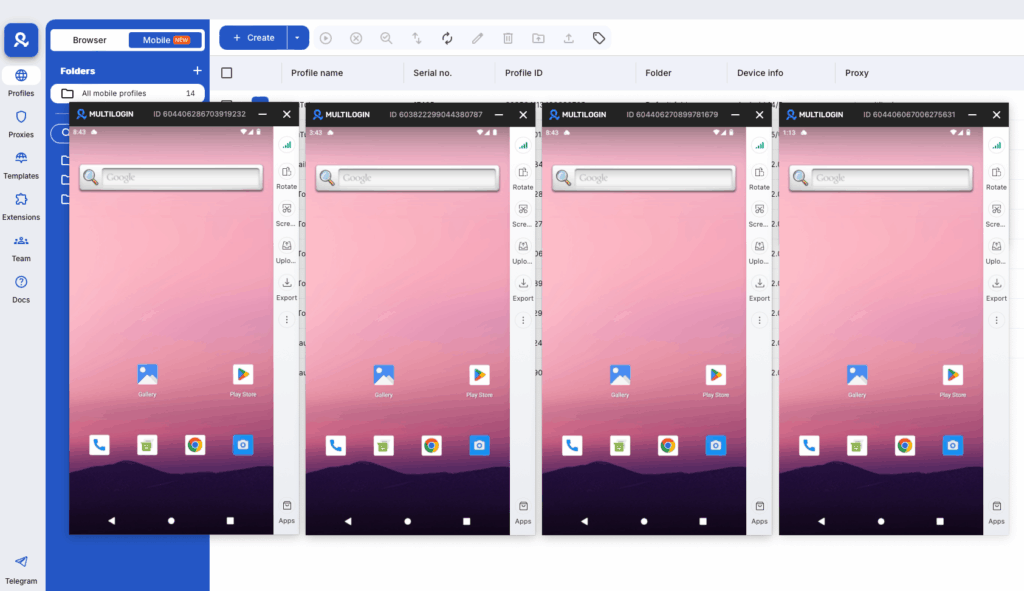
No more juggling physical devices or risking account links. Try Multilogin's cloud phones now.
Frequently Asked Questions About How to Use LinkedIn for Business
The 5-3-2 rule is a content balance framework: for every 10 posts, 5 should be curated or educational content relevant to your audience, 3 should be original content sharing your own perspective or insights, and 2 should be personal or humanizing posts. It prevents your profile from feeling like a pure broadcast channel and keeps the content mix varied enough to maintain audience interest.
Start with a profile that speaks directly to your ideal client — not just a job description. Build a content strategy around three pillars: authority content, proof content, and connection content. Post three to five times per week. Engage actively in comments on other people’s posts in your niche. Use DMs for relationship-building, not cold pitching. Treat it as a long game — consistent effort over six to twelve months produces the best results.
Your content starts reaching people outside your immediate network more consistently. LinkedIn’s algorithm gives more organic distribution to accounts with growing follower counts, which creates a compounding effect — each post has a larger potential audience than the last. At around 1,000 followers, you also gain access to LinkedIn’s creator analytics, which shows more detailed data on content performance and audience demographics.
LinkedIn’s minimum age is 16 in most countries (13 in the US with parental consent, though the platform is not designed for that age group).
Focus on your personal profile as much as your company page — people buy from people on LinkedIn. Post content that demonstrates your agency’s expertise, engage with potential clients’ content before reaching out, and use Sales Navigator to build and track a systematic prospecting list.
Use isolated browser profiles with dedicated proxies per client account. This keeps sessions separate, prevents cross-contamination, and maintains consistent login patterns that don’t trigger LinkedIn’s security checks. Managing multiple LinkedIn accounts at agency scale requires infrastructure built for the purpose, not workarounds.
Managing Multiple LinkedIn Accounts for Clients
LinkedIn has strict policies on multiple accounts and automation. The platform actively monitors for coordinated behavior, especially around connection requests, messages, and profile visits that follow automated patterns.
For agencies managing LinkedIn for multiple clients, the most important operational principle is complete environment separation.
Each client’s LinkedIn activity should come from an environment that has no shared signals with any other account in your portfolio. That means separate IP addresses, separate device fingerprints, and separate browser environments. For agencies running LinkedIn outreach at scale, managing multiple LinkedIn accounts from the same device or IP pool creates a linked behavior pattern that LinkedIn’s detection systems pick up quickly.
Multilogin provides completely isolated environments for each client — separate browser profiles with unique device fingerprints, separate proxies, and separate session data — so each client’s LinkedIn activity looks exactly like what it is: a separate person on a separate device.
This is especially important for any client running LinkedIn automation tools, Sales Navigator outreach sequences, or high-volume connection campaigns. LinkedIn shadowbans are real and they affect reach and outreach delivery without any notification. Keeping environments genuinely separate is the protection against that risk.


