


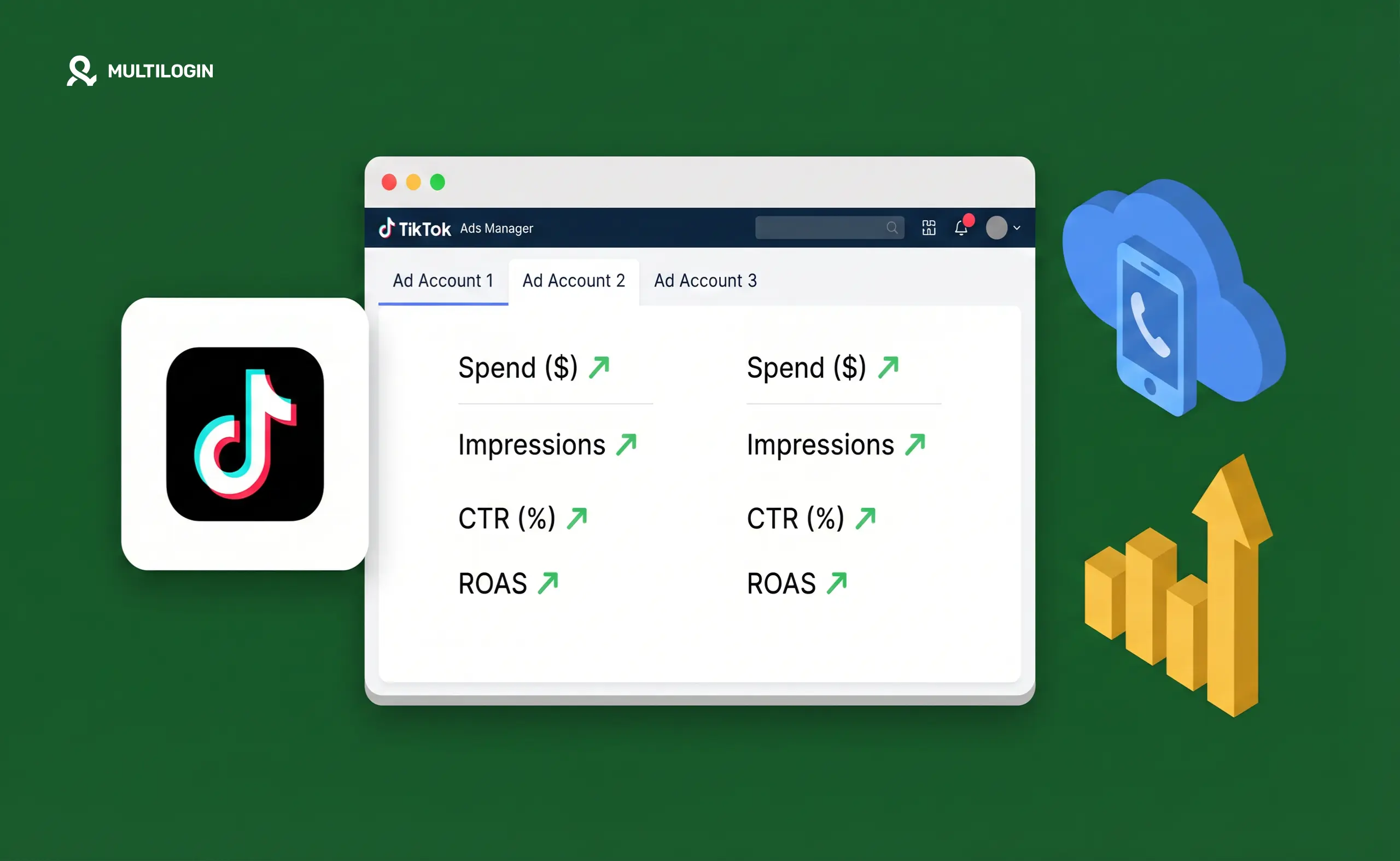



TikTok enforces a strict one-ad-account-per-verified-identity policy — and backs it up with device-level detection that catches most workarounds within days. Agencies, media buyers, and advertisers who need to run multiple TikTok ad accounts legitimately hit this wall constantly.
Here’s what TikTok’s system actually checks, why standard solutions fail, and how cloud phones provide the device isolation that makes multi-account ad management work.
Why TikTok limits ad accounts and what it detects
TikTok’s advertising platform (TikTok Ads Manager) ties each ad account to a verified identity — typically a business registration, tax ID, or individual verification depending on the account tier and country.
The one-account-per-identity rule exists because TikTok’s ad system is designed to prevent policy circumvention: advertisers who get banned for violating ad policies, promoting prohibited products, or spending irregularly can’t simply create a new account and continue. TikTok needs the new account to be genuinely independent.
The platform detects shared identity through multiple layers:
- Device fingerprinting. The IMEI, Android ID, device model, and hardware configuration of the device accessing TikTok Ads Manager. Two ad accounts accessed from the same physical device will share these identifiers. TikTok’s fraud system flags this as a likely policy circumvention attempt, particularly if one account has a violation history.
- IP address history. Multiple ad accounts sharing an IP address — especially a datacenter IP or known proxy — trigger association flags. Residential IPs are less flagged, but even residential IPs shared across multiple account logins can create risk.
- Payment method associations. Shared payment cards or bank accounts across ad accounts are a strong link signal. TikTok’s payment system tracks these associations.
- Browser and session fingerprinting. For desktop TikTok Ads Manager access, browser fingerprints (canvas fingerprint, WebGL, fonts, screen resolution) are logged. Multiple ad accounts accessed from the same browser session are linkable even with different login credentials.
- Behavioural patterns. Account creation timing, login patterns, campaign structures, and bidding behaviour that match across accounts raise algorithmic flags.
Why standard workarounds don’t work
- VPN only: Changes IP but leaves device fingerprint, browser fingerprint, and payment methods unchanged. TikTok’s detection doesn’t rely on IP alone — it correlates multiple signals. A VPN covering one signal while five others remain shared provides minimal protection.
- Incognito mode: Prevents some browser-level tracking but doesn’t change the underlying hardware fingerprint of the device, and doesn’t isolate the session from the network’s IP.
- Different browsers: Reduces browser fingerprint overlap for the specific session but leaves device hardware, IP (unless using separate proxies), and payment methods linked.
- Separate business entities: Legitimate separate legal entities can have separate TikTok ad accounts — this is the official route for agencies. But if those accounts are accessed from the same device and IP, the technical association still exists and can trigger review even if the underlying entities are genuinely separate.
How cloud phones solve TikTok Ads multi-account management
A cloud phone gives each TikTok ad account its own real Android device — its own IMEI, its own Android ID, its own hardware fingerprint, its own session environment — paired with a residential IP matched to the account’s target geography.
When TikTok Ads Manager reads the device accessing Account A, it sees: a specific Android device with unique hardware identifiers, a residential IP from the correct region, a session with no history connecting it to any other ad account. That’s what a genuinely independent device looks like — because it is one.
Account B is on a different cloud phone with completely different hardware identifiers, a different residential IP, and its own clean session history. From TikTok’s perspective, these are accounts operated by different people on different devices in different locations.
The critical difference from emulators and desktop browser spoofing: cloud phones run on real physical Android hardware. The IMEI is a real IMEI. The device characteristics match an actual manufactured Android device. TikTok’s detection systems that catch emulator-based approaches don’t trigger because there’s nothing to catch.
Setting up TikTok Ads Manager across multiple cloud phones
- One cloud phone per ad account. This is the non-negotiable baseline. Sharing a cloud phone between two ad accounts, even briefly, creates a device-level link. Assign one cloud phone to one ad account and never access that account from any other device.
- Match geographic signals deliberately. TikTok’s ad system is sensitive to geographic inconsistencies. An ad account running campaigns targeting the US should be accessed from a cloud phone with a US residential proxy. The cloud phone’s locale settings, time zone, and IP should all match consistently.
- Use separate payment methods. Device isolation handles the hardware and network layers. Payment methods are a separate signal — ideally, each ad account uses a distinct payment card or payment method with a different billing address. This isn’t always practical, but it’s the cleanest setup.
- Log into TikTok Ads Manager through the cloud phone’s browser. TikTok Ads Manager is accessed via browser (ads.tiktok.com) rather than a native app. On each cloud phone, open the built-in browser, go to TikTok Ads Manager, and log into the account assigned to that cloud phone. Keep all activity for that account within that cloud phone’s session.
- Warm up each account before scaling spend. New ad accounts that immediately ramp to high spend get reviewed. Spend a week or two at modest budgets, establish a payment history, and let the account age before pushing volume.
Agency workflows for multiple TikTok ad accounts
Agencies running TikTok ads for multiple clients need a systematic approach that keeps client accounts genuinely isolated and gives team members appropriate access without credential sharing.
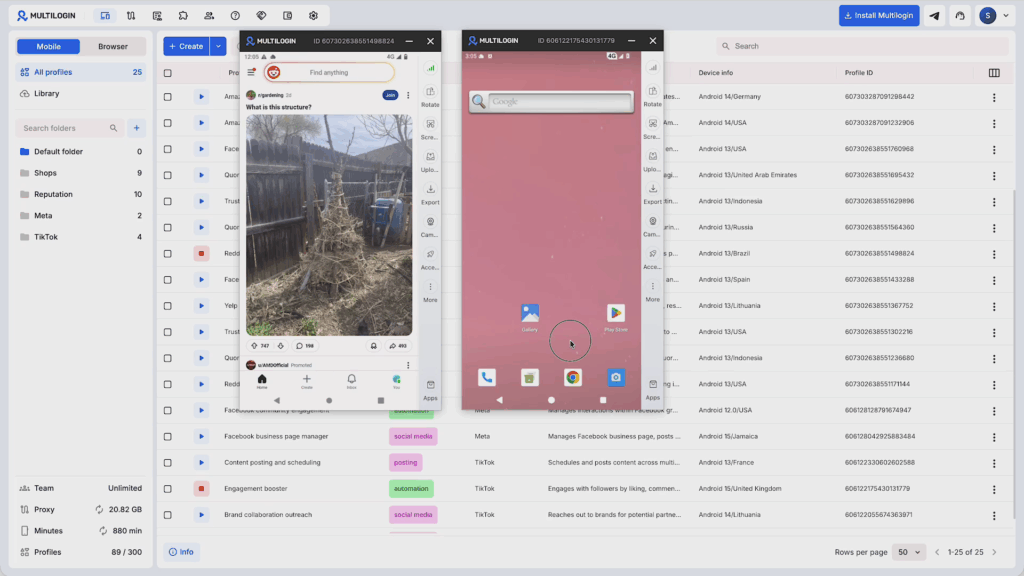
- Client-per-cloud-phone assignment. Each client’s TikTok ad account lives on its own cloud phone. Client A’s cloud phone is never touched by anyone working on Client B’s account. This keeps device-level signals per client completely isolated.
- Team access through Multilogin. Multilogin’s team collaboration features let you share cloud phone access with team members — a media buyer gets access to the three cloud phones assigned to their client accounts, without being able to access cloud phones for other clients. No credential sharing, no login overlap.
- Separate business entities where possible. For agencies managing clients’ own ad accounts (not agency accounts running on the client’s behalf), the cleanest legal structure is the client’s own verified business entity with their own TikTok Business account. The cloud phone handles the device isolation; the business structure handles the account ownership clarity.
For agencies managing multiple ad accounts on clients’ behalf through the agency’s own TikTok Business Center, Multilogin’s TikTok Ads Manager workflow covers the specific setup for this structure.
TikTok ad account bans: prevention and recovery
What triggers bans:
- Device sharing between multiple ad accounts (most common)
- Policy violations: prohibited categories, misleading claims, non-compliant creatives
- Payment failures or chargebacks
- Rapid account creation after a previous ban
- Campaigns targeting audiences in ways TikTok’s system reads as circumvention
Prevention:
- One cloud phone per account, never crossed
- Clean residential proxies matched to campaign geography
- Compliant creatives reviewed before launch — TikTok’s ad review is strict
- Gradual spend scaling on new accounts
- No shortcuts on identity verification — use legitimate verified business identities
If an account gets banned: TikTok allows appeals through Ads Manager. Appeal with supporting documentation for the account’s legitimacy. If the ban is for policy violations, review exactly which policy was flagged — many bans are for specific creative or targeting issues, not identity concerns, and can be resolved.
If a ban is identity-based and the account can’t be recovered, a genuinely new ad account on a dedicated cloud phone — with different device identity, different IP, and different payment method — starts clean with no linkage to the banned account.
Cloud phones vs emulators for TikTok Ads
Emulators are a common attempt at multi-account isolation for TikTok Ads. They fail because TikTok’s detection has improved significantly at identifying emulated environments.
The signals that give emulators away: synthetic or absent IMEI values, device properties that don’t match any real manufactured device, missing or inconsistent hardware sensor readings, Android system properties that indicate a virtual environment.
Cloud phones and Android emulators address completely different threat models. Emulators were built for app testing — they’re not designed to pass platform fraud detection. Cloud phones are real hardware and present as real hardware because they are real hardware.
For TikTok Ads specifically — where TikTok’s fraud detection is sophisticated and account bans are financially significant — using real device infrastructure is the only approach that holds up over time.
Try Multilogin now and give each TikTok ad account its own real Android device, clean residential IP, and isolated session.
No more juggling physical devices or risking account links. Try Multilogin's cloud phones now.
Frequently Asked Questions About Best cloud phones for TikTok Ads
TikTok permits multiple ad accounts for legitimate business purposes — agencies managing client accounts, businesses running accounts for separate brands or markets. The requirement is that each account is genuinely independently verified and not accessed from shared device environments.
TikTok’s system detects shared device fingerprints, shared IPs, and shared payment methods across accounts. When these signals overlap, particularly with any policy violation history, the platform treats it as circumvention and suspends the associated accounts.
For creating TikTok content, you actually want to shoot on your best physical camera or phone, then upload to cloud phones for posting. This gives you professional content quality while maintaining account isolation. Cloud phones aren’t designed for shooting video—they’re designed for managing and posting to multiple accounts safely. The best workflow separates content creation from content distribution.
Influencers managing multiple brand accounts should consider VMOS Cloud for affordability and ease of use, or Multilogin if they need team collaboration features for working with managers or agencies. The key factors are reliable uptime (you can’t miss posting schedules), good enough performance for content uploads, and strong enough fingerprinting to protect your accounts long-term.
For running TikTok at scale, cloud phones on real ARM hardware outperform both physical phones and emulators. Physical phones are expensive and hard to manage in quantity. Emulators get detected. Cloud phones with real hardware identifiers give you the best combination of scalability, detectability, and cost-effectiveness. Specifically, look for providers offering device types that match popular real smartphones.
Yes, TikTok is resource-intensive and will overheat physical phones during extended use. Cloud phones don’t have this problem because they run in climate-controlled data centers. This means better performance, no throttling, and you can run accounts 24/7 without hardware degradation. For high-volume operations, eliminating overheating alone is worth switching to cloud phones.
The bottom line: choosing the right cloud phone for TikTok
Cloud phones have become essential for anyone serious about TikTok at scale. They solve the fundamental problem of device fingerprinting while eliminating the logistics nightmare of managing physical phones.
For agencies and professional operations, Multilogin Cloud Phones offer the best combination of reliability, team features, and anti-detection technology. The investment pays off in accounts that stay alive.
Whatever you choose, the key is matching the solution to your actual needs. Start smaller than you think you need, validate the workflow works for your situation, then scale up.
Ready to scale your TikTok operations? Start with Multilogin and manage your accounts from one dashboard.


