




Signal or Telegram. If you’ve ever asked someone which one to use, you’ve probably gotten a strong opinion either way. Both apps market themselves as private messaging alternatives to WhatsApp, but they work very differently under the hood.
This breakdown covers the real differences between Signal and Telegram, including encryption, privacy policies, features, and who each app actually makes sense for. We’ll also get into something most comparisons skip: what happens when you need to run multiple accounts on either platform.
Signal vs Telegram: The Short Answer
If pure security and privacy are your only concern, Signal wins. Its encryption is end-to-end by default on every message and call, it collects almost no metadata, and its protocol is open source and widely trusted by security researchers.
Telegram is more of a feature-rich messaging platform that happens to have some privacy tools. Its default chats are not end-to-end encrypted. That distinction matters a lot.
Now let’s go deeper.

How Signal Works
Signal is built around privacy from the ground up. Every message, voice call, and video call is end-to-end encrypted by default using the Signal Protocol, which is widely considered the gold standard for encrypted messaging. Even Signal’s own servers can’t read your messages.
Signal collects almost nothing. The only data it stores is your phone number and the last time you connected to the service. No message content, no contact lists, no metadata about who you talk to or when.
It’s also fully open source, meaning independent security researchers can and do audit the code regularly. That kind of transparency is rare and valuable.
Signal is backed by a non-profit foundation, not a company with advertising revenue to protect. That structure matters when thinking about long-term incentives around your data.
How Telegram Works
Telegram is a cloud-based messaging platform with a huge feature set. It supports massive group chats (up to 200,000 members), channels, bots, file sharing up to 4GB, and a whole ecosystem of tools built on top of it.
Here’s the key thing most people miss: Telegram’s regular chats are not end-to-end encrypted. They use client-server encryption, meaning messages are encrypted in transit but Telegram’s servers can access them. The company stores messages in the cloud so you can access them from multiple devices.
End-to-end encryption on Telegram only exists in “Secret Chats,” which you have to manually activate. Secret Chats don’t sync across devices and don’t support group conversations. Most Telegram users never use them.
Telegram’s privacy policy allows it to share user data with authorities under certain legal circumstances, which it has done. The app’s founder, Pavel Durov, has been arrested and faced legal pressure in multiple countries, which brought renewed scrutiny to the platform’s actual privacy guarantees.

Signal vs Telegram: Encryption Compared
Feature | Signal | Telegram |
Default encryption | End-to-end on all messages | Client-server only |
Secret chats | All chats are “secret” | Available but manual |
Group chats encryption | End-to-end | Not end-to-end by default |
Voice/video calls | End-to-end encrypted | End-to-end encrypted |
Open source | Fully | Partially (client only) |
Server-side access | None | Yes (standard chats) |
Signal’s architecture means even if its servers were compromised, attackers would get nothing useful. Telegram’s standard chats are a different story.
Signal vs Telegram: Privacy Compared
Signal’s data collection is minimal to the point of being almost nothing. Phone number and last active date. That’s it. There’s no ad targeting, no data sharing with third parties, and no revenue model based on your behavior.
Telegram collects more. It stores your contacts, messages (in standard chats), and usage data. It has faced questions about how it handles government requests and law enforcement cooperation. The app is also headquartered in Dubai, which creates a different legal context than a US or EU-based company.
For privacy in the strict sense, Signal is not close to Telegram. It’s in a different category.
Signal vs Telegram: Features Compared
This is where Telegram pulls far ahead for everyday usability.
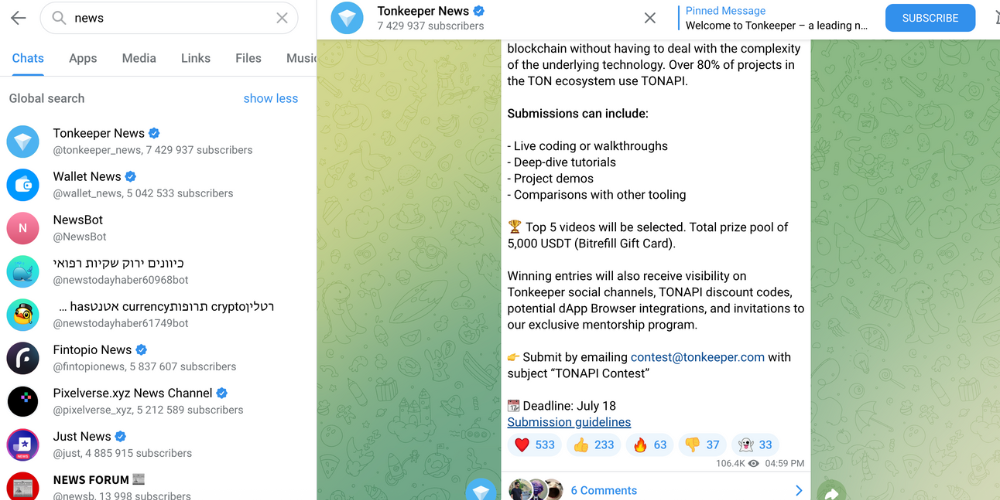
Telegram has channels that work like broadcast feeds, which makes it extremely popular for communities, crypto groups, news channels, and content creators. The bot ecosystem is enormous. File sharing goes up to 4GB. You can have groups with hundreds of thousands of members. The platform also has a Stories feature, games, payments, and mini-apps.
Signal is a messaging app first. It added group video calls, disappearing messages, note-to-self functionality, and some basic customization. But it’s not trying to be a platform. If you want something that works like a community hub or a broadcast channel, Telegram is the tool for that.
Signal vs Telegram vs WhatsApp
Since this comparison comes up constantly: WhatsApp uses the Signal Protocol for encryption, so the encryption itself is strong. But WhatsApp is owned by Meta and collects significant metadata about who you message, how often, and when, even if it can’t read message content. It’s also linked to your Facebook and Instagram data ecosystem.
Signal: best privacy, least features. Telegram: most features, weakest default privacy. WhatsApp: strong encryption, heavy metadata collection.
The right choice depends on what you’re optimizing for.
Running Multiple Accounts on Signal or Telegram
One thing the standard Signal vs Telegram debate rarely touches: what about people who need multiple accounts?
Telegram is relatively flexible here. You can have multiple accounts on one device through the app’s built-in account switching. But if you need separate, isolated accounts that can’t be linked back to each other, device-level separation matters.
Signal is more restrictive. Each account requires a unique phone number and the app is tied tightly to that number.
If you’re managing multiple Telegram accounts for business purposes, like running separate channels, managing client communities, or handling crypto project communications, device isolation is essential. Platform detection systems look at device fingerprints, not just accounts.
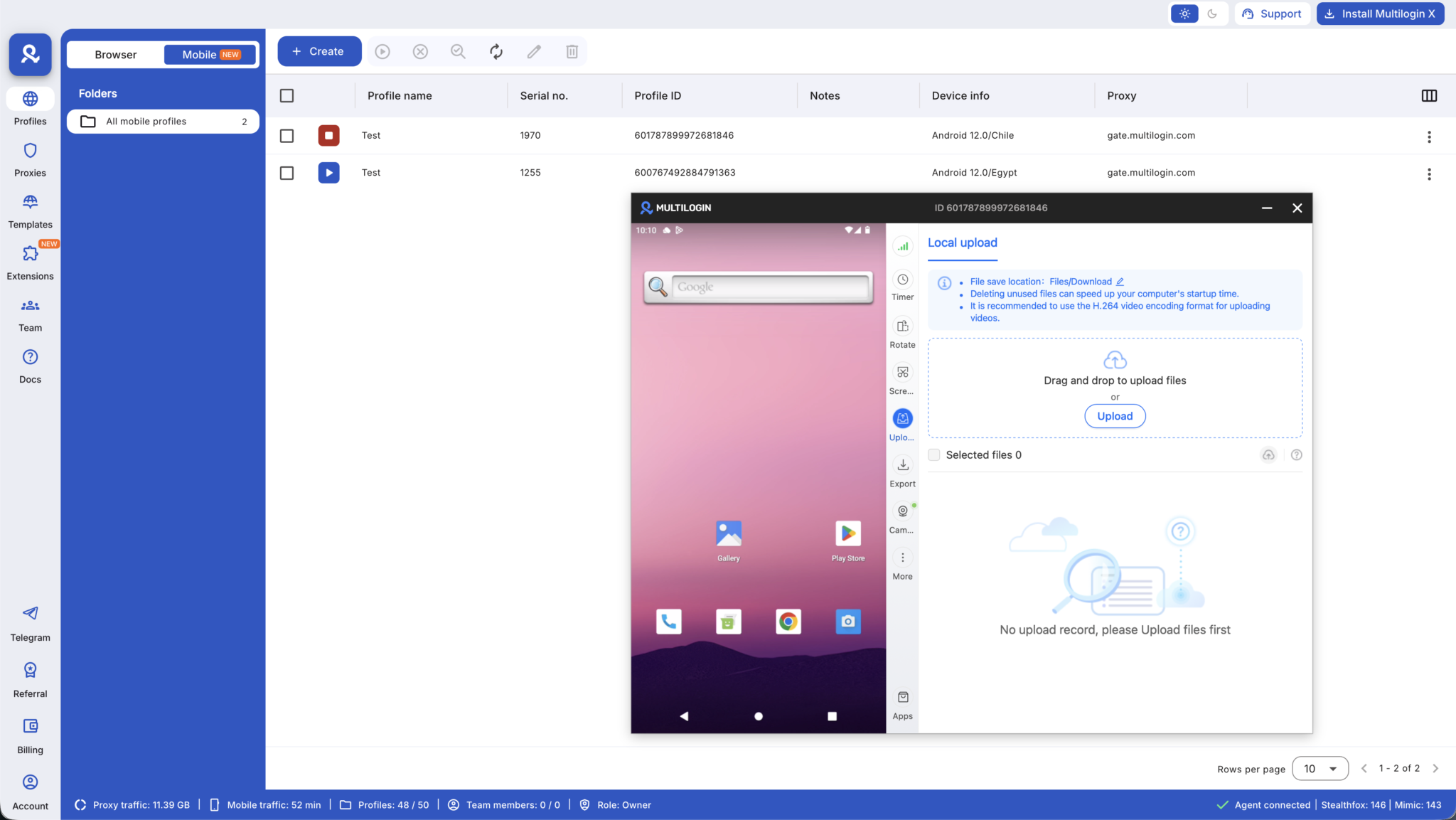
Multilogin Cloud Phones solve this directly. Each Cloud Phone is a real Android device in the cloud with its own hardware identifiers, IMEI, Android ID, and a residential proxy. When you log into Telegram on separate Cloud Phones, each account looks like it’s coming from a completely different physical device. There’s no shared fingerprint to trigger flags.
You can create multiple Telegram accounts this way without the accounts being linked to each other, which is important for anyone running multiple channels or managing community accounts at scale.
The same logic applies to Signal if you’re running multiple numbers. With multiple Signal accounts, each tied to its own virtual phone number on a separate Cloud Phone, you get proper separation that mirrors having multiple physical devices.
Which Should You Use?
Use Signal if:
- Privacy and security are non-negotiable for you
- You’re communicating sensitive information
- You want the most battle-tested encryption available
- You don’t need large groups or broadcast channels
Use Telegram if:
- You need large group chats or broadcast channels
- You want bots, file sharing, or mini-apps
- You’re part of communities that are already on Telegram
- You’re willing to use Secret Chats for sensitive conversations
Use both if:
- You have different communication needs for different contexts, which is common for people who use messaging apps both personally and professionally
