If you’ve been hunting for a social media scheduling tool, you’ve probably come across Planable. It shows up everywhere in comparison lists, it’s a favorite on Reddit, and people either love it or find it overpriced for what it does.
This review covers everything you need to know: what Planable is, how it works, what the pricing actually looks like in 2026, and whether it makes sense for your workflow. We’ll also get into where it falls short, especially if you’re managing multiple social media accounts across different brands or clients.
What Is Planable?
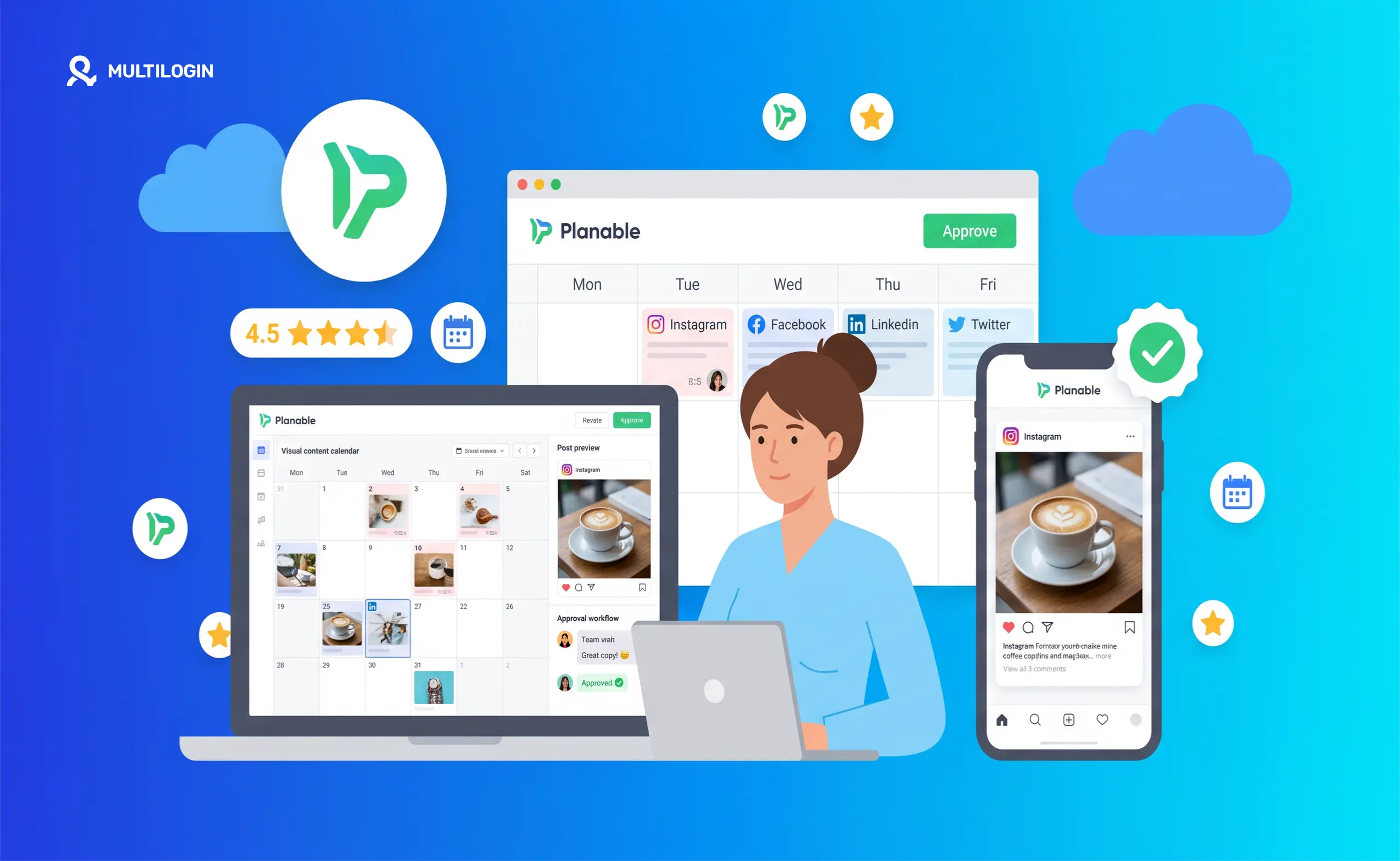
Planable is a social media management and content collaboration platform. It’s built for teams who want to plan, preview, and approve content before it goes live. Think of it as a shared workspace where content creators, clients, and managers can all see scheduled posts, leave feedback, and sign off on content in one place.
It connects to platforms like Facebook, Instagram, LinkedIn, X (Twitter), TikTok, YouTube, and more recently Bluesky, which is a nice addition for teams expanding into newer platforms.
The core idea behind Planable is that reviewing social media posts shouldn’t mean digging through emails or Slack threads. You do it all in a visual feed that looks like the actual platform, so approvals feel a lot more intuitive.
Who Uses Planable?
Planable is mostly a hit with in-house marketing teams and social media agencies managing content for multiple clients. For example, if you look at how digital teams like Social by IDM handle multi-brand workflows, having a unified space for clients to actually see what a post will look like before it goes live removes a ton of friction.
- Social media agencies managing content for multiple clients
- In-house marketing teams with approval workflows
- Freelancers who want a clean way to present content to clients
- Small businesses that want a simple scheduler with decent visuals
It’s not really built for solo creators who just need a basic scheduler, but it shines when client approvals actually matter.
Planable Features: What You Actually Get
Visual Content Calendar
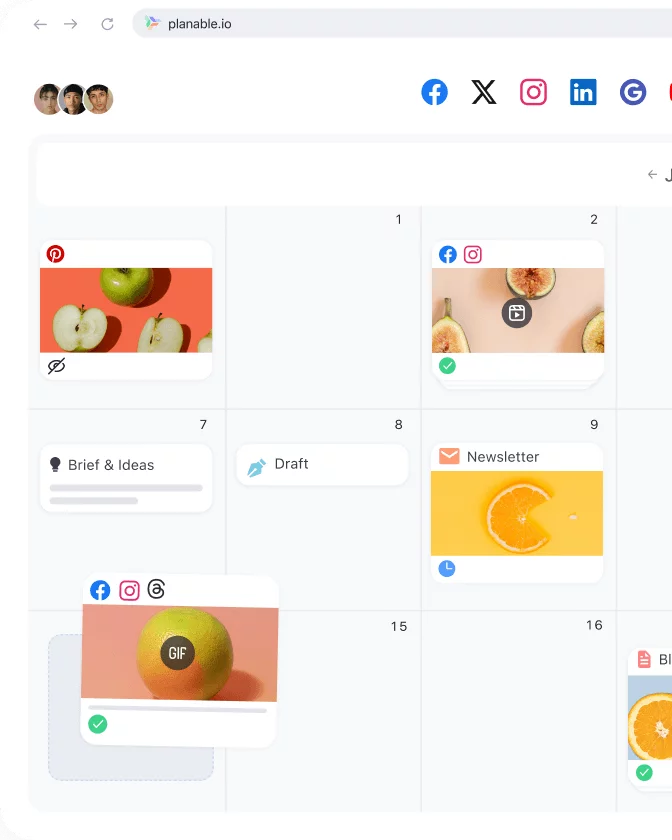
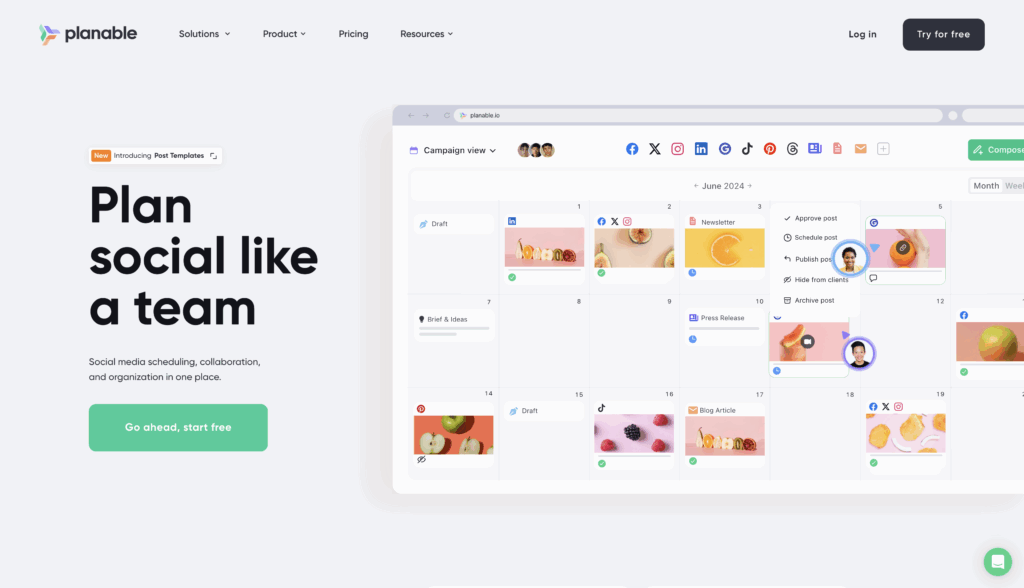
Planable’s calendar is one of the best-looking ones in the space. You can switch between feed view, calendar view, grid view, and list view. The feed view is particularly useful because it mimics how posts will actually look on each platform, which makes the approval process much smoother.
For Instagram-heavy teams, the grid view is excellent. You can see exactly how your feed will look before anything goes live.
Multi-Channel Scheduling
You can schedule posts across Facebook, Instagram, LinkedIn, X, TikTok, YouTube, Pinterest, Google Business Profile, and Bluesky. You write once and customize per channel, which saves a lot of time when you’re running campaigns across multiple platforms at once.
Approval Workflows
This is Planable’s biggest selling point. You can set up multi-level approval chains, meaning a post can’t go live until the right people have signed off. Approvers don’t need a Planable account in some plan tiers, which is handy for clients who don’t want to log into another tool.
Team Collaboration and Comments
Every post has a comment thread attached to it. Teammates and clients can leave feedback directly on the post preview. This keeps all feedback in one place instead of scattered across emails or messaging apps.
AI Writing Tools
Planable has added AI features including a reply generator and an email generator. They’re useful for quick drafts, though not groundbreaking compared to dedicated AI writing tools.
Analytics
Analytics are available on higher plans. You get engagement metrics, reach, follower growth, and post performance data. It’s functional but not as deep as something like Sprout Social. If analytics are a core part of your workflow, you may want a dedicated tool or a higher-tier plan.
Planable Pricing 2026: What Does It Actually Cost?
This is where Planable gets complicated.
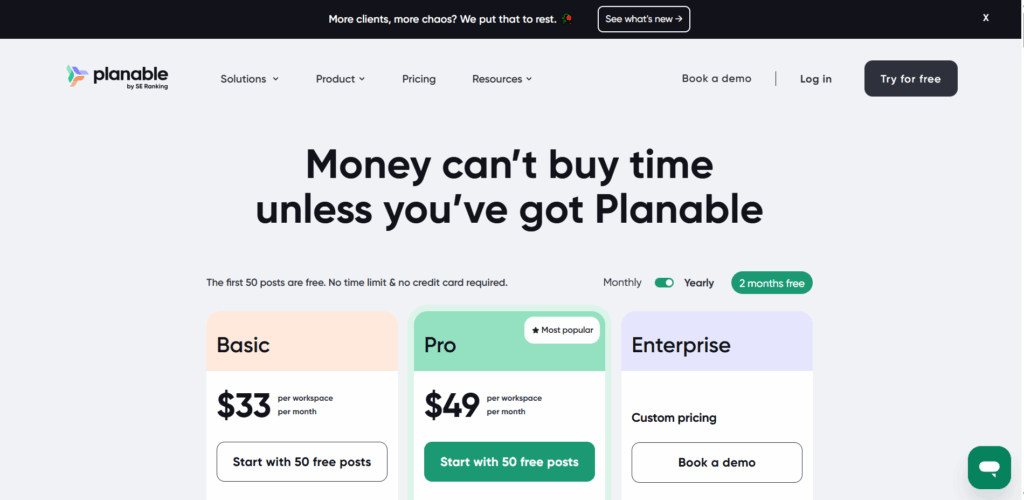
Planable moved to a per-user, per-workspace pricing model. Here’s roughly how it breaks down:
- Free plan — Yes, Planable is free to start. You get 50 posts total across all workspaces, which is genuinely useful for testing the platform, but it runs out fast.
- Starter plan — Covers one workspace with limited team members. Good for solo freelancers or very small teams.
- Pro plan — Per user pricing kicks in here. More workspaces, unlimited posts, full approval workflows, and analytics. This is where most agencies land.
- Enterprise plan — Custom pricing for larger teams needing white-labeling, custom roles, and dedicated support.
The catch: costs can escalate quickly once you’re adding multiple workspaces and team members. A mid-size agency managing 10+ client accounts could find the monthly bill surprisingly high. That’s a common complaint in Planable reviews on Reddit.
Is Planable free forever? Not really. The free plan is capped at 50 posts and is better described as a trial than a permanent free tier.
Planable vs Competitors: How Does It Stack Up?
Planable vs Hootsuite
Hootsuite has been around longer and has deeper analytics, more integrations, and better reporting tools. But it’s also more expensive and the interface is clunkier. Planable wins on UI design and collaboration experience. Hootsuite wins on raw feature depth and platform breadth.
If you’re an agency that primarily cares about clean client approval workflows, Planable is the better choice. If you need enterprise-grade analytics and social listening, Hootsuite pulls ahead.
Planable vs Buffer
Buffer is simpler and cheaper. It’s great for individuals and small teams who just want to schedule posts without a lot of friction. Planable is the better pick if you need approval workflows and client collaboration. Buffer wins on price and simplicity.
Planable vs Later
Later is more Instagram-focused, with strong visual planning and link-in-bio tools. Planable covers more platforms and is better for multi-channel approval workflows. If Instagram is your main channel, Later might be the better fit. For full cross-platform management with approvals, Planable has an edge.
What Planable Does Well
- The visual feed preview is genuinely excellent
- Approval workflows are clean and easy to set up
- Client-facing experience is polished
- Multi-platform scheduling works reliably
- The calendar and grid views are well-designed
- Collaboration tools keep feedback organized
Where Planable Falls Short
Limited Multi-Account Flexibility
Here’s something agencies and power users run into fast: Planable doesn’t give you a great way to manage truly high-volume, multi-account operations. If you’re running dozens or hundreds of accounts, the workspace-based model becomes restrictive and expensive.
This is a real problem for social media agencies managing large client portfolios, affiliate marketers running content across multiple brand accounts, or anyone doing serious volume on platforms like TikTok or Instagram.
No TikTok or Instagram Scheduling on Mobile the Way You Want
TikTok and Instagram have API limitations that affect what any scheduler can do. Mobile-native features like stories, reels with custom audio, and some interactive elements often don’t schedule perfectly through third-party tools. This isn’t unique to Planable, but it’s worth knowing.
Analytics Are Basic on Lower Plans
If you’re paying for Pro and expecting Sprout Social-level reporting, you’ll be disappointed. The analytics work but they’re not the platform’s strength.
Running Multiple Accounts at Scale: What Planable Doesn’t Cover
If you’re managing multiple accounts for clients or across multiple brands, Planable handles the content scheduling and approval side reasonably well. But there’s a layer it doesn’t touch: account separation and fingerprint isolation.
Platforms like Instagram, TikTok, and Facebook actively flag accounts that look like they’re being managed from the same device or browser. If you’re logging into multiple client accounts from the same machine, you’re risking account bans no matter which scheduler you use.
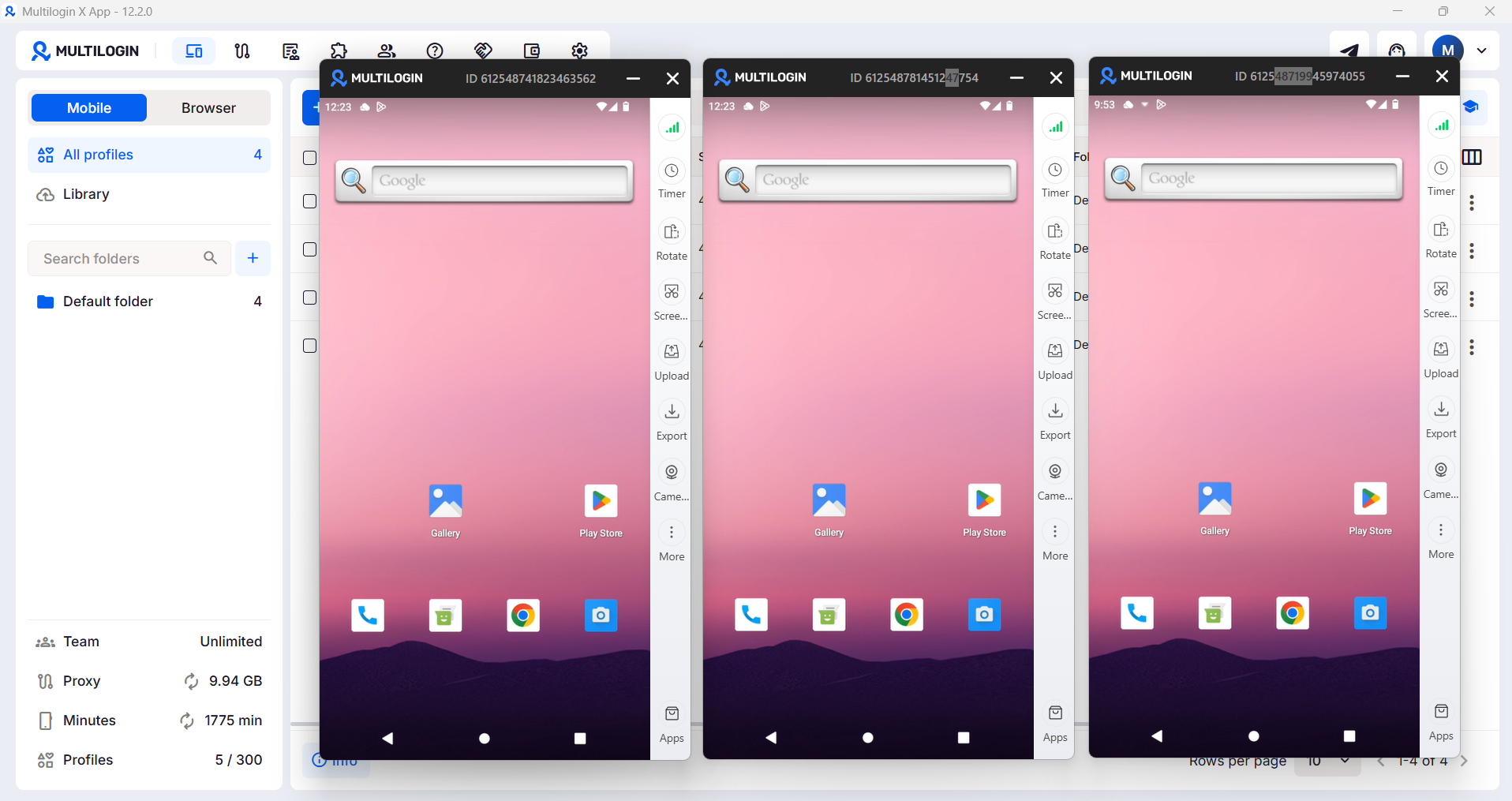
This is where Multilogin Cloud Phones come in. Cloud Phones are real Android devices hosted in the cloud. Each one has its own unique hardware identifier, IMEI, Android ID, and residential proxy. That means each account you manage looks like it’s coming from a completely different physical device in a completely different location.
For agencies managing multiple Instagram or TikTok accounts, that kind of isolation is the difference between scaling without issues and getting accounts flagged or banned. You can read more about managing multiple social media accounts at scale on the Multilogin social media management page.
How to Use Planable: The Basics
Getting started with Planable is pretty straightforward:
- Create an account at planable.io
- Set up a workspace (one per brand or client)
- Connect your social media accounts
- Invite team members or clients with the right access levels
- Start drafting posts in the content composer
- Set up your approval workflow
- Schedule or queue your posts
The interface is clean enough that most people figure it out within an hour. There’s no steep learning curve, which is one of the reasons it gets good marks in most Planable reviews.
Is Planable Worth It in 2026?
For agencies with active client approval workflows and teams of three or more people, Planable is one of the cleaner tools out there. The UI is excellent, the collaboration features work well, and clients tend to appreciate the visual preview experience.
For solo creators or small teams that just need scheduling, there are cheaper options. Buffer, Later, or even Meta Business Suite’s built-in scheduler might be all you need.
For anyone managing accounts at real volume, especially across multiple brands, clients, or platforms, Planable is a useful piece of the stack but not the whole answer. You’ll still need proper account isolation tools to make sure your accounts stay safe as you scale.