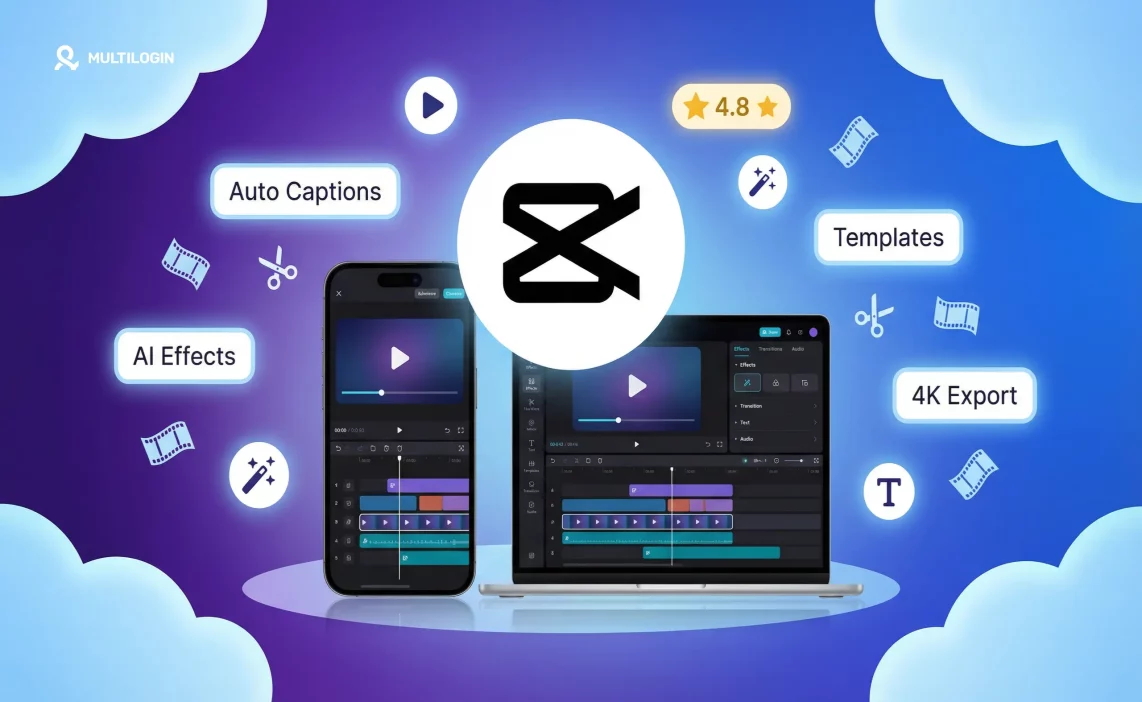

CapCut has become one of the most downloaded video editing apps in the world. A lot of that growth came from TikTok — CapCut is made by ByteDance, the same company, so the integration between the two apps is essentially frictionless. But it’s grown beyond TikTok content into a general-purpose video editor that competes with tools costing significantly more.
Here’s an honest look at what CapCut actually does well, where it falls short, and who it’s the right tool for in 2026. This isn’t a surface-level feature list — it’s a working review based on how creators, agencies, and businesses actually use it.
What Is CapCut?
CapCut is a free video editing app available on iOS, Android, Windows, and Mac. It was released in 2020 and has grown to hundreds of millions of users globally. The core app is free; CapCut Pro adds AI features and removes some limitations for a monthly fee.
It’s primarily used for short-form video content — TikToks, Reels, YouTube Shorts — but it handles longer videos too. The desktop version in particular is capable enough for more serious editing projects. ByteDance’s decision to make the app free and build it specifically for the formats that dominate social media is what’s driven its explosive adoption.
CapCut Features: What You Actually Get
Timeline Editing
The basic video editing workflow is solid. You can cut, trim, split, and rearrange clips on a multi-track timeline. Add music, voiceovers, and sound effects. Layer multiple video clips and images. For the primary use case — editing short-form social video — the timeline does everything most creators need without getting in the way.
Compared to professional NLEs like Premiere or Final Cut, the timeline is simplified. You won’t find advanced audio mixing, color scopes, or multi-camera workflows. But for the 95% of social video creators who don’t need those things, CapCut’s timeline is more than sufficient.
Text and Captions
CapCut’s auto-captions are one of its standout features and a genuine competitive advantage over most free tools. It transcribes speech automatically with strong accuracy in English and a growing list of other languages, then lets you style the captions in detail — font, color, size, animation, background.
The animated word-by-word caption styles that scroll in sync with speech are the ones you see everywhere on TikTok and Reels. CapCut made that format mainstream.
For creators posting video content regularly, not having to manually caption every video saves meaningful time per week. The accuracy isn’t perfect — you’ll still need to spot-check and correct errors — but it’s fast enough to be practically useful.
AI Features
This is where CapCut has invested most heavily in the past two years, and the results are genuinely impressive for a free tool. Current AI features include:
- AI video generation from text prompts. The output quality is good for abstract or stylized visuals, less reliable for realistic human footage.
- Background removal. Works well on most footage — comparable to paid tools for standard use cases.
- Object removal. Select an unwanted element in the frame and CapCut attempts to fill it in. Works for simple backgrounds and small objects. Results are inconsistent on complex scenes.
- Image-to-video. Animate a still image with natural-looking motion. More consistently useful than text-to-video for most creators, especially for product shots and profile images.
- Face swap. Swap faces in video clips. Useful for creative content; the quality has improved significantly in 2026.
- AI-generated B-roll. Generate supplementary footage from a text description to fill gaps in a video.
- Style transfer. Apply the visual style of a reference image to your video footage.
The AI features are a reason to use CapCut that didn’t exist two years ago. They’re not flawless, but they’re fast and capable enough to add real value for creators who know how to work with their outputs.
Effects, Filters, and Templates
CapCut maintains a large library of visual effects and color filters, many trend-specific and updated regularly. The trending section shows what’s currently being used in popular content — useful for creators who want to stay current without doing their own trend research.
Templates are where CapCut’s integration with TikTok culture is most visible. The template library contains hundreds of pre-made video structures where you drop in your clips and the edit is done automatically.
This is heavily used by creators who want trending edit styles without learning the underlying techniques. For high-volume content operations, templates are a genuine production accelerator.
Speed Control and Transitions
Variable speed, smooth slow motion, and curve speed control (which lets you ramp speed up and down within a single clip) are all available in the free version. More variety in transitions than most free editors — from simple cuts and fades to stylized platform-specific transitions.

CapCut Desktop vs. Mobile: Which Is Better?
- Mobile (iOS/Android) is where most users start and where CapCut has the largest user base. The interface is optimized for phone-first editing — everything you’d need for TikTok or Reels is accessible quickly, touch controls are well-designed, and the export-to-TikTok pipeline is seamless. For short clips edited on the go, mobile is excellent.
- Desktop (Windows/Mac) is significantly more capable for longer or more complex projects. You get a proper multi-track timeline with more precision, better performance on larger files, more comfortable viewing of what you’re editing on a larger screen, and access to more AI features. If you’re producing anything over two minutes or working with multiple tracks, desktop is the better choice.
The two sync via CapCut’s cloud, so you can start a project on mobile and continue on desktop — a useful workflow option for creators who switch between devices. In practice, most professional creators use desktop for editing and mobile for quick clips filmed on-the-go.
CapCut Free vs. Pro: What’s Actually Different
The free version includes most of the core editing features and is genuinely usable without ever upgrading. CapCut Pro adds:
- More AI features and higher monthly AI credit limits
- More export options including higher resolution output
- No watermark on some exports (free version adds watermarks in certain scenarios)
- Cloud storage for projects
- Access to premium effects, templates, and music
- Priority rendering for faster export
For casual creators and hobbyists, free is sufficient. For agencies or professional creators using CapCut for client work or high-volume output, Pro or the team plan makes financial sense — the watermark alone is a deal-breaker for client deliverables, and the increased AI credits matter at volume.
CapCut Pro pricing varies by region and changes periodically. Check current pricing in the app.
CapCut AI Video Generator: Honest Assessment
The AI video generation in CapCut takes a text prompt and produces a short video clip. In 2026, the quality is genuinely good for abstract visuals, motion graphics, and stylized content. For realistic human footage, it still shows obvious AI artifacts — uncanny movement, inconsistent detail, the usual tells.
For B-roll, atmospheric backgrounds, and stylized creative content, the AI generator is legitimately useful. For anything requiring realistic people, you’ll still need real footage. The most effective use of AI video generation in CapCut is as a complement to real footage, not a replacement for it.
The image-to-video feature is more consistently useful — making product images move, animating portraits, creating content from static photos. For e-commerce and product marketing specifically, this capability has real commercial value.
CapCut for TikTok: The Natural Fit
The integration between CapCut and TikTok is the tightest of any editing tool and any platform. Trending sounds are surfaced directly in CapCut. Templates mirror current TikTok formats. Auto-captions match the style that performs on the platform. Export to TikTok is a single tap.
For creators who are serious about TikTok growth, CapCut is the natural production tool. The time savings from templates, auto-captions, and direct export compound significantly when you’re posting five or more videos per week.
For agencies managing multiple TikTok accounts for clients, CapCut handles content production efficiently. The account management side — keeping client TikTok sessions isolated, managing separate device environments per account — is a separate infrastructure layer from production. Multilogin Cloud Phones are purpose-built for this: each Cloud Phone runs CapCut and TikTok natively in its own isolated Android environment, keeping client content and accounts completely separated.
CapCut Parent Review: Is It Safe for Kids?
CapCut is rated 12+ on the App Store and Google Play. The app itself is a video editing tool with no social feed, no content discovery, and no user interaction features. You import your own videos, edit them, and export or share elsewhere.
Main parental considerations:
- Data privacy. CapCut is owned by ByteDance, which has faced significant regulatory scrutiny over data practices in multiple countries. The same concerns that apply to TikTok apply to CapCut. For parents who have restricted TikTok, they should apply the same judgment to CapCut.
- Content it enables. CapCut makes TikTok content creation frictionless. If you’re managing your child’s TikTok usage, CapCut is part of that conversation — not because of what CapCut contains, but because of what it makes easier to produce and publish.
- The app itself doesn’t expose children to other users’ content. It’s an editor. Common Sense Media rates it for ages 13+, primarily citing ByteDance data collection rather than any content concern within the app.
CapCut vs. Filmora: Which Is Right for You?
CapCut is free (with a Pro tier). Filmora is paid from the start, with a perpetual license or annual subscription option.
- Filmora is stronger for: longer projects, more advanced color correction tools, a wider range of professional export formats, more robust audio editing, and multi-camera workflows. It’s the better choice for YouTubers doing long-form content, documentary-style projects, or anything requiring broadcast-quality output.
- CapCut is better for: fast short-form social content creation, auto-captions that actually work, AI-assisted editing, template-driven workflows, and TikTok-specific output. It’s also free, which tips the balance for most social media creators who aren’t doing broadcast-level production.
For social media managers and agencies producing high-volume short-form content, CapCut is the clear choice. For professional video producers who need full creative control, Filmora or a dedicated NLE (DaVinci Resolve, Final Cut Pro, Premiere) is more appropriate.
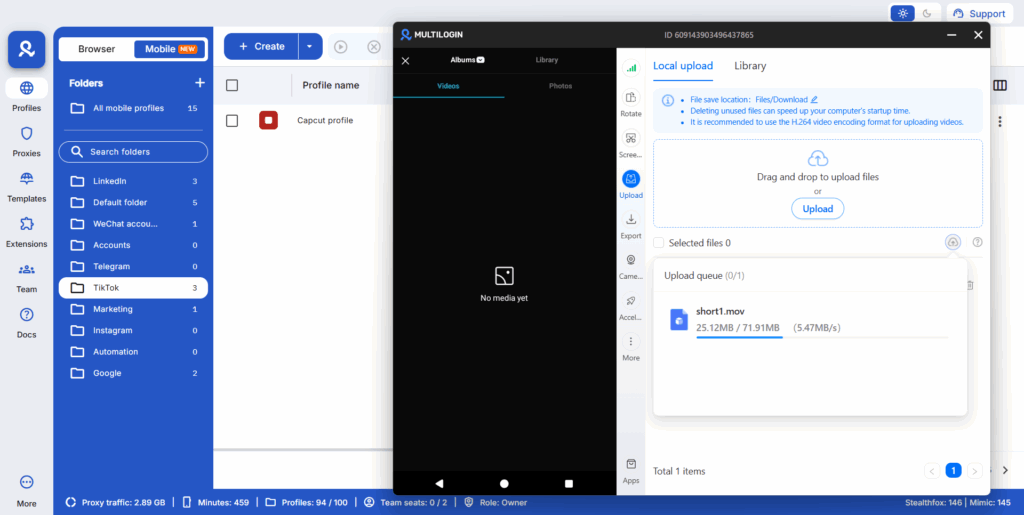
Need to manage multiple Capcut accounts? Try Multilogin Cloud Phones.
Frequently asked questions About CapCut Review 2026
Yes, the core app is free. CapCut Pro adds more AI features, storage, and removes some watermarking for a monthly subscription.
The editing app itself is safe to use. The primary consideration is ByteDance ownership, which raises the same data privacy questions as TikTok.
In some export scenarios on the free version, yes. CapCut Pro removes watermarks. You can also toggle off the CapCut watermark option at export in some cases.
It was temporarily banned in the US on January 19, 2025, but reinstated within days. It was not permanently banned in 2025 and remains available in the US.
In the January 2025 enforcement action, yes, both were removed simultaneously. Any future action under PAFACA would likely affect both apps since they share the same ByteDance ownership.
No. CapCut is fully available in Canada with no current government action against it.
The January 2025 ban lasted just days before enforcement was delayed. A more permanent ban would depend on whether ByteDance complies with government requirements or not.
Yes. CapCut has been permanently banned in India since June 2020 and remains blocked there as of 2026. Indian creators cannot access it through official channels without using a Cloud Phone or similar solution.
If a ban is enforced, cloud-based features and templates would stop working. Locally saved projects may remain accessible for a time but would become harder to export and share as the app loses support and updates.
Yes. Running CapCut on a Cloud Phone from a country where it is available gives you uninterrupted access regardless of what happens in your local region. It also keeps your account data persistent and your device identity consistent, which matters for professional account management.
CapCut for Agencies and Multi-Account Operations
For agencies managing content production across multiple client TikTok, Instagram, and YouTube accounts, CapCut fits into a broader workflow:
Content is created in CapCut on desktop (for quality) or mobile (for speed). Finished videos are then posted through client-specific account environments. For agencies using Multilogin Cloud Phones, each client’s TikTok account runs on its own Android device in the cloud — with CapCut installed and client content kept entirely separate.
This means a team member can edit a video in CapCut, transfer it to the appropriate Cloud Phone, and post it to that client’s TikTok without any cross-contamination with other client accounts.
The production tool (CapCut) and the account environment (Cloud Phone) work together as a complete content delivery system. You can read more about how to install CapCut on Cloud Phones in our setup guide.

