


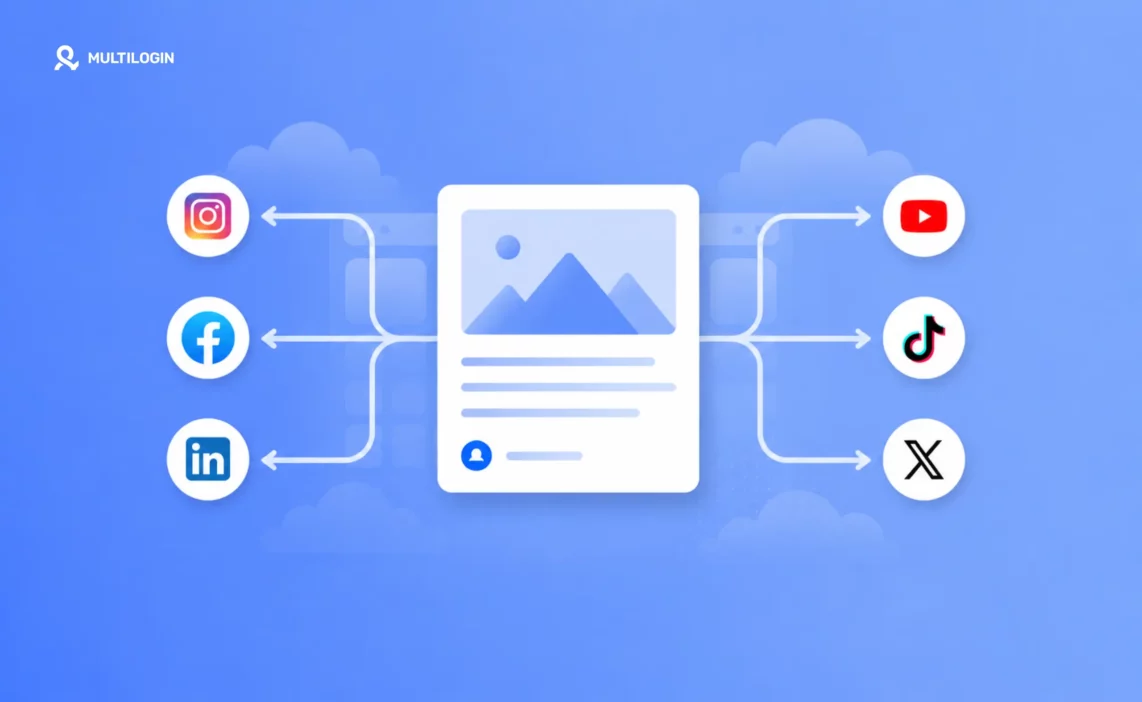



Content can be repurposed by taking one piece of source material, a video, blog post, or webinar, and reshaping it into platform-native formats: a Reel and carousel for Instagram, a rawer clip for TikTok, a text-first post for LinkedIn, a sharp quote for X, a hook-first cut for YouTube Shorts, and a longer native upload for Facebook.
The goal isn’t to post the same file everywhere, it’s to adapt one strong idea to how each platform’s audience actually consumes content.
Somewhere along the way, “social media management” quietly turned into six separate content jobs wearing one job title. Instagram wants polished visuals. TikTok wants raw and fast. LinkedIn wants a professional angle. X wants a sharp opinion in 280 characters. YouTube Shorts wants a hook in the first two seconds. Facebook wants whatever still works for an older, more community-driven audience.
Trying to create six original pieces of content, one per platform, for every idea is how burnout happens. It’s also unnecessary. The most efficient social media operators don’t create six times more content, they create one strong piece of source content and reshape it six different ways. Same core idea, six different outfits, each one fitted to how that specific platform’s audience actually behaves.
This guide breaks down exactly how to repurpose content for social media, platform by platform, using a single piece of source content as the example throughout, plus the tools and frameworks worth knowing if you want to systemize the process.
What Does It Mean to Repurpose Content in Marketing?
In marketing, repurposing content means taking a single piece of source material and adapting it into new formats or for new channels, without recreating the underlying idea from scratch. A simple example: a 20-minute webinar recording gets repurposed into a blog post (the transcript, cleaned up and structured), five short video clips (the best quotable moments), a LinkedIn carousel (the key takeaways), and an email newsletter segment (a summary with a link to the full recording). One recording, four additional assets, no new research or filming required.
This matters because most content only gets consumed once, by a fraction of the audience, on the platform it was originally posted to. Repurposing extends the useful life of an idea by putting it in front of different audiences in the format each of them actually prefers.
Start With the Right Source Content
Not every idea repurposes well. The best source content has three qualities: it’s substantive enough to be broken into multiple angles, it has a clear core message that survives translation across formats, and it includes some visual or quotable element, a stat, a demonstration, a strong opinion, that can anchor a shorter derivative piece.
A long-form blog post, a webinar recording, a client case study, or a single well-shot video are all strong source material. A one-line announcement usually isn’t, there’s not enough substance to reshape six ways without repeating yourself.
For this guide, imagine your source content is a five-minute video where a founder explains one counterintuitive lesson learned from a failed product launch. Substantial, quotable, visual. Here’s how that one video becomes six platform-native posts.
How to Repurpose Content on Instagram: Reels + Carousels
Instagram audiences respond well to both fast video and skimmable static content, so this platform often gets two derivatives from one source. Pull the sharpest 30 to 45 seconds of the video, the moment the founder states the counterintuitive lesson directly, and post it as a Reel with on-screen captions. Separately, extract the three or four supporting points from the full video and turn them into a five-to-seven-slide carousel, one point per slide, ending with a slide that invites people to watch the full video via the link in bio or a comment prompt.
The Reel captures attention. The carousel adds depth for people who stop scrolling. Together, they cover more of your audience’s preferred consumption style than either format alone.
How to Repurpose Content on TikTok: Keep It Raw, Not Polished
The mistake most brands make repurposing to TikTok is posting the same clean, edited clip they used on Instagram. TikTok audiences respond better to something that feels slightly rawer, less produced, more like a moment caught in real time. Take a different, less polished section of the same source video, maybe a slightly imperfect take, or a moment where the founder pauses and rephrases, and post that instead, with minimal editing and native TikTok text overlays rather than imported graphics.
Same message, deliberately different texture. This single adjustment, resisting the urge to cross-post the exact same edit everywhere, is one of the highest-leverage habits in repurposing well.
LinkedIn: Reframe as a Professional Lesson
LinkedIn audiences aren’t looking for entertainment, they’re looking for insight they can apply or share credibly with their own network. Instead of posting the video directly, write a text post that walks through the lesson in narrative form: what was tried, what failed, what was learned, and why it matters for other founders or operators. Embed the video at the end for people who want to see the original context, but let the text carry the actual argument.
This reframing, from “watch this moment” to “here’s what I learned and why it applies to you,” is what makes content land on LinkedIn instead of getting scrolled past as an out-of-place video.
X (Twitter): Extract the Sharpest Line
X rewards concision and a clear point of view. Pull the single sharpest sentence from the video, the exact moment the counterintuitive lesson is stated, and post it as a standalone quote-style post, optionally as the first post in a short thread that unpacks the reasoning in two or three follow-up posts. Attach a short video clip (under 30 seconds) if the platform’s current algorithm favors native video, which it often does.
The goal on X isn’t to tell the whole story, it’s to give people one idea sharp enough to make them want to see the source.
YouTube Shorts: Lead With the Hook, Not the Setup
Shorts audiences decide whether to keep watching within the first two seconds, so the biggest repurposing mistake here is starting with the same setup used on other platforms. Re-cut the clip so it opens directly on the punchline or the most surprising claim, then loops back to brief context. This is often a completely different edit order than the version used on Instagram or TikTok, even though it’s built from the same footage.
Add an end-screen or verbal callout pointing to the full video on the channel, since Shorts often serves as a discovery funnel into long-form YouTube content rather than a standalone destination.
How to Repurpose Content on Facebook: Native Video and Community Framing
Facebook’s audience skews older and more community-oriented than the other five platforms, and it strongly favors natively uploaded video over links. Post a slightly longer cut, closer to 60 to 90 seconds, uploaded directly rather than shared from another platform, and frame the caption as a conversation starter: ask a direct question related to the lesson and invite comments, since Facebook’s algorithm still rewards genuine discussion in the comments section.
Building a Repeatable Repurposing Workflow
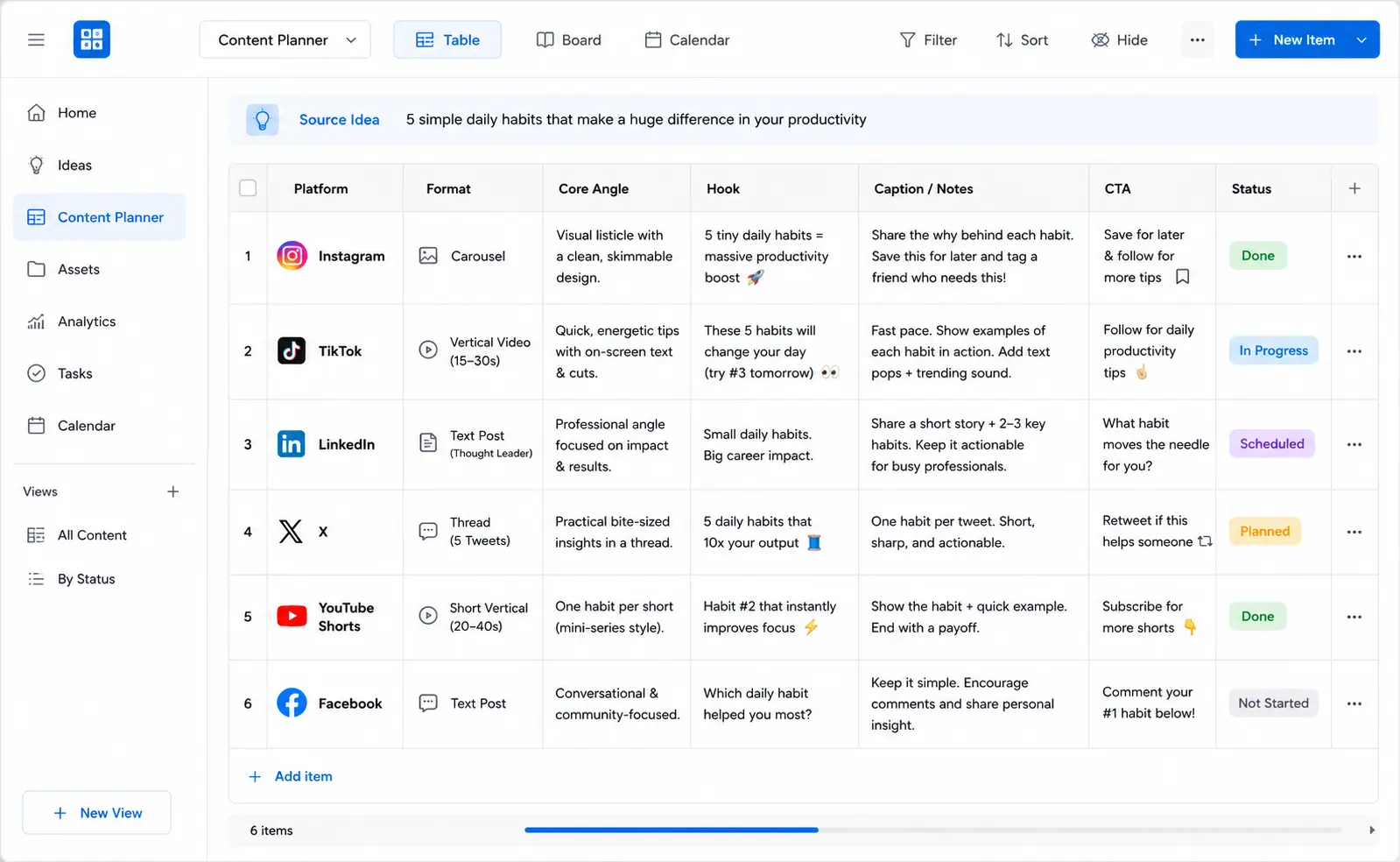
Doing this once for one video is manageable. Doing it consistently for every piece of source content requires a system. Three things make repurposing sustainable long-term:
- Batch the edits together. Once source content exists, block dedicated time to cut all six derivatives in one sitting rather than platform by platform across separate days. The context-switching cost of re-watching the source footage repeatedly adds up fast.
- Build a repurposing checklist per platform. Document the specific adjustments each platform needs, clip length, caption tone, hook placement, so the decision-making gets faster every time instead of starting from scratch.
- Track which derivative performs best per source piece. Over time, this tells you which platforms respond best to your specific brand of content, and where to prioritize extra editing effort going forward.
This repurposing workflow slots directly into a broader content calendar. Once you’ve mapped which pillars and topics you’re covering (see our guide on building social media content pillars for any brand), repurposing becomes the engine that turns each planned topic into a full week of platform-specific content instead of a single post.
A Simple Repurposing Template You Can Reuse
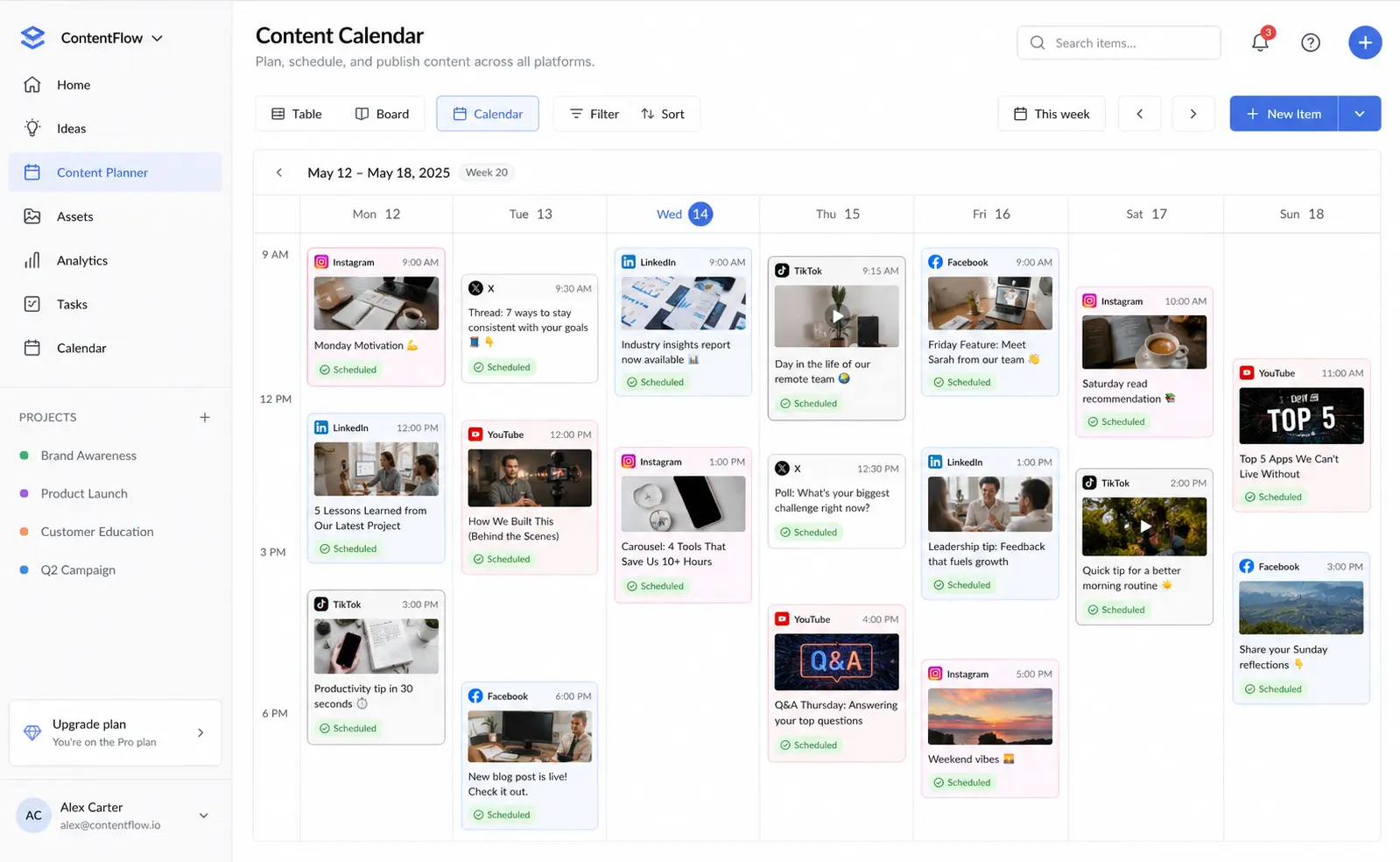
Once you’ve done this a few times, the process gets faster because the decisions become templated rather than improvised each time. Here’s a starting checklist to adapt for your own brand:
- Instagram: One Reel (30-45 seconds, on-screen captions) + one carousel (5-7 slides, one point per slide, final slide with a call to action).
- TikTok: A different, rawer clip from the same source, minimal editing, native text overlays, posted separately from the Instagram Reel rather than cross-posted.
- LinkedIn: A text-first post reframing the idea as a professional lesson, with the video embedded at the end rather than leading.
- X: One sharp standalone line, optionally expanded into a two-to-three-post thread, with a short native video clip attached.
- YouTube Shorts: A re-edited version that opens on the hook or punchline rather than the setup, with an end-screen pointing to related long-form content.
- Facebook: A longer native upload (60-90 seconds) with a caption framed as a discussion question.
Keep this checklist somewhere your whole team can reference it, so repurposing decisions don’t rely on one person remembering the “rules” for each platform every time.
10 Ways to Reuse Content (Beyond Video)
Video-to-social is the most common repurposing path, but it’s far from the only one. Here are 10 practical ways to reuse a single piece of content:
- Blog post → short video script. Turn the key points into a talking-head or voiceover video.
- Video → written transcript or blog post. Clean up the transcript into a readable article.
- Webinar → email newsletter series. Break one long session into three or four short email lessons.
- Stats or data → infographic. Pull the numbers into a single shareable graphic.
- Multiple blog posts → downloadable guide or ebook. Compile a series into one lead-generation asset.
- Quotes → social graphics. Turn a strong line into a quote card for Instagram or Pinterest.
- Customer FAQ answers → short-form video script. Answer real questions on camera.
- Case study → carousel or LinkedIn post. Reframe the results as a narrative lesson.
- Presentation or slide deck → blog series. Expand each slide into its own short article.
- Podcast episode → audiogram clips and show notes. Extract short audio clips with captions plus a written summary.
Content Repurposing AI Tools and Apps
If you’re doing this manually every week, an app can take over the repetitive parts, clipping, resizing, captioning, and cross-posting. A few categories worth knowing:
Repurpose.io is the best-known dedicated repurposing and distribution app. It pulls source content directly from platforms like YouTube, TikTok, podcasts, and Zoom, then automatically resizes and republishes it across destinations such as Instagram, Facebook, LinkedIn, X, Pinterest, and Snapchat, removing the need to manually track which clip went where and in what format. It also supports customizable templates for turning audio into video with waveforms and captions, which is useful for podcasters. It offers a limited free trial before moving to paid plans.
Beyond Repurpose.io, the broader “content repurposing AI” category includes tools with different specialties:
video-clipping tools like Opus Clip and Descript that pull short clips from long recordings, AI writing and social-copy tools like Jasper and Lately that rewrite one idea into platform-specific captions, and all-in-one platforms like ContentStudio and Postiv that combine drafting, carousel design, and scheduling in one place, with pricing across these tools ranging from free tiers up to roughly $99 per seat per month for the more advanced options.
The right pick depends on your bottleneck: if distribution across platforms is what eats your time, a tool like Repurpose.io fits; if turning long-form footage into short clips is the pain point, a video-clipping tool fits better; and if drafting platform-specific copy is the slow part, an AI writing tool is the better investment.
None of these replace the strategic decisions above, format, hook placement, tone, they just remove the manual labor once those decisions are made.
Multilogin Cloud Phones: The Infrastructure Behind Multi-Platform Repurposing
Repurposing solves the content side of the equation, turning one idea into six formats. But once you’re managing that across multiple client accounts, regional pages, or test profiles per platform, you run into a different problem: posting similar, repurposed content from several accounts on the same device or IP tends to get those accounts flagged or linked by the platform, since apps like Instagram and TikTok can otherwise tell you’re running multiple accounts from one place.
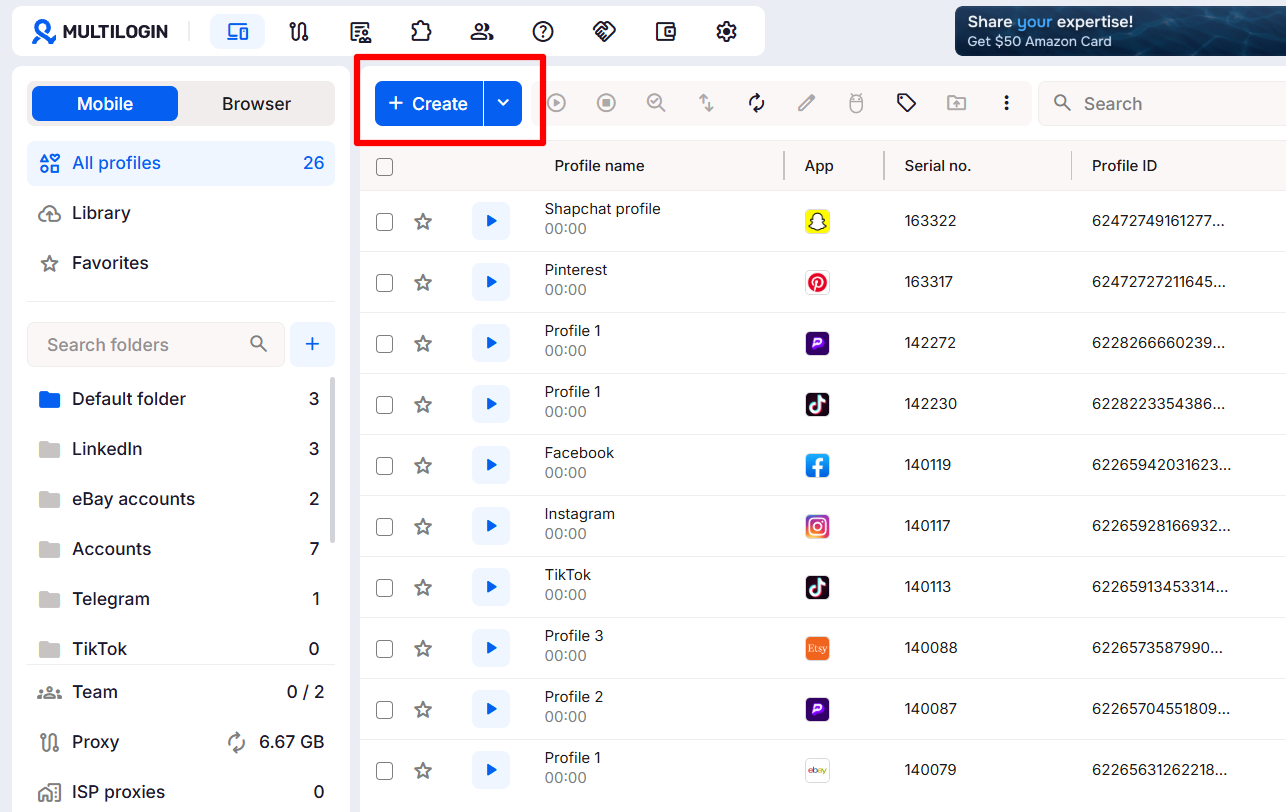
Multilogin Cloud Phones is a social media management tool built for exactly this problem. Each cloud phone is a virtual Android device hosted in the cloud that mimics the functionality of a real smartphone, complete with its own device identifiers, storage, and network signals, so you can manage TikTok, Instagram, Reddit, and more with unlimited Android profiles, each running separately with its own unique environment. That matters directly for repurposing workflows in a few ways:
- Posting repurposed content across many accounts safely. If you’re repurposing one piece of content across multiple client accounts or regional pages on the same platform, each cloud phone keeps that activity isolated so accounts don’t get silently linked and restricted together.
- Matching content to the right region. Since each cloud phone can be paired with residential and mobile proxies that align the device’s IP, language, and timezone with its configured country, you can post the same repurposed idea into different regional accounts and have each one look locally native, rather than “traveling” between countries.
- Team collaboration without shared logins. Cloud phone environments can be assigned to individual team members, so each person only accesses the devices they’re given, which is useful when different people on your team are responsible for cutting and posting the Instagram, TikTok, and Facebook versions of the same source content.
- Running mobile-native apps, not just browser dashboards. Because most repurposing destinations, TikTok, Instagram, Reddit, are mobile-first apps, a cloud phone lets you install and manage those apps directly, with posting and engagement handled in a real mobile environment rather than a scheduling tool alone.
In short, if the repurposing workflow above is about what to post on each platform, Multilogin Cloud Phones covers where and how it gets posted safely once you’re operating more than a couple of accounts per platform, whether that’s a single brand running regional pages or an agency managing several clients’ worth of repurposed content at once.
How to Measure Whether Repurposing Is Actually Working
Repurposing is only worth the extra editing time if it’s producing results across more than just your primary platform. Track a simple comparison each month: total reach and engagement from the source platform versus the combined reach and engagement from all repurposed derivatives. In most cases, the derivatives collectively outperform the original by a wide margin, simply because they’re reaching six different audiences with six different consumption habits instead of one.
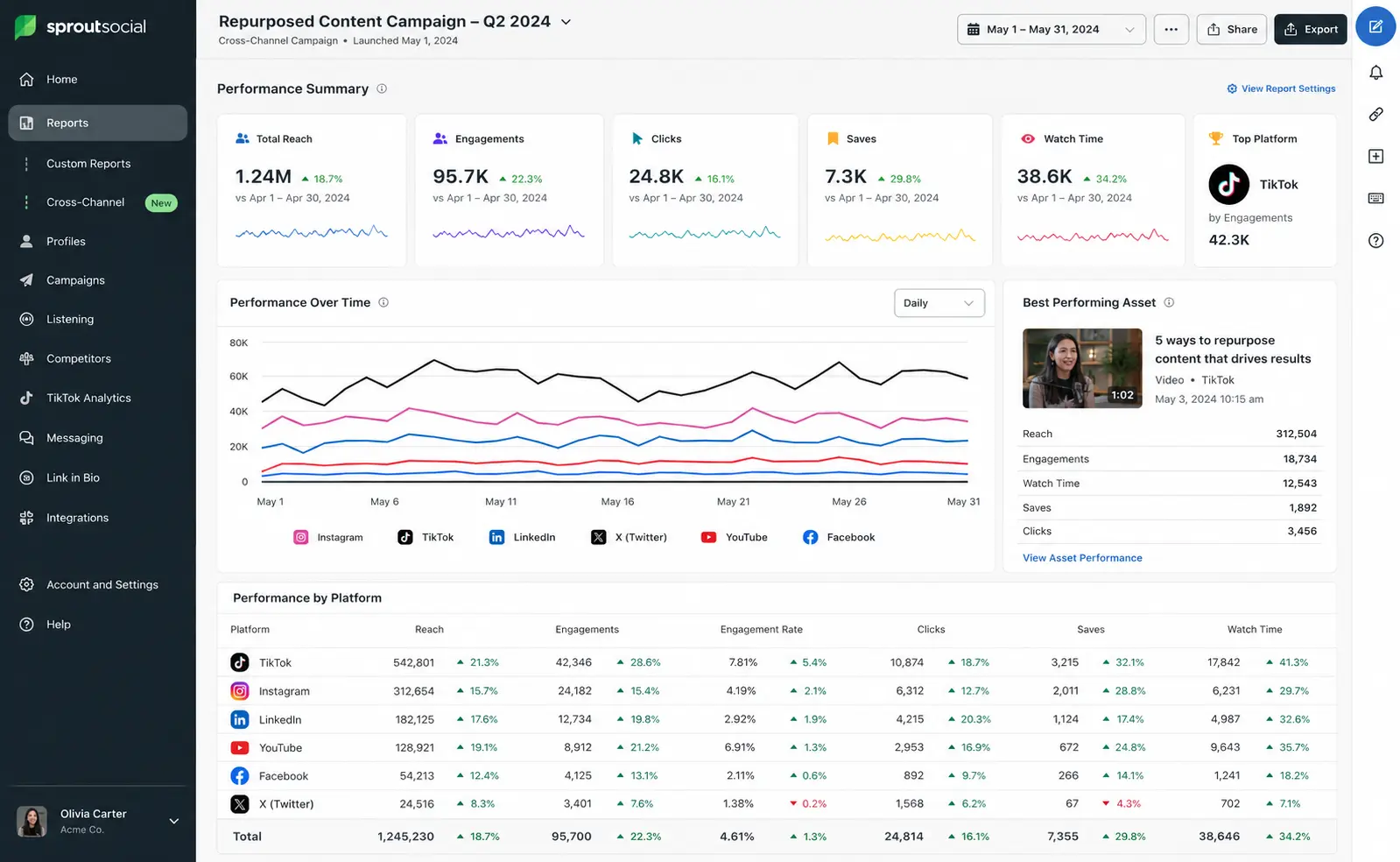
If a specific platform’s derivative consistently underperforms across multiple pieces of source content, that’s a signal worth investigating, either the format needs more adjustment than a light edit can provide, or that platform isn’t where your specific audience spends meaningful time, and the editing effort may be better spent doubling down elsewhere.
What Repurposing Isn’t
Repurposing well means adapting an idea to fit how each platform’s audience actually behaves. It doesn’t mean posting the identical file everywhere and hoping the algorithm doesn’t notice. Platforms increasingly recognize and deprioritize content that’s obviously been cross-posted without adjustment, watermarks from other apps, incorrect aspect ratios, or captions clearly written for a different platform. The extra ten minutes it takes to reformat and re-caption each version is what keeps repurposed content performing like native content instead of like an afterthought.
For the complete system this fits into, including how repurposing supports your monthly batch-creation process, see our complete guide: The Complete Social Media Content Calendar Guide for 2026.


