


How to start and stop profiles in Multilogin
 ~3 minWritten by Yelena V
Use this guide when you’re ready to open a profile, pause your work, or close everything neatly when you’re done.
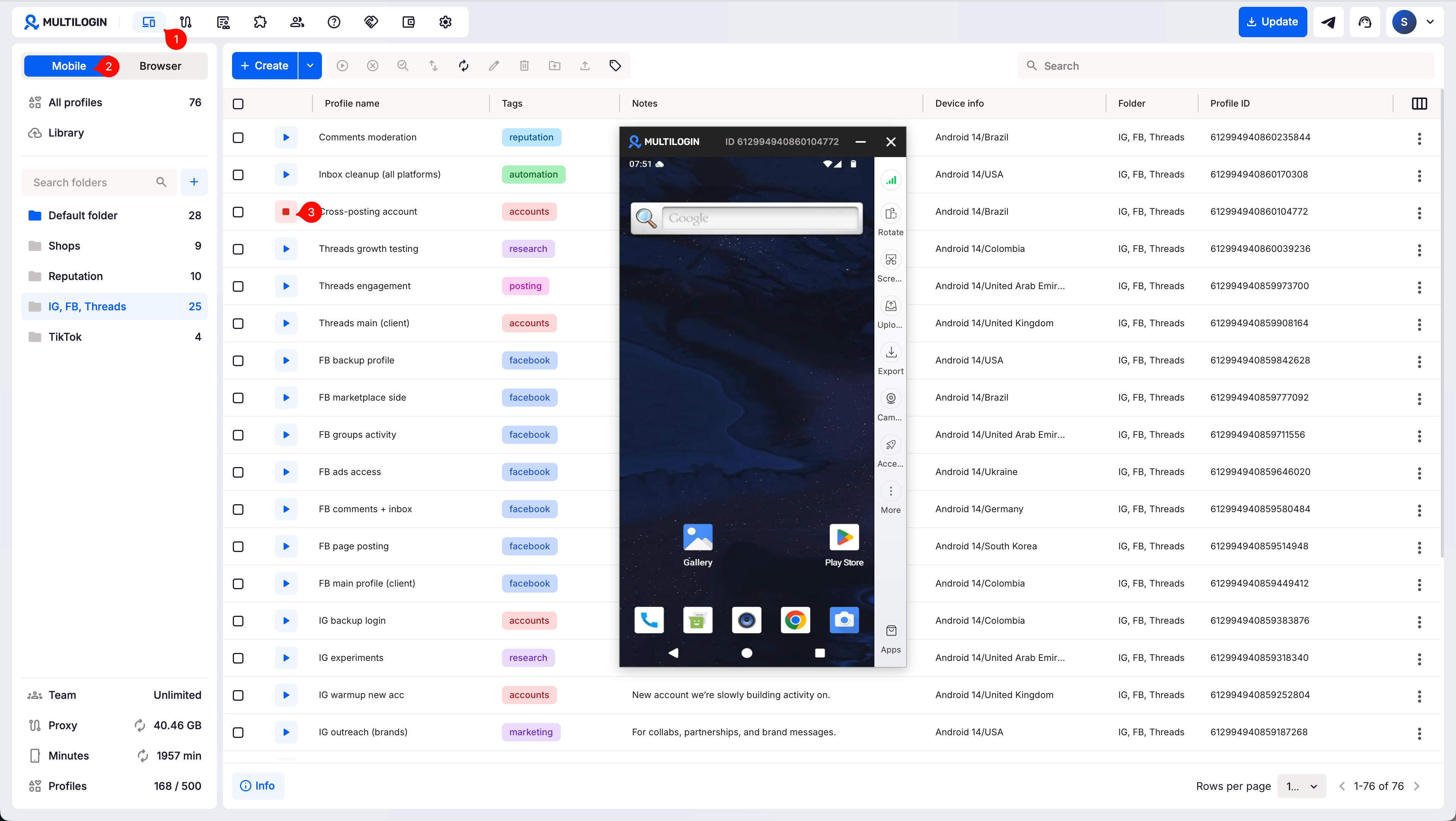
➡️ To start or stop one profile, go to “Profiles” → choose “Mobile” or “Browser” → click “Start” or “Stop” next to the profile.
- Use Mobile when you want to run an Android cloud phone for mobile apps like TikTok, Instagram, or Facebook
- Use Browser when you want to run a browser profile for websites, dashboards, seller centers, CRMs, web apps, or browser automation
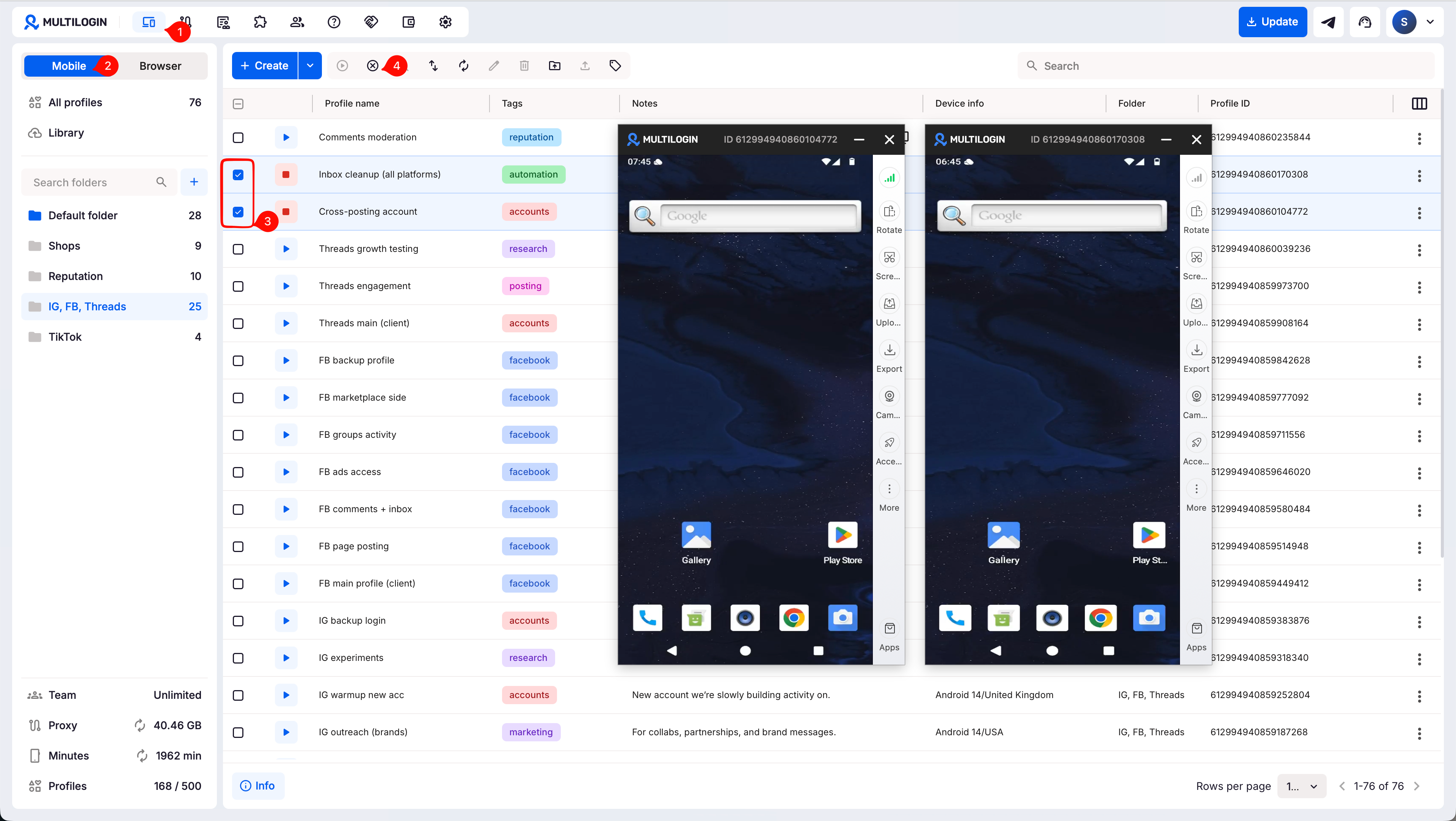
Need to start or stop profiles in bulk? Select several profiles with checkboxes, then click “Start” or “Stop” in the top menu.
Who can use this feature?
- 👨💻 Account owner and all team members
- 💰 Available on all plans
How to start or stop a profile
For one profile
- Go to the “Profiles” page from the top menu
- Use the selector in the left sidebar to switch between “Mobile” and “Browser”
- Click “Start” or “Stop” next to a profile
For multiple profiles
- Go to the “Profiles” page from the top menu
- Use the selector in the left sidebar to switch between “Mobile” and “Browser”
- Select several profiles using checkboxes
- Click “Start” or “Stop” in the top menu
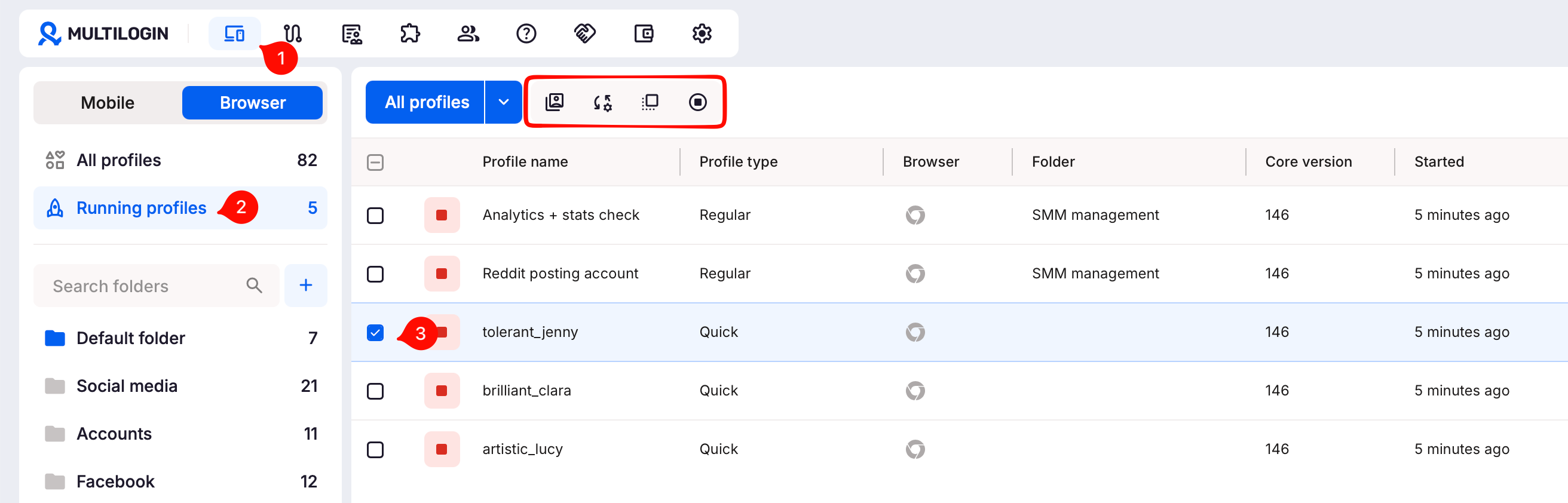
We have a super handy feature for browser profiles: running profiles manager. You can use it to quickly handle all the active browser profiles in bulk.
What happens next
After you start a profile:
- Mobile profile: the cloud phone opens, and mobile minute billing starts
- Browser profile: the browser window opens, where you can check your fingerprint breakdown and continue your web session
After you stop a profile:
- Mobile and browser profiles (cloud): session data syncs to the server
- Browser profiles (local): data stays on your device and isn’t available from other computers
If you’re working with a team, stick to cloud storage so everyone can access the same data. Learn more about storage options in the article Cloud and local storage in Multilogin.
How to fix common profile start and stop issues
Running into errors when starting or stopping your profiles? Whether it’s a proxy issue, a browser error, or a system limitation, we’ve got you covered. Below, you’ll find quick fixes for the most common problems, so you can get back to work smoothly.
- How to unlock a locked profile
- How to fix profile launch or proxy connection issues
- How to fix Mimic launch issues on Linux
- How to fix “Your Windows system cannot perform the necessary WinAPI calls to launch Stealthfox browser” error
- How to fix “Failed to get profile data” error
- How to fix “Aw, Snap!” error
- How to fix “ERR_CONNECTION_CLOSED” error
- How to fix “Some settings were reset” error
- How to fix “Profile failed to start” error
- How to fix “Wrong proxy data” error


