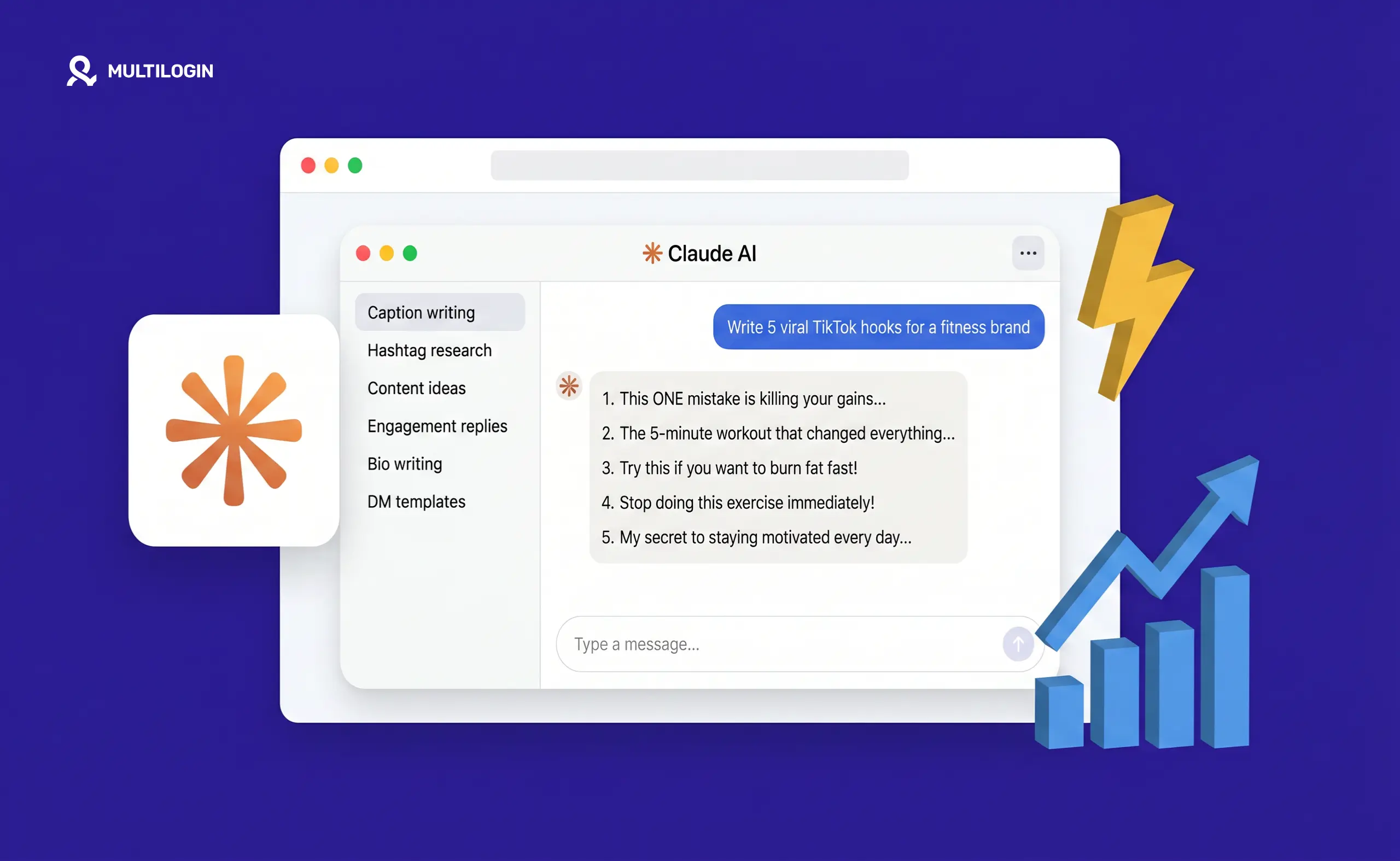
Most people using Claude for social media are doing it wrong. They type “write me an Instagram caption” and get something generic, forgettable, and indistinguishable from a thousand other posts in the same niche. Then they blame the AI.
The problem is never the AI. The problem is the prompt.
Claude is one of the most capable content tools available to social media marketers right now. It writes better long-form than any other AI on the market, it maintains brand voice across hundreds of posts, and it thinks strategically when you give it enough context to work with. Teams using Claude consistently report dramatic speed improvements in content creation without sacrificing the quality that actually drives growth. But every one of those results comes from prompts that are specific, structured, and loaded with context.
A vague prompt gets a vague output. A specific, well-structured prompt gets something you can actually publish.
This is the complete library. 150+ prompts organized by platform, use case, and goal. Find what you need, swap in your details, and get output worth posting.
/* ── Reset & base ── */
#cpsm-widget * { box-sizing: border-box; margin: 0; padding: 0; }
#cpsm-widget {
font-family: 'Inter', -apple-system, BlinkMacSystemFont, 'Segoe UI', sans-serif;
font-size: 14px;
color: #111827;
line-height: 1.5;
max-width: 100%;
}
/* ── Header ── */
#cpsm-widget .cpsm-header {
padding: 2rem 0 1.5rem;
border-bottom: 1px solid #e5e7eb;
margin-bottom: 1.5rem;
}
#cpsm-widget .cpsm-header h2 {
font-size: 20px;
font-weight: 600;
color: #111827;
margin-bottom: 6px;
}
#cpsm-widget .cpsm-header p {
font-size: 13px;
color: #6b7280;
line-height: 1.6;
}
#cpsm-widget .cpsm-header p em {
color: #3b5bdb;
font-style: normal;
font-weight: 500;
}
/* ── Builder box ── */
#cpsm-widget .cpsm-builder {
background: #f9fafb;
border: 1px solid #e5e7eb;
border-radius: 12px;
padding: 1.25rem;
margin-bottom: 2rem;
}
#cpsm-widget .cpsm-builder-title {
font-size: 15px;
font-weight: 600;
color: #111827;
margin-bottom: 14px;
display: flex;
align-items: center;
gap: 8px;
}
#cpsm-widget .cpsm-builder-title::before {
content: '⚡';
font-size: 16px;
}
#cpsm-widget .cpsm-form-row {
display: grid;
grid-template-columns: 1fr 1fr;
gap: 10px;
margin-bottom: 10px;
}
#cpsm-widget .cpsm-form-row.single {
grid-template-columns: 1fr;
}
#cpsm-widget .cpsm-form-group {
display: flex;
flex-direction: column;
gap: 4px;
}
#cpsm-widget .cpsm-form-group label {
font-size: 11px;
font-weight: 500;
color: #6b7280;
text-transform: uppercase;
letter-spacing: 0.04em;
}
#cpsm-widget .cpsm-form-group input,
#cpsm-widget .cpsm-form-group select {
font-size: 13px;
padding: 8px 10px;
border: 1px solid #d1d5db;
border-radius: 8px;
background: #ffffff;
color: #111827;
outline: none;
transition: border-color 0.15s;
font-family: inherit;
appearance: none;
-webkit-appearance: none;
}
#cpsm-widget .cpsm-form-group select {
background-image: url("data:image/svg+xml,%3Csvg xmlns='http://www.w3.org/2000/svg' width='12' height='12' viewBox='0 0 12 12'%3E%3Cpath fill='%236b7280' d='M6 8L1 3h10z'/%3E%3C/svg%3E");
background-repeat: no-repeat;
background-position: right 10px center;
padding-right: 28px;
}
#cpsm-widget .cpsm-form-group input:focus,
#cpsm-widget .cpsm-form-group select:focus {
border-color: #3b5bdb;
box-shadow: 0 0 0 3px rgba(59,91,219,0.08);
}
#cpsm-widget .cpsm-output {
background: #ffffff;
border: 1px solid #e5e7eb;
border-radius: 8px;
padding: 12px 14px;
margin-top: 12px;
font-size: 13px;
line-height: 1.75;
color: #374151;
min-height: 72px;
white-space: pre-wrap;
word-break: break-word;
}
#cpsm-widget .cpsm-output.placeholder {
color: #9ca3af;
font-style: italic;
}
#cpsm-widget .cpsm-btn-row {
display: flex;
gap: 8px;
margin-top: 10px;
flex-wrap: wrap;
}
#cpsm-widget .cpsm-btn {
padding: 8px 18px;
font-size: 13px;
font-weight: 500;
border-radius: 8px;
border: 1px solid #d1d5db;
background: #ffffff;
color: #374151;
cursor: pointer;
transition: all 0.15s;
font-family: inherit;
}
#cpsm-widget .cpsm-btn:hover {
background: #f3f4f6;
border-color: #9ca3af;
}
#cpsm-widget .cpsm-btn.primary {
background: #111827;
color: #ffffff;
border-color: #111827;
}
#cpsm-widget .cpsm-btn.primary:hover {
background: #1f2937;
}
#cpsm-widget .cpsm-btn.success {
background: #059669;
color: #ffffff;
border-color: #059669;
}
/* ── Search ── */
#cpsm-widget .cpsm-search {
width: 100%;
padding: 9px 14px 9px 36px;
font-size: 13px;
border: 1px solid #d1d5db;
border-radius: 8px;
background: #ffffff;
color: #111827;
margin-bottom: 14px;
outline: none;
transition: border-color 0.15s;
font-family: inherit;
background-image: url("data:image/svg+xml,%3Csvg xmlns='http://www.w3.org/2000/svg' width='14' height='14' viewBox='0 0 24 24' fill='none' stroke='%239ca3af' stroke-width='2'%3E%3Ccircle cx='11' cy='11' r='8'/%3E%3Cpath d='m21 21-4.35-4.35'/%3E%3C/svg%3E");
background-repeat: no-repeat;
background-position: 12px center;
}
#cpsm-widget .cpsm-search:focus {
border-color: #3b5bdb;
box-shadow: 0 0 0 3px rgba(59,91,219,0.08);
}
/* ── Tabs ── */
#cpsm-widget .cpsm-tabs {
display: flex;
gap: 6px;
flex-wrap: wrap;
margin-bottom: 14px;
}
#cpsm-widget .cpsm-tab {
padding: 5px 13px;
font-size: 12px;
font-weight: 500;
border-radius: 99px;
border: 1px solid #e5e7eb;
background: #ffffff;
color: #6b7280;
cursor: pointer;
transition: all 0.15s;
font-family: inherit;
white-space: nowrap;
}
#cpsm-widget .cpsm-tab:hover {
background: #f3f4f6;
color: #111827;
border-color: #d1d5db;
}
#cpsm-widget .cpsm-tab.active {
background: #111827;
color: #ffffff;
border-color: #111827;
}
/* ── Counter ── */
#cpsm-widget .cpsm-counter {
font-size: 12px;
color: #9ca3af;
margin-bottom: 12px;
}
/* ── Prompt grid ── */
#cpsm-widget .cpsm-grid {
display: flex;
flex-direction: column;
gap: 7px;
}
/* ── Prompt card ── */
#cpsm-widget .cpsm-card {
background: #ffffff;
border: 1px solid #e5e7eb;
border-radius: 10px;
padding: 12px 14px;
cursor: pointer;
transition: all 0.15s;
position: relative;
user-select: none;
}
#cpsm-widget .cpsm-card:hover {
border-color: #3b5bdb;
background: #f8f9ff;
transform: translateY(-1px);
box-shadow: 0 2px 8px rgba(59,91,219,0.08);
}
#cpsm-widget .cpsm-card.copied {
border-color: #059669;
background: #f0fdf4;
}
#cpsm-widget .cpsm-card-label {
font-size: 10px;
font-weight: 600;
color: #9ca3af;
text-transform: uppercase;
letter-spacing: 0.06em;
margin-bottom: 5px;
display: flex;
align-items: center;
gap: 6px;
}
#cpsm-widget .cpsm-card-cat {
background: #f3f4f6;
color: #6b7280;
padding: 1px 6px;
border-radius: 4px;
font-size: 10px;
}
#cpsm-widget .cpsm-card-text {
font-size: 13px;
color: #374151;
line-height: 1.65;
padding-right: 60px;
}
#cpsm-widget .cpsm-card-text em {
color: #3b5bdb;
font-style: normal;
font-weight: 500;
background: rgba(59,91,219,0.06);
padding: 0 2px;
border-radius: 3px;
}
#cpsm-widget .cpsm-copy-badge {
position: absolute;
top: 10px;
right: 10px;
font-size: 11px;
font-weight: 500;
padding: 3px 10px;
border-radius: 99px;
background: #dcfce7;
color: #059669;
opacity: 0;
transition: opacity 0.2s;
pointer-events: none;
}
#cpsm-widget .cpsm-card.copied .cpsm-copy-badge {
opacity: 1;
}
#cpsm-widget .cpsm-copy-hint {
position: absolute;
top: 10px;
right: 10px;
font-size: 11px;
color: #9ca3af;
opacity: 0;
transition: opacity 0.15s;
pointer-events: none;
}
#cpsm-widget .cpsm-card:hover .cpsm-copy-hint {
opacity: 1;
}
#cpsm-widget .cpsm-card.copied .cpsm-copy-hint {
opacity: 0;
}
/* ── Category label colors ── */
#cpsm-widget .cat-strategy { background: #fef3c7; color: #92400e; }
#cpsm-widget .cat-instagram { background: #fce7f3; color: #9d174d; }
#cpsm-widget .cat-tiktok { background: #fee2e2; color: #991b1b; }
#cpsm-widget .cat-linkedin { background: #dbeafe; color: #1e40af; }
#cpsm-widget .cat-x { background: #f3f4f6; color: #1f2937; }
#cpsm-widget .cat-youtube { background: #fee2e2; color: #b91c1c; }
#cpsm-widget .cat-content { background: #d1fae5; color: #065f46; }
#cpsm-widget .cat-engagement { background: #ede9fe; color: #5b21b6; }
#cpsm-widget .cat-analytics { background: #e0f2fe; color: #0c4a6e; }
#cpsm-widget .cat-launch { background: #fef9c3; color: #713f12; }
#cpsm-widget .cat-multiaccont { background: #f0fdf4; color: #14532d; }
/* ── Divider ── */
#cpsm-widget .cpsm-divider {
border: none;
border-top: 1px solid #f3f4f6;
margin: 1.5rem 0;
}
/* ── Empty state ── */
#cpsm-widget .cpsm-empty {
text-align: center;
padding: 2.5rem 1rem;
color: #9ca3af;
font-size: 13px;
}
#cpsm-widget .cpsm-empty span {
display: block;
font-size: 28px;
margin-bottom: 8px;
}
/* ── Mobile ── */
@media (max-width: 600px) {
#cpsm-widget .cpsm-form-row {
grid-template-columns: 1fr;
}
#cpsm-widget .cpsm-card-text {
padding-right: 0;
}
#cpsm-widget .cpsm-copy-hint {
display: none;
}
}
(function(){
const CAT_LABELS = {
strategy: 'Strategy',
instagram: 'Instagram',
tiktok: 'TikTok',
linkedin: 'LinkedIn',
x: 'X / Twitter',
youtube: 'YouTube',
content: 'Content',
engagement: 'Engagement',
analytics: 'Analytics',
launch: 'Launch',
multiaccont: 'Multi-account'
};
const PROMPTS = [
// ── STRATEGY ──
{ cat:"strategy", label:"Master setup", text:"You are my dedicated social media strategist. My brand is [brand name]. My niche is [niche]. My target audience is [describe: job title, pain points, goals]. My brand voice is [describe tone, e.g. direct, no fluff, conversational]. My primary platform is [platform]. My current follower count is [number]. My goal is [growth / authority / leads / sales]. Never use filler phrases. Never start posts with 'I'. Always lead with the most compelling line. Reference this context for every output in this session." },
{ cat:"strategy", label:"Brand strategy", text:"You are a social media strategist who has grown brands from zero to a million followers. My brand is [describe]. My niche is [niche]. My target audience is [describe]. My competitors are [list 3]. Build me a complete growth strategy covering: brand positioning, content direction, audience targeting, and how I should think about monetization. Be specific, not generic." },
{ cat:"strategy", label:"Audience research", text:"Break down my target audience in detail. What are their biggest frustrations, daily habits, fears, and desires around content in [niche]? Turn that research into 10 specific messaging angles I can build posts around." },
{ cat:"strategy", label:"Account audit", text:"Audit my current social media positioning. Here are my last 10 posts: [paste posts]. What is my profile actually communicating to someone who lands on it for the first time? What is working, what is inconsistent, and what should I change immediately?" },
{ cat:"strategy", label:"Positioning angle", text:"I want to become the go-to account for [topic] on [platform]. Who else owns this space right now? What content gaps exist? Give me a positioning angle that lets me stand out without competing directly with the biggest accounts." },
{ cat:"strategy", label:"90-day growth plan", text:"Build me a 90-day growth plan for [platform]. Include: content mix, posting cadence, weekly engagement actions, what good growth looks like at 30, 60, and 90 days. Be realistic. No 10K followers in 30 days promises." },
{ cat:"strategy", label:"5 content pillars", text:"Build 5 strong content pillars for my brand based on my niche and audience. For each pillar give me: the core theme, why it resonates with my audience, and 10 post ideas that educate, entertain, or inspire." },
{ cat:"strategy", label:"Content mix formula", text:"Create a content mix formula for my account. Tell me exactly what percentage of my posts should be educational, entertaining, personal, promotional, and community-focused, and explain why for my specific niche." },
{ cat:"strategy", label:"Save-driving pillar", text:"I need a content pillar that drives follows and saves specifically on [platform] in 2026. Give me a theme, a reason it works algorithmically right now, and 8 post ideas I can execute immediately." },
{ cat:"strategy", label:"30-day calendar", text:"Create a 30-day content calendar for [platform]. Include daily post ideas, the best format for each, and the purpose of each post: reach, engagement, or conversion. Make it specific to my niche: [niche], not generic." },
{ cat:"strategy", label:"Batch production plan", text:"I have 4 hours on Saturday to create content for the whole week. Build me a production schedule that maximizes what I can produce in that time across [platforms]. My niche is [niche]." },
{ cat:"strategy", label:"Plateau diagnosis", text:"I have been posting consistently for [time period] and my growth has stalled. Here is what I have been doing: [describe content, cadence, formats]. What is most likely causing the plateau and what should I test first?" },
{ cat:"strategy", label:"Competitor gap analysis", text:"I am in the [niche] space on [platform]. My main competitors are [list]. Analyze their content strategy and identify the gaps they are not filling. Give me 10 content angles that would differentiate me from all of them." },
{ cat:"strategy", label:"Niche selection", text:"I want to build a social media following but I am not sure which niche to focus on. Here are my skills and interests: [list]. Analyze each one for: audience size, competition level, monetization potential, and content sustainability. Recommend the strongest starting point." },
{ cat:"strategy", label:"Client brief template", text:"Create a client content brief template I can fill in once per client and reuse for every Claude session. Include: brand voice, audience description, content pillars, banned phrases, tone examples, competitor accounts to reference, and performance goals." },
{ cat:"strategy", label:"Content batching system", text:"Build me a content batching system for managing [number] client accounts across [platforms]. Include: how to structure batching days, what order to create formats in, and how to keep each client voice separate." },
{ cat:"strategy", label:"Voice extraction", text:"Here are 10 pieces of content written by [person/brand]: [paste examples]. Analyze the writing style and extract a voice guide. Include: sentence structure, vocabulary preferences, what they never say, emotional register, and how they structure arguments." },
// ── INSTAGRAM ──
{ cat:"instagram", label:"5 caption hooks", text:"Write 5 Instagram caption hooks for a post about [topic] targeting [audience]. Each under 125 characters. Each with a different emotional angle: curiosity, fear of missing out, controversy, aspiration, and relatability. Each ending with a line that makes stopping the scroll feel necessary." },
{ cat:"instagram", label:"Full caption 1200 chars", text:"Write a 1,200-character Instagram caption for [topic]. First 125 characters are the hook. Body delivers one specific insight with a concrete example. Close with a question that drives comments. Voice: [describe your voice]. No em dashes." },
{ cat:"instagram", label:"10 caption openers", text:"I need 10 caption openers for [topic] that do not start with 'I', do not use questions as the first line, and do not begin with 'Have you ever'. Each one should create enough tension that someone stops scrolling to read more." },
{ cat:"instagram", label:"Humanize caption", text:"Rewrite this caption so it sounds human and not AI-generated: [paste caption]. Keep the core message. Change the structure so it reads like something a real person thought carefully about, not a template." },
{ cat:"instagram", label:"Save-driving caption", text:"Write a caption that leads with a counterintuitive claim about [topic], backs it up with one specific example, and ends with a CTA that drives saves rather than likes. Under 1,200 characters." },
{ cat:"instagram", label:"3 caption angles", text:"Write 3 versions of a caption for [topic]: one that leads with emotion, one that leads with a surprising stat or fact, and one that leads with a bold opinion. Same core message, three different entry points." },
{ cat:"instagram", label:"30-sec Reels script", text:"Write a 30-second Reels script about [topic] for [audience]. Hook in the first 2 seconds. No slow build. Deliver the value immediately. Close with a CTA that drives follows, not just views. Include visual direction notes." },
{ cat:"instagram", label:"60-sec Reels script", text:"Write a 60-second Reels script that teaches [specific skill or insight] in a way that feels like a conversation, not a lecture. Hook. Problem. Insight. Example. CTA. Keep it punchy." },
{ cat:"instagram", label:"Reels series concept", text:"I want to create a Reels series around [topic]. Give me: a series concept, 10 episode ideas, a title format that creates a recognizable series brand, and a hook template I can use across all episodes." },
{ cat:"instagram", label:"Pattern interrupt script", text:"Write a Reels script that opens with a pattern interrupt — something visually or verbally unexpected — then delivers [message] in under 45 seconds. Target audience: [describe]." },
{ cat:"instagram", label:"20 Reels hook ideas", text:"Give me 20 Reels hook ideas for [niche] that work without relying on trending audio or dances. Each hook should stand alone on the strength of the opening line or visual." },
{ cat:"instagram", label:"10-slide carousel", text:"Build a 10-slide Instagram carousel about [topic]. Slide 1 is the hook — make it strong enough to get the first swipe. Slides 2 through 9 each deliver one actionable insight. Slide 10 is the CTA. Write the exact text for every slide." },
{ cat:"instagram", label:"Authority carousel", text:"Create a carousel that positions me as an authority on [topic] without being preachy. Each slide should feel like a useful insight, not a lecture. Audience: [describe]. 8 slides." },
{ cat:"instagram", label:"Save-driving carousel", text:"I want a carousel that drives saves specifically. Build one around [topic] that people will want to come back to, reference later, or share with a colleague. 8 slides, practical, specific." },
{ cat:"instagram", label:"Blog to carousel", text:"Turn this blog post into an 8-slide carousel: [paste post]. Slide 1: hook that works as a standalone teaser. Slides 2-7: one key point each. Slide 8: CTA with reason to follow." },
{ cat:"instagram", label:"Before-after carousel", text:"Build a before-and-after carousel for [topic]. Show the wrong way most people approach it, then the right way. 8 slides. Make the contrast sharp enough that someone shares it." },
{ cat:"instagram", label:"Instagram bio x5", text:"Write 5 Instagram bio options for [brand/person]. Each under 150 characters. Each communicates: who I help, what I do, and why someone should follow. Include a CTA. No emojis unless they add meaning." },
{ cat:"instagram", label:"5-story sequence", text:"Create a 5-story Instagram sequence for [topic] that builds engagement and ends with a CTA. Each story should work as a standalone but also flow into the next. Include what to show visually and what text to overlay." },
{ cat:"instagram", label:"Hashtag strategy", text:"Build a hashtag strategy for my Instagram account in the [niche] space. Include: 5 large hashtags (1M+ posts), 10 medium hashtags (100K-500K posts), 10 niche hashtags (under 50K posts), and 3 branded hashtag suggestions. Explain the logic." },
{ cat:"instagram", label:"DM welcome message", text:"Write a DM welcome message that goes out automatically when someone follows my account. It should feel personal and human, not like an autoresponder. Under 100 words. My niche is [niche] and I want to direct them to [offer or content]." },
// ── TIKTOK ──
{ cat:"tiktok", label:"10 TikTok hooks", text:"Write 10 TikTok hooks for content about [topic]. Each must create enough tension or curiosity in under 3 seconds that someone stops scrolling. No questions. No 'in this video I am going to'. Lead with the most compelling thing you have." },
{ cat:"tiktok", label:"45-sec TikTok script", text:"Write a 45-second TikTok script about [topic] for [audience]. Hook in the first 2 seconds. Build tension through the middle. Deliver the payoff in the last 10 seconds. Include on-screen text suggestions and visual direction." },
{ cat:"tiktok", label:"Ugly truth format", text:"Write a TikTok script that uses the ugly truth format: open with something most people in [niche] get wrong, explain the real situation, and end with what to do instead. 30 seconds." },
{ cat:"tiktok", label:"Storytelling script", text:"Create a TikTok script that teaches [skill] using storytelling rather than a listicle format. Make it feel like a personal experience, even if it is not. 45 seconds." },
{ cat:"tiktok", label:"Contrast hook script", text:"Write a TikTok script for [topic] that uses contrast as the hook: start with what most people do, immediately contrast it with what actually works, and spend the rest of the video proving the contrast." },
{ cat:"tiktok", label:"Unexpected reveal", text:"Write a TikTok script that builds to an unexpected reveal. The viewer should not see the ending coming. Topic: [topic]. Under 60 seconds." },
{ cat:"tiktok", label:"TikTok series concept", text:"I want to create a TikTok series that builds a following around [topic]. Give me: a series concept, 10 episode ideas, a title format that creates a recognizable series brand, and a hook template I can adapt for each episode." },
{ cat:"tiktok", label:"20 video ideas", text:"Give me 20 TikTok video ideas for [niche] that have high completion rate potential. For each idea, explain why someone would watch to the end." },
{ cat:"tiktok", label:"30-day TikTok plan", text:"Build me a 30-day TikTok content plan that alternates between reach-focused content and authority-building content. Include specific video concepts for each day. Niche: [niche]." },
{ cat:"tiktok", label:"Format breakdowns", text:"What TikTok formats are currently driving the most follower growth in [niche]? Give me 5 format breakdowns with a script template for each." },
{ cat:"tiktok", label:"Faceless account strategy", text:"I want to build a faceless TikTok account around [topic]. Give me: a content strategy that works without showing a face, 15 video concepts that rely on screen recordings, text overlays, or voiceover, and a hook template for this format." },
{ cat:"tiktok", label:"Stalled account fix", text:"I have been posting about [topic] for [time period] and my growth has stalled. Analyze what might be going wrong and give me 10 new content angles I have not tried that could reach a wider audience." },
{ cat:"tiktok", label:"Duet / stitch strategy", text:"Build a duet and stitch strategy for my TikTok account in [niche]. Which types of videos should I duet or stitch? What should I say? How do I use this format to reach new audiences without seeming reactive?" },
// ── LINKEDIN ──
{ cat:"linkedin", label:"Founder post 220 words", text:"Draft a 220-word LinkedIn post from my POV as a [job title]. Voice: direct, no hype words, first-person, short paragraphs. Topic: [topic]. Open with a one-line hook that is not a question. Include one specific number or anecdote. End with a soft CTA, not follow for more." },
{ cat:"linkedin", label:"Contrarian post", text:"Write a LinkedIn post that takes a contrarian position on [common belief in my industry]. Back it up with one specific example or data point. Keep it under 300 words. No hedging. Say the thing." },
{ cat:"linkedin", label:"Short essay post", text:"I want to post about [topic] on LinkedIn but I do not want it to read like a listicle or a motivational poster. Write it as a short essay with a clear argument, one piece of evidence, and a conclusion. 250 words." },
{ cat:"linkedin", label:"Experience to post", text:"Turn this experience into a LinkedIn post: [describe situation or lesson learned]. Make it personal but professional. Lead with the insight, not the backstory. Under 200 words." },
{ cat:"linkedin", label:"5 post hooks", text:"Write 5 LinkedIn post hooks about [topic] that do not start with 'I', do not ask a question, and do not use the phrase 'hot take'. Each one should create enough tension that someone stops scrolling." },
{ cat:"linkedin", label:"Repost-worthy post x3", text:"I want to write a LinkedIn post that gets reposts. Topic: [topic]. Audience: [describe]. Give me 3 versions using different virality mechanisms: a contrarian claim, a surprising stat, and a relatable frustration." },
{ cat:"linkedin", label:"8-slide carousel", text:"Build a LinkedIn carousel about [topic] for [audience]. 8 slides. Slide 1: bold claim or counterintuitive statement. Slides 2-7: one point each, written as a standalone insight. Slide 8: CTA. Write the exact text for each slide." },
{ cat:"linkedin", label:"Document post guide", text:"Create a LinkedIn document post that positions me as an authority on [topic]. Format it as a practical guide with [number] steps. Each step needs a clear action, not just a concept." },
{ cat:"linkedin", label:"Personal brand strategy", text:"I am a [job title] who wants to build a personal brand on LinkedIn around [topic]. I want to be known for [specific expertise]. Build me a complete strategy: profile optimization, content pillars, posting cadence, and a daily 15-minute engagement routine." },
{ cat:"linkedin", label:"Profile audit", text:"Audit my LinkedIn profile based on this information: [paste headline, about section, recent posts]. What is it actually communicating? What should I change to attract [target audience]?" },
{ cat:"linkedin", label:"5 headline options", text:"Write a LinkedIn headline for a [job title] who wants to attract [target audience]. The headline should communicate value, not just a job title. Give me 5 options in different tones." },
{ cat:"linkedin", label:"3-message DM sequence", text:"Write a 3-message LinkedIn DM sequence for reaching out to [target audience] about [offer or topic]. Message 1: connection request note. Message 2: first follow-up after they accept. Message 3: follow-up if no reply after 5 days. Each under 80 words. No pitch in message 1." },
{ cat:"linkedin", label:"Newsletter strategy", text:"Build a LinkedIn newsletter strategy for [topic]. Include: a newsletter name, content format, posting cadence, how each issue should be structured, and how to grow subscribers." },
// ── X / TWITTER ──
{ cat:"x", label:"10-tweet thread", text:"Write a 10-tweet X thread on [topic]. Hook tweet states a counterintuitive claim. Tweets 2 through 9 each build one argument, one point per tweet. Tweet 10 restates the claim in new words. No questions at the end. No 'here is what I learned'." },
{ cat:"x", label:"15 standalone tweets", text:"Give me 15 standalone tweet ideas about [topic] that each work as a single insight. No threads. No build-up. Each one complete on its own. Under 200 characters each." },
{ cat:"x", label:"Provocative tweet", text:"Write a tweet that makes a strong claim about [topic] and stops there. No explanation. No thread. The kind of tweet people reply to because they cannot help themselves." },
{ cat:"x", label:"X growth strategy", text:"I want to build a following on X around [niche]. Give me a content strategy that balances: standalone insight tweets, replies to grow visibility, and thread content. Include a daily time budget." },
{ cat:"x", label:"5 X bio options", text:"Write a Twitter/X bio for [person/brand] in [niche]. Under 160 characters. Should communicate personality and expertise without sounding corporate. Give me 5 options." },
{ cat:"x", label:"Reply strategy", text:"Build an X reply strategy for growing visibility in [niche]. Which accounts should I reply to? What makes a reply worth reading? Give me 10 example reply formats that add value without self-promotion." },
{ cat:"x", label:"Viral tweet teardown", text:"Here is a tweet that performed well in my niche: [paste tweet]. Break down exactly why it worked: the structure, the emotional trigger, the timing. Then write 5 tweets in the same style applied to [my topic]." },
{ cat:"x", label:"Minimal posting strategy", text:"I want to grow on X without posting constantly. Give me a minimal viable posting strategy that gets results with 1-2 posts per day and 20 minutes of engagement time." },
// ── YOUTUBE ──
{ cat:"youtube", label:"YouTube Shorts script", text:"Write a YouTube Shorts script about [topic]. Hook in the first 2 seconds — something that makes stopping mandatory. Deliver the value. End with a CTA that drives subscribers. 45 seconds maximum." },
{ cat:"youtube", label:"Full YouTube script", text:"Write a full YouTube video script for a [length] video about [topic]. Include: hook, problem setup, solution walkthrough, key examples, and CTA. Structure it so watch time stays high throughout." },
{ cat:"youtube", label:"20 video ideas", text:"Give me 20 YouTube video ideas for [channel topic] that balance searchability (evergreen SEO topics) with viral potential (trending, emotional, or surprising angles)." },
{ cat:"youtube", label:"10 title options", text:"Write 10 YouTube title options for a video about [topic]. Each title should create curiosity or promise a specific outcome. No clickbait that does not deliver. Test each title: would I click this?" },
{ cat:"youtube", label:"Channel strategy", text:"Build a YouTube channel content strategy for [niche]. Include: upload cadence, content mix between educational and entertainment, how to build a subscriber funnel, and what a realistic growth timeline looks like." },
{ cat:"youtube", label:"YouTube SEO strategy", text:"Build a YouTube SEO strategy for a channel about [topic]. Include: how to research keywords, how to structure titles and descriptions, what tags still matter, and how to optimize existing videos that are underperforming." },
{ cat:"youtube", label:"5 thumbnail concepts", text:"Give me 5 YouTube thumbnail concepts for a video about [topic]. For each: describe the visual, the text overlay in under 4 words, and the emotional response it should trigger." },
{ cat:"youtube", label:"Channel trailer script", text:"Write a YouTube channel trailer script for a [niche] channel targeting [audience]. Under 90 seconds. Should answer: what this channel is, who it is for, and why they should subscribe. No fluff." },
// ── CONTENT ──
{ cat:"content", label:"Blog to 5 platforms", text:"I have this blog post: [paste]. Turn it into: a 10-tweet X thread, an 8-slide LinkedIn carousel, a 30-second Reels script, an Instagram caption, and a Pinterest pin description. Each formatted for the platform, not just copied." },
{ cat:"content", label:"Transcript to content", text:"I recorded a 10-minute video on [topic]. Here is the transcript: [paste]. Extract: the 3 most shareable insights as standalone tweets, the best hook as a TikTok opener, the core argument as a LinkedIn post, and a carousel outline." },
{ cat:"content", label:"One idea, 7 formats", text:"Take this one idea: [paste idea or concept]. Expand it into 7 different content pieces for 7 different days. Different formats, different angles, different platforms. Same core message." },
{ cat:"content", label:"Podcast repurposing", text:"I have a podcast episode on [topic]. Build a 7-day repurposing plan: which clips to pull for Reels and TikTok, how to turn the transcript into a LinkedIn post, what quotes work as standalone tweets, and how to write a recap newsletter." },
{ cat:"content", label:"Top-performing repurpose", text:"Here is a piece of content that performed well: [paste]. Analyze why it worked, then give me 5 ways to repurpose it across different formats and platforms while keeping the core insight that made it successful." },
{ cat:"content", label:"Weekly repurposing workflow", text:"Build me a repurposing workflow I can run every week. I create one long-form piece per week. Show me step by step how to turn that into a full week of content across [platforms] in under 2 hours." },
{ cat:"content", label:"Trending topic angles", text:"The trending topic in [niche] right now is [topic]. Give me 8 content angles that let me participate in this trend while staying true to my brand positioning. Avoid angles that are already oversaturated." },
{ cat:"content", label:"20 evergreen ideas", text:"Give me 20 evergreen content ideas for [niche] that will still be relevant in 2 years. For each: the topic, the format that works best for it, and why it has long-term search or share potential." },
{ cat:"content", label:"3-month series plan", text:"I want to build a recurring content series on [platform] that runs for at least 3 months. Topic area: [topic]. Audience: [audience]. Give me: a series concept, a naming system, 12 episode ideas, and a format template for each episode." },
{ cat:"content", label:"Pinterest strategy", text:"Build a Pinterest content strategy for [brand] in [niche]. Include: board structure, pin frequency, how to drive traffic to [destination], and what pin formats are performing best right now." },
{ cat:"content", label:"Facebook post", text:"Write a Facebook post about [topic] for [audience]. Facebook rewards longer posts that feel personal. Write this as a first-person story that leads to a practical insight. 300 words. End with a question that gets comments." },
// ── ENGAGEMENT ──
{ cat:"engagement", label:"Comment playbook", text:"Create a comment response playbook for my [platform] account. Give me template responses for: positive feedback, product questions, negative comments, spam, and 'how much does this cost' questions. Each template should sound human, not scripted." },
{ cat:"engagement", label:"10 comment starters", text:"Write 10 comment starters I can use to engage authentically with content in [niche]. Each should add value to the conversation rather than just agreeing or self-promoting." },
{ cat:"engagement", label:"20-min engagement routine", text:"Build me a daily 20-minute engagement routine for [platform] that grows my visibility without feeling performative. Include: what to engage with, how to respond, and what to avoid." },
{ cat:"engagement", label:"Creator outreach DM", text:"I want to collaborate with other creators in [niche]. Give me an outreach message template that is specific, personal, and does not sound like a copy-paste pitch. Include 3 variations for different situations." },
{ cat:"engagement", label:"Negative comment response", text:"I received this negative comment on [platform]: [paste comment]. Give me 3 response options ranging from empathetic to firm. Each should protect the brand while resolving the situation. None should be defensive." },
{ cat:"engagement", label:"20 story ideas", text:"Give me 20 Instagram story engagement ideas for [niche] that go beyond basic polls and question boxes. Include: interactive formats, games, behind-the-scenes prompts, and CTAs that drive DMs." },
{ cat:"engagement", label:"Community strategy", text:"Build a community engagement strategy for my [platform] account. I have [follower count] followers and want to build a community, not just an audience. Include: how to create belonging, how to recognize loyal followers, and how to turn commenters into advocates." },
{ cat:"engagement", label:"Pinned comment", text:"Write a pinned comment for this post: [paste post]. The pinned comment should add value, extend the conversation, and drive saves or follows. Under 150 characters." },
{ cat:"engagement", label:"DM nurture sequence", text:"Create a DM sequence for nurturing new followers in [niche]. Message 1 goes out on follow. Message 2 after 3 days if no reply. Message 3 after 7 days. Each message should feel personal and move them toward [goal]. No pitching in message 1." },
{ cat:"engagement", label:"10 group post ideas", text:"Create 10 Facebook group engagement posts for a community around [topic]. Each should spark genuine conversation, not just get likes. Mix formats: polls, questions, stories, and challenges." },
{ cat:"engagement", label:"Giveaway copy", text:"I am running a giveaway on [platform] to grow my account. Write the announcement post, the rules copy, and 3 reminder posts. Make the prize relevant to my audience so the followers I gain are actually qualified." },
// ── ANALYTICS ──
{ cat:"analytics", label:"30-post audit", text:"Here are my last 30 posts with their performance data: [paste]. Identify the patterns. What is driving the best performing posts? What is common in the worst performing ones? Give me 5 specific changes to make." },
{ cat:"analytics", label:"Monthly report template", text:"Build me a monthly social media reporting template I can fill in under 15 minutes. Include: the metrics that actually matter for growth, engagement benchmarks for my platform and niche, and a format that shows trends over time." },
{ cat:"analytics", label:"Metrics framework", text:"What are the most important metrics to track for [platform] growth in 2026? Rank them by importance and explain why vanity metrics like impressions are less useful than the metrics that actually predict account growth." },
{ cat:"analytics", label:"A/B test plan", text:"Build me a 30-day A/B testing plan for my [platform] content. What variables should I test first (hook style, caption length, posting time, format type)? How do I structure the test to get clean results?" },
{ cat:"analytics", label:"Social media ROI framework", text:"Build me a social media ROI framework for [niche] that goes beyond impressions and likes. Include: how to attribute leads or sales to specific posts, what proxy metrics to use when attribution is unclear, and a simple monthly reporting structure." },
{ cat:"analytics", label:"Content scoring system", text:"Create a content scoring system I can use before posting to predict whether a piece of content will perform. Include: criteria to evaluate, how to weight each one, and a checklist I can run through in under 2 minutes." },
{ cat:"analytics", label:"Optimal posting times", text:"Here is my posting schedule for the last 30 days: [paste times and days]. Cross-reference this with my performance data: [paste]. Tell me the optimal posting times for each day of the week based on what is actually working." },
// ── LAUNCH ──
{ cat:"launch", label:"2-week launch campaign", text:"I am launching [product/service] on [date]. Build a 2-week social media launch campaign. Include: pre-launch content that builds anticipation, launch day content across platforms, and post-launch content that keeps momentum going." },
{ cat:"launch", label:"3 launch angles", text:"Write 3 launch post angles for [product]: a hype version, a problem-solution version, and a social proof version. For each, give me the caption, visual direction, and 3 supporting story ideas." },
{ cat:"launch", label:"4-week waitlist campaign", text:"I am building a waitlist for [product]. Create a social media campaign that drives signups over 4 weeks. Include: teaser content for week 1, behind-the-scenes for week 2, social proof and urgency for week 3, and final push for week 4." },
{ cat:"launch", label:"Product announcement post", text:"Write a product announcement post for [product] on [platform]. Do not start with 'we are excited to announce'. Lead with the value to the customer. Under 200 words. One clear CTA." },
{ cat:"launch", label:"Post-launch 4-week plan", text:"My [product] launched 2 weeks ago. Build a 4-week post-launch content plan that keeps momentum going, addresses common questions, shares social proof, and converts people who saw the launch but did not buy." },
{ cat:"launch", label:"Giveaway campaign", text:"I am running a giveaway on [platform] to grow my account. Write the announcement post, the rules copy, and 3 reminder posts. Make the prize relevant to my audience so the followers I gain are actually qualified." },
{ cat:"launch", label:"Seasonal campaign", text:"Build a seasonal campaign for [platform] around [holiday or event]. Include: a campaign concept, 10 content ideas, a campaign hashtag, and how to structure the content over the 2 weeks leading up to the event." },
// ── MULTI-ACCOUNT ──
{ cat:"multiaccont", label:"Multi-client workflow", text:"I manage social media for [number] clients in different niches: [list niches]. Build me a weekly content production workflow that lets me batch create across all clients in two full working days." },
{ cat:"multiaccont", label:"Client onboarding brief", text:"Create a client onboarding brief template I can fill in once per client and reuse for every Claude session. Include: brand voice, audience, content pillars, banned phrases, competitor accounts, and performance goals." },
{ cat:"multiaccont", label:"Production schedule", text:"I need to create [number] unique pieces of content for [platform] for [number] different clients this week. All are in different niches. Build me a production schedule that batches similar tasks and minimizes context switching." },
{ cat:"multiaccont", label:"Approval workflow", text:"Write a social media content approval workflow I can use with clients. Include: brief template, review rounds, feedback format, and how to handle revision requests without scope creep." },
{ cat:"multiaccont", label:"Account isolation guide", text:"I manage [number] social media accounts across [number] clients. What is the safest way to organize account access so that a ban, flag, or security issue on one account does not affect the others? Include both technical and operational recommendations." },
{ cat:"multiaccont", label:"Agency SOPs", text:"Build a set of standard operating procedures for a social media agency managing 10+ client accounts. Include: onboarding process, content creation workflow, approval process, reporting cadence, and how to handle account emergencies." },
{ cat:"multiaccont", label:"Voice differentiation", text:"I manage [number] clients who are all in similar niches. How do I keep their content voices clearly differentiated so their posts do not sound like they were written by the same person? Give me a framework and a practical exercise for each client." },
{ cat:"multiaccont", label:"Burnout prevention system", text:"I am a one-person agency and I am starting to burn out. Analyze my current workflow: [describe]. Identify where I am spending time I should not be, and give me a system that lets me manage [number] clients in [number] hours per week." },
];
let activeTab = 'all';
let searchTerm = '';
function catClass(cat) {
return 'cat-' + cat;
}
function renderPrompts() {
const grid = document.getElementById('cpsm-grid');
const counter = document.getElementById('cpsm-counter');
let filtered = PROMPTS;
if (activeTab !== 'all') filtered = filtered.filter(p => p.cat === activeTab);
if (searchTerm) {
const q = searchTerm.toLowerCase();
filtered = filtered.filter(p => p.text.toLowerCase().includes(q) || p.label.toLowerCase().includes(q));
}
counter.textContent = 'Showing ' + filtered.length + ' prompt' + (filtered.length !== 1 ? 's' : '');
if (filtered.length === 0) {
grid.innerHTML = '
🔍No prompts match that search. Try different keywords.
';
return;
}
grid.innerHTML = filtered.map(function(p) {
var idx = PROMPTS.indexOf(p);
var labelText = p.label;
var catLabel = CAT_LABELS[p.cat] || p.cat;
var catCls = catClass(p.cat);
var displayText = p.text.replace(/\[([^\]]+)\]/g, '
[$1]');
return '
'
+ '
' + labelText + '' + catLabel + '
'
+ '
' + displayText + '
'
+ '
Click to copy'
+ '
✓ Copied'
+ '
';
}).join('');
}
window.cpsmCopy = function(el, idx) {
var text = PROMPTS[idx].text;
if (navigator.clipboard && navigator.clipboard.writeText) {
navigator.clipboard.writeText(text).then(function() {
el.classList.add('copied');
setTimeout(function() { el.classList.remove('copied'); }, 1600);
});
} else {
var ta = document.createElement('textarea');
ta.value = text;
ta.style.position = 'fixed';
ta.style.opacity = '0';
document.body.appendChild(ta);
ta.select();
document.execCommand('copy');
document.body.removeChild(ta);
el.classList.add('copied');
setTimeout(function() { el.classList.remove('copied'); }, 1600);
}
};
window.cpsmTab = function(tab, btn) {
activeTab = tab;
document.querySelectorAll('#cpsm-widget .cpsm-tab').forEach(function(t) { t.classList.remove('active'); });
btn.classList.add('active');
renderPrompts();
};
window.cpsmFilter = function(val) {
searchTerm = val;
renderPrompts();
};
window.cpsmBuild = function() {
var platform = document.getElementById('b-platform').value;
var goal = document.getElementById('b-goal').value;
var niche = document.getElementById('b-niche').value || '[your niche]';
var audience = document.getElementById('b-audience').value || '[your target audience]';
var content = document.getElementById('b-content').value;
var voice = document.getElementById('b-voice').value || '[describe your brand voice]';
var topic = document.getElementById('b-topic').value;
var topicStr = topic ? ' about ' + topic : '';
var prompt = '';
var map = {
'caption': 'Write a ' + platform + ' caption' + topicStr + ' for ' + audience + ' in the ' + niche + ' space. Voice: ' + voice + '. Open with a hook that stops the scroll. Deliver one specific insight with a concrete example. Close with a CTA designed to ' + goal + '. No filler phrases. No em dashes.',
'hook': 'Write 10 ' + platform + ' hooks' + topicStr + ' for ' + audience + ' in the ' + niche + ' space. Each must create enough tension or curiosity in under 3 seconds that someone stops scrolling. Voice: ' + voice + '. Goal: ' + goal + '. No questions as openers. No "In this post I will".',
'video script': 'Write a ' + platform + ' video script' + topicStr + ' for ' + audience + ' in ' + niche + '. Hook in the first 2 seconds. Build value through the middle. End with a CTA that drives ' + goal + '. Voice: ' + voice + '. Include visual direction notes. Keep it under 60 seconds.',
'carousel': 'Build an 8-slide ' + platform + ' carousel' + topicStr + ' for ' + audience + ' in ' + niche + '. Slide 1: hook strong enough to get the first swipe. Slides 2-7: one actionable insight each. Slide 8: CTA to ' + goal + '. Voice: ' + voice + '. Write the exact text for every slide.',
'thread': 'Write a 10-post ' + platform + ' thread' + topicStr + ' for ' + audience + ' in ' + niche + '. Post 1 states a counterintuitive claim. Posts 2-9 each build one argument. Post 10 restates the claim with a CTA to ' + goal + '. Voice: ' + voice + '. No filler. No "here is what I learned".',
'content calendar': 'Build a 30-day ' + platform + ' content calendar for a ' + niche + ' account targeting ' + audience + '. Goal: ' + goal + '. Include: daily post topic, best format (reel, carousel, text, story), and purpose of each post. Voice across all: ' + voice + '.',
'bio': 'Write 5 ' + platform + ' bio options for a ' + niche + ' brand targeting ' + audience + '. Each communicates: who we help, what we do, and why someone should follow. Each ends with a CTA. Voice: ' + voice + '. Optimized to ' + goal + '.',
'strategy': 'Build a complete ' + platform + ' growth strategy for a ' + niche + ' brand targeting ' + audience + '. Primary goal: ' + goal + '. Voice: ' + voice + '. Include: content pillars, posting cadence, format mix, weekly engagement routine, and realistic 90-day milestones.',
'hashtag strategy': 'Build a hashtag strategy for a ' + platform + ' account in the ' + niche + ' space targeting ' + audience + '. Include: broad hashtags, mid-tier hashtags, niche hashtags, and 3 branded hashtag suggestions. Explain why each tier matters for ' + goal + '.',
'engagement reply': 'Create a comment and reply playbook for a ' + platform + ' account in ' + niche + ' targeting ' + audience + '. Goal: ' + goal + '. Give me template responses for: positive feedback, questions, negative comments, and pricing questions. Each must sound human, not scripted. Voice: ' + voice + '.',
'product launch post': 'Write a ' + platform + ' product launch post' + topicStr + ' for ' + audience + ' in ' + niche + '. Do not open with excitement. Lead with value to the customer. Include a problem, solution, and single CTA that drives ' + goal + '. Voice: ' + voice + '. Under 200 words.',
'repurposing plan': 'Build a content repurposing plan' + topicStr + ' for a ' + niche + ' brand targeting ' + audience + '. Take one core piece of content and map it across ' + platform + ' and at least 3 other platforms. Goal: ' + goal + '. Voice: ' + voice + '. Include format, angle adjustment, and CTA for each platform.',
};
prompt = map[content] || '';
var el = document.getElementById('built-output');
el.textContent = prompt;
el.classList.remove('placeholder');
};
window.cpsmCopyBuilt = function() {
var text = document.getElementById('built-output').textContent;
var btn = document.getElementById('copy-built-btn');
if (!text || text === 'Fill in the fields above and click Generate.') return;
if (navigator.clipboard && navigator.clipboard.writeText) {
navigator.clipboard.writeText(text).then(function() {
btn.textContent = '✓ Copied';
btn.classList.add('success');
setTimeout(function() { btn.textContent = 'Copy'; btn.classList.remove('success'); }, 1600);
});
} else {
var ta = document.createElement('textarea');
ta.value = text;
ta.style.position = 'fixed';
ta.style.opacity = '0';
document.body.appendChild(ta);
ta.select();
document.execCommand('copy');
document.body.removeChild(ta);
btn.textContent = '✓ Copied';
btn.classList.add('success');
setTimeout(function() { btn.textContent = 'Copy'; btn.classList.remove('success'); }, 1600);
}
};
renderPrompts();
})();
Before You Start: The Setup Prompt That Makes Everything Else Work Better
Before you run a single prompt from this list, there is one setup step that changes the quality of every output that follows. Claude rewards context. The more it knows about your brand, your audience, and your goals, the more precisely it can write for you.
Run this at the start of every Claude session and save it somewhere you can paste it quickly:
“You are my dedicated social media strategist. My brand is [brand name]. My niche is [niche]. My target audience is [describe: job title, pain points, goals, platform behavior]. My brand voice is [describe: direct, conversational, no corporate speak, no em dashes, etc.]. My primary platform is [platform]. My current follower count is [number]. My goal is [growth / authority / leads / sales]. Never use filler phrases. Never start posts with ‘I’. Always lead with the most compelling line. No bullet points unless I ask for them. Reference this context for every output in this session.”
That one prompt changes everything that follows. Now every prompt in this list becomes dramatically more useful because Claude already knows who it is writing for and what it is building toward.
Strategy and Planning Prompts
These are the big-picture prompts. Use them when you are starting a new account, relaunching a brand, doing a quarterly reset, or trying to diagnose why your current approach is not working.
Brand and competitive strategy
“You are a social media strategist who has grown brands from zero to a million followers. My brand is [describe]. My niche is [niche]. My target audience is [describe]. My competitors are [list 3]. Build me a complete growth strategy covering: brand positioning, content direction, audience targeting, and how I should think about monetization. Be specific, not generic.”
“Break down my target audience in detail. What are their biggest frustrations, daily habits, fears, and desires around content in my niche? Turn that research into 10 specific messaging angles I can build posts around.”
“Audit my current social media positioning. Here are my last 10 posts: [paste posts]. What is my profile actually communicating to someone who lands on it for the first time? What is working, what is inconsistent, and what should I change immediately?”
“I want to become the go-to account for [topic] on [platform]. Who else owns this space right now? What content gaps exist? Give me a positioning angle that lets me stand out without competing directly with the biggest accounts.”
“I am in the [niche] space on [platform]. My main competitors are [list]. Analyze their content strategy and identify the gaps they are not filling. Give me 10 content angles that would differentiate me from all of them.”
“I want to build a social media following but I am not sure which niche to focus on. Here are my skills and interests: [list]. Analyze each one for: audience size, competition level, monetization potential, and content sustainability. Recommend the strongest starting point.”
Growth planning
“Build me a 90-day growth plan for [platform]. Include: content mix, posting cadence, weekly engagement actions, what good growth looks like at 30, 60, and 90 days. Be realistic. No 10K followers in 30 days promises.”
“Create a 30-day content calendar for [platform]. Include daily post ideas, the best format for each, and the purpose of each post: reach, engagement, or conversion. Make it specific to my niche: [niche], not generic.”
“I have been posting consistently for [time period] and my growth has stalled. Here is what I have been doing: [describe content, cadence, formats]. What is most likely causing the plateau and what should I test first?”
“I have 4 hours on Saturday to create content for the whole week. Build me a production schedule that maximizes what I can produce in that time across [platforms]. My niche is [niche].”
Content pillars and structure
“Build 5 strong content pillars for my brand based on my niche and audience. For each pillar give me: the core theme, why it resonates with my audience, and 10 post ideas that educate, entertain, or inspire.”
“Create a content mix formula for my account. Tell me exactly what percentage of my posts should be educational, entertaining, personal, promotional, and community-focused, and explain why for my specific niche.”
“I need a content pillar that drives follows and saves specifically on [platform] in 2026. Give me a theme, a reason it works algorithmically right now, and 8 post ideas I can execute immediately.”
“Here are my 5 content pillars: [list them]. Which one is most likely to drive follower growth versus which one drives engagement from existing followers? How should I weight them in my posting schedule?”
Client and agency planning
“Create a client content brief template I can fill in once per client and reuse for every Claude session. Include: brand voice, audience description, content pillars, banned phrases, tone examples, competitor accounts to reference, and performance goals.”
“Build me a content batching system for managing [number] client accounts across [platforms]. Include: how to structure batching days, what order to create formats in, and how to keep each client voice separate.”
“Here are 10 pieces of content written by [person/brand]: [paste examples]. Analyze the writing style and extract a voice guide. Include: sentence structure, vocabulary preferences, what they never say, emotional register, and how they structure arguments.”
Instagram Prompts
Instagram in 2026 rewards saves, shares, and watch time above everything else. Every prompt in this section is built around that reality. If a piece of content would not make someone stop, read to the end, and save it for later, it probably will not perform. For the full picture on managing multiple Instagram accounts safely, see how to manage multiple Instagram accounts without getting banned.
Captions
“Write 5 Instagram caption hooks for a post about [topic] targeting [audience]. Each under 125 characters. Each with a different emotional angle: curiosity, fear of missing out, controversy, aspiration, and relatability. Each ending with a line that makes stopping the scroll feel necessary.”
“Write a 1,200-character Instagram caption for [topic]. First 125 characters are the hook. Body delivers one specific insight with a concrete example. Close with a question that drives comments. Voice: [describe your voice]. No em dashes.”
“I need 10 caption openers for [topic] that do not start with ‘I’, do not use questions as the first line, and do not begin with ‘Have you ever’. Each one should create enough tension that someone stops scrolling to read more.”
“Rewrite this caption so it sounds human and not AI-generated: [paste caption]. Keep the core message. Change the structure so it reads like something a real person thought carefully about, not a template.”
“Write a caption that leads with a counterintuitive claim about [topic], backs it up with one specific example, and ends with a CTA that drives saves rather than likes. Under 1,200 characters.”
“Write 3 versions of a caption for [topic]: one that leads with emotion, one that leads with a surprising stat or fact, and one that leads with a bold opinion. Same core message, three different entry points.”
“I want to write a caption that gets shared widely in the [niche] community. Give me 5 caption structures that drive high shares, with an example of each applied to [topic].”
Reels scripts
“Write a 30-second Reels script about [topic] for [audience]. Hook in the first 2 seconds. No slow build. Deliver the value immediately. Close with a CTA that drives follows, not just views. Include visual direction notes.”
“Write a 60-second Reels script that teaches [specific skill or insight] in a way that feels like a conversation, not a lecture. Hook. Problem. Insight. Example. CTA. Keep it punchy.”
“I want to create a Reels series around [topic]. Give me: a series concept, 10 episode ideas, a title format that creates a recognizable series brand, and a hook template I can use across all episodes.”
“Write a Reels script that opens with a pattern interrupt — something visually or verbally unexpected — then delivers [message] in under 45 seconds. Target audience: [describe].”
“Write a Reels script using the ugly truth format: open with something most people in [niche] get wrong, explain the real situation, and end with what to do instead. 30 seconds.”
“Give me 20 Reels hook ideas for [niche] that work without relying on trending audio or dances. Each hook should stand alone on the strength of the opening line or visual.”
Carousels
“Build a 10-slide Instagram carousel about [topic]. Slide 1 is the hook — make it strong enough to get the first swipe. Slides 2 through 9 each deliver one actionable insight. Slide 10 is the CTA. Write the exact text for every slide.”
“Create a carousel that positions me as an authority on [topic] without being preachy. Each slide should feel like a useful insight, not a lecture. Audience: [describe]. 8 slides.”
“I want a carousel that drives saves specifically. Build one around [topic] that people will want to come back to, reference later, or share with a colleague. 8 slides, practical, specific.”
“Turn this blog post into an 8-slide carousel: [paste post]. Slide 1: hook that works as a standalone teaser. Slides 2-7: one key point each. Slide 8: CTA with reason to follow.”
“Build a before-and-after carousel for [topic]. Show the wrong way most people approach it, then the right way. 8 slides. Make the contrast sharp enough that someone shares it.”
Profile and growth
“Write 5 Instagram bio options for [brand/person]. Each under 150 characters. Each communicates: who I help, what I do, and why someone should follow. Include a CTA. No emojis unless they add meaning.”
“Create a 5-story Instagram sequence for [topic] that builds engagement and ends with a CTA. Each story should work as a standalone but also flow into the next. Include what to show visually and what text to overlay.”
“Build a hashtag strategy for my Instagram account in the [niche] space. Include: 5 large hashtags (1M+ posts), 10 medium hashtags (100K-500K posts), 10 niche hashtags (under 50K posts), and 3 branded hashtag suggestions. Explain the logic.”
“Write a DM welcome message that goes out automatically when someone follows my account. It should feel personal and human, not like an autoresponder. Under 100 words. My niche is [niche] and I want to direct them to [offer or content].”
“I want my Instagram profile to convert visitors into followers at a higher rate. Here is my current profile: [describe]. What are the 3 biggest changes I should make and why?”
TikTok Prompts
TikTok’s algorithm prioritizes watch time and completion rate above everything else. The accounts that grow fastest on TikTok are the ones that make people watch until the last second, then come back for more. Every prompt here is built around that. If you are managing multiple TikTok accounts, read how to run multiple TikTok accounts without bans before you scale.
Hooks and scripts
“Write 10 TikTok hooks for content about [topic]. Each must create enough tension or curiosity in under 3 seconds that someone stops scrolling. No questions. No ‘in this video I am going to’. Lead with the most compelling thing you have.”
“Write a 45-second TikTok script about [topic] for [audience]. Hook in the first 2 seconds. Build tension through the middle. Deliver the payoff in the last 10 seconds. Include on-screen text suggestions and visual direction.”
“Write a TikTok script that uses the ugly truth format: open with something most people in [niche] get wrong, explain the real situation, and end with what to do instead. 30 seconds.”
“Create a TikTok script that teaches [skill] using storytelling rather than a listicle format. Make it feel like a personal experience, even if it is not. 45 seconds.”
“Write a TikTok script for [topic] that uses contrast as the hook: start with what most people do, immediately contrast it with what actually works, and spend the rest of the video proving the contrast.”
“Write a TikTok script that builds to an unexpected reveal. The viewer should not see the ending coming. Topic: [topic]. Under 60 seconds.”
“Give me 20 TikTok video ideas for [niche] that have high completion rate potential. For each idea, explain why someone would watch to the end.”
Series and strategy
“I want to create a TikTok series that builds a following around [topic]. Give me: a series concept, 10 episode ideas, a title format that creates a recognizable series brand, and a hook template I can adapt for each episode.”
“Build me a 30-day TikTok content plan that alternates between reach-focused content and authority-building content. Include specific video concepts for each day. Niche: [niche].”
“What TikTok formats are currently driving the most follower growth in [niche]? Give me 5 format breakdowns with a script template for each.”
“I want to build a faceless TikTok account around [topic]. Give me: a content strategy that works without showing a face, 15 video concepts that rely on screen recordings, text overlays, or voiceover, and a hook template for this format.”
“I have been posting about [topic] for [time period] and my growth has stalled. Analyze what might be going wrong and give me 10 new content angles I have not tried that could reach a wider audience.”
“Build a duet and stitch strategy for my TikTok account in [niche]. Which types of videos should I duet or stitch? What should I say? How do I use this format to reach new audiences without seeming reactive?”
LinkedIn Prompts
LinkedIn rewards long-form, considered content that reads like a human being thought carefully before posting. Short punchy content does not work here. Thoughtful, paragraph-structured content that respects the reader’s intelligence does. These prompts are built for that.
Posts
“Draft a 220-word LinkedIn post from my POV as a [job title]. Voice: direct, no hype words, first-person, short paragraphs. Topic: [topic]. Open with a one-line hook that is not a question. Include one specific number or anecdote. End with a soft CTA, not follow for more.”
“Write a LinkedIn post that takes a contrarian position on [common belief in my industry]. Back it up with one specific example or data point. Keep it under 300 words. No hedging. Say the thing.”
“I want to post about [topic] on LinkedIn but I do not want it to read like a listicle or a motivational poster. Write it as a short essay with a clear argument, one piece of evidence, and a conclusion. 250 words.”
“Turn this experience into a LinkedIn post: [describe situation or lesson learned]. Make it personal but professional. Lead with the insight, not the backstory. Under 200 words.”
“Write 5 LinkedIn post hooks about [topic] that do not start with ‘I’, do not ask a question, and do not use the phrase ‘hot take’. Each one should create enough tension that someone stops scrolling.”
“Write a LinkedIn post that documents a mistake I made in [situation] and what I learned from it. Make it honest without being self-flagellating. Lead with the lesson. 200 words.”
“I want to write a LinkedIn post that gets reposts. Topic: [topic]. Audience: [describe]. Give me 3 versions using different virality mechanisms: a contrarian claim, a surprising stat, and a relatable frustration.”
Carousels, documents, and personal brand
“Build a LinkedIn carousel about [topic] for [audience]. 8 slides. Slide 1: bold claim or counterintuitive statement. Slides 2-7: one point each, written as a standalone insight. Slide 8: CTA. Write the exact text for each slide.”
“Create a LinkedIn document post that positions me as an authority on [topic]. Format it as a practical guide with [number] steps. Each step needs a clear action, not just a concept.”
“I am a [job title] who wants to build a personal brand on LinkedIn around [topic]. I want to be known for [specific expertise]. Build me a complete strategy: profile optimization, content pillars, posting cadence, and a daily 15-minute engagement routine.”
“Audit my LinkedIn profile based on this information: [paste headline, about section, recent posts]. What is it actually communicating? What should I change to attract [target audience]?”
“Write a LinkedIn headline for a [job title] who wants to attract [target audience]. The headline should communicate value, not just a job title. Give me 5 options in different tones.”
“Write a 3-message LinkedIn DM outreach sequence for reaching [target audience] about [offer or topic]. Message 1: connection request note. Message 2: first follow-up after they accept. Message 3: follow-up if no reply after 5 days. Each under 80 words. No pitch in message 1.”
“Build a LinkedIn newsletter strategy for [topic]. Include: a newsletter name, content format, posting cadence, how each issue should be structured, and how to grow subscribers.”
X / Twitter Prompts
“Write a 10-tweet X thread on [topic]. Hook tweet states a counterintuitive claim. Tweets 2 through 9 each build one argument, one point per tweet. Tweet 10 restates the claim in new words. No questions at the end. No ‘here is what I learned’.”
“Give me 15 standalone tweet ideas about [topic] that each work as a single insight. No threads. No build-up. Each one complete on its own. Under 200 characters each.”
“Write a tweet that makes a strong claim about [topic] and stops there. No explanation. No thread. The kind of tweet people reply to because they cannot help themselves.”
“I want to build a following on X around [niche]. Give me a content strategy that balances: standalone insight tweets, replies to grow visibility, and thread content. Include a daily time budget.”
“Write a Twitter/X bio for [person/brand] in [niche]. Under 160 characters. Should communicate personality and expertise without sounding corporate. Give me 5 options.”
“Build an X reply strategy for growing visibility in [niche]. Which accounts should I reply to? What makes a reply worth reading? Give me 10 example reply formats that add value without self-promotion.”
“Here is a tweet that performed well in my niche: [paste tweet]. Break down exactly why it worked: the structure, the emotional trigger, the timing. Then write 5 tweets in the same style applied to [my topic].”
“I want to grow on X without posting constantly. Give me a minimal viable posting strategy that gets results with 1-2 posts per day and 20 minutes of engagement time.”
YouTube Prompts
“Write a YouTube Shorts script about [topic]. Hook in the first 2 seconds — something that makes stopping mandatory. Deliver the value. End with a CTA that drives subscribers. 45 seconds maximum.”
“Write a full YouTube video script for a [length] video about [topic]. Include: hook, problem setup, solution walkthrough, key examples, and CTA. Structure it so watch time stays high throughout.”
“Give me 20 YouTube video ideas for [channel topic] that balance searchability (evergreen SEO topics) with viral potential (trending, emotional, or surprising angles).”
“Write 10 YouTube title options for a video about [topic]. Each title should create curiosity or promise a specific outcome. No clickbait that does not deliver. Test each title against this question: would I click this?”
“Build a YouTube channel content strategy for [niche]. Include: upload cadence, content mix between educational and entertainment, how to build a subscriber funnel, and what a realistic growth timeline looks like.”
“Build a YouTube SEO strategy for a channel about [topic]. Include: how to research keywords, how to structure titles and descriptions, what tags still matter, and how to optimize existing videos that are underperforming.”
“Give me 5 YouTube thumbnail concepts for a video about [topic]. For each: describe the visual, the text overlay in under 4 words, and the emotional response it should trigger.”
“Write a YouTube channel trailer script for a [niche] channel targeting [audience]. Under 90 seconds. Should answer: what this channel is, who it is for, and why they should subscribe. No fluff.”
Facebook Prompts
“Write a Facebook post about [topic] for [audience]. Facebook rewards longer posts that feel personal. Write this as a first-person story that leads to a practical insight. 300 words. End with a question that gets comments.”
“Create 10 Facebook group engagement posts for a community around [topic]. Each should spark genuine conversation, not just get likes. Mix formats: polls, questions, stories, and challenges.”
“Write Facebook ad copy for [product/service] targeting [audience]. Hook in the first line. Problem in the second. Solution in the third. CTA in the fourth. No fluff.”
“Build a Facebook content strategy for a [niche] business page. Include: what types of content perform best on Facebook right now, how to use the algorithm to your advantage, and how to grow reach without paying for ads.”
“Write a Facebook group description for a community around [topic]. Should communicate: who the group is for, what they will get from joining, and the community rules. Under 200 words.”
Pinterest Prompts
“Write 10 Pinterest pin descriptions for content about [topic]. Each under 150 characters. Each includes a keyword-rich phrase and a clear value statement. Tone: helpful, practical, no hype.”
“Build a Pinterest content strategy for [brand] in [niche]. Include: board structure, pin frequency, how to drive traffic to [destination], and what pin formats are performing best right now.”
“Give me 15 Pinterest board ideas for a [niche] account and the top 5 pin topics for each board. Focus on boards that attract [target audience] and drive traffic to [website or offer].”
Content Repurposing Prompts
One piece of content should work across multiple platforms. The marketers who manage large account volumes without burning out are almost always the ones who have mastered repurposing. These prompts make that happen fast.
“I have this blog post: [paste]. Turn it into: a 10-tweet X thread, an 8-slide LinkedIn carousel, a 30-second Reels script, an Instagram caption, and a Pinterest pin description. Each formatted for the platform, not just copied.”
“I recorded a 10-minute video on [topic]. Here is the transcript: [paste]. Extract: the 3 most shareable insights as standalone tweets, the best hook as a TikTok opener, the core argument as a LinkedIn post, and a carousel outline.”
“Take this one idea: [paste idea or concept]. Expand it into 7 different content pieces for 7 different days. Different formats, different angles, different platforms. Same core message.”
“I have a podcast episode on [topic]. Build a 7-day repurposing plan: which clips to pull for Reels and TikTok, how to turn the transcript into a LinkedIn post, what quotes work as standalone tweets, and how to write a recap newsletter.”
“Here is a piece of content that performed well: [paste]. Analyze why it worked, then give me 5 ways to repurpose it across different formats and platforms while keeping the core insight that made it successful.”
“Build me a repurposing workflow I can run every week. I create one long-form piece per week. Show me step by step how to turn that into a full week of content across [platforms] in under 2 hours.”
“I have an old piece of content from [time period] that performed well: [paste or describe]. How can I update it for 2026, give it a new angle, and repurpose it across [platforms] without it feeling like a rehash?”
Engagement and Community Prompts
Growing an account is not just about publishing. How you engage with comments, DMs, and other creators matters just as much as what you post. The accounts with the most loyal audiences are almost always the ones where the person behind the account shows up consistently in the replies.
“Create a comment response playbook for my [platform] account. Give me template responses for: positive feedback, product questions, negative comments, spam, and ‘how much does this cost’ questions. Each template should sound human, not scripted.”
“Write 10 comment starters I can use to engage authentically with content in [niche]. Each should add value to the conversation rather than just agreeing or self-promoting.”
“Build me a daily 20-minute engagement routine for [platform] that grows my visibility without feeling performative. Include: what to engage with, how to respond, and what to avoid.”
“I want to collaborate with other creators in [niche]. Give me an outreach message template that is specific, personal, and does not sound like a copy-paste pitch. Include 3 variations for different situations.”
“I received this negative comment on [platform]: [paste comment]. Give me 3 response options ranging from empathetic to firm. Each should protect the brand while resolving the situation. None should be defensive.”
“Give me 20 Instagram story engagement ideas for [niche] that go beyond basic polls and question boxes. Include: interactive formats, games, behind-the-scenes prompts, and CTAs that drive DMs.”
“Build a community engagement strategy for my [platform] account. I have [follower count] followers and want to build a community, not just an audience. Include: how to create belonging, how to recognize loyal followers, and how to turn commenters into advocates.”
“Write a pinned comment for this post: [paste post]. The pinned comment should add value, extend the conversation, and drive saves or follows. Under 150 characters.”
“Create a DM sequence for nurturing new followers in [niche]. Message 1 goes out on follow. Message 2 goes out after 3 days if no reply. Message 3 goes out after 7 days. Each message should feel personal and move them toward [goal]. No pitching in message 1.”
Analytics and Optimization Prompts
“Here are my last 30 posts with their performance data: [paste]. Identify the patterns. What is driving the best performing posts? What is common in the worst performing ones? Give me 5 specific changes to make.”
“Build me a monthly social media reporting template I can fill in under 15 minutes. Include: the metrics that actually matter for growth, engagement benchmarks for my platform and niche, and a format that shows trends over time.”
“What are the most important metrics to track for [platform] growth in 2026? Rank them by importance and explain why vanity metrics like reach and impressions are less useful than the metrics that actually predict account growth.”
“Build me a 30-day A/B testing plan for my [platform] content. What variables should I test first: hook style, caption length, posting time, or format type? How do I structure the test to get clean results?”
“Build me a social media ROI framework for [niche] that goes beyond impressions and likes. Include: how to attribute leads or sales to specific posts, what proxy metrics to use when attribution is unclear, and a simple monthly reporting structure.”
“Create a content scoring system I can use before posting to predict whether a piece of content will perform. Include: criteria to evaluate, how to weight each one, and a checklist I can run through in under 2 minutes.”
“Here is my posting schedule for the last 30 days: [paste times and days]. Cross-reference this with my performance data: [paste]. Tell me the optimal posting times for each day of the week based on what is actually working.”
Bio and Profile Optimization Prompts
Your profile is what converts visitors into followers. It does that job or loses them in under five seconds. These prompts optimize every part of it.
“Write 5 Instagram bio options for [brand/person]. Each under 150 characters. Each communicates: who I help, what I do, and why someone should follow. Include a CTA. No emojis unless they add meaning.”
“Write a LinkedIn headline for a [job title] who wants to attract [target audience]. The headline should communicate value, not just a job title. Give me 5 options in different tones.”
“Audit my TikTok bio: [paste current bio]. What is it actually communicating? Rewrite it to be clearer, more compelling, and better optimized for follower conversion.”
“Write a Twitter/X bio for [person/brand] in [niche]. Under 160 characters. Should communicate personality and expertise without sounding corporate. Give me 5 options.”
“I want my [platform] profile to convert visitors into followers at a higher rate. Here is my current profile: [describe]. What are the 3 biggest changes I should make and why?”
“Write a YouTube channel description for a [niche] channel targeting [audience]. Should communicate: what the channel covers, who it is for, and why someone should subscribe. Under 200 words. Include keywords naturally.”
Launch and Campaign Prompts
“I am launching [product/service] on [date]. Build a 2-week social media launch campaign. Include: pre-launch content that builds anticipation, launch day content across platforms, and post-launch content that keeps momentum going.”
“Write 3 launch post angles for [product]: a hype version, a problem-solution version, and a social proof version. For each, give me the caption, visual direction, and 3 supporting story ideas.”
“I am building a waitlist for [product]. Create a social media campaign that drives signups over 4 weeks. Include: teaser content for week 1, behind-the-scenes for week 2, social proof and urgency for week 3, and final push for week 4.”
“Write a product announcement post for [product] on [platform]. Do not start with ‘we are excited to announce’. Lead with the value to the customer. Under 200 words. One clear CTA.”
“My [product] launched 2 weeks ago. Build a 4-week post-launch content plan that keeps momentum going, addresses common questions, shares social proof, and converts people who saw the launch but did not buy.”
“I am running a giveaway on [platform] to grow my account. Write the announcement post, the rules copy, and 3 reminder posts. Make the prize relevant to my audience so the followers I gain are actually qualified.”
“Build a seasonal campaign for [platform] around [holiday or event]. Include: a campaign concept, 10 content ideas, a campaign hashtag, and how to structure the content over the 2 weeks leading up to the event.”
Multi-Account Management Prompts
Managing social media for multiple clients creates challenges that go well beyond content creation. These prompts address the operational side of running social media at scale. For the infrastructure side of keeping accounts safe and isolated, see the section below on how Multilogin fits in.
“I manage social media for [number] clients in different niches: [list niches]. Build me a weekly content production workflow that lets me batch create across all clients in two full working days.”
“Create a client content brief template I can fill in once per client and reuse for every Claude session. Include: brand voice, audience, content pillars, banned phrases, competitor accounts, and performance goals.”
“I need to create [number] unique pieces of content for [platform] for [number] different clients this week. All are in different niches. Build me a production schedule that batches similar tasks and minimizes context switching.”
“Write a social media content approval workflow I can use with clients. Include: brief template, review rounds, feedback format, and how to handle revision requests without scope creep.”
“I manage [number] clients who are all in similar niches. How do I keep their content voices clearly differentiated so their posts do not sound like they were written by the same person? Give me a framework and a practical exercise for each client.”
“Build a set of standard operating procedures for a social media agency managing 10+ client accounts. Include: onboarding process, content creation workflow, approval process, reporting cadence, and how to handle account emergencies.”
“I am a one-person agency and I am starting to burn out. Analyze my current workflow: [describe]. Identify where I am spending time I should not be, and give me a system that lets me manage [number] clients in [number] hours per week.”
“What is the safest way to organize access to multiple client social media accounts so that a ban, flag, or security issue on one account does not affect the others? Give me both technical and operational recommendations.”
The Prompt Structure That Gets Better Results Every Time
Most weak Claude outputs come from weak prompt structure. The prompts that reliably get publish-ready output follow the same pattern: Role, Context, Task, Constraint.
- Role tells Claude who it is. “You are a senior social media strategist who has grown accounts from zero to 500K” produces meaningfully different output than “write me a post.” The role primes the vocabulary, the confidence level, and the depth of thinking in everything that follows.
- Context tells Claude what it needs to know. Your niche, your audience, your voice, your goals, your current situation. The more specific the context, the more targeted the output. Vague context produces generic output every single time, regardless of how good the prompt is.
- Task is exactly what you want. Not “write a caption” but “write a 1,200-character Instagram caption with a curiosity hook in the first 125 characters, one specific example in the body, and a save-driving CTA at the end.” The specificity of the task is directly proportional to the usefulness of the output.
- Constraint tells Claude what not to do. No em dashes. No “we are excited to announce.” No bullet points. No corporate speak. No generic openers. No filler phrases. Constraints are where most people leave output quality on the table. Without them, Claude defaults to the most average, safest version of what you asked for. Constraints push it toward something distinctive.
Where Multilogin Comes In: The Infrastructure Behind the Content
Claude handles content creation. But creating great content is only half of the picture for anyone managing social media at scale.
The other half is infrastructure. Specifically: making sure the accounts you are growing do not get linked, flagged, or banned because of the environment they are running from.
Every social media platform runs detection systems that look at far more than what you post. They look at device fingerprints — the unique combination of hardware identifiers including IMEI, Android ID, device model, and screen resolution that identifies every Android phone. They look at IP addresses.
They look at behavioral patterns across sessions. When multiple accounts share any of these signals, platforms connect them. And when platforms connect accounts, issues on one account become issues across all of them.
This is the gap that content tools alone cannot fill.
Multilogin’s Cloud Phone gives each account its own isolated Android environment running on real physical hardware in the cloud — not an emulator, not a simulation. Each cloud phone has its own IMEI, its own Android ID, its own device model, its own residential IP, and its own persistent app environment. When you log into Instagram from a cloud phone, Instagram sees a unique device making a connection from a unique residential address. Because that is exactly what is happening.
For agencies, this changes the operational picture in concrete ways. A ban on one client’s TikTok account creates zero risk for another client’s account because the infrastructure is genuinely separate. Your team can access accounts from anywhere without disrupting the device environment. Scaling from 10 accounts to 50 accounts is a software operation, not a procurement exercise.
The combination works like this:
- Claude writes the content, hooks, scripts, carousels, and captions
- Multilogin’s Cloud Phone provides the isolated environment each account runs from
- Built-in residential proxies ensure each environment has a consistent, location-matched IP
- Real Android hardware means platforms see real device signals, not emulation artifacts
This is exactly the setup that professional agencies use to manage multiple client accounts at scale without the constant risk of linked bans disrupting everything they have built.
If you are managing one account for yourself, this level of infrastructure may be more than you need right now. If you are running an agency, managing accounts for multiple clients, or operating accounts that have already run into platform issues, it is the piece that makes everything else sustainable. The content side and the account safety side both matter equally, and neither compensates for the other.
More on how this works in practice: best cloud phones for social media marketing, cloud phone vs Android emulator, and best cloud phones for marketing agencies.