


AI agent for social media: what it is, what it can do, and how to choose one
Social teams are being asked to plan more posts, watch more channels, answer more messages, and report faster, while every tool now claims to use AI. The hard part is not finding an AI agent for social media. It is knowing which tasks can be handed to an agent, which need a human review, and which should stay manual.
This guide explains what social media AI agents do, where they fit into a real workflow, how they compare with assistants and automation tools, and how to choose a safer setup for posts, replies, reporting, and multi-account work.
Key takeaways
- An AI agent for social media is more than a caption generator. It can plan steps, use connected tools, keep workflow context, and prepare actions for review.
- The best current uses are content planning, repurposing, scheduling support, inbox triage, reporting, and social listening summaries.
- Human approval should stay in place for sensitive posts, customer replies, endorsements, regulated claims, crisis communications, and realistic AI-generated media.
- The best AI agent for social media marketing depends on the workflow, not the label on the product page.
- Teams that manage multiple accounts or clients need clean workspaces, clear permissions, and separate account states as much as they need better drafts.
AI agent for social media
An AI agent for social media is software that uses AI to plan and complete multi-step social media work on behalf of a user, such as drafting posts, reading approved performance data, recommending actions, preparing replies, or scheduling content through connected tools. A true agent has a goal, uses tools, keeps enough context to continue the workflow, and works within rules set by the team.
Statistics that explain why social teams are testing agents
- DataReportal reported 5.79 billion social media user identities at the start of April 2026, while noting that user identities may not equal unique people.
- DataReportal also reported in April 2026 that the typical social media user visits or uses an average of 6.5 social platforms each month and spends 18 hours 36 minutes per week on social platforms.
- McKinsey reported in November 2025 that 88 percent of organizations use AI in at least one business function, while about one-third have begun to scale AI programs.
- McKinsey also reported that 23 percent of organizations are scaling an agentic AI system and 39 percent are experimenting with agentic AI.
- Stanford HAI reported in the 2026 AI Index that generative AI reached 53 percent population adoption within three years.
What is an AI agent for social media?
An AI agent for social media is a goal-driven system that can complete parts of a social media workflow with tools, context, and rules. It may draft posts, summarize audience signals, prepare replies, recommend publishing times, or route content for approval.
Google Cloud describes AI agents as systems that use reasoning, planning, memory, and autonomy to pursue goals and complete tasks for users. OpenAI describes agent applications as systems that can plan, call tools, collaborate across specialist agents, and keep enough state to complete multi-step work.
For social media, that means the agent should not only write text. It should understand the task, use the right connected data, keep the brand or account context, and operate inside clear team rules.
AI assistant vs automation vs agent
An AI assistant helps with a task when a person asks. A social media automation rule follows a fixed trigger and action. An AI agent plan several steps toward a goal, use tools, and adapt within limits set by the team.
For example, an AI assistant is able to rewrite a LinkedIn caption. An automation rule can publish an approved post at 9 a.m. An agent could review a content calendar, spot missing channel variants, draft those variants, and send them to a human for approval.
Why the agent label is not enough
The word agent does not prove that a tool can manage a full social media workflow. Some products use the term for a writing assistant, while others connect to data, approvals, calendars, and publishing tools.
Ask what the system can read, what it can change, where it needs approval, and how its actions are logged. The answer matters more than the label.
What can an AI agent do for social media management?
An AI agent is able to support social media management when the task has a clear goal, enough context, and a review path. It works best when the team defines inputs, approvals, and limits before the agent acts.
Content planning and repurposing
AI agents can help turn a campaign brief, blog post, webinar, product update, or research report into channel-specific post ideas. This is one of the safest starting points because the agent prepares drafts rather than making public changes.
A good workflow still needs editorial review. The reviewer checks accuracy, brand voice, claims, source links, and whether the post fits the platform context.
Scheduling and publishing support
AI agents can support scheduling by preparing post variants, recommending calendar gaps, and sending approved items to a publishing queue. Publishing should stay tied to official platform access or human-reviewed workflows.
HubSpot says its Breeze Social Media Agent lets users review and approve posts before publishing. Hootsuite says Wisdom AI helps prepare draft content and recommendations, while people review, approve, and publish the final content.
Inbox triage and response drafting
AI agents can help triage comments, mentions, and messages by grouping issues, suggesting reply drafts, and flagging items that need a person. This is useful for high-volume support and community teams, but final replies often need judgment.
LinkedIn documents official read and write actions for comments through its Comments API. The safest workflow is to use approved access paths, keep response templates reviewed, and require human review for sensitive conversations.
Trend monitoring and reporting
AI agents can summarize social data, competitor posts, campaign performance, and recurring questions. The value is less about replacing analysis and more about helping a person find patterns faster.
Sprout Social describes its AI work around social data and unstructured social messages. Tools in this category can be helpful when the agent has access to clean approved data and the team still checks the interpretation before decisions are made.
What should not be fully delegated to a social media AI agent?
A social media AI agent should not fully own high-risk decisions, sensitive replies, regulated claims, crisis communications, or final approval for public content. These workflows need human judgment because context, brand risk, and policy requirements can change quickly.
Keep human review for posts about legal, financial, health, hiring, safety, pricing, political, or crisis topics. Also review endorsements, claims about product results, and any post that uses realistic AI-generated media.
TikTok says creators must label AI-generated content that contains realistic images, audio, or video. YouTube also describes disclosure labels for altered or synthetic content. These rules show why agents should support disclosure workflows rather than decide them silently.
How do AI agents connect to social platforms?
AI agents connect to social platforms through approved APIs, publishing tools, human-reviewed queues, or controlled account workspaces. The right path depends on the platform, the task, and the team’s risk tolerance.
For teams building broader social media automation workflows, document where AI prepares work, where a person approves it, and which platform access path is used.
Approved API workflows
Approved API workflows are usually the cleanest option when the platform supports the action. For example, Meta documents Instagram content publishing access through its developer platform, and LinkedIn documents social comment actions through its Marketing API.
API access does not mean every action is allowed. Teams still need to follow platform permissions, rate limits, content rules, and account access rules.
Human-reviewed publishing workflows
Human-reviewed workflows are best when the AI system prepares work but a person approves the final action. This is common for brand content, paid campaigns, customer replies, and executive channels.
The practical question is not whether the agent can publish. The better question is where approval happens, who owns the final decision, and how changes are recorded.
Mobile app and account workspace workflows
Mobile app workflows matter when the social task happens inside an Android app, not only inside a web dashboard. Social apps keep account sessions, notifications, drafts, permissions, app data, and local state.
If several accounts or clients share one device or browser workspace, the team can lose track of account state. That risk becomes more visible when AI helps prepare more drafts, replies, and review items.
External infrastructure via MCP
Beyond browser profiles and mobile apps, AI agents can access external infrastructure through the Model Context Protocol (MCP), the open standard donated to the Linux Foundation in late 2025 and now natively supported in Claude, ChatGPT, Cursor, and Gemini.
When a provider exposes MCP endpoints, an agent can request mobile IPs or verification codes as part of its tool chain without writing a custom adapter for each service.
Providers like VoidMob offer MCP-ready mobile proxies and non-VoIP SMS verification numbers, which lets account creation, verification, and geo-routing stay inside the same agent workflow as content drafting.
This layer sits alongside browser profile or cloud phone execution rather than replacing them.
Which AI agent setup is best for social media marketing?
The best AI agents for marketing are the ones that match the workflow, approval needs, platform access, and team structure. A content creator, agency, enterprise team, and automation team will not need the same setup.
| Option / tool / method | Best for | Strengths | Limitations | Compliance or operational note |
| AI writing assistant, such as Buffer AI Assistant | Drafting, rewriting, and repurposing posts | Fast post variants and channel-specific copy support | Does not own the full workflow | A person should check accuracy, claims, and brand voice. |
| Social media AI management suite, such as Hootsuite Wisdom AI or Sprout AI | Teams with social data, monitoring, and approvals | Social data context, draft content, reporting, and recommendations | Stronger inside each vendor ecosystem | Keep approval controls and audit trails for public actions. |
| CRM-native social agent, such as HubSpot Breeze Social Media Agent | Teams already using HubSpot Marketing Hub | Uses CRM and marketing context, with post review before publishing | Tied to HubSpot plans and product limits | Review and approve posts before they go live. |
| No-code AI agent builder | Internal workflows across docs, tasks, calendars, and approvals | Flexible routing and custom steps | Needs careful setup, testing, and governance | Avoid unauthorized platform actions and use approved integrations. |
| Custom API-based agent | Mature teams with engineering resources | Tailored logic, logging, and integrations | Higher maintenance and API constraint work | Use official APIs, least-permission access, and documented review rules. |
| Mobile workflow with separated Android sessions | SMM teams managing mobile-first account work | Keeps app sessions, account state, and handoffs easier to organize | Not a substitute for platform-compliant behavior | Document the owner, account, session, and approval status for each workspace. |
How to evaluate an AI agent for social media
Evaluate an AI agent for social media by mapping the workflow before comparing brands. A tool that is useful for post drafts may be weak for replies, reporting, approvals, or client account separation.
- Define the task the agent will own, such as drafting, routing, reporting, or scheduling support.
- List what data the agent can read, including calendars, analytics, brand rules, comments, and approved knowledge sources.
- Decide what the agent can change, publish, or send to a queue.
- Mark every point where human approval is required.
- Check whether prompts, outputs, edits, approvals, and final posts can be logged.
- Confirm that platform access uses approved integrations or clear human review.
- Set rules for AI-generated media labels, endorsements, claims, and sensitive topics.
Best practices for using AI agents in social media
The safest AI agent workflows for social medias are narrow, reviewed, and documented. Start with a bounded workflow before expanding to more channels or accounts.
- Keep human approval on sensitive posts. McKinsey found that high-performing AI organizations are more likely to define when model outputs need human validation.
- Use approved access paths for publishing and engagement. Meta and LinkedIn document official API paths for some publishing and comment workflows, while Meta terms restrict unauthorized automated collection.
- Label realistic AI-generated media when platform policy calls for it. TikTok requires labels for realistic AI-generated images, audio, or video, and YouTube describes disclosure labels for altered or synthetic content.
- Separate roles, credentials, and account workspaces. Instagram Shared access is designed to invite trusted people to access an account with added security and flexibility, and separate workspaces reduce accidental account switching.
- Log prompts, approvals, edits, and published outputs. NIST frames AI risk management around governance, measurement, and trustworthy use, and logs make review possible when something goes wrong.
How to keep AI-assisted social workflows organized across separate Android sessions
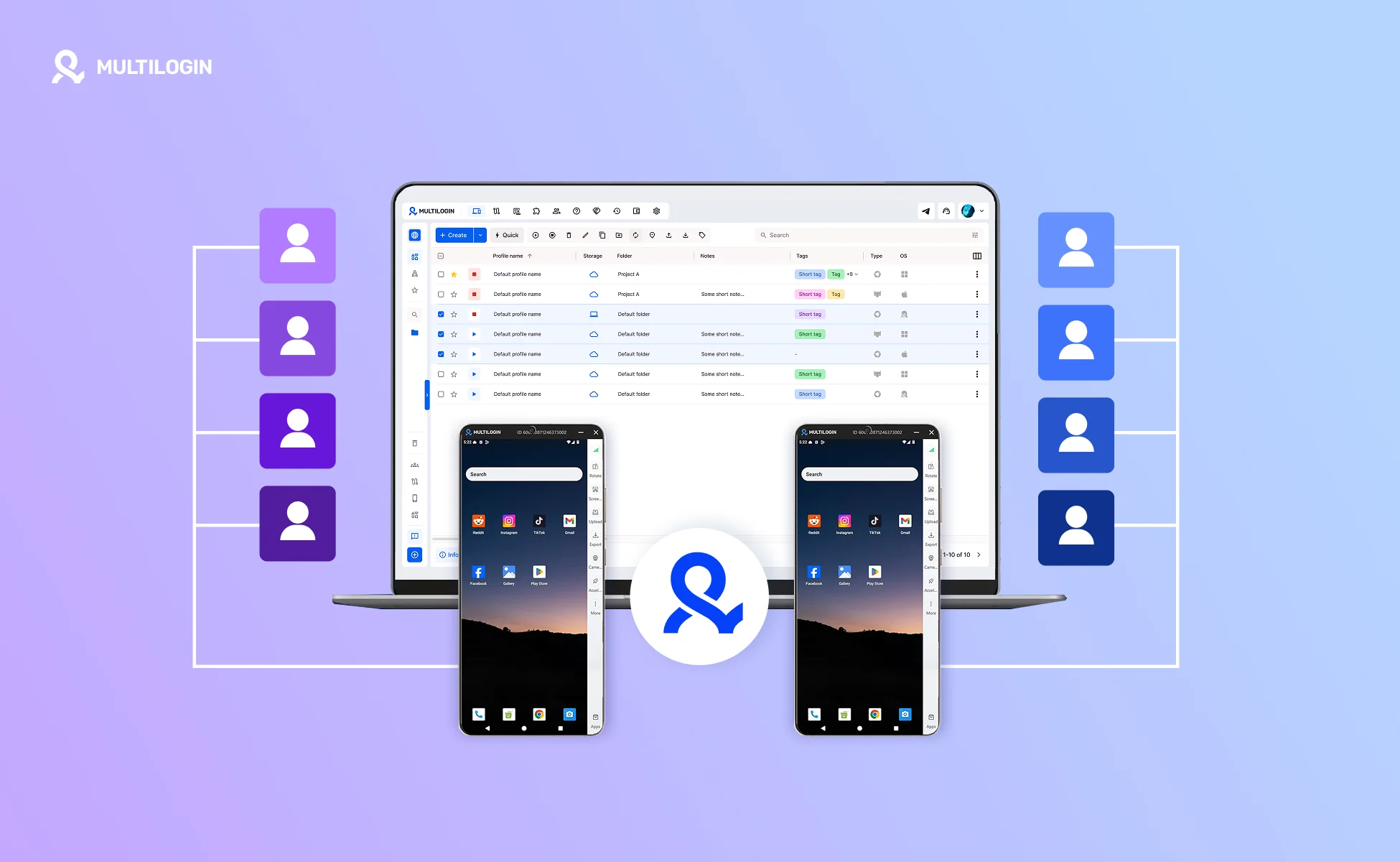
When AI helps draft posts, prepare replies, or summarize account activity, the operational mess often appears outside the writing tool. Teams lose track of which account was open, which device state was used, which draft belongs to which client, and who approved the next action.
Account separation matters because platform work is stateful. Apps keep login sessions, local app data, notifications, drafts, permissions, and review history. When several client accounts share the same phone or browser workspace, account switching can become unclear before any automation is added.
Meta describes Instagram Shared access as a way to invite trusted people to access an Instagram account with added security and flexibility. That points to the same operational principle: team access should be controlled, not improvised.
For this kind of workflow, Android cloud phone environments can help keep each client or account in a separate Android session. Multilogin Cloud Phone can support this setup by giving each cloud phone its own Android environment, device identity, network configuration, and persistent app data, while separate browser profiles can support web-based account work in the same broader operating model.
A practical setup could assign one Android session per client, use labels for owner and workflow stage, keep AI-generated drafts in a review queue, and let only the assigned teammate move approved content into the platform.
For teams already using AI in planning or review, it is worth mapping where account state gets mixed and where a separate Android session would make the workflow easier to audit.
Multilogin is not a way around platform rules; the safest approach combines clean account separation with original content, real engagement, and platform-compliant activity.
Practical benefits of a clearer social media AI workflow
A clearer AI workflow helps social teams reduce account confusion and make reviews easier. The benefit is operational clarity, not a promise of platform safety.
- Keep workspaces organized when multiple accounts or clients are involved.
- Reduce confusing account switching across browser and mobile app sessions.
- Give team members clearer access to assigned work.
- Keep browser and mobile workflows separated for operational clarity.
- Make AI outputs easier to review before publishing.
- Create a clearer handoff between planning, drafting, approval, and account execution.
Final thoughts
Start with the workflow, not the word agent. Decide which social media task needs help, what data the system can use, where approval happens, and how the final action is logged.
For most teams, the first useful step is not full automation. It is a narrow agent-assisted workflow for drafts, summaries, calendar gaps, or review queues. If the team also manages multiple accounts or mobile-first channels, separate environments and clear ownership should be part of the plan from the beginning.