






If you’re still manually posting to every platform, copying captions between apps, and logging into ten different accounts one by one, you’re spending time on things that don’t need a human to do them.
Social media automation is not about replacing good content or gaming algorithms. It’s about removing the repetitive operational tasks from your week so you can spend more time on the things that actually require your judgment: strategy, creative direction, client relationships, and spotting opportunities before your competitors do.
This guide covers what social media automation actually means, which tasks are worth automating, the best tools to do it with, and the account management layer that holds everything together when you’re operating at scale. If you manage multiple accounts or multiple clients, that last part is especially relevant.
Let’s get into it.
What Is Social Media Automation?
Social media automation is the use of tools and systems to handle social media tasks without you doing them manually every time.
That covers a pretty wide range of things. Scheduling posts to go live at the right time. Automatically pulling in content to share from RSS feeds or curated sources. Sending first-response messages to new followers or DMs. Generating performance reports without exporting spreadsheets by hand. Republishing your best-performing content on a cycle. Moving approved posts from a content calendar into a publishing queue automatically.
The common thread is that you set something up once, or periodically, and the system handles the execution without you doing it every time.
What social media automation is not is a way to produce meaningless bulk content or to pretend a human is responding when there isn’t one. The tools are powerful when they’re doing the right jobs. They cause problems when they’re used to cut corners that shouldn’t be cut.
For a social media manager, the right framing is this: automate the tasks that are repetitive, rules-based, and time-consuming. Keep human judgment in the loop for anything that requires creative or contextual thinking.
Why Social Media Automation Matters More in 2026
The volume of content that social media managers are expected to produce and manage has grown every year for the last decade and 2026 is no different.
The platforms have multiplied. Most social media managers are now expected to cover Instagram, TikTok, LinkedIn, Facebook, Pinterest, and sometimes YouTube Shorts, Threads, and X simultaneously. Each platform has its own format requirements, posting cadence expectations, and audience behaviour patterns.
The content formats have multiplied too. It’s not just static images and text anymore. It’s Reels, carousels, Stories, short-form video, long-form video, live sessions, and platform-native features that change constantly.
And clients or employers expect more reporting, more consistency, and faster turnaround than they did even two or three years ago.
Doing all of that manually across multiple accounts is not sustainable for one person or even a small team. Automation is what closes the gap between what’s expected and what’s humanly possible.
The Tasks Worth Automating (And the Ones That Aren’t)
Not everything should be automated, and knowing the difference matters. Here’s how to think about it.
Worth Automating
- Post scheduling is the most obvious starting point. Writing and approving content in batches, then scheduling it to publish at optimal times across platforms, removes the daily pressure of live posting while still maintaining a consistent presence. Every social media manager should be doing this.
- Content recycling is underused. Your best-performing posts from six months ago are new again for the people who weren’t following you then. Tools like SocialBee and MeetEdgar let you build evergreen content libraries that automatically recycle posts on a set schedule, so your content works harder without you producing more.
- RSS and content curation feeds let you automatically surface relevant industry articles, news, and third-party content to share, without manually searching for things to post every day. You set up the sources you trust, the tool pulls the content, and you review or let it post based on rules you define.
- Basic DM and comment responses for high-volume, simple interactions are worth automating. Welcome messages to new followers, first responses to common question types, and reply templates for FAQs can be handled automatically. The key is designing these to feel human and to hand off to a real person when the conversation becomes complex.
- Reporting and analytics are extremely automatable. Rather than building reports manually every week or month, tools can generate them automatically and send them to clients or team members on a schedule. This is one of the biggest time savers for agency social media managers.
- Cross-posting with format adaptation means taking one piece of content and adapting it automatically for multiple platforms: the Instagram caption becomes the LinkedIn post becomes the tweet, with platform-appropriate formatting applied automatically.
- Republishing top-performing content based on engagement thresholds is another high-value automation. Some tools will automatically identify your best-performing posts and schedule them for republication, removing the manual analysis and decision-making from that process.
Not Worth Automating
- Strategy and creative direction require human judgment. What themes to pursue, what angles will resonate with a specific audience, what’s happening in culture that you can tap into. AI can help you execute, but the thinking behind it needs to be yours.
- Community management at any depth beyond initial responses should involve a real person. A comment that’s asking for genuine advice, a complaint that needs empathy, a conversation that’s unfolding in real time, these need human handling. Automating these badly does more damage than not responding.
- Trend response content needs to be created in the moment. Trends move faster than any scheduled content library can account for. You need to be able to create and publish quickly when something is relevant right now, and that requires a human paying attention.
- Client approval processes need human review before anything goes live. Automation can help manage the workflow and send reminders, but a human needs to read and approve content before it publishes.
The Best Social Media Automation Tools by Category
Here are the tools worth knowing, organised by what they’re primarily used for. Most overlap across categories, so use this as a starting point rather than a strict taxonomy.
Scheduling and Publishing Automation
These are the tools most social media managers start with, and for good reason. Getting your scheduling automated properly saves hours every week immediately.
- Buffer is one of the cleanest and most straightforward options available. You connect your accounts, write or import your content, set your posting times, and Buffer handles the rest. It supports Instagram, Facebook, LinkedIn, TikTok, Pinterest, X, and more. The AI assistant built into the composer helps you generate and refine captions without switching tools. Strong for individual managers and small teams who want something that works without a steep learning curve.
- Hootsuite is one of the most established platforms in the space. Its bulk scheduling feature lets you upload content for weeks or months at once via spreadsheet, which is a significant time saver for high-volume operations. OwlyWriter AI generates post ideas and captions based on your connected account data. The unified inbox pulls comments, mentions, and messages across platforms into one place. It’s more feature-dense than Buffer and priced accordingly.
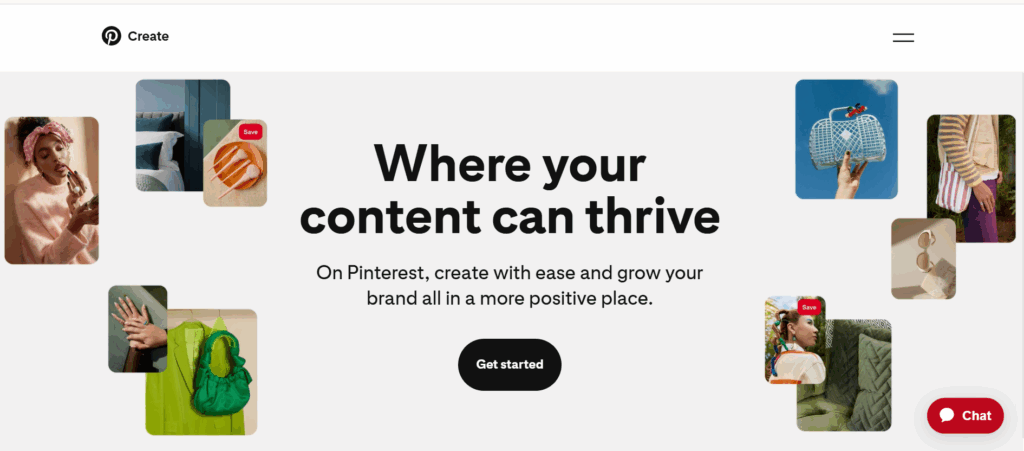
- Later is built specifically around visual content planning. The drag-and-drop calendar is easy to use, and the media library lets you store and organise assets alongside your planned posts. Its AI caption generator and best time to post recommendations are genuinely useful. Later is particularly strong for Instagram and TikTok, and it includes a link-in-bio feature that turns your social profile into a mini-website.
- Metricool combines scheduling with analytics in a way that’s particularly useful for agencies. You can schedule content across all major platforms, see how posts are performing, and generate white-label reports for clients, all from the same dashboard. The AI content generator is integrated into the scheduling flow. It’s one of the better all-in-one options for managing multiple client accounts cleanly.
- Publer is worth knowing about if you want to automate recurring posts. Its post recycling feature automatically republishes content from a library on a schedule you define. It also supports bulk uploading via CSV, watermarking on images, and first comment scheduling, which is useful for Instagram hashtag strategies. Solid for freelancers and small agencies.
- SocialBee has one of the strongest content category systems. You create categories (promotional content, educational content, curated content, etc.), assign posts to each category, and SocialBee automatically rotates through them to maintain a balanced posting mix. Combined with its evergreen recycling feature, it’s a good fit for accounts that publish a high volume of content and want that content to keep working over time.
- Loomly is built around a collaborative workflow. Content goes through a structured approval process before publishing, which makes it useful for teams where multiple people are involved in content creation and sign-off. The post ideas feature surfaces relevant content suggestions based on trending topics and platform events.
- Sendible is designed specifically for agencies managing multiple client accounts. The client-facing content approval feature lets clients log in to review and approve posts without seeing anything related to other clients. It supports more platforms than most tools and has strong white-label reporting capabilities.
Content Recycling and Evergreen Automation
- MeetEdgar is one of the tools most associated with content recycling automation. You build a library of posts organized by category, set a posting schedule, and MeetEdgar automatically cycles through your library so your evergreen content keeps getting published without you having to manually schedule it repeatedly. Strong for accounts that have a lot of good existing content they want to keep active.
- SocialBee (also mentioned above) is the strongest all-around option here. Its category-based scheduling combined with recycling gives you a system that’s genuinely set-and-check-occasionally rather than requiring constant management. It has an AI content generation feature too, so you can create content and schedule it for recycling in the same workflow.
- Publer includes recycling as one of its core features and combines it with watermarking and bulk posting. A good middle-ground option if you don’t need MeetEdgar’s deep focus on recycling but still want it as part of a broader scheduling tool.
Reporting and Analytics Automation
One of the highest-value automations for agency social media managers is getting reports to generate and send themselves.
- Metricool generates scheduled reports automatically and can send them to clients via email on a set cadence. The reports are clean and white-labeled, so they look like something your agency produced rather than a platform export. This alone saves significant time each month for managers running multiple client accounts.
- Sprout Social has the most advanced analytics and reporting automation in the space. You can build custom report templates, schedule them to deliver automatically, and pull data across all connected platforms into a single view. It’s enterprise-priced, but the reporting depth is genuinely superior.
- Hootsuite also has scheduled reporting and custom analytics. It’s not as deep as Sprout Social but it’s more accessible in terms of pricing. The Hootsuite Analytics dashboard tracks performance across platforms and lets you set up automated weekly or monthly reports.
- Databox is a dedicated analytics and reporting tool that integrates with social media platforms. If you want to build more sophisticated dashboards that pull in data from social media alongside other channels like email and paid advertising, Databox is worth considering as a reporting layer on top of your management tool.
DM and Community Response Automation
- ManyChat is the standard tool for automating direct message conversations on Instagram and Facebook. You can build conversation flows that respond to specific trigger words, send sequences to new followers, run comment-to-DM campaigns, and qualify leads automatically. It’s particularly useful for accounts that run frequent giveaways or lead generation campaigns where you’re handling high volumes of similar interactions.
- Tidio combines live chat with AI-powered chatbot automation and can be connected to social messaging channels. Useful if you want a unified inbox that handles automated first responses across social and web channels in the same place.
- Hootsuite Inbox and Sprout Social’s Smart Inbox both use AI to help manage and prioritize incoming messages, suggesting responses and routing conversations to the right team member. These are more about AI-assisted management than full automation, but they significantly speed up the community management workflow at scale.
Content Curation Automation
- Feedly uses AI to curate relevant content from sources you choose and surfaces the most relevant articles for you to review and share. It integrates with Buffer, Hootsuite, and other scheduling tools so you can go from curated article to scheduled post in a couple of clicks.
- ContentStudio combines content curation with scheduling. You can discover content by topic or keyword, review it, and schedule it to post across your accounts without leaving the platform. It also generates captions for the content you’re sharing automatically.
- Missinglettr takes a different approach to curation: it automatically takes your own blog content and turns it into a drip campaign of social media posts spread out over a year. If you manage accounts for clients who publish regularly, this is a useful set-it-and-forget-it automation for repurposing that content.
Automation and Multiple Accounts: The Infrastructure Problem
Once you start automating your social media workflows properly, a different problem becomes more visible: account management at scale.
Social media managers running multiple client accounts on the same platforms run into a specific technical challenge. Instagram, TikTok, Facebook, and Pinterest are built to detect when multiple accounts are connected to the same device, browser, or IP address.
When they detect that connection, they treat those accounts as linked, which can lead to restrictions, shadowbans, or account terminations. Even when your automation workflows are set up correctly through a scheduling tool, logging into multiple accounts from the same browser session creates fingerprint overlap that platforms pick up on.
This is where Multilogin fits into the picture, not as a social media automation tool, but as the account isolation infrastructure that makes multi-account management stable.
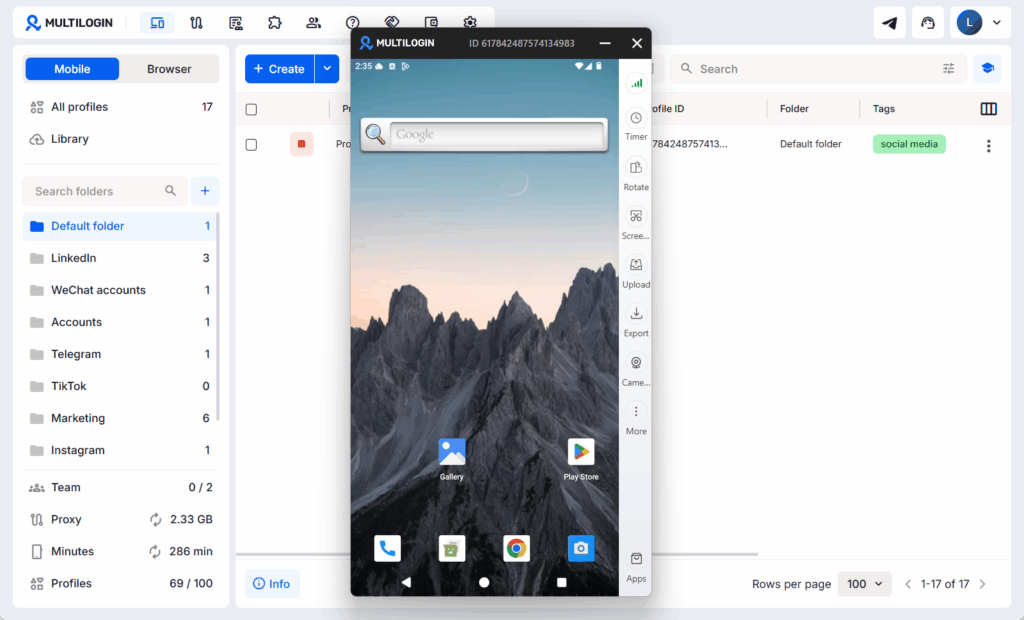
Multilogin lets you create separate browser profiles for each account. Each profile has its own isolated fingerprint, cookies, session storage, and residential proxy IP. To Facebook or Instagram, each profile looks like a completely different device used by a completely different person.
There’s no connection between accounts at the technical level platforms are checking. It’s a fundamentally more robust approach than using incognito mode or just switching between accounts in the same browser, which doesn’t provide any real isolation.
Multilogin also has AI-assisted automation features built in: automated profile creation, smarter proxy assignment, and integrations with automation frameworks like Selenium, Puppeteer, and Playwright.
So it supports programmatic automation workflows on top of providing account isolation. You can read more in this breakdown of the best antidetect browsers if you want to understand how this category of tools works and where Multilogin sits within it.
For mobile-first platforms like TikTok and Instagram specifically, the isolation challenge extends beyond browser sessions to device-level identifiers.
Automating Mobile-First Platforms: The Cloud Phone Angle
TikTok and Instagram are mobile-first platforms. They check device identifiers, IMEI numbers, Android IDs, and hardware signatures in ways that browser fingerprinting alone doesn’t account for.
If you’re managing multiple TikTok or Instagram accounts across clients, running them from the same physical phone links those accounts. Running them through Android emulators gets them flagged because emulators have telltale fingerprints that platforms now reliably detect.
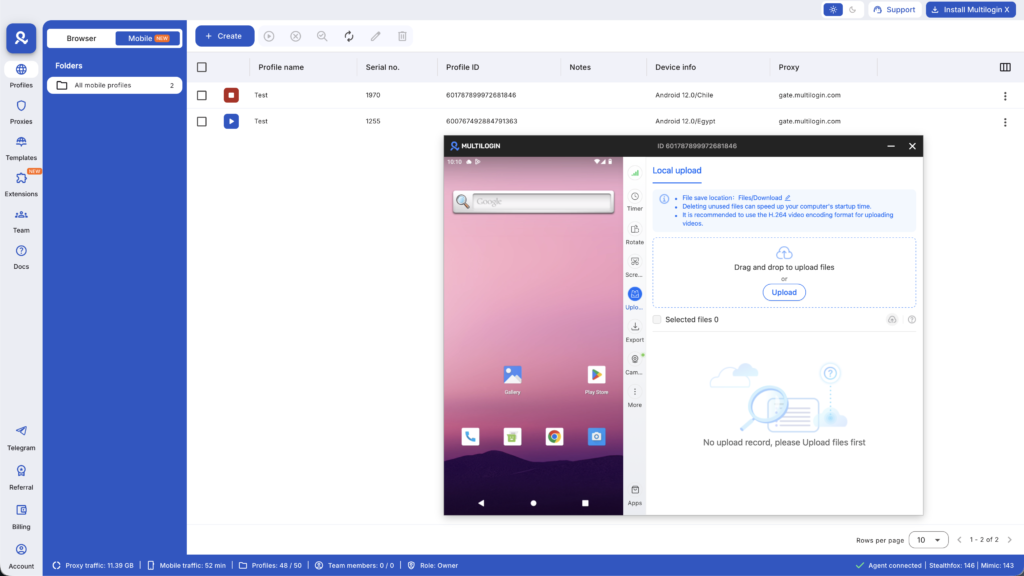
Multilogin Cloud Phones solve this by giving you real Android devices hosted in the cloud, each with its own unique hardware identity, its own residential proxy, and its own persistent session storage.
Each account runs from what looks, to TikTok or Instagram, like a real phone in a specific location, because it actually is one. You access and manage them through the Multilogin desktop app. You can understand how cloud phones work in more detail if you want the full picture before deciding if they’re relevant to your setup.
For agency social media managers handling WhatsApp Business for multiple clients or running LinkedIn outreach across multiple profiles, Cloud Phones apply the same isolation logic that browser profiles provide, but at the device level.
Combined with your scheduling automation stack, this infrastructure layer means your automated workflows run cleanly across accounts that stay operational long-term, rather than cycling through account losses and rebuilds.
Building Your Social Media Automation Stack: A Practical Starting Point
Most social media managers don’t need every tool listed in this article. They need the right combination for their specific situation. Here’s a starting point based on common setups.
If you’re a solo social media manager handling two to five client accounts, start with a scheduling tool that covers all your platforms (Later, Buffer, or Metricool are good starting points), a content recycling feature within that tool or a dedicated tool like SocialBee, and automated reporting to keep clients updated without building reports manually each month. Get those working well before adding anything else.
If you’re running an agency with five or more clients across multiple platforms, you’ll want a scheduling tool with strong multi-account management and white-label reporting (Metricool, Sendible, or Sprout Social), account isolation infrastructure through Multilogin so accounts on the same platforms stay clean and separated, and automation for the community management layer through something like ManyChat for DM campaigns or the unified inbox features in Hootsuite or Sprout Social.
If TikTok or Instagram are core to your client accounts and you’re managing multiple of them, Cloud Phones become relevant infrastructure alongside browser profile isolation.
The goal is not to automate everything at once. It’s to identify the tasks that are consuming the most time without requiring your judgment, automate those first, and expand from there.
How to Start With Social Media Automation Without Breaking Things
The biggest mistakes people make when they first start automating social media are rushing to automate everything at once, or automating the wrong things.
Here’s a practical approach.
Start with post scheduling only. Pick one scheduling tool, connect your accounts, and move from live posting to batched and scheduled posting. Get comfortable with that workflow, understand how it affects your content quality and consistency, and let it run for a few weeks before adding anything else.
Add content recycling once your content library is solid. Recycling bad content just means bad content publishes more often. Make sure your evergreen library contains posts that are genuinely good before you set them to recycle automatically.
Automate reporting before you automate responses. Automated reports are low-risk and high-value. Automated responses are higher-risk because a badly designed flow can create a bad experience for real people. Get reporting sorted first.
Introduce account isolation infrastructure before you scale. If you’re planning to grow to five or more accounts on the same platform, set up proper browser profile separation with Multilogin before you scale, not after you start having problems.
It’s much easier to build this in from the start than to fix account linking issues after they’ve already happened.
Test DM and comment automations at low volume first. Build your ManyChat flows, test them thoroughly, and run them on a small scale before turning them on for a high-volume account.
Want to manage multiple social media accounts? Try Multilogin Cloud Phones.
Frequently asked questions About Social Media Automation
Social media automation is the use of tools to handle repetitive social media tasks automatically: publishing scheduled posts, recycling evergreen content, generating reports, sending first-response messages, and curating content to share. The goal is to remove rules-based tasks from your manual workflow so you can focus on work that requires judgment.
Scheduling and publishing automation through approved tools like Buffer, Hootsuite, or Later is generally safe because these tools use official platform APIs. The risk comes from tools that engage in bulk fake engagement (like bots), violate platform terms of service, or behave in ways that trigger platform detection systems. Stick to legitimate tools and you’ll be fine.
Buffer’s free plan covers three social channels and is genuinely useful as a starting point. Later’s free plan covers one profile per platform. Hootsuite’s free plan is more limited but functional. For agencies needing more, paid plans become necessary quickly, but the free tiers are good for learning the workflow before committing.
Use a tool like Multilogin to create separate browser profiles for each account, each with its own fingerprint and residential proxy IP. For mobile-first platforms like TikTok and Instagram, use Multilogin Cloud Phones instead, which give each account its own real Android device identity. Combined with a scheduling tool that supports multiple accounts, this keeps your client accounts isolated and clean.
TikTok has limited API access compared to platforms like Instagram and Facebook, which means fewer scheduling tools support it natively. Later, Buffer, and a few others have TikTok scheduling. Full DM and comment automation is more restricted on TikTok than on Meta platforms. For managing multiple TikTok accounts without them being linked, Cloud Phones are the relevant infrastructure.
Social media marketing is the broader practice of building a presence and audience on social platforms, including both organic content and paid ads. Social media advertising specifically refers to the paid component, where you pay the platform directly for guaranteed placement to audiences beyond your existing followers.
The Honest Limitations of Social Media Automation
Automation saves serious time. It also has real limits worth being honest about.
Scheduled content does not respond to what’s happening in the moment. If something significant happens in the news, in culture, or specifically in your client’s industry on the day your scheduled content goes live, you need a human to review whether that content is still appropriate to publish. Automation makes this harder to manage because content is no longer going through a final human check at the point of publishing.
Recycled content loses its freshness over time. Evergreen recycling works best for content that’s genuinely timeless. If your content references specific dates, prices, product names, or cultural moments that age, you need a process for auditing and retiring recycled posts regularly.
Automated engagement feels hollow if it’s obvious. People can tell when they’re getting a templated response, and a hollow automated reply is often worse than no reply at all. Design automation to handle the simple cases cleanly and to escalate to a human quickly when the situation requires it.
Account isolation helps but doesn’t make risky behaviour safe. If you’re running accounts that violate platform terms of service, Multilogin provides isolation between those accounts but doesn’t change the terms of service violation. The isolation is designed for legitimate multi-account operations, like agencies managing multiple clients or businesses running accounts in multiple regions, not for evading consequences from policy violations.


