



YouTube Shorts ads look simple from the outside. Make a vertical video, run it in the Shorts feed, and wait for results.
In practice, there’s more to manage. Advertisers need the right creative format, campaign setup, budget controls, and mobile preview workflow. Creators also need to understand how Shorts monetization follows its own rules inside the YouTube Partner Program, not just that revenue sharing exists, but how YouTube calculates the number that lands in an AdSense account each month.
Key takeaways
- YouTube Shorts ads appear between organic Shorts videos in the Shorts feed, and viewers can skip them by swiping up or down.
- Google recommends vertical 9:16 video assets at 1080 × 1920 pixels for Shorts ads.
- Shorts ad and YouTube Premium revenue both flow through a country-level Creator Pool: music licensing is deducted first if a Short uses licensed music, and the remainder is split among creators by their share of engaged views.
- Creators keep 45% of whatever they’re allocated from the Creator Pool, regardless of whether they used music.
- Engaged views is a watch-time metric (how long someone actually watched), and it’s separate from eligibility (whether the content itself qualifies for revenue sharing at all). Both filters apply before a view counts toward a payout.
CPM vs. playback-based CPM vs. RPM: what’s the difference
| Term | Definition |
|---|---|
| CPM | An advertiser-side metric: the cost of 1,000 ad impressions. |
| Playback-based CPM | Used in YouTube Analytics to estimate advertiser cost per 1,000 monetized playbacks. |
| RPM | A creator-side metric in YouTube Analytics estimating revenue per 1,000 views. |
| Core difference | CPM tells advertisers what they’re paying. RPM tells creators what they’re earning. Neither is the Shorts revenue-sharing calculation itself, that runs through the Creator Pool, explained below. |
6 official facts about YouTube Shorts ads
- Shorts ads appear between organic Shorts videos in the Shorts feed.
- Shorts ads are immediately skippable by swiping up or down.
- Vertical 9:16 videos are best suited for Shorts ads.
- A Shorts ad impression counts when the ad starts playing in the feed.
- Shorts ad and YouTube Premium revenue are each pooled by country, then allocated to monetizing creators based on their share of total engaged views.
- Creators keep 45% of their allocated share of the Creator Pool, whether or not their Short used licensed music.
What is a YouTube Shorts ad?
A YouTube Shorts ad is a vertical video ad that appears between organic Shorts videos in the Shorts feed. Viewers can skip it by swiping up or down, so the opening seconds matter.
Shorts ads are built for a mobile-first viewing experience: short, vertical, full-screen video, watched almost entirely on a phone.
What are YouTube Shorts ad specs?
YouTube Shorts ad specs favor vertical 9:16 video assets, with 1080 × 1920 pixels recommended for vertical HD video.
Google says vertical videos are best suited for the Shorts format. Horizontal and square assets may still be accepted in some campaign contexts, but vertical video is prioritized for Shorts ads in video campaigns.
| Requirement | Recommendation |
|---|---|
| Aspect ratio | 9:16 vertical |
| Recommended resolution | 1080 × 1920 pixels |
| Viewing context | Mobile, full-screen Shorts feed |
| Preview step | Review how the ad renders inside the Shorts feed before publishing |
How does YouTube Shorts ad revenue sharing actually work?
This is the part most explainers skip. Here’s the full mechanic, sourced to YouTube Help’s Shorts monetization policies, in the order it’s applied.
Step 1a. Shorts feed ad revenue is pooled by country. Each month, YouTube adds together the ad revenue generated between videos in the Shorts feed for a given country into that country’s pool.
Step 1b. YouTube Premium revenue is pooled separately. A portion of YouTube Premium subscription revenue attributable to Shorts viewing is tracked and allocated to creators on its own track, using the same 45% share, rather than being merged into the ad-revenue pool.
Step 2. Music licensing is deducted first, if the Short used licensed music. This is the step most articles leave out entirely, and it changes the size of the ad-revenue pool before anyone gets paid:
- No music used: 100% of the revenue tied to that Short’s engaged views goes into the Creator Pool.
- One licensed track used: the split is 50/50, half goes to the Creator Pool, half goes to the music rights holder.
- Two licensed tracks used: the split is one-third to the Creator Pool, two-thirds to music licensing.
Using music doesn’t reduce a creator’s personal share of the pool relative to other creators. It reduces the total size of the pool that gets shared. A creator who uses original audio isn’t penalized for it; they simply aren’t giving up a slice to a rights holder.
Step 3. The remaining Creator Pool is allocated by share of engaged views. From what’s left after music licensing, YouTube looks at each monetizing creator’s engaged views on Shorts as a percentage of all monetizing creators’ engaged views in that country for that month. If a creator’s Shorts account for 5% of total eligible engaged views, they’re allocated 5% of that country’s Creator Pool.
Step 4. Creators keep 45% of their allocation. Whatever a creator is allocated in Step 3, they receive 45% of it, whether or not their Shorts used music. YouTube keeps the remaining 55%, which is where the music-licensing deduction and YouTube’s own share both come from.
Worked example
Say a country’s Shorts Creator Pool for the month, after music licensing deductions, comes out to $150,000. A creator’s Shorts made up 0.2% of all monetizing creators’ engaged views in that country that month.
- Allocation: $150,000 × 0.2% = $300
- Creator’s payout: $300 × 45% = $135
That $135 lands in AdSense regardless of whether the creator’s Shorts used music. The music licensing cost was already taken out of the $150,000 pool before the 0.2% share was calculated.
What are “engaged views,” exactly?
Two separate filters apply before a view counts toward a Shorts payout, and it’s easy to conflate them:
- Engaged view (a watch-time threshold): a view where the viewer actually watched the Short for a meaningful duration rather than scrolling straight past. This is the stricter, older view-counting method that YouTube renamed “engaged views” when it broadened its main view counter to register a view on every play.
- Eligibility (a content-compliance filter): whether the Short itself qualifies for revenue sharing at all. Content that’s reuploaded, artificial, or doesn’t meet advertiser-friendly guidelines is excluded regardless of how it was watched.
YouTube’s payout calculation only counts eligible engaged views, both filters have to be satisfied. A Short can generate plenty of engaged views and still be excluded from the payout if it fails the eligibility check, and a Short that passes the eligibility check still only counts the engaged portion of its views, not every play.
Only monetizing creators who’ve accepted the Shorts Monetization Module as part of the YouTube Partner Program, and whose Shorts meet both filters above, have their views counted in the Step 3 calculation. Views logged before a creator accepts the module aren’t eligible.
YouTube Shorts Fund vs. ad revenue sharing
These are two different, non-overlapping programs. The YouTube Shorts Fund was a fixed monthly bonus pool that YouTube paid out to creators based on Shorts performance, separate from ad revenue. YouTube discontinued the Shorts Fund and replaced it with ad revenue sharing, the Creator Pool model documented by YouTube Help, starting in February 2023, once Shorts ads began running in the feed.
If a channel is currently monetizing Shorts, it’s earning through the revenue-sharing model, not the old Fund. There’s nothing to opt back into; the Fund simply no longer exists.
How do you create effective short video ads?
Effective short video ads are designed for vertical mobile viewing from the start. Vertical 9:16 assets consistently outperform landscape creative repurposed for the Shorts placement.
Keep the creative simple: one clear opening visual, readable text, and one message. A Shorts ad has very little time to earn attention before the viewer swipes.
How do you target specific audiences with YouTube Shorts ads?
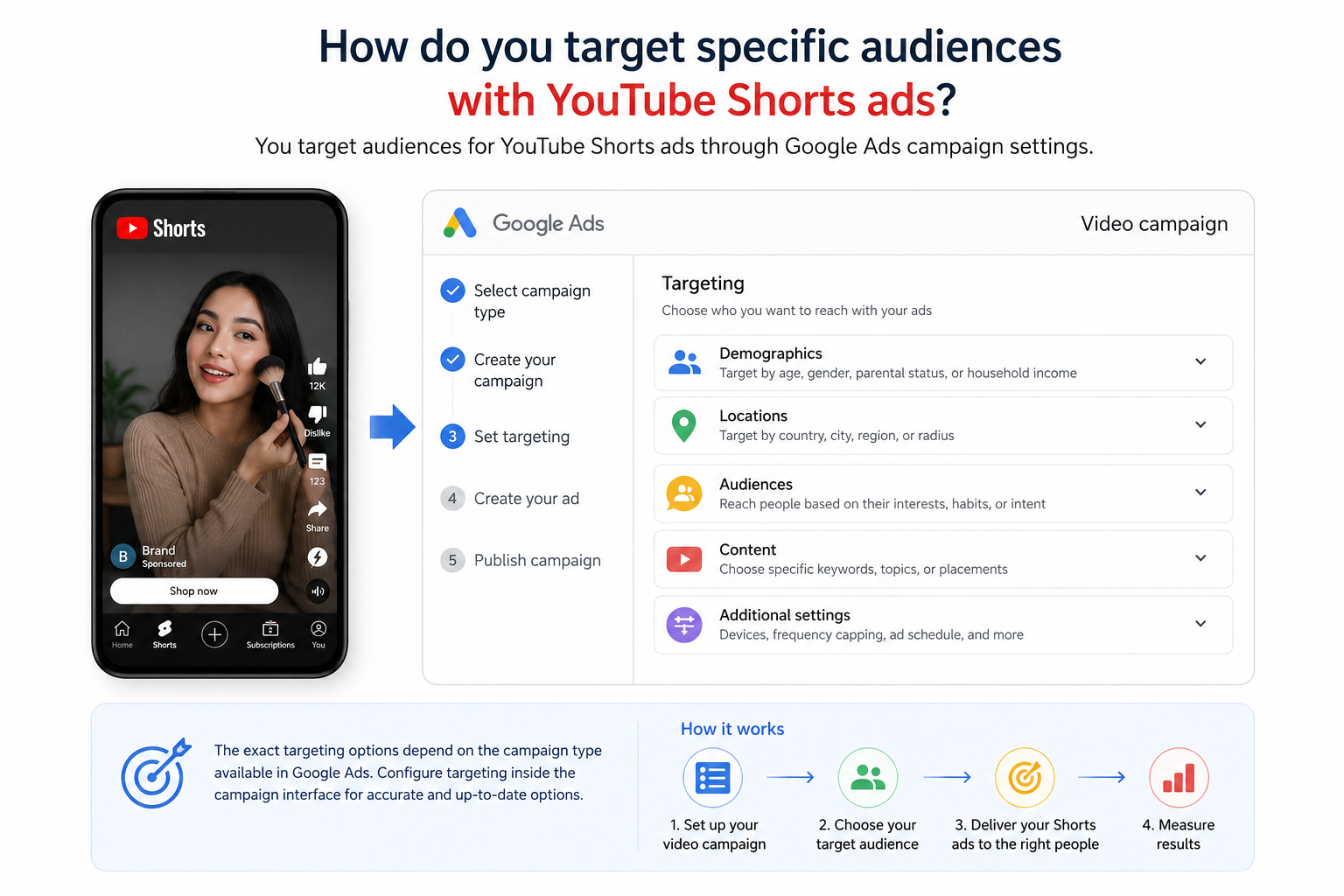
You target audiences for YouTube Shorts ads through Google Ads campaign settings. Google Ads documentation places Shorts ads inside Google Ads video campaign workflows, where advertisers manage campaign setup and ad delivery.
The exact targeting options depend on the campaign type available in Google Ads, so the safest guidance is to configure targeting inside the campaign interface rather than treating Shorts as a separate standalone ad platform.
Where do you manage YouTube Shorts ad budgets?
You manage YouTube Shorts ad budgets in Google Ads. Shorts ads are part of Google Ads video campaign workflows, not a separate budgeting tool inside YouTube Studio.
That matters for teams because creative, campaign settings, previews, and reporting need to be reviewed together.
How do you optimize YouTube Shorts ads for mobile viewers?
Optimize for mobile by building vertical creative, previewing it inside the Shorts environment, and confirming the message works on a small screen before it goes live.
A good mobile review checks three things: whether the first frame is clear, whether text is readable, and whether the call to action makes sense without extra explanation.
Comparison table: Shorts ad and revenue metrics
| Metric | What it measures | Who it helps | Best use | Main limitation |
|---|---|---|---|---|
| CPM | Cost per 1,000 ad impressions | Advertisers | Understanding ad cost | Doesn’t show creator earnings |
| Playback-based CPM | Advertiser cost per 1,000 monetized playbacks | Creators and channel analysts | Understanding monetized playback value | Doesn’t show total creator revenue |
| RPM | Estimated creator revenue per 1,000 views | Creators | Understanding revenue performance | Not the same as the Creator Pool calculation |
| Engaged views | Watch-time-qualified, eligible views used to calculate Creator Pool share | Creators | Understanding what actually drives a Shorts payout | Two separate filters (watch time, eligibility) are easy to conflate |
Walkthrough: previewing a vertical ad asset in Google Ads
Rather than a hypothetical, here’s the actual sequence for checking how a Shorts asset will render before it spends any budget:
- Upload the vertical (9:16, 1080 × 1920) asset to a video campaign in Google Ads.
- Open the ad preview tool from the campaign or ad group view.
- Select the Shorts feed placement in the preview panel. This renders the ad exactly as it will appear between organic Shorts, including the full-screen crop.
- Check the first frame on the preview. Is the subject or message legible with no sound and no context?
- Confirm on-screen text isn’t cropped by the vertical safe zone, and that the call-to-action overlay doesn’t cover the video’s key visual.
- Only after the preview looks correct in the Shorts placement, move the campaign from draft to active.
Skipping step 3 is the most common mistake. A horizontal or square asset can look fine in the generic preview and still get awkwardly cropped once it’s actually placed in the vertical Shorts feed.
Best practices for YouTube Shorts ads
- Design the ad in vertical 9:16 format from the start.
- Open with the clearest visual or message in the first few seconds.
- Preview the creative in the Shorts environment before publishing.
- Check that text is readable on mobile screens.
- Keep advertiser metrics (CPM) and creator revenue metrics (RPM, Creator Pool share) separate when reviewing performance. They answer different questions.
Organizing creator and team Shorts workflows
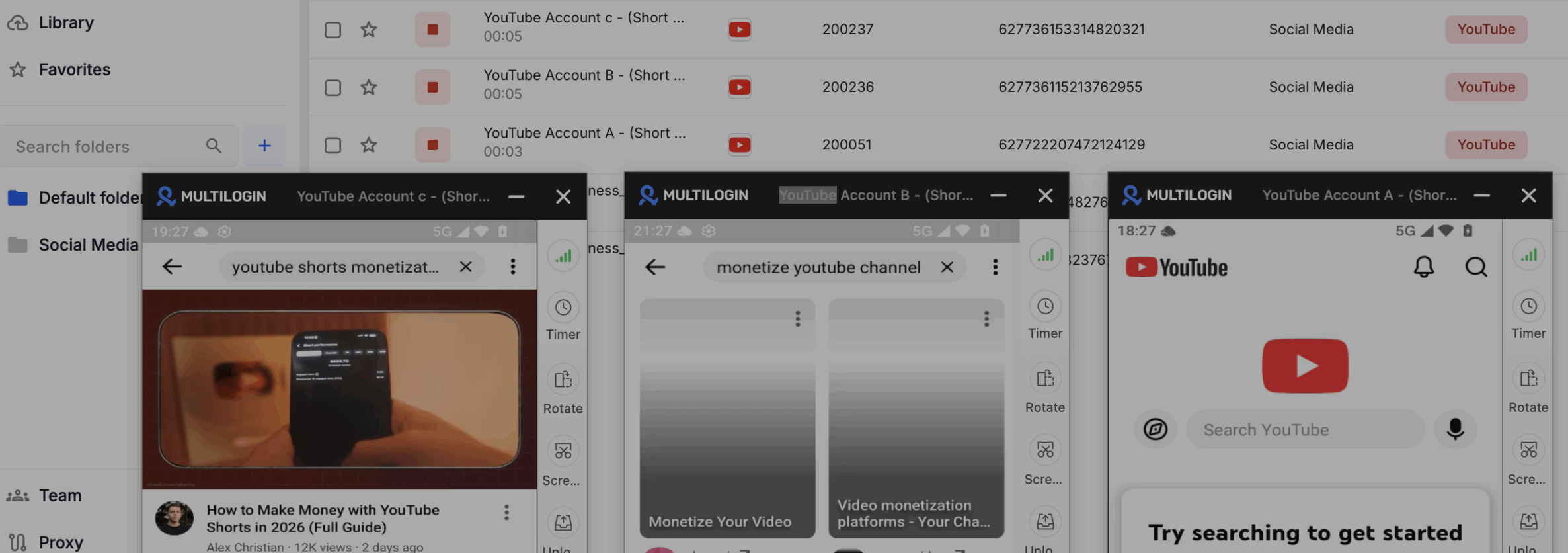
Creator teams often need to manage different branded YouTube profiles, client channels, campaign assets, and mobile reviews without mixing up daily account work.
For creator teams managing multiple brand or client profiles, Multilogin can help keep daily account work organized without turning your analytics workflow into a login mess. Multilogin is a cloud phone and multi-account platform that lets teams run Android cloud phones and browser profiles from one dashboard, with browser profile management, team collaboration, and separate social media account workflows across platforms such as TikTok, Instagram, Reddit, and more.
For Shorts teams, that supports cleaner workflow separation between client profiles, mobile app reviews, browser-based channel work, and team handoffs. Multilogin also includes built-in residential proxy integration for cloud phones used for YouTube and other use cases and browser profiles, sourced from the same built-in proxy pool available across platforms.
Multilogin offers a free plan with no time limit and no credit card required, plus paid plans from $7.08/month once a team needs more profiles, proxy traffic, or mobile minutes.
Multilogin is not a way around platform rules; the safest approach combines clean account separation with original content, real engagement, and platform-compliant activity.
Conclusion
YouTube Shorts ads sit between advertising, mobile creative, and creator monetization. Advertisers need vertical assets, Google Ads campaign management, and mobile previews. Creators need to understand that Shorts ad revenue sharing follows a pooled, country-level system: music licensing deducted first, then split by engaged-view share, then paid out at 45%.
The safest strategy is simple: follow official YouTube and Google Ads guidance, create original mobile-first content, and keep campaign workflows organized before growing.