


In the Facebook Ads Library, researching a few competitor ads might be easy. Tracking every new creative and landing page across several brands and markets is not.
This guide compares the practical options in 2026: manual collection, Meta’s official tools, best scrapers, and browser automation. It also explains how Multilogin browser profiles and cloud phones can help you automate more efficiently.
What the Meta Ads Library shows
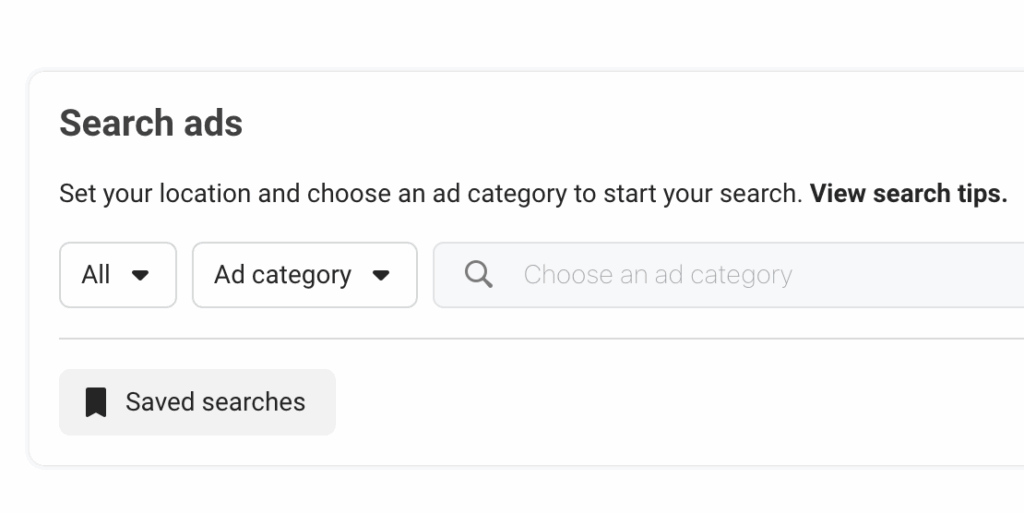
The Meta Ad Library is a searchable transparency database for ads running across Meta products. For ordinary commercial advertising, it primarily shows currently active ads. Ads concerning social issues, elections, or politics may remain searchable after they stop running and can include additional transparency fields. Meta says it stores those ads for seven years.
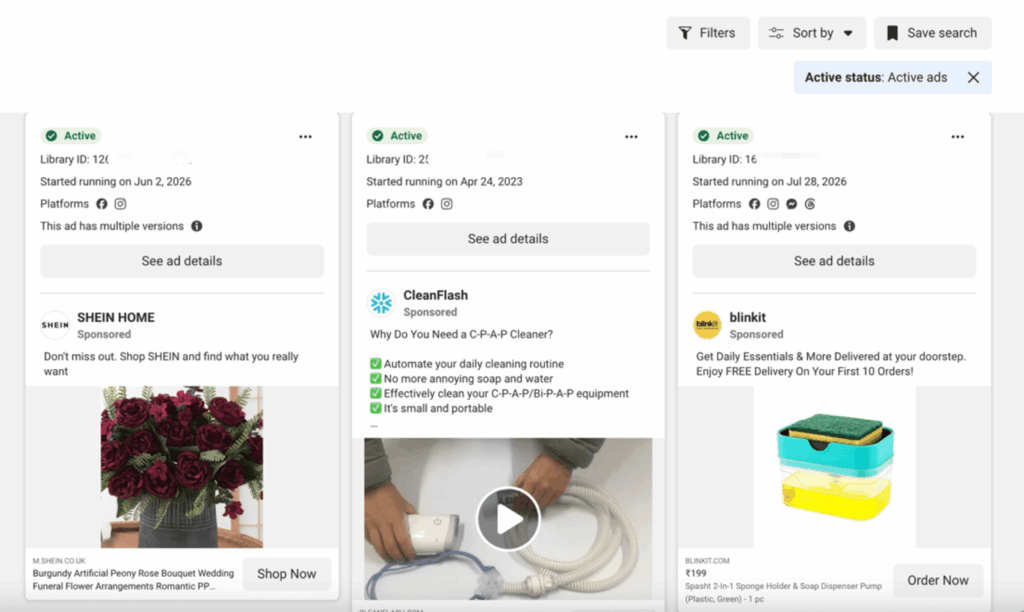
Depending on the ad category and market, a listing may expose advertiser or page name, ad Library ID, active status and start date, primary text, headline, and description, image, video, or carousel creative, call-to-action text, and platforms on which the ad may appear.
The library does not reveal an ordinary competitor’s conversion rate, cost per acquisition, exact budget, or return on ad spend. A long-running ad can be a useful signal, but it is not proof that the ad is profitable. Treat labels such as “winner” or “scaled” as interpretations unless the underlying metric is actually published by Meta.
Four ways to collect Ads Library data
There is no single best method. Choose according to volume, frequency, and fields that fit you best.
| Method | Best for | Main advantage | Main limitation |
|---|---|---|---|
| Manual research | Small, occasional reviews | Fast to start and easy to verify | Difficult to repeat at scale |
| Official Meta tools or API | Eligible, repeatable research | Structured access defined by Meta | Access and available fields can be limited |
| Third-party scraper | Rapid prototypes with approved use | Managed extraction and exports | Provider access does not establish your permission |
| Custom browser automation | Tailored workflows | Full control over collection and QA | Requires maintenance, monitoring, and governance |
1. Manual collection
For five competitors and a monthly review, automation may add more complexity than it removes. Capture only the fields needed and save the Ad Library URL or ID for verification. A useful sheet starts with `collected_at`, `advertiser`, `ad_library_id`, `country`, `status`, `start_date`, `format`, `hook`, `offer`, `cta`, `destination_url`, and `source_url`.
2. Official Meta tools and API
Meta’s own interface is the safest starting point. Its Ads Library help page explains searchable categories and links to the Ad Library API information. Availability, access requirements, supported markets, and returned fields can change, so verify the current documentation for your use case.
Where an official endpoint covers the project, prefer it. API responses are easier to validate and schedule than data reconstructed from a changing page. Record the query, collection time, response status, and API version.
3. Third-party scrapers
Scrapers such as Apify host community and vendor-built Ads Library extractors. They may accept a Page URL or search URL, then return CSV or JSON. This can be convenient for an approved proof of concept because hosting, pagination, and export are handled for you.
Check who operates the extractor, how it accesses Meta, what it retains, where results are stored, and whether the workflow matches your authorization. Test a small sample against the live library.
4. Custom browser automation
When your organization has permission for the collection and the official API does not cover the required workflow, browser automation offers more control. Playwright, Selenium, and Puppeteer can open approved searches, read visible fields, and send structured records to a database.
The script should fail safely when the layout changes. Unexpected empty fields, sharp changes in result counts, and navigation errors should create an alert rather than silently producing a bad report. Maintain conservative schedules, follow the authorization conditions, and never automate around a platform restriction.
How to automate Facebook Ads Library research
An effective scraping system is as follows:
Research question → approved collection → normalization → deduplication → classification → validation → report
Step 1: Start with a decision
Define what the report should help someone decide. “Track competitor ads” is too broad. Better questions should be as specific as possible, such as: Which offers did five competitors introduce in the UK this month? Or, which opening hooks recur in active video ads?
The question determines the fields and sample. It also prevents collecting data merely because it is available.
Step 2: Design a stable schema
Separate source facts from analyst judgments. `start_date` and `cta_text` are source fields. `funnel_stage`, `creative_angle`, and `likely_audience` are classifications. Mixing the two makes later audits difficult.
A practical record can contain four groups:
1. Identity: advertiser, Page ID, Ad Library ID, source URL
2. Delivery: country searched, status, start date, visible platforms
3. Creative: format, copy, headline, CTA, media reference, destination domain
4. Analysis: hook, offer, theme, funnel stage, reviewer, confidence score
When permitted, keep the raw response or original capture so derived fields can be regenerated when the taxonomy changes.
Step 3: Build reproducible searches
Store each query as configuration rather than embedding it throughout a script. Include advertiser or keyword, country, ad category, status, media type, language, and collection frequency. Assign each search a clear owner and purpose.
Run a manual sample first. If the search returns irrelevant Pages or mixes unrelated meanings of a keyword, improve it before scheduling. Automation faithfully repeats bad search design.
Step 4: Normalize and deduplicate
One campaign can produce many near-identical listings. Preserve the Ad Library ID, but also create a fingerprint from normalized copy, headline, destination domain, and media reference. This lets analysts view both individual ads and creative families.
Normalize dates to one time zone, keep country codes consistent, and distinguish missing data from a true zero. If Meta does not publish commercial spend, store `null`; do not estimate it in the same field.
Step 5: Collect changes
For recurring monitoring, compare each run with the last known state. Mark records as `new`, `still_active`, `changed`, or `no_longer_visible`. This produces a useful change log and reduces unnecessary processing.
Absence needs careful wording. An ad missing from a later result may have stopped, fallen outside the filter, been removed, or failed to load. Report “no longer observed” until another source supports a stronger conclusion.
Step 6: Use AI for classification, then sample the output
Language models can group ads by hook, offer, pain point, proof type, funnel stage, or creative concept. Give the model a fixed taxonomy and require structured output. Add `other` and `uncertain` categories instead of forcing every ad into a confident label.
Review a sample from every run. Track disagreement between the model and human reviewer, especially for sarcasm, regulated claims, and multilingual copy. AI is most useful for reducing sorting work; it should not invent performance data or state why an advertiser made a decision.
Step 7: Publish a report with evidence
A good report links each claim to source records. Instead of “Competitor A is scaling testimonials,” write: “Nine of 24 newly observed ads used customer-quote openings, compared with three of 21 in the previous weekly sample.” Include the query scope, collection dates, markets, missing-data rules, and limitations.
A practical tool stack
The strongest options depend on whether you need structured data extraction or simply a better way to research creatives.
Best tools for extracting Facebook Ads Library data
| Tool | Best for | Key strengths |
|---|---|---|
| Meta Ad Library API | Compliance-first research | Official structured access, reliable fields, suitable for eligible research projects |
| Apify Facebook Ads Scraper | Best overall third-party scraper | Keyword and advertiser searches, filters, scheduled runs, CSV/Excel/JSON exports, API integration |
| Bright Data Facebook Ads Dataset | Enterprise and high-volume projects | Large prepared datasets, configurable refreshes, bulk delivery and warehouse integrations |
| Playwright | Custom browser automation | Strong handling of dynamic pages, modern browser controls and flexible data pipelines |
| Selenium | Existing automation stacks | Broad language support and extensive integration options |
| Puppeteer | JavaScript-based workflows | Lightweight Chrome automation and straightforward Node.js integration |
Best tools for analyzing and organizing ads
Foreplay is best for saving creatives, building swipe files, creating mood boards and sharing research with creative teams.
BigSpy is useful for searching large collections of ads, applying advanced filters and researching e-commerce creative trends.
Revelio combines live ad extraction with recurring searches, advertiser monitoring, creative organization and AI-assisted classification.
SpreshApp focuses on live competitor monitoring, landing-page mapping and creative breakdowns.
Where Multilogin and cloud phones fit
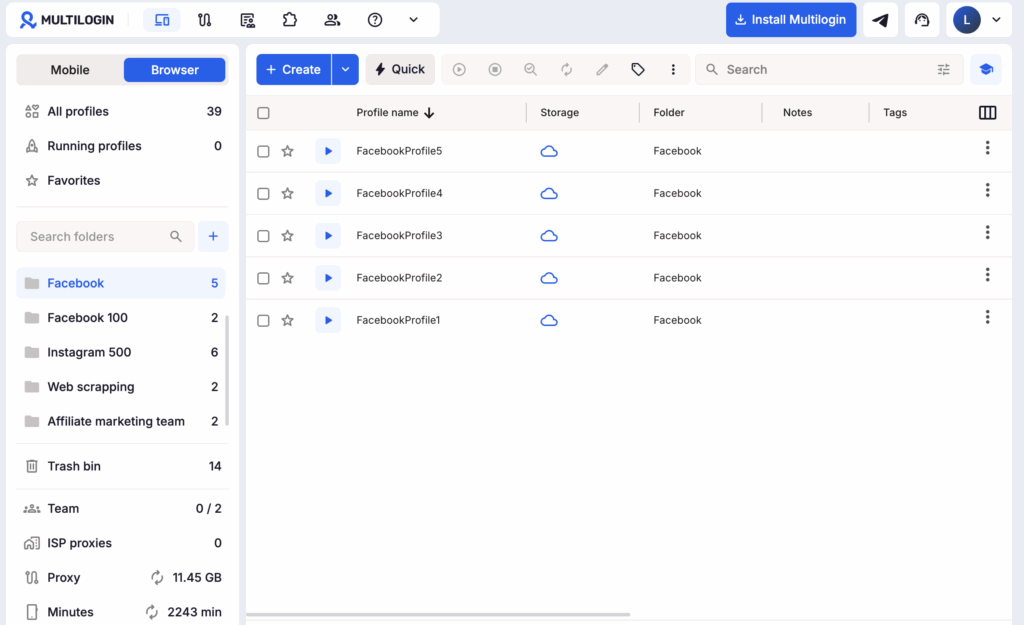
Multilogin is a cloud phone platform for social media management that also includes isolated browser profiles. In an Ads Library workflow, the browser side can provide repeatable research environments while the Multilogin API connects profiles to Selenium, Puppeteer, or Playwright. Teams can separate profiles by client or market and control who works in each environment.
The value is operational: keeping approved workflows organized, separating client research, and making browser configuration consistent for the team.
Cloud phones serve a different purpose. They are not required to collect public Ad Library listings. They are useful after collection, when the research team needs to inspect a mobile destination or Android app journey. A team can open selected landing pages on Multilogin cloud phones for social media management, check mobile rendering, validate localization, and document what happens after the click without relying on employees’ personal phones.
A solid division of work is:
- Browser profile or official API: collect public ad records
- Database and AI: normalize, group, and analyze them
- Cloud phone: validate selected mobile landing pages and app experiences
- Human reviewer: confirm findings and approve the report
A solid division of work is:
- Browser profile or official API: collect public ad records
- Database and AI: normalize, group, and analyze them
- Cloud phone: validate selected mobile landing pages and app experiences
- Human reviewer: confirm findings and approve the report


Manage multiple accounts with Android cloud phones
Build account trust, reach new locations, and grow faster from one dashboard
Conclusion
Automating Facebook Ads Library research is valuable when it replaces repetitive collection with a consistent, verifiable process. The right setup depends on your scope: manual research may be enough for a small review, while recurring monitoring may require an official API or browser automation. Whichever method you choose, preserve the source data, separate published facts from inferred insights, and follow Meta’s terms and applicable data rules.
Multilogin helps teams organize the operational side of this workflow. Its isolated browser profiles support approved automation with Selenium, Puppeteer, and Playwright, while team permissions keep research environments separated by client or market. Once relevant ads have been identified, Multilogin cloud phones let you inspect their mobile landing pages and Android app journeys in dedicated mobile environments.
Instead of combining browser research and mobile testing across disconnected tools, manage them all from one platform.
Start with Multilogin for free today and build a more structured workflow for Facebook ad research and mobile validation.
FAQ
Can you scrape the Facebook Ads Library without logging in?
Yes, the public Meta Ad Library can generally be searched without a login. If you’re not sure, review Meta’s current terms and your granted access.
What is the best Facebook Ads Library scraper?
You can start with an official Meta interface or API. For small projects, manual collection may be best. Assess authorization, data handling, reliability, and maintenance cost before using other tools.
Can Ads Library data reveal a competitor's winning ads?
Not directly. Commercial listings do not ordinarily expose conversions, CPA, ROAS, or exact spend. Duration, repeated variants, and creative persistence can support hypotheses, but they do not prove profitability.
Can AI analyze Facebook ad creatives automatically?
Yes. AI can classify copy, hooks, offers, formats, and funnel stages. Use a fixed taxonomy, store confidence levels, and review samples. Do not present inference as a Meta-published fact.
What is a cloud phone?
A cloud phone is a real Android device hosted in the cloud. You access it from your desktop, but it runs like a physical smartphone with its own operating system, hardware identifiers, and storage.
Can cloud phones scrape the Meta Ads Library?
No. Multilogin browser profiles can support web automation. Cloud phones are better used to validate mobile landing pages, app flows, regional presentation, and post-click experiences.