


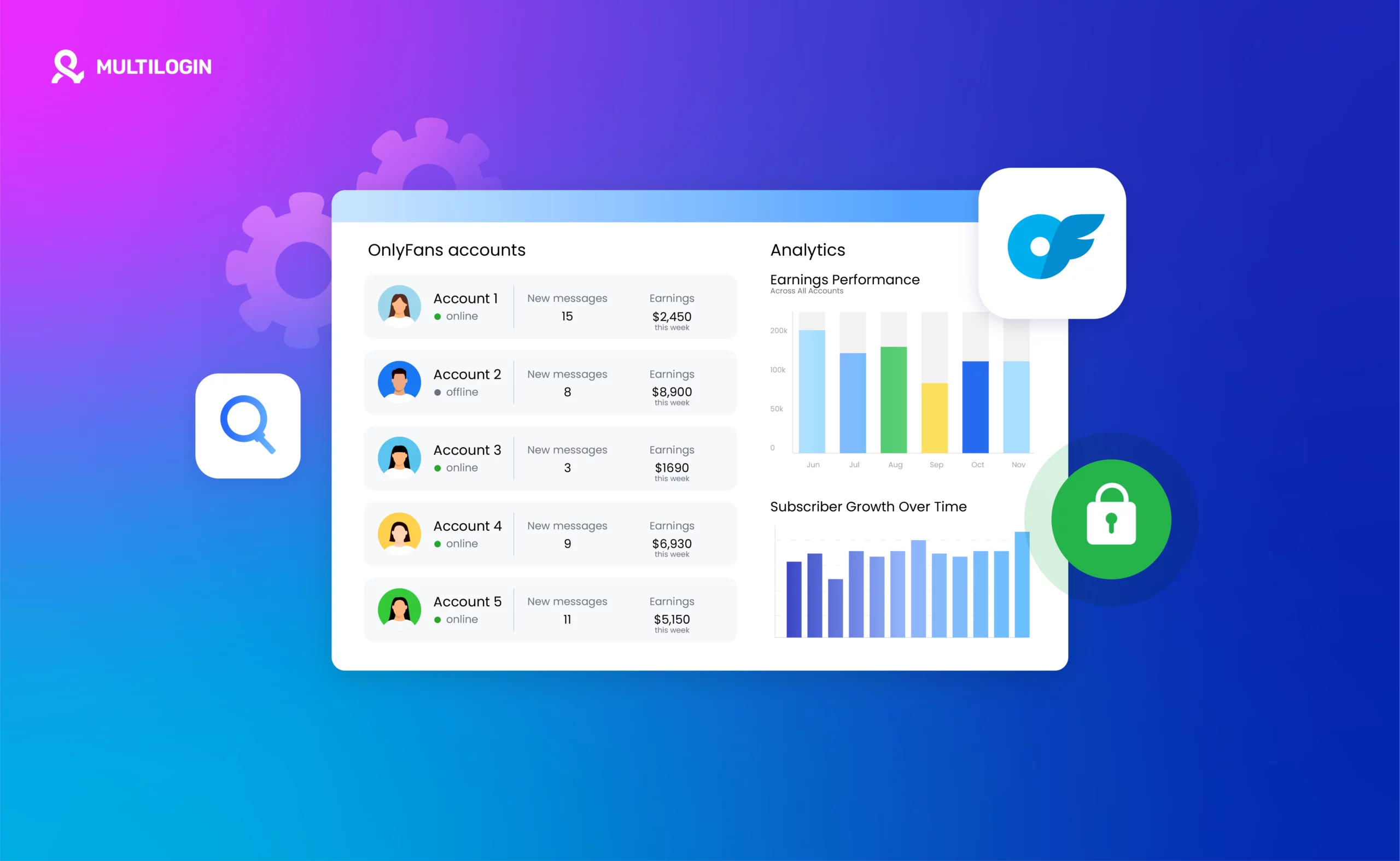



OnlyFans questions break down into two camps: fans asking how to pay and stay anonymous, and creators asking how to get paid, set up pay-per-view, and handle taxes. This guide covers both sides properly.
But there is a third group that most OnlyFans articles ignore entirely: creators managing multiple OnlyFans accounts for different niches, brands, or clients. If that is you, the payment and account management situation is more complicated than it looks, and trying to run multiple accounts without the right setup is a fast track to getting them all banned at once.
We will get to that. But first, the basics.
How to Pay on OnlyFans
Paying on OnlyFans as a subscriber is straightforward. Here is the basic process:
- Create an OnlyFans account at onlyfans.com (free to register)
- Go to your wallet settings and add a payment method
- Find a creator you want to subscribe to and click “Subscribe”
- Choose your subscription tier and confirm payment
OnlyFans accepts credit and debit cards as the primary payment method. Visa, Mastercard, Maestro, and Discover cards are supported. The charge appears on your bank statement as a generic descriptor rather than “OnlyFans” directly, though the company name does appear in some statements depending on your bank.
If your payment is being declined, the most common reasons are: your card does not support international transactions, your bank has blocked adult content platforms, or your card details were entered incorrectly. Try a different card or contact your bank to lift the restriction.
Can You Use Apple Pay on OnlyFans?
This is one of the most searched questions about OnlyFans payments, and the answer has changed over the years.
As of 2026, Apple Pay is not directly supported on OnlyFans. OnlyFans processes payments through card-based systems, and Apple Pay as a standalone payment option is not available at checkout on the OnlyFans website.
However, if your Apple Pay is linked to a debit or credit card, you can add that same card directly to OnlyFans. The underlying card is what gets charged, not Apple Pay as a service. So while you cannot tap to pay with Face ID on the OnlyFans website, the card connected to your Apple Pay wallet works fine when entered as a standard card.
On iOS devices, some users have reported being able to use Apple Pay through the OnlyFans mobile web experience, but this is inconsistent and not officially supported. If you are trying to pay on OnlyFans using an iPhone, the most reliable method is adding your card details directly.
Can You Pay on OnlyFans with PayPal?
PayPal is not accepted on OnlyFans. This has been the case for a long time and is unlikely to change given PayPal’s policies around adult content platforms.
If you have seen guides claiming PayPal works on OnlyFans, they are either outdated or inaccurate. OnlyFans relies entirely on card-based payments for subscriptions and pay-per-view purchases.
Similarly, Google Pay is not directly supported on OnlyFans as a payment method. The same workaround applies as with Apple Pay: if your Google Pay account is linked to a card, you can add that card directly to OnlyFans.
Gift cards do not work on OnlyFans either. OnlyFans does not accept gift card payments of any kind.
Chase cards work on OnlyFans as long as international or adult content transactions are not blocked on your account. If a Chase payment is being declined, call the number on the back of your card and ask them to allow the transaction.
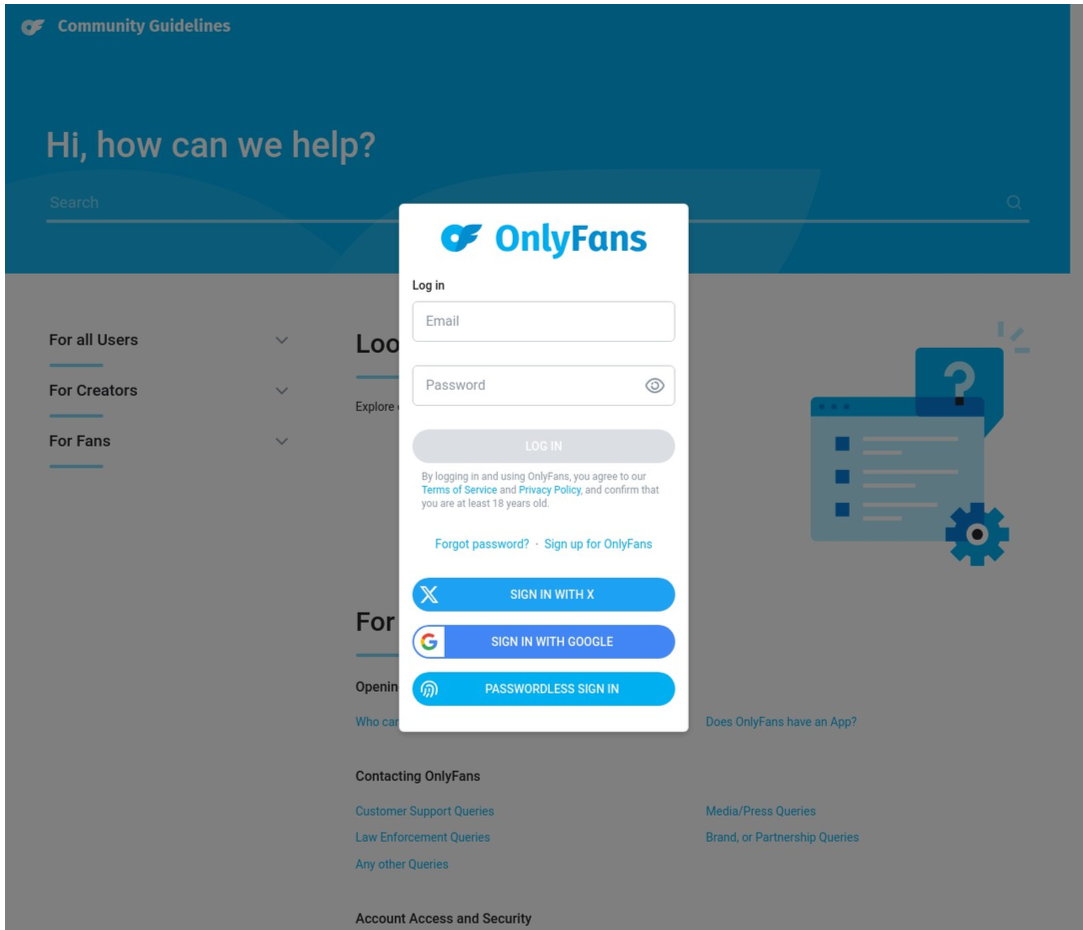
Can You Pay Anonymously on OnlyFans?
This comes up constantly, and the honest answer is: you can reduce what is visible, but true anonymity is not achievable through normal payment methods.
Here is what happens when you pay on OnlyFans:
What the creator sees: Creators can see your username and your subscription status. They do not see your real name, card number, or billing address. Your identity on OnlyFans is your username, so if your username is not identifiable, the creator has no way to know who you are.
What OnlyFans sees: OnlyFans processes your payment and holds your full billing details on file. This is required for fraud prevention and compliance. OnlyFans does not share this with creators.
What appears on your bank statement: The charge description varies by bank but often appears as “OnlyFans” or a related descriptor. If you are worried about this, the most practical options are using a prepaid card (loaded with cash), a virtual card from services like Privacy.com, or a card that is not connected to a shared account.
Is your payment anonymous to others? If you use a username that is not tied to your real identity and pay with a card that is not a joint account, your activity on OnlyFans is effectively private from anyone other than OnlyFans itself.
To pay more anonymously on OnlyFans: create an account with a username that is not your real name, use a separate email address, and pay with a prepaid debit card or a virtual card number. This is the closest you can get to genuinely anonymous payment.
How to Pay on OnlyFans Without a Credit Card
If you do not have or do not want to use a credit card, your options are:
Prepaid debit cards: Buy a prepaid Visa or Mastercard from a pharmacy or supermarket, load it with cash, and use it on OnlyFans. This works as long as the card supports online transactions and has enough balance.
Virtual card services: Privacy.com (US only) lets you create virtual card numbers linked to your bank account. You can set spending limits and the card number is separate from your real card details. This is a popular option for privacy-conscious users.
Debit cards: Regular debit cards linked to a bank account work on OnlyFans the same way credit cards do. If you have a debit card with a Visa or Mastercard logo, it will work.
What does not work: PayPal, Apple Pay as a standalone method, Google Pay as a standalone method, gift cards, cryptocurrency, and bank transfers are all not accepted on OnlyFans.
Do You Have to Pay to Post or Sell on OnlyFans?
No. Creating an OnlyFans account and posting content is free. OnlyFans takes a 20% commission on all earnings: subscriptions, tips, pay-per-view messages, and any other monetized content. You keep 80% of everything you earn.
There is no monthly fee, listing fee, or upfront cost to be a creator on OnlyFans. You do not pay to post, to sell pictures, to sell videos, or to message subscribers. You only ever pay OnlyFans through their commission on your earnings.
Similarly, there is no cost to chat with subscribers or to receive messages. If you send a pay-to-unlock message, OnlyFans takes 20% when the subscriber pays to unlock it.
How to Set Up Pay Per View on OnlyFans
Pay-per-view (PPV) on OnlyFans is one of the most effective monetization tools available to creators. It lets you charge subscribers individually for specific pieces of content, on top of their regular subscription.
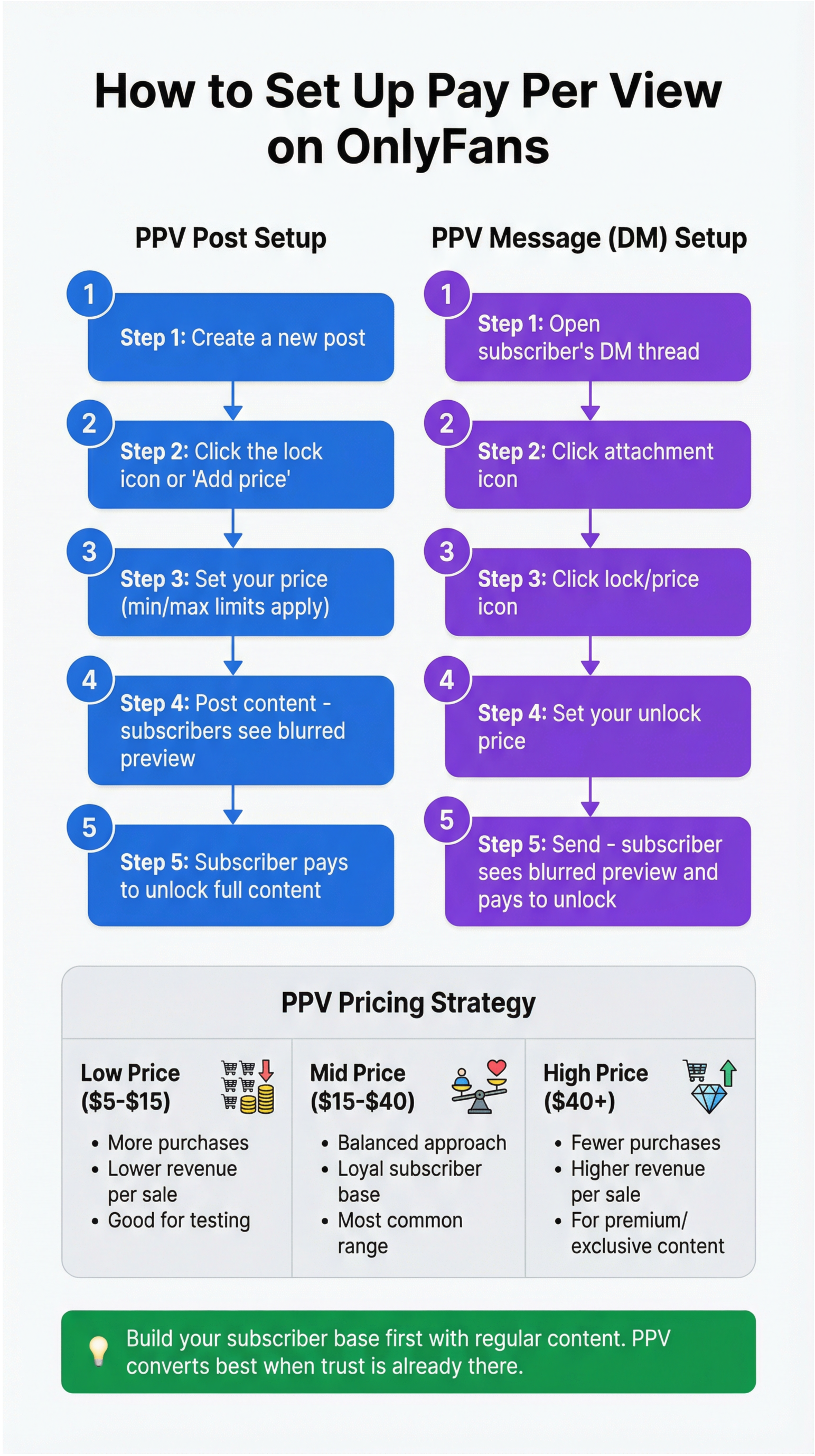
How to Add Pay Per View to a Post
- When creating a new post, look for the lock icon or “Add price” option
- Set your price (OnlyFans has a minimum and maximum PPV amount)
- Post the content as normal
- Subscribers see a preview and are prompted to pay to unlock the full content
How to Send a Pay to Unlock Message
PPV messages are sent through the OnlyFans DM system:
- Go to a subscriber’s messages
- Click the attachment icon to add a photo or video
- Look for the lock or price icon to set a pay-to-unlock price
- Send the message
- The subscriber sees a blurred preview and pays to view the full content
How to Use Pay Per View Effectively
PPV works best when the subscriber already trusts your content and knows the full version is worth paying for. Creators who do well with PPV typically build a subscriber base first through regular content, then use PPV for premium or exclusive material.
Pay-per-view pricing varies widely. Lower-priced PPV content gets more purchases but less revenue per sale. Higher-priced content earns more per purchase but to a smaller audience. Testing different price points with different types of content is the standard approach.
Do You Have to Pay Taxes on OnlyFans?
Yes. OnlyFans income is taxable income in every country where OnlyFans operates. This is not optional, and “I did not know” is not a defense with tax authorities.
Here is how it breaks down by region:
Taxes on OnlyFans Income in the United States
In the US, OnlyFans income is self-employment income. You owe federal income tax on everything you earn, plus self-employment tax (15.3% on top of regular income tax) because you are effectively running your own business.
OnlyFans sends a 1099-NEC form to US creators who earn over $600 in a year. If you earn under $600, you still owe taxes on the income, you just do not receive a 1099. You report OnlyFans income on Schedule C of your federal tax return.
How much can you make on OnlyFans before paying taxes? Technically, any income is taxable. The $600 threshold only refers to when OnlyFans is required to send you a 1099 form. You owe tax on every dollar earned.
How much tax do you pay on OnlyFans income? The total depends on your tax bracket and your state. As a rough guide: expect to set aside 25% to 40% of your OnlyFans earnings for federal taxes, self-employment tax, and state taxes combined. The exact amount depends on your total income, deductions, and location.
What you can deduct: As a self-employed creator, you can deduct legitimate business expenses. Equipment (cameras, lighting, phones, computers), software subscriptions, props, home office expenses, internet costs, and platform fees are all potentially deductible. Keep receipts for everything.
Quarterly estimated taxes: If you earn more than a small amount from OnlyFans, you are expected to pay estimated taxes quarterly rather than waiting until the end of the year. Missing quarterly payments results in penalties. The due dates are roughly April, June, September, and January for the previous year’s income.
Taxes on OnlyFans Income in the UK
In the UK, OnlyFans income is taxed as self-employment income through Self Assessment. You register as self-employed with HMRC and file a Self Assessment tax return each year.
The personal allowance (the amount you can earn tax-free) is set by HMRC each year. Income above that threshold is taxed at the standard income tax rates. You also pay Class 4 National Insurance contributions on self-employment profits above the lower profits limit.
OnlyFans itself does not deduct tax from your earnings. It is entirely your responsibility to register with HMRC, track your income, and file your return by the January 31 deadline each year.
Taxes on OnlyFans Income in Australia
In Australia, OnlyFans income is taxable as personal income and must be declared on your tax return. If you are earning regularly from OnlyFans, the ATO considers this a business activity, which means you may need to register for an ABN and potentially for GST if your earnings exceed the GST threshold.
Keep records of all income and any deductible expenses throughout the year. The ATO has become increasingly aware of creator income from platforms like OnlyFans.
General Tax Advice for OnlyFans Creators
Regardless of where you are based, the three things that keep you out of trouble are: track every dollar you earn, track every legitimate business expense, and consult a tax professional who understands self-employment or creator income. The tax rules are not complicated once you understand them, but the consequences of getting them wrong are real.
What Pays the Most on OnlyFans?
The honest answer is that top earners on OnlyFans are not just posting content and waiting. They are running their accounts like a business. Here is what actually drives the highest income on the platform:
Pay-per-view messages. The highest-earning creators send consistent PPV content directly to subscribers through DMs. This converts better than posts because it feels personal and direct.
Tiered subscriptions. Having multiple subscription tiers (a lower-priced public tier and a higher-priced exclusive tier) captures more subscribers at different price sensitivities while maximizing revenue from superfans.
Tips. Creators who engage with subscribers personally and create genuine connection earn significantly more in tips than those who just post content.
Multiple accounts for different niches. Many successful creators run more than one OnlyFans account targeting different audience segments. A different aesthetic, a different niche, a different price point. Each account operates independently and builds its own subscriber base.
This last point is where the conversation about cloud phones becomes directly relevant. Running multiple OnlyFans accounts is not as simple as creating two profiles and switching between them on your phone. OnlyFans, like most platforms, actively looks for signs that multiple accounts are being operated by the same person. If they detect it, they restrict or ban the accounts.
Why Serious OnlyFans Creators Use Cloud Phones
If you are running one OnlyFans account casually, a regular phone and browser setup is fine. But if you are serious about the platform, whether that means managing multiple accounts for different content niches, running accounts for clients as a manager, or scaling your income across several profiles, you need a setup that actually works. And that setup is Multilogin Cloud Phones.
Do You Have to Pay Taxes on OnlyFans?
Yes. OnlyFans income is taxable income in every country where OnlyFans operates. This is not optional, and “I did not know” is not a defense with tax authorities.
Here is how it breaks down by region:
Taxes on OnlyFans Income in the United States
In the US, OnlyFans income is self-employment income. You owe federal income tax on everything you earn, plus self-employment tax (15.3% on top of regular income tax) because you are effectively running your own business.
OnlyFans sends a 1099-NEC form to US creators who earn over $600 in a year. If you earn under $600, you still owe taxes on the income, you just do not receive a 1099. You report OnlyFans income on Schedule C of your federal tax return.
How much can you make on OnlyFans before paying taxes? Technically, any income is taxable. The $600 threshold only refers to when OnlyFans is required to send you a 1099 form. You owe tax on every dollar earned.
How much tax do you pay on OnlyFans income? The total depends on your tax bracket and your state. As a rough guide: expect to set aside 25% to 40% of your OnlyFans earnings for federal taxes, self-employment tax, and state taxes combined. The exact amount depends on your total income, deductions, and location.
What you can deduct: As a self-employed creator, you can deduct legitimate business expenses. Equipment (cameras, lighting, phones, computers), software subscriptions, props, home office expenses, internet costs, and platform fees are all potentially deductible. Keep receipts for everything.
Quarterly estimated taxes: If you earn more than a small amount from OnlyFans, you are expected to pay estimated taxes quarterly rather than waiting until the end of the year. Missing quarterly payments results in penalties. The due dates are roughly April, June, September, and January for the previous year’s income.
Taxes on OnlyFans Income in the UK
In the UK, OnlyFans income is taxed as self-employment income through Self Assessment. You register as self-employed with HMRC and file a Self Assessment tax return each year.
The personal allowance (the amount you can earn tax-free) is set by HMRC each year. Income above that threshold is taxed at the standard income tax rates. You also pay Class 4 National Insurance contributions on self-employment profits above the lower profits limit.
OnlyFans itself does not deduct tax from your earnings. It is entirely your responsibility to register with HMRC, track your income, and file your return by the January 31 deadline each year.
Taxes on OnlyFans Income in Australia
In Australia, OnlyFans income is taxable as personal income and must be declared on your tax return. If you are earning regularly from OnlyFans, the ATO considers this a business activity, which means you may need to register for an ABN and potentially for GST if your earnings exceed the GST threshold.
Keep records of all income and any deductible expenses throughout the year. The ATO has become increasingly aware of creator income from platforms like OnlyFans.
General Tax Advice for OnlyFans Creators
Regardless of where you are based, the three things that keep you out of trouble are: track every dollar you earn, track every legitimate business expense, and consult a tax professional who understands self-employment or creator income. The tax rules are not complicated once you understand them, but the consequences of getting them wrong are real.
What Pays the Most on OnlyFans?
The honest answer is that top earners on OnlyFans are not just posting content and waiting. They are running their accounts like a business. Here is what actually drives the highest income on the platform:
Pay-per-view messages. The highest-earning creators send consistent PPV content directly to subscribers through DMs. This converts better than posts because it feels personal and direct.
Tiered subscriptions. Having multiple subscription tiers (a lower-priced public tier and a higher-priced exclusive tier) captures more subscribers at different price sensitivities while maximizing revenue from superfans.
Tips. Creators who engage with subscribers personally and create genuine connection earn significantly more in tips than those who just post content.
Multiple accounts for different niches. Many successful creators run more than one OnlyFans account targeting different audience segments. A different aesthetic, a different niche, a different price point. Each account operates independently and builds its own subscriber base.
This last point is where the conversation about cloud phones becomes directly relevant. Running multiple OnlyFans accounts is not as simple as creating two profiles and switching between them on your phone. OnlyFans, like most platforms, actively looks for signs that multiple accounts are being operated by the same person. If they detect it, they restrict or ban the accounts.
Why Serious OnlyFans Creators Use Cloud Phones
If you are running one OnlyFans account casually, a regular phone and browser setup is fine. But if you are serious about the platform, whether that means managing multiple accounts for different content niches, running accounts for clients as a manager, or scaling your income across several profiles, you need a setup that actually works. And that setup is Multilogin Cloud Phones.
OnlyFans Detects Shared Devices and Shared IPs
OnlyFans tracks device fingerprints, IP addresses, cookies, and behavioral patterns. When two accounts log in from the same phone, the same laptop, or the same home internet connection, OnlyFans connects them. This is how multi-account operations get caught even when they are using separate email addresses and separate usernames.
The platform does not need to see you switch between accounts. It sees the same device, the same IP, the same session environment, and draws the same conclusion. Both accounts get flagged, restricted, or permanently banned.
What a Cloud Phone Actually Does
A Multilogin Cloud Phone is a real Android device running in the cloud. Not a simulator. Not a browser trick. A genuine Android device with its own hardware identifiers: its own IMEI, Android ID, MAC address, and mobile data connection.
When OnlyFans sees traffic from a cloud phone, it sees a real phone with its own identity, its own IP address, and its own location data. There is nothing connecting it to your other accounts because, at the device level, there is nothing shared between them.
Each cloud phone runs its own instance of the OnlyFans app. Each account has its own login, its own session, its own activity history. To OnlyFans, they look like completely separate creators using completely different phones in completely different locations.
Persistent Sessions Build Real Account History
One of the signals OnlyFans (and every major platform) uses to assess whether an account is legitimate is how it has been used over time. A brand new account that suddenly starts sending dozens of PPV messages looks different from an account that has been active for six months with consistent posting and engagement.
Multilogin Cloud Phones support persistent app sessions. App data, cache, and login states are saved between sessions, just like a real phone that someone picks up and uses every day. Your OnlyFans accounts on cloud phones build genuine activity history over time, which makes them look like real, established creators rather than freshly spun-up accounts.
This matters enormously for how OnlyFans treats your accounts. Established-looking accounts get fewer friction events, fewer verification requests, and far less scrutiny than accounts that look like they appeared out of nowhere.
Each Account Gets Its Own IP and Location
Matching IP address is one of the clearest signals that two accounts belong to the same person. Even if you use a VPN, most VPN services rotate IPs across a shared pool, which means multiple accounts using the same VPN can still appear connected to OnlyFans.
Each Multilogin Cloud Phone runs with a dedicated mobile-grade proxy matched to a specific country or region. The IP address is unique to that cloud phone and stays consistent across sessions. OnlyFans sees a stable, location-consistent account history for each of your profiles, which is exactly what genuine separate creators look like.
You Manage Everything From One Dashboard
Running multiple OnlyFans accounts the old way means switching between devices, juggling browsers, managing different VPNs, and constantly worrying about accidentally logging into the wrong account from the wrong environment. It is exhausting and error-prone.
With Multilogin, all your cloud phones are managed from a single dashboard. You can see which phones are active, launch and pause sessions in bulk, and organize accounts with custom tags and notes. When you need to access a specific account, you open its cloud phone. When you are done, you close it. The session data stays on that phone, exactly as it was.
For agencies or managers running OnlyFans accounts on behalf of clients, Multilogin’s team features let you give team members access to specific cloud phones without sharing the actual OnlyFans account credentials. Each person works through Multilogin, accounts stay secure, and you have full visibility over who is accessing what.
The Real Cost of Getting This Wrong
If OnlyFans links your accounts and bans them, you lose everything on those accounts: subscriber lists, earnings, content, payment history. There is no appeal process that reliably works. The accounts are gone.
The creators who scale successfully on OnlyFans are not taking that risk. They are running each account in its own isolated environment from the start, building each one as a genuinely independent profile, and managing everything through a system that keeps the accounts clean.
That is what cloud phones make possible. Not as a workaround or a hack, but as the right infrastructure for running a serious multi-account operation.
Explore Multilogin Cloud Phones | Guide to managing multiple OnlyFans accounts


Manage multiple accounts with Android cloud phones
Build account trust, reach new locations, and grow faster from one dashboard
Summary: Cloud Phone Infrastructure for OnlyFans
Whether you are a subscriber looking for the simplest way to pay, or a creator trying to understand taxes and PPV, OnlyFans is a more straightforward platform than it looks from the outside.
The complexity kicks in when you start scaling. Running multiple accounts for different niches or clients is where the real income potential is, and it is also where most people get their accounts banned because they never gave those accounts a proper foundation.
Multilogin Cloud Phones give each account what it needs to survive long term: its own real Android device, its own IP, its own persistent session history, and no shared signals connecting it to your other accounts. That is the difference between accounts that last and accounts that disappear.
Frequently asked questions About How to Pay on OnlyFans in 2026
No. OnlyFans does not accept PayPal. Card-based payments (Visa, Mastercard, Maestro, Discover) are the only accepted method. Prepaid debit cards and virtual card numbers also work.
Apple Pay is not directly supported on OnlyFans. You can add the card linked to your Apple Pay wallet directly to OnlyFans, which works the same way.
You can be effectively anonymous to creators by using a username that is not your real name. OnlyFans itself holds your billing details but does not share them with creators. For greater payment anonymity, use a prepaid card or a virtual card number from a service like Privacy.com.
Yes. In every country where OnlyFans operates, creator income is taxable as self-employment income. In the US, expect to set aside 25% to 40% for taxes. Register as self-employed with HMRC in the UK. In Australia, declare income to the ATO. Track all business expenses as potential deductions.
No. Posting content is free. OnlyFans takes a 20% commission on your earnings. There are no listing fees, subscription fees, or upfront costs for creators.


