


Now let’s compare the platforms.
What Is a Cloud Mobile Phone and Why Does It Matter for SMM?
A cloud mobile phone is an Android environment that runs remotely instead of directly on the smartphone in your hand.
You connect to it over the internet from a supported desktop application, browser, mobile device, or other client depending on the provider.
Once connected, you can use Android apps and interact with the remote environment much like another phone.
The infrastructure underneath can vary.
VMOS Cloud, for example, officially describes its platform as using self-developed ARM servers and virtualization technology. Hippo Cloud says its cloud phones use real smartphone chips. BitBrowser describes BitCloudPhone as an Android emulator on browser while also stating that it uses real mobile chipsets. Multilogin describes its cloud phones as remote Android environments running on ARM-based hardware.
That is why terms such as cloud phone Android, Android cloud phone, and cloud Android phone can describe products with different implementations.
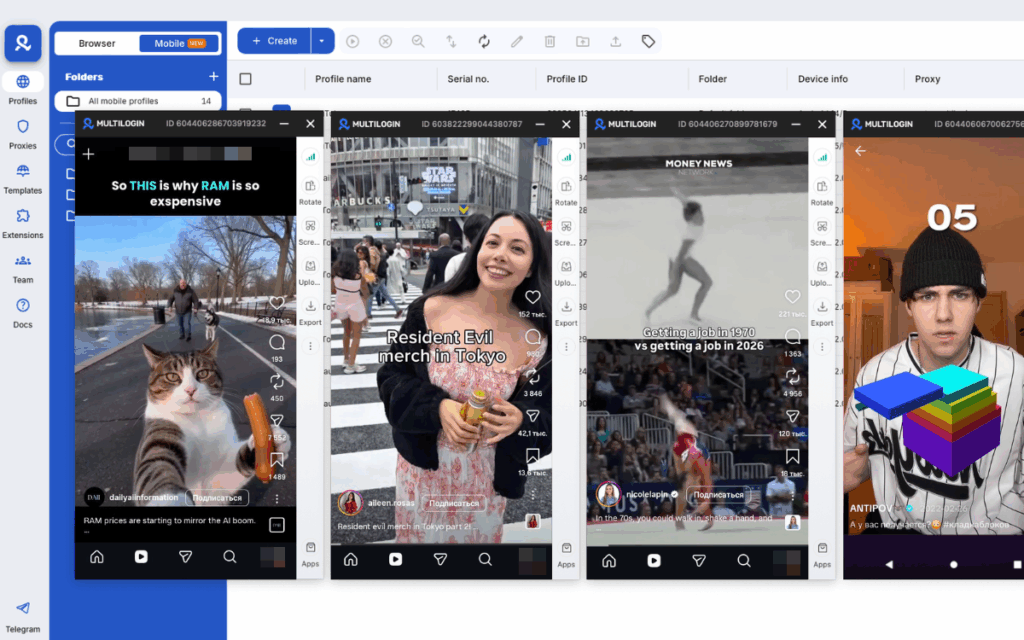
For social media teams, the appeal is straightforward.
You can add Android environments without buying more physical phones.
Instead of ordering, charging, storing, and maintaining another handset for every workflow, you create another remote Android environment.
You can keep mobile workflows separated.
Apps, login states, files, settings, and device data can remain inside their respective cloud environments rather than piling several workflows onto the same physical phone.
Your team can work remotely.
Several platforms provide device sharing, team roles, permissions, or browser-based remote access.
You can control more devices from one interface.
Synchronizers, batch controls, APIs, ADB, and RPA become increasingly valuable once you move beyond a handful of phones.
If you are still deciding whether you need a cloud Android device rather than a local emulator, see our cloud phones vs. mobile emulators comparison.
1. Multilogin Cloud Phone
Multilogin is a cloud phone platform for social media marketers that combines Android cloud phones and browser profiles in one workspace.
For mobile workflows, each social profile can use its own Android cloud phone. For web workflows, Multilogin also provides separate browser profiles.
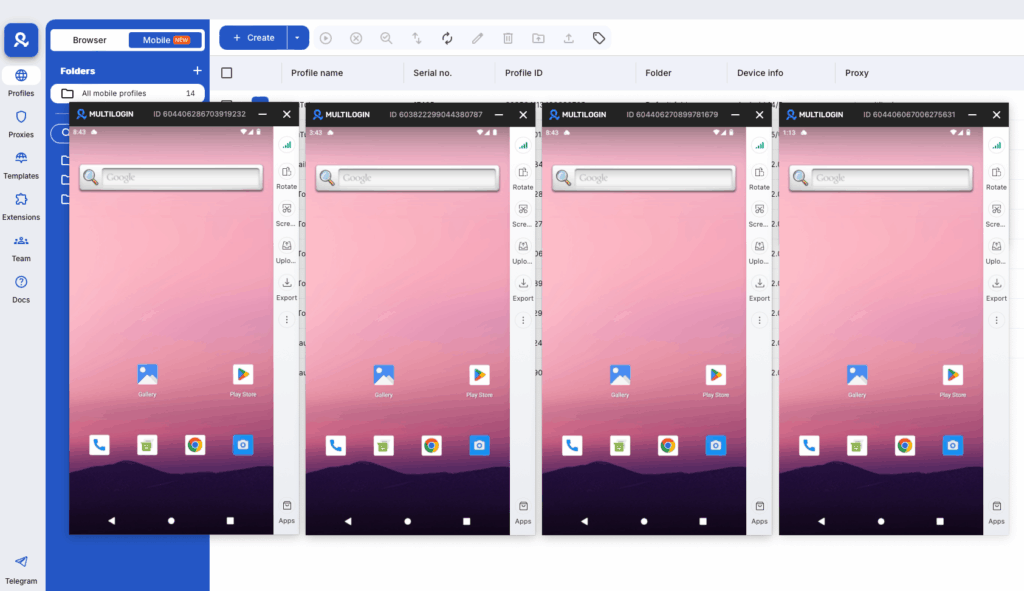
The current Cloud Phone product runs remote Android environments on ARM-based hardware. Multilogin’s official Cloud Phone page lists stable Android versions 10–16, support for 12 Android device brands, built-in residential proxy integration, and access to 30M+ IPs across 150+ countries and 1,400+ cities.
Key Features
- Android cloud phones for native mobile app workflows
- Stable Android 10–16 environments
- Support for 12 Android device brands
- Persistent app data and sessions
- Built-in app library and Google Play installation
- Browser profiles for web workflows
- Built-in residential proxy integration
- 30M+ IPs across 150+ countries
- Folders, tags, and access controls
- Bulk cloud-phone operations
- API access
- ADB support on Android 11 or later on paid plans
- Appium-compatible workflows through ADB
- Team collaboration features
- Two-factor authentication
Multilogin’s official documentation confirms that ADB can be used with cloud phones running Android 11 or later and is available on paid plans. Its API can create, update, start, stop, organize, and check Android cloud phones, while ADB or tools such as Appium handle actions inside native Android apps.
Multilogin cloud phone price
Multilogin has a Free plan with no time limit and no credit card required.
The current Free plan includes:
- Up to 5 cloud profiles total
- A maximum of 1 mobile profile
- 30 mobile minutes as a one-time bonus
- 200 MB of premium proxy traffic as a one-time bonus
- Cloud storage for profiles
Paid plans currently start from $7.08/month. The live pricing page lists Pro options for 10, 20, and 50 profiles, with monthly proxy traffic and mobile minutes included according to the selected plan.
| Pros | Cons |
|---|---|
| ✅ Android cloud phones and browser profiles in one platform | A reliable internet connection matters for remote cloud-phone sessions |
| ✅ Built-in residential proxy integration | |
| ✅ Free plan with no credit card | |
| ✅ Persistent Android environments | |
| ✅ API and ADB support | |
| ✅ Paid plans from $7.08/month |
One detail to remember with the Free plan: Multilogin states that you need to start at least one profile every seven days to prevent automatic deletion of profiles on an inactive Free account.
Who Is It For?
Multilogin is built for social media marketers, agencies, creators, e-commerce teams, affiliate and media buyers, and AI workflow builders managing multiple social profiles.
The main difference is that the workflow does not stop at Android. TikTok, Instagram, Facebook, and other mobile-app workflows can use cloud phones, while Reddit, YouTube web, dashboards, seller centers, CRMs, and other browser workflows can use browser profiles from the same platform.
See how that setup works in our guide to managing multiple social media accounts with Multilogin.
2. GeeLark
GeeLark combines cloud Android phones with browser profiles, automation, AI tools, team features, and multi-device controls.
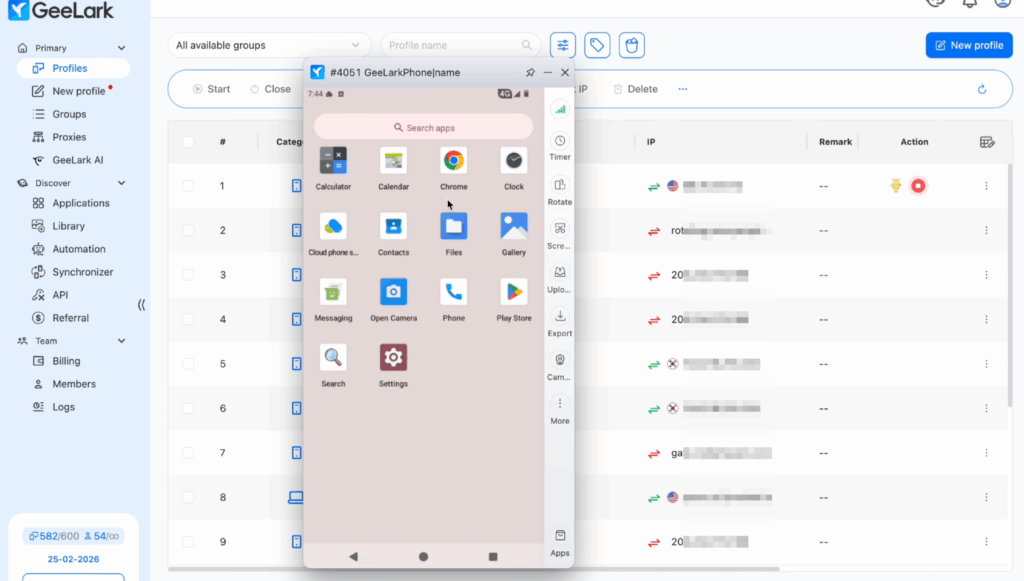
- Cloud Android profiles
- Android 9–16 options
- Browser profiles
- Proxy configuration
- RPA templates
- API on supported plans
- Synchronizer
- ADB on eligible plans
- Bulk profile-management features
- AI image and video tools
- Team seats
- Monthly device rentals
- Parallel sessions
GeeLark cloud phone price
GeeLark’s Free plan currently includes:
- 2 profiles
- 30 cloud-phone minutes
- 1 seat
Standard cloud-phone usage costs $0.007 per minute. On paid subscriptions, GeeLark applies a $1.20 daily cap per device, so minute charges stop increasing after the device reaches that amount for the day.
Users who need longer-running devices can rent a cloud phone for $29.90/device/month with unlimited minutes during the rental period.
GeeLark also sells Parallels for $39.90/parallel/month and separate minute packages for larger usage volumes.
| Pros | Cons |
| ✅ Free plan with 2 profiles and 30 minutes | Synchronizer, profile cloning, and quick/bulk profile creation are not available on the Free or Base plans |
| ✅ Cloud phones and browser profiles | API access requires Base or higher |
| ✅ Strong RPA and Synchronizer functionality | Parallels cost an additional $39.90/parallel/month |
| ✅ Android versions up to Android 16 | |
| ✅ AI content tools |
Who Is It For?
GeeLark is designed for workflows involving multiple cloud Android phones, with tools for bulk device management, synchronized actions, RPA automation, APIs, and AI-assisted content workflows.
Its Synchronizer can mirror supported clicks, swipes, scrolling, and text input from one main cloud phone across multiple selected Android devices, while RPA can run predefined repetitive workflows across multiple cloud phone profiles.
3. VMOS Cloud
VMOS Cloud provides remotely hosted Android devices built on its own ARM-server and virtualization architecture.
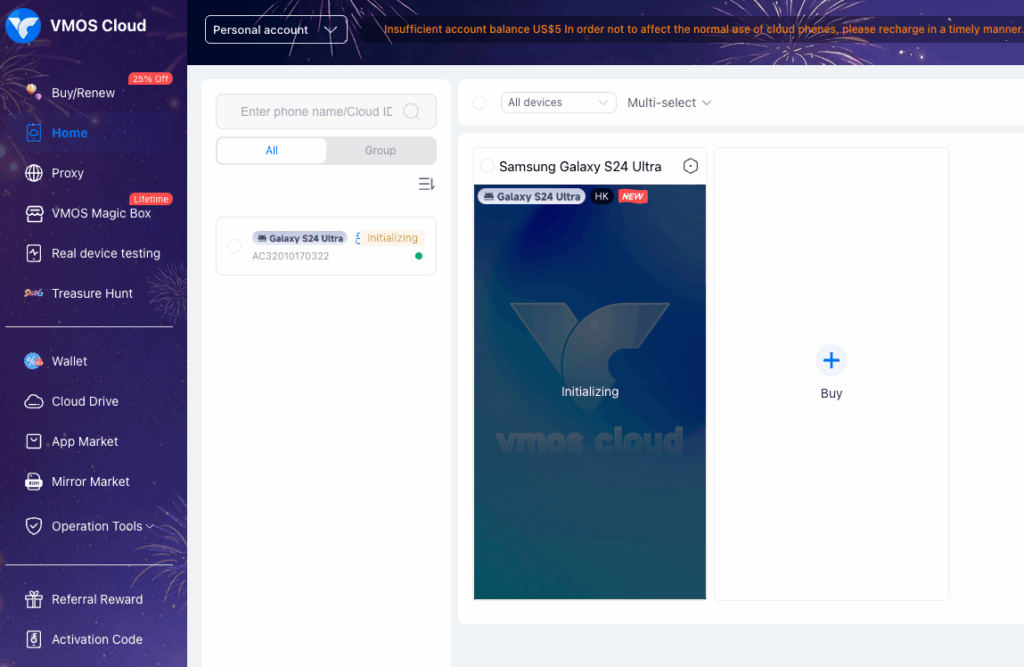
Its official product documentation says users can access cloud phones from Android, iOS, web, and PC environments, while its download center currently provides Windows, macOS, Android, iOS, Linux, and Google Play versions.
VMOS has also expanded into synchronizer controls, team management, proxy services, AIGC features, and higher-end cloud real-device options.
Key Features
- ARM-based cloud-phone infrastructure
- Per-minute and monthly cloud devices
- Higher-end real-device options
- Synchronizer for multi-device control
- Team Hub with role-based access
- Batch Android operations
- Proxy management
- HTTP, HTTPS, and SOCKS5 proxy support
- ADB functionality
- Windows, macOS, Linux, Android, and iOS access
VMOS says its Synchronizer can mirror actions from one main device to multiple cloud phones, including clicks, swipes, text input, app actions, uploads, restarts, and ADB-related operations.
VMOS Cloud phone price
VMOS currently lists several pricing models.
Per-minute device
- V06 Timed: $0.006/minute
Its help documentation says a timed device starts with a $0.29 non-refundable fee that includes 60 minutes. After those minutes are used, billing switches to $0.006/minute with a $1.00 daily cap per device.
Standard monthly cloud devices
| VMOS model | Price |
| V08 | $4.99/month |
| V06 | $6.99/month |
| V04 | $8.99/month |
| V03 | $10.99/month |
VMOS also currently lists higher-end real-device options from $13.99/month for selected Android 14 and Android 15 devices.
Proxy services are a separate product category. VMOS publishes separate prices for static ISP residential, datacenter, and dynamic residential proxy services, while users can also add their own proxies.
| Pros | Cons |
| ✅ Standard devices from $4.99/month | Proxy services are priced separately |
| ✅ $0.006/minute timed option | Different device categories make direct price comparison less simple |
| ✅ Synchronizer and Team Hub | Browser-profile management is not the core product |
| ✅ Several client platforms | |
| ✅ Higher-end real-device options |
Who Is It For?
VMOS Cloud makes sense for users primarily interested in cloud Android access, large multi-device operations, social media automation, app testing, or workflows where Android is the main environment.
4. BitCloudPhone (BitBrowser)
BitCloudPhone is BitBrowser’s Android product. The terminology is worth getting right here.
BitBrowser’s official product page describes BitCloudPhone as an “Android emulator on browser” while also stating that it uses real mobile chipsets to match parameters such as language, timezone, location, carrier, and SIM information.
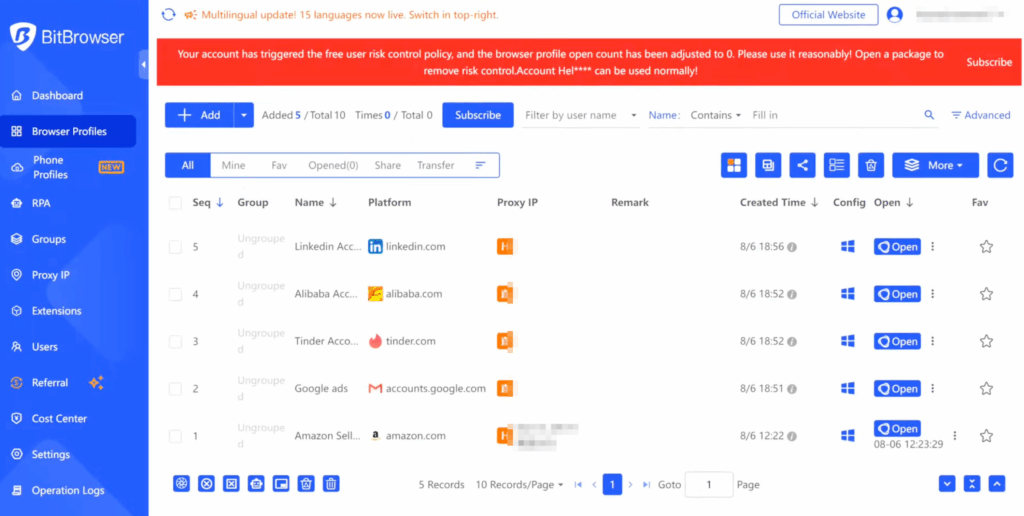
So it sits slightly differently from providers that describe their product simply as a real cloud-hosted Android phone.
Key Features
- Browser-accessed Android environments
- Google Play support
- Custom APK installation
- Real mobile chipset-based parameter matching
- Location, timezone, language, carrier, and SIM settings
- Proxy configuration
- Bulk profile operations
- Profile import and export
- Browser-profile integration through BitBrowser
- ADB and script support
- Team/profile-sharing functionality
BitCloudPhone price
BitCloudPhone’s current time-based model separates the cost into profile fees and computing-power fees.
Its public product page currently lists:
- Phone profile: $0.03 per 24 hours
- Temporary computing: $0.07 per 15 minutes
- Computing capped at $1.60 per day
Billing for computing stops when the cloud phone is shut down.
That makes the $0.03 figure important but incomplete.
It pays for the saved phone profile, not unlimited active Android computing.
| Pros | Cons |
| ✅ Very low saved-profile price | Computing power is billed separately |
| ✅ Google Play and APK support | A proxy must be configured before a time-based cloud phone can be opened |
| ✅ Bulk operations | Pricing requires more calculation than a single monthly fee |
| ✅ Browser profiles available through BitBrowser | |
| ✅ ADB and scripting functionality |
Who Is It For?
BitCloudPhone makes the most sense for users comfortable with granular billing and configuring the surrounding environment themselves.
It can be particularly economical when you keep many profiles saved but run each cloud phone only when needed.
5. MoreLogin Cloud Phone
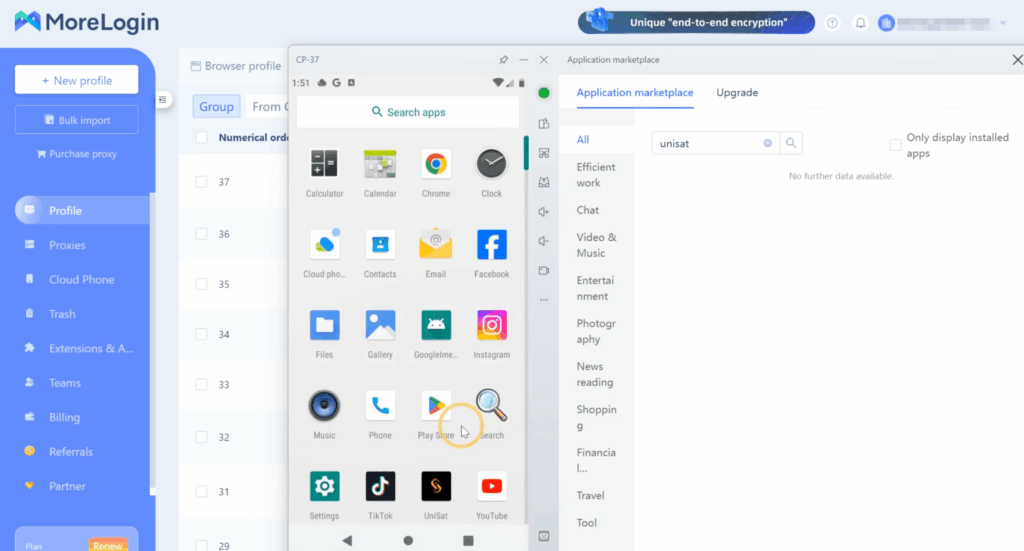
MoreLogin combines its browser-profile product with cloud Android phones. Its current official pricing material lists cloud phones running Android 12–15, with both per-minute and fixed monthly billing options.
Key Features
- Android 12–15 cloud phones
- Browser profiles through MoreLogin
- Pay-per-minute billing
- Monthly cloud-phone rental
- Synchronizer
- Batch text input
- Batch file uploads
- Team device sharing
- Permission management
- API support
- ADB support
MoreLogin’s Cloud Phone page also advertises remote collaboration and granular permission controls for shared cloud phones.
MoreLogin cloud phone price
MoreLogin currently lists:
- $0.006 per minute
- $1.50 daily cap per cloud phone
- Monthly cloud phones at $23–$25 per 30 days, depending on configuration
Its main Cloud Phone page currently summarizes the monthly offer as from $25/month.
For per-minute cloud phones, MoreLogin also states that a $0.03 per 24-hour storage fee can apply if the cloud phone has not been started for seven consecutive days. Monthly-rental cloud phones do not incur that additional storage fee.
| Pros | Cons |
| ✅ $0.006/minute usage option | Mobile runtime is billed separately from the browser-profile subscription |
| ✅ Daily spending cap | Inactive pay-per-minute devices can incur a storage fee |
| ✅ Android 12–15 | Proxy costs still need to be included in your total setup |
| ✅ Browser and mobile environments available | |
| ✅ Team sharing and Synchronizer |
Who Is It For?
MoreLogin is a relevant option for users who need both browser and mobile environments but want their Android usage billed separately.
The $0.006/minute model is especially worth considering when devices are used in shorter sessions instead of staying active all day.
6. DuoPlus
DuoPlus is built around Android cloud-phone operations, batch management, automation, and mobile-first workflows.
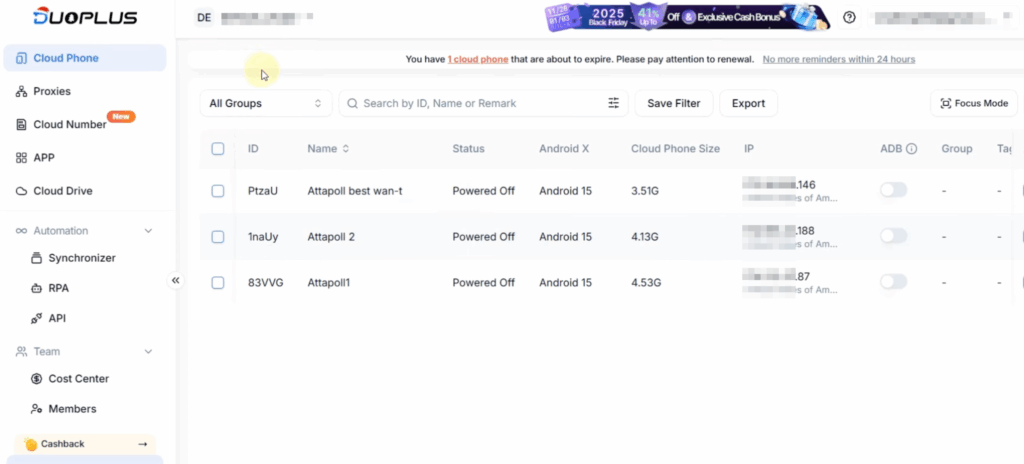
Its official feature pages describe an Android 15 cloud phone using ARM chips, while its pricing page combines cloud-phone resources with startup-time packages.
Key Features
- Android 15 cloud phones
- ARM-chip infrastructure
- Android ADB workflows
- Automation templates
- Batch cloud-phone operations
- GPS, SIM, and base-station environment options
- Independent environment and storage
- Temporary startup packages
- Monthly startup packages
- Large-volume device packages
DuoPlus cloud phone price
DuoPlus currently offers a Free Trial that includes:
- 1 cloud phone
- 30 days
- 30 minutes of temporary startup time
Its current pricing page also lists:
- Cloud-phone packages from $0.085/device/month at the displayed volume configuration
- Startup-time packages from $0.0042/minute
- Monthly Startup from $16.91/month on the currently displayed annual-price view
Actual device pricing varies significantly with quantity and billing setup, so the smallest displayed unit price should not be treated as the cost of buying a single standalone device.
| Pros | Cons |
| ✅ Free starting option | Pricing changes substantially with quantity and resource type |
| ✅ Android 15 support | Cloud-phone resources and startup time are separate concepts |
| ✅ ADB automation | A separate browser-profile layer is not the core product |
| ✅ Strong bulk-device orientation | |
| ✅ ARM-based environment |
Who Is It For?
DuoPlus is most relevant to teams with mobile-heavy workflows, especially where batch device management, automation, or high-volume Android operations matter more than having mobile and browser profiles in the same product.
7. Android Studio
Android Studio is Google’s official integrated development environment for Android development.
Its Android Emulator lets developers create Android Virtual Devices, or AVDs, on their local computer.
That is why it sometimes appears alongside cloud phone Android searches.
But it is not a cloud mobile phone service.
The Android Emulator runs on your local machine rather than providing a remotely hosted Android phone subscription.
Key Features
- Official Android development IDE
- Android Emulator
- Android Virtual Devices
- Multiple device configurations
- ADB integration
- App debugging
- Android development tooling
- Local testing environment
Android Studio hardware requirements
Instead of paying for a remote cloud phone, you supply the computing resources yourself.
For Windows, Google’s current minimum requirements for Android Studio + Android Emulator include:
- 16 GB RAM
- 64-bit Windows 10
- CPU virtualization support
- 16 GB free disk space
Google recommends 32 GB RAM and an SSD with 32 GB or more for a stronger professional setup.
| Pros | Cons |
| ✅ Official Android development environment | Not a cloud mobile phone |
| ✅ Excellent development and QA tooling | Uses your own CPU, RAM, storage, and virtualization |
| ✅ Flexible AVD configuration | Not designed as social-profile infrastructure |
| ✅ Deep Android debugging support | No bundled proxy or remote team-device layer |
Who Is It For?
Android Studio is for developers and QA engineers.
If you are developing an Android application, debugging it, or testing different AVD configurations, it is the specialist tool in this list.
If you need persistent Android environments hosted remotely for ongoing account operations, you are looking for a cloud phone instead.
8. Hippo Cloud Phone
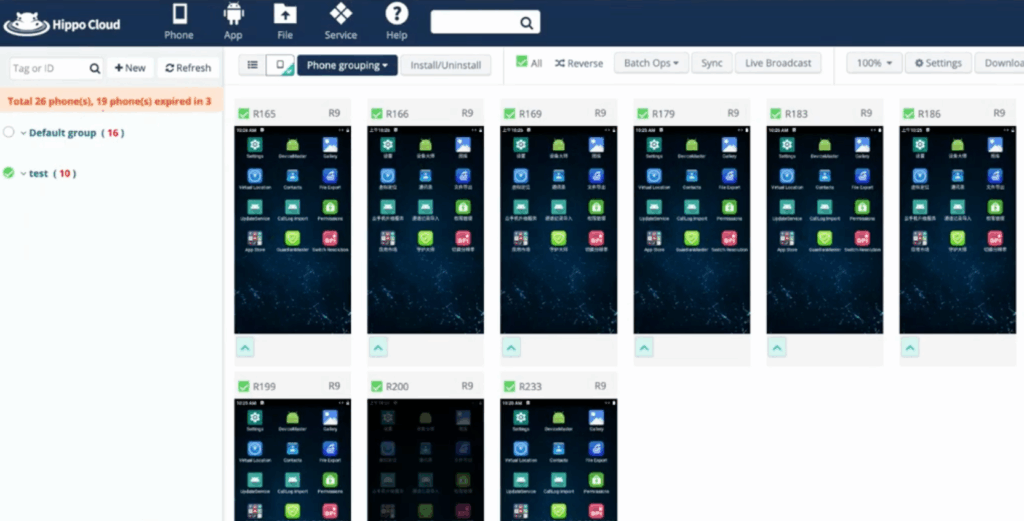
Hippo Cloud Phone focuses on controlling large numbers of remotely hosted Android devices.
Its official site says the platform uses real smartphone chips rather than an emulator and allows users to control large numbers of cloud phones through a computer browser.
Key Features
- Real smartphone-chip infrastructure
- Web-based cloud-phone control
- Batch control
- Android 9, 11, and 13 device tiers
- Multiple CPU, RAM, and storage tiers
- 1-, 7-, 30-, 90-, and 360-day ordering options
- Virtual location
- Virtual sensor scenarios
- Virtual camera
- Live-streaming option
- IP proxy option
- ADB debugging option
- Multi-control windows
Hippo Cloud Phone price
Hippo publishes particularly clear device-level pricing.
| Device | Android | RAM | Storage | Price |
| R9 | Android 9 | 4 GB | 32 GB | 88 HKD/30 days |
| X11 | Android 11 | 6 GB | 128 GB | 120 HKD/30 days |
| X13 | Android 13 | 8 GB | 128 GB | 138 HKD/30 days |
Several extra services are priced separately:
- Regular IP Proxy: 30 HKD/30 days
- High-traffic IP Proxy: 60 HKD/30 days
- Multi Control Windows: 30 HKD/window/30 days
- ADB debugging: 220 HKD/30 days
- Live Streaming: 220 HKD/30 days
Virtual Location, Virtual Scene, Virtual CAM, audio/video import, and Guardian Master are currently listed as free service options.
| Pros | Cons |
| ✅ Transparent device specifications | Entry R9 device still uses Android 9 |
| ✅ Real smartphone-chip positioning | Proxy, ADB, live streaming, and some controls cost extra |
| ✅ Strong batch-control positioning | Browser-profile management is not the core product |
| ✅ Clear Android tiers |
Who Is It For?
Hippo is particularly relevant if your operation is built around fleets of Android devices.
Its official use cases include social traffic, cross-border e-commerce, live streaming, mobile gaming, community operations, and large account matrices.
9. Cophone: Virtual Smartphone
Cophone belongs to a different branch of the cloud mobile device market. Its product is primarily a virtual corporate smartphone rather than a platform designed around social media profile infrastructure.
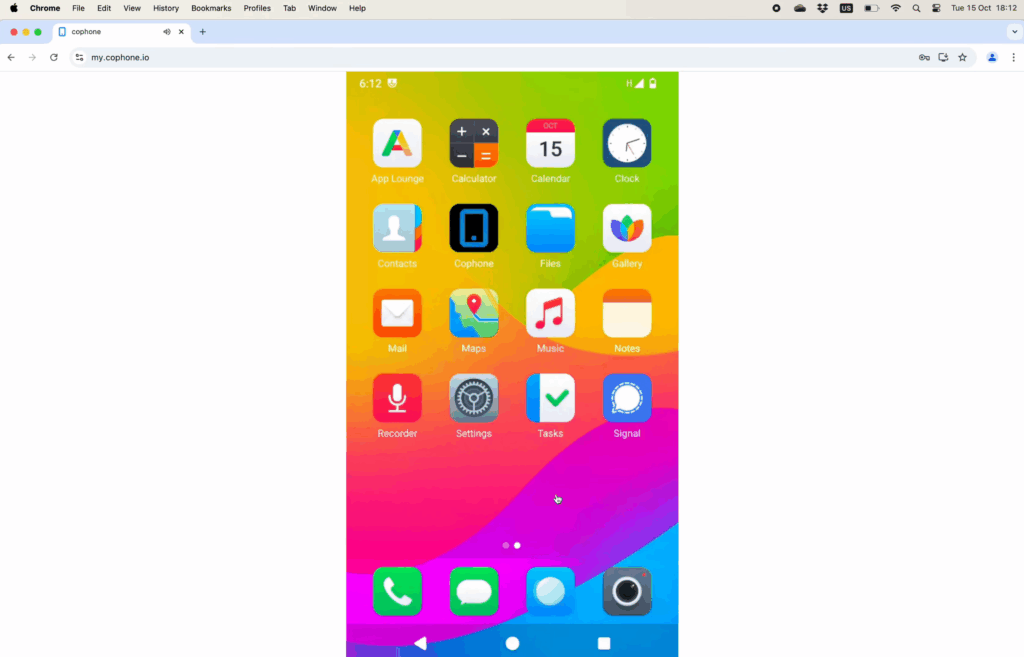
Users access the virtual phone through a modern mobile browser, and no dedicated local Cophone application is required.
Key Features
- Virtual smartphone in the cloud
- Browser-based access
- App store
- Webcam and microphone
- Optional phone number
- National and international calling
- Corporate deployment
- Self-hosted enterprise instances
- Custom enterprise configurations
Cophone price
Cophone currently publishes two main subscription options:
Virtual smartphone without number
- $14.90/month
Virtual smartphone with number
- $24.90/month
- National phone calls
- International phone calls
Calls are charged based on usage on top of the subscription price.
| Pros | Cons |
| ✅ Straightforward monthly pricing | Not designed primarily for social media profile management |
| ✅ Browser-based access | No integrated social-profile proxy layer |
| ✅ Optional phone number and calling | Does not provide the broader mobile + browser profile workflow offered by SMM-focused platforms |
| ✅ Enterprise self-hosting available |
Who Is It For?
Cophone is designed for people and businesses that want a virtual work smartphone accessible from different devices.
It makes more sense for corporate BYOD and work-phone replacement scenarios than for social media teams building large profile infrastructures.
10. Bluestacks
BlueStacks is one of the best-known ways to run Android apps on a desktop computer.
Like Android Studio, however, it is not a cloud phone.
BlueStacks 5 runs Android instances on the user’s computer and focuses heavily on Android gaming. Its official documentation says the Multi-instance Manager can create and manage multiple Android instances.
Key Features
- Local Android instances
- Multi-instance Manager
- Instance cloning
- Nougat options
- Pie 64-bit
- Android 11
- Android 13
- CPU and RAM allocation
- Resolution and DPI settings
- Gaming-focused performance tools
BlueStacks currently provides Android 13 support through its Android 13 environment, while its Multi-instance documentation also covers Nougat, Pie, and Android 11 instances.
| Pros | Cons |
| ✅ Multiple Android instances | Not remotely hosted cloud-phone infrastructure |
| ✅ Several Android versions | Uses your own computer’s resources |
| ✅ Strong gaming focus | Not designed around persistent remote social profiles |
| ✅ Multi-instance Manager | No built-in cloud-phone team or residential-proxy infrastructure |
Who Is It For?
BlueStacks is a good fit for gaming and local Android app use.
If you need several Android environments on your own PC, it can be useful.
If you need persistent remote Android devices that can be managed by a distributed social media team, a dedicated cloud mobile phone platform is a different category.
Which Platform Gives You the Most Out of the Box?
A cloud phone price comparison is only useful if you understand what the advertised price actually covers.
One provider may charge for the saved Android profile.
Another charges for active minutes.
Another rents the device by the month.
And another bundles cloud phones with proxy traffic, browser profiles, and team features.
Here is the simplified comparison based on currently published official pricing.
| Platform | Environment | Entry pricing model | Proxy approach | Browser profiles | Team features |
| Multilogin | Remote ARM-based Android cloud phone | Free plan; paid from $7.08/mo | Built-in residential proxy integration | ✅ Yes | ✅ Yes |
| GeeLark | Cloud Android | Free plan; $0.007/min or $29.90/device/mo rental | Proxy configuration | ✅ Yes | ✅ Yes |
| VMOS Cloud | ARM cloud devices | From $4.99/device/mo or $0.006/min | Own proxy or separate VMOS proxy products | ❌ Not core | ✅ Team Hub |
| BitCloudPhone | Browser Android emulator using real mobile chipsets | $0.03/profile/24h + $0.07/15 min compute | Proxy required | Via BitBrowser | ✅ Yes |
| MoreLogin | Cloud Android | $0.006/min or $23–$25/30 days | Separate setup | ✅ Yes | ✅ Yes |
| DuoPlus | ARM Android cloud phone | Free trial; startup time from $0.0042/min | Separate setup | ❌ Not core | ✅ Yes |
| Hippo Cloud Phone | Smartphone-chip cloud phone | From 88 HKD/30 days | Optional paid proxy service | ❌ No | Sub-account / control tools |
| Android Studio | Local Android emulator | Local development software | Manual network setup | ❌ No | ❌ No |
| Cophone | Virtual corporate smartphone | From $14.90/mo | Not positioned as an SMM proxy workflow | ❌ No | Enterprise options |
| BlueStacks | Local Android app player | Local software | Manual network setup | ❌ No | ❌ No |
Pricing verified from the respective official vendor pages in August 2026.
How Cloud Phone Pricing Actually Works
Cloud phone price looks like a simple query.
It isn’t.
Suppose Provider A costs $0.006 per minute.
One hour of active usage costs $0.36.
Four hours per day would theoretically equal $1.44 before applying any daily cap.
Now compare that with a provider charging a fixed $5, $25, or $30 per month.
The cheaper option changes depending on how long each device stays active.
And runtime is only one potential cost.
Before comparing prices, check whether you also pay for:
- Saved cloud-phone profiles
- Active mobile minutes
- Monthly device rental
- Simultaneous devices
- Proxy traffic or individual IPs
- Profile storage
- Team seats
- ADB
- API access
- Automation
- Higher Android versions
- Higher CPU or RAM tiers
- Extra device-control windows
Hippo is a good example.
Its R9 phone costs 88 HKD for 30 days, but adding a regular IP proxy, ADB, and live streaming introduces separate fees.
BitCloudPhone separates profile storage from computing time.
VMOS offers both monthly devices and minute-based billing while selling proxy products separately.
GeeLark offers per-minute use, monthly rentals, Parallels, and minute add-ons.
Multilogin uses a subscription model where cloud mobile and browser profiles, proxy traffic, and mobile minutes are included according to the plan.
So there is no meaningful answer to “Which cloud phone is cheapest?” without adding:
For how many devices, running for how many hours, with which extra resources?
If you are also comparing the cost with racks of physical devices, see our phone farm cost vs. cloud phone pricing breakdown.
What Should You Check Before Choosing a Cloud Mobile Phone?
There is no universal best cloud phone app because the products above solve different problems.
Before choosing one, check these areas.
Android version
Android versions vary considerably.
Hippo’s entry R9 still runs Android 9, while GeeLark currently lists environments from Android 9 through 16. MoreLogin lists Android 12–15. Multilogin’s current Cloud Phone page lists stable Android 10–16 environments.
Make sure the apps you need support the selected Android environment.
Type of Android environment
Do not assume every cloud Android device works the same way.
Providers use terms such as:
- ARM cloud phone
- Real smartphone chip
- Cloud Android device
- Virtual smartphone
- Android emulator on browser
- Local Android emulator
Read the provider’s technical description rather than relying only on the product name.
Persistent device state
If the device is for a long-term social profile, make sure your apps, sessions, files, and other account state remain available when you stop and restart the device.
App installation
Check how applications are installed.
Multilogin, for example, supports its built-in app library and Google Play. BitCloudPhone supports Google Play and custom APK installation.
Proxy setup
This can change the real cost significantly.
Ask:
- Is proxy traffic included?
- Can I bring my own proxy?
- Which protocols are supported?
- Does each cloud phone need a separate proxy?
- Are IPs charged monthly or by traffic?
VMOS supports adding your own SOCKS5, HTTP, or HTTPS proxies and also sells its own proxy services. Multilogin integrates its residential proxy network directly into the platform.
Team controls
For agencies, device sharing is only the beginning.
Look for permissions, role-based access, activity visibility, folders, and the ability to give someone access without sending them the underlying account credentials.
Automation
If repetitive mobile work is part of your operation, compare:
- ADB
- API
- RPA
- Synchronizer
- Batch actions
- Appium compatibility
- Automation templates
The feature names overlap, but implementation differs substantially between providers.
Total cost
Finally, calculate your own setup.
A $0.006/minute cloud phone may be excellent for a profile you open briefly.
A monthly device may make more sense for something that needs to run for hours.
A bundled platform can make more sense when the operation also requires browser profiles, proxy traffic, team features, and automation.
Compare the whole workflow.
Not the price sticker.
Use Case Suitability
The table below is an editorial assessment based on each provider’s officially documented features, product positioning, pricing, and supported workflows as verified in August 2026.
| Platform | Social profile management | Android testing | Team operations | Mobile automation | Live streaming |
| Multilogin | Strong fit | Capable | Strong fit | Strong fit | Capable |
| GeeLark | Strong fit | Capable | Strong fit | Strong fit | Capable |
| VMOS Cloud | Strong fit | Strong fit | Strong fit | Strong fit | Capable |
| BitCloudPhone | Capable | Capable | Capable | Strong fit | Capable |
| MoreLogin | Strong fit | Capable | Strong fit | Strong fit | Capable |
| DuoPlus | Strong fit | Capable | Strong fit | Strong fit | Strong fit |
| Hippo Cloud Phone | Capable | Capable | Strong fit | Capable | Strong fit |
| Android Studio | Not its purpose | Strong fit | Not its purpose | Dev automation | Not its purpose |
| Cophone | Different use case | Different use case | Corporate fit | Not its purpose | Not its purpose |
| BlueStacks | Not its purpose | Capable | Not its purpose | Not its core purpose | Not its purpose |
For Android development and QA, Android Studio remains the specialist.
For local gaming, BlueStacks is much closer to the intended use case.
For large device fleets or live-streaming workflows, Hippo and DuoPlus offer dedicated functionality.
For social media teams, however, the decision usually expands beyond the Android device itself.
Persistent sessions, proxy setup, browser workflows, permissions, organization, team collaboration, and automation all start to matter.