


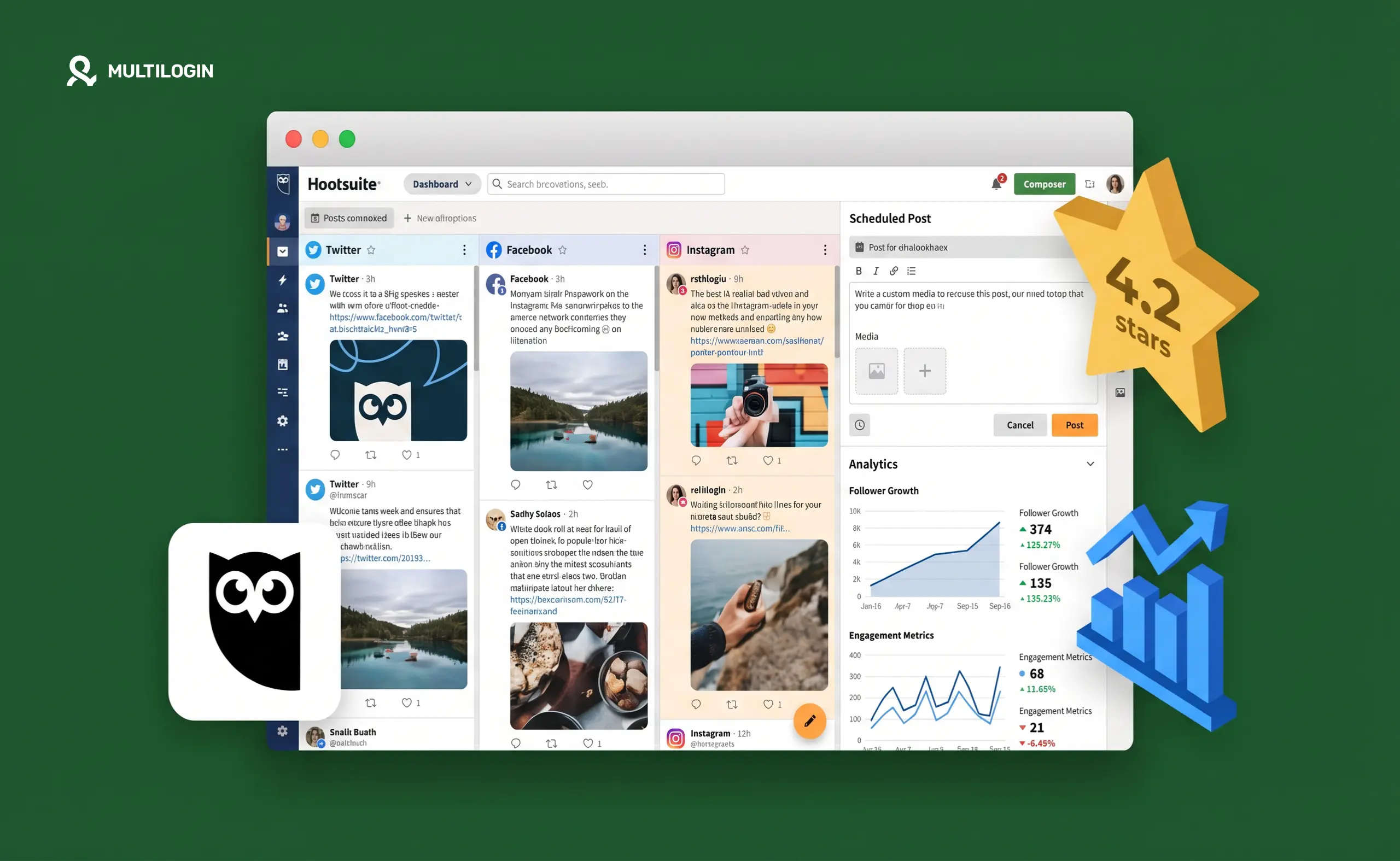



Let’s be honest: Hootsuite is the social media tool everyone has heard of. It’s been around since 2008, it’s in every “best social media tools” list on the internet, and over 200,000 organizations use it worldwide.
But “well-known” and “best for your situation” are two very different things. In 2026, Hootsuite starts at $99/month and no longer offers a free plan. That price point means you need to be very clear about what you’re actually getting — and what you’re not.
This is a complete, no-fluff breakdown of Hootsuite’s features, pricing, and real-world limitations, plus when it makes sense and when you’re better off somewhere else.
What Hootsuite Actually Does
Hootsuite is a social media management platform built around a central dashboard. The idea is that you stop switching between tabs and platforms, and instead handle scheduling, engagement, analytics, and monitoring from one place.
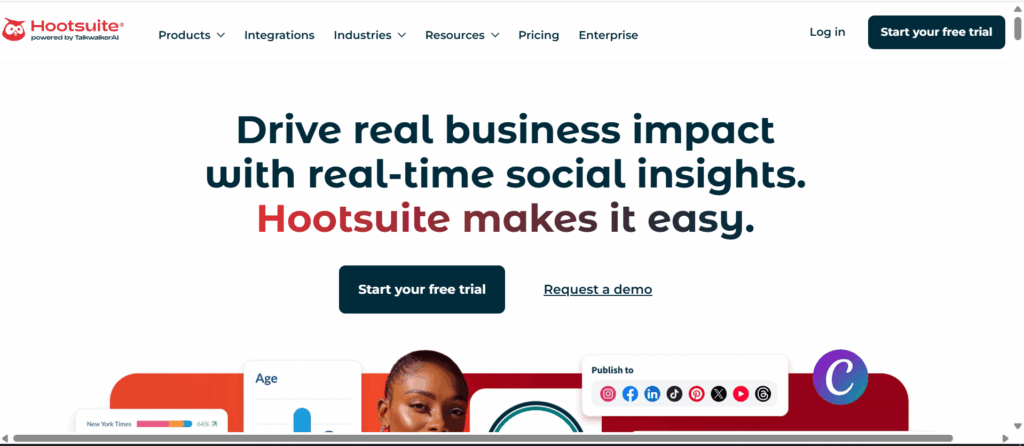
It supports Facebook, Instagram, LinkedIn, TikTok, X (Twitter), Pinterest, YouTube, and a handful of others. What sets it apart from simpler tools is scope — Hootsuite isn’t trying to be just a scheduler. It’s aiming to be an all-in-one platform that covers the entire social media workflow.
Whether it succeeds at that depends a lot on which plan you’re on and what you actually need.
Core Features Explained
- Scheduling and content calendar. The calendar view is clean and functional. You can see all scheduled posts across platforms in one view, drag and drop to reschedule, and set up recurring posting queues. Bulk scheduling is available on higher tiers — you can upload up to 350 posts via CSV, which is a genuine timesaver for high-volume content teams.
- Social listening and monitoring. This is where Hootsuite genuinely earns its keep. Hootsuite Insights (on Business and Enterprise plans) monitors brand mentions, competitor content, and industry keywords in real time. If you need to know what your audience is actually saying about you — not just what’s happening on your own posts — social listening is the feature that justifies Hootsuite’s price for many teams. Buffer and most cheaper alternatives simply don’t have this.
- Analytics and reporting. You can build custom dashboards, track post performance over time, and export PDF reports for clients. This is specifically where agencies that produce monthly client reports will find real value. The report builder is more capable than anything Buffer or Later offers.
- Team workflows and approval. Route incoming messages to specific team members. Set up approval chains before content goes live. This is more robust than Buffer’s equivalent — though if you’re comparing to Sprout Social at the enterprise end, it still has gaps.
- OwlyWriter AI. Hootsuite’s built-in AI assistant writes captions, suggests hashtags, and generates post ideas. It’s useful for drafts. It’s not a substitute for a content strategist. Most competing tools now offer equivalent AI features at lower price points, so this isn’t a differentiator.
- Ad management. Boost posts and manage basic Facebook and Instagram campaigns directly from Hootsuite. Good for simple boosts. Actual campaign management still happens natively in Ads Manager.
Hootsuite Pricing in 2026
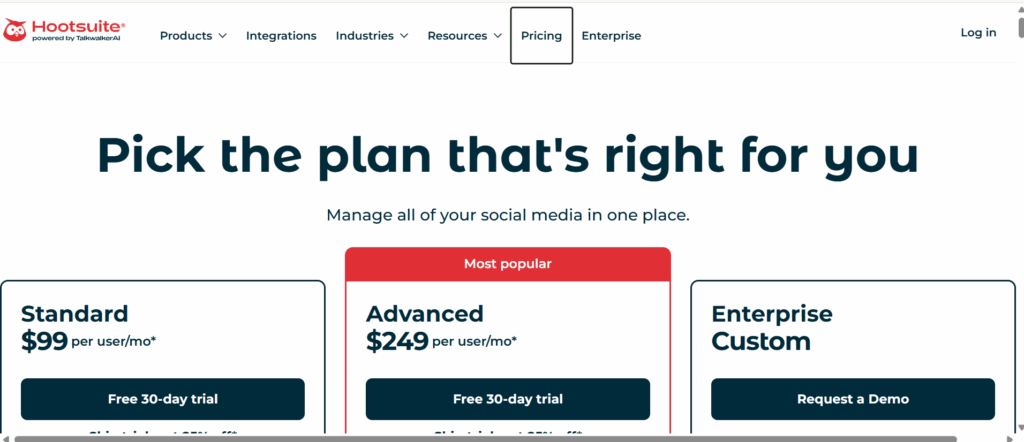
- Professional: ~$99/month. One user, up to 10 social accounts. Unlimited scheduling, basic analytics, OwlyWriter AI. No free plan available.
- Team: ~$249/month. Three users, up to 20 accounts. Adds team collaboration, approval workflows, and bulk scheduling up to 350 posts.
- Business and Enterprise: custom pricing. Advanced social listening, unlimited users, custom reporting, and priority support.
A 30-day free trial is available. There is no permanent free tier.
The pricing context matters here. Buffer charges $5/month per channel. Metricool has flat-rate plans. For a team managing 5 social channels, those options cost a fraction of Hootsuite’s $99/month entry price. The question is whether the additional features — primarily social listening and deeper reporting — are worth the gap.
For most small agencies and individual creators, the answer is no. For mid-size teams that genuinely need brand monitoring and professional reporting, the answer gets closer to yes.
What Hootsuite Does Well
- Social listening is a real advantage. You cannot replicate Hootsuite Insights with Buffer or Later. If tracking brand mentions, competitor moves, and industry keywords in real time is part of your workflow, this feature alone may justify the price.
- Reporting depth for agencies. Custom dashboards, PDF exports, and historical data tracking make Hootsuite the strongest standard scheduling tool for producing professional monthly client reports.
- Bulk scheduling at scale. Uploading 350 posts via CSV is genuinely useful for content teams managing high-volume calendars. If you’re using a social media content calendar for planning and need to execute it at scale, this feature reduces hours of manual scheduling.
- Platform breadth. Hootsuite supports more platforms with more native features than most competitors. If you’re posting to an unusual platform mix (say, YouTube, Pinterest, and Google Business simultaneously), Hootsuite is likely to have better coverage.
- Established brand recognition. For agencies pitching enterprise clients, using Hootsuite carries name recognition that newer tools don’t have yet.
What Hootsuite Falls Short On
- The price is hard to justify for small teams. Paying $99/month when you only really need a scheduler is a bad trade. Buffer at $5/channel, Metricool, or Later will cover scheduling for a fraction of the cost.
- The interface feels cluttered. This shows up consistently across G2, Capterra, and independent reviews in 2026. New users have a meaningful learning curve, and even experienced users note the interface never feels particularly streamlined. When you’re managing ten client accounts at once, interface friction compounds.
- No free plan. Buffer’s free tier genuinely works for solo users and small creators. Hootsuite removed its free plan, which means every path to using it starts with a $99/month commitment or the time investment of a 30-day trial.
- Advanced analytics are paywalled. Analytics is one of Hootsuite’s headline selling points — but the most useful reporting features require the Business plan, not Professional.
- AI isn’t a differentiator. OwlyWriter is fine. It’s not better than what competing tools at lower price points offer.
Who Hootsuite Is Actually For
Hootsuite is genuinely well-suited for:
- Mid-size agencies that need social listening alongside scheduling
- Brand teams producing formal monthly reports for executives or clients
- Organizations with complex team approval workflows across multiple accounts
- High-volume content teams that benefit from CSV bulk scheduling
It is not well-suited for:
- Freelance social media managers handling a small client roster
- Creators and solopreneurs on any kind of budget
- Small businesses that need a simple scheduler
- Anyone who primarily needs TikTok or Instagram native app management
For teams managing a social media content calendar across multiple clients, the workflow value of Hootsuite’s reporting is real. For everyone else, the math rarely works out.
The Gap Hootsuite Doesn’t Fill: Native Account Sessions
Here’s something Hootsuite won’t tell you in its marketing materials: scheduling tools, however good, only handle the publishing layer of social media management.
Everything else — replying to comments in the native app, handling DMs, managing ad accounts, checking platform-specific insights, responding to Stories — still requires logging into each platform directly. And when you’re managing multiple client accounts from the same browser or device, platforms detect it.
Facebook, Instagram, TikTok, and LinkedIn all monitor device fingerprints, IP addresses, and session patterns. When multiple accounts share the same browser environment, platforms link them. A flag on one client account can pull others into review.
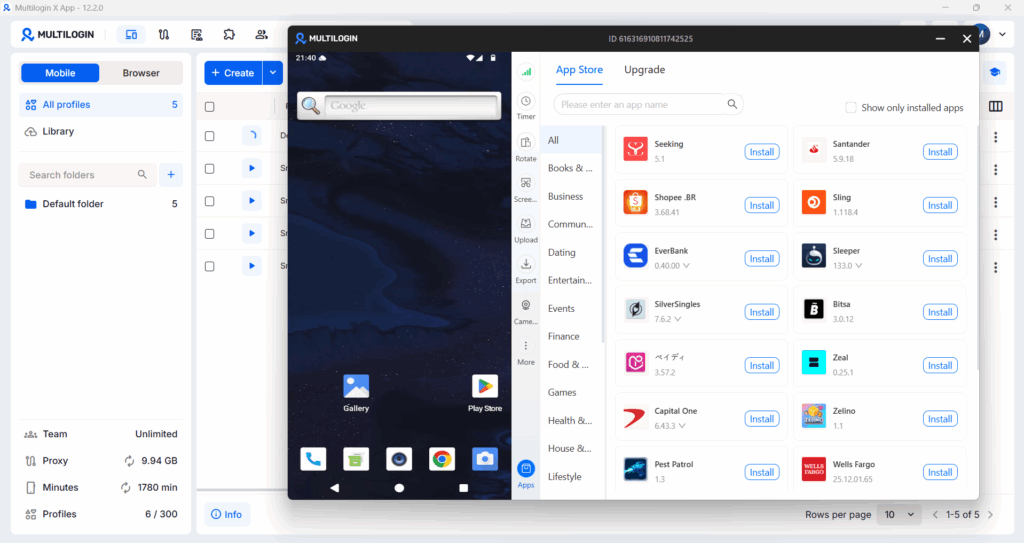
This is where Multilogin Cloud Phones come in. Each Cloud Phone is a real Android device running in the cloud. Your team member accessing a client’s Instagram is doing it from a physical Android device with its own IMEI, its own Android ID, its own hardware fingerprint, and its own residential IP. The platform sees a separate phone, because it is a separate phone.
The workflow for agencies at scale: Hootsuite handles scheduled publishing. Cloud Phones handle every native session — comments, DMs, Stories, ad review, anything that requires being logged in as that specific account on a genuine mobile device.
If you’re managing social media for multiple clients, this two-layer setup is what actually keeps accounts clean and unlinked at scale. Hootsuite covers one layer. Cloud Phones cover the other.
Hootsuite and Multi-Platform Agency Management
One real operational challenge for agencies using Hootsuite: you’re managing multiple clients from one platform, which means your Hootsuite workspace has access to many different social accounts. That’s fine at the scheduling layer.
But when you need to handle managing social media accounts for multiple clients at the native session level — real interactions, not just scheduled posts — you need each client’s session to be genuinely isolated.
Agencies running multiple TikTok accounts, multiple LinkedIn accounts, and multiple Instagram accounts for clients understand this problem acutely. Platforms like TikTok are particularly aggressive about detecting coordinated account behavior — they use mobile device signals that desktop browsers don’t replicate.
Multilogin Cloud Phones give each account a dedicated real Android device. Hootsuite handles the scheduling queue. The combination is what a properly structured agency workflow looks like in 2026.


Manage multiple accounts with Android cloud phones
Build account trust, reach new locations, and grow faster from one dashboard
Frequently asked questions About Hootsuite Review 2026
No. Hootsuite removed its permanent free plan. A 30-day free trial is available, after which plans start at approximately $99/month.
Professional plan: ~$99/month (1 user, 10 accounts). Team plan: ~$249/month (3 users, 20 accounts). Business and Enterprise plans are priced on request.
Generally no. The $99/month entry price is hard to justify when Buffer at $5/channel or Metricool at flat rates cover scheduling at a fraction of the cost. Hootsuite’s value is in social listening and advanced reporting — features most freelancers don’t need.
Buffer for simplicity and price. Sprout Social for enterprise analytics. Metricool as a budget-friendly middle ground. For teams managing multiple client accounts on mobile, Multilogin Cloud Phones alongside a lighter scheduling tool is a more operationally sound setup.
It handles scheduled publishing across multiple accounts well. It doesn’t solve the native session management problem — accessing each client’s platforms directly, in an isolated environment. For that, you need Cloud Phones alongside whatever scheduling tool you use.
Final Verdict
Hootsuite is a capable platform that is showing its age in two key areas: interface clarity and price-to-value ratio for smaller teams. Social listening and custom reporting are its genuine advantages, and for the organizations that need them, those advantages justify the cost.
For everyone else, the $99/month starting price is hard to swallow when alternatives cover scheduling for $5/channel or flat monthly rates.
Try the 30-day trial if social listening or bulk scheduling is genuinely part of your workflow. If you’re primarily looking for a scheduler and basic analytics, you’ll likely find better value elsewhere.
Best for: Mid-size agencies, brand teams needing social listening, organizations with complex approval workflows and formal client reporting requirements.
Not the right fit for: Solopreneurs, creators, freelance social media managers, small businesses, and anyone primarily managing mobile-first platforms like TikTok.


