





There’s a version of social media management that looks like this: open ChatGPT, type “give me content ideas for a meditation teacher,” grab the first five results, schedule them, collect the retainer. It feels fast. It produces content that looks like every other AI-generated account on the platform, gets no engagement, and eventually loses the client.
Then there’s the version that actually works.
This guide covers the real content creation process for social media management clients, from strategy to production to analysis. It’s not faster on day one. But it’s the workflow that produces results clients actually renew for, and that you can replicate without rebuilding from scratch every month.
If you’re managing more than a handful of clients, the guide to managing multiple social media accounts covers the operational layer that makes everything below scalable.
Start with strategy, not content ideas
The most common mistake is jumping straight to “what should I post?” before establishing why you’re posting and who you’re posting for. Content ideas without strategy produce noise. Strategy makes every content decision easier.
Before you write a single caption for a new client, answer four questions:
What’s the goal? Not “grow their following”, that’s a metric, not a goal. Is the client trying to generate leads for a service? Sell a product? Build a personal brand so they can attract brand deals? The goal determines what content should do, which determines what content should say.
Who is the target audience? Specifically. Not “women aged 25 to 45 interested in wellness.” That’s a demographic, not an audience. What do they currently struggle with? What do they want their life to look like? What language do they use when they talk about their problem? A meditation teacher whose clients are burned-out executives needs completely different content than one whose clients are stay-at-home parents. Same niche, different audiences, different content.
What are the content pillars? Content pillars are the 3 to 5 topic categories the account posts about. Every piece of content maps to one of them. For the meditation teacher example: educational content that teaches something, behind-the-scenes content that builds trust, client transformation stories that show results, promotional content for their programme. Each pillar serves the goal in a specific way. Without pillars, you end up with random posts that don’t build anything.
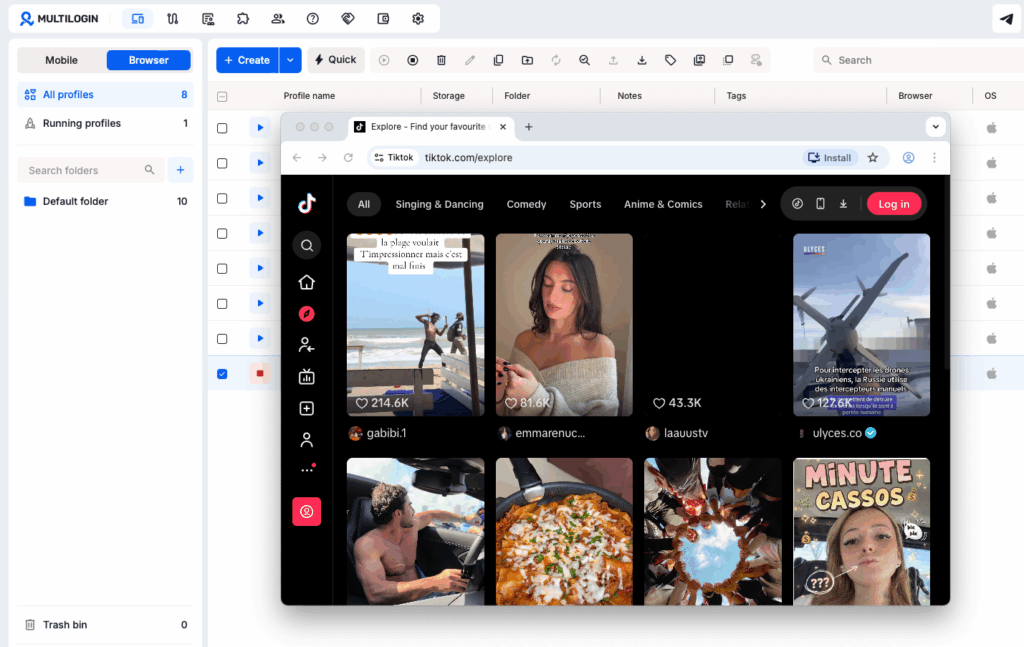
Which platforms, which formats? Not every client needs to be everywhere. Which platform does their audience actually use? And within that platform, which formats work for that type of content? A video-heavy strategy that works on TikTok needs serious adaptation for LinkedIn. Treat each platform as a different country: same message, different language.
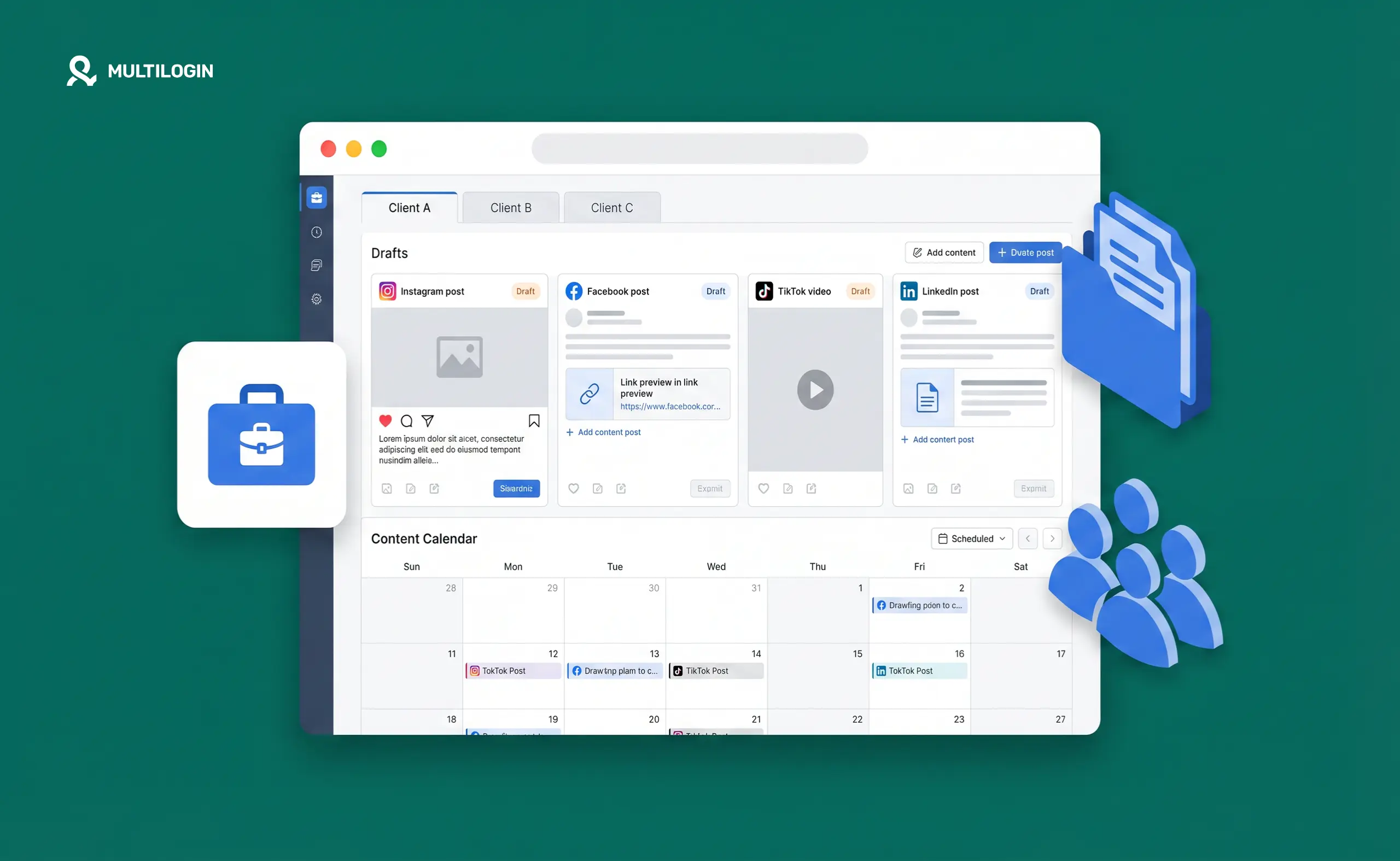
Build a social media content calendar from this foundation, not the other way around. A calendar built on strategy is a production tool. A calendar built without strategy is just a posting schedule that may or may not move the needle.
Monthly Content
Batch Planner
Set your pillars, posting frequency, and platforms — get a full 4-week content grid with batch session estimates.
Your 4-Week Content Grid
Understand what you are and aren’t creating
Here’s a clarification that saves a lot of confusion early on: as a social media manager, you create content, but you don’t usually produce it from nothing.
What you own: the strategy, the content plan, the captions, the editing, the posting, the analytics. What the client owns: the raw footage, the photos, the voice, the real stories.
Your client is the source of authenticity. You turn that into content. When you skip this distinction and try to manufacture authenticity without the client’s input, you get the generic AI-generated posts that fool nobody.
The practical workflow: at the start of each month, give the client a specific brief. Tell them exactly what footage or photos you need, what topics you want them to speak to, what formats work best right now on their platform. They upload everything to a shared folder (Google Drive or Dropbox works fine). You then take that raw material and make it usable for each platform. For longer-form content and downloadable resources, tools like FlowPaper can also help turn PDF files into interactive, shareable publications that are easier for audiences to view online.
This matters for Instagram for business accounts in particular, where personal authenticity drives engagement more than polished production. The client’s actual voice in a shaky phone video often outperforms a professionally designed graphic post.
Write hooks before you write captions
Most content fails in the first three seconds. On video, that’s the first line spoken or shown. On a carousel, that’s the first slide. On a static post, it’s the first line of the caption.
If the hook doesn’t stop the scroll, nothing else matters. Nobody sees the rest.
A strong hook does one thing: it speaks directly to a pain point or a desire the specific target audience has. Not a generic one. Not one you found by Googling “good Instagram hooks.” The hook that works for a burned-out executive audience is different from the hook that works for stay-at-home parents, even if the product is identical.
This is where AI tools are genuinely useful, but only after you’ve done the strategy work. If you feed Claude or ChatGPT your client’s target audience pain points, their current struggle, their desired outcome, and the content pillar this post sits in, you’ll get hook options that are worth editing. If you ask for hooks without that context, you’ll get things that could have been written for anyone.
Useful prompt structure: “This client is a [type of business]. Their audience is [specific description]. Their biggest pain point is [specific problem]. Their desired outcome is [specific result]. Write 10 hook options for a video about [topic] that sits in the [pillar name] content pillar. Make them feel like something a real person would say, not a marketing line.”
Then you edit, not accept. The AI draft removes the blank page problem. Your judgment and knowledge of the client’s voice is what makes it actually good. The Claude AI workflow for managing multiple social media accounts covers how to structure these sessions when you’re working across several clients at once.
Batch content creation, not daily creation
Creating one post a day feels like staying on top of things. It’s actually one of the slowest and most error-prone ways to produce content.
Every time you switch contexts between clients or between days, you pay a mental tax. You have to re-load the brand voice, remember where you left off, re-read the strategy brief. That tax compounds. Batching eliminates it.
The better approach: block a dedicated session for each client, produce 2 to 4 weeks of content at once, and then close that client’s context entirely before opening the next one. While you’re in a client’s headspace you’re faster, more consistent, and less likely to let one client’s voice bleed into another’s.
Within each batch session:
Open the strategy brief and content calendar first. Know what pillars you’re covering this batch and what the posts need to accomplish. Generate caption drafts with AI using the context already loaded in your head. Edit and finalise, pick the best options, adapt the voice, remove anything that doesn’t sound like the client, and run the content through a plagiarism checker to ensure originality. Create the visual assets or brief your designer with exact specifications.
For simple animated visuals, a GIF maker can also be useful for turning short clips or images into engaging content. This can help social media managers quickly create lightweight visual assets without adding another step to the design workflow.
Schedule through your tool of choice. Review everything once before closing this client’s tab for the week.
That last point about closing the client’s tab matters more operationally than it sounds. More on that below.
Repurpose what works, not everything
One post that performs well is more valuable than ten posts built from scratch. When something hits, find out why, then build on it.
A video that gets strong watch time? Turn the main point into a carousel. Turn the carousel into a caption. Turn the caption into a talking-point for a Live. One piece of insight, multiple formats, multiple posts.
This is how the TikTok algorithm gets gamed honestly: not by chasing trends, but by recognising what your specific audience responds to and repeating the structure. The hook, the topic, the format, all of these can be repeated with fresh content inside them. If your client’s audience loves quick “myth vs reality” videos, make more quick “myth vs reality” videos.
For timing, platform-specific data beats general advice. The best time to post on TikTok and the best time to post Reels for your client’s specific audience will be in their analytics, not in a generic guide. Always use the account’s own data over published benchmarks.
Read the analytics, this is where most social media managers fall short
Every month, before you plan the next month, review what happened last month. Not just what performed. Why.
Ask: which posts got the best reach? Which got the most saves? Which drove the most profile visits or link clicks? These answer different questions. Reach tells you what caught attention. Saves tell you what had lasting value. Profile visits and link clicks tell you what drove intent.
When you find something that worked, test it again. Change one variable, the format, the hook angle, the posting time. See if it still works. That’s the process of finding a winning formula: systematic testing, not guessing.
What to do when something isn’t working: don’t complain about the algorithm. Look at the data and ask where the post lost people. Low reach means weak hook or wrong time. High reach but no engagement means the content didn’t deliver on what the hook promised. High engagement but no conversions means the call to action is missing or wrong.
Data doesn’t lie. If it’s not working for your client’s specific audience, stop doing it, even if everyone in the industry says it should work.
The problem most content creation guides skip
Every piece of this guide so far applies to managing a single client account. The moment you’re managing multiple clients across Instagram, TikTok, and Facebook at once, a different problem emerges that no caption strategy or content calendar solves.
Platforms detect shared device signals. When you log into multiple Instagram accounts, multiple TikTok accounts, and multiple Facebook accounts from the same device, the platforms log that those accounts share a hardware fingerprint. Not cookies. Not IP addresses. The actual device identity, the IMEI on Android, the hardware-level identifiers that don’t change when you clear your browser or switch accounts.
When one client’s account gets flagged for any reason, that flag can associate with every other account that’s been accessed from the same device. Agencies managing multiple Instagram accounts in particular run into this regularly: one account gets restricted, and two others start hitting unexpected friction they didn’t cause.
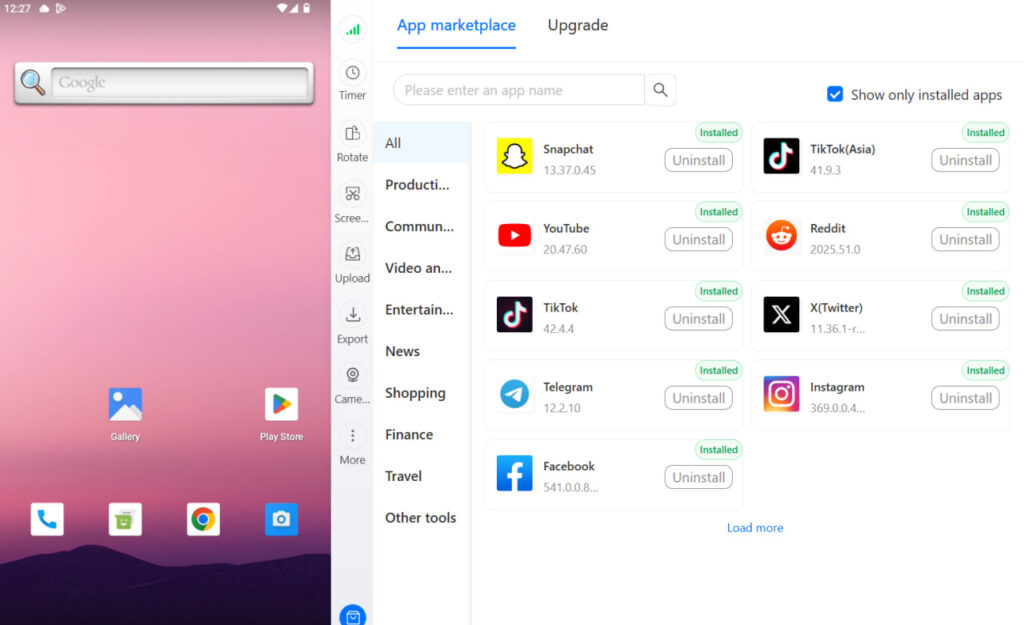
The fix is device-level isolation, not better session management. Running each client’s accounts from a dedicated cloud phone for Instagram, cloud phone for TikTok, or cloud phone for Facebook gives each account its own real Android device with its own hardware fingerprint, its own session history, and its own residential proxy matched to the client’s location. One client’s problem stays with one client’s account. Nothing bleeds.
For the best cloud phones for marketing agencies running social media at scale, this is the operational setup that keeps content work from being undermined by account-level risk.
Try Multilogin now and build the account isolation layer your content workflow needs.
Stay in one niche (the shortcut nobody wants to hear)
The fastest way to get good at social media management for clients is to specialise. If you only work with wellness brands, you learn what works for wellness audiences, which platforms they’re on, which hooks land, which formats they respond to. You stop starting from scratch with every new client. You stop doing research you’ve already done.
If you work with a meditation teacher and a restaurant simultaneously, you’re doing two full strategy builds with different audiences, different platforms, different content styles. Everything takes twice as long and neither client gets your full pattern recognition.
One niche, mastered deeply, compounds. Two niches, managed in parallel, grind.
This doesn’t mean turning away every client outside your niche. It means recognising that specialisation is a growth strategy, not a limitation.
Need to manage multiple social media accounts? Try Multilogin Cloud Phones.
Frequently asked questions About How to Create Content for Social Media Management Clients
Captions, content plans, edited videos and graphics, schedules, and analytics reports. The raw footage and original photos come from the client. Your job is to turn that into platform-ready content and to own the strategy behind what gets made.
Content pillars are the recurring topic categories an account posts about. Three to five is the right range. Each pillar should serve the client’s business goal in a specific way: one for education, one for trust-building, one for promotional content, one for community engagement. Every post maps to one pillar.
Build a strategy brief for each client before you start creating. Batch content per client in dedicated sessions rather than switching between clients daily. Use AI tools to generate first drafts with proper brand context. Schedule everything in advance. Never work on two clients simultaneously in the same session.
No. The platform doesn’t penalise scheduled posts. What affects reach is missing the engagement window in the first 30 to 60 minutes after posting. Schedule at times you can be present to respond to early comments.
Logging out between clients and using different browsers helps at the session level but doesn’t address device-level signals that platforms use to link accounts. The proper solution is running each client’s accounts from isolated cloud phones with separate hardware identities and residential proxies.
Conclusion
Creating content for social media management clients isn’t a creative problem once the strategy is in place. It’s an execution problem. You solve it once, at the strategy layer, and then you execute against a framework that tells you exactly what to make, why, and for whom.
The real work is the upfront thinking: figuring out the client’s goal, understanding their specific audience, defining content pillars that bridge the two, and building a content calendar that makes production mechanical. When that foundation exists, AI tools speed up the drafting, batching speeds up the production, and analytics tell you what to do more of.
The one thing most content guides don’t tell you: all of that work is undermined if your clients’ accounts are linked at the device level. The social media management setup that actually scales keeps each client’s accounts isolated on their own real Android devices, so no client’s bad day becomes another client’s problem.
Try Multilogin now and keep every client account in its own clean, isolated environment.


