


If you’ve opened YouTube Analytics and wondered why your CPM looks much higher than your RPM, you’re not alone. Many creators assume both numbers measure the same thing, then struggle to understand why their earnings don’t match their expectations.
The short answer is simple: CPM measures what advertisers pay, while RPM measures what you earn. Both metrics are useful, but they answer different questions. Understanding the difference helps you interpret your analytics more accurately and make better content decisions.
Key takeaways
- CPM shows what advertisers pay for 1,000 ad impressions.
- Playback-based CPM measures advertiser cost for 1,000 video playbacks that included one or more ads.
- RPM estimates creator revenue per 1,000 video views reported in YouTube Analytics.
- RPM is usually lower than CPM because it reflects creator earnings rather than advertiser spending.
- Looking at CPM and RPM together provides a more complete picture of YouTube monetization.
Quick definition: CPM, Playback-based CPM, and RPM
Metric | Definition |
CPM | The amount advertisers pay for 1,000 ad impressions. |
Playback-based CPM | The amount advertisers pay for 1,000 video playbacks that included one or more ads. |
RPM (Revenue per Mille) | Your estimated revenue per 1,000 video views reported in YouTube Analytics. |
Core difference | CPM reflects advertiser spending. RPM reflects creator earnings. |
What is CPM on YouTube?
CPM is the amount advertisers pay for every 1,000 ad impressions shown on YouTube.
Because CPM measures advertiser spending, it does not represent creator earnings. Instead, it shows how much advertisers are willing to pay to reach a particular audience.
What is playback-based CPM?
Playback-based CPM is the amount advertisers pay for every 1,000 video playbacks that included one or more ads.
Playback-based CPM can be higher than standard CPM because a single playback may include more than one advertisement.
What is RPM on YouTube?
RPM is your estimated revenue for every 1,000 video views reported in YouTube Analytics.
According to YouTube Help, RPM includes eligible revenue sources reported in YouTube Analytics and reflects estimated creator earnings rather than advertiser spending.
For creators, RPM is one of the most useful metrics for understanding how efficiently a channel generates revenue.
What’s the difference between RPM and CPM?
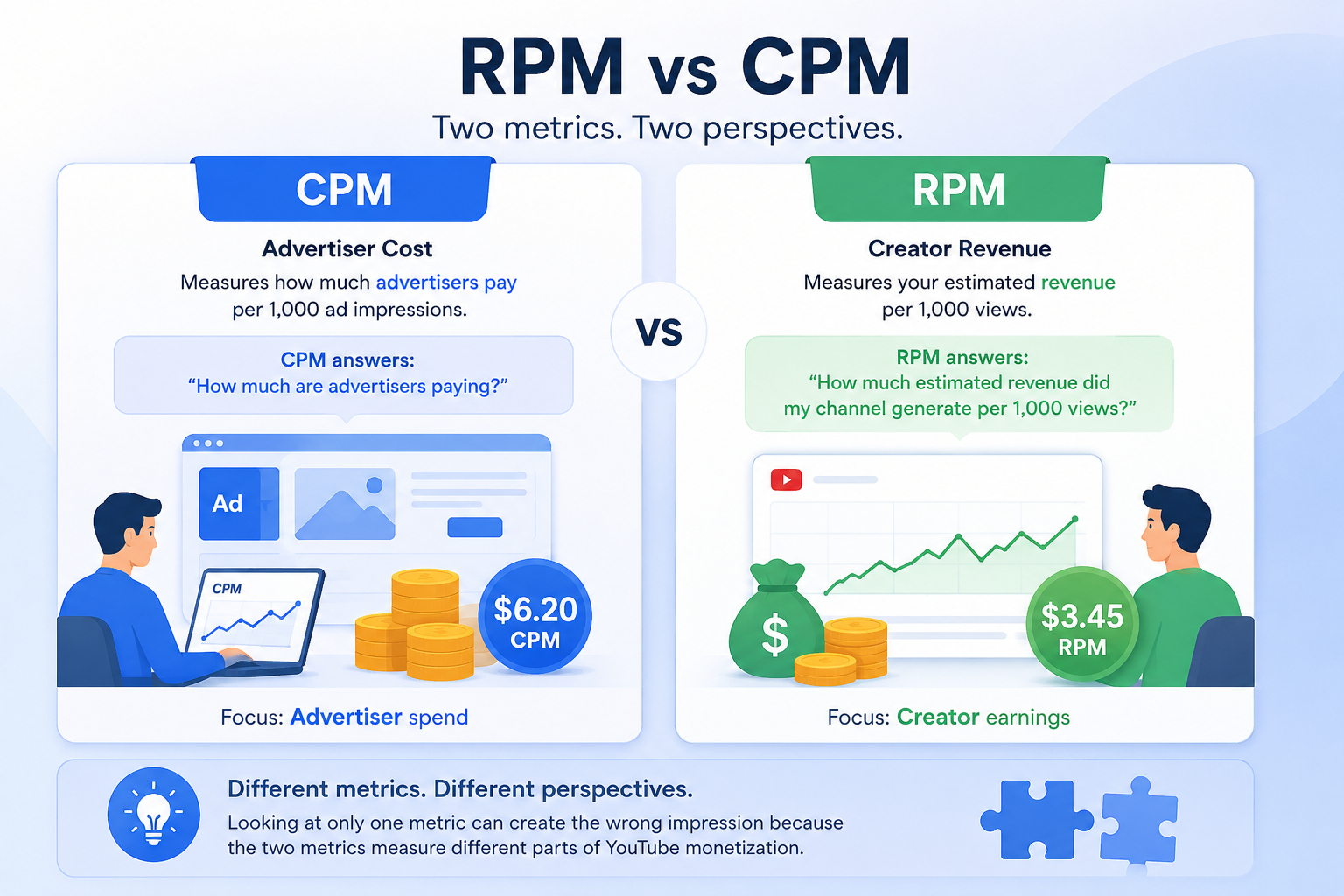
The biggest difference is that CPM measures advertiser cost, while RPM measures creator revenue.
CPM answers the question, “How much are advertisers paying?”
RPM answers the question, “How much estimated revenue did my channel generate per 1,000 views?”
Looking at only one metric can create the wrong impression because the two metrics measure different parts of YouTube monetization.
Why is RPM lower than CPM?
RPM is usually lower because it measures creator earnings rather than advertiser spending.
CPM reflects advertiser cost for advertising activity, while RPM estimates creator revenue per 1,000 video views reported in YouTube Analytics.
Which metric matters more?
For most creators, RPM is the more practical business metric.
CPM remains valuable because it helps explain advertiser demand, while RPM provides a clearer view of estimated revenue performance.
Using both metrics together provides better context than relying on either one alone.
How do CPM and RPM affect monetization decisions?
CPM and RPM help answer different questions.
CPM helps explain advertiser demand, while RPM helps creators understand estimated revenue performance.
Looking at both metrics together provides a more complete picture of channel monetization.
What can creators learn from both metrics?
Creators can use CPM to understand advertiser demand and RPM to evaluate business performance.
Together, these metrics help answer questions such as:
- Which topics attract higher-value advertisers?
- Which videos generate more revenue per 1,000 views?
- Which content deserves additional investment?
Neither metric should be interpreted on its own.
What causes RPM and CPM to change?
Audience location, content topic, advertiser demand, seasonality, monetization eligibility, and the share of monetized playbacks can all influence RPM and CPM over time.
Because several variables contribute to these metrics, changes should be interpreted in context rather than in isolation.
What’s a good RPM or CPM?
There is no universal good RPM or CPM.
Values vary by audience, content category, geography, advertiser demand, and seasonality, so comparisons are most meaningful within the context of your own channel.
CPM vs RPM comparison
Metric | What it measures | Who it helps | Includes all revenue? | Best use | Main limitation |
CPM | Advertiser cost per 1,000 ad impressions | Advertisers and creators | No | Understand advertiser demand | Doesn’t represent creator earnings |
Playback-based CPM | Advertiser cost per 1,000 monetized playbacks | Creators | No | Understand advertising value on monetized playbacks | Doesn’t represent creator revenue |
RPM | Estimated creator revenue per 1,000 video views | Creators | Yes, eligible revenue sources reported in YouTube Analytics | Understand revenue performance | Doesn’t explain advertiser pricing |
Example 1: High CPM, lower RPM
Imagine a finance video attracts premium advertisers.
Advertisers may pay a relatively high CPM, while the creator’s RPM remains lower because CPM and RPM measure different parts of YouTube monetization.
A higher CPM does not automatically mean higher revenue per 1,000 views.
Example 2: Two videos with similar views
Suppose two videos receive a similar number of views.
One video has a higher CPM while both videos show similar RPM values.
This illustrates that CPM and RPM measure different aspects of monetization and should be interpreted together rather than compared directly.
Best practices
- Monitor CPM and RPM together.
- Compare trends over time instead of isolated values.
- Review performance by individual videos.
- Interpret RPM as a creator revenue metric and CPM as an advertiser pricing metric.
- Use official YouTube definitions when discussing monetization metrics.
Organizing creator and team channel workflows
As creator businesses grow, analytics become only one part of daily operations. Teams often manage multiple branded profiles, client channels, mobile review tasks, and shared responsibilities across different people.
Keeping those activities separate can make day-to-day work easier to organize. Multilogin provides Android cloud phones, browser profiles, built-in residential proxies, team permissions, persistent app data, and one dashboard for organizing separate social profiles used in creator and client workflows.
For creator teams managing multiple brand or client YouTube profiles, Multilogin can help keep daily account work organized without turning your analytics workflow into a login mess.
Multilogin is not a way around platform rules; the safest approach combines clean account separation with original content, real engagement, and platform-compliant activity.