





Running social media content for multiple accounts — whether that is four client accounts or fifteen brand profiles — involves a lot of repetition. The same briefing process, the same caption-writing session, the same scheduling workflow, for each account, every week. A well-built Claude AI workflow eliminates most of that repetition without reducing the quality of the output.
This guide covers how to build a practical workflow using Claude for multi-account social media management: what to set up, how to structure the sessions, where automation genuinely helps, and where human judgment still needs to stay in the loop.
Try Multilogin now if the account isolation side of multi-account management is also on your list.
What a Claude workflow for social media actually looks like
A workflow is different from a one-off conversation. A conversation is reactive — you prompt, Claude responds, you prompt again. A workflow is a structured, repeatable process where Claude’s role is defined, the inputs are consistent, and the output goes directly into your operational pipeline.
For social media managers, the core workflow looks like this:
- Brand context is stored once (in Claude Projects)
- Content is briefed in batches, not individually
- Claude produces structured output formatted for direct use
- You review, edit, approve
- Approved content moves to scheduling
- Accounts are managed in isolated environments separate from the content workflow
Each step is intentional. The whole thing runs faster than traditional workflows because the repetitive parts are handled by Claude and the cognitive load stays on the parts that actually require your judgment.
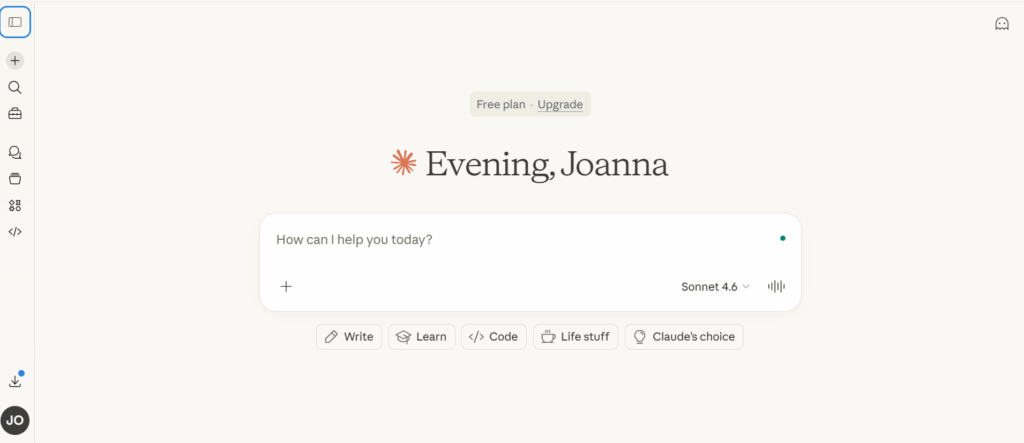
Step 1: Build your account context library in Claude Projects
Before writing a single piece of content, set up the infrastructure. This is the step most people skip, and it is the reason their Claude output stays generic.
What to store in each Project:
Create one Claude Project per client or account. Within each Project’s instructions, include:
- Brand voice. Four to six adjectives. Not “professional and friendly” — every brand claims that. Be specific: “analytical but conversational, uses industry terminology without jargon, never hyperbolic, direct to the point of bluntness.”
- Audience description. Who follows this account, what they care about professionally or personally, what language they use, what problems they are trying to solve.
- Content pillars. The three to five topic areas the account posts about consistently. For a B2B SaaS account it might be: product updates, industry trends, team culture, customer wins, technical explainers.
- Format mix. What percentage of content is Reels versus carousels versus static on Instagram. Whether LinkedIn content is long-form posts or short punchy observations. Whether TikTok content is educational or entertainment-led.
- Approved examples. Paste in four to six examples of content that has already been approved and performed well. This is the most effective single element — Claude matches patterns more accurately than adjectives alone.
- Off-limits rules. Topics the account never discusses. Competitor names to avoid. Phrases or approaches the brand prohibits. (“Never write ‘game-changer'”, “Do not mention pricing in organic content”, “Avoid first-person singular — this is a brand account.”)
Set this up once. Update it when brand guidelines change. Every session within that Project inherits the full context automatically.
Step 2: Structure your weekly content session as a batch operation
The shift from prompting Claude one piece at a time to producing a full week’s content in one session is where the time savings become real.
Weekly batch prompt structure:
Using the brand context in this Project, produce this week’s content for [account name]. I have [number] posts planned:
- [Brief concept for post 1]
- [Brief concept for post 2]
- [Brief concept for post 3] [Continue for all posts]
For each post, produce: — Primary caption ([platform-appropriate length]) — Shorter variation ([shorter length]) — Hook option if the post format is video — Format note (static, carousel, Reel, thread, etc.)
Format the output as a numbered list matching the input order.
Claude runs through the entire batch. You receive a structured output covering the full week. Review time is 15–30 minutes for a week’s content across one account.
For agencies managing multiple accounts, run the same process for each account using its corresponding Project. Keep accounts in separate Projects — never run two clients in the same conversation thread.
Step 3: Add a research layer for trend and topic input
Content that responds to what is actually happening in a niche performs better than evergreen content in isolation. Building a research step into your weekly workflow keeps content fresh without requiring you to manually survey the industry every week.
Two practical approaches:
Research prompt before content production:
Start your weekly session with a research prompt before the content batch:
“It is [date]. I manage content for an account in the [niche] space. Based on your knowledge of this industry, what are three or four topics or angles that are likely to be relevant and timely right now? What questions is this audience asking? What problems are they dealing with this season? Use this to inform the content batch that follows.”
This is not a real-time web search — Claude’s knowledge has a cutoff — but it surfaces evergreen seasonal patterns and industry-relevant angles that improve content relevance.
Claude with web access for research:
If you use Claude with web browsing enabled or Claude in Chrome, you can research specific trending topics, competitor content, or industry news before drafting. Feed that research directly into the content prompt as context.
Step 4: Build a multi-platform adaptation layer
Most social media managers post across more than one platform. The mistake is treating each platform as a separate writing task. With Claude, you write once and adapt — not from scratch, but from a single source brief.
Multi-platform adaptation prompt:
Here is the core message for this week’s content: [describe the message in 2–3 sentences].
Adapt this for three platforms: — Instagram: Reel concept + caption (150 chars) + hook option — LinkedIn: post structure + opening line + body approach — X/Twitter: thread angle + opening tweet hook
Keep the core message consistent. Adjust voice, length, and format for each platform. Flag which format requires the most original content to produce (not just reformatting).
The output is a briefed, structured plan for each platform from one core idea. You fill in the specifics and refine per platform.
Step 5: Review, edit, approve
Claude drafts. You decide. This step is not optional and should not be treated as a quick skim.
What to check in the review pass:
- Brand voice accuracy. Does it actually sound like this account? Pull up the approved examples from the Project — compare directly.
- Specificity. Has Claude replaced specific details with generic placeholders? “Increases efficiency by up to 40%” is different from “Increases efficiency.” If specifics are missing, add them.
- Filler phrases. Claude overuses certain constructions: “In today’s [fast-paced] world”, “Here’s what I’ve learned:”, “The key is”. Cut them. Rewrite the surrounding sentence.
- Platform fit. Does the LinkedIn post feel like LinkedIn? Does the TikTok hook actually stop a scroll? Platform fitness is something Claude generally gets right, but check it.
- Legal and brand sensitivity. Any claims that need verification. Any language the brand cannot stand behind. Any references that might be misread.
Review time for a week’s batch across one account: 15–30 minutes. That is the fixed cost per account per week. With 10 accounts, that is 2.5–5 hours of review for a full week’s content — significantly less than the alternative.
Step 6: Connect to scheduling
Claude does not post to social platforms. After the review step, approved content moves to your scheduling tool. The most common tools used by professional SMMs: Buffer, Hootsuite, Later, Sprout Social, Publer.
For agencies, the approval workflow often has a step between Claude review and scheduling: client approval. A lightweight version of this:
- Claude produces the batch
- You review and edit
- You compile the final content in a shared doc or client approval tool
- Client approves (or requests changes)
- Approved content goes to scheduling
Claude’s batch output format — numbered list, organized by post — makes it easy to move directly into a doc for client review without reformatting.
Step 7: Account isolation for multi-account workflows
Content production is one layer of multi-account social media management. The account infrastructure is another — and it matters more as the number of accounts grows.
Platforms track environmental signals across sessions. If the same IP address, browser fingerprint, or cookie environment accesses multiple accounts, the platform builds a picture of those accounts as connected.
For social media managers running legitimate accounts for different clients, this creates unintended linking. A ban on one account can surface risk on others that share the same session environment.
The standard solution for professional multi-account managers is profile isolation: a separate browser environment for each account, with its own fingerprint, cookies, and IP. Multilogin’s browser profiles do this at the browser level. Each account gets its own isolated session — nothing crosses between them.
For mobile-first social media management — accounts that are primarily operated through apps rather than web browsers — Multilogin cloud phones provide the same isolation at the device level. Each account runs on its own real Android environment with unique hardware identifiers, a persistent app session, and its own IP.
The Claude workflow handles what goes into those accounts. The isolation infrastructure handles how the accounts appear to the platforms. Both parts of the workflow matter.
Adding automation beyond Claude Projects
For teams who want to extend beyond Claude’s built-in capabilities toward genuine workflow automation:
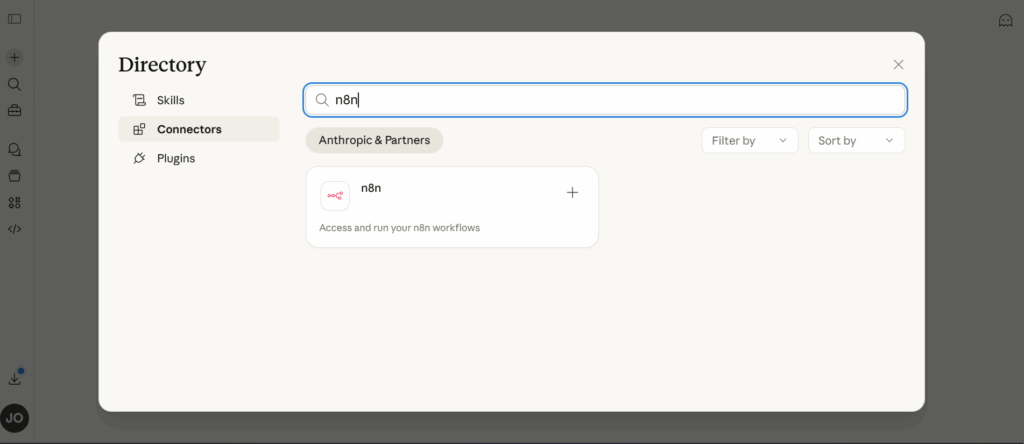
- n8n with Claude. n8n is a workflow automation tool that connects Claude to other services. You build a workflow where a trigger — a new content brief in Notion, a calendar event in Google Calendar, a new post in an RSS feed — kicks off a Claude prompt and routes the output to a Google Doc, a scheduling tool, or a Slack channel. No traditional coding required, though some technical comfort helps.
- MCP servers. If your team uses tools that have Claude-compatible MCP servers — Notion, Airtable, Google Sheets — Claude can read from and write to them directly as part of a workflow. A prompt like “read this week’s content brief from Notion and produce the full batch” becomes possible with the right setup.
- Claude API with tool use. For developers or agencies with technical resources, the Claude API supports tool calling — you define functions (database read, API call, web fetch) and Claude calls them as part of executing a workflow. This is the path to fully integrated, production-grade automation.
For most social media managers, n8n is the practical entry point beyond Projects. The infrastructure for more advanced setups is real, but it requires technical investment.
Common mistakes in Claude social media workflows
- Running multiple clients in the same Project. Claude Projects are not permission-controlled between conversations — if you have Client A’s brand context stored alongside Client B’s, the outputs will bleed. One Project per account.
- No review step built into the workflow. Claude makes mistakes — factual errors, tone drift, filler phrases that slip through. A workflow without a built-in review step will eventually produce something that should not have been published.
- Prompting for one piece at a time. Batch production is the efficiency gain. If you are still briefing individual captions, you have not yet built a workflow — you have a faster version of your old process.
- Treating Claude as a final editor. Claude is a first drafter. The editing pass — adding specifics, cutting filler, adjusting voice — is where the quality lives. Do not skip it.
Ignoring the account infrastructure layer. A strong content workflow does not protect against account linking from shared sessions. Managing multiple social media accounts requires both content production and account isolation. The Claude workflow handles the first; something like Multilogin handles the second.
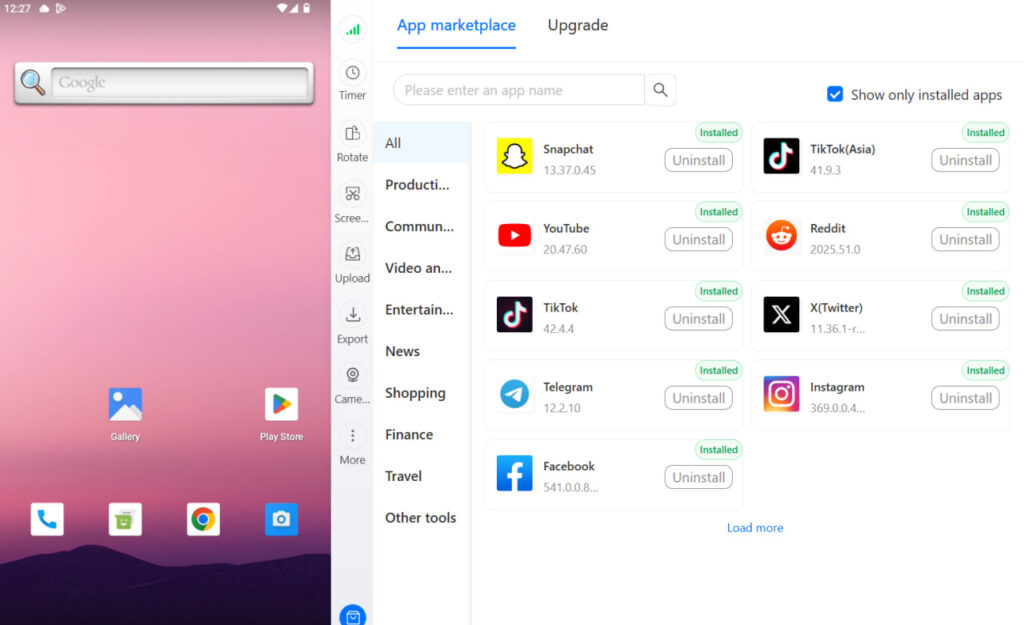
Need to manage multiple social media accounts? Try Multilogin Cloud Phones.
Frequently asked questions About Claude AI workflow for managing multiple social media accounts
The core workflow — Claude Projects, batch prompting, review, scheduling — requires no technical skills. The extended automation layer (n8n, MCP, API) requires varying levels of technical comfort.
Initial setup: 30–60 minutes per account to write the brand context, gather approved examples, and document the rules. That investment pays back in every subsequent session.
A Claude Project is a persistent workspace where you can store instructions that apply to every conversation within it. For social media managers, this means you store brand voice, audience description, and content guidelines once — Claude uses them every session without you re-briefing.
Yes. Create one Claude Project per client. That keeps each client’s brand voice, audience, and content guidelines separate.
No, unless you’re using Projects with stored instructions. Each new conversation starts fresh by default. If you need Claude to have context from a previous session, paste it back in.
It depends on the use case. Claude tends to produce cleaner, more natural long-form writing. For caption writing, content briefs, and narrative content, many SMMs prefer it. Test both with your specific use case.


