


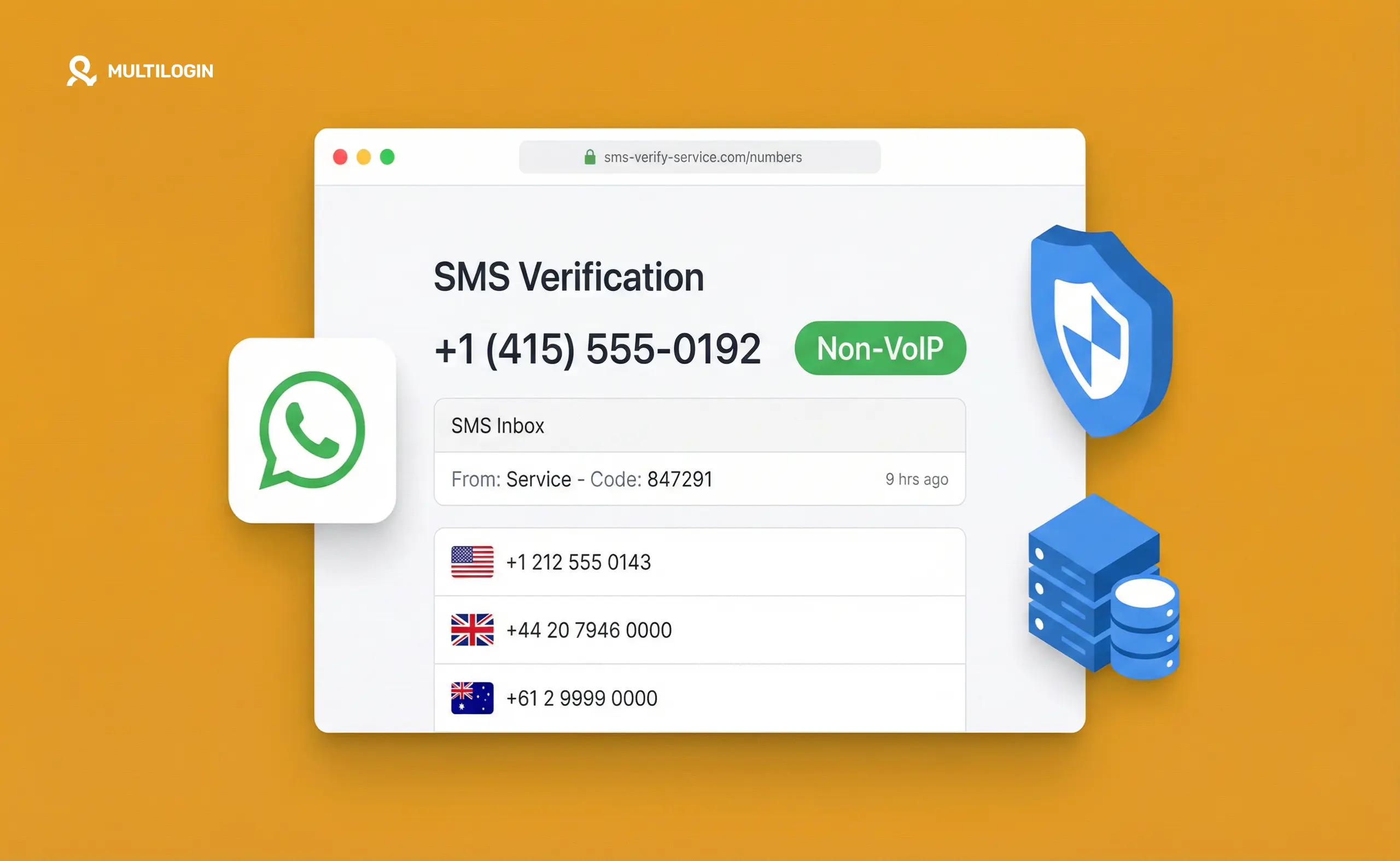



You’ve filled in the details, chosen a username, and clicked “Create account.” Then it asks for a phone number. You enter a virtual number you found online — and the platform rejects it immediately. “This phone number cannot be used for verification.”
That’s VoIP detection in action. Most platforms now check whether the number you’re submitting belongs to a real carrier or a VoIP service. If it’s VoIP, they block it. No account. No workaround. Try again.
This guide covers exactly what non-VoIP numbers are, why platforms care so much, and which free and paid options actually work in 2026 — including honest notes on where each one falls short.
One thing to be clear about upfront: if you’re creating accounts at scale, the phone number solves the verification step. What comes after — keeping accounts separate, preventing device linking, building account history — that’s a different layer entirely. We’ll cover that at the end.
What “non-VoIP” actually means (and why it matters)
VoIP stands for Voice over Internet Protocol. It’s how services like Google Voice, TextNow, Skype, and hundreds of others give you a phone number that routes through the internet rather than a real mobile network.
Platforms block VoIP numbers for one reason: they’re too easy to generate in bulk. Someone creating fake accounts needs phone numbers, and VoIP services hand them out for free. So TikTok, Instagram, WhatsApp, Gmail, Telegram, and most other platforms now run the submitted number through a carrier lookup before accepting it.
A non-VoIP number is one assigned by a real mobile carrier — AT&T, T-Mobile, Verizon, and their equivalents in other countries. These pass the lookup check because they’re tied to a real SIM on a real network.
The terms you’ll see used interchangeably:
- Non-VoIP number — any number that isn’t routed through internet telephony
- Real number — same thing, emphasising it comes from a carrier
- PSTN number — Public Switched Telephone Network, the technical term for traditional phone infrastructure
The practical test is simple: if a platform accepts it for verification, it works. If it bounces, it doesn’t.
Why platforms have gotten better at detecting VoIP
A few years ago, Google Voice worked fine for most verifications. TextNow worked. So did dozens of free alternatives. That’s largely not the case anymore.
Platforms now use number intelligence APIs — services from providers like Twilio Lookup, Ekata, and NumVerify that classify every submitted phone number by carrier type, risk score, and activity history. The check happens in milliseconds before the SMS even sends.
Three signals get a number flagged:
- Carrier type. Numbers issued by VoIP providers show up as “VoIP” or “virtual” in the carrier lookup. That’s an immediate block on platforms that enforce real-number policies.
- Number reputation. Some numbers — even real ones — have been used for verification thousands of times. Services like TextVerified and 5SIM sell “use once” numbers, but if a number has been burned through repeated signups, it may already be on a blocklist.
- Country mismatch. Submitting a US number while your IP shows you’re browsing from Singapore is a flag. Not always a block, but enough to trigger additional checks on some platforms.
This is why the “free VoIP number” approach that worked in 2022 often fails in 2026.
Free non-VoIP options that work (with honest limits)
TextNow (free tier — limited)
TextNow gives you a number tied to their network, which is technically a hybrid: they use a real MVNO (Mobile Virtual Network Operator) relationship, meaning their numbers classify as real mobile numbers on many lookups, not VoIP. This is why TextNow passes verification on some platforms but not others.
Where it works: Lower-sensitivity platforms, some regional apps, basic account creation.
Where it fails: Gmail (increasingly), Instagram (often blocks now), WhatsApp (blocks TextNow numbers as of 2024 in most cases).
Honest limit: The free tier gives you a single number that gets recycled. If someone used it before you for verifications, it may already be flagged.
Google Voice (US only — conditional)
Google Voice is VoIP, but because it’s Google, some Google-adjacent services still accept it. For non-Google platforms, it will typically be blocked.
The exception: if you already have a Google account and you’re porting a real mobile number into Google Voice, the underlying carrier history can help it pass some checks. But fresh Google Voice numbers on new accounts? Most platforms detect and block them.
Where it works: Some US-only services with less aggressive VoIP filtering.
Where it fails: WhatsApp (blocks it), TikTok (blocks it), Instagram (inconsistent but often blocked).
Second SIM on a budget phone
If you have access to a prepaid SIM — a physical SIM from any carrier — that’s a genuine non-VoIP number. In many countries you can get a prepaid SIM for under $5 with no contract. That number is real, carrier-assigned, and will pass any lookup.
Where it works: Everything. A real SIM is a real number.
Honest limit: Doesn’t scale. One SIM = one number. Managing multiple accounts at any volume means managing multiple physical SIMs, which is exactly what services like eSIM providers try to solve.
Paid services that provide non-VoIP numbers
5SIM
5SIM aggregates real phone numbers from operators in 180+ countries and sells them for single-use SMS verification. Numbers are real mobile numbers — not VoIP — which means they pass carrier lookups on platforms that explicitly block VoIP.
Price range: $0.05–$2.00 per number depending on country and platform. US numbers for Instagram or WhatsApp typically cost $0.50–$1.50.
What it’s good for: Creating accounts on specific platforms. You select the platform you need the number for, buy a number, receive the SMS, and use the code.
What it’s not: A persistent number you can use repeatedly. 5SIM numbers expire after one use and cannot receive follow-up SMS messages.
Realistic success rate: 85–95% depending on the platform. Some numbers have already been used and show as inactive. If verification fails, most platforms give you a refund.
SMS-Activate
SMS-Activate is the largest service in this category, with real numbers from carriers across 50+ countries. It works on the same model as 5SIM — buy a number for a specific platform, receive the OTP, done.
Price range: $0.07–$3.00 per number. Russian and Eastern European numbers are cheapest. US numbers for high-check platforms cost more.
What’s different from 5SIM: SMS-Activate tends to have better availability for high-demand platforms (Instagram, TikTok, WhatsApp) because of the volume of numbers they source. They also have rental numbers for cases where you need the number to stay active for a few hours rather than one SMS.
SMSPVA
SMSPVA focuses on US and EU numbers and is used heavily by people creating accounts on WhatsApp and Telegram. Their numbers come from real mobile carriers, not VoIP providers.
Pricing: $0.10–$1.00 per number for most platforms.
What it handles well: Telegram, WhatsApp, Facebook — three platforms where VoIP detection is aggressive.
Hushed (paid eSIM — persistent number)
Hushed gives you a real number tied to a real mobile carrier via eSIM, and unlike single-use services, the number stays active as long as you’re subscribed. Plans start around $1.99/month for a single number.
What this is for: Situations where you need a real number long-term — not just for initial verification but for ongoing platform communications, password resets, or secondary authentication.
Honest limit: One account per number. If you’re managing accounts at scale, you need multiple Hushed subscriptions.
A note on scale: when individual numbers stop working
If you’re creating one or two accounts, the services above handle it. The workflow is simple: buy a number, verify, done.
The challenge starts when you’re managing accounts at any real volume — say, 10+ accounts across one or several platforms.
Three problems emerge:
- One number, one account. Most services sell single-use numbers. Creating 20 accounts means buying 20 numbers. That’s fine operationally, but if the accounts are all created back-to-back from the same device or IP, the phone numbers are the least of your problems. Platforms link accounts by device fingerprint, IP address, and behavioral patterns — not just by phone number.
- Numbers burn out. Popular numbers on 5SIM and SMS-Activate get used by many people. If a number was used to create three Instagram accounts before yours, the fourth attempt may fail even with a brand-new device.
- Verification is step one, not the whole job. Phone verification gets you into the account. What happens next — how the account behaves, what device it’s running on, whether it looks like a real person using a real phone — determines whether it survives past the first week.
This is the gap most guides miss. Virtual phone numbers solve the verification step. They don’t solve the management layer.
What comes after verification: account isolation
Once you’ve created accounts using real non-VoIP numbers, the accounts need to be managed in a way that doesn’t trigger linking detection.
Platforms compare device signals across sessions. If five Instagram accounts all log in from the same Android phone — even at different times — they share an IMEI, Android ID, MAC address, and app storage. That’s enough to link them.
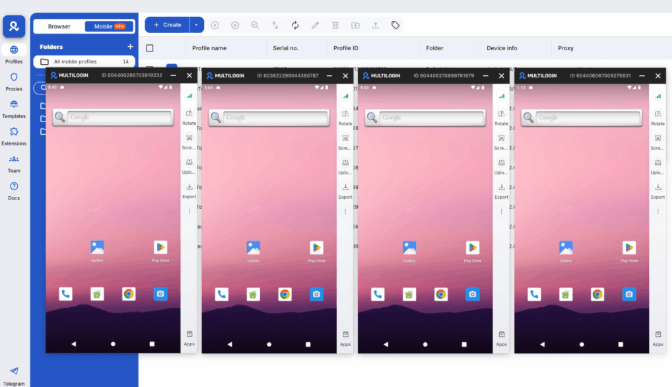
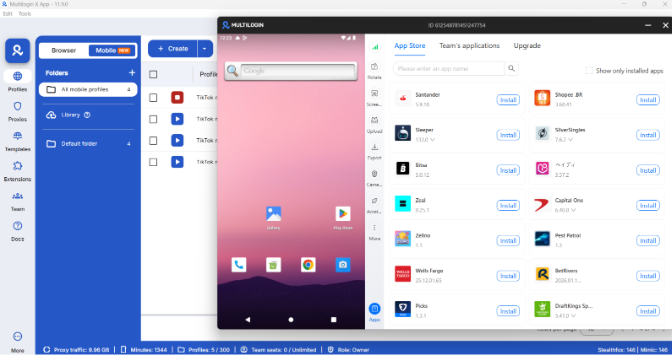
For social media managers and multi-account operators, the standard approach is to run each account on its own isolated environment. For mobile accounts, that means either physical phones (expensive and unscalable) or Multilogin cloud phones — real Android devices hosted in the cloud, each with a unique hardware fingerprint.
Each cloud phone has its own IMEI, its own Android ID, its own storage. When you log into Instagram on cloud phone #3, that session is completely separate from cloud phone #7. There’s no shared device signal.
The workflow for managing accounts at scale looks like this:
- Get a non-VoIP number (from SMS-Activate, 5SIM, or a real SIM) for each account
- Create the account using that number
- Log the account into a dedicated cloud phone (or browser profile for web-based platforms)
- Run all activity for that account on that isolated environment only
The phone number handles step 2. The cloud phone handles everything after.
For WhatsApp specifically — which is almost entirely app-based — the combination matters a lot. Multiple WhatsApp accounts created with real numbers but managed on the same device will almost always trigger linking. Running WhatsApp Business on separate cloud phones keeps each number on its own real Android environment.
For Telegram, the setup is similar. Real numbers from SMS-Activate for verification, then each account managed on its own cloud phone for Telegram or within an isolated browser profile with a matched proxy.
Try Multilogin now and handle the management layer properly.
Quick checklist before you buy a non-VoIP number
- [ ] Check which country the number needs to be from (platforms sometimes require the number to match your account’s target region)
- [ ] Confirm the service you’re using lists the specific platform you need (most services show success rates per platform)
- [ ] Have your account registration page open and ready — 5SIM and SMS-Activate numbers expire after 10–20 minutes
- [ ] If the SMS doesn’t arrive within 2 minutes, request a new number (some numbers are inactive)
- [ ] After verification, don’t use the same number for a second account on the same platform — buy a new one
- [ ] Log the number you used somewhere — you may need it for account recovery later
Common mistakes that waste your number
- Using a VoIP service and expecting it to work. Google Voice, TextNow’s free tier, Skype numbers, and Discord-specific numbers are VoIP. If the platform specifically blocks VoIP, these will fail. The error message usually says “This phone number cannot be used” or “Invalid phone number.”
- Buying in bulk from one number range. Some operators put numbers in sequential blocks. Buying 20 numbers from the same provider in one go can mean they’re all from the same number range, which platforms sometimes flag as suspicious.
- Not checking country compatibility. WhatsApp, for instance, may require the number’s country code to match the location your account is being created from. A US number with an Indian IP may fail even if the number itself is real.
- Using the number immediately for another account. Even on different platforms, using the same real number for multiple accounts builds a trail. Some platforms cross-reference phone numbers to flag suspicious patterns.
Need to manage multiple social media accounts? Try Multilogin Cloud Phones.
Frequently asked questions About Best Non-VoIP Phone Numbers for SMS Verification
VoIP numbers are issued by internet-based phone services and routed through the web rather than a real carrier network. Non-VoIP numbers are assigned by mobile operators (like AT&T or Vodafone) and use physical infrastructure. Platforms use carrier lookup APIs to distinguish between them and block VoIP numbers from verification.
WhatsApp, Instagram, TikTok, Gmail, Facebook, and Telegram all apply VoIP filtering to some degree. WhatsApp and Telegram are the strictest. Gmail’s filtering has become more aggressive since 2024. Some platforms are inconsistent — the same number may work one day and fail the next depending on their backend.
Rarely for high-detection platforms. Free services like TextNow have a real carrier relationship in some configurations, but their numbers have high reuse rates. If the number has been through repeated signups, it may be on a platform blocklist even if it’s technically real. Paid single-use services (5SIM, SMS-Activate) offer better reliability because the numbers haven’t been burned.
For mobile-first platforms like TikTok and Instagram, a cloud phone. Each cloud phone profile has a unique real Android device identity — IMEI, Android ID, device model — which is what multi-account operations on native apps require. A VPS doesn’t provide Android device identities.
A virtual phone vs cloud phone covers this in depth, but briefly: a virtual phone number is just a number you can receive SMS on. A cloud phone is a full Android device running in the cloud — it has an operating system, apps, and a real hardware fingerprint. Virtual numbers solve verification. Cloud phones solve account management after verification.


