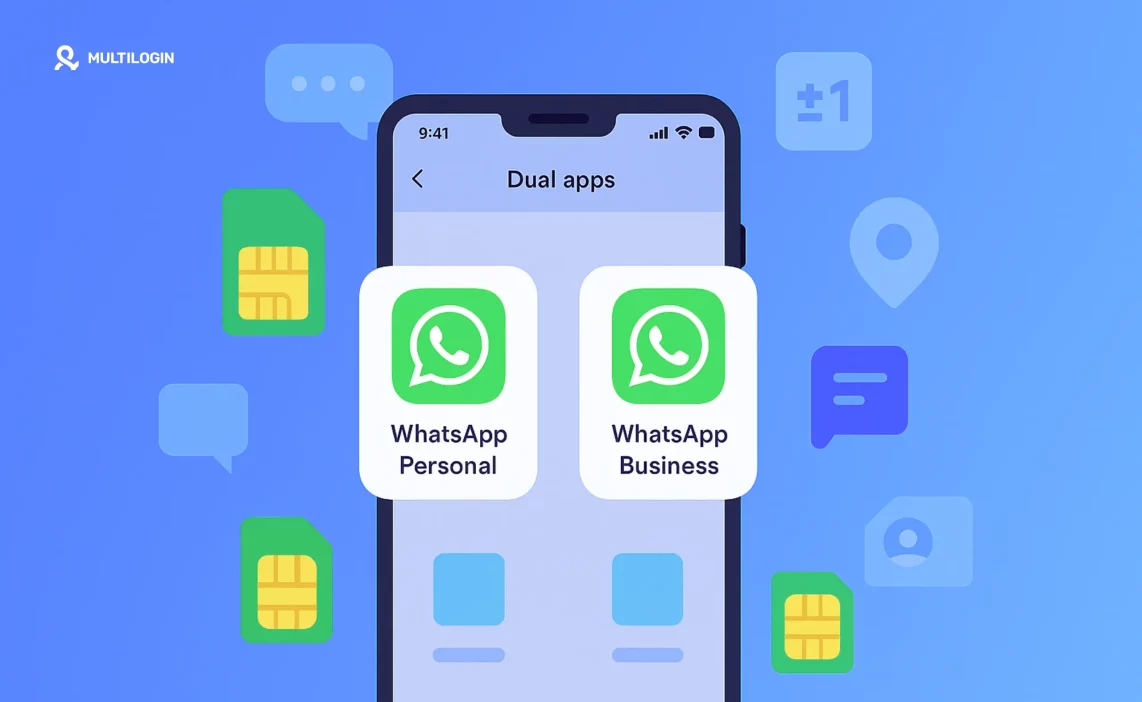

If you are wondering can you have more than one WhatsApp account on the same phone, the answer is yes, but only within certain limits. WhatsApp allows one account per number, so running multiple accounts depends on the device, the app features available, and how long the accounts need to stay active.
Common ways people do this include:
Using WhatsApp Business with a second number
Using Android app cloning or native multi-account features
Switching accounts inside WhatsApp on supported Android versions
Accessing a second account through WhatsApp Web or desktop
Using cloud Android phone environments when accounts must stay logged in over time
Simple methods work for light use. When accounts need to remain separate, active, and reusable, cloud Android environments provide a more stable way to manage multiple WhatsApp accounts without constant switching or rebuilding.
Can you have more than one WhatsApp account on the same phone?
Yes, you can have more than one WhatsApp account on the same phone, but only if each account is tied to a different phone number and the setup fits how you plan to use those accounts over time. WhatsApp is built around the idea that one number equals one account, which means running multiple accounts always depends on using supported features or separate environments rather than simply duplicating the app.
For light use, this can be straightforward. You might separate personal and work chats, or keep a second account active for a short period. But as soon as accounts need to stay logged in, keep their history intact, and remain separate over weeks or months, the limitations start to show. Switching between apps, re-verifying numbers, or recovering lost sessions quickly turns into friction.
If accounts start disappearing or losing their history after restarts or changes, the issue is not how many accounts you are running. It is how those accounts are being managed. Multiple WhatsApp accounts only work reliably when each one operates in its own environment, with its own identity and session history kept intact instead of being recycled or reset.
What you need to run multiple WhatsApp accounts
Running more than one WhatsApp account is possible, but only when a few basic requirements are met and understood from the start. Most problems appear when people assume accounts can be duplicated freely, without considering how WhatsApp ties identity, sessions, and access together. If the foundation is unclear, simple setups tend to fall apart once accounts need to stay active over time.
To run multiple WhatsApp accounts, you need:
Multiple phone numbers, since each WhatsApp account can be registered with only one number
Supported device or platform features, such as native multi-account options, app cloning, or separate apps
An understanding of session and login limitations, including how often accounts may need re-verification or lose history when environments reset
These basics explain why quick solutions work at first, but struggle as soon as accounts must remain stable, reusable, and separate.
Ways to use more than one WhatsApp account on android
Android offers more flexibility than any other platform when it comes to managing multiple WhatsApp accounts. Several built-in and app-based options exist, each suited to a different level of use.
Android Cloud Phones With Multilogin
The most stable way to manage more than one WhatsApp account on Android is by using Multilogin Android cloud phones. Instead of stacking accounts on the same device or switching between apps, each WhatsApp account runs inside its own isolated cloud Android environment. App data, login state, and session history stay intact, so accounts behave consistently over time.
This approach works especially well when you need to keep accounts active long term, manage accounts for clients or teams, or scale beyond two or three accounts without rebuilding setups. Each account stays separate, and issues in one environment do not affect the rest.
WhatsApp native multi-account feature
WhatsApp now supports running more than one account inside the same app on many Android devices. This allows you to switch between accounts without installing multiple versions of WhatsApp, while keeping chats and settings separate.
To use this feature, you need an Android device running the latest WhatsApp version and access to two phone numbers, often through dual-SIM support. For personal use or simple separation between accounts, this option is usually enough. Once accounts need to stay active long term or be managed alongside others, the limitations become more visible.
App cloning and dual apps
Many Android manufacturers include app cloning features that allow you to install a second copy of WhatsApp. Brands like Samsung, Xiaomi, Huawei, OnePlus, and others support this through features such as Dual Messenger or Dual Apps.
While this approach works well at first, it comes with trade-offs. Cloned apps often depend on the same system environment, which can lead to session resets or unexpected behavior after updates. Problems usually start when accounts are reused frequently or when more than two accounts are involved.
WhatsApp business as a second account
WhatsApp Business is one of the cleanest ways to run a second WhatsApp account on Android. It installs as a separate app, uses a different number, and keeps business and personal communication clearly separated.
In addition to standard messaging, WhatsApp Business includes features like labels, automated replies, and business profiles. This setup works well for one extra account, but it does not scale easily beyond that. As soon as more accounts are needed or sessions must stay active across multiple environments, this method reaches its limits.
Why managing multiple WhatsApp accounts gets hard over time
At first, running more than one WhatsApp account on the same phone feels manageable. Switching between apps works, logins stay active, and everything looks under control. Over time, though, the cracks start to show, especially if you rely on the same device or setup for more than one account. This is where the real pain behind the question can you have more than one WhatsApp account on the same phone becomes clear.
Session resets are usually the first problem. Accounts lose their login state after updates, restarts, or app switches, forcing repeated verification and breaking conversation history. App switching fatigue follows quickly, as jumping between accounts becomes slower and more error-prone the more often it happens.
Shared environments make things worse. When multiple accounts rely on the same underlying setup, small changes or mistakes affect more than one account at once. Limited reuse means there is no clean way to pause, hand off, or maintain accounts long term without rebuilding them again and again.
Managing multiple WhatsApp accounts becomes difficult not because it is impossible, but because simple methods were never designed to support stability, separation, and reuse over time.
Managing multiple WhatsApp accounts with cloud android environments
When managing more than a couple of WhatsApp accounts, the challenge is no longer creating the accounts, but keeping them stable over time. Cloud Android environments make this easier by giving each WhatsApp account its own dedicated space to operate. Instead of sharing one device or switching between apps, every account runs inside a separate Android environment with its own app data and login state preserved.
Because these environments are isolated, accounts do not interfere with each other. One account can be paused, updated, or fixed without affecting the rest. Sessions remain intact across restarts, which allows WhatsApp accounts to behave consistently instead of resetting or losing history. The goal is not speed or shortcuts, but control and predictability.
How Multilogin cloud phones improve WhatsApp account management
Managing multiple WhatsApp accounts becomes difficult when accounts are treated as temporary setups instead of long-term environments. Multilogin Cloud Phones are built around the idea that WhatsApp accounts need consistency, reuse, and control to stay functional over time, especially when they are part of a business or team workflow.
Isolated Cloud android environments per account
Each WhatsApp account runs inside its own cloud Android environment. App data, login state, and session history remain contained within that environment, which prevents accounts from affecting one another. This isolation makes it possible to fix or adjust one account without touching the rest.
Long-term session stability
With Multilogin Cloud Phones, sessions are not reset every time an environment is closed or reopened. WhatsApp accounts return to the same state they were left in, which helps maintain continuity and reduces repeated verification or session loss.
Centralized control from one dashboard
All WhatsApp environments are managed from a single Multilogin dashboard. You can launch, pause, organize, and monitor accounts without switching tools or rebuilding setups. This simplifies daily management and reduces operational mistakes.
Built for reuse and scale
Accounts can be paused and reused instead of being recreated from scratch. When you need to add more WhatsApp accounts, you scale the number of environments without changing the structure that already works. This approach turns WhatsApp account management into infrastructure that supports growth, rather than a series of workarounds that break under pressure.
Learn more about how a cloud-based phone system works!
When cloud phones make sense for WhatsApp
Cloud phones are not required for every WhatsApp user. If you are managing one personal account or occasionally switching between two numbers, native features and basic methods are usually enough. The need for cloud phones appears when WhatsApp accounts become part of an ongoing workflow rather than a casual setup.
Cloud Android environments start to make sense when:
You manage WhatsApp accounts for clients or teams, and access needs to be shared without handing over personal devices
You run operational, sales, or support accounts that must remain logged in and available over long periods
You need accounts to stay active without repeated verification, even after restarts or handoffs
You are scaling beyond two or three accounts and want to avoid rebuilding setups every time something changes
In these situations, stability and reuse matter more than quick access. Cloud Android environments provide a structured way to manage WhatsApp accounts over time, without relying on constant switching, resets, or temporary solutions.
Learn more about “phone farming with Multilogin“!
Manage WhatsApp accounts long term with isolated cloud Android environments using Multilogin Cloud Phones.
Final thoughts: Managing multiple WhatsApp accounts
If you are asking can you have more than one WhatsApp account on the same phone, the answer is yes, but the real challenge is keeping those accounts stable over time. Simple methods work at first, but they start to break once accounts need to stay logged in, remain separate, and be reused without constant rebuilding. Managing multiple WhatsApp accounts stops being a device problem and becomes a structure problem.
Cloud Android environments solve this by giving each WhatsApp account its own space to operate, with app data and sessions kept intact. When stability, control, and long-term use matter, managing WhatsApp accounts through structured environments is a more reliable approach than stacking everything on a single phone.
Multilogin is a 2-in-1 platform that combines cloud Android phones and an antidetect browser in one system, built for professionals who need to manage multiple accounts without overlap or instability.
Frequently asked questions about can you have multiple WhatsApp accounts
Yes, but only if each account is managed in a way that preserves its session and identity over time. Native features and app cloning work for short-term use, but long-term management requires separate environments so accounts remain stable instead of resetting or interfering with each other.
Issues usually appear when accounts share the same environment or lose session history after restarts, updates, or frequent switching. When identity becomes inconsistent, platforms begin treating accounts as unfamiliar, which leads to repeated verification and account instability.
Cloud Android environments make sense once you are managing more than two or three WhatsApp accounts, sharing access with a team, or keeping accounts active for ongoing operations. At that point, stability and reuse matter more than quick setup.
Yes, WhatsApp now allows linking up to 4 additional devices (phones, tablets, desktops) to a single account using the Linked Devices feature.
Yes, on Android. Use WhatsApp, WhatsApp Business, and Dual App clone (if your phone supports it).
Yes, as long as they can receive SMS or calls for verification. This is common with services like Google Voice or VoIP providers.
Yes, it has extra features like catalogs, business profiles, quick replies—but it functions similarly for messaging.
