


Running multiple Snapchat accounts is straightforward on paper: create an account, use it for a while, create another. The problem is what Snapchat does in the background — and why most attempts to manage multiple accounts from a single device end in bans.
This is a guide about how Snapchat detects linked accounts, what it actually takes to run them cleanly, and how cloud phones solve the device problem that VPNs and incognito modes don’t.
Why Snapchat bans multiple accounts from the same device
Snapchat bans aren’t random. When you get flagged for running multiple accounts, it’s almost always because the platform detected a shared signal — usually a hardware identifier.
Every Android device has a set of identifiers that persist regardless of what apps you install, what account you’re logged into, or what IP address you’re on. The IMEI is the most significant — a unique number burned into the device at manufacture. The Android ID, device model, and hardware configuration add additional layers to this fingerprint.
When two Snapchat accounts are accessed from the same device, Snapchat’s fraud detection system sees a match on those hardware identifiers. This is interpreted as one person operating multiple accounts — which violates Snapchat’s terms of service when done in ways the platform considers coordinated or inauthentic.
A VPN changes your IP address. Logging out and logging back in changes nothing about the hardware. A different SIM card changes your phone number but leaves the device fingerprint identical. None of these approaches solve the problem Snapchat is actually looking at.
What Snapchat detects beyond the IP address
Snapchat’s detection system is more sophisticated than IP matching. The signals it combines include:
Device hardware identifiers — IMEI, Android ID, device model, manufacturer. These are the hardest to change and the most reliable for linking accounts. Two accounts with matching IMEI values are definitionally on the same device.
Network signals — IP address, network type (mobile data vs WiFi), carrier name. IP alone is weak because many users legitimately share IPs (corporate networks, mobile carriers using NAT). Snapchat cross-references IP with device data.
Account behaviour patterns — creation timing, posting cadence, interaction patterns. Multiple accounts created in rapid succession, or accounts that interact exclusively with each other, trigger pattern-based flags.
App metadata — app version, device locale, time zone. Inconsistencies between these signals raise risk scores.
The implication: solving just one layer (IP) while leaving the others intact doesn’t work. A clean setup requires a clean device identity for each account.

How cloud phones solve the multiple-account problem for Snapchat
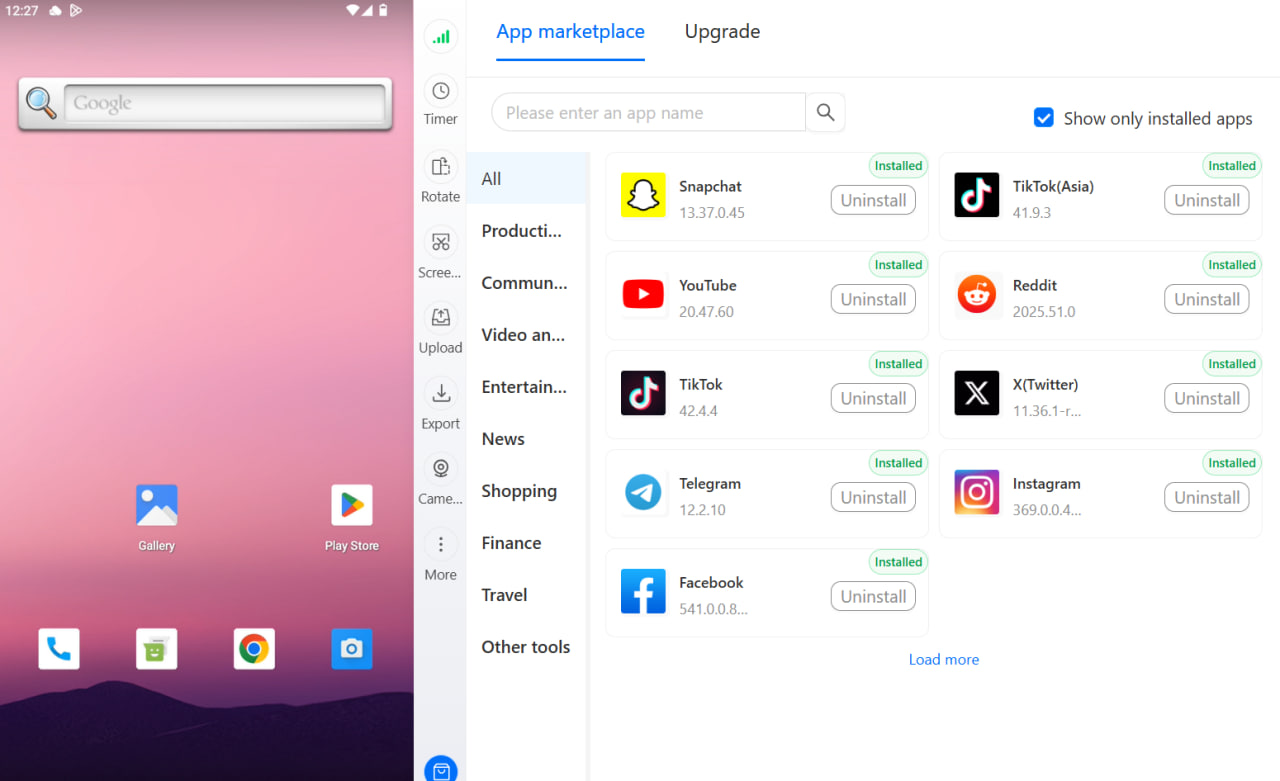
A Multilogin cloud phone is a real Android device hosted in the cloud — not an emulator, not a virtual machine, not a modified fingerprint on a desktop browser. Physical Android hardware with a unique IMEI, unique Android ID, and a completely separate device identity for each instance.
When you run Snapchat on a cloud phone, the platform sees:
- A real Android device with genuine hardware identifiers
- A residential IP address matched to a real location
- A device with no history linked to any other Snapchat account
From Snapchat’s perspective, that’s an independent device. Because it is an independent device.
What this means operationally: you can run as many Snapchat accounts as you have cloud phones, with each account seeing a completely different device identity. Account 1 is on its own Android with its own IMEI. Account 2 is on a different Android with a different IMEI. They can never be linked because there’s nothing shared between them at the hardware level.
Setting up multiple Snapchat accounts with cloud phones
The setup process is straightforward.
Step 1: Create a cloud phone for each account. In the Multilogin dashboard, create one cloud phone per Snapchat account you want to run. Each cloud phone is assigned a unique device profile — different device model, different IMEI, different Android ID. The built-in residential proxy is automatically matched to the geographic region you set for that cloud phone.
Step 2: Match geography deliberately. Snapchat cross-references phone number country codes against IP location. If your account was created with a US phone number, your cloud phone should use a US-based proxy. Mismatches between account registration geography and active session geography are a common cause of verification prompts.
Step 3: Install Snapchat and create or log into the account. Install Snapchat through the cloud phone’s built-in app store or via APK. Create a new account using a phone number that hasn’t been used for a Snapchat account before, or log into an existing account. The account’s history on this device starts clean.
Step 4: Warm up before heavy activity. New accounts and new device sessions benefit from a warmup period. Use the account normally for a few days before aggressive activity — posting Snaps, adding friends, watching Stories. Behaviour that looks authentic from the first session faces less scrutiny than accounts that jump immediately into high-volume activity.
Step 5: Never cross sessions between accounts. The most common mistake in multi-account setups is logging into Account A from Cloud Phone B, even once. Each cloud phone is permanently assigned to one account. Cross-sessions expose the relationship between accounts and can trigger linked-account detection.
Who runs multiple Snapchat accounts and why
Understanding the use cases clarifies what a clean setup actually needs to achieve.
- Social media managers and agencies managing Snapchat for multiple clients need each client’s account to be completely isolated. Client A’s account issues should never affect Client B’s account. Device-level isolation through cloud phones ensures this — and it’s the same principle used when managing multiple client accounts across any platform.
- Content creators who maintain separate personal and professional Snapchat presences need those accounts to have no observable connection. Running them from the same phone — even with different login credentials — creates that connection at the device level.
- Brand marketing operations running multiple regional accounts (US Snapchat, UK Snapchat, different market segments) need each account to appear as a distinct, independent presence from the right geographic location.
- Affiliate and e-commerce operators who use Snapchat for traffic generation often maintain multiple accounts for different offers, audiences, or campaigns. The same isolation principle applies across platforms — multiple Snapchat accounts require the same device-level separation that TikTok, Instagram, and other platforms do.
What cloud phones are — and what they’re not
The “not emulator” distinction matters here. Snapchat has gotten significantly better at detecting Android emulators — software that simulates Android on a desktop or server. Emulators leave detectable traces: the IMEI is often missing or clearly synthetic, system properties don’t match real device characteristics, and certain hardware sensor readings are absent or inconsistent.
A Multilogin cloud phone doesn’t have this problem because it’s running on real Android hardware in the cloud. The IMEI exists at the chip level. The device characteristics match a real manufactured device. Snapchat reading the device fingerprint sees what it would see if the account was running on a physical phone — because it effectively is.
This is the distinction that matters for platforms with active fraud detection. The cloud phone vs Android emulator comparison makes it clear: Snapchat’s detection is good enough that emulators create risk; real hardware doesn’t. If you’re evaluating options, cloud phones vs mobile emulators covers the full technical picture.
The same principle applies across other platforms where you need reliable device isolation — cloud phone for TikTok and cloud phone for social media follow identical logic.