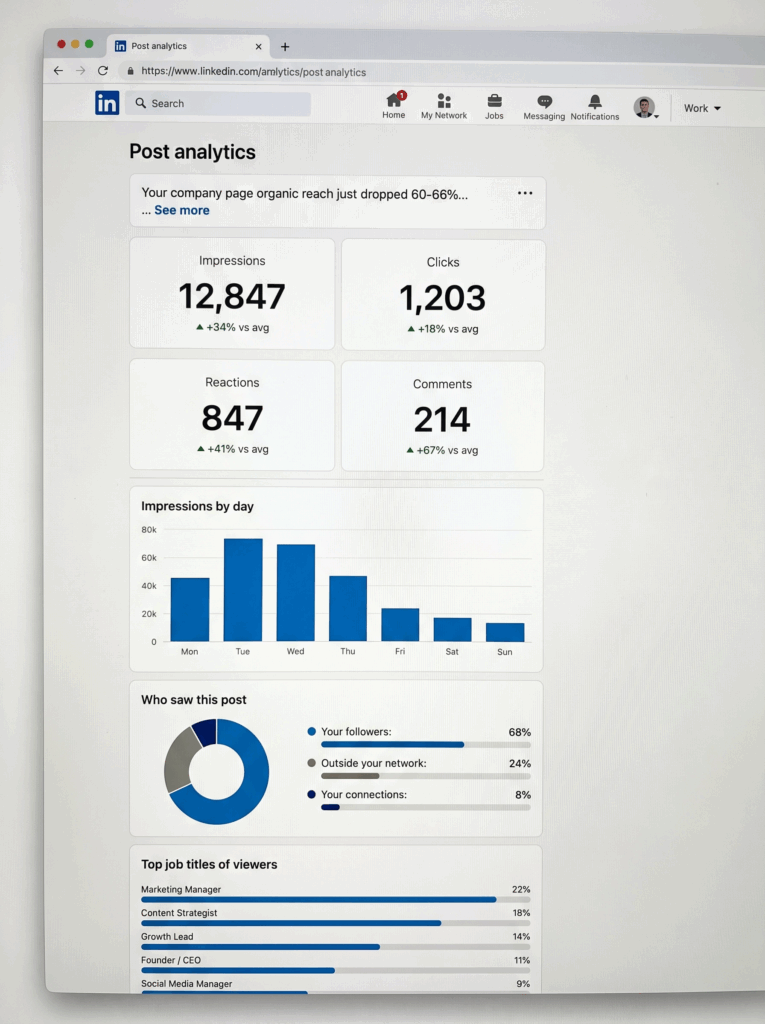
If you have been watching your LinkedIn reach slowly fall off a cliff, you are not imagining things.
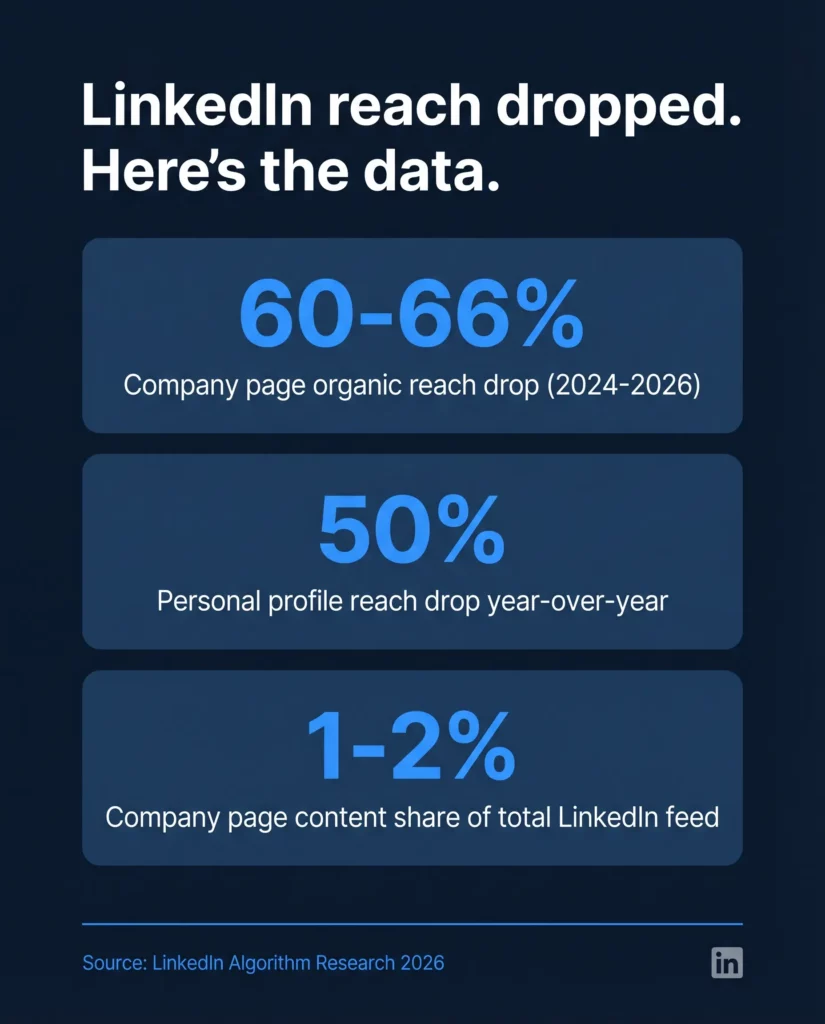
Organic reach on company pages dropped 60-66% between 2024 and 2026. The old playbook, posting company updates, sharing press releases, and stuffing hashtags into every caption, is now actively hurting you. LinkedIn’s algorithm in 2026 is a completely different machine than it was even 18 months ago.
The good news: there is a clear, repeatable LinkedIn growth strategy that works right now. This guide gives you 100 specific, actionable tips organized by category, with real examples and copy-paste templates throughout. Whether you are building a brand from scratch, managing LinkedIn for a client, or scaling a multi-account operation, you will find something here you can use today.
And if you are managing multiple LinkedIn accounts or profiles at scale, we will cover how Multilogin Cloud Phones makes that possible without getting accounts flagged or banned.
Let us get into it.
The LinkedIn Strategy 2026 Landscape: What Actually Changed
Before the tips, you need to understand why what you were doing stopped working.
The numbers:
- Average organic reach dropped ~50% for personal profiles year-over-year
- Company page organic reach collapsed 60-66% from 2024 baselines
- Company page content now represents only 1-2% of LinkedIn’s total feed
- Personal profiles dominate 65% of content consumption
- External links in post bodies reduce reach by approximately 60%
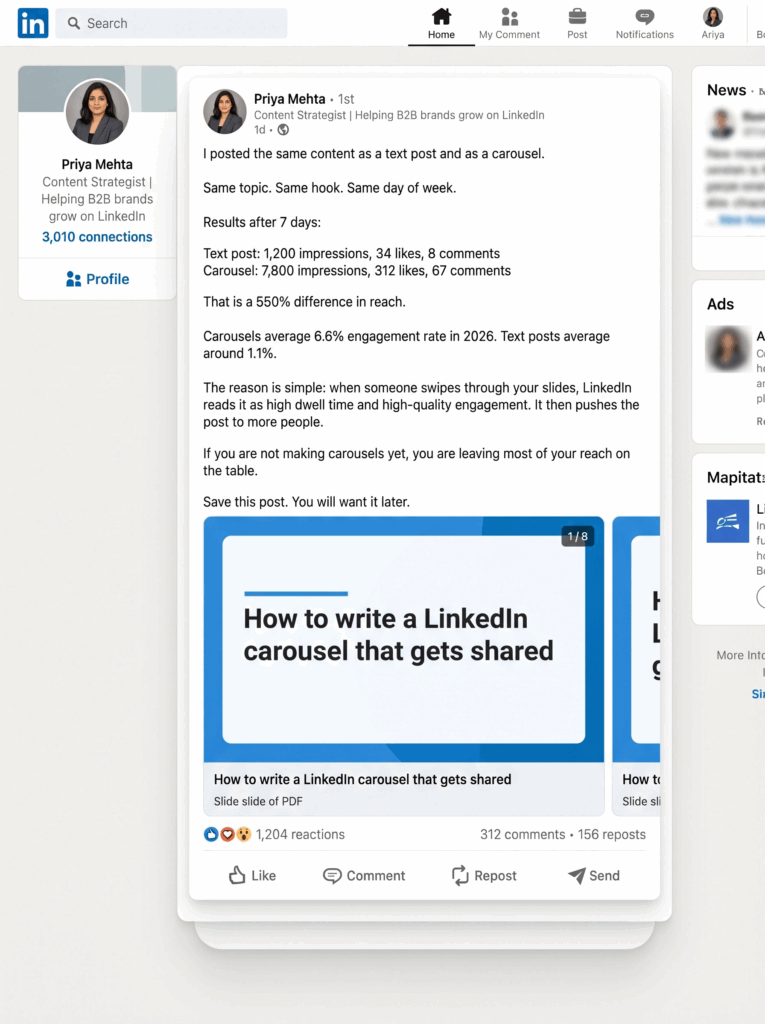
- Document posts (carousels) now average 6.6% engagement, the highest of any format
- Short video is the fastest-growing format, up 53% year-over-year
Why it changed:
LinkedIn shifted from a Social Graph (showing you content from your connections) to an Interest Graph (showing you content based on demonstrated expertise and niche authority). This is the same move Instagram and TikTok made years ago.
The result: being connected to someone matters less than posting about topics the algorithm has categorized you as an authority on. A post from a niche expert with 3,000 followers can outperform a company page with 50,000 followers.
The LinkedIn best practices 2026 that actually work are built around this shift. Here are 100 of them.
Profile and Page Foundation (Tips 1-10)
1. Complete your company page to 100%
Pages with complete information get 30% more weekly views. Fill in everything: description, logo, cover image, website, industry, company size, and specialties. LinkedIn literally surfaces complete pages more than incomplete ones.
Checklist:
- [ ] Logo uploaded (300x300px)
- [ ] Cover image uploaded (1128x191px)
- [ ] “About” description written (keyword-rich, audience-focused)
- [ ] Website URL added
- [ ] Industry, company size, and type selected
- [ ] At least 3 specialties added
- [ ] Custom LinkedIn URL claimed
2. Write your “About” section for your buyer, not yourself
Most company descriptions read like an “About Us” page nobody asked for. Rewrite yours as a value proposition.
Template:
We help [target audience] to [achieve outcome] without [common frustration].
[Company name] is a [category] that [what you do differently].
Used by [social proof: customer type or number].
Follow us for [content promise: what they will learn or gain].
Bad example: “Acme Corp is a leading provider of enterprise software solutions founded in 2010 with offices in 12 countries…”
Good example: “We help B2B sales teams book more meetings without cold calling. Revenue Engine is a sales intelligence platform used by 4,000+ companies to turn LinkedIn into their most reliable pipeline source. Follow us for daily tactical sales tips.”
3. Use your cover image as a headline, not a screensaver
Your cover image is the first thing visitors see. Use it to communicate one clear message: a value proposition, a result you deliver, or social proof.
What works:
- A bold statement: “The platform 40,000 marketers use to grow on LinkedIn”
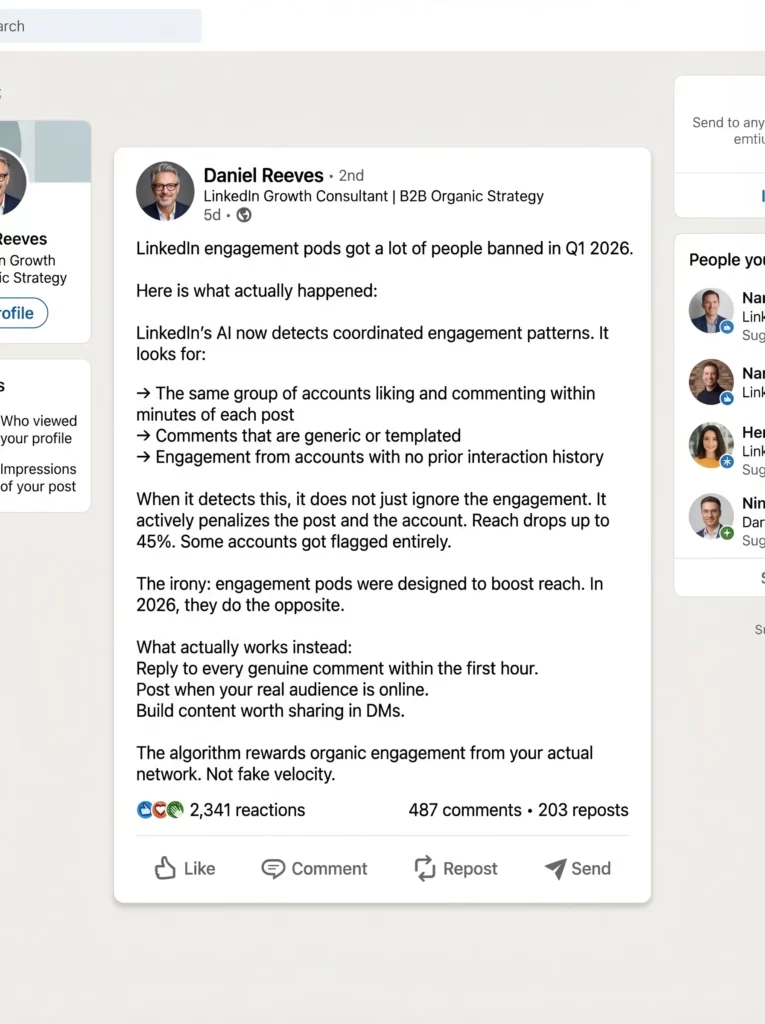
- A benefit headline: “Turn LinkedIn into your #1 inbound channel”
- Visual social proof: logos of recognizable customers or press mentions
4. Pin your best-performing post or a lead magnet carousel
New page visitors are warm leads. Give them something worth clicking immediately. Pin a carousel guide, a popular thought leadership post, or a free resource to the top of your page.
5. Set up LinkedIn Showcase Pages for different audience segments
If your business serves distinct audiences (different industries, roles, or products), Showcase Pages let you run targeted content streams without cluttering your main feed.
Example: A software company might have Showcase Pages for “Enterprise Teams,” “Startup Founders,” and “Product Leaders,” each with content tailored to that segment.
6. Claim your custom LinkedIn URL
Go to Settings and claim a clean URL like linkedin.com/company/yourcompany. It looks more professional in email signatures, slide decks, and business cards, and helps with SEO.
7. Fill out the Products tab
LinkedIn’s Products section functions like a free landing page. Add your products with descriptions, screenshots, and a CTA link. It appears in search and gives page visitors a reason to take action.
8. Switch your default page button to “Follow” while in growth mode
You can choose what button appears on your page: Visit Website, Contact Us, or Follow. While you are building an audience, default to “Follow” so new visitors convert to followers, which compounds your reach over time.
9. Connect your personal profile to your company page
Make sure your personal profile lists your company as your current employer with a link to the page. Every connection you make generates a notification to their network about your company. Free awareness.
10. Get your page verified
Verified pages and profiles get a measurable organic reach boost in 2026. LinkedIn now treats the verification badge as a trust signal that the algorithm rewards. Get it done if you have not.
LinkedIn Content Strategy 2026 (Tips 11-30)
The LinkedIn content strategy that works in 2026 is built around one principle: create content worth saving, not just content worth liking.
11. Build your “Topic DNA” around 3 core pillars
The algorithm now tracks your “Topical Authority,” meaning it categorizes your account based on what you consistently post about and rewards you by distributing your content to audiences interested in those topics.
Pick 3 content pillars and stick to them for at least 90 days.
Example pillars for a B2B SaaS company:
- Pillar 1: LinkedIn growth tactics
- Pillar 2: Sales and prospecting
- Pillar 3: Behind-the-scenes of building a product
Posting outside your pillars is fine occasionally, but consistency within a niche builds the algorithmic authority that compounds over time.
12. Master the hook (your first 2 lines are everything)
LinkedIn cuts off posts at approximately 210 characters with a “See more” prompt. Your first two lines determine whether your post gets read at all. Treat your opening line like a subject line.
Hooks that work in 2026:
Hook Type | Example |
Contrarian take | “Posting every day on LinkedIn is killing your reach.” |
Specific number | “I analyzed 300 LinkedIn posts. Here’s what actually drove leads.” |
Curiosity gap | “Nobody talks about this LinkedIn algorithm change from March.” |
Bold claim | “Your company page is your weakest LinkedIn asset in 2026.” |
Personal story | “I lost $40,000 by managing LinkedIn accounts the wrong way.” |
Question | “What if your LinkedIn posts were reaching the wrong people entirely?” |
Hooks that do not work:
- “I’m excited to share…”
- “Great news everyone…”
- “As we approach Q2…”
- “Throwback to when we…”
13. Use document carousel posts as your primary format
Document posts (PDF carousels uploaded directly to LinkedIn) are the highest-performing format in 2026, hitting 6.6% average engagement rates. That is 596% more than standard text posts. The reason: users swipe through slides, creating dwell time the algorithm interprets as high-quality engagement.
Carousel structure that works:
- Slide 1: Hook. Bold claim or promise. Make them swipe.
- Slides 2-8: One insight, one takeaway, one stat per slide. Clean layout.
- Slide 9: Summary or key takeaway.
- Slide 10 (optional): CTA. What to do next. Link in first comment.
Carousel specs:
- Size: 1080x1080px (square) or 1080x1350px (portrait, recommended for mobile)
- Slides: 5-15 is the sweet spot
- File type: PDF
- Text: Large, readable at mobile size
Topic ideas for carousels:
- “7 LinkedIn mistakes that are tanking your reach”
- “The exact posting schedule we use to generate 10 inbound leads/week”
- “How we grew our company page from 0 to 5,000 followers in 6 months”
- “A 30-day LinkedIn content calendar (steal this)”
14. Use short native video as your second-highest priority
LinkedIn video views are up 53% year-over-year and the algorithm is actively boosting native video. Keep it 30-90 seconds. Film vertical (9:16) for mobile. Always add captions because most people watch on mute.
What to film:
- A 60-second tactical tip from your niche
- A “one thing I learned this week” video
- A behind-the-scenes look at something real
- A response to a trending industry question
What NOT to do:
- Post a link to YouTube (penalized)
- Upload polished ad-style videos (low trust)
- Go longer than 90 seconds without a strong hook in the first 5 seconds
15. Write high-performing text posts with this structure
Text posts still work when structured correctly. They generate 2-4% engagement and are the easiest format to produce consistently.
The text post formula:
[Hook – 1 line, bold claim or story opening]
[White space]
[Context – 2-3 short paragraphs, each with a clear point]
[List or breakdown – numbered or bulleted, 3-7 items]
[Close – one question or CTA that invites a specific response]
Example:
Most LinkedIn company pages are losing reach for one simple reason.
They post for themselves, not for their audience.
Here’s the difference:
Posting for yourself: “We’re excited to announce our Q1 results!” Posting for your audience: “Here’s what our Q1 data revealed about what B2B buyers actually want.”
Five things your company page posts need to have to get reach in 2026:
- A hook that works without clicking “See more”
- A specific insight, not a vague observation
- White space between every paragraph
- One question at the end
- No external link in the body
Which of these are you currently missing?
16. Never put external links in the body of your posts
This is non-negotiable. Posts with external links in the body receive approximately 60% less reach than identical posts without them. LinkedIn wants to keep users on-platform.
The workaround: Put your link in the first comment immediately after posting. Then edit your post to add “Link in first comment” at the end.
Note: Even “link in first comment” carries a small penalty in 2026. The safest play is to make your post valuable enough that people seek out the link themselves.
17. Use multi-image posts for storytelling and event content
Multi-image posts (up to 9 images) are underused. They outperform single images significantly in engagement and are great for event recaps, team stories, product showcases, and before-and-after content.
18. Run polls strategically, not as your main format
Poll reach dropped 67% in 2025. They are not a growth engine anymore. But they are still useful for:
- Quick audience research
- Breaking up your content calendar
- Getting signal on what topics your audience cares about
Use 1-2 per month maximum.
19. Post “lessons learned” content consistently
Posts that share a specific lesson, ideally one that involves some vulnerability or behind-the-scenes reality, consistently outperform promotional content. People engage with authenticity.
Template:
We tried [thing everyone says to do] for [time period].
Here’s what actually happened:
[Honest result, including what did not go as planned]
What we learned:
- [Lesson 1]
- [Lesson 2]
- [Lesson 3]
Would you have done the same thing? What would you have tried instead?
20. Create “save-worthy” content: frameworks, checklists, and templates
Saves are now one of LinkedIn’s most important algorithmic signals. When someone saves your post, it tells LinkedIn the content has lasting reference value. Posts that get saved consistently receive extended distribution.
What gets saved:
- Step-by-step frameworks
- Checklists people can reuse
- Templates they can copy
- Reference lists (tools, resources, statistics)
- “Keep this for later” type content
21. End every post with one clear, easy-to-answer question
Posts with a direct question generate 77% more comments than posts that trail off. One specific question, not three.
Questions that get comments:
Instead of… | Try… |
“What do you think?” | “Which of these do you find hardest?” |
“Any thoughts?” | “Has this happened to your team?” |
“Let me know in the comments” | “What would you add to this list?” |
Nothing | “Which format gets the most engagement for you?” |
22. Use the “fill in the blank” format for maximum comment volume
This is one of the most effective LinkedIn engagement mechanics in 2026. You present an incomplete sentence and ask people to finish it. The barrier to participate is extremely low.
Examples:
- “The best tool I discovered in 2025 was ___”
- “The biggest LinkedIn myth is ___”
- “The one thing I’d tell my 2020 self about B2B marketing is ___”
- “The reason most [X] campaigns fail is ___”
23. Try the myth-busting format
Myth-busting posts challenge a widely-held belief with evidence or personal experience. They work because they tap into cognitive curiosity.
Template:
Myth: [State the myth clearly]
Reality: [Debunk it with a specific reason or data]
Here’s what actually works instead:
[3-5 specific alternatives or findings]
I tested this for [time period]. The results surprised me.
Example:
Myth: Posting every day on LinkedIn builds your audience faster.
Reality: Posting too frequently causes your content to compete with itself in followers’ feeds, and the algorithm in 2026 penalizes low-quality filler posts aggressively.
What works better: 3-4 high-quality posts per week with genuine engagement in between.
24. Use the “before and after” post structure
Show a transformation. This works for case studies, personal growth stories, process improvements, and product results.
Template:
Before [our approach / tool / change]:
- [Painful state 1]
- [Painful state 2]
- [Painful state 3]
After [our approach / tool / change]:
- [Better outcome 1]
- [Better outcome 2]
- [Better outcome 3]
Here’s exactly what we changed:
[Breakdown of the specific change]
25. React to industry news with your original take
Timely posts that add commentary to trending topics perform well. The key word is “add.” Do not just share the news. Write 2-3 sentences explaining why it matters to your specific audience and what they should do about it.
Template:
[News item or industry event] just happened.
Here’s what this actually means for [your audience]:
[Your specific, opinionated take]
[1-2 practical implications]
What’s your read on this?
26. Share original data whenever you can
Posts with proprietary data, survey results, or internal findings get saved and shared at higher rates than opinion-only posts. If you do not have data, reference and add commentary to publicly available research.
27. Use the 80/20 content rule religiously
80% of your content should educate, entertain, or inspire without any promotional angle. 20% can reference your product or service. Flipping this ratio will crater your reach within weeks.
28. Repurpose your top posts into new formats
Your best text post can become a carousel. Your best carousel can become a video script. Your best video can become a blog post. Get 3-4x the mileage from your best ideas without starting from scratch every time.
29. Avoid these formats that now actively hurt reach
- Blind reshares with no commentary added (nearly invisible in 2026)
- Posts with more than 4-5 hashtags (31% reach reduction with 10+)
- Engagement bait: “Like this if you agree” (actively suppressed)
- Polls used as a lazy substitute for real content
- Overly polished, ad-style images (low trust signal)
30. Build a content calendar and batch your creation
The LinkedIn growth strategy that works is built on consistency, not inspiration. Create a simple weekly content calendar with 2-3 post types per week and write in batches.
Sample weekly content calendar for a company page:
Day | Format | Topic |
Monday | Text post | Industry insight or contrarian take |
Wednesday | Carousel | Tactical how-to guide |
Friday | Video or multi-image | Behind-the-scenes or team story |
LinkedIn Algorithm 2026 Deep Dive (Tips 31-45)
31. Understand the 3-stage distribution system
When you post on LinkedIn, here is what happens:
Stage 1 (0-60 minutes): LinkedIn shows your post to 2-5% of your followers. It measures engagement quality, not just volume.
Stage 2 (1-8 hours): If Stage 1 engagement is strong, LinkedIn expands distribution to more of your network and some people outside it.
Stage 3 (8+ hours): Posts that continue generating meaningful engagement can resurface in feeds days or even weeks later.
The implication: the first 60 minutes after you post are the most important window. Plan accordingly.
32. Engagement velocity in the first hour matters more than total engagement
Getting 15 genuine comments in the first 30 minutes is algorithmically more powerful than 100 comments over 3 days. Speed signals current relevance.
How to engineer first-hour velocity:
- Tell your team before you post and ask them to engage genuinely within the first 30 minutes
- Post when your audience is most active (typically 8-10am and noon in their timezone)
- Stay online after posting to reply to every comment immediately
33. Comments are weighted 15x more than likes
A post with 20 thoughtful comments will consistently outperform a post with 500 likes and no discussion. The algorithm values comments of 10+ words significantly more than short reactions.
Likes barely move the needle now. Comments, saves, and sends are what matter.
34. Saves are the new gold standard
LinkedIn added Saves to post analytics in late 2025. When someone saves your post, it signals the content has lasting reference value. Posts that accumulate saves get extended distribution in the feed.
Ask yourself before posting: “Would someone save this and come back to it later?”
35. Sends matter even more than saves
Sends track how often your post is shared in a private DM. “You need to see this” content is the highest-value content on LinkedIn. If your posts consistently drive DM shares, the algorithm treats your account as producing high-value content.
36. Your “Topic DNA” is built over 60-90 days
The algorithm categorizes your account based on your posting history. If you start posting about LinkedIn growth after six months of posting about finance, expect a reset period before you rebuild reach in the new topic.
Commit to your content pillars and stay consistent for a minimum of 90 days before judging whether your LinkedIn strategy is working.
37. External links in the post body cost you 60% of your potential reach
LinkedIn wants users to stay on-platform. Any signal that you are sending them elsewhere gets penalized. This applies to links to:
- Your website
- Blog posts
- YouTube videos
- Podcast episodes
- Any third-party URL
Put all links in the first comment. Even then, expect a small reach reduction compared to link-free posts.
38. Avoid hashtag stuffing
The sweet spot is 2-4 specific, relevant hashtags. Using 10+ hashtags reduces reach by 31% because LinkedIn’s AI reads it as spammy behavior. And in 2026, LinkedIn scans the text itself for topical relevance, making hashtags less important than they used to be.
Good hashtag use: #LinkedInMarketing #B2BSales #SaaS
Bad hashtag use: #LinkedIn #Marketing #Sales #B2B #Growth #Business #Entrepreneur #Leadership #Success #2026
39. Reactivate dying posts at the 24-hour mark
If a post starts losing momentum, go back 24 hours later and:
- Reply to an existing comment with a new insight
- Tag an expert in the comments who would find it interesting
- Add a relevant question to reignite discussion
This can trigger a “second wave” of algorithmic distribution.
40. Space posts at least 18-20 hours apart
Posting twice in one day causes your content to compete with itself. LinkedIn does not distribute two posts from the same source simultaneously. One strong post per day from a personal profile is the maximum that makes sense.
41. Verified profiles get a reach boost
LinkedIn now rewards verified profiles with a small but meaningful organic reach lift. If you have not verified your profile, do it. It is also a trust signal that encourages more people to engage.
42. Creator Mode unlocks reach advantages for personal profiles
Switch personal profiles to Creator Mode to access LinkedIn Newsletter, better analytics, a “Follow” button as default, and topic hashtags that inform the algorithm about your niche.
43. Engagement pods are now actively penalized
LinkedIn’s detection of artificial engagement patterns is sophisticated in 2026. Engagement pod participants saw reach penalties of up to 45%. The algorithm prioritizes organic engagement from your actual network.
Do not use pods. It will hurt you more than help.
44. Posting more frequently does not mean growing faster
Accounts that reduced posting frequency while improving content quality saw 62% better engagement rates in 2026 research. One post per week that earns saves and meaningful comments beats five posts that generate passive scrolling.
45. The algorithm rewards content that keeps users on-platform
This is the unifying principle behind most of the algorithm rules above. Carousels (users swipe through), native video (users watch), text posts with questions (users write comments), all of these keep people on LinkedIn. External links, generic content, and engagement bait all signal the opposite.
Posting Schedule and Timing (Tips 46-52)
46. Post personal profiles 3-5x per week, company pages 2-3x per week
These are general benchmarks. Your analytics will tell you what works for your specific audience. Start here and adjust based on data.
47. Tuesday through Thursday are the strongest days for B2B
Professional audiences are most active mid-week. Monday people are catching up from the weekend. Friday people are mentally checking out. For B2B LinkedIn strategy, Tuesday-Thursday is your prime window.
48. 8-10am and 12-1pm are peak engagement windows
These are the two windows when professional LinkedIn users are most likely to be scrolling. Morning commute/startup and lunch break. Test these for your audience and use LinkedIn analytics to confirm.
49. Your audience’s timezone matters, not yours
If 80% of your audience is in the US and you are in Europe, post when they are awake. Check your follower demographic analytics to understand where your audience is located.
50. Batch content creation on one day, schedule for the week
Pick one day per week (many teams use Monday or Friday) to write and schedule all content for the following week. This maintains consistency without requiring daily creative energy.
51. Do not post and immediately go offline
You need to be available for the first 60 minutes after posting to reply to comments, which keeps engagement velocity high. If you schedule posts, make sure you will be online when they go live.
52. Review your LinkedIn analytics monthly
Track these metrics monthly to understand what is working:
- Impressions by post format
- Engagement rate by format
- Follower growth rate
- Best-performing posting times
- Saves and sends (newer metrics, check weekly)
Employee Advocacy and Personal Profiles (Tips 53-65)
The single most important thing you can do for your company’s LinkedIn growth in 2026 is activate the people inside your organization.
Personal profiles get 2.75x more impressions and 5x more engagement than company pages. Employee reshares reach 561% further than company page posts alone. Your people are your most powerful distribution channel.
53. Get your CEO or founder posting weekly at minimum
Founder-led content outperforms company page content by 5-10x in reach and engagement. People trust people, not logos. A founder who posts weekly about building their company builds an audience of future customers without any ad spend.
What should founders post about:
- Lessons from building the product or company
- Honest reflections on decisions that worked and ones that did not
- Industry observations from a seat inside the category
- Customer stories (with permission)
- Team moments that feel real, not staged
54. Write content drafts for employees, let them personalize
Most employees want to help but do not know what to write. Create a weekly “content brief” with 2-3 post ideas and a draft they can edit. Ask them to add their own opening line or personal perspective.
Even small personalizations like a different first sentence dramatically improve performance because the algorithm rewards authentic individual voices.
55. Build a simple internal system for employee advocacy
Create a Slack channel, Notion doc, or even a shared Google Doc where:
- Content ideas are collected
- Drafts are shared each week
- Published posts are linked so the team can engage
Remove every possible friction point between “here’s an idea” and “I published this.”
56. Enable advocacy across all seniority levels
Research from DSMN8’s analysis of 500,000 LinkedIn posts found that 60% of all advocacy activity comes from employees with fewer than 2,000 connections. Do not only focus on executives. Enable your whole team.
57. Teach employees to reshare with commentary
Blind reshares are nearly invisible in 2026. When employees share company content, ask them to add 2-3 sentences of their own perspective first. “Our team just published this. Here’s why I think the third point is the most underrated…”
58. Tag team members in relevant company page posts
When a company page post mentions a project or achievement, tag the team members involved. This puts the post in their notifications and often generates engagement from their networks. Do not overdo it.
59. Celebrate employees publicly and specifically
“We’re thrilled to welcome [Name] to the team” posts get engagement. But the ones that really perform go deeper: “We hired [Name] because she did X at Y company and our customers needed exactly that expertise. Here’s what she’ll be working on…”
60. Create a “LinkedIn champion” program
Identify 3-5 willing employees across different departments who want to build their personal brand. Support them with:
- Weekly content ideas
- Writing help
- Engagement from the company page on their posts
- Internal recognition when their posts perform well
61. Use Multilogin Cloud Phones to manage multiple LinkedIn profiles without cross-contamination
If you are managing LinkedIn profiles for multiple clients, running different brand personas, or overseeing a sales team’s prospecting accounts, each profile needs to live in a completely isolated environment.
Using the same browser, same device, or same IP for multiple LinkedIn accounts will get them flagged and potentially linked. Multilogin Cloud Phones provide real Android devices in the cloud, each with a unique device fingerprint and residential IP, so every account looks and behaves like a completely separate operator.
More on this in the Multilogin section below.
62. Do not manage multiple LinkedIn accounts from the same browser session
LinkedIn detects shared cookies, shared device fingerprints, and shared IPs. Incognito mode does not solve this. Even separate Chrome profiles on the same machine share fingerprint data. Proper isolation requires purpose-built tools.
63. Warm up new LinkedIn profiles before posting aggressively
New accounts that jump straight into heavy posting and connection requests get flagged. Spend the first 2 weeks:
- Completing the profile fully
- Connecting with 5-10 people per day organically
- Liking and commenting on content
- Posting 1-2 soft introductory posts
This builds a behavioral history that looks natural to LinkedIn’s detection systems.
64. Assign unique residential IPs to each managed account
LinkedIn flags accounts that log in from the same IP address, especially if those accounts are active simultaneously. Each account needs its own IP, ideally a residential IP that matches the account’s apparent location.
65. Keep each account’s activity patterns distinct and realistic
If you are running multiple accounts and they all post at exactly the same time, engage with identical content, and follow the same patterns, LinkedIn’s systems will detect it. Vary timing, content style, engagement patterns, and connection behaviors across accounts.
Engagement and Community Building (Tips 66-78)
66. Engage with other people’s content before you post your own
Commenting on other people’s content before publishing your own post signals to LinkedIn that you are an active, real member of the community. This creates what some creators call a “favorability boost” for your own post’s initial distribution.
Spend 15-20 minutes engaging before posting. It is not a hack. It is how the platform is designed to work.
67. Write comments that are at least 10 words long
Short comments (“Great post!” “So true!” “Love this!”) carry almost no algorithmic weight in 2026. Comments of 10+ words, especially ones that add a perspective, share an experience, or ask a follow-up question, are weighted much more heavily.
Good comment examples:
- “This matches what we saw when we switched from daily to 3x/week posting. The quality of engagement went up significantly.”
- “Number 4 is the one most people skip. We started doing this in Q3 and it changed our conversion rate from LinkedIn leads.”
- “Counterpoint: we found that [industry] audiences actually respond better to [different approach]. Might depend on the niche.”
68. Build genuine relationships with niche micro-influencers
Find creators in your niche with 5,000-30,000 followers who post consistently great content. Engage with them regularly, tag them when you reference their ideas, and build a real relationship. When they engage with your content in return, their audience sees it.
69. Respond to every comment on your posts
Every reply you write extends your post’s life in the feed because it registers as a new engagement signal. Unanswered comments are wasted algorithmic fuel.
Reply within the first hour when possible. Reply to everyone, even if it is just a one-sentence response that asks them a follow-up question.
70. Use LinkedIn’s “Invite to follow” feature strategically
LinkedIn lets you invite up to 250 connections per month to follow your company page. Use this on:
- People who recently engaged with your company content
- New connections who match your target audience
- People who commented on employee advocacy posts
71. Host LinkedIn Live sessions
LinkedIn Live videos generate 24x more engagement than pre-recorded video posts. Use them for:
- Industry panel discussions
- Product launches
- Q&A sessions with your founder or team
- Weekly or monthly live content shows
Promote the event at least 5-7 days in advance as a regular post.
72. Start a LinkedIn newsletter
LinkedIn newsletters have a built-in distribution advantage: LinkedIn automatically notifies your followers and connections when you publish, and new followers receive an invite to subscribe. Most brands ignore this entirely.
Publish one newsletter per week or month on a niche topic you own. It compounds over time.
73. Join niche LinkedIn groups and contribute genuinely
Groups are an overlooked growth channel in 2026. Find active groups in your industry, join them, and contribute useful content. This puts you in front of people who are not yet in your network.
74. Use the “comment to get” mechanic for lead generation
Ask people to comment a specific word to receive a resource via DM.
Example: “I built a 30-day LinkedIn content calendar template. Comment ‘CALENDAR’ and I’ll send it to you.”
This floods your post with comments (the algorithm loves this) and fills your DMs with warm leads. Just make sure to actually follow up with everyone who comments.
75. React to trending industry moments in real time
When something relevant happens in your industry, post about it within 24-48 hours with your specific take. Timely posts that add original commentary to current events perform well because they tap into what people are already thinking about.
76. Repost your best content after 6 months
LinkedIn does not penalize you for re-sharing old content. If a post performed well 6+ months ago, repost it with a small update or additional insight at the top. Your audience has grown since then. New followers have never seen it.
77. Engage with your competitors’ followers
Search LinkedIn for posts from industry peers. Engage genuinely in the comments. Their followers see you, read your perspective, and some will check out your profile or page.
78. Build engagement into your content calendar as a dedicated activity
“Engaging with the community” should be a scheduled activity, not something you do when you remember. Block 15-20 minutes each morning for engagement before your own posting.
LinkedIn for B2B Lead Generation (Tips 79-88)
79. Treat your LinkedIn page like a media channel, not a business card
Companies that generate real B2B results from LinkedIn publish valuable content consistently and think of their page as a distribution channel for expertise, not a digital brochure.
The mindset shift: you are a publisher who happens to have a product, not a company that occasionally publishes content.
80. Document the customer transformation, not the product
Case studies that show the “before and after” of working with you perform better than feature announcements. Leads want to see themselves in your content. If they can picture their problem being solved, they are much closer to reaching out.
Case study post structure:
[Customer type] came to us with [specific problem].
In [time period], here’s what changed:
Before: [Painful state with numbers if possible] After: [Result with numbers if possible]
What we actually did: [3-5 specific actions]
The thing most companies get wrong about [problem area]: [Insight]
If you’re dealing with [problem], [soft CTA: send a DM, visit our page, etc.]
81. LinkedIn lead gen forms outperform external landing pages
For paid LinkedIn strategy, use native lead gen forms instead of driving traffic to external landing pages. They pre-populate with the user’s profile data, which reduces friction dramatically. Conversion rates are significantly higher.
82. Build an audience before you pitch
Most B2B leads from LinkedIn happen after 60-90 days of consistent content from a personal or company profile. The algorithm builds your reach. Your content builds your credibility. Leads come after both are established.
Do not start posting with a sales pitch. Start posting with value. The sales conversations come later.
83. Use LinkedIn Sales Navigator for targeted outreach at scale
Sales Navigator lets you filter by company size, seniority, industry, and even account activity signals. Combine it with content that warms up your target audience and you have a pipeline machine.
84. Create content that pre-answers your buyer’s objections
What are the 5 reasons your target customer does not buy? Create one post for each objection that addresses it directly without ever mentioning your product.
By the time they reach out, you have already handled their doubts.
85. Use the DM strategically after genuine engagement
If someone consistently engages with your content, they are a warm lead. Send a personalized DM that references their specific comments. Do not pitch immediately. Continue the conversation that your content started.
86. Track saves and sends as your primary content KPIs
In 2026, likes are vanity. Saves tell you your content is genuinely useful. Sends tell you people think it is worth sharing privately. Build your content strategy around consistently earning these two signals.
87. Publish LinkedIn articles for long-form SEO value
LinkedIn articles are indexed by Google. Writing long-form content on LinkedIn can drive traffic from search as well as from within the platform. Use it for in-depth guides, original research, and thought leadership pieces.
88. Use LinkedIn events to capture warm audiences
LinkedIn Events are free to create and automatically distributed to your followers and relevant audiences. Use them for webinars, product demos, panel discussions, and LinkedIn Live sessions. Attendee lists are warm leads who showed interest before they ever spoke to you.
Visual Content and Design (Tips 89-94)
89. Use portrait format for carousel slides (1080x1350px)
Portrait format takes up more mobile screen real estate than square format. More screen means more dwell time. More dwell time means the algorithm rates your post higher.
90. One idea per carousel slide
Overloaded slides with too much text get scrolled past. One insight, one visual element, one clear takeaway per slide. Keep it clean enough that someone can read it in 3-5 seconds.
91. Add your brand watermark to every carousel slide
If your carousel gets downloaded and reshared, your brand should travel with it. Put your logo in the corner of every slide consistently.
92. Use real photos of real people
Real team photos, event shots, and behind-the-scenes images outperform stock photography significantly in engagement. Authenticity in visuals builds the same trust as authenticity in writing.
93. Always add captions to LinkedIn videos before publishing
Over 80% of LinkedIn videos are watched without sound. If you are not adding captions, most of your video audience is watching in silence and missing your message entirely.
94. Maintain a consistent visual identity across all content
Your posts should be visually recognizable without your name attached. Pick a color palette, font combination, and layout style and stick to it. Consistency builds brand recognition that compounds over months.
LinkedIn Analytics and Optimization (Tips 95-98)
95. Review these metrics monthly minimum
- Impressions: Are they growing week-over-week?
- Engagement rate by format: Which format is your audience responding to most?
- Follower growth rate: Is your page growing consistently?
- Top posts: What did your best posts have in common?
- Saves and sends: Are people treating your content as reference material?
- Follower demographics: Are you attracting the right audience?
96. Double down on what is working, cut what is not
Most teams produce a mix of formats out of habit or preference. Your analytics will tell you what your audience actually responds to. If carousels consistently outperform image posts by 3x for your account, produce more carousels. Optimize relentlessly.
97. Audit your posting history every 90 days
Every quarter, look at your last 90 days of posts and categorize them:
- Which topics got the most reach?
- Which formats performed best?
- Which posts got saves and sends vs just likes?
- What was the common thread in your top 5 posts?
Use this to update your content pillars and strategy for the next quarter.
98. A/B test headlines and hooks across similar posts
Write two versions of the same core insight with different opening hooks and publish them 2-3 weeks apart. Track which one performs better. Over time, this teaches you what kinds of hooks resonate specifically with your audience.
Advanced Multi-Account and Agency Tips (Tips 99-100)
99. Use proper isolation for every LinkedIn account you manage
If you are an agency or solo operator managing LinkedIn for multiple clients, each account must live in a completely isolated environment. This means separate:
- Device fingerprint
- IP address
- Browser session and cookies
- Login credentials
Sharing any of these across accounts creates a detectable link that LinkedIn’s systems will flag. Incognito mode does not solve this. Separate Chrome profiles on the same machine do not solve this.
The right tool is one that gives each account its own fully isolated digital identity.
100. Build systems, not just strategies
The companies winning on LinkedIn in 2026 treat it like a media operation. They have editorial calendars, writing processes, distribution systems, and performance reviews. If your LinkedIn “strategy” is “post when we remember,” you will not compete with accounts that have built a real content engine.
Build the system first. The results follow.
How Multilogin Helps You Grow on LinkedIn at Scale
Most of the 100 tips above apply whether you are managing one LinkedIn account or fifty. But once you move beyond managing a single profile, you run into a problem that no amount of content strategy can fix: account isolation.
LinkedIn is sophisticated at detecting when multiple accounts are being operated from the same environment. It looks at your IP address, your device fingerprint, your browser profile, your cookies, your behavioral patterns, and more. When it detects a link between accounts, it can restrict or ban them, even if each account is posting entirely legitimate content.
This is where Multilogin Cloud Phones becomes essential infrastructure for LinkedIn operators.
What Multilogin Cloud Phones actually do
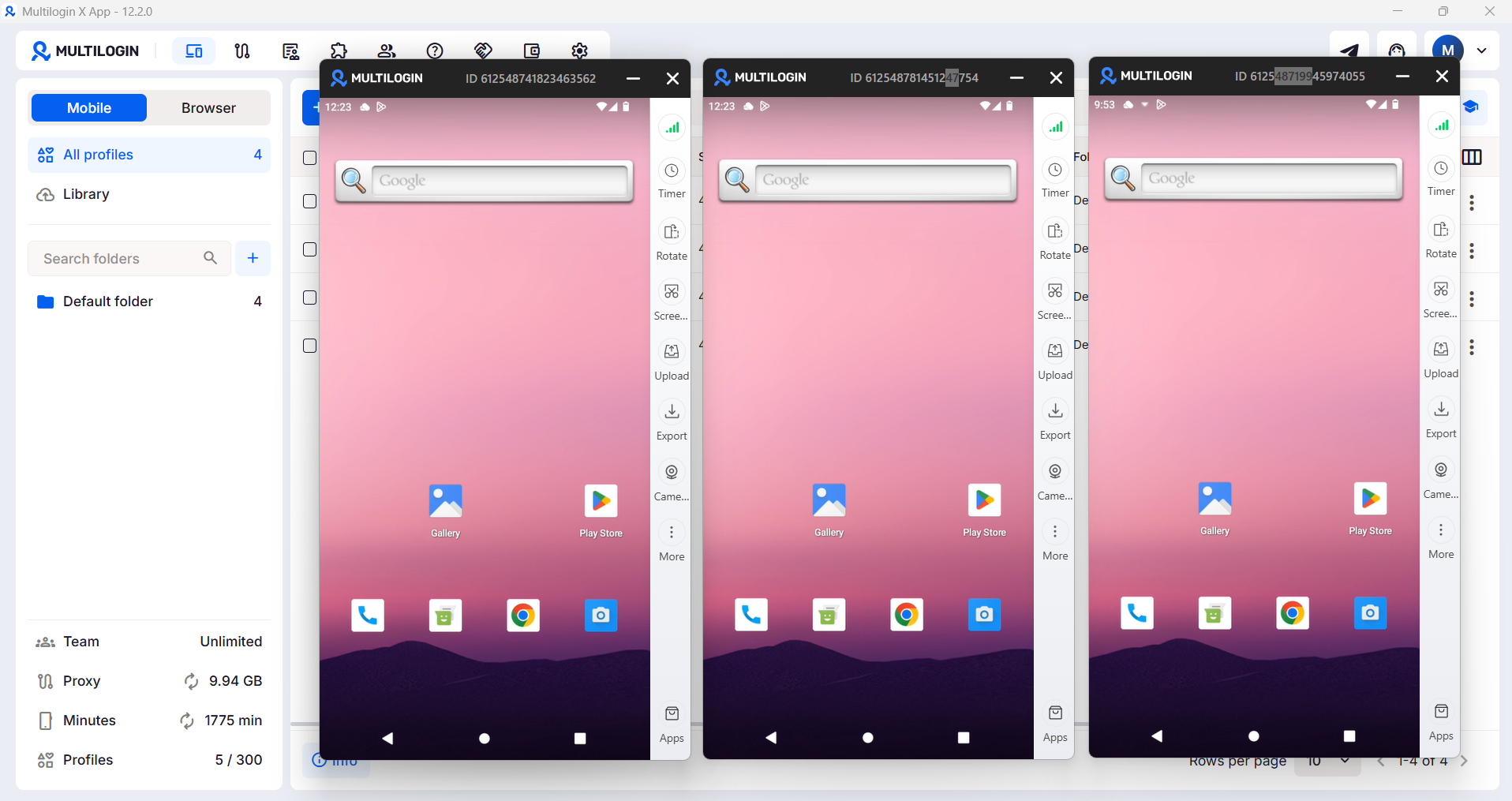
Multilogin Cloud Phones are real Android devices running in the cloud. Each phone is a completely separate mobile environment with:
- Its own unique Android device ID and hardware fingerprint
- Its own dedicated IP address (residential proxy options available)
- Its own isolated browser session, cookies, and local storage
- Its own GPS location matched to the account’s apparent location
- Its own behavioral profile that looks like a real, distinct human user
When you run a LinkedIn account on a Multilogin Cloud Phone, LinkedIn sees what appears to be a completely separate person operating a separate device on a separate network. There is no technical link between accounts running on different cloud phones.
Who needs this
Social media agencies managing LinkedIn profiles for multiple clients. Each client’s account should live on its own cloud phone. You manage all of them from one Multilogin dashboard, assign phones to team members, and operate everything without risk of cross-account contamination.
Sales teams running LinkedIn outreach at scale. If your sales team has 10 SDRs running LinkedIn prospecting, each rep’s account needs genuine isolation. Multilogin lets each rep operate from their own cloud phone with their own residential IP, so their outreach looks like a distinct, real operator, not a coordinated campaign from a single machine.
Content creators managing multiple brand accounts. Running a LinkedIn account for your consulting practice, a separate one for a side project, and helping a friend with theirs? Each needs to be isolated. Cloud phones give you that without owning three physical devices.
A/B testers and growth researchers. Testing different content strategies, posting schedules, or audience targeting across multiple LinkedIn profiles requires proper isolation to get clean data. Multilogin makes this possible.
Multi-account managers in any capacity. Whether you are managing multiple LinkedIn accounts for business development, testing different personal brand angles, or building LinkedIn presence for multiple entities you represent, cloud phones are the right infrastructure.
The LinkedIn mobile advantage
Here is something most LinkedIn operators miss: the LinkedIn mobile app behaves differently than the desktop version. Mobile users get access to features that desktop does not surface in the same way. Mobile-specific content formats, mobile notification behaviors, and mobile engagement patterns all differ.
Multilogin’s cloud phone for LinkedIn lets you access and manage LinkedIn on mobile from any device, whether you are on a laptop, desktop, or a different phone, without carrying physical devices for each account.
For agencies managing multiple LinkedIn accounts for clients, this replaces a shelf full of burner phones with a clean, manageable cloud dashboard.
Account warming built into your workflow
If you are creating new LinkedIn accounts, whether for new team members, new business entities, or new prospecting profiles, each needs a warm-up period before aggressive activity.
Multilogin’s cloud phones make account warming systematic. You can set up a new phone, run through the natural onboarding behaviors (profile completion, gradual connection building, light engagement), and move to active posting once the account has established a natural behavioral history. Every account gets the right start without the risk of being flagged as a bot or duplicate account.
How it connects to your LinkedIn growth strategy
A good LinkedIn marketing strategy for agencies or growth teams looks like this:
- Each client/brand/persona gets their own Multilogin Cloud Phone
- Each phone has its own residential IP matched to the account’s location
- Each account is managed from one central dashboard with team-level access control
- Content is created and scheduled per account, with distinct posting styles and timing
- Engagement is done natively from each phone, mimicking how a real person would use the app
- Analytics are reviewed per account to optimize each individual profile’s growth
This is social media management at a level that actually scales, without the constant anxiety about account bans, IP flags, or getting multiple clients’ accounts linked and suspended simultaneously.
The infrastructure that makes everything else work
You can apply every tip in this guide perfectly and still lose accounts if your infrastructure is not right. Content strategy, posting frequency, engagement tactics, all of it becomes pointless if LinkedIn links your accounts and flags them.
Multilogin solves the infrastructure problem so you can focus on the strategy.
If you are managing multiple LinkedIn accounts for clients or at scale, start with Multilogin Cloud Phones and build your LinkedIn operation on a foundation that actually holds up.