





You opened Snapchat and hit a lock screen. Or you are seeing a message that your account has been locked — temporarily or permanently. Or you are looking at a lock icon on someone’s story that was not there yesterday and you are not sure what it means.
All three situations look similar on the surface but they have different causes and different fixes. This guide covers every type of Snapchat lock in 2026 — what triggers each one, exactly what you will see on screen, and the fastest path to resolution for each scenario.
The different types of Snapchat locks
There are three distinct things people mean when they say ‘Snapchat is locked’:
- Temporary account lock: Your account is still active but access is blocked for a set period, usually 24 hours. Triggered by security checks, too many failed login attempts, or suspicious activity detection.
- Permanent account lock: Snapchat has determined a serious terms of service violation occurred and has permanently restricted your account. Requires a formal appeal.
- Lock icon on a story: This is a privacy setting, not a ban. It means the story is restricted to a private list and you are not on it.
Each requires a completely different response.
.

Why Snapchat locks accounts
Snapchat locks accounts for several specific reasons. Understanding which one applies to you is the first step to fixing it:
- Logging in from multiple devices or unfamiliar locations in a short period — Snapchat’s security system reads this pattern as potential credential theft
- Using a third-party app: an unofficial Snapchat client, a score booster, a story viewer tool, or any application that accesses Snapchat’s systems outside the official app
- Sending a high volume of snaps or messages in a short time window, triggering Snapchat’s automated spam detection
- Multiple failed login attempts activating an automatic security lockout
- Reports from other users that Snapchat’s moderation system acted on
- Logging into Snapchat on a new device without completing the identity verification step
The vast majority of locks are temporary. If this is your first lock, it will almost certainly clear within 24 hours.
How to unlock a temporarily locked Snapchat account
The single most important first step: stop trying to log in
Every additional failed login attempt while your account is locked resets or extends the cooldown timer. If you have been repeatedly trying to log in since the lock triggered, you have likely extended it significantly. Close the app completely. Leave it alone for a full 24 hours before attempting anything else.
Use the Snapchat unlock page
Go to accounts.snapchat.com in a browser — on your phone or desktop — and log in with your Snapchat credentials. If your account is temporarily locked, you will see an explicit Unlock option. Tap or click it and follow the on-screen prompts. This often resolves a temporary lock immediately without requiring the full 24-hour cooldown.
Verify your identity when prompted
If Snapchat asks you to verify your identity, use the phone number or email address linked to your account. Complete any CAPTCHA prompt that appears. Make sure you are on a familiar, stable Wi-Fi connection — attempting to log in through a VPN or from an IP address that Snapchat does not recognise can re-trigger the security lock. Disable any VPN before attempting verification.
How to unlock a permanently locked Snapchat account
A permanent lock means Snapchat determined a serious terms of service violation occurred. The most common causes: using third-party apps that manipulate Snap scores or story views, purchasing followers or engagement, sending large volumes of spam messages, or receiving a high number of user reports followed by verified violations.
Submit a formal appeal through Snapchat Support
Go to support.snapchat.com. Navigate to the Account Locked section and submit a support request. The most effective appeals are clear, factual, and specific. Describe what you were doing before the lock occurred. If you used a third-party app, acknowledge it and explain that you have removed it. If you believe the lock was triggered in error, say so clearly and provide as much relevant detail as possible.
Vague appeals that simply say ‘please unlock my account’ are less likely to succeed than specific ones that demonstrate you understand what triggered the lock and have addressed it.
Check whether it is actually permanent
Some account locks display messaging that sounds permanent but are still in a temporary state. Before assuming the worst, visit accounts.snapchat.com and log in. If an Unlock option is visible, your account has not been permanently locked. Try the unlock page first before submitting a formal appeal.
Starting over after a confirmed permanent ban
If Snapchat reviews your appeal and confirms the lock stands, the practical path forward is a fresh account. Use a completely different email address, a new phone number, and — critically — a different device environment. Creating a new Snapchat account on the same phone that was banned is likely to result in the new account being flagged immediately. Snapchat tracks device identifiers, not just credentials. A new email and phone number are not enough if the hardware is the same.
What does the lock icon mean on Snapchat stories?
If you are seeing a lock icon on someone’s story while your own account is working fine, this is entirely separate from account bans. It is a privacy feature:
- Padlock on a friend’s story: They have created a Private Story — a story that is only visible to a specific list of people they have chosen. If you can see that the story exists but cannot watch it, you are not on their private list. This is their choice and there is no way to request access outside of asking them directly.
- Friend-only story: Some users configure their stories to be visible only to mutual connections. If you follow them but they do not follow you back, you will see the lock icon but cannot view the content.
- Lock on your own story: You have created a Private Story. Tap on the story to see your current viewer list and edit who is included.
Running multiple Snapchat accounts without triggering locks
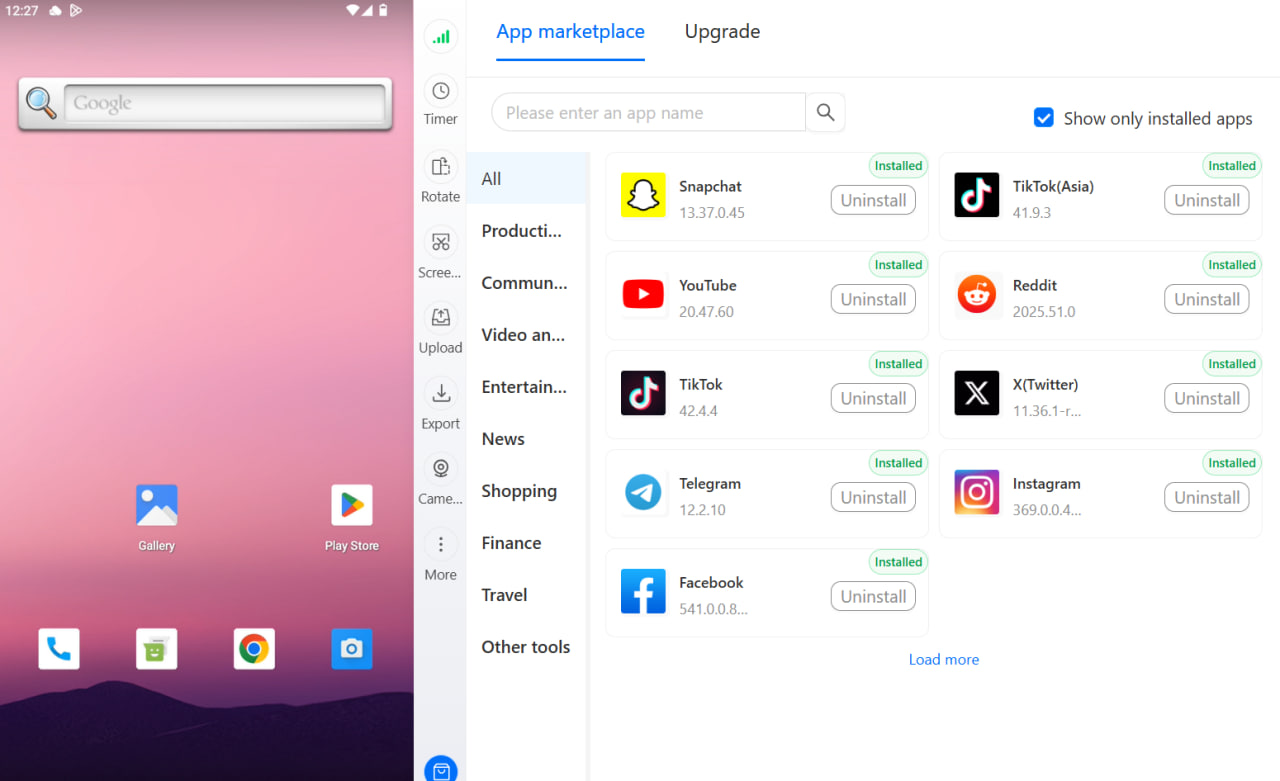
Multilogin Cloud Phones give each Snapchat account its own virtual Android device with a unique device fingerprint and a dedicated IP address. From Snapchat’s perspective, each cloud phone is a separate physical handset operated by a different person in a different location. There are no shared device signals between accounts and therefore no account linkage.
Getting started with Multilogin
3-day trial: $2 — 5 profiles, cloud mobile + browser profiles, API access.
Pro plans: from $7.08/month (billed annually at $85/year) or $11/month. Includes 10–100 profiles depending on tier, quick cloning, bulk operations, automation-friendly API (RPM 50–100), and premium proxy add-on. Bonus minutes included: 60 min (Pro 10) up to 150 min (Pro 100). Bonus proxy traffic: 1–5 GB.
Business plan: from $57.08/month (billed annually at $685/year) or $89/month — 300+ profiles, unlimited team seats, advanced team management, 450+ bonus minutes, 10 GB proxy traffic.
Cloud phone minutes: $0.011/minute pay-as-you-go. Unused minutes roll over. Bulk packages:
- 2,000 min: $18 (was $21, save 20%)
- 5,000 min: $43 (was $53, save 20%)
- 10,000 min: $85 (was $105, save 20%)
- 50,000 min: $380 (was $525, save 20%)
- 100,000 min: $825 (was $1,055, save 30%)
- 1,000,000 min: $7,320 (was $10,530, save 30%)
Proxy traffic: $3.50/GB. Unused traffic rolls over.
Running multiple Snapchat accounts for clients or brands? Multilogin Cloud Phones isolate every account with its own fingerprint and IP. No cascade bans. Plans from $7.08/month. 3-day trial at $2 — multilogin.com.


