


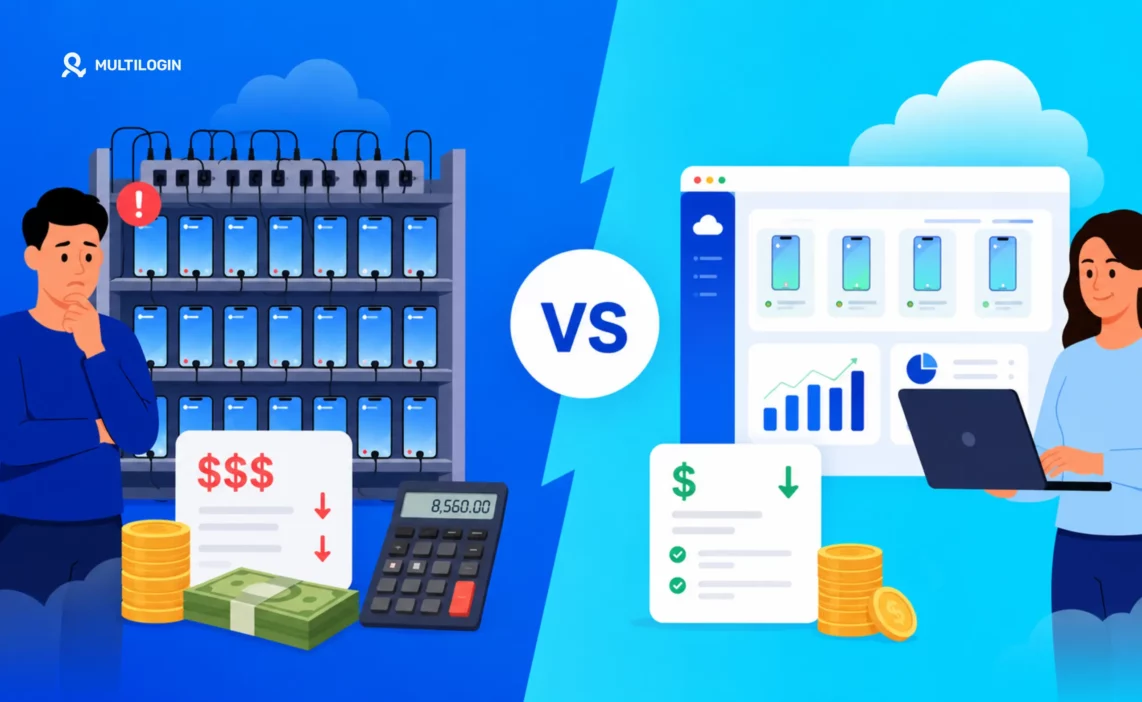



If you’re running social media accounts at scale, managing client accounts for an agency, or operating multiple e-commerce stores, you’ve probably thought about building a phone farm: rows of Android devices running side by side, each with its own apps and IP address. It looks like the obvious setup, until you actually add up what it costs.
Cloud phones have changed that math in 2026. This guide breaks down the real cost of a phone farm, including hardware, setup, monthly operations, hidden costs and labor, and puts it directly next to what you actually pay for Multilogin Cloud Phones. You’ll also see where the break-even point sits, so you can tell which option fits your own setup.
What is a phone farm?
A phone farm is a group of physical Android smartphones that run at the same time from one location, each with its own apps, accounts and network connection, and usually controlled through automation or remote-management software. Teams use phone farms for app testing, mobile QA and running multiple social media or e-commerce accounts that need a real mobile environment.
The appeal is that every device is a genuine phone with its own hardware identifiers and mobile operating system. The drawback is that phones are hardware: they need space, power, cooling, network routing and someone to keep them running. At scale, these costs add up in ways most guides don’t fully account for.
The real cost of building a phone farm in 2026
Hardware costs
The hardware is the upfront capital expense, and it’s the number that usually gets quoted when people talk about phone farm costs. Here’s what devices actually cost at different scales:
Device Count | Budget Android ($50–$150) | Mid-Range Android ($200–$400) |
10 devices | $500 – $1,500 | $2,000 – $4,000 |
20 devices | $1,000 – $3,000 | $4,000 – $8,000 |
50 devices | $2,500 – $7,500 | $10,000 – $20,000 |
100 devices | $5,000 – $15,000 | $20,000 – $40,000 |
These are purchase prices for devices capable of running social media apps and automation reliably. Budget Android phones degrade faster under continuous-use conditions — expect higher replacement rates than you would with normal consumer use. Mid-range devices last longer under load but cost significantly more upfront.
Infrastructure and setup costs
Hardware alone is not enough. You need power management, network routing, and management software before a single device does anything useful. Here’s what that adds:
Infrastructure Item | Estimated Cost | Notes |
USB hubs / PoE charging | $200 – $800 | Scales with device count |
Router & network gear | $100 – $500 | Needs to handle simultaneous connections |
Mobile proxies / SIM cards | $5 – $30/device/month | Monthly cost, not part of the setup total |
Management software / scripts | $500 – $2,000+ | One-time setup unless custom |
Physical rack / shelving | $100 – $400 | Depends on setup size |
The total initial investment for a 20-device setup using budget phones works out to about $1,900 to $6,700 before you’ve run a single operation. At 50 devices, expect roughly $3,400 to $11,200.
Ongoing monthly costs: where the real spend is
Upfront costs get the most attention but ongoing costs are what determine long-term viability. Here’s a realistic breakdown by scale — not including labour, which we cover separately:
Scale | Proxies / SIMs | Electricity | Hardware replacement (amortised) | Total estimated/month |
10 devices | $50 – $300 | $3 – $8 | $40 – $180 | ~$93 – $488 |
20 devices | $100 – $600 | $5 – $15 | $80 – $360 | ~$185 – $975 |
50 devices | $250 – $1,500 | $13 – $38 | $200 – $900 | ~$463 – $2,438 |
100 devices | $500 – $3,000 | $25 – $75 | $400 – $1,800 | ~$925 – $4,875 |
Each device needs its own unique IP address to avoid platform detection — at $5 to $30 per device per month, a 50-device farm costs $250 to $1,500 just in proxy infrastructure every month.” → “Each device needs its own IP address to keep accounts separate. At $5 to $30 per device per month, a 50-device farm costs $250 to $1,500 just in proxy infrastructure every month.
The hidden cost nobody talks about: management time
A phone farm is not a set-it-and-forget-it operation. Someone has to:
- Update apps when platforms push new versions — often urgently, since outdated app versions get flagged
- Restart devices that have frozen or crashed (this happens more than expected at scale)
- Replace batteries that have degraded — after 6 to 12 months of continuous use, battery capacity drops significantly
- Rotate SIMs or proxies when IPs get flagged
- Handle physical device failures — cracked screens, USB port failures, firmware corruption
- Manage cooling for devices running 24/7 in an enclosed space
Realistically, a 20-device phone farm requires 3 to 5 hours of management time per week for a competent operator. A 50-device farm can require 8 to 15 hours per week. At any meaningful billing rate for skilled technical work, this labor cost exceeds the hardware costs within a year..
Multilogin Cloud Phones: what you actually pay
Multilogin Cloud Phones are Android smartphones hosted in the cloud. They run on real smartphone hardware, not an emulator, with Android 10 to 16 and around 30 device models to choose from. Each cloud phone is an isolated environment with its own device parameters, apps and saved sessions, and connects to Multilogin’s built-in proxies. Pricing has two parts: a plan that sets how many profiles you can run, and mobile minutes for the time your cloud phones are actually running.
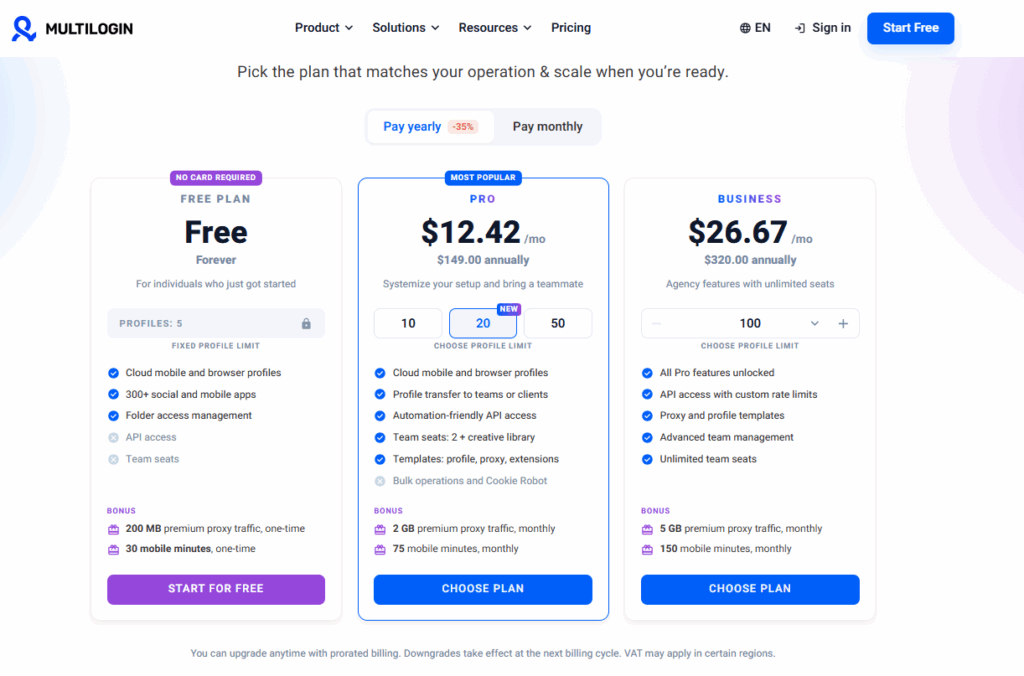
| Plan | Price (billed annually) | Profiles | Mobile minutes | Proxy traffic | Team seats |
|---|---|---|---|---|---|
| Free | $0 | 5 (max. 1 cloud phone) | 30, one-time | 200 MB, one-time | None |
| Pro 10 | $7.08/month ($85/year) | 10 | 60/month | 1 GB/month | 1 |
| Pro 20 | $12.42/month ($149/year) | 20 | 75/month | 2 GB/month | 2 |
| Pro 50 | $19.17/month ($230/year) | 50 | 85/month | 3 GB/month | 2 |
| Business 100 | $26.67/month ($320/year) | 100 | 150/month | 5 GB/month | Unlimited |
| Business 300 | See pricing page | 300 | 450/month | 10 GB/month | Unlimited |
Annual billing saves roughly a third compared with paying monthly, and included minutes and proxy traffic still refresh every month on annual plans. The Free plan has no time limit and needs no credit card, but you need to start at least one profile every 7 days to keep your profiles. Paid plans come with a 14-day money-back guarantee.
Features also scale by tier. Pro 20 and above add Smart Auto-Stop for cloud phones, profile and proxy templates, and an extension manager. Pro 50 and above add bulk profile creation and cloning, CookieRobot, profile export and import, and ISP proxies.
Mobile minutes and add-on packs
Cloud phone time is billed per active minute: billing starts when you start a cloud phone and stops when you stop it. On paid plans, you can buy extra minutes in packs when your monthly allowance runs out, at $0.0067 to $0.0084 per minute depending on pack size. Unused paid minutes roll over while your account stays active. Extra proxy traffic starts at $2.275 per GB. Free plan users cannot top up minutes or traffic.
| Minutes | Price | Cost per minute |
|---|---|---|
| 2,000 | $16.80 | $0.0084 |
| 5,000 | $42 | $0.0084 |
| 10,000 | $84 | $0.0084 |
| 20,000 | $159 | $0.0080 |
| 50,000 | $385 | $0.0077 |
| 100,000 | $745 | $0.0075 |
| 200,000 | $1,440 | $0.0072 |
| 500,000 | $3,480 | $0.0070 |
| 1,000,000 | $6,720 | $0.0067 |
At the largest pack size, the effective rate drops to $0.0067 per minute. Unlike a phone farm, where you pay for devices whether they are active or idle, you only pay for cloud phone minutes while a device is running. On Pro 20 and above, Smart Auto-Stop also stops idle cloud phones before they use more minutes than planned.
The real cost comparison: phone farm vs cloud phones
Here are the numbers side by side for a 20-device operation, a common starting scale for teams running multiple accounts. Cloud phone figures assume the Pro 20 plan billed annually and one hour of daily use per phone.
| Scenario | Phone farm (20 devices) | Cloud phones (20 profiles) |
|---|---|---|
| Setup cost | $1,900 to $6,700 | No hardware; Pro 20 plan at $149/year |
| Monthly proxies/IPs | $100 to $600 | 2 GB/month included; extra from $2.275/GB |
| Monthly electricity | $5 to $15 | $0 |
| Hardware replacement | $80 to $360/month (amortized) | $0 |
| Management time | 3 to 5 hours/week | No hardware upkeep |
| Scaling | Days to weeks, plus hardware spend | New profiles in minutes, no hardware spend |
| Total ongoing | $185 to $975/month + labor | about $314/month at 1 h/day per phone |
Labor is what tips the comparison. At an assumed $25 an hour, 3 to 5 hours of weekly maintenance adds $325 to $541 a month to the phone farm. Over 12 months, that puts the 20-device farm at about $8,000 to $25,000 in total, against about $3,800 for 20 cloud phones at one hour of daily use.
The phone farm only becomes the cheaper option when devices run for many hours a day. Once labor is included, the break-even sits at roughly 2 to 5 hours of active use per phone per day.
Breaking down cloud phone costs at different usage levels
Cloud phones are billed per active minute, so monthly cost depends on how many hours each phone runs, not on how many phones you have. Here is what 20 cloud phones cost on Pro 20, billed annually, using the cheapest mix of minute packs for each usage level:
| Active time per phone | Minutes per month | Minute packs | Total per month |
|---|---|---|---|
| 30 min/day | 18,000 | 1 × 20,000 ($159) | about $171 |
| 1 h/day | 36,000 | 20k + 10k + 5k + 2k ($301.80) | about $314 |
| 2 h/day | 72,000 | 50k + 20k + 2k ($560.80) | about $573 |
| 4 h/day | 144,000 | 100k + 2 × 20k + 2 × 2k ($1,096.60) | about $1,109 |
Most social media management and e-commerce work falls in the first two rows. Phones are active during content posting, account warm-up or order handling, not around the clock. Because unused minutes roll over, buying a larger pack lowers the rate further: a 200,000-minute pack at $0.0072 per minute covers about five and a half months of the 1 h/day scenario.
Feature comparison: what you get with each approach
| Feature | Phone farm | Multilogin Cloud Phones |
|---|---|---|
| Real Android | Yes | Yes, Android 10 to 16 on real smartphone hardware |
| Device identity | Physical hardware identifiers | Isolated environment with its own device parameters, about 30 device models |
| IP per device | Requires a separate proxy or SIM | Built-in proxies, 1 to 10 GB of traffic a month depending on plan |
| Team access | Needs extra remote-access software | Team seats and access control from the dashboard |
| Adding devices | Order, set up and connect hardware | Create a new profile in minutes |
| Hardware failures | Yours to fix | Handled by the platform |
| Browser and mobile in one dashboard | No | Yes |
| Sessions saved between uses | Yes | Yes |
| Cost when idle | Same as when active | Nothing; billing stops when the phone stops |
Beyond price, team access is the biggest practical difference. With a phone farm, handing a device to a colleague means remote-desktop software or someone in the room. With cloud phones, teammates get access to the right profiles from the dashboard, without sharing a login.
When a phone farm still makes sense
A physical phone farm is the better choice when devices need to run close to 24/7. Per-minute billing makes always-on cloud phones more expensive than owned hardware: one cloud phone running nonstop uses about 43,200 minutes a month, roughly $290 even at the lowest pack rate. If most of your phones are active for more than about five hours a day and you already have the space and technical staff, owned devices will likely cost less.
Physical devices also make sense when a workflow depends on a physical SIM card from a specific carrier, such as carrier-billed services or SMS verification tied to that SIM. The same goes for work that must stay on hardware you control on-site for security or compliance reasons, and for the small number of apps that refuse to run in any remote or hosted environment.
For social media management, agency client accounts, creator content, e-commerce stores and app testing, phones are usually active in sessions rather than around the clock. In those cases, cloud phones cost less and take far less upkeep.
Getting started with Multilogin Cloud Phones
The easiest way to check whether cloud phones fit your workflow is the Multilogin Free plan. It has no time limit, needs no credit card, and includes 5 cloud mobile and browser profiles, one cloud phone with 30 mobile minutes, and 200 MB of proxy traffic. Use those minutes on a real session with the app you work with, note how many minutes it used, and multiply by your number of accounts to estimate your monthly cost.
When you need more profiles, monthly minutes, API access or team seats, paid plans start at $7.08 a month for Pro 10, billed annually at $85 a year. Business 100 costs $26.67 a month billed annually and adds unlimited team seats, with Business plans scaling to 300 profiles and beyond. Every paid plan includes the cloud phone and browser profile dashboard, built-in proxy traffic, monthly mobile minutes and API access, and comes with a 14-day money-back guarantee.
Run your first cloud phone free. No credit card, no hardware.
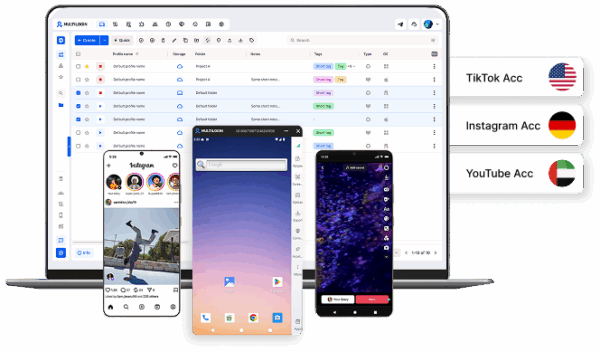


Manage multiple accounts with Android cloud phones
Build account trust, reach new locations, and grow faster from one dashboard
Frequently Asked Questions
Phone farms are used for multiple purposes: app testing (developers testing across real devices), multi-account management (social media, e-commerce), crypto operations (airdrop farming, some mobile mining), and historically for passive income apps (mostly dead now). Legitimate uses focus on testing and professional account management. Problematic uses include bot networks, spam operations, and click fraud — which violate platform ToS and sometimes laws.
For most multi-account workflows, yes. Twenty Multilogin cloud phones used one hour a day cost about $314 a month on the Pro 20 plan, with no hardware to buy, while a 20-device phone farm costs $185 to $975 a month plus setup and labor. A phone farm becomes cheaper only when devices are active more than roughly 2 to 5 hours a day each.
Phone farms themselves are not illegal. However, activities performed with them often violate platform Terms of Service (multi-accounting, automation) or laws (click fraud, spam, identity theft). Legal uses include app testing, managing accounts with permission, and authorized research. The legality depends entirely on what you do with the farm, not the farm itself. Consult legal counsel if operating at scale.
Yes. Dedicated use case pages cover cloud phones for TikTok, cloud phones for Instagram, and cloud phones for Facebook.
For most use cases, a cloud phone farm beats a physical phone farm. It needs no hardware purchase, compared with about $1,900 to $6,700 to set up a 20-device physical farm, and there is nothing to maintain, store or power. You can add new phones in minutes, share access with teammates from one dashboard, and use proxy traffic included in your plan. At one hour of daily use per phone, 20 Multilogin cloud phones cost about $314 a month on the Pro 20 plan.
A physical phone farm only makes more sense when phones run close to 24/7, or when you need physical carrier SIMs or hardware that must stay on-site, and you have the technical staff and space to run it. For session-based work like social media management, client accounts and e-commerce, cloud phones cost less over the long run once hardware, proxies, power and maintenance time are counted. Multilogin plans start free, and paid plans start at $7.08 a month billed annually.
The bottom line
For most mobile multi-account work in 2026, cloud phones cost less than a physical phone farm because you pay only for active minutes, not for devices, proxies, power and upkeep. At one hour of daily use, 20 Multilogin cloud phones cost about $314 a month on the Pro 20 plan, with no hardware to buy, against $185 to $975 a month plus $1,900 to $6,700 upfront and 13 to 22 hours of monthly maintenance for a 20-device farm.
A physical phone farm still wins when phones run close to 24/7, when you need physical carrier SIMs, or when hardware must stay on-site. To see where your own setup lands, test one cloud phone on the Free plan and compare the minutes it uses with the figures above.


