


Search for a free cloud phone and you’ll run into very different offers. Some services give you an Android cloud phone free for a few hours. Others offer a permanent free plan with capped minutes or profiles. A few results are not cloud phones at all, but Android emulators or cloud-based business phone systems.
So yes, free cloud phones exist. The useful question is not simply “Is it free?” It is:
What stays free, for how long, and what can you actually do before you have to pay?
We checked the current free access, Android support, pricing, proxy setup, and usage limits across the cloud phone services people are most likely to encounter in 2026.
Key takeaways
- A free cloud phone can mean a permanent free plan, free trial, one-time free minutes, or a freemium account. Those offers are not interchangeable.
- Multilogin has a $0 Free Plan with no plan expiry and no credit card required. It includes up to five profiles, with a maximum of one mobile profile, plus 30 one-time cloud phone minutes and 200 MB of one-time proxy traffic. Free profiles are deleted after seven consecutive days of account inactivity.
- GeeLark also has a $0 plan, with two profiles and 30 free cloud phone minutes for new users, but additional cloud phone use is billed separately.
- GoLogin currently promotes a seven-day free trial with one profile and no credit card.
- DuoPlus offers one cloud phone for 30 days plus 30 minutes of free startup time.
- UgPhone gives new users a short free trial and is primarily designed around gaming and 24/7 AFK use.
- VMOS Cloud promotes free trials, while its standard paid cloud devices currently start from $4.99 per month.
- A cloud phone free with unlimited time on Android usually comes with another limit. The account may not expire, but runtime, profiles, storage, proxy traffic, or device availability will still be capped.
- If you need a cloud phone for social media rather than gaming or app testing, compare the Android environment, persistent sessions, proxies, account organization, and ongoing price, not just the number of free minutes.
Free cloud phones compared: free access, Android, proxies and pricing
Here is the practical comparison first.
| Cloud phone | Free access | Free cloud phone usage | Proxy setup | Paid entry point | Strongest fit |
| Multilogin | Permanent Free Plan | 1 mobile profile, 30 one-time mobile minutes; up to 5 profiles total | Built-in residential proxies, 200 MB one-time on Free | From $7.08/month | Social media, mobile + web account workflows |
| VMOS Cloud | Free trial advertised | Trial terms can vary, check current signup offer | Separate proxy service available | Standard devices from $4.99/month; timed use from $0.006/min | Remote Android, testing, gaming, social workflows |
| GoLogin Cloud Android | 7-day trial | 1 profile, 7 days | Proxy can be assigned to each mobile profile | From $9/month | Social workflows and automation |
| GeeLark | $0 Free plan | 2 profiles + 30 free minutes for new users | Proxy management supported; proxy traffic is separate | $0 plan, then $0.007/min for cloud phone usage | Mobile social account management and automation |
| DuoPlus | Free trial | 1 cloud phone for 30 days + 30 startup minutes | Dedicated proxy configuration required | Device fee plus startup usage; startup packages from about $0.0042/min | Bulk mobile workflows and cross-border operations |
| UgPhone | Free trial | 4-hour new-user trial currently documented | Not a primary bundled feature | Varies by device tier and region | Cloud gaming and long AFK sessions |
| MyAndroid | Free access | Free browser-based Android environment | Not designed as a managed cloud-phone proxy platform | Free | APK and Android app testing |
Pricing changes quickly. Treat this table as a research snapshot rather than a substitute for the provider’s current checkout page.
How we checked these free cloud phones
We did not treat a provider as “free” just because the homepage had a Try free button.
For each service, we checked:
| Check | What we looked for |
| Provider website | Current product and cloud phone pages |
| Pricing | $0 tier, paid starting price and usage-based charges |
| Type of free access | Permanent plan, trial, free minutes or promotional credits |
| Android availability | Android versions and device choices where publicly specified |
| Credit card requirement | Whether payment details are required before testing, when stated publicly |
| Usage limits | Profiles, minutes, trial duration and daily caps |
| Proxy availability | Built in, configurable separately, or not a main feature |
| Use case | Social media, gaming, automation, app testing or general remote Android |
| Verification date | August 2026 |
Research status: Multilogin can be verified directly by our product team. Information about third-party providers in this comparison was checked against their current public product, help, or pricing documentation. Where providers do not publish a fixed value, we do not guess one.
What is a free cloud phone?
A free cloud phone is a remotely hosted Android environment that you can access without paying, either permanently under limits or temporarily through a free trial.
Instead of running Android locally on your laptop like a traditional emulator, the Android environment runs remotely and you control it over the internet.
The technical implementation differs between providers. Some use real smartphone hardware, some use ARM-based server infrastructure, and others provide virtualized Android environments. That is why two services described as “cloud phones” can behave very differently.
For social media work, the important questions are whether the environment keeps its device data and sessions between uses, supports native Android apps, allows the right network location, and can be organized alongside your other social profiles.
Free forever, free trial or freemium: what is the real difference?
A free-forever plan has no scheduled expiry date. It can still limit profiles, mobile minutes, traffic, storage, features, or inactivity.
A free trial gives you access for a fixed period or a fixed number of hours. When the trial is used up, continued access requires payment.
A freemium plan keeps the basic account free while charging for larger limits or advanced functionality.
Then there are one-time credits. These are especially common in cloud phone products. Your account may remain free, but the cloud phone stops launching once the included runtime is gone.
This is why the phrase cloud phone free unlimited time can be misleading.
“Unlimited time” can refer to the life of the account rather than unlimited Android runtime.
Is there a free Android cloud phone with unlimited usage?
There are Android services with no account-expiry date, but a genuinely unlimited cloud phone with unlimited free runtime is uncommon. The infrastructure still has to run somewhere. CPU time, device capacity, storage, bandwidth, and network resources have an ongoing cost.
That leads providers toward one of several models:
- unlimited account duration with limited minutes
- free trial hours
- daily free quotas
- lower-spec free environments
- usage-based billing after free credits
- ad-supported access
Multilogin is an example of the first model. The Free Plan itself has no time limit, but the cloud phone includes 30 one-time mobile minutes rather than unlimited free runtime.
MyAndroid takes a different approach. It offers a free, browser-based Android emulator with unlimited usage, but it is primarily designed for app testing rather than long-term social profile management.
So, if you’re specifically searching for a cloud phone free option with unlimited usage, there’s another important question to consider:
Do you need an account with an unlimited lifetime, or unlimited running time?
These are two very different things.
Free cloud phone Android options: which services are actually worth comparing?
Multilogin: free Android cloud phone for social media workflows
Multilogin is built around social profiles rather than gaming sessions.
Its Free Plan costs $0, requires no credit card, and does not have a scheduled expiry date. You can create up to five profiles in total, with a maximum of one mobile profile. That mobile profile comes with 30 one-time mobile minutes, while the plan also includes 200 MB of one-time built-in residential proxy traffic.
The Android cloud phone keeps its own environment, app data, device details and session state. Multilogin also combines Android cloud phones with browser profiles in the same dashboard, which is useful when one workflow spans native mobile apps and web tools.
For example, an Instagram or TikTok profile may need an Android environment, while YouTube Studio, Reddit, dashboards or other web tasks may fit a browser profile.
Multilogin currently supports stable Android 10–16 cloud phone environments, multiple real-device brands, a built-in app repository, APK uploads and residential proxy locations across 150+ countries.
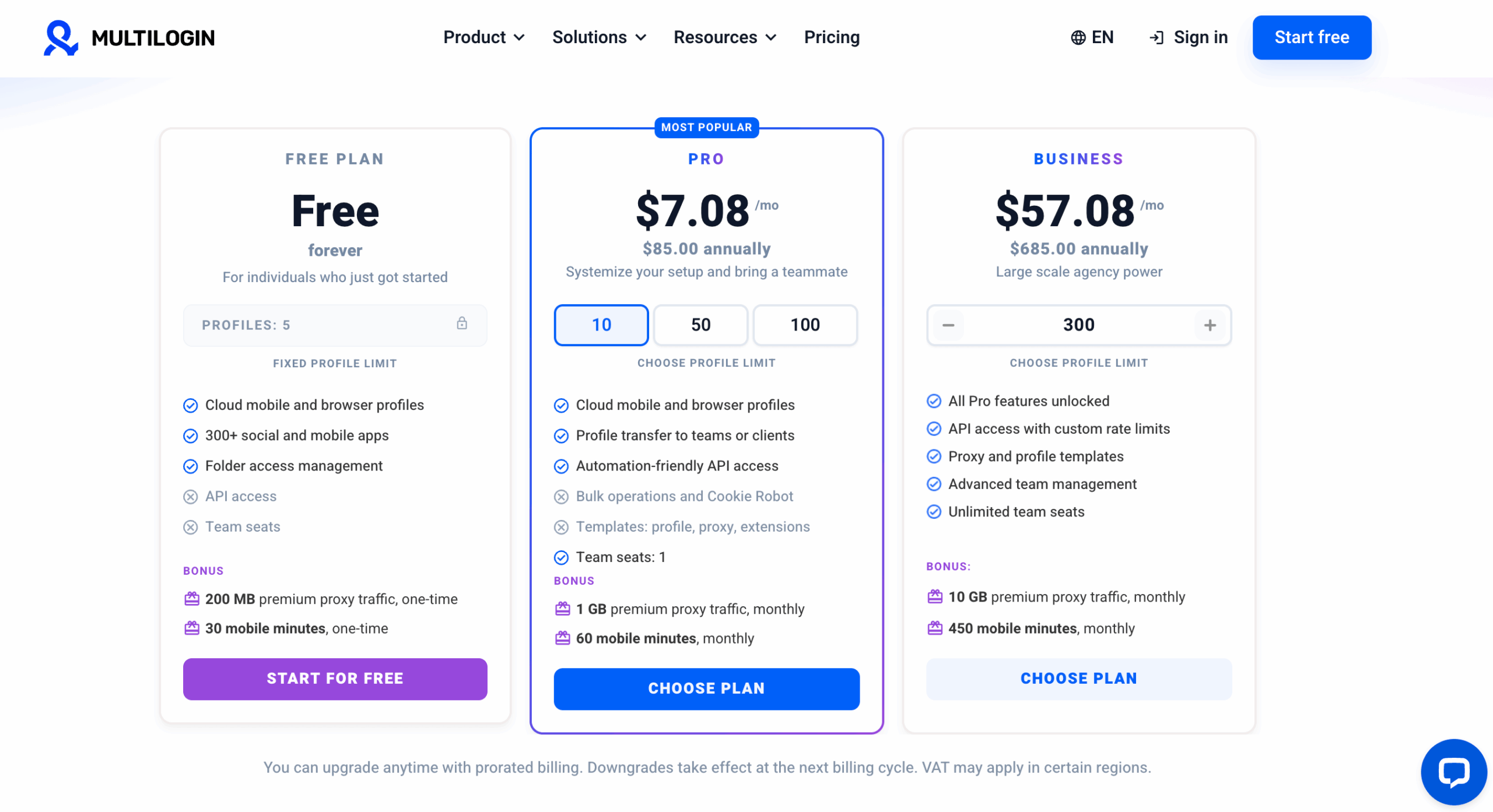
Free limits to know: the 30 mobile minutes and 200 MB proxy allowance are one-time bonuses. They do not refresh on the Free Plan. Free profiles are also removed if the account remains inactive for seven consecutive days.
Best fit: people testing a cloud phone for social media or deciding whether they need a combined mobile and browser workflow.
VMOS Cloud: flexible paid Android devices after the trial
VMOS Cloud covers several cloud-device use cases, including app testing, social workflows and gaming.
Its public pages advertise free trials. Paid standard cloud devices currently start from $4.99 for 30 days, while VMOS also offers timed devices from $0.006 per minute. Its documentation describes a $1 daily cap for timed-device use after the initial package.
VMOS also sells higher-performance real-device configurations and proxy products separately.
This flexibility is useful if you want to choose between monthly device rental and occasional pay-as-you-go use.
The trade-off is that the cloud phone price does not necessarily represent the full workflow cost once additional network services are added.
Best fit: users looking for flexible remote Android pricing and multiple device configurations. Check our Multilogin VS. VMOS page to read more about these two pages comparison.
GoLogin: seven-day cloud phone free trial
GoLogin’s Cloud Android page currently advertises a seven-day free trial for new users, one profile, and no credit card requirement.
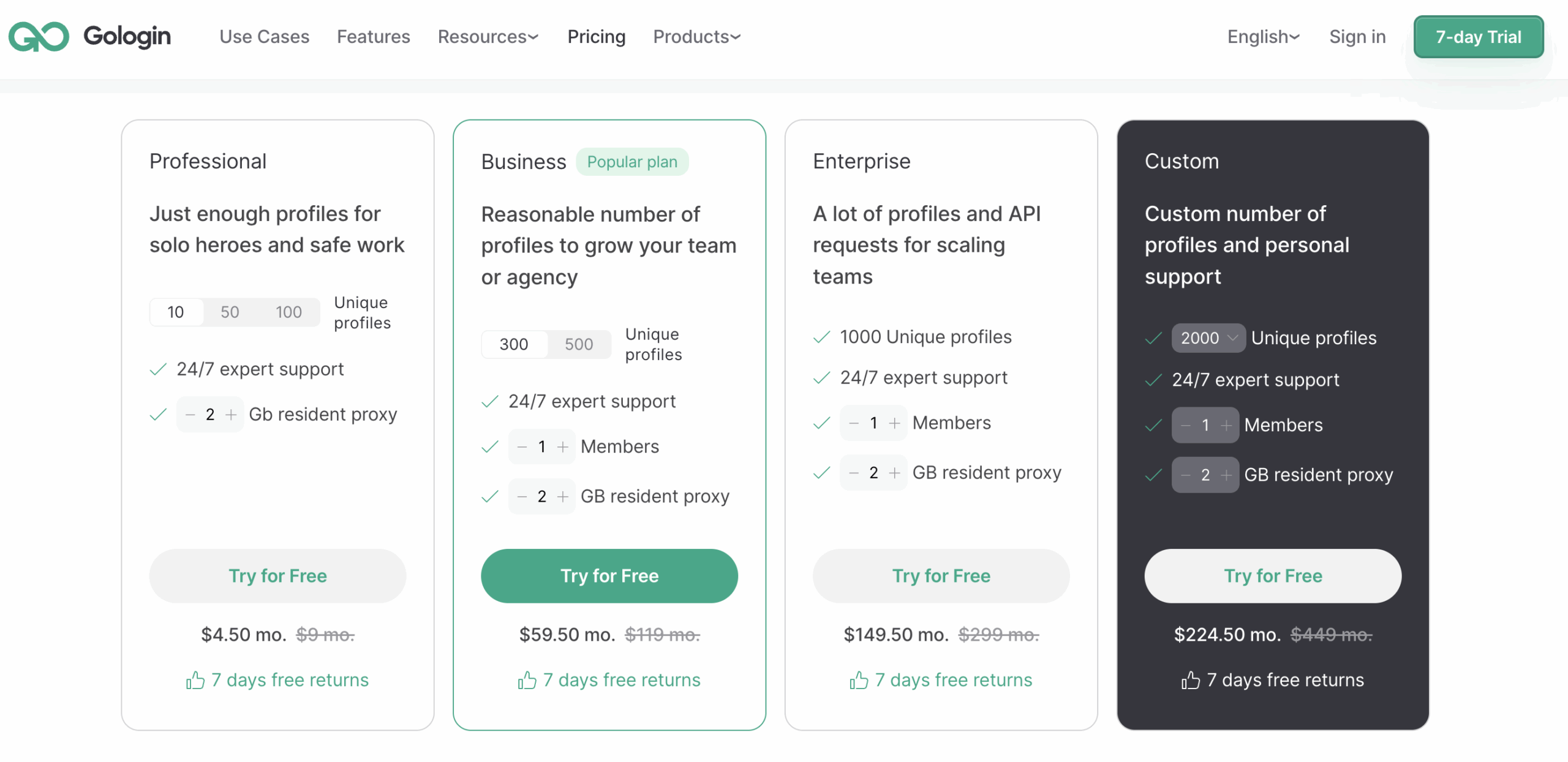
Its Cloud Android workflow is deliberately simple: create a mobile profile, choose a proxy and location, then launch the Android phone. Google Play apps and APK installation are supported.
Paid access is advertised from $9 per month.
That makes GoLogin relevant for the query cloud phone free trial, even though the offer is a trial rather than a permanent free tier.
If you want ongoing $0 access rather than seven days of evaluation time, it is a different pricing model from Multilogin’s Free Plan.
Read more about Multilogin vs GoLogin.
Best fit: short-term evaluation of a social-focused Cloud Android workflow.
GeeLark: two free profiles with cloud phone minutes
GeeLark has a $0 Free plan with two profiles. Its current billing documentation says new users receive 30 free minutes of cloud phone usage.
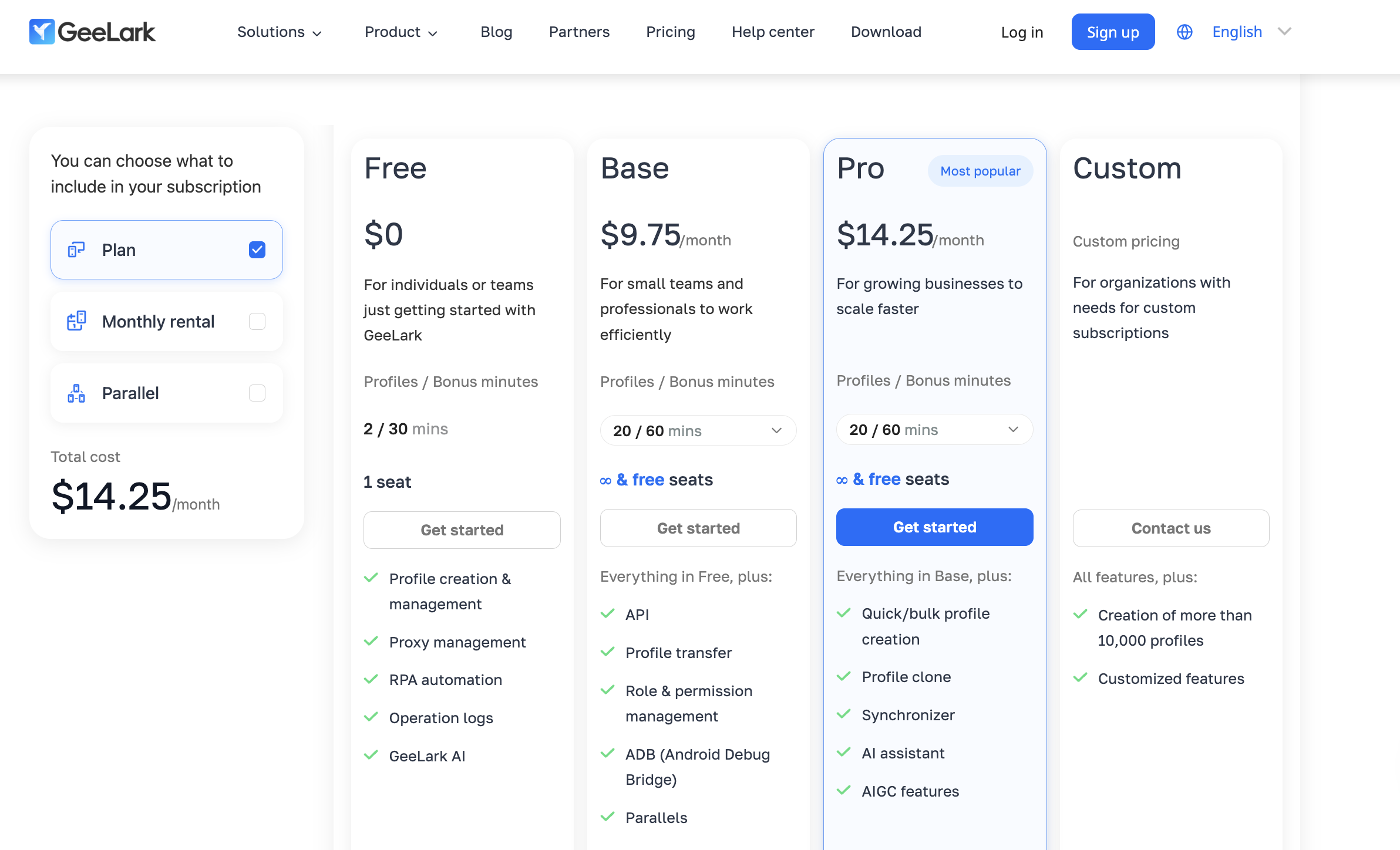
After included usage is exhausted, cloud phone time is normally charged at $0.007 per minute. The provider also publishes a daily spending cap and offers larger time packages or monthly device rentals for heavier use.
GeeLark is strongly focused on mobile account management. Features include cloud phone profiles, proxy configuration, RPA templates and social-media automation.
The important pricing detail is that profile subscription and cloud-phone runtime are separate parts of the cost model.
This can be efficient for short sessions, but users comparing “free cloud phone” services should not assume that a free profile means unlimited free mobile runtime.
Best fit: mobile-first social workflows and automation.
DuoPlus: one cloud phone for 30 days
DuoPlus currently advertises a Free Trial that includes one cloud phone for 30 days and 30 minutes of temporary startup time.
Its cloud phones support several Android versions, including Android 15 on supported configurations, with tooling for bulk app operations, RPA workflows and synchronized actions.
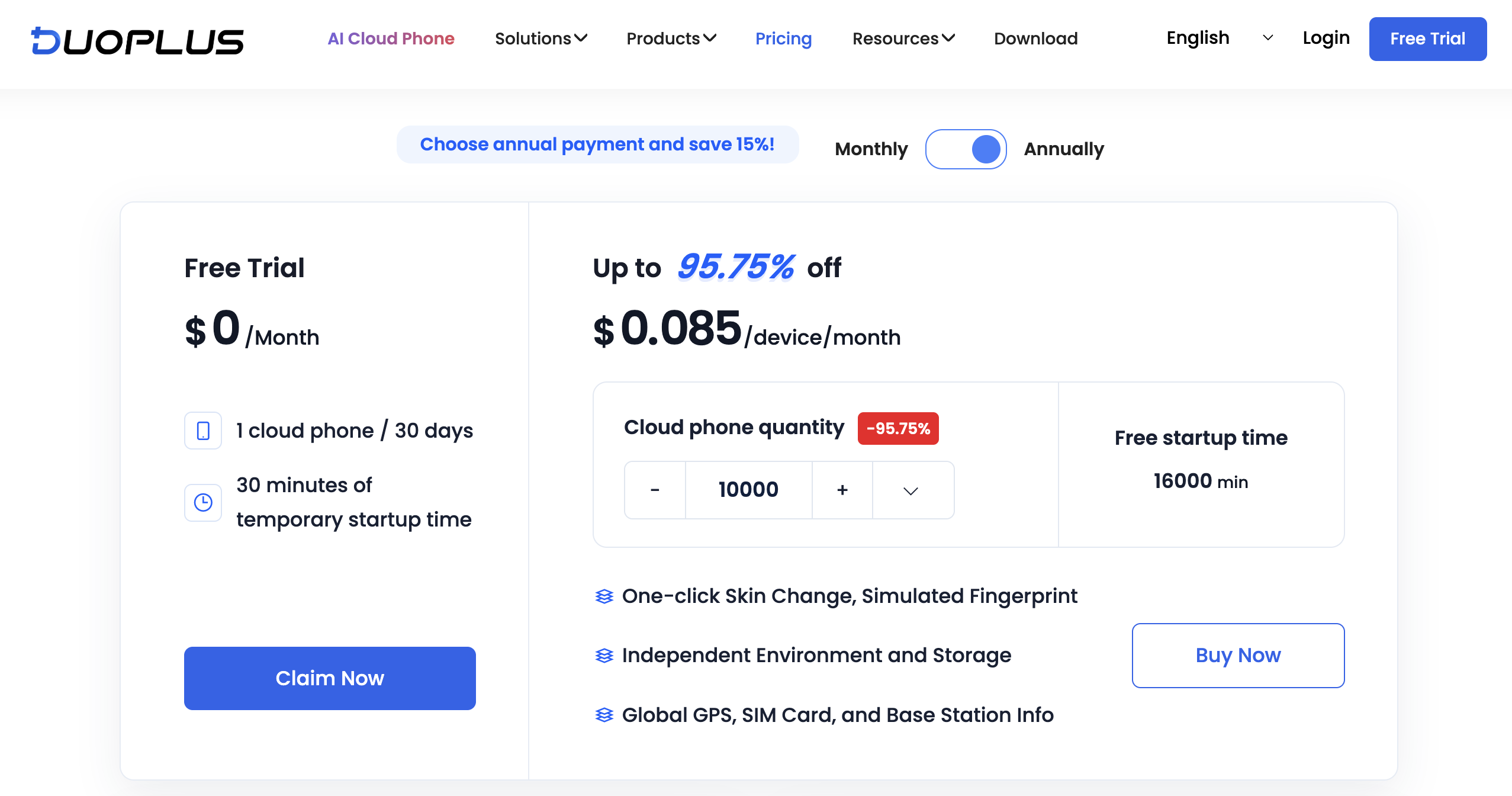
A dedicated proxy must be configured for the cloud phone rather than proxy traffic being bundled into the free offer.
After the included startup time, DuoPlus uses separate device and runtime charging. This is another example of why comparing only the headline $0 price can hide important differences between cloud phone services.
Best fit: bulk Android operations, cross-border workflows and users who want browser-based access to cloud phones.
UgPhone: free cloud phone trial for gaming
UgPhone approaches the category from a different direction.
Its own documentation currently describes a four-hour free trial for new users. The platform is built mainly around cloud gaming, multi-instance play and keeping games online while your physical phone is offline.
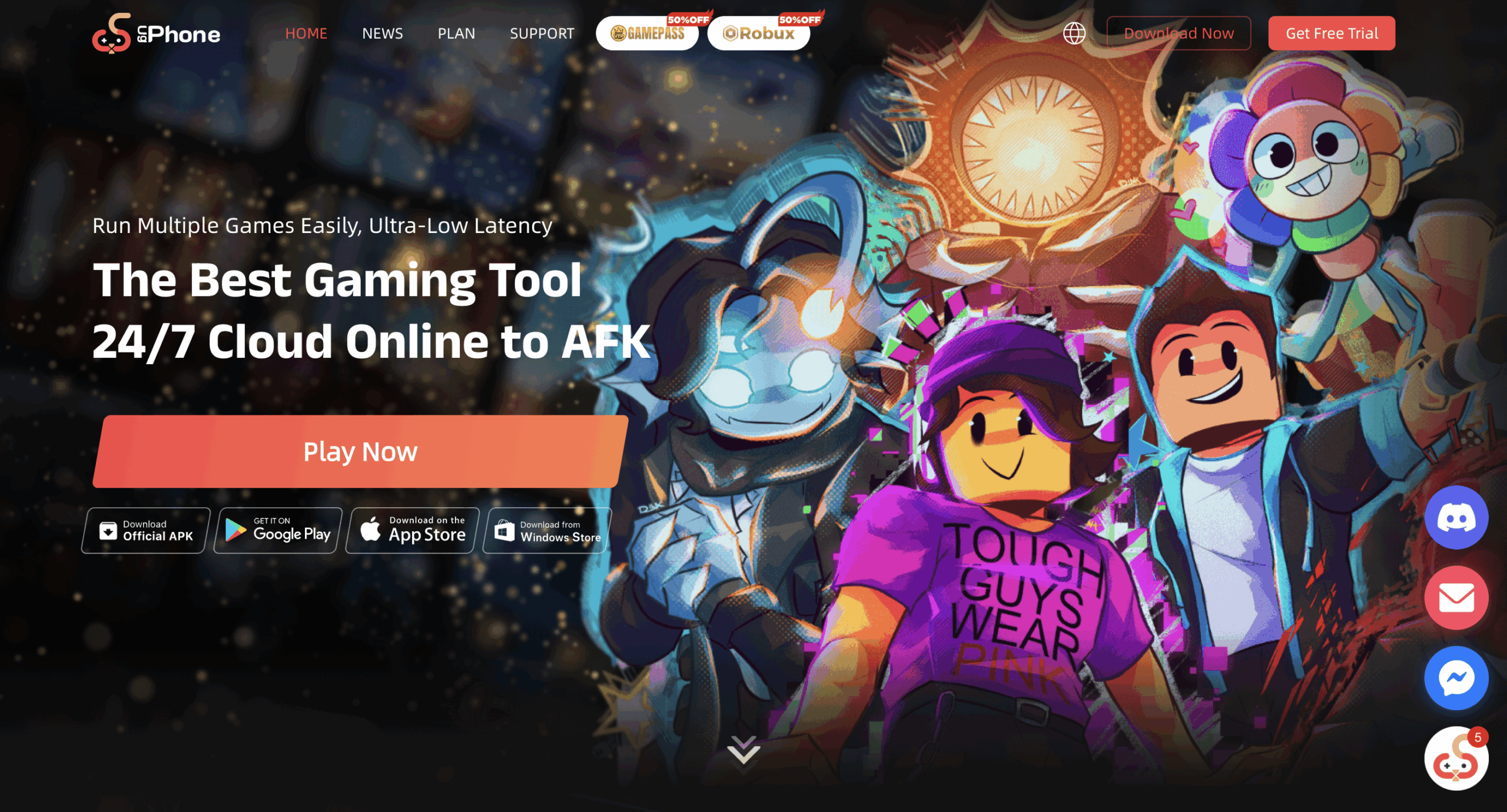
Device tiers provide different CPU, RAM, storage and Android configurations. Current options include Android 10, Android 12 and Android 13 depending on the selected device tier and server.
That can make UgPhone useful for gaming or AFK workloads, but it solves a different problem from a social-profile platform.
Best fit: gaming, multi-instance game sessions and 24/7 AFK use.
MyAndroid: completely free Android testing, but not the same kind of cloud phone
MyAndroid is worth mentioning because it is one of the few services that explicitly advertises free Android use without an account.
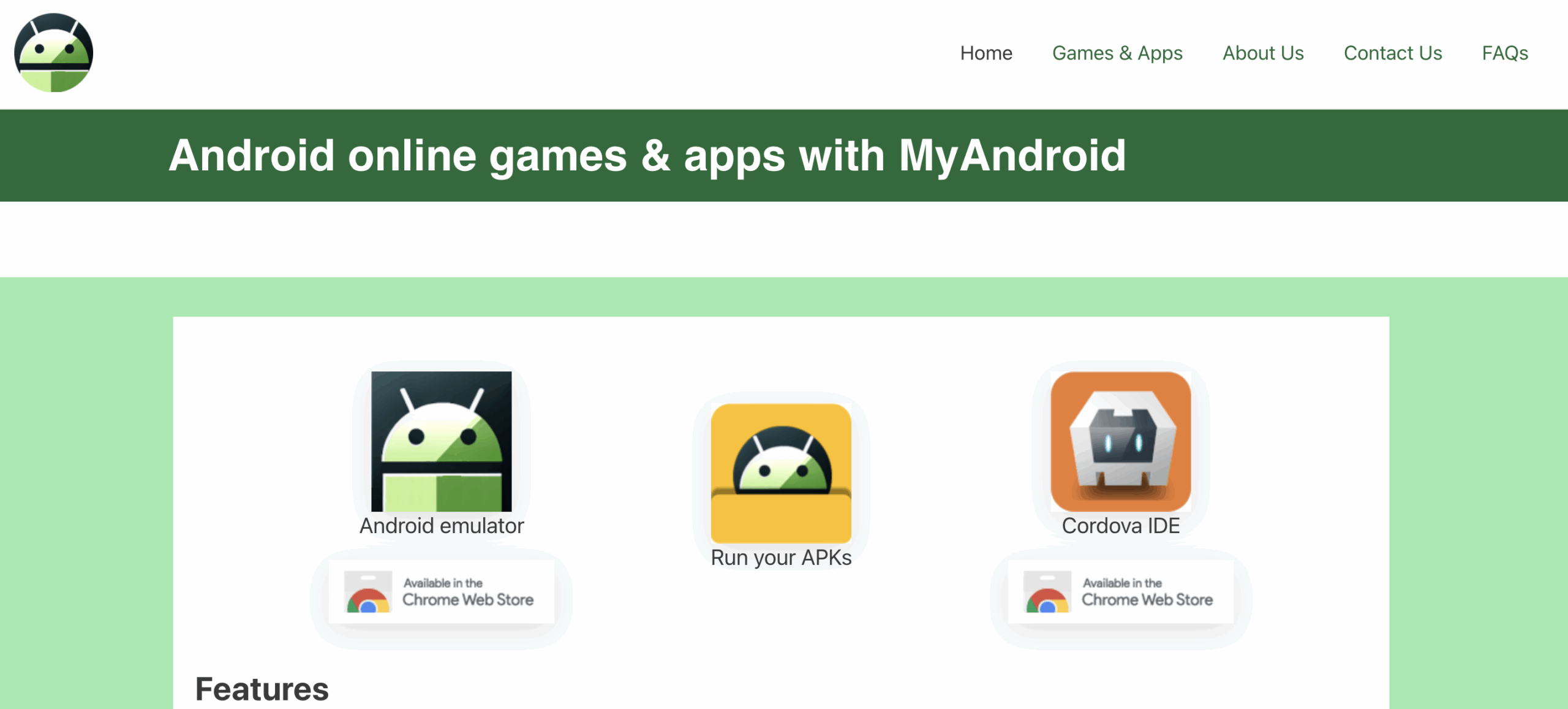
It runs in the browser, supports APK testing, and includes an online Android environment.
But it is an Android emulator/testing service, not a direct replacement for a persistent cloud phone platform designed around social profiles, dedicated network configuration and multiple managed environments.
If your goal is simply to open an APK or test an Android app, that difference may not matter.
If your goal is long-term account management, it matters a lot.
Best fit: app and APK testing.
What does “free” actually mean across cloud phone services?
The comparison shows why the query cloud phone for free has no single answer.
A provider might give you:
| Free model | What stays free | What usually becomes paid |
| Permanent capped plan | Account access and limited profiles | Additional runtime, profiles or traffic |
| Time-limited trial | Product access during the trial | Everything after expiry |
| One-time credit | Account + initial minutes | Additional runtime |
| Freemium | Basic functions | Professional tools and higher limits |
| Testing emulator | Basic Android testing | Sometimes nothing, but features are narrower |
The best free offer therefore depends on what you are trying to accomplish.
Thirty minutes on an environment designed for your actual workflow can be more useful than several free hours on a product designed for something completely different.
Why aren’t most Android cloud phones free forever?
Because the Android environment keeps consuming infrastructure while it is running.
Depending on the provider, that may include cloud servers or mobile hardware, compute resources, storage, bandwidth, device capacity, proxy traffic and maintenance.
That is why most companies limit one of four things:
runtime, device count, performance or features.
The more useful question is therefore:
Which limitation causes the least friction for the task I need to complete?
What should you test during a cloud phone free trial?
Do not spend the entire free trial browsing settings.
Use it to reproduce the workflow you would actually pay for.
1. App compatibility
Install the apps you genuinely need.
Check login flows, uploads, notifications, media handling and whether app data survives when the phone is stopped and reopened.
2. Session persistence
Log into a test account, close the cloud phone, restart it and check whether the environment resumes cleanly.
Persistent sessions matter much more for ongoing account work than they do for a five-minute demo.
3. Android and device options
Check whether the Android versions and device configurations match your apps.
A long trial does not help if the app you need is incompatible with the available Android environment.
4. Proxy and location setup
Find out whether network configuration is already part of the product or requires a second service.
If proxies are separate, include that in the true cost.
5. Real usage cost
Work out how many minutes you actually consume during a normal session.
A difference of a fraction of a cent per minute can become meaningful once several devices are active every day.
6. Workflow management
Create several test profiles.
Can you tell them apart quickly? Are there folders, tags, notes, team permissions, bulk actions or automation options?
Those features are easy to ignore during a free trial and painful to replace once a workflow becomes larger.
Which matters more: free access or full features?
Neither one wins automatically.
A short cloud phone free trial with full functionality can be ideal when you are evaluating a product for a paid deployment.
A permanent free plan can be more useful when you want to experiment over several days or weeks without a countdown.
A completely free testing emulator can be enough when your only goal is checking an APK.
The plan should match the job.
For app testing
Prioritize Android compatibility, APK installation and debugging.
For gaming
Prioritize performance, server location, background runtime and device specifications.
For social media management
Prioritize native app support, persistent environments, profile organization, consistent network setup and the ability to separate multiple social profiles.
What does a good free cloud phone plan look like?
A good free offer makes its limits easy to find.
Before signing up, you should be able to answer:
How many devices or profiles do I get?
How many minutes are included?
Do those minutes renew?
Does the account expire?
Does the device expire?
Is a credit card required?
Are proxies included or separate?
What happens to my data when the free period ends?
How much does continued usage cost?
If those answers are buried or unclear, the word free is not giving you enough information to compare the service properly.
Five best practices before choosing a free cloud phone
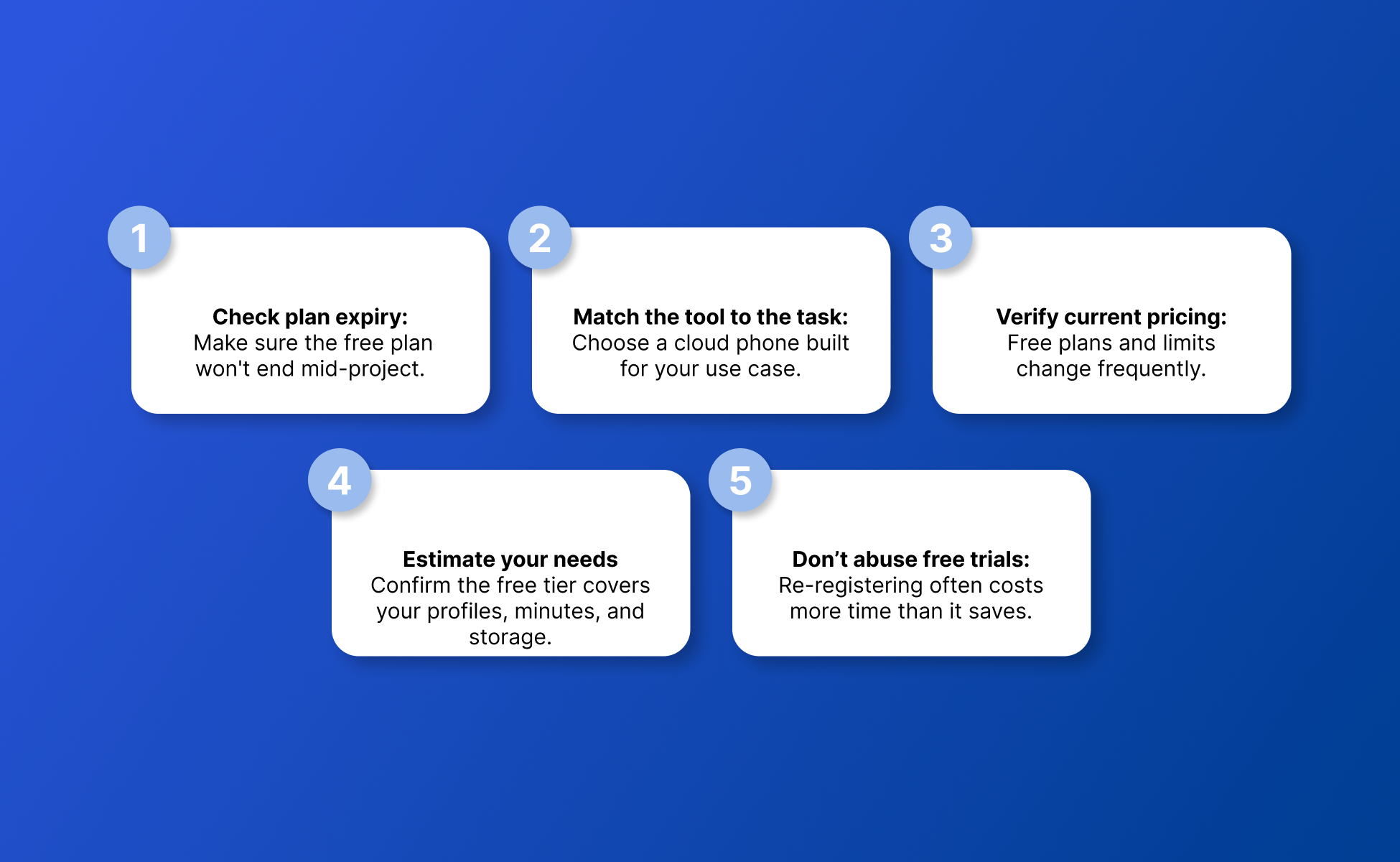
- Check what expires. The account, cloud phone, free minutes and stored data may all follow different expiry rules.
- Match the platform to the task. Gaming, app testing and social media management need different features.
- Check current provider pricing. Free plans and promotional trials change frequently.
- Calculate the complete cost. Include cloud phone runtime, subscription fees and proxy traffic rather than comparing only the headline device price.
- Use the free period for a real workflow. The useful question is not whether the dashboard opens. It is whether the environment works for the apps, sessions and tasks you intend to run.
How to start a free Android cloud phone with Multilogin
If your goal is social media account management, you can test the workflow from the Multilogin Free Plan.
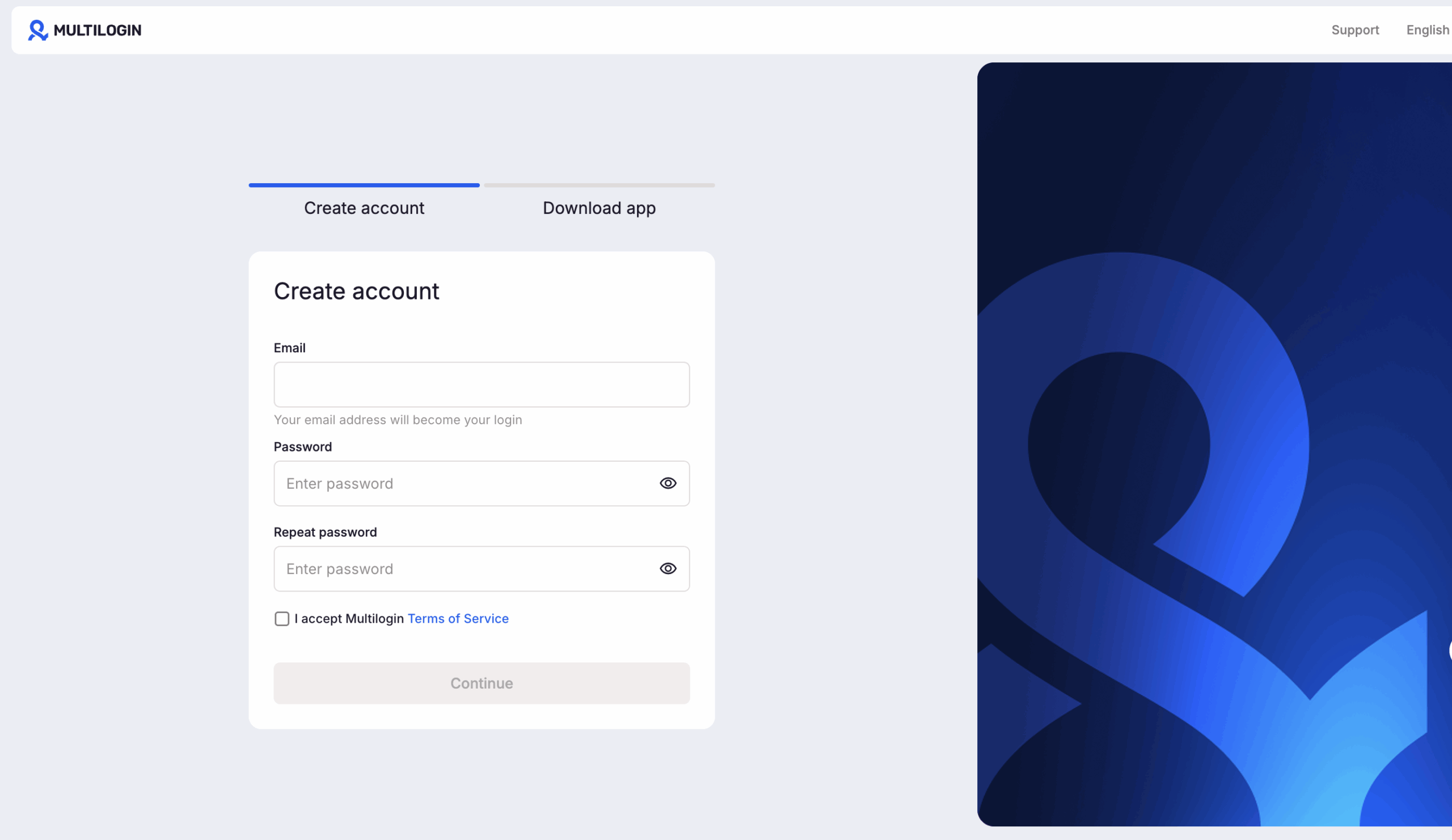
- Create a Multilogin account using the Start free option.
- Open your workspace.
- Go to Profiles.
- Choose Mobile.
- Create the Android cloud phone profile.
- Select the device and network settings you need.
- Launch the profile.
- Install or open the relevant Android app.
- Stop the cloud phone when you finish so you do not consume mobile minutes unnecessarily.
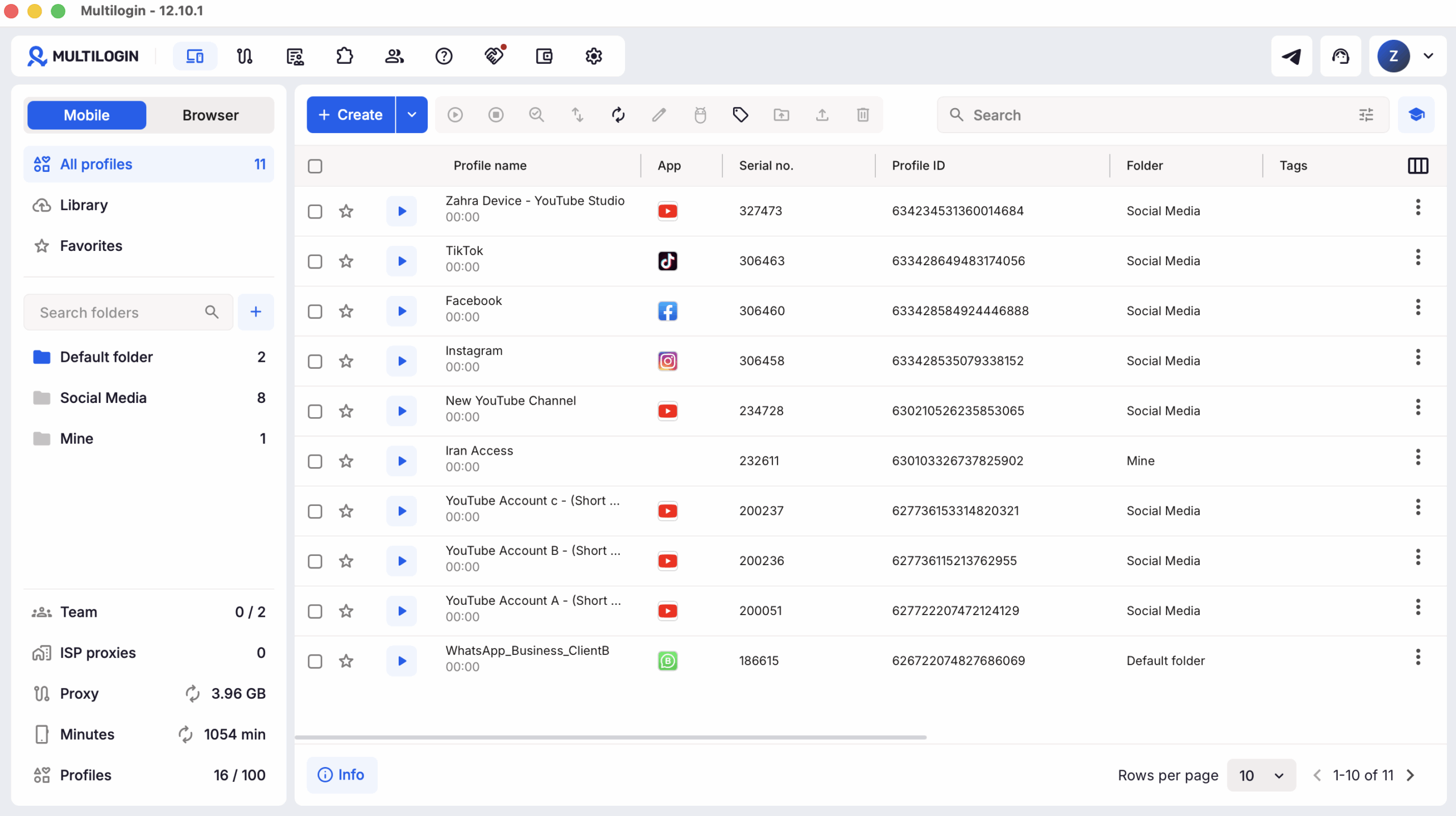
The Free Plan gives you 30 one-time mobile minutes, so it is better to plan the test before starting the phone.
Organizing multi-profile workflows without the login mess
For people looking for a free cloud phone because they manage several social accounts, the problem usually changes once the initial test is over.
The question stops being:
“Can I launch Android in the cloud?”
It becomes:
“How do I keep every social profile, device, session and network organized when I have ten, fifty or hundreds of them?”
Multilogin is a cloud phone platform built for people and AI agents managing multiple social profiles.
Mobile-first work such as TikTok, Instagram and Facebook app workflows can run on dedicated Android cloud phones. Web workflows can run in separate browser profiles from the same dashboard. You can choose your own profile whenever you want, Browser profile or Cloud phone.
Each profile maintains its own environment and persistent session.
Built-in residential proxies are available for network separation and location selection, while paid plans add more mobile minutes, proxy traffic, profile capacity, automation and team functionality.
Multilogin does not replace platform rules. Sustainable workflows still depend on original content, genuine engagement and activity that follows the rules of the platforms you use.