





Building a content calendar by hand is one of those tasks that feels productive but mostly isn’t. You move slots around, second-guess the posting frequency, debate whether Tuesday or Thursday is better, and somehow still end up scrambling for content ideas the night before a post goes out.
AI content calendar automation doesn’t eliminate the creative work. It eliminates the logistical overhead that eats up the time before and after the creative work happens.
This guide covers how to actually set up ai content calendar automation from scratch — the tools, the workflow, the prompts, and how to make it self-sustaining rather than something you have to rebuild every month.
What AI content calendar automation actually means
Let’s separate what “automating your content calendar with AI” means in practice from what it sounds like:
What you’re actually automating:
- Idea generation and content angle research
- Structuring and populating the calendar framework
- Caption and copy drafts that fill the slots
- Optimal timing recommendations based on platform data
- Repurposing existing content to fill gaps
- Weekly and monthly planning sessions that previously took hours
What you’re still doing manually:
- Creative direction and final judgment on what’s worth saying
- Brand strategy decisions and campaign planning
- Content approval for anything client-facing
- Community engagement and response
- Performance interpretation and strategic pivots
The goal of ai content planning isn’t to remove humans from the process. It’s to remove the low-judgment, high-time-consumption parts so humans can spend more time on the parts that actually require human judgment.
The tools you need to automate your content calendar
You don’t need a lot of tools. You need the right three:
An AI writing tool — Claude or ChatGPT for idea generation, content drafting, and planning structure. Claude’s Projects feature is particularly useful here for keeping brand context persistent.
A scheduling platform with AI features — This is where your ai editorial calendar lives and where content gets published. In 2026, the best options for teams are:
- Later — visual calendar, AI best-time-to-post, strong for creators and visual brands
- SocialBee — better for evergreen content strategies and content recycling
- SocialPilot — better for agencies managing multiple client calendars
- Buffer — cleanest interface, good AI caption assistant, per-channel pricing
A workspace for the calendar itself — Notion, Google Sheets, or Airtable. The scheduling tool holds your published queue; the workspace holds your planning layer (ideas, status tracking, approvals, briefs).
That’s the full stack. Anything beyond this is optimization, not foundation.
Step 1: Set up your content structure before you touch AI
The biggest mistake when setting up ai content calendar automation: jumping straight to AI before defining the structure it needs to work within.
Before you prompt anything, decide:
- Posting frequency and platforms. How many times per week on each platform? This determines how many content slots you’re filling. Be realistic — it’s better to post 3x per week consistently than to plan 7x and miss.
- Content pillars. The 3–5 themes your content rotates through. For a social media tool company, these might be: educational (tips, how-tos), product-adjacent (use cases, workflows), community (customer stories, team moments), industry (news commentary, trends), and conversion (offers, trials). Without pillars, AI-generated content calendars sprawl into incoherence.
- Format mix. What percentage of your content is video vs static vs carousel vs Stories? Define this upfront. AI generates content plans efficiently but it needs the format constraints to build a realistic calendar.
- Content-to-promotion ratio. Common guideline: 80% value content, 20% promotional. Define your own ratio based on your audience and goals. Tell the AI what ratio to use.
Write this down as a one-page brief. You’ll paste it into Claude every time you run a planning session.
Step 2: Use AI to generate your monthly content ideas
Once your structure is defined, this is where ai content planning starts paying off quickly.
The monthly ideation prompt:
“You’re planning the Instagram and TikTok content calendar for [brand]. Here’s the brief: [paste your one-page brief]. Generate 40 content ideas for [month]. Organize by pillar: [pillar 1], [pillar 2], [pillar 3]. For each idea: title/angle, recommended format (Reel/carousel/static/Story), and one sentence on why this will resonate with the audience. Avoid repeating similar ideas. Mix evergreen topics with [current trends or events relevant this month].”
This generates 40 ideas in under 2 minutes. You spend 10 minutes filtering down to the 20 you want to use. You’ve just cut your monthly ideation session from 2+ hours to 15 minutes.
Step 3: Build the calendar structure
Take your filtered ideas and map them against your posting schedule. In a Google Sheet or Notion database, you want columns for:
- Publish date and time
- Platform
- Content pillar
- Format (Reel / carousel / static / Story)
- Topic / angle
- Caption status (draft / approved / scheduled)
- Visual status (needed / in production / ready)
- Link to draft copy
- Notes
Populate the date and pillar columns first, then slot in ideas from Step 2 to create a balanced spread — not two educational posts back-to-back, not three promotional posts in the same week.
You can also use Claude to do this slotting:
“I have these 20 content ideas [list them]. My posting schedule is: Instagram — Monday, Wednesday, Friday; TikTok — Tuesday, Thursday. Pillar balance target: [list]. Spread these ideas across [month]’s calendar. Flag if any week is pillar-heavy or has too many promotional posts.”
Step 4: Automate draft copy generation
Once the calendar structure is set, you can run batch copy generation for the week or month.
Batch caption prompt:
“Write Instagram captions for the following 10 posts. For each: [topic/angle]. Brand: [describe]. Audience: [describe]. Voice: [3 adjectives]. Format: hook line under 150 characters, 2–3 short paragraphs, CTA. Generate a caption for each. Label them 1–10.”
Run this for all 10 posts in one prompt rather than one at a time. Review the batch, edit where needed, paste approved captions back into your calendar tracking doc.
For Reels and video content, run a separate script generation batch:
“Write 30-second Reel scripts for the following 5 video concepts: [list]. Each script: hook (0–3 seconds), body (3–25 seconds), CTA (25–30 seconds). Voiceover format.”
Step 5: Set up scheduling automation
With approved copy and assets ready, the scheduling layer is where automate content calendar tools take over.
Connect your scheduling platform (Later, SocialPilot, Buffer) and upload your content with captions pre-written. The AI scheduling feature recommends optimal posting times based on your audience data. In most tools, you can:
- Bulk upload and schedule a week or month of content in one session
- Set content to auto-publish at recommended times
- Get notifications for approval-required content
- Cross-schedule the same content (adapted per platform) across Instagram, TikTok, and LinkedIn simultaneously
The ai editorial calendar approach means your weekly “posting” task becomes a monthly “scheduling session” — one block of time where you load up the queue and let the tool manage distribution for the rest of the month.
Step 6: Close the loop with automated analytics
The final piece of ai content calendar automation is feeding performance data back into next month’s planning.
Set up automated reporting in your scheduling tool. At minimum, you want a weekly report showing:
- Top-performing content by engagement rate
- Top-performing content by reach
- Lowest-performing content (so you stop doing what’s not working)
- Follower growth correlation to posting activity
At the start of each monthly planning session, paste last month’s top performers into Claude:
“These were my top 5 Instagram posts last month: [list with brief descriptions]. What do they have in common, and what does that suggest I should do more of in next month’s content calendar?”
Claude’s analysis becomes the brief for the next planning cycle. The calendar improves month over month without you having to manually figure out why.
AI content calendar automation for agencies managing multiple clients
If you’re running an agency and doing ai content planning across multiple client accounts, the workflow scales with one key adjustment: separate contexts per client.
In Claude Pro, create a separate Project per client. Each Project holds that client’s:
- Content brief and structure
- Brand voice and prohibited language
- Content pillars
- Examples of top-performing posts
- Historical context from previous planning sessions
When you run a monthly ideation session for Client A, you work in Client A’s Project. Claude doesn’t bleed context from Client B’s account into the output.
For the scheduling layer, SocialPilot’s multi-client dashboard is designed for this — you manage multiple client content calendars from one interface, with client-specific publishing schedules, approval workflows, and analytics separated by account.
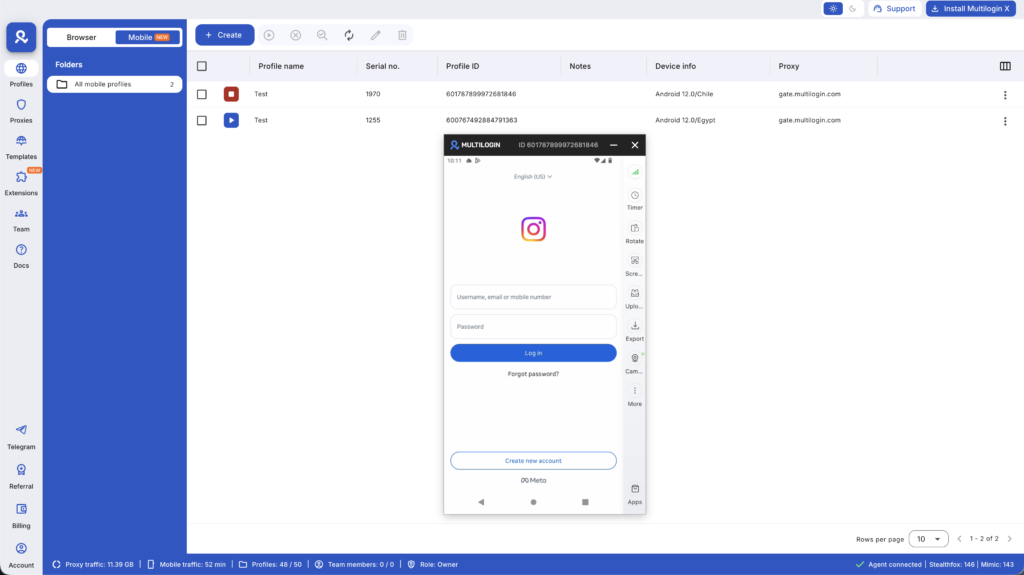
For social media teams managing multiple Instagram or TikTok accounts that need to stay technically isolated (separate devices, separate IPs), Multilogin Cloud Phones handle the infrastructure layer — each account on its own real Android device with its own mobile proxy.
Common mistakes when automating a content calendar with AI
- Generating too much at once and editing nothing. AI output improves when you iterate. Batch generate, then edit the batch. Don’t let volume become an excuse to publish first drafts.
- Skipping the structure step. AI content plans that lack defined pillars, format mixes, and ratios produce calendars that feel random. The brief you build in Step 1 is what keeps the AI-generated calendar coherent.
- Not connecting the feedback loop. Monthly ideation without monthly performance review means you’re making the same content decisions over and over without improving. The analytics → planning cycle is what makes automation compound.
- Over-planning, under-publishing. A perfectly structured AI calendar that takes more time to maintain than manual planning defeats the purpose. Keep your setup light and workable. Add complexity only when your current setup is the bottleneck.
- Missing the visual production layer. AI writes the calendar. It doesn’t produce the video or design the graphic (unless you’re using ChatGPT’s DALL-E for simple visuals). Make sure your calendar has visual status tracking alongside copy status or the publishing schedule will slip when assets aren’t ready.
Need to manage multiple social media accounts? Try Multilogin Cloud Phones.
Frequently asked questions about AI content calendar automation
Claude for planning and copy generation, Later or SocialPilot for scheduling. These work well together — Claude handles ideation and draft copy, Later or SocialPilot handle the publishing queue and timing recommendations.
The initial setup (brief, Project in Claude, scheduling tool connection) takes 2–3 hours. After that, monthly planning sessions take 1–2 hours instead of the 8–10 hours most teams currently spend. The payback period is the first month.
Yes — with separate AI contexts (Claude Projects) per client and a multi-client scheduling tool (SocialPilot). The key is keeping contexts separate so brand voice doesn’t bleed between clients.
Scheduling through official API tools has no negative algorithmic effect. The algorithm responds to content quality and consistency — which good ai content planning improves by increasing posting regularity and freeing up time for better content quality.
Brief quality is everything. Detailed briefs produce specific output. Vague briefs produce generic output. Include brand voice examples, prohibited words/phrases, audience specifics, and examples of top-performing posts in every planning prompt.


