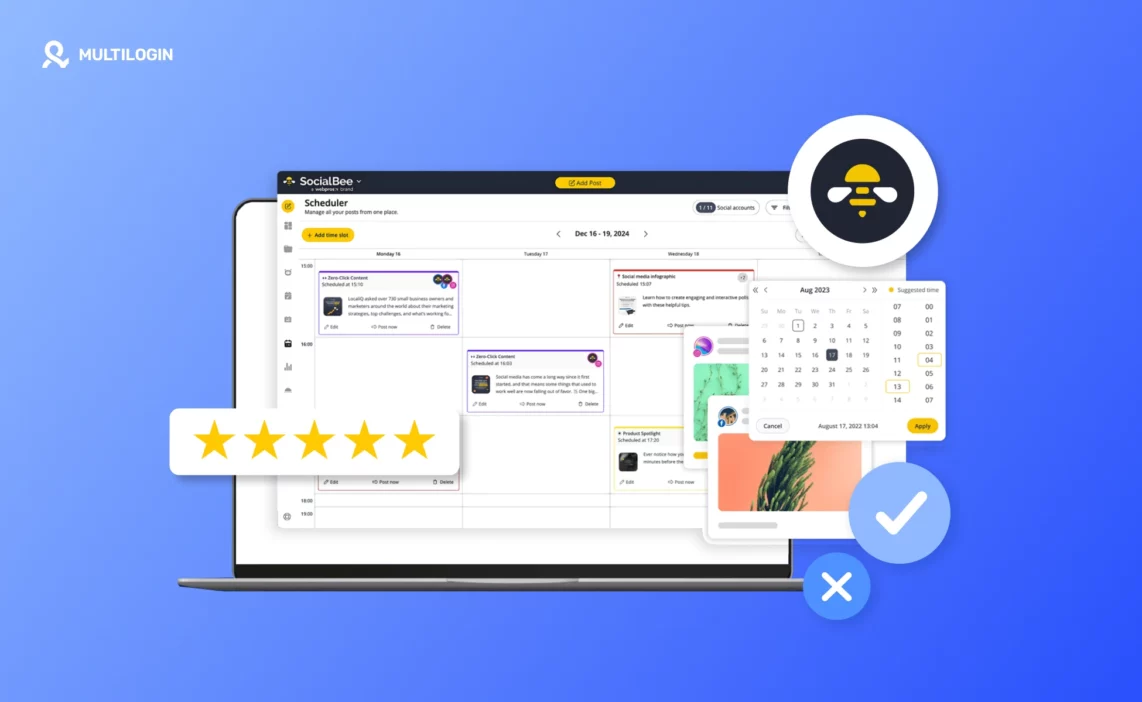



You are not just choosing a scheduler. You are choosing how your content calendar, client accounts, approvals, AI drafts, and reporting will behave once the work gets busy. That is why SocialBee reviews need to look beyond feature lists and ask a practical question: will this tool keep your social media workflow clear when posts, platforms, and people multiply?
This review explains what SocialBee does well, where it can feel limited, how pricing works, what public user feedback says, and when agencies or multi-account teams may need an extra account-environment layer around their publishing tool.
Key takeaways
- SocialBee is strongest for structured content planning, category-based scheduling, evergreen content, AI-assisted post creation, and small-team publishing workflows.
- SocialBee pricing starts with paid plans and a 14-day free trial, with plan limits based on social profiles, workspaces, users, categories, and analytics retention.
- Public review signals are mixed by platform: G2 and Capterra show strong overall sentiment, while Trustpilot is more mixed and has a smaller review base.
- SocialBee can organize client workspaces and approvals, but it is not a mobile account infrastructure tool for native app sessions, account isolation, or device-level testing.
- Agencies managing many social profiles should evaluate both the scheduling layer and the account-environment layer before choosing a stack.
- SocialBee is most useful when your main problem is content planning. It is less complete when your main problem is operating many native mobile accounts.
What is SocialBee?
SocialBee is a social media management tool for creating, scheduling, publishing, analyzing, and organizing content across multiple social networks from one dashboard.
It is best understood as a content planning and publishing tool, not as a replacement for native mobile account environments or device-level account management.
SocialBee statistics and review signals to know in 2026
The most useful SocialBee reviews combine official product information with third-party review signals, because each source answers a different question.
- SocialBee lists a 14-day free trial and standard paid plans starting at $29 per month on its official pricing page, accessed June 25, 2026.
- SocialBee’s help center lists standard plan limits of 5, 10, and 25 social accounts across its three standard paid tiers, accessed June 25, 2026.
- Trustpilot shows socialbee.io with a 3.5 out of 5 TrustScore from 56 reviews, accessed June 25, 2026.
- Capterra lists SocialBee at 4.5 overall from 38 reviews, accessed June 25, 2026.
- G2’s review summary says users commonly praise SocialBee for ease of use, support, content categorization, and posting automation, while some users find the interface overwhelming for beginners, accessed June 25, 2026.
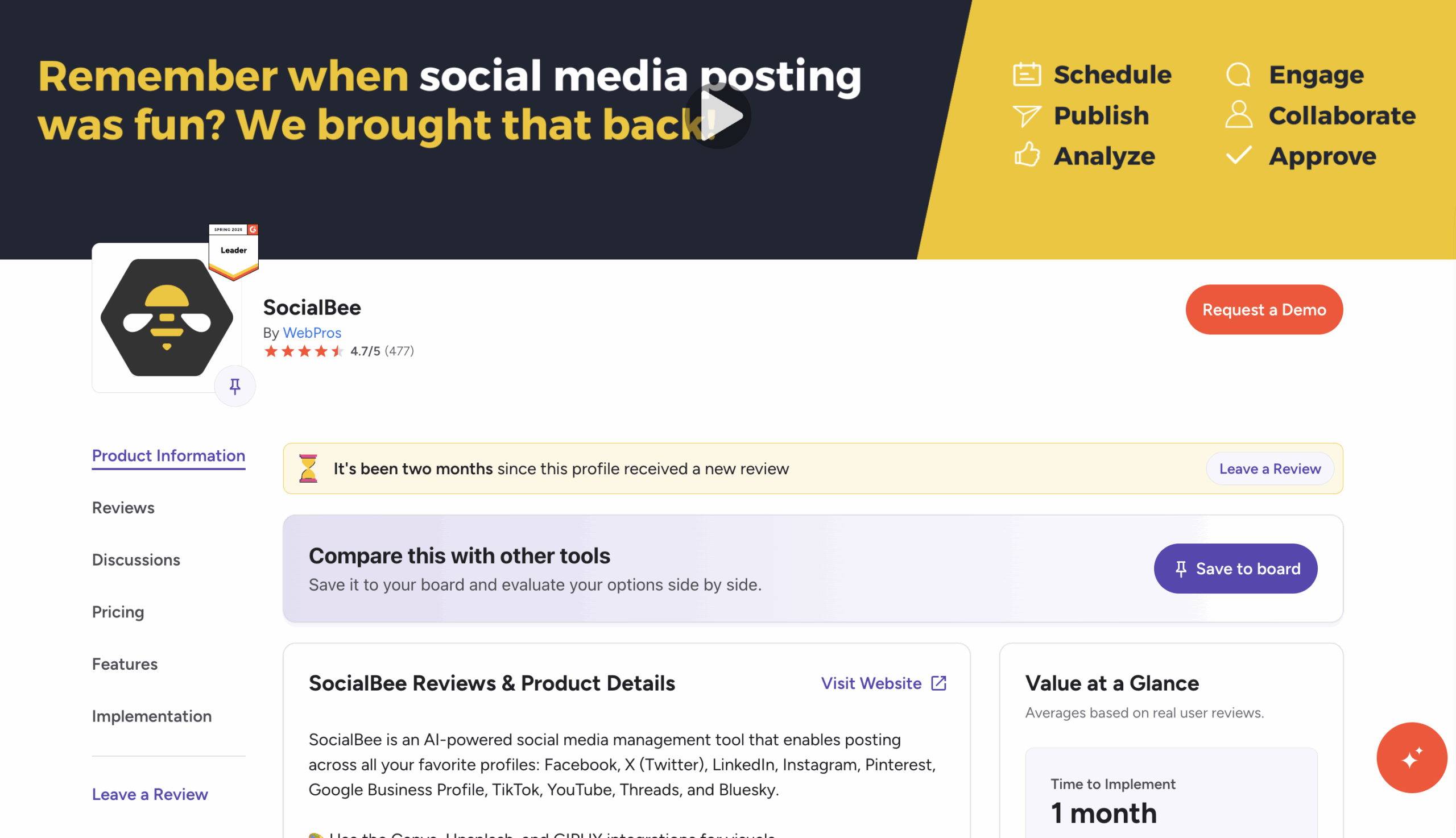
These signals do not all say the same thing, and that is useful. Official pages show what the product claims to include. Review platforms show how different users feel after using it. The safest reading is that SocialBee is a capable scheduling and content organization tool with stronger fit for planning workflows than for heavy native mobile account operations.
Who SocialBee is best for
SocialBee is best for people who need a structured publishing system more than a full social operations suite.
It fits solo creators, small businesses, consultants, content teams, and agencies that want to plan posts by category, reuse evergreen content, prepare platform-specific captions, and schedule content ahead of time. It also makes sense when a team needs workspaces, approvals, and client-facing reports without buying a larger enterprise platform.
SocialBee is less ideal if your main problem is not content planning. If your team needs to log into many native social apps, keep mobile sessions separate, test accounts by location, or manage account access across Android environments, SocialBee alone will not cover that whole workflow.
SocialBee features review
SocialBee’s main value is that it turns social publishing into a repeatable content system.
The platform centers on planning, creating, scheduling, publishing, analyzing, and engagement workflows. Its help center and official site describe SocialBee as a dashboard for profiles, AI planning, AI post generation, Canva import, scheduling, publishing, analytics, and engagement.
Content categories and evergreen scheduling
Content categories are one of SocialBee’s clearest strengths because they help teams separate post types instead of filling a calendar randomly.
A small brand might create categories such as product tips, customer stories, educational posts, offers, and thought leadership. An agency might create client-specific categories and then map them to different posting schedules. This matters because a category-based queue makes it easier to keep a balanced content mix over time.
Evergreen recycling is useful when posts remain relevant for weeks or months. It can reduce repeated manual scheduling, but it still needs editorial judgment. Old offers, seasonal posts, event posts, and platform-sensitive content should expire or be reviewed before reuse.
AI Copilot and AI post generation
SocialBee’s AI tools are useful for planning and first drafts, but they still need human editing.
SocialBee’s help center describes Copilot as an AI-powered social media manager that can generate platform recommendations, posting plans, and ready-to-edit posts from brand inputs. This is practical for teams that struggle with the blank-page problem or need a rough content plan quickly.
The limitation is quality control. AI drafts can save planning time, but teams still need to check brand voice, claims, dates, links, and platform fit. For regulated industries or sensitive topics, AI output should go through a human approval step before publishing.
Publishing, calendar, and platform support
SocialBee supports a broad mix of mainstream social platforms, which makes it useful for multi-channel publishing.
SocialBee’s help center lists support for Facebook, Instagram, LinkedIn, X, Pinterest, Google Business Profile, TikTok, YouTube, Bluesky, Threads, and universal posting. That platform mix covers most content calendars for small brands and agencies.
Platform support does not mean every native app action is covered. A scheduler can prepare and publish content where supported, but social teams often still need native apps for checking account-specific UI changes, story workflows, mobile-only features, comments, DMs, ad previews, shop checks, or creator account behavior.
Workspaces, users, and approvals
SocialBee workspaces help separate clients, brands, or business units inside one account.
The help center describes workspaces as a way to manage multiple businesses and accounts, while the users and roles documentation explains that multiple users are available on the Pro plan or with a users add-on. For agencies, that separation can reduce client mix-ups and approval confusion.
The important trade-off is plan fit. If your team has several clients, multiple reviewers, or separate approval paths, check the number of workspaces and users before buying. The feature may be available, but the plan limit decides whether it works for your real setup.
Analytics and reporting
SocialBee analytics are useful for basic performance review and client reporting, but buyers should verify the depth they need.
SocialBee’s analytics help page lists page analytics, post analytics, insights, post history, and PDF export. That is enough for many monthly reports, especially when the goal is to show growth, post performance, and reusable content.
Teams that need advanced social listening, competitive intelligence, attribution, or paid media reporting may need another tool alongside SocialBee. The right question is not whether SocialBee has analytics. The question is whether its analytics match the reporting standard your clients or managers expect.
SocialBee pricing review
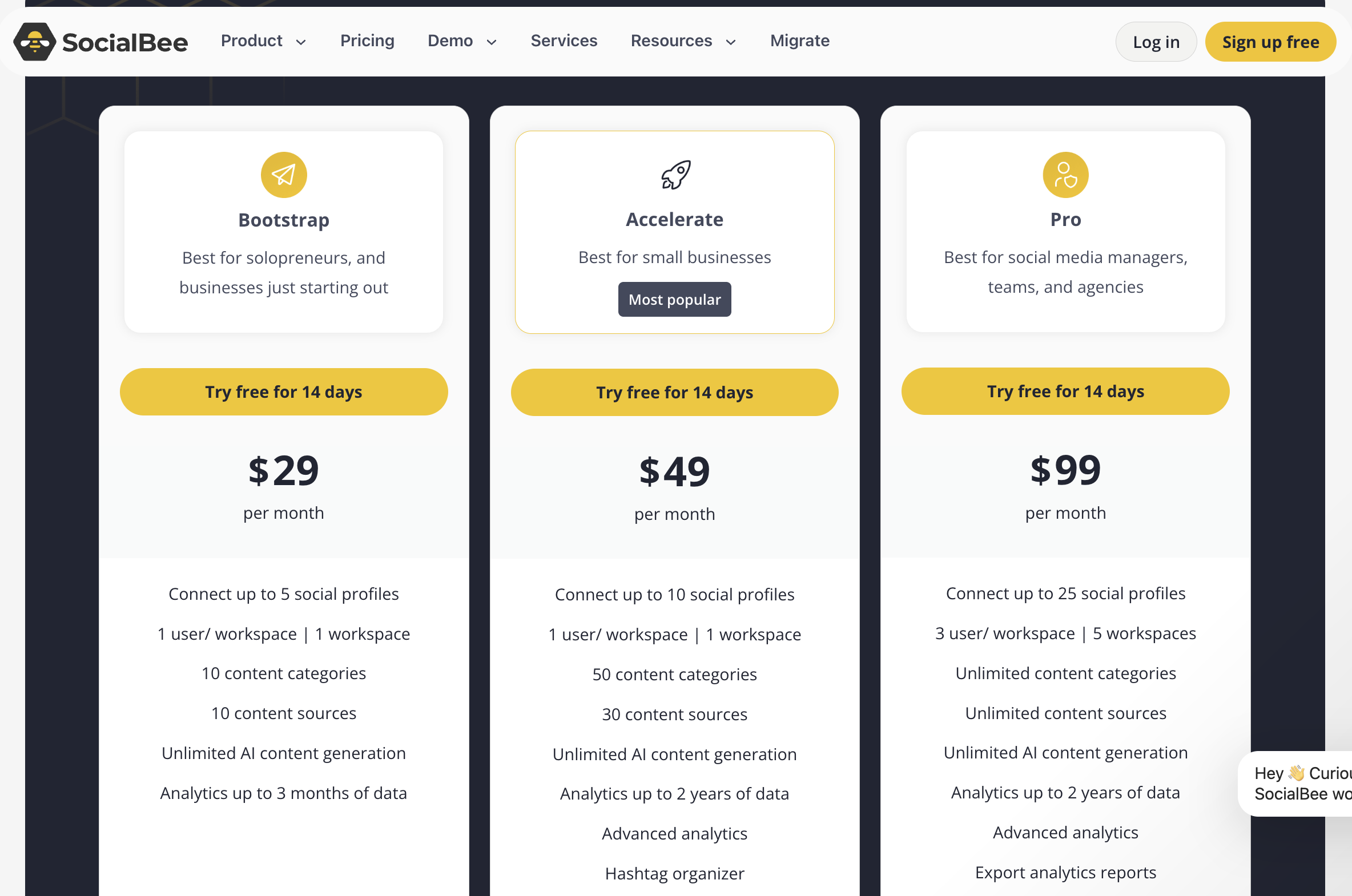 SocialBee pricing is best evaluated by profile count, workspace count, user count, and analytics needs, not only by the monthly price.
The official pricing and plan guide list three standard paid tiers with monthly prices of $29, $49, and $99. The same help center guide lists 5, 10, and 25 social accounts for those tiers, with workspaces and users increasing on the higher plan. SocialBee also lists a 14-day free trial.
The best plan is the lowest plan that fits your real workflow for the next three to six months. If you already know your account count will grow quickly, calculate the cost by client, profile, workspace, and user before you commit.
SocialBee user reviews: what people like and dislike
Public SocialBee reviews suggest that users like the organization and support, but some users report friction around interface complexity, stability, or expectations.
G2’s review summary highlights ease of use, customer support, content categorization, and automated posting as common positives. Capterra lists a strong overall rating and ratings for ease of use, features, and customer service. Trustpilot is more mixed, with a 3.5 out of 5 TrustScore from a smaller review base.
Read review platforms as signals, not as final truth. A happy solopreneur and a frustrated agency may both be telling the truth because they are testing different workflows. The better question is whether the reviewer’s use case looks like yours.
SocialBee pros and cons
SocialBee is a strong choice when your content workflow needs structure, but it is not the full stack for every social media operation.
Pros
- Strong category-based content organization for balanced posting calendars.
- AI-assisted planning and post generation can reduce first-draft friction.
- Broad platform support covers most mainstream publishing workflows.
- Workspaces and roles help agencies separate clients and reviewers.
- Analytics and PDF export support basic reporting needs.
Cons
- Plan limits around profiles, workspaces, and users matter for growing agencies.
- AI output still needs human editing for accuracy, voice, and compliance.
- Review sentiment is not uniform across G2, Capterra, Trustpilot, and app stores.
- SocialBee is not a device-level account management platform.
- Teams that rely heavily on native mobile sessions may need another layer outside the scheduler.
SocialBee alternatives and complementary tools
The best SocialBee alternative depends on whether you need cheaper scheduling, deeper reporting, social listening, or cleaner native account operations.
| Option / tool / method | Best for | Strengths | Limitations | Pricing signal | Compliance or operational note |
| Buffer | Simple scheduling for creators and small teams | Clean scheduling workflow, easy to learn, channel-based setup | Less built around category recycling and agency workspace separation | Freemium or paid, verify on official page | Good for publishing queues, not native app account infrastructure |
| Hootsuite | Larger teams needing deeper reporting and listening | Broad feature set, reporting, monitoring options | Higher cost and heavier interface for small teams | Public pricing available or custom, verify on official page | Good for enterprise governance when budget allows |
| Metricool | Social analytics and scheduling with a simpler price model | Planning, analytics, competitor and ad reporting in one dashboard | Feature depth varies by plan and platform | Freemium or paid, verify on official page | Check platform permissions and reporting limits by network |
| Native platform tools | Single-platform management and official controls | Direct access to platform features and policies | Hard to scale across many accounts and clients | Free | Safest for platform-specific actions, but messy for multi-client work |
| Cloud phone workflow | Native app sessions, mobile QA, and separated Android workspaces | Keeps app sessions and environments organized outside the scheduler | Complements a scheduler, does not replace content planning | Paid, verify on official page | Must be used with platform-compliant activity and real account governance |
For many teams, the right answer is not one tool. A scheduler can handle the content calendar, while another system handles account access, mobile testing, or team operations.
How to test native social account workflows without mixing account states
When a team manages several client accounts, the hard part is often not writing the post. The hard part is keeping native app sessions, account access, test devices, locations, and reviewer actions from blending into one messy workflow.
This matters because official platform terms place limits on unauthorized automated access and account creation. Meta’s Terms say users may not access or collect data from Meta Products using automated means without prior permission, and Instagram’s Terms say users cannot create accounts or access or collect information in unauthorized ways, including automated ways without permission.
A scheduling tool like SocialBee can organize content planning and publishing. For mobile app checks, Android-specific QA, or teams that need separate app sessions for different clients, a cloud phone setup can be a practical companion workflow. Cloud Phone is one option because it gives teams separate Android environments hosted in the cloud, with their own app data and device identity, controlled from a desktop workspace.
For example, an agency could plan and approve a month’s posts in SocialBee, then use separate Android environments to check how each client’s Instagram or TikTok account appears inside the native app before major campaign dates. One reviewer works on Client A’s environment, another works on Client B’s environment, and the scheduler remains the publishing calendar rather than the place for every mobile task.
For teams that need this extra layer, review Multilogin’s Android Cloud Phone workflow as a companion to your scheduler, not as a substitute for editorial planning.
Multilogin is not a way around platform rules; the safest approach combines clean account separation with original content, real engagement, and platform-compliant activity.
For the companion workflow, review Android Cloud Phone only if native Android sessions are part of your team process.
Benefits for teams managing several social accounts
A separated workflow is useful because it reduces confusion, not because it removes platform responsibility.
- Keep workspaces organized when several accounts or clients are involved.
- Reduce confusing account switching between native apps and publishing dashboards.
- Give team members clearer access to assigned client work.
- Keep browser or mobile workflows separated for operational clarity.
- Make QA repeatable before posts, campaigns, or account changes go live.
5 best practices for evaluating SocialBee
- Map your profiles, workspaces, and users before choosing a plan. SocialBee plans are limited by social accounts, workspaces, and users, so the real cost depends on your structure.
- Test content categories with real posts during the trial. Category-based scheduling is one of SocialBee’s main strengths, but it only helps if your team can maintain a useful category system.
- Review AI drafts before publishing. SocialBee Copilot and AI post generation can create plans and draft posts, but human review is still needed for claims, tone, dates, and platform fit.
- Check analytics against your reporting needs. SocialBee offers page analytics, post analytics, insights, post history, and PDF export, but teams needing social listening or paid attribution may need more.
- Separate scheduling decisions from account-environment decisions. Platform policies restrict unauthorized automated behavior, so teams should treat content scheduling, mobile QA, and account access as related but different workflows.