


You post a link on Instagram, Reddit, or in a bio, and instead of landing on the exact post, product, or profile you meant to share, the person taps it and lands on your homepage. Or your mobile website. Or the app opens, but to the wrong screen entirely. If you manage social channels for a brand or client, you have almost certainly run into this, and the fix usually comes down to one thing: how the link is built.
The debate that comes up every time this happens is deep link vs universal link, two terms that get used almost interchangeably but aren’t quite the same thing. Knowing the difference is what separates a link that works from one that quietly loses clicks.
Key Takeaways
- A deep link is the general concept of a URL that opens a specific screen inside an app instead of the app’s home screen, and it isn’t tied to one operating system.
- A universal link is Apple’s specific technology for doing this on iOS, using standard HTTPS URLs instead of a custom scheme.
- Android’s equivalent is called an App Link, built on the same HTTPS approach as universal links.
- Universal links and App Links both fall back to a normal web page when the app isn’t installed; older custom-scheme deep links generally don’t.
- Broken links almost always trace back to a missing or mismatched verification file,
apple-app-site-associationfor iOS orassetlinks.jsonfor Android, not a platform limitation. - Google Search continues to rank pages based on the web page’s own content, so a deep-linked app screen needs to match the content of the web page it’s linked from.
What’s the Difference: Deep Link vs Universal Link vs App Link?
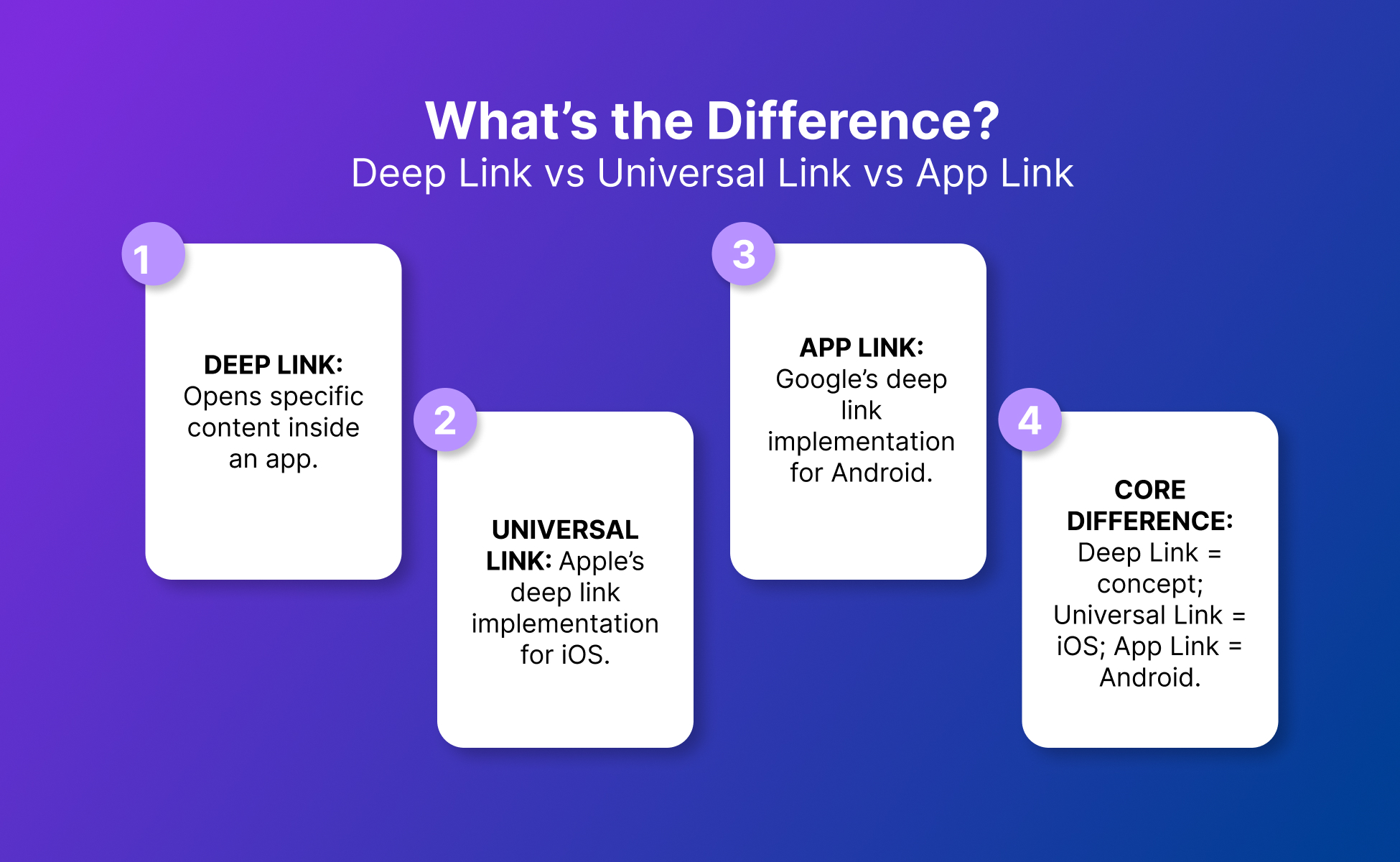
Deep link: Any link that opens a specific screen or piece of content inside an app, rather than the app’s home screen, when the matching app is installed. Both iOS and Android support this. On Android it runs through the intent system. On iOS the older approach used custom app-only URL schemes.
Universal link: Apple’s implementation of a deep link. It lets a tapped web link open directly inside the app, including from Safari and in-app web views, if the app is installed. If the app isn’t installed, the same link opens as a normal web page instead.
App Link (Android): Google’s equivalent implementation. It lets a verified website URL open the matching app content directly, without the disambiguation dialog that normally asks the user which app to open a link with.
Core difference: A deep link is the concept, not tied to one operating system. Universal links and App Links are the two verified, modern ways of building one, tying the link to a real website domain instead of a made-up app-only address.
3 to 5 Source-Backed Facts Worth Knowing
- Apple’s own developer documentation notes that universal links work across Safari pages and in-app web views, not just links tapped from other apps, which is why a link shared inside Instagram or Reddit’s in-app browser can still trigger the native app.
- Android’s App Links documentation explains that the system uses a verification step built on Digital Asset Links statements hosted on your website, so the system can trust the connection between the domain and the app before skipping the “open with” prompt.
- Apple’s own troubleshooting documentation is built specifically around diagnosing why a universal link opens in a browser instead of the app, which is common enough to warrant its own dedicated guide.
- Google’s Search Central guidance is clear that Search continues to use your web page’s own content for ranking, so app deep links should only be added where the app screen shows the same content as the matching web page, otherwise the search snippet can mislead people about what they’ll see.
- Google reports that App Connect deep linking drives roughly a 2.8x increase in paid ad-click conversion rates compared to sending the same clicks to a mobile website, one of the clearer numbers on why this is worth getting right.
What Is a Deep Link?
A deep link is any URL that opens a specific screen inside an app instead of the app’s home screen, when the matching app is installed. The concept is not tied to one operating system. Universal links and App Links are the two verified, modern ways of building one, and both replace older approaches that were less reliable and had no built-in fallback.
What Is a Universal Link?
A universal link is Apple’s method for linking directly to content inside an app, using a standard HTTPS web address instead of a custom app-only scheme. When someone taps it, the app opens directly to that content if it’s installed; if it isn’t, the same link opens in a browser as a normal web page. Getting this working requires hosting a verification file, named apple-app-site-association, at the domain root or in the /.well-known/ directory, and configuring the app to reference it, so the two are locked to each other.
What Is an App Link?
An App Link is Android’s version of the same idea: a verified website URL that opens the matching content in your app directly, skipping the dialog that normally asks the user to choose which app should handle the link. The verification runs through a file named assetlinks.json, hosted at /.well-known/assetlinks.json on the website, which publicly declares which apps are authorized to handle links for that domain.
Why Do Social Media Links Sometimes Skip Straight to the Browser?
This usually means the verification step didn’t succeed, not that the technology failed. On iOS, the domain referenced in the app may not exactly match the one hosting the apple-app-site-association file, or the file may not yet have been picked up on the device since verification isn’t instant. On Android, if assetlinks.json isn’t properly hosted at /.well-known/assetlinks.json, isn’t served as valid JSON, or doesn’t match the app’s signing certificate, the system can’t confirm the app should be trusted with that domain, so it falls back to a normal web link or the chooser dialog.
It’s rarely a one-off glitch. It’s almost always a configuration mismatch that will keep happening until it’s fixed.
Which Matters More for Social Media Marketing, Deep Link or Universal Link?
Neither one matters more on its own, because they solve the same problem on different operating systems. What matters is having both set up, since your social audience is split across iOS and Android.
A universal link with no matching App Link means Android users land on your mobile site every time, even with your app installed, and vice versa. For social campaigns specifically, the practical priority is consistency: whichever platform a click comes from, the destination and the experience should match.
How Do Deep Links and Universal Links Affect Marketing Decisions?
They directly affect how many people who click reach the content you meant them to see. For paid clicks, Google’s own reporting shows deep linking ad clicks into the app instead of the mobile website can lift conversion rates by roughly 2.8 times.
That gap tends to show up as quiet, hard-to-diagnose underperformance: a campaign or post “converts fine” but never as well as it should, because a share of clicks are landing on a generic homepage instead of the exact content a caption promised. For anyone reporting on content performance, unverified deep links are a plausible, checkable reason numbers look soft.
What Can Social Media Managers Learn from Both?
Mainly that a link is only as good as its destination match. Search engines evaluate a page by its own web content, so an app screen and its matching web page need to show the same thing, or the click experience misleads the person who tapped it.
The same logic applies inside social platforms: if a bio link or post link promises a specific product, video, or profile, the tap needs to land there exactly, not on a homepage the visitor now has to search from scratch.
What Causes Deep Links to Break?
Most breakage traces back to one of two things. On iOS, a mismatch between the domain in the app’s configuration and the one hosting apple-app-site-association, or simply a verification file that hasn’t been recognized on the device yet.
On Android, a missing, outdated, or incorrectly hosted assetlinks.json file, or one that doesn’t match the app’s signing certificate, prevents the system from trusting the app enough to skip the “open with” prompt.
Neither is a platform bug. Both are fixable by checking the verification files against what the app is configured to expect.
What’s a Good Setup to Aim For?
There isn’t an industry benchmark number here the way there is for something like click-through rate, since this is a pass or fail technical setup rather than a scored metric.
The realistic goal is full coverage: every campaign or profile link should resolve correctly on both iOS, via a working universal link, and Android, via a working App Link, with a working web fallback for anyone without the app installed.
Search Console’s Performance report can help confirm this is working for Android, since it can show when app deep links are being found and shown to users.
Deep Link vs Universal Link vs App Link: Comparison Table
| Link type | What it does | Who it helps | Works without app installed? | Best use | Main limitation |
|---|---|---|---|---|---|
| Deep link (basic/custom scheme) | Opens a specific in-app screen using a custom app address | Developers building simple in-app navigation | No, link fails or does nothing if app isn’t installed | Internal app navigation, app-to-app links | No web fallback, easy to break silently |
| Universal Link (iOS) | Opens the matching app screen from a standard HTTPS link, or falls back to a web page | iOS users and marketers running iOS campaigns | Yes, falls back to the web page | Social, ad, and email links reaching iOS audiences | Requires a correctly hosted and matched verification file |
| App Link (Android) | Opens the matching app screen from a verified website URL, skipping the app chooser | Android users and marketers running Android campaigns | Yes, falls back to the web page | Social, ad, and email links reaching Android audiences | Requires a correctly hosted Digital Asset Links file |
Two Examples: One Illustrative, One a Real Diagnostic Check
Illustrative Example
Not a benchmark: A creator posts a TikTok bio link pointing to a specific product page. On iOS, that link is set up as a universal link, so tapping it opens the brand’s app directly to that product if the app’s installed, or the same product page in Safari if it isn’t.
On Android, the same link isn’t set up as an App Link yet, so Android visitors land in the mobile browser even when they have the app, and don’t get the in-app experience at all.
Real Diagnostic Check
Open the suspected verification file directly in a browser tab. For iOS, that’s:
https://yourdomain.com/.well-known/apple-app-site-association
or the same filename at the domain root.
For Android, that’s:
https://yourdomain.com/.well-known/assetlinks.json
If either returns a 404 or an HTML error page instead of valid JSON, that is very often the entire problem, not a mysterious platform issue.
On Android, you can also run adb shell pm verify-app-links --re-verify PACKAGE_NAME from a terminal to force a fresh verification attempt and then review the result directly, which is the same command Android’s own developer documentation recommends for testing.
Best Practices
- Verify both platforms before launch. Confirm the universal link works on iOS and the App Link works on Android, not just one of the two.
- Match app and web content exactly. Keep the destination inside the app the same as the linked web page, since search ranking and user trust both depend on that match.
- Check the verification files directly. Open
apple-app-site-associationandassetlinks.jsonin a browser to confirm they return valid JSON at the expected path before assuming a broken link is a platform issue. - Test the fallback path, not just the app path. Click the link on a device without the app installed to confirm it lands on a sensible web page, not an error or the homepage.
- Monitor performance data for silent failures. Use tools like Search Console’s app deep link reporting to catch links that quietly stopped resolving to the app.
Keeping Social Media Accounts and Links Organized Across Platforms
Managing this across TikTok, Instagram, Reddit, Facebook, and YouTube gets harder once a team runs more than a handful of accounts. Different accounts often need different link destinations, different test devices, and different regional app versions to check against.
Multilogin is a cloud phone platform for social media marketing. Each social media account runs on its own Android cloud phone with its own app data, matched proxy, and session history. That means you can tap a link on the account it belongs to and see what a follower of that account would see, without mixing sessions or logins between clients.
Browser profiles cover the web side for platforms like Reddit and YouTube. Teams running multiple Instagram accounts or multiple TikTok accounts can test a link account by account this way instead of guessing from a single shared device.
Multilogin is not a way around platform rules. The safest approach combines clean account separation with original content, real engagement, and platform-compliant activity.
The free plan has no time limit and needs no credit card. Start there and test your links account by account.
Conclusion
Deep link, universal link, and App Link aren’t three competing ideas, they’re one concept implemented two specific ways. Get both the iOS and Android versions verified and matched to your actual content, test the fallback path, and keep an eye on whether links are quietly resolving to the wrong place. That’s most of what separates a social link that performs from one that’s silently costing clicks.