


TL;DR
- Why does my TikTok have 0 views? Almost never because the video is bad. A bad video still gets a few hundred test views. Zero usually means the video was never distributed at all.
- Check in this order: review status, privacy settings, Account Status, For You feed eligibility, then the account’s history and the device and network it runs on.
- New accounts are the most common case. An account that posts on day one, from a phone that already runs other accounts, on a VPN, looks very different to TikTok than one that behaved like a normal user for a week.
- Device and IP consistency matter more than most guides admit. TikTok’s own explanation of its recommendation system lists device and account settings as inputs. Shared devices and jumping IPs can tie accounts together.
- The fix is diagnosis first, then changes. Deleting and reposting the same clip, or opening a fresh account on the same phone, tends to make things worse.
Why does my TikTok have 0 views? The short answer
If you are asking “why does my TikTok have 0 views,” the honest answer is that TikTok has not shown the video to anyone yet, or has decided not to. That is a distribution problem, not a creativity problem. A weak video gets shown to a small test group and loses them; a video with 0 views on TikTok usually never reached the test group in the first place.
That difference changes everything about the fix. Better hooks won’t help a video that is stuck in review, and a perfect setup won’t save a clip TikTok has marked as ineligible for the For You feed. So instead of a list of tips, this guide works like a postmortem: find the symptom, check one thing, fix one thing.
The causes fall into three layers:
Layer | What is happening | Typical signs |
Video | The clip is in review, private, or ineligible for recommendation | One video stuck at 0, others fine |
Account | The account is restricted, too new, or has a weak history | Every new video stuck at 0 or close to it |
Device and network | The phone, IP or setup looks inconsistent or tied to other accounts | Problems started after a new account, a VPN, or adding accounts on the same phone |
Triage table: why are my TikToks getting 0 views?
Start here. Match what you see to the closest row, run the first check, and jump to that section. Most people find their answer in the first three rows.
What you see | Most likely cause | First check | Go to |
One video at 0 views, posted less than a few hours ago | Still in review or processing | Open the video. Look for an “under review” label | Cause 1 |
Video at 0 views, friends can’t find it | Privacy setting on the account or the video | Profile settings, then “Who can watch this video” on the post | Cause 2 |
Older videos fine, one specific video stuck at 0 | That video is ineligible for the For You feed | Account Status, then the video’s own notifications | Cause 3 |
Every new video at 0 or single digits for days | Account-level restriction | Account Status in Settings and privacy | Cause 4 |
Brand new account, nothing ever got views | No trust history, no warm-up | Account age, profile completeness, activity before first post | Cause 5 |
Started after a VPN, a new phone or adding accounts to one phone | Device, IP or account linking | List every account ever logged in on that device | Cause 6 |
Reposts, downloads or clips from other creators at 0 | Unoriginal content filtered | Is any part of the clip not yours? Any watermark? | Cause 7 |
Views stop at 100 to 300, never 0 | Distribution works, the video lost the test | Retention graph in analytics | When it isn’t really 0 |
One rule before you touch anything: don’t delete the video yet. A deleted video takes its review status and any appeal option with it, and mass deleting looks like unusual behavior on its own.
Cause 1: The video is still in review
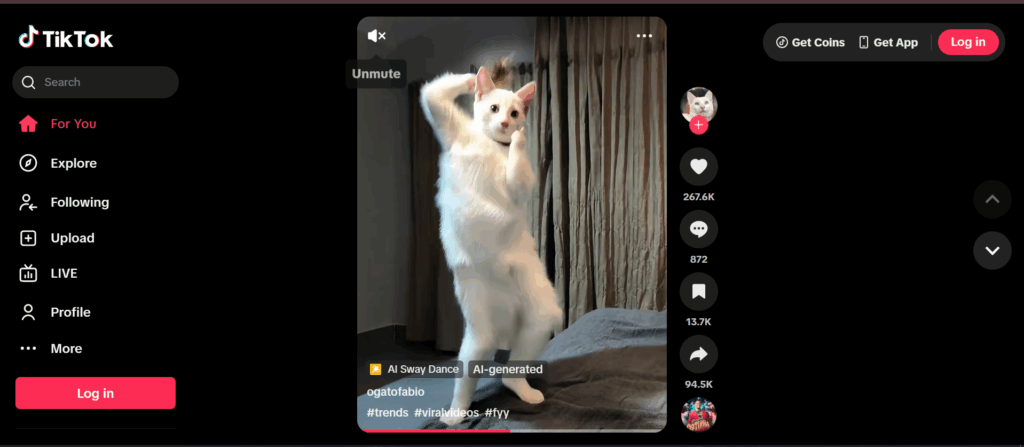
Every upload goes through automated moderation before TikTok shows it to anyone. Most clips clear it in minutes. Some get held for a closer look, and while a video sits in that queue, its view count stays at exactly 0.
How to check: open the video from your profile. A held video usually shows an “under review” or similar label, and the share options may be limited. If the post is only a few hours old and nothing else looks wrong, review is the most likely explanation.
How to fix:
- Wait before acting. Re-uploading the same file while the first copy is in review creates a duplicate, and duplicates are their own problem (see Cause 7).
- If it is still held after roughly a day, look for a notification in your inbox or in Account Status. If the video was restricted by mistake, appeal from there.
- Learn from the trigger. Reviews are more often triggered by on-screen text, captions, sounds or topics that brush against the guidelines than by the visuals.
Cause 2: Privacy settings are hiding it
This one sounds too obvious to mention, which is exactly why people skip it. A private account, or a single video set to “Only you” or “Friends,” will show 0 views to the world no matter how good it is.
How to check:
- Go to Settings and privacy, then Privacy, and see whether Private account is on.
- Open the video, tap the three dots, and check who can watch it.
- Log out (or use a second device) and search for your username. If you can’t see the video, nobody else can either.
How to fix: switch the account to public and set new posts to Everyone. Keep in mind that accounts registered as under 16 have stricter defaults, and some of those defaults can’t be turned off.
Cause 3: The video isn’t eligible for the For You feed
This is the cause most creators misread as a shadow ban. TikTok separates two decisions: whether a video can stay on the platform, and whether it can be recommended. A video can be fully allowed and still never reach the For You feed. TikTok publishes these rules as its For You feed eligibility standards, and in 2024 it added a policy that can make an entire account temporarily ineligible for recommendation when it repeatedly posts content that fails those standards.
What tends to fall on the wrong side of that line, based on TikTok’s published standards:
- Unoriginal, low-quality or minimally edited content, including reposts
- Spam-like or misleading content, including engagement bait
- Content touching sensitive themes that is allowed but judged unsuitable for a broad audience
- Unverified claims about developing events, health or finance
How to check: go to Settings and privacy, then Account, then Account Status. TikTok uses this screen to show whether a video was removed or restricted from the For You feed, and why. If the specific video appears there, you have your answer.
How to fix: edit the issue out in a new version only if the problem is clearly in the content. If you think the restriction is wrong, appeal it from Account Status rather than reposting. Then look at the pattern: one ineligible video is noise, three in a row can put the whole account at risk.
Cause 4: The account itself is restricted
If every new video lands at 0, the problem has moved from the video to the account. Strikes from past violations, suspected spam behavior or a temporary recommendation block can all stop distribution across the board. This is what most people mean by a shadow ban, even though TikTok doesn’t use that term.
How to check: Account Status again. It shows active restrictions, strikes and their expiry. Then check recent behavior that looks automated: following or liking hundreds of accounts in a short window, posting many videos in a burst, logging in from several locations in one day, or using third-party “growth” services.
How to fix:
- Appeal anything you believe was applied by mistake.
- If a restriction is valid, let it expire. Posting harder during an active restriction rarely helps.
- Stop anything that inflates numbers. TikTok’s Community Guidelines treat fake engagement and deceptive account behavior as violations, so bought views or follow-for-follow tools can turn a slump into a longer restriction.
- When the account is clear, post at a normal pace, a few times a week, rather than trying to “win back” reach with volume.
Cause 5: Why am I getting 0 views on TikTok with a new account?
Why am I getting 0 views on TikTok when my account is only two days old? Because TikTok has nothing to go on yet. A new account has no history, no watch behavior, no interests and no track record of following the rules. The platform has every reason to be careful with it, and fresh accounts are exactly what spam operations create in bulk.
That caution is strongest when a new account behaves like a bot: sign up, skip the profile, post within the hour, post again, follow fifty people. A real person usually does the opposite. They scroll for a while, like a few things, follow a handful of creators, fill in a profile, and post later.
How to check: be honest about the first week. Did the account watch content before it posted? Is the profile complete, with a photo, bio and verified email or phone? Did the first posts go up in a burst?
How to fix: treat the next 5 to 7 days as a warm-up period:
Days | What to do | What to avoid |
1-2 | Complete the profile, watch videos in your niche, like and comment naturally | Posting, mass following, links in bio |
3-4 | Keep browsing, follow a few relevant creators, save or share some videos | Changing location, network or device |
5-7 | Post your first original video, reply to any comments | Posting several videos the same day |
There is no official warm-up rule from TikTok, so treat these numbers as a practical baseline, not a formula. For a full routine, see our guide on how to warm up a TikTok account.
Cause 6: 0 views on TikTok from device, IP and account linking
This is the cause most 0 views guides mention in one line, if at all. It deserves more, because it explains why some people get zero views on every account they open, no matter what they post.
What TikTok can see about your setup
TikTok’s own explanation of how it recommends videos lists device and account settings, such as language preference, country setting and device type, among the inputs it uses. TikTok says those carry less weight than how people interact with content. But they are there, and the app collects far more than a website could.
TikTok doesn’t publish how it ties accounts together, so the list below describes the kinds of signals mobile platforms commonly use, not a confirmed TikTok rulebook:
Signal | What it is | Why it matters for 0 views |
Device identifiers | Values like the Android ID or the advertising ID, plus model and OS build | Several accounts on one device share them. A problem on one account can follow the device |
IP address and network type | Your public IP, whether it is mobile, residential or datacenter | Datacenter and shared VPN IPs are used heavily by spam operations |
Location consistency | IP location vs SIM country vs phone time zone vs app language | A US account on a Brazilian SIM with a German VPN looks like three people |
Login pattern | How many accounts log in from the same device or IP, and how often they switch | Rapid switching between many accounts on one phone looks automated |
Emulator traits | Missing sensors, generic hardware strings, rooted or modified systems | Emulators are common in bot farms and are often treated with suspicion |
How linking turns into zero views
Linking on its own is not a violation. Plenty of people legitimately run more than one account; TikTok even lets you add several accounts in the app. The risk is that accounts sharing a device and network can be judged together. If one of them picked up strikes, or the device was previously used for spammy behavior, a brand new account on that same phone can start life with low trust. That is the classic pattern behind “my new account gets 0 views and my old one got banned.”
VPNs add a second layer. Switching servers changes your IP and country several times a day, while your SIM and time zone stay put. To a risk system, that mismatch is a stronger signal than either value alone.
How to check:
- List every account that has ever logged in on the phone you use. Has any of them been restricted or banned?
- Check whether a VPN or proxy is on, and whether its location matches your SIM, time zone and app language.
- If you run TikTok on an emulator, assume it is part of the problem.
How to fix:
- Keep one account per device and one consistent network identity per account. Turn off VPNs that move you between countries.
- Make location signals agree: IP, SIM or carrier, time zone and language should tell one story.
- Don’t open a replacement account on the same phone as a banned one and expect a clean start.
- If you manage several accounts for real reasons, such as clients, regions or brands, give each one its own device environment. That is where cloud phones come in (more below). For limits on accounts per person, see how many TikTok accounts you can have.
Cause 7: The content is reposted or not original
TikTok is openly against recycled content in the For You feed. Clips downloaded from other creators, videos with another app’s watermark, compilations, and your own video re-uploaded after deletion all run into originality checks. Duplicate detection doesn’t need a perfect copy, either; trimming or adding a filter isn’t enough to make a clip new.
How to check: does the video contain footage, audio or text that isn’t yours? Did you post the same file earlier, on this or another account? Is there a watermark from another platform?
How to fix: add real transformation: your own voice, commentary, footage or edit. Never repost an identical file to “reset” a stuck video, and never upload the same clip across several of your own accounts. That last habit is one of the fastest ways to link them in the worst possible way.
When it isn’t really 0: the video lost the test
If your views stop somewhere between 100 and 300 and sit there, TikTok did distribute the video. It showed the clip to a small batch of viewers, measured what they did, and decided not to push further. That is a different problem with a different fix, and it is worth separating from true TikTok 0 views so you don’t chase account issues that aren’t there.
Signal | True 0 views | Low views after testing |
View count | Exactly 0, sometimes for days | Stalls at a low number within a few hours |
Analytics | No traffic sources at all | Some For You traffic, then it drops off |
Account Status | May show a restriction | Usually clean |
Main fix | Diagnose review, settings, account and device | Improve the opening seconds, length and topic fit |
For the second case, open the video’s analytics and look at the retention curve. A steep drop in the first two seconds means the opening didn’t tell anyone why to stay. A curve that holds and then falls off a cliff at the midpoint usually means the video is longer than its idea. Cut faster, put the payoff earlier, and test one change at a time so you know what worked.
In the same recommendation explainer linked above, TikTok says follower count and past high-performing videos aren’t direct factors in what it recommends. A small account isn’t the reason a good video stalls. The opening seconds usually are.
Where cloud phones fit (and where they don’t)
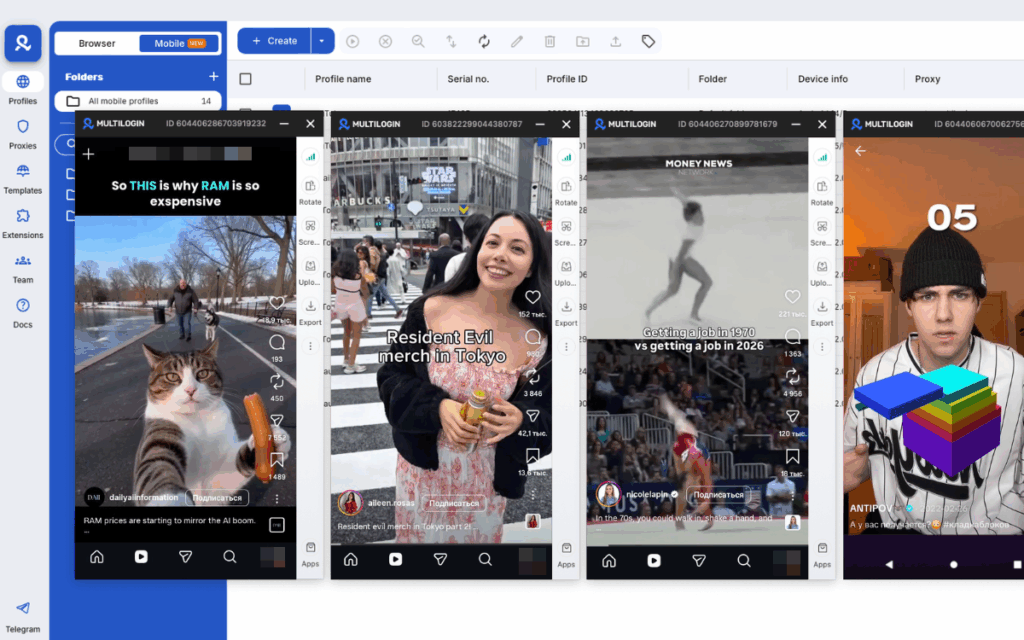
A cloud phone won’t fix a weak hook, a repost or a guideline violation. What it fixes is Cause 6: the setup problem. If you run multiple TikTok accounts for legitimate reasons, such as an agency handling client brands, a business with regional accounts, or a creator separating niches, the hard part is giving each account its own consistent device and network identity without a drawer full of phones.
Multilogin cloud phones are Android cloud phones for multi account management. Each one runs a real Android environment in the cloud, so the TikTok app sees its own device rather than a shared handset or a desktop emulator. Here is how the usual options compare for the signals covered above:
Setup | Device identity per account | IP and location consistency | Practical at 10+ accounts |
One phone, many accounts | Shared by every account | Shared, often with VPN switching | Easy to set up, highest linking risk |
Desktop emulator | Separate but often shows emulator traits | Depends on your own proxy setup | Possible, fragile |
Physical phone farm | Separate and real | Needs a SIM or proxy per phone | Expensive hardware and upkeep |
Multilogin cloud phone | Separate Android device per account | Built-in proxy per phone, matched to the account’s location | Managed from one dashboard |
In practice, that maps to the fixes in this guide:
- One account, one device. Each account lives on its own cloud phone, so a restriction on one doesn’t share device identifiers with the others.
- Location signals that agree. Built-in proxies let you keep an account on one stable residential or mobile IP in the country it targets, instead of hopping VPN servers.
- Warm-up that sticks. Sessions persist between logins, so the browsing history you build during warm-up stays with the account. Your team can pick up where someone else left off without logging in from a new device.
- Web work in the same place. TikTok Ads Manager and Seller Center run in the browser, and Multilogin’s browser profiles cover that side from the same dashboard.
One honest caveat: separate devices make legitimate accounts look like what they are. They don’t make spam acceptable, and no setup can guarantee an account will never be restricted. TikTok’s rules on fake engagement apply to every account, however it is run. If that matches how you work, you can start with a cloud phone for TikTok on the free plan with no time limit and no credit card, and upgrade to a paid plan from $7.08/month as the account count grows.
A 24-hour checklist for 0 views on TikTok
Run this in order the next time a video gets stuck. Each step rules out one cause before you move to the next.
- Hour 0: check the video for an “under review” label. If it’s there, wait. Don’t repost.
- Hour 0: confirm the account is public and the video is set to Everyone. Search for it from a logged-out device.
- Hour 1: open Account Status. Note any restriction, strike or For You feed limit, and appeal anything wrong.
- Hour 1: check the clip for anything not yours: footage, audio, watermarks, a file you posted before.
- Hour 2: list the accounts on this device and whether any were banned. Turn off any VPN that changes your country.
- Hour 6: if the video now has a few views, read the retention curve instead of the account settings.
- Hour 24: still at 0 with a clean Account Status? Post one new, fully original video at a normal time, and don’t touch the old one.
Final thoughts: treat 0 views as a clue, not a verdict
A TikTok with 0 views is telling you something specific. The video never reached the test audience, so the cause sits somewhere between the upload and the For You feed: a review hold, a setting, an eligibility rule, the account’s history, or the device and network behind it. Each of those leaves a trace you can check in a few minutes, and Account Status alone rules out half of them.
Work through the layers in order. Start with the video, then the account, then the setup, and change one thing at a time so you know what actually fixed it. Resist the urge to delete, repost or open a fresh account on the same phone. Those moves feel like a reset, but to TikTok they usually look like the behavior it is trying to filter out.
If you run several accounts for clients, brands or regions, the setup layer is where most of the hidden risk lives. Give every account its own consistent device and location, warm it up like a real person would, and keep the content original. That won’t promise a viral video. It does make sure that when a video doesn’t take off, the reason is the content, and the content is something you can fix.