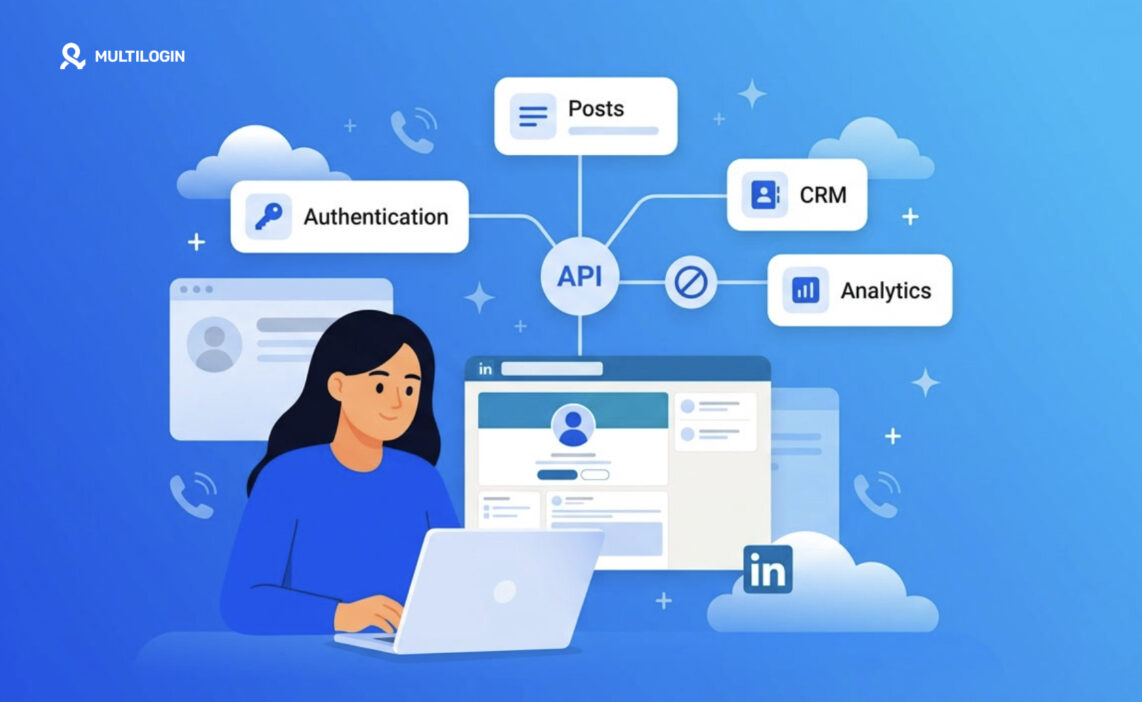



Anyone who has tried to automate something on LinkedIn eventually runs into the same wall: the LinkedIn API. It sounds like it should do everything. It doesn’t. And figuring out what it actually covers, versus what people assume it covers, saves a lot of wasted development time.
The LinkedIn API gives developers structured, permission-gated access to specific parts of LinkedIn, mostly authentication, organization data, advertising, and limited content publishing. It does not officially support scraping profiles, mass connection requests, or unrestricted messaging automation. Most modern LinkedIn workflows combine the official API with CRM integrations and, where relevant, separate browser or mobile environments for tasks the API does not cover.
That is where tools like Multilogin can fit into the broader workflow. Its isolated browser profiles support desktop account environments, while Multilogin cloud phones provide separate Android environments for mobile-based workflows, app testing, and device-level automation. These tools do not replace the LinkedIn API, but they can complement it when teams need browser or mobile infrastructure beyond what the official API exposes.
There’s a reason so many teams get tripped up here. LinkedIn’s API access has always been narrower than platforms like Twitter or Meta, largely because LinkedIn treats professional identity data as sensitive. So before building anything, it helps to know exactly where the line sits – and which parts require the API versus separate browser or cloud phone infrastructure.
What Is the LinkedIn API?
The LinkedIn API is a set of official developer endpoints that let approved applications read and write specific LinkedIn data under LinkedIn’s own terms. It’s not one single API either. It’s really a family of products bundled under the LinkedIn Developer Platform, and which parts you get access to depends on what kind of partner you are.
There’s the Sign In with LinkedIn API for authentication. There’s the Marketing Developer Platform for advertising data and campaign management. There’s Organization APIs for company page management. And there’s a much more limited set of endpoints for sharing content, which most developers only get partial access to unless LinkedIn approves a specific use case.
Here’s the thing that trips people up: having “API access” doesn’t mean having access to everything. Each product requires its own application, its own review, and often its own ongoing compliance check.
Quick summary table of LinkedIn API products:
| API Product | Primary Use | Access Difficulty |
|---|---|---|
| Sign In with LinkedIn | Authentication, basic profile | Easy |
| Marketing Developer Platform | Ads, campaign data, analytics | Moderate, requires partner approval |
| Organization APIs | Company page posts, follower data | Moderate |
| Share/Content APIs | Publishing posts programmatically | Restricted, use-case dependent |
| Talent Solutions APIs | Recruiting data (via partners only) | Very restricted |
What Can You Automate With the LinkedIn API in 2026?
Yes, there’s real automation available here, and it’s more useful than people assume once they stop expecting it to replace a human. The official LinkedIn automation API footprint covers authentication, organization page management, advertising workflows, and a narrow slice of content publishing.
Practically, that means:
- Authentication flows. Letting users sign into your app or platform with their LinkedIn account, pulling basic profile fields with consent.
- Company page posting. Scheduling and publishing posts to a LinkedIn Company Page you administer, through the Organization APIs.
- Advertising management. Creating, adjusting, and reporting on ad campaigns through the Marketing Developer Platform, which is genuinely robust for agencies managing several ad accounts.
- Analytics pulls. Retrieving follower counts, engagement metrics, and campaign performance data for reporting dashboards.
- CRM syncing (where approved). Some partners can push lead or contact data captured through LinkedIn Lead Gen Forms into a connected CRM.
Notice what’s missing there. Personal profile posting on your own behalf, automated connection requests, and bulk messaging aren’t on that list. That’s not an oversight. It’s deliberate.
What Cannot Be Automated Through the Official LinkedIn API?
Short answer: personal-account actions that look like human behavior at scale. LinkedIn does not officially support automating connection requests, InMail or DM sending, profile scraping, or posting on behalf of an individual (non-organization) account through public API access.
This is where a lot of confusion starts, honestly. Plenty of tools out there advertise “LinkedIn automation” for outreach, connection sending, or scraping search results. None of that runs through the sanctioned LinkedIn API. It typically works by simulating browser or app behavior instead, which sits in a legal and policy gray zone and can get accounts restricted. We’re not going to pretend those tools don’t exist, but we also won’t tell you they’re sanctioned, because they aren’t.
LinkedIn API Permissions and Access Requirements
Getting API access isn’t a matter of signing up and grabbing a key. You need a registered LinkedIn Developer app, a defined use case, and in most cases, approval from LinkedIn’s partner team before certain scopes get unlocked.
The permission model runs on OAuth 2.0 scopes. A basic app might only get openid and profile for sign-in purposes. Getting anything beyond that, like posting to an organization page or pulling ad account data, means applying for the relevant product and explaining exactly what you’re building. LinkedIn reviews these applications, and rejection is common if the use case looks like it could enable spam, scraping, or unauthorized data resale.
A few things worth knowing upfront:
- Your app needs a verified LinkedIn Company Page associated with it.
- Sensitive scopes (advertising, organization content) require a formal partnership application.
- Access can be revoked if usage patterns look automated in ways LinkedIn doesn’t sanction.
- Some products, like Talent Solutions, are effectively closed to new third-party developers outside official partners.
LinkedIn API Rate Limits and Common Restrictions
There are limits, and they’re tighter than most developers expect coming from other platforms. Rate limits vary by product and partner tier, but the general pattern is: modest daily call caps, throttling on repeated failed requests, and stricter limits the more sensitive the data being requested.
Common restriction patterns include:
- Daily call quotas per application, not per user, which matters if you’re serving many customers through one integration.
- Reduced limits for newly approved apps until a track record is established.
- Automatic flagging (and possible suspension) when request patterns resemble scraping, like rapid sequential profile lookups.
- No official support for real-time streaming of user activity, unlike some other social platforms.
Anyone building at scale should design for these limits from day one rather than bolting on retry logic after getting throttled in production. It’s a lot cheaper to plan for it early.
LinkedIn API Use Cases for Marketers and Developers
For marketers, the LinkedIn API mostly shows up as ad management and lead capture. Agencies running LinkedIn ad campaigns for multiple clients use the Marketing Developer Platform to pull performance data into unified dashboards instead of logging into Campaign Manager separately for each account. Lead Gen Form data syncing into a CRM is probably the single most requested integration among marketing teams.
For developers, the more common projects are:
- Building “Sign in with LinkedIn” onboarding flows for B2B SaaS products.
- Auto-publishing approved content to a brand’s Company Page on a schedule.
- Creating internal dashboards that aggregate ad spend and engagement across accounts.
- Feeding LinkedIn engagement signals into lead-scoring models.
None of this is glamorous, admittedly, but it’s dependable, and it won’t get an account banned. That’s worth something.
LinkedIn API vs Third-Party LinkedIn Automation Tools
Here’s where the real decision point sits for most teams. Do you build strictly on the official API and accept its limits, or do you bring in third-party tools that extend automation further, understanding the tradeoffs involved?
| Factor | Official LinkedIn API | Third-Party Automation Tools |
|---|---|---|
| Policy compliance | Fully sanctioned | Varies, often outside official terms |
| Messaging & connection automation | Not supported | Frequently offered, higher risk |
| Data access scope | Narrow, permission-gated | Broader, but unofficial |
| Account safety | Low risk when used as documented | Higher risk of restriction or ban |
| Setup complexity | Requires developer approval | Often plug-and-play |
| Best suited for | Ads, org pages, sign-in, CRM sync | Personal outreach at scale (with real risk) |
The honest takeaway: the official API is the safe, durable choice for anything organization-facing. Third-party tools that promise more usually work around LinkedIn’s restrictions rather than through them, and that’s a tradeoff each team has to weigh with eyes open.
How Multilogin Cloud Phones Extend LinkedIn Automation Beyond the API
The official LinkedIn API simply doesn’t cover a lot of what real teams need day to day, like managing several individual profiles for outreach, testing how a page renders on mobile, or running app-based workflows that have nothing to do with the developer platform at all. That gap is exactly where account-management infrastructure, separate from LinkedIn’s own API, becomes relevant.
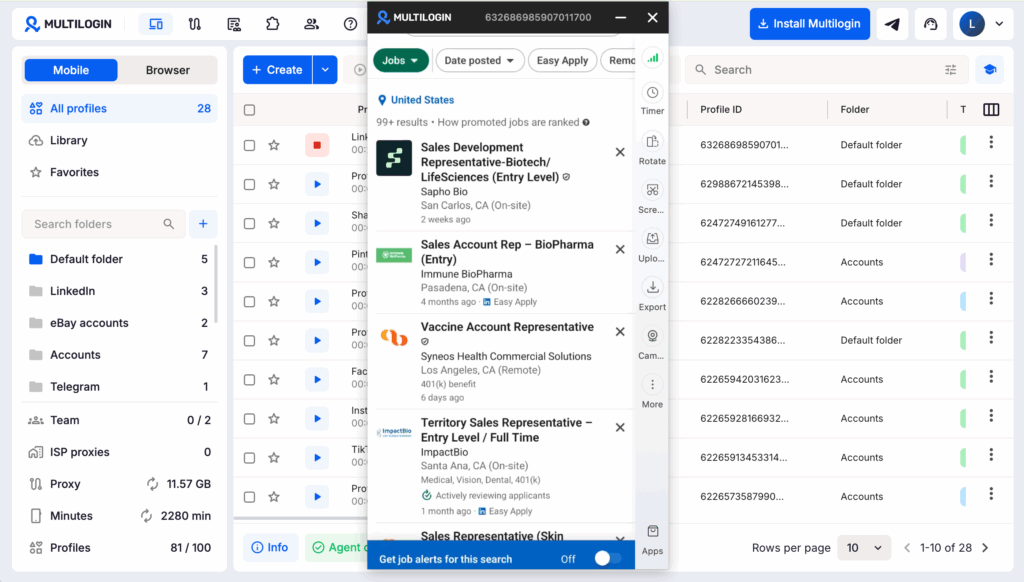
This is where Multilogin fits into the picture, not as a LinkedIn API replacement, but as the layer underneath it. Multilogin lets teams run isolated browser profiles, each with its own fingerprint, cookies, and session data, so managing multiple LinkedIn accounts (say, for different sales reps or regional pages) doesn’t mean juggling logouts and shared devices. For mobile-specific work, its Android cloud phones give you a genuine Android environment in the cloud, which matters when you’re testing app behavior, running mobile-only workflows, or automating tasks that only make sense on a phone rather than a desktop browser.
On the technical side, Multilogin supports integration through ADB, its own API, and common automation frameworks like Selenium, Puppeteer, and Playwright, so teams that already have LinkedIn API workflows built can extend them into browser and device automation without duct-taping five separate tools together. Worth being clear here: none of this is about bypassing LinkedIn’s rules or getting around detection systems. It’s about having a clean, organized environment to run legitimate multi-account work, the kind any agency or sales team already does, just without the account-mixing chaos.
Multilogin 2026 pricing at a glance:
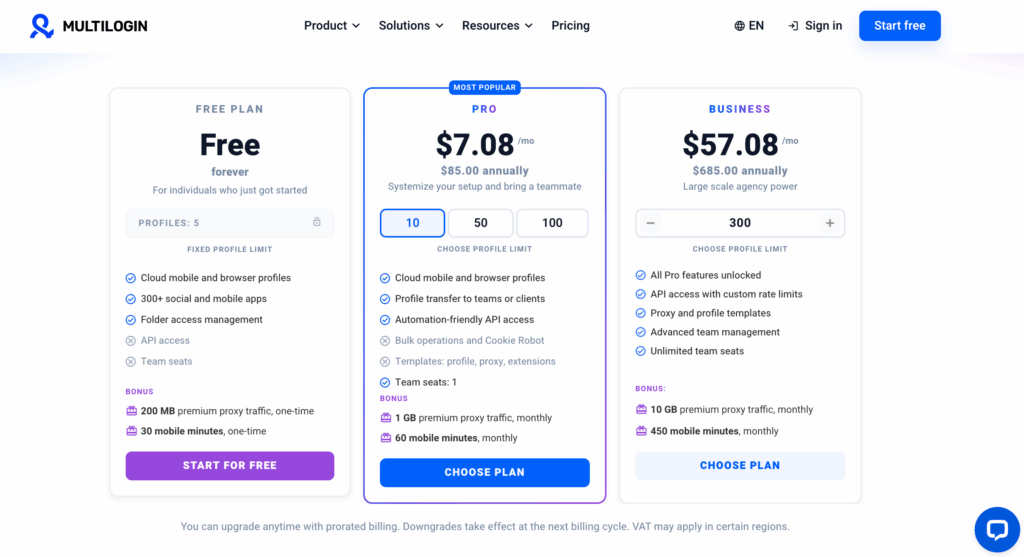
| Plan | Price | Profiles | Team Seats | Proxy Traffic | Mobile Minutes |
|---|---|---|---|---|---|
| Free | $0 | 5 total, max 1 mobile | — | 200 MB one-time | 30 min one-time |
| Pro 10 | $11/mo | 10 | 1 | 1 GB/mo | 60 min/mo |
| Pro 20 (recommended) | $19/mo | 20 | 2 | 2 GB/mo | 75 min/mo |
| Pro 50 | $29/mo | 50 | 2 | 3 GB/mo | 85 min/mo |
| Business 100 | $40/mo | 100 | Unlimited | 5 GB/mo | 150 min/mo |
| Business 300 | $89/mo | 300 | Unlimited | 10 GB/mo | 450 min/mo |
Additional proxy traffic starts from $2.275 per GB, while extra mobile minutes start from $0.0067 per minute when purchased in bulk. Cloud phone usage is billed only while the phone is actively running, and unused paid minutes and proxy traffic roll over while the subscription remains active. The Free plan requires no credit card and includes 5 total profiles, up to 1 mobile profile, 200 MB of one-time proxy traffic, and 30 one-time mobile minutes. For most small teams, Pro 20 at $19/month offers the strongest balance of profiles, team access, proxy traffic, and cloud phone time.
Best Practices for Building Reliable LinkedIn Automation Workflows
A few habits separate teams that build stable LinkedIn integrations from teams that get their access revoked six months in.
Start narrow. Apply for only the scopes your actual use case needs, since broad, vague applications get rejected more often. Build in retry logic and backoff from the start rather than reacting to rate limit errors after launch. Keep a clear separation between what runs through the official API and what runs through browser or device-level tools, so compliance boundaries stay obvious to everyone on the team. And document your data handling, because LinkedIn’s partner reviews increasingly ask about it.
One more thing worth saying plainly: automation that mimics human behavior at scale (rapid connection requests, scripted messaging) tends to get caught eventually, API-based or not. Building for the long term usually beats squeezing short-term volume out of a workaround.