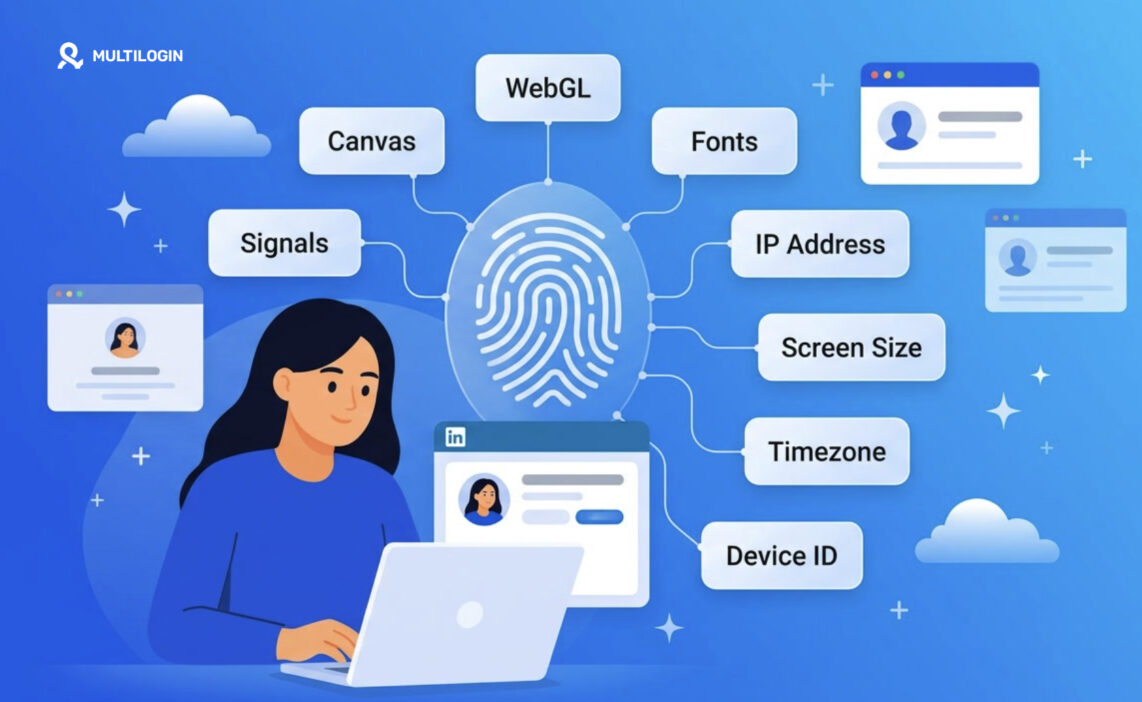



LinkedIn browser fingerprinting is how the platform identifies your device using dozens of small technical signals, not just your login or cookies. Canvas rendering, WebGL output, installed fonts, screen size, timezone, and behavioral signals can all contribute to a recognizable device profile. That’s why a “new” account can still look connected to an existing one even after switching IPs.
LinkedIn browser fingerprinting is the quiet mechanism behind a lot of frustrating LinkedIn behavior: sudden verification checks, accounts getting linked together, or new profiles being restricted unexpectedly. In many cases, the IP address is only one part of the picture.
Here’s what most people miss: deleting cookies alone doesn’t reset the underlying device signals your browser exposes. For teams managing multiple LinkedIn accounts, Multilogin helps separate those environments with isolated browser profiles for desktop workflows and real Android cloud phones for mobile workflows, each with its own device environment, session data, and proxy setup. This gives you a cleaner way to keep accounts separated instead of relying on cookie clearing or constant IP changes.
What Is LinkedIn Browser Fingerprinting?
LinkedIn browser fingerprinting is the process of identifying a visitor by combining dozens of technical browser and device details into a single, near-unique profile, rather than relying on login credentials or cookies alone.
Think of it less like a single lock and more like a mosaic. No individual piece (your screen resolution, say, or your list of installed fonts) is unique on its own. Millions of people share a 1920×1080 monitor. But stack twenty or thirty of these small details together, and the combination narrows down to essentially one machine. That’s the whole trick. LinkedIn isn’t looking for one smoking gun. It’s counting on the fact that nobody else in the world has exactly your combination of quirks.
This matters more for LinkedIn than for a lot of other platforms, honestly, because LinkedIn’s entire business model depends on trust between real professional identities. Fake accounts, scraping bots, and duplicate profiles undermine that trust directly, so the platform has strong incentives to fingerprint aggressively.
What Data Does LinkedIn Actually Collect From Your Browser?
Short answer: a lot more than most users assume, and almost none of it requires your permission in the way a cookie banner does.
Here’s a rundown of the signals that typically feed into a LinkedIn fingerprint:
- Canvas fingerprinting. Your browser renders a hidden graphic, and tiny rendering differences (driven by your GPU, OS, and font rendering engine) create a distinct signature.
- WebGL fingerprinting. Similar idea, but pulled from how your graphics card handles 3D rendering instructions. Our piece on covers this one in more depth.
- Installed fonts. The specific list of fonts on your system is surprisingly distinctive, especially once you factor in design or creative software that installs extra ones.
- Screen resolution and color depth. Not unique alone, but a useful narrowing factor.
- Timezone and system language. These get cross-checked against your IP-based location. Mismatches (say, a US IP but a Vietnamese system clock) raise flags fast.
- User agent and browser version. Standard stuff, though LinkedIn also checks whether your user agent string is internally consistent with everything else it’s seeing.
- IP address and ASN. Whether you’re on a residential connection, a data center, or a known proxy range changes how much LinkedIn trusts the session.
- Behavioral signals. Mouse movement patterns, scroll speed, typing cadence. These are softer signals, but they’re increasingly part of the mix.
None of these individually screams “surveillance.” But add them up across a single browsing session and you get something closer to a fingerprint than a preference.
LinkedIn Fingerprint vs Cookies: What’s the Difference?
Quick answer: cookies are something LinkedIn stores on your device, and you can delete them. A fingerprint is something LinkedIn derives from your device, and you generally can’t delete it, only change the underlying signals.
That distinction trips people up constantly. Someone clears their cache, opens a private window, maybe switches IP addresses, and assumes they’ve started fresh. Meanwhile LinkedIn’s fingerprinting layer barely blinked.
| Aspect | Cookies | Browser Fingerprint |
|---|---|---|
| Where it lives | Stored on your device | Derived from your device in real time |
| Can you delete it | Yes, instantly | No, only alter contributing signals |
| Survives private/incognito mode | No | Often yes |
| Survives a VPN or new IP | No | Usually yes |
| Requires consent banners | Typically yes | Rarely acknowledged directly |
If cookies are a name tag you can peel off, a fingerprint is closer to your walk, your handwriting, the way you clear your throat before speaking. Recognizable even when you’ve changed your clothes.
Why Does LinkedIn Lean So Hard on Fingerprinting?
Because IP addresses and cookies alone are trivially easy to fake, and LinkedIn knows it.
Automation tools, scraping scripts, and bulk account creation have been a persistent headache for the platform for years. A bad actor can rotate through a hundred proxy IPs in an afternoon. Clearing cookies takes two clicks. Neither of those defeats a fingerprint built from hardware-level signals. So LinkedIn (like most large platforms managing scale) leans on fingerprinting as the sturdier layer underneath the easily-spoofed ones.
This is also the mechanism behind a specific, maddening scenario: you create a second LinkedIn account for a legitimate reason (a side business, a different market, a recruiting arm), do everything “right” with a fresh email and a different IP, and it still gets linked to your main profile within days. The fingerprint gave you away, not the IP.
Who Actually Needs to Care About This?
Recruiters running multiple sourcing accounts, sales teams managing several outreach profiles, agencies operating on behalf of clients, and honestly anyone maintaining more than one professional identity for legitimate reasons.
If you only ever log into one LinkedIn account from one laptop, this is mostly academic. But the moment you’re juggling two, three, or a dozen accounts (which is extremely common in recruiting, B2B sales, and social selling), fingerprint overlap becomes the main reason accounts get flagged, restricted, or quietly shadow-limited.
Can You Reduce Your LinkedIn Fingerprint?
Yes, to a degree. You can’t erase a fingerprint entirely, but you can make individual signals less consistent and less identifying.
A few manual tactics that actually move the needle:
- Vary your browser and OS combination rather than always using the same setup.
- Disable or limit WebGL and canvas access where your workflow allows it.
- Keep your timezone, language, and IP geography aligned rather than mismatched.
- Avoid installing unusual or highly specific fonts on machines used for sensitive browsing.
- Use separate, isolated browser environments for separate accounts, rather than juggling profiles inside one browser window.
How Multilogin Fits Into This Picture
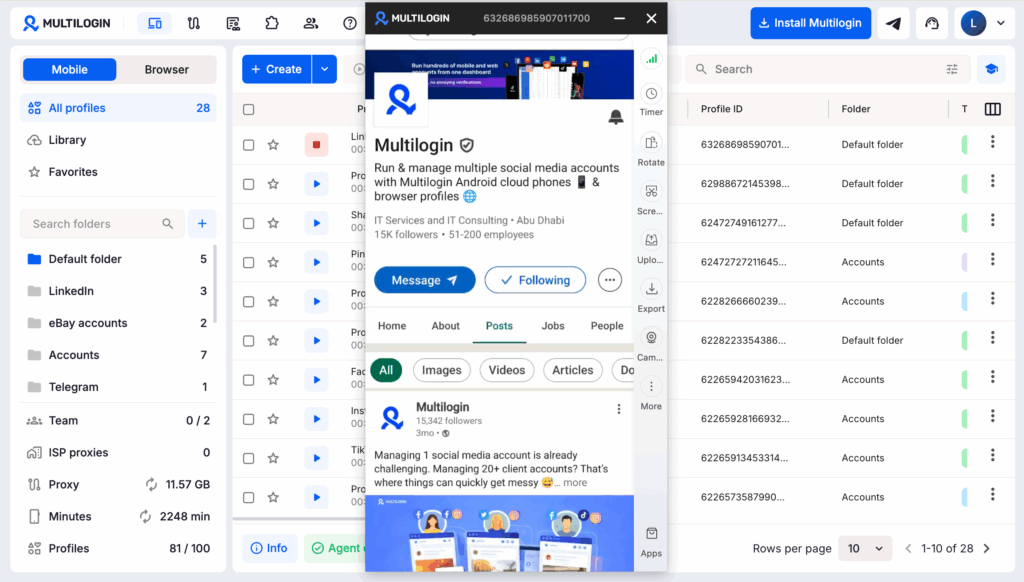
If you’re managing more than one LinkedIn account, manually changing browser fingerprints, clearing cookies, or rotating IPs quickly becomes difficult to manage consistently. Multilogin approaches this by giving each account its own isolated environment, whether you work through a browser profile or a cloud phone.
For desktop LinkedIn workflows, Multilogin browser profiles keep important session and browser data separated between accounts, including cookies, browser settings, and fingerprint-related parameters. For mobile workflows, Multilogin Cloud Phones provide separate Android environments, allowing each account to run inside its own mobile profile rather than sharing the same physical phone or mobile session.
This gives teams one place to manage both browser-based and mobile LinkedIn workflows, with built-in proxy support and separate environments for each account.
Multilogin also offers a permanent Free plan for testing before upgrading. Paid plans now include Pro 10, Pro 20, Pro 50, Business 100, and Business 300. For small teams managing multiple LinkedIn accounts, Pro 20 is the recommended best-value option at $19/month or $149/year. It includes 20 profiles, 2 team seats, 2 GB of proxy traffic, and 75 mobile minutes per month, making it a practical middle ground between entry-level use and larger-scale operations.
The plan also includes features useful for multi-account workflows, such as profile transfer, ADB access for cloud phones, browser extension management, profile templates, team permissions, and built-in residential and mobile proxy support.