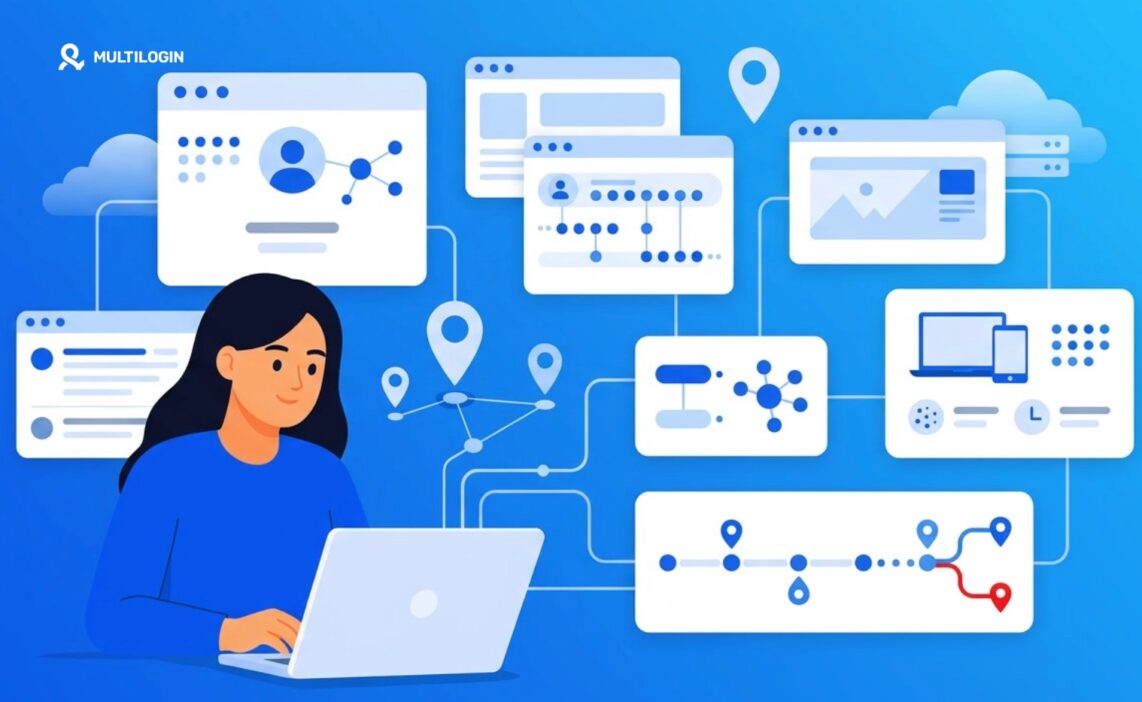



Does LinkedIn track IP address data? Yes. LinkedIn can collect your IP address when you log in and use the platform, helping it identify your approximate location, protect accounts, detect suspicious activity, and recognize unusual login patterns.
In this guide, you’ll learn how LinkedIn IP address tracking works, what the platform may use this data for, whether changing locations or IPs can trigger security checks, and what to consider when managing multiple LinkedIn accounts.
IP tracking itself is not unusual. Most major online platforms use IP data as part of their security and session-management systems. What matters is how your IP works alongside other signals, such as your device, browser session, cookies, location, and login behavior. A sudden change across several of these signals can make an account login look unusual.
This becomes especially relevant for teams or professionals managing multiple LinkedIn accounts. Multilogin cloud phones provide separate Android environments with their own device profiles and IP locations, making it easier to keep mobile account sessions organized and independent instead of constantly switching accounts on the same device.
Read on to understand how LinkedIn tracks IP addresses and how to manage your account setup more consistently.
Explore Multilogin Cloud Phones to manage LinkedIn accounts in separate mobile environments.
Does LinkedIn Track Your IP Address?
Yes. LinkedIn logs the IP address associated with every session, login attempt, and in some cases, individual actions taken on the platform.
This isn’t hidden either, if you dig into LinkedIn’s own privacy policy and help center articles, IP address collection is listed plainly among the data types they gather. It sits alongside device information, browser type, and cookies. LinkedIn uses this combination, not just the IP alone, to build a picture of “is this really you logging in.”
Why bring up device and cookie data here? Because IP address rarely works in isolation. A single IP tells LinkedIn where a connection is coming from and roughly what network it belongs to (residential, mobile carrier, corporate VPN, data center). Combined with your usual login patterns, that’s enough to flag something as normal or suspicious in a split second.
Key point: LinkedIn’s IP tracking is a security layer, not a surveillance tool aimed at individual users. Most people will never notice it’s happening. You’ll only feel its presence when something looks off, like logging in from a new country at 3am.
Why Does LinkedIn Collect IP Data?
LinkedIn collects IP data mainly to protect accounts, prevent automated abuse, and comply with legal and advertising requirements. There isn’t one single reason; there are several, stacked on top of each other.
Consider the scale LinkedIn operates at. Hundreds of millions of active users, constant bot and scraping attempts, recruiters logging in from client offices, salespeople traveling between cities. Without IP-based checks, the platform would be far easier to hijack, spam, or scrape at industrial scale.
A few concrete reasons IP data matters to LinkedIn:
- Fraud and account takeover prevention. Sudden logins from unfamiliar countries or known malicious IP ranges get flagged automatically.
- Bot and scraping detection. Automated tools that scrape LinkedIn profiles often route through data center IPs, which LinkedIn’s systems are quite good at spotting.
- Rough geolocation for content and ads. Your general region helps decide which job listings, language defaults, and sponsored content show up.
- Legal and compliance obligations. Depending on jurisdiction, platforms must retain certain connection logs for a set period.
None of these reasons are unique to LinkedIn. What’s worth noting: unlike, say, a shopping site tracking you for retargeting ads, LinkedIn’s IP use leans heavier toward account protection because the accounts themselves carry real professional and financial risk if compromised.
👉 If your job involves logging into LinkedIn from client sites, co-working spaces, or while traveling frequently, expect the occasional “verify it’s you” prompt. It’s not personal. The algorithm just can’t tell the difference between you working remotely and someone else trying their luck with a stolen password.
How LinkedIn Uses IP Addresses for Login Security
LinkedIn IP address data feeds directly into how the platform decides whether a login attempt looks legitimate or worth double checking.
Unusual Activity Alerts
When your account logs in from an IP address that doesn’t match your usual pattern, especially a different country or a known high-risk network, LinkedIn can trigger a security alert. Sometimes it’s an email notification. Sometimes it’s a full login challenge asking for your password again, or a verification code sent to your phone or email.
This system compares your current IP (and its associated location, ISP, and reputation) against your account’s history. A sudden jump from New York to somewhere on the other side of the planet within an hour? That’s the kind of thing that gets caught, and rightly so.
Device and Location Mismatch
LinkedIn also cross-references IP-derived location with the device you’re using and the session cookies stored in your browser. If everything lines up (same device, same rough location, familiar browser fingerprint) the login sails through quietly.
If pieces don’t match, though, say a new device paired with a foreign IP, the system leans toward caution. You might see a “we noticed a new sign-in” email even if it really was you.
Session Verification
Beyond the login moment itself, LinkedIn periodically re-checks session validity in the background. IP address changes mid-session (switching from wifi to mobile data, for instance) can occasionally prompt a re-verification, though this is less common than login-time checks.
LinkedIn’s automated systems weigh dozens of signals together. IP address is one input among many, not a single deciding factor.
Does Changing Your IP Address Affect Your LinkedIn Account?
Changing your IP can affect your LinkedIn experience, though usually only in minor and temporary ways. It rarely leads to a ban on its own.
Let’s break down the realistic scenarios, because “can changing IP get me banned” is one of the more common worries people bring to this topic.
Traveling or switching networks normally: Logging in from a hotel wifi network while on a business trip almost never causes problems beyond, at most, a one-time verification step. LinkedIn expects people to travel.
Using a VPN occasionally: A single VPN session, especially from a reputable, well-known service, typically won’t cause issues either. LinkedIn might ask you to confirm it’s really you, particularly if the VPN exit node is in a different country than your usual location.
Frequent, drastic IP jumps: This is where things get riskier. If your account bounces between wildly different IP addresses (different countries, different network types) within short windows, repeatedly, the pattern starts resembling account sharing or automated abuse, even when it isn’t.
Using flagged or low-quality IPs: Some IP ranges, particularly certain data center blocks associated with heavy scraping or spam history, carry a poor reputation regardless of who’s using them. Logging in through one of these can trigger extra scrutiny.
Here’s a comparison to make this clearer:
| IP Change Pattern | Typical LinkedIn Response |
|---|---|
| Occasional travel, new city | Rarely flagged, maybe one verification |
| One-time reputable VPN use | Usually fine, occasional confirmation prompt |
| Frequent country-hopping IPs | Higher chance of security challenges |
| Known low-reputation data center IP | Likely to trigger extra verification or temporary restriction |
| Simultaneous logins from distant IPs | High risk of account lock pending verification |
Multilogin Cloud Phones and Managing LinkedIn Across Multiple Environments
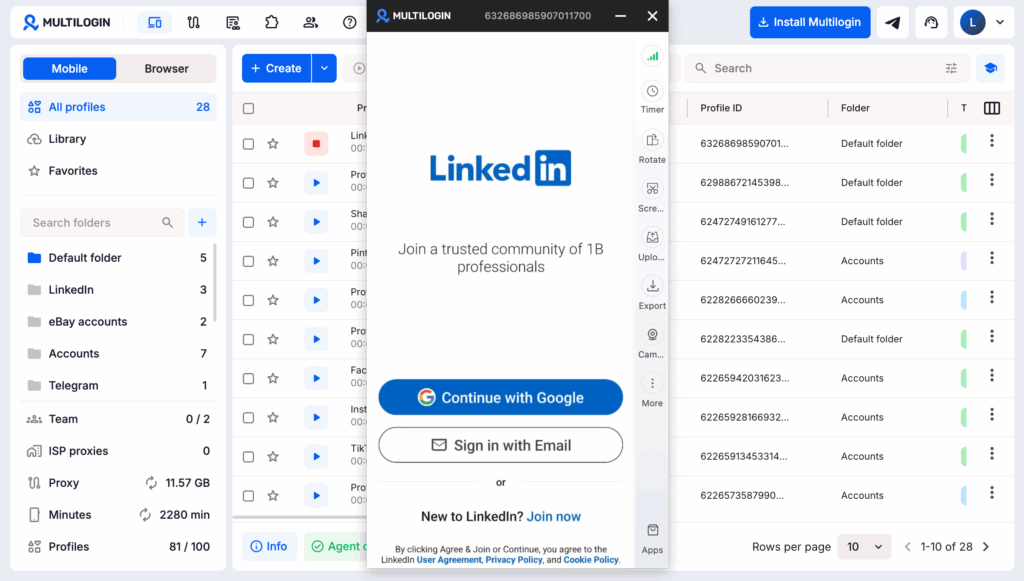
For people who genuinely need to manage several LinkedIn profiles (recruiting agencies, social media managers, multi-market sales teams), cloud phones offer a structural way to keep each account’s environment separate and consistent.
A cloud phone runs a real, isolated mobile environment in the cloud, complete with its own device profile, its own IP behavior, and its own session history. Instead of juggling multiple accounts on a single phone or browser (which is exactly the kind of pattern that raises the “frequent IP jumps” flags mentioned earlier), each LinkedIn profile gets its own consistent digital footprint.
Why does consistency matter so much here? Because LinkedIn’s fraud detection, as covered above, is largely built around spotting mismatches. A cloud phone setup keeps location, device signature, and login pattern stable per account, which is precisely what reduces unnecessary verification prompts.
Practical Tips for Managing Your LinkedIn Account Safely
A handful of habits go a long way toward keeping your LinkedIn account (or accounts) free of unnecessary friction.
Keep your login pattern reasonably consistent. Wild swings in location and device, even innocent ones, are what trigger most extra verification steps. If you know you’ll be traveling, that’s fine, LinkedIn handles normal travel well.
Use two-factor authentication regardless of how careful you already are with IPs. It’s the single most effective thing you can add, full stop. IP monitoring catches a lot, but 2FA catches what slips through.
If you manage multiple professional identities, separate them properly. That means distinct devices or a proper anti-detect browser setup rather than logging in and out of different accounts from the same session.
Avoid free, unverified proxy lists for anything account-related. Low-reputation IPs are a fast track to extra scrutiny, and honestly, they’re often slower and less reliable anyway.
Watch for LinkedIn’s own security emails. “New login detected” notifications exist for a reason, don’t just archive them without reading. If you don’t recognize the login, change your password immediately.
👉 Pro tip: before logging into a sensitive or work-critical LinkedIn account from an unfamiliar network, a quick check of your current IP’s reputation and leak status takes thirty seconds and can save you a locked-account headache later.