


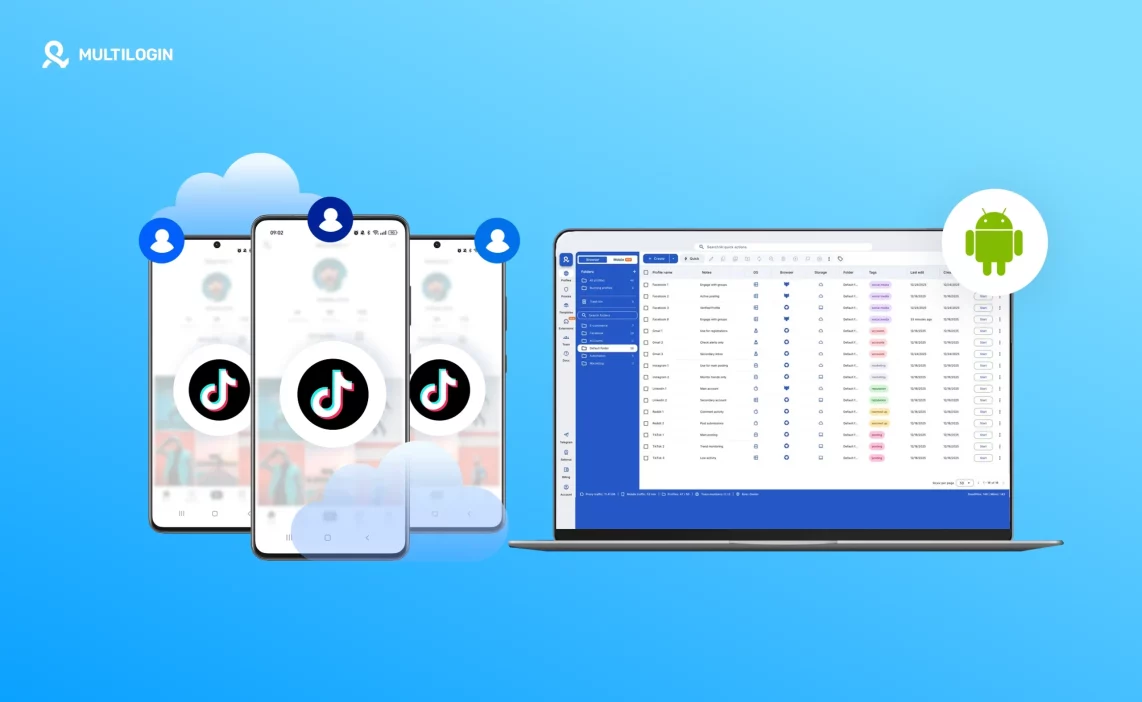

A TikTok shadow ban usually shows up as a quiet drop in reach. Videos stop appearing on the For You page, views flatten, and engagement falls even though posting behavior hasn’t changed. In 2026, this happens more often because TikTok is better at tracking device, session, and location signals over time, not just individual posts.
Most shadow bans are not caused by one mistake. They build up when multiple accounts share the same device, sessions are reset too often, or location signals keep changing. These patterns tell TikTok that the environment behind the account is unstable, which leads to reduced distribution.
This article explains why TikTok shadow ban issues happen in 2026 and why waiting or adjusting content rarely fixes them. The real fix is environment stability. Multilogin Cloud Phones solve this by giving each TikTok account its own Android environment with persistent sessions and consistent signals, removing the conditions that trigger shadow bans in the first place.
What a TikTok shadow ban in 2026 really means
A TikTok shadow ban in 2026 is not a full account ban, and that’s what makes it difficult to spot and harder to fix. Your account stays active. You can post, like, comment, and follow as usual. Nothing looks “broken” on the surface. The problem shows up quietly in distribution.
The key difference from a hard ban is visibility. With a hard ban, access is blocked and TikTok tells you something is wrong. With a shadow ban, TikTok simply stops pushing your content. Videos no longer reach the For You Page, engagement drops sharply, and growth stalls even when posting habits stay the same. The account works, but it no longer travels.
TikTok rarely sends notifications for shadow bans because, from the platform’s point of view, nothing is “wrong” enough to warn you about. Shadow bans are a control mechanism, not a punishment. They’re used to reduce exposure when TikTok no longer trusts the signals behind an account, without triggering appeals or user backlash.
Typical signs of a TikTok shadow ban include:
- Sudden and sustained reach drops across multiple posts
- Little or no For You Page traffic, even on new content
- Engagement coming only from existing followers
- Growth flattening despite consistent posting
Many creators assume the solution is to wait it out. In 2026, that rarely works. Shadow bans often persist because the signals that caused them do not change on their own. If the same device, session behavior, or environment keeps being reused, TikTok continues to treat the account cautiously. Time alone doesn’t rebuild trust when the underlying structure stays the same.
That’s why shadow bans feel endless. The account isn’t frozen — it’s being quietly limited until the conditions behind it change.
Why TikTok shadow bans are more common in 2026
TikTok shadow bans are more common in 2026 because the platform no longer reacts only to individual actions. TikTok now looks at patterns over time. One risky post or fast interaction usually isn’t the problem. What matters is whether an account behaves consistently from the same environment, on the same device, in the same location, day after day. When that consistency breaks, reach is quietly reduced.
Content tweaks don’t fix this because content is no longer the main trust signal. TikTok pays more attention to what happens behind the screen. If an account logs in from different setups, resets sessions often, or switches between environments, those signals stack up. Even normal activity can start to look unreliable when the technical footprint keeps changing.
Shadow ban risk increases when TikTok sees patterns like:
- Repeated logins from different devices or environments
- Session resets that wipe app data or login state
- Frequent switching between accounts on the same device
- Location signals that shift without a clear reason
In 2026, TikTok assumes stable creators behave like stable users. When device, session, and location signals don’t line up over time, the platform doesn’t warn you or block you outright. It simply stops distributing your content as widely. That’s why shadow bans feel sudden, even though they’re usually the result of slow, accumulated trust loss rather than a single mistake.
How TikTok detects risky account behavior
TikTok doesn’t need obvious abuse to flag an account in 2026. Most shadow bans start quietly, triggered by technical overlap rather than content mistakes. When multiple accounts rely on the same device setup, TikTok’s systems begin to connect them, even if the accounts look unrelated on the surface. This is especially common when creators reuse phones, reset apps, or switch accounts inside the same environment to save time.
The platform tracks whether an account behaves like it belongs to one stable person or a recycled setup. Once that line blurs, distribution is reduced without any warning. TikTok avoids hard bans unless rules are clearly broken. Shadow bans are safer for the platform because they limit reach without confrontation.
TikTok typically flags risk when it sees:
- Device reuse across multiple TikTok accounts, where the same phone or environment hosts different profiles
- Shared app data and session history, caused by switching accounts inside one TikTok app
- Frequent environment resets, such as clearing app data, reinstalling TikTok, or logging in and out repeatedly
- Location and network inconsistencies, where IP, region, or network signals change without a clear pattern
These signals don’t trigger instant bans because they’re not definitive proof of abuse. Instead, TikTok reduces exposure as a precaution, pushing content out of the For You Page and slowing growth until trust is rebuilt.
The structural cause behind most TikTok shadow bans
Most TikTok shadow bans come down to structure, not behavior. When accounts share the same device environment, session history starts to bleed across logins. From TikTok’s perspective, this looks less like normal creator activity and more like coordinated control of multiple accounts. Even if actions are manual, the technical footprint suggests automation or manipulation.
TikTok treats shadow bans as traffic control, not punishment. The goal isn’t to block creators, but to protect distribution from setups that look unstable or artificially scaled. Accounts aren’t “in trouble” in the traditional sense. They’re simply deprioritized until their behavior looks consistent again.
This is why shadow bans are so frustrating. Nothing is officially wrong, but reach collapses anyway. As long as accounts continue to share devices, sessions, or locations, content performance rarely recovers on its own. Fixing the structure behind the account matters far more than posting frequency, hashtags, or waiting it out.
Why cloud phones solve TikTok shadow bans at the root
TikTok shadow bans don’t happen because a post missed the algorithm. They happen because the account stops looking like it belongs to one real person using one real phone. TikTok is mobile-first, and in 2026 it pays close attention to whether an account’s device behavior stays consistent over time. When accounts are switched on the same phone, reset often, or reused across setups, that consistency breaks. Reach drops not as punishment, but as a safety response.
Cloud phones fix this by changing the foundation instead of patching symptoms. Each account runs inside its own Android environment that behaves like a real device and keeps its history intact. There is no switching, no shared app data, and no session bleed. From TikTok’s point of view, each account finally looks self-contained again, which is what restores trust and distribution.
At the core, the rule is simple and reliable:
- TikTok is mobile-first and expects accounts to behave like they live on real Android phones
- Each account needs a stable, persistent mobile environment where app data and sessions don’t reset
- Cloud phones replace account switching with isolation, so identities never overlap
- One TikTok account equals one Android environment, with no sharing behind the scenes
When structure is fixed at this level, shadow bans stop being a recurring risk. The account no longer sends mixed signals, and TikTok has no reason to quietly limit reach in the first place.
How Multilogin cloud phones fix TikTok shadow bans
TikTok shadow bans are rarely about content mistakes. In most cases, they come from unstable device behavior that makes an account look automated or manipulated over time. Multilogin Cloud Phones address this directly by fixing the environment an account runs in, not by trying to hide activity or game the algorithm.
With Multilogin, each TikTok account runs inside its own Android cloud phone. That phone behaves like a real device, keeps its history, and never overlaps with other accounts. This removes the mixed signals that usually trigger silent reach suppression.
What changes at the foundation:
- Each TikTok account runs on its own Android cloud phone
- Real Android OS with genuine device parameters
- App data, cache, and login state persist across sessions
- No shared system data between accounts
Multilogin fixes shadow bans by stabilizing the environment, not by masking behavior.
Persistent sessions prevent trust resets
One of the fastest ways to lose TikTok’s trust is forcing the app to “start fresh” over and over again. Repeated logins, cleared data, or rebuilt setups look unnatural at scale.
With Multilogin Cloud Phones, sessions are persistent. When you reopen an account, it resumes exactly where it was left, with the same app state and history.
This matters because:
- Accounts reopen without repeated logins
- No fresh-install or reset signals are sent
- TikTok sees continuous, human-like usage instead of fragmented sessions
Consistency at the session level is a key factor in stopping shadow bans from lingering.
Consistent device identity over time
TikTok closely tracks whether an account appears to belong to the same device across weeks and months. Rotating fingerprints, emulators, or frequently changing setups break that illusion quickly.
Multilogin Cloud Phones avoid this entirely by keeping device identity fixed:
- No rotating fingerprints between sessions
- No emulator signatures that TikTok can flag
- The same Android device profile every time the account is accessed
From TikTok’s perspective, the account finally behaves like it belongs to one phone, used by one person, over time.
Location stability for distribution recovery
Shadow bans often deepen when location signals don’t line up. Sudden changes in IP, region, or device location can quietly suppress distribution even if content stays the same.
Multilogin handles location at the environment level:
- Country, IP, SIM, and GPS are aligned per cloud phone
- Location stays consistent across sessions
- No sudden regional jumps that raise risk
When device and location signals stay aligned, TikTok has fewer reasons to throttle reach in the background.
Recovering from a TikTok shadow ban with cloud phones
Recovering from a shadow ban is not about pushing more content or changing hashtags. It’s about giving the account a clean, stable place to operate from and letting trust rebuild naturally.
With Multilogin, recovery follows a clear path:
- Move the account into a clean, isolated Android cloud phone
- Keep sessions consistent without resets or switching
- Allow time for TikTok to reassess behavior under stable conditions
Recovery depends on time plus stability, not volume or tricks. Once the account stops sending risky signals and starts behaving predictably again, distribution can gradually return. Multilogin Cloud Phones make that recovery possible by fixing the structural cause behind most TikTok shadow bans, instead of treating the symptoms.
Preventing future TikTok shadow bans when Scaling accounts
Most shadow bans don’t start with content changes. They start when scaling forces shortcuts. Reusing the same device, rotating logins, or resetting environments might work at small volume, but the moment account count grows, those patterns become visible.
Multilogin prevents this by keeping the structure fixed while volume increases.
- Every new TikTok account is added as a new Android cloud phone, not a variation of an existing one
- Existing environments are never reused, reset, or modified
- Device identity, session history, and location stay consistent from day one
- Scaling from 2 to 200 accounts changes capacity, not behavior
When structure stays unchanged, TikTok sees growth as independent users, not repeated activity. That’s why stability holds as volume increases instead of collapsing under pressure.
Learn more about how to prevent your TikTok account from being suspended!
Managing mobile and web TikTok accounts from one dashboard
TikTok work rarely lives in one place. Posting, engagement, and account health happen inside the mobile app, while analytics, moderation, and support tasks often happen on the web. Problems appear when those workflows are split across tools and devices.
Multilogin removes that split by bringing everything into one control layer.
- Android cloud phones handle native TikTok app activity with persistent sessions
- Browser profiles support TikTok web workflows without overlapping environments
- All accounts are launched, paused, and organized from a single dashboard
- No device juggling, no switching tools, no lost context
When mobile and web workflows are managed together, mistakes drop and account behavior stays predictable.
Automation and TikTok shadow bans
Automation doesn’t cause shadow bans by itself. Unstable environments do. When automation runs on accounts that constantly reset, switch devices, or lose session continuity, TikTok interprets the behavior as non-human.
Multilogin flips that equation by stabilizing the environment first.
- Automation runs only after each account has a persistent Android cloud phone
- Scripts interact with the same session state every time, not a fresh start
- Actions stay contained inside one environment instead of spilling across accounts
Supported tools include:
- Selenium for controlled workflow automation
- Playwright for modern scripted interactions
- Puppeteer for event-driven tasks
- Postman for API-level actions
- Multilogin CLI for automating environment creation, launch, and coordination at scale
Automation works when structure exists first. Without that foundation, scripts amplify instability instead of productivity.
What TikTok accounts look like when shadow bans are gone
When shadow bans are resolved properly, the change isn’t dramatic spikes. It’s consistency returning where chaos used to live. Accounts stop behaving unpredictably because the signals behind them stop changing.
In a stable setup, you’ll notice:
- Reach patterns normalize instead of dropping without explanation
- Sessions stay logged in across restarts and days
- Distribution becomes predictable again, even if growth is gradual
- Each account behaves independently, without affecting others
- Visibility no longer collapses after routine actions
There’s no trick involved. Shadow bans fade when TikTok sees the same account, on the same device, in the same location, behaving the same way over time. That’s what Multilogin Cloud Phones are built to maintain.
Learn more about how not to get banned on TikTok!
Start your Multilogin today! Just €1.99 and run multiple TikTok accounts without bans.
Final verdict — bypass Reddit ban
A TikTok shadow ban is rarely about a single post or one bad decision. In most cases, it’s the result of unstable account signals building up over time. Reused devices, mixed sessions, frequent resets, and shifting locations quietly reduce trust until distribution slows or disappears altogether.
Fixing that isn’t about bypassing TikTok’s systems or forcing visibility back overnight. It’s about restoring stability where it was lost. Multilogin Cloud Phones address the root cause by giving each TikTok account its own persistent Android environment, with consistent device identity, saved sessions, and aligned location signals. When those signals stop changing, TikTok has far fewer reasons to throttle reach.
Shadow bans don’t disappear because of tricks. They fade when the account finally looks consistent again. Structure is what makes that possible, and without it, the same issues tend to return.
FAQs
Why do TikTok shadow bans keep coming back after “fixes”?
Most short-term fixes fail because they don’t address the environment behind the account. Clearing cache, waiting a few days, or changing content style doesn’t help if the account keeps logging in from reused devices or unstable setups. When those signals stay inconsistent, TikTok continues to limit distribution, even after temporary recoveries.
Can Multilogin actually help recover from a TikTok shadow ban?
Multilogin doesn’t override TikTok’s systems or force visibility. What it does is remove the structural issues that cause shadow bans in the first place. By moving an account into a clean, persistent Android cloud phone and keeping sessions, device identity, and location stable over time, the account can rebuild trust naturally. Recovery depends on consistency and time, but without environment stability, recovery usually doesn’t hold.
What is a TikTok shadow ban?
A TikTok shadow ban is when TikTok quietly limits the visibility of your posts without notifying you. It can happen when the platform detects suspicious patterns in your account’s behaviour, such as using the same IP or device across multiple accounts. This results in a significant drop in views and engagement.
How long does a TikTok shadow ban last?
The duration of a shadow ban varies depending on how quickly TikTok detects that you’ve fixed the issue. Some accounts recover within a few days, while others may take weeks. If you continue to use the same signals (like the same IP or device), the ban can last longer. To recover faster, isolate each account with Multilogin’s residential proxies and unique profiles.
How can I tell if I’m shadow banned on TikTok?
The main sign is a sudden drop in views, engagement, and interactions. Your videos may stop reaching the For You Page, and you may notice little to no new followers or comments. If your TikTok activity looks the same but no one sees your posts, you’re likely shadow banned.
What causes TikTok shadow bans?
TikTok flags accounts for sharing repeated signals, such as the same IP, device ID, or cookies. If multiple accounts share these patterns, TikTok interprets them as connected, which can trigger a shadow ban. Avoid this by using separate environments for each account — something Multilogin does automatically.
How can I recover from a TikTok shadow ban?
First, stop posting for a short cool-off period to let TikTok reset its tracking. Then, move the account into a clean Multilogin profile, ensuring it has its own IP, device fingerprint, and cookies. Slowly restart activity with normal, human-like engagement, and avoid bulk posting or rapid actions.
How do Multilogin residential proxies help prevent TikTok shadow bans?
Multilogin provides built-in premium Residential Proxies with every plan, which give each account its own real, local IP. This prevents TikTok from seeing shared IPs or device fingerprints across multiple accounts, reducing the risk of shadow bans. Additionally, it isolates each account with pre-farmed cookies and mobile profile emulation to ensure each one appears as a natural, individual user.

