


Tinder proxy & antidetect bundle

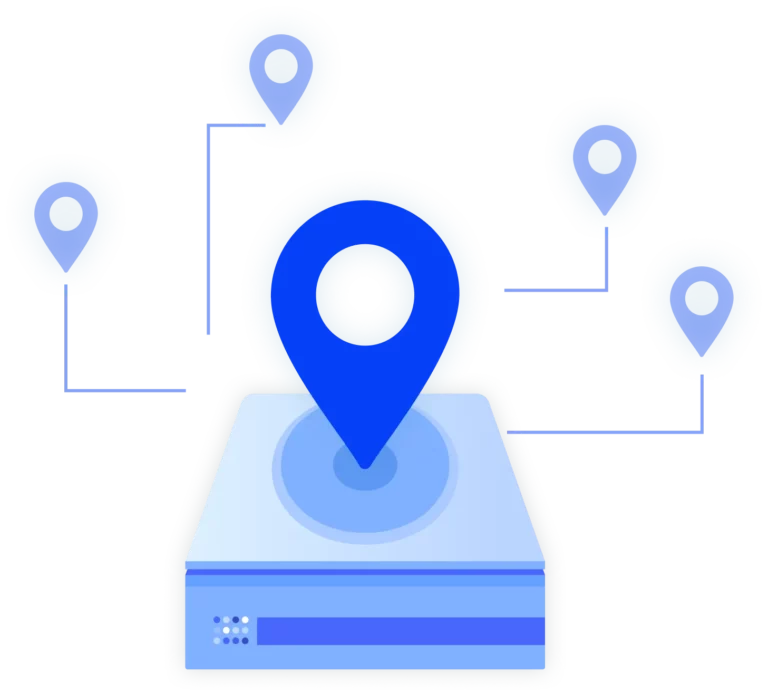
Use Multilogin’s built‑in residential proxies with 30M+ IPs across 150+ locations. Assign a consistent IP and 55+ fingerprint parameters to each Tinder account to manage multiple accounts with reduced ban risk.

Create accounts with Tinder proxies

Use Multilogin’s built‑in residential proxies to anchor every Tinder profile to a stable IP.

Keep location, network reputation, and session behavior consistent while swiping and messaging across multiple profiles—without external proxy tools or sudden trust resets.

Get built‑in Tinder proxies instantly

Set up Tinder proxies instantly using integrated residential and mobile IPs. Keep locations stable with 24‑hour sticky sessions and smooth rotation to support uninterrupted swiping, matching, and messaging.

Warm up Tinder accounts in seconds

Real IPs + Cookie Robot = authentic Tinder sessions.

Multilogin preloads profiles with trusted cookies and pairs them with residential or mobile proxies, so each Tinder account starts with a realistic browsing history.

Manage Tinder accounts from anywhere

Use built‑in Tinder proxies with 30M+ residential and mobile IPs across 150+ locations. Assign country, city, and ISP‑level IPs to each profile to keep Tinder accounts tied to stable, trusted locations for safe swiping, matching, and messaging.

Import third-party ecommerce proxies

Import third‑party Tinder proxies

Use your own residential, mobile, or ISP proxies alongside Multilogin profiles.

Assign custom IPs per Tinder account, combine them with isolated fingerprints, and keep full control over your proxy setup without breaking your workflow.

Try Multilogin Risk-Free — Just €1.99!

Run multiple accounts with zero bans or blocks. Start your 3-day trial and test everything for less than a coffee.
  • 3-day access to Multilogin

  • 5 cloud or local profiles

  • 200 MB proxy traffic included

  • 3-day access to Multilogin

  • 5 cloud or local profiles

  • 200 MB proxy traffic included

What is an antidetect browser?

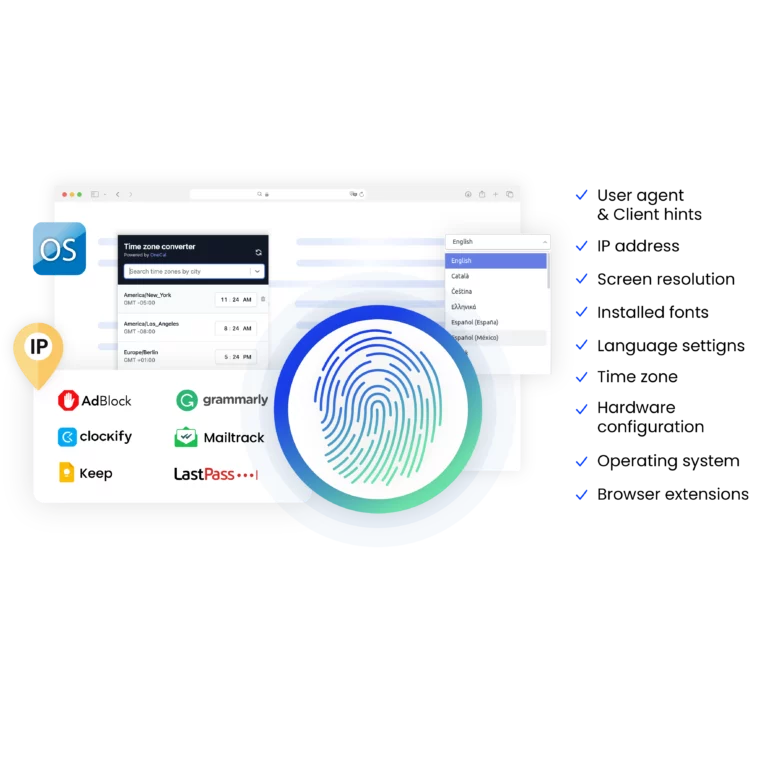
An antidetect browser like Multilogin gives each Depop profile a unique digital identity:

  • Hide your real device fingerprint
  • Make every Depop store appear as a separate, real seller
  • Run dozens or hundreds of Depop accounts from one device without linkage
Image showcasing what an antidetect browser is.

Why use Tinder proxies and an antidetect browser from the same provider?

Using both from Multilogin keeps every Tinder profile secure and stable:

  • Ensure full proxy and browser compatibility
  • Maintain consistent location and network signals
  • Simplify setup with ready-to-use proxies
  • Access combined support for browser and proxies
A visual showcasing why it is essential to use Multilogin's built-in proxy, making your browsing experience more convenient.

What Multilogin offers that other antidetect browsers don't

Free residential proxies in each subscription plan

Daily testing on 50+ websites

Passes all browser fingerprint checkers

Profile warmup with pre-farmed cookies

AI-powered automation

Super sticky sessions last up to 24 hours

Multilogin features for Tinder accounts

Icon representing Multilogin's feature to bypass bot protection.

Bypass bot detection

Our anti-fingerprinting tech bypasses multi-account and automated browser detection by masking unique browser fingerprints.
An icon representing Team Collaboration with Multilogin.

Team collaboration

You can collaborate on browser profiles and easily share passwords, cookies, and session progress with team members.

Icon representing data sync over the cloud with Multilogin.

Data sync over cloud

Use cloud browser profiles to sync data across multiple devices or VPS instances.

An icon representing fingerprint adjustment to match proxy feature of Multilogin.

Fingerprint adjustment to match proxy

Automatically adjust browser fingerprints to match proxy locations, supporting all types for enhanced security.

Icon representing Multilogin's support for all proxy types, including HTTP, HTTPS, and SOCKS5.

Support for all proxy types

Use our proxies or bring your own. All proxy types are supported.

Icon representing residential rotating IPs in Multilogin.

Residential rotating IPs

Our residential proxies are tested daily ensuring flawless performance with major platforms.
Icon representing the Android Chrome browser in Multilogin.

Chrome or Firefox interface

Our Mimic and Stealthfox browsers fully emulate Chrome or Firefox, providing you with a different digital identity in each browser window.
An icon representing High Load Supported feature of Multilogin.

High load supported

Our platform supports high loads, making it ideal for operations of any size.

Icon representing the Manual Mode feature in Multilogin.

Manual mode

Manually control the settings of your browser profiles in secure virtual environments.
An icon representing browser action automation feature in Multilogin.

Browser action automation

Automate repetitive tasks with Selenium, Playwright, and Puppeteer automation drivers, bypassing anti-bot algorithms.


Related solutions you might like

No data was found

Most awarded antidetect browser

Kinza awards for Multilogin.
Conversion club badge for Multilogin.
Mask group badge for Multilogin
Startup 2019 awards badge for Multilogin
badge for Multilogin
Best Value Software 2022 badge for Multilogin
High performer 2024 badge for Multilogin
Leader 2024 badge for Multilogin
Best support 2024 badge for Multilogin
Easiest to do business with 2024 badge
SourceForge top performer 2023 badge
GetApp user reviews badge

How to start using Multilogin 

Start collecting data effortlessly with the industry leading antidetect browser.

Step 1 of how to use Multilogin

Sign up

Register using a verified email address. 

Step 2 of how to use Multilogin

Choose your plan

Select from various subscription plans tailored to your business needs.

Step 3 of how to use Multilogin

Download Multilogin

Available for Windows, Mac, and Linux.

Step 4 of how to use Multilogin

Access the Multilogin dashboard

Start creating and managing antidetect browser profiles.

Step 5 of how to use Multilogin

Run multiple Tinder accounts

Set up and manage multiple email accounts using separate browser profiles, all from one secure platform.

Watch the Multilogin Demo for creating multiple Tinder accounts

Get a 10-minute demo video on how Multilogin can help you easily build your database of Tinder accounts while remaining undetected. Just fill in your name, last name and email below, and we’ll deliver the demo video directly to your inbox.

Name
Last Name
Email *
Image of locked video for Multilogin demo preview

Guide to Tinder proxies and the Multilogin antidetect bundle

The best Tinder proxies are residential proxies. They use real home IP addresses. This makes them much harder to detect because they look like regular user traffic. Using these proxies boosts your chances of successfully running multiple accounts and greatly reduces the risk of being blocked or shadowbanned.

If you need Tinder proxies, Multilogin is one of the best solutions for your business. Multilogin provides built-in residential proxies that you can use for your Tinder accounts. This is the key difference. When you use the Multilogin antidetect browser with these proxies, they become even more effective. Multilogin gives each account its own unique digital fingerprint. This means every session looks different to Tinder. 

This reduces the chances of detection and makes managing multiple Tinder accounts easier without raising suspicion.

Challenges of using multiple Tinder accounts without an antidetect browser

Tinder is strict. It tracks more than just your IP. It tracks:

  • IP addresses
  • Browser fingerprints
  • Cookies and session data
  • Device configurations
  • Login patterns

Running multiple accounts from the same device or IP will get you flagged. Even high-quality residential proxies won’t protect you if your browser fingerprint stays the same. That’s why just rotating IPs isn’t enough anymore. This is why trying to use a simple proxy site for Tinder will fail.Multilogin solves this. It creates fully isolated browser profiles. Each one has a unique fingerprint and a built-in residential proxy. So even if you’re managing 10, 50, or 100 Tinder accounts, they’ll each look like they’re being run by a different real person.

The advantages of using Multilogin for Tinder accounts

Multilogin is built for high-risk platforms like Tinder. Every feature is designed to help you avoid bans and manage accounts safely at scale.

Here’s how it works:

  • Built-in residential proxies with a 95%+ clean rate.
  • 30 million IPs across 150+ locations with city‑ and ISP‑level targeting
  • Support for rotating or sticky IPs (24-hour sessions).
  • Full automation support (Playwright, Puppeteer, Postman, Selenium).
  • Local + cloud storage for team collaboration and profile syncing.
  • Instant profile creation with pre-configured templates.
  • Role-based access for secure account handling.

You don’t need to worry about technical setup. Just open a new profile, assign a proxy, and you’re ready to go.

How to use Tinder as a proxy with antidetect bundle

You don’t need to figure out how to use Tinder with a proxy — Multilogin handles the proxy setup for you.

  1. Sign up for Multilogin.
  2. Download Multilogin and log in.
  3. Open the dashboard and create a browser profile.
  4. In the proxy settings, select the location, connection type, and ISP if needed.
  5. Save the settings and manage multiple accounts safely.

The process is very straightforward, and you can get started in minutes.

Real-world use cases to earn with multiple Tinder accounts

Users across forums and online communities share real ways people earn using Tinder, including:

  • Generating business leads: For example, some promote their social media services and increase revenue by 25%.
  • Driving traffic to other platforms: Some users add Instagram or Snapchat accounts to their Tinder profiles and gain over 1,000 followers per day, which they later monetize.
  • Affiliate and lead funnels: Users build Tinder-based funnels generating 200–300 warm leads per week for affiliate offers.
  • Profile optimization services: Some offer coaching on photos, bios, and messaging, earning around $3,000 per month.

Using Multilogin, each account runs in an isolated browser profile with unique fingerprints and proxies, allowing safe scaling without bans.

For a deeper comparison of tools, check out our guide to the best antidetect browsers for Tinder, where we break down features, use cases, and key differences between top solutions.

Tinder proxies FAQ

Tinder proxies are IP addresses used to access Tinder through a different network instead of your real one. They help separate accounts by location and connection source, which is critical when managing more than one Tinder account from the same device.

Without proxies, Tinder quickly detects IP reuse and applies restrictions such as shadowbans or forced verification.

Residential proxies are the most reliable option for Tinder because they use real home IPs provided by ISPs. These IPs blend into normal user traffic and are far less likely to be flagged compared to datacenter or free proxies.

This is why Multilogin focuses on built-in residential proxies rather than shared or public proxy pools.

If you use only one account, a proxy is optional.
If you use multiple accounts, a proxy is required.

Tinder monitors:

  • IP reuse
  • Location consistency
  • Login frequency
  • Network reputation

Once multiple accounts appear on the same IP, they are treated as linked.

No. A proxy only changes your IP address.

Tinder also tracks:

  • Browser fingerprints
  • Cookies and session storage
  • Device and OS parameters
  • Screen size and timezone
  • Login behavior over time

If all accounts run in the same browser, they can still be linked even when each one uses a different proxy.

A Tinder online proxy or proxy site for Tinder usually works inside a regular browser tab. It doesn’t isolate storage, doesn’t modify fingerprints, and often uses recycled IPs.

This results in:

  • Short account lifespan
  • Frequent phone verification
  • Low visibility in matches
  • Accounts stuck in shadowban state

These tools are suitable for temporary access, not for managing accounts long term.

Multilogin doesn’t just add a proxy on top of your browser. It creates a separate browser environment for every Tinder account.

Each profile includes:

  • A unique, realistic fingerprint
  • Separate cookies and cache
  • One dedicated residential proxy
  • Consistent device and network data

From Tinder’s perspective, every account looks like a different real person using a different device.

Yes. Multilogin supports external proxies, including residential and mobile proxies.

However, many users prefer built-in proxies because they are already matched to browser fingerprints and reduce setup errors.

This prevents common issues like mismatched timezone, IP country conflicts, or unstable sessions.

The setup process is simple and doesn’t require technical skills:

  1. Create a new browser profile
  2. Choose a residential proxy location
  3. Save the profile
  4. Open Tinder inside that profile
  5. Use only one Tinder account per profile

Each profile should always be used with the same account.

Multilogin makes it easy to manage hundreds of Tinder accounts from a single device. Each account runs in its own isolated browser profile with a dedicated proxy, so scaling doesn’t increase the risk of linkage.

The core rule stays simple:
One Tinder account = one Multilogin browser profile + one unique residential IP

Yes. Residential Tinder proxies allow you to appear in specific countries or cities. This is useful for:

  • Local lead generation
  • Market testing
  • Regional traffic campaigns

With Multilogin, each profile can target a different location while staying consistent over time.

Users on forums and online communities frequently mention:

  • Promoting social media services and increasing revenue by ~25%
  • Growing Instagram or Snapchat accounts by 1,000+ followers per day
  • Running affiliate funnels generating hundreds of warm leads weekly
  • Selling profile optimization and messaging services

These models rely on stable accounts, which is why proxy + antidetect setups are commonly used.

Thank you! We’ve received your request.
Please check your email for the results.
We’re checking this platform.
Please fill your email to see the result.

Multilogin works with amazon.com