


Residential proxies
Grow multiple social media accounts without them getting linked or restricted. Post from real locations that match your audience, no VPN or extra devices needed.

Perfect for multiple accounts
Unique cloud phones for each account

Publish everywhere
Reach more than 150 locations

Grow organically
Post from real devices
One platform, unlimited locations
Pass location checks on any platform
Reach any audience in the world
Set up accounts for any market
Reduce costs on external tools
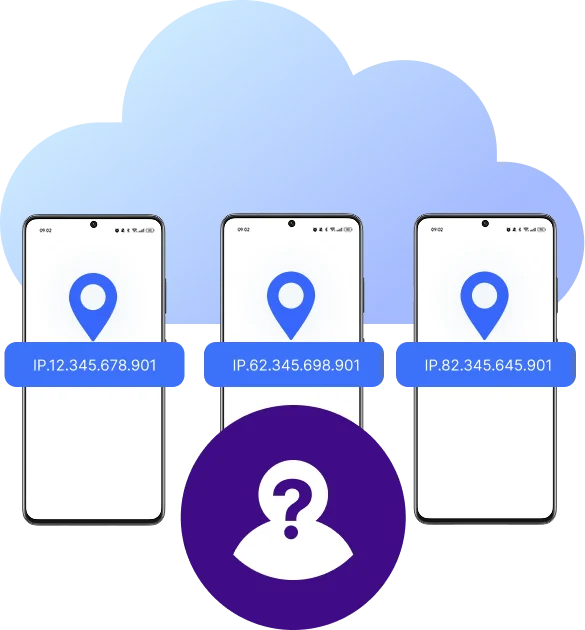
How to get started and grow your accounts
Time is money. Start in minutes

Sign up
Choose a plan and download the app

Create mobile profile
Customize the device model and connect proxies
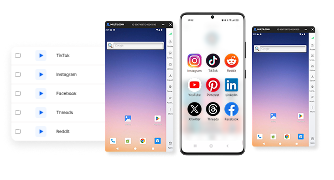
Run your accounts
Use separated browser profile to earn
Sign up
Choose a plan and download the app
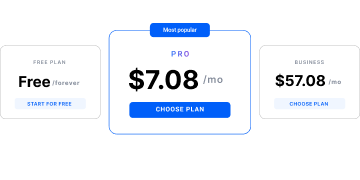
Create mobile profile
Customize the device model and choose location
Run your accounts
Use separated browser profile to earn
Watch the Multilogin Demo
What is Multilogin?
Trusted by thousands of creators, sellers & online earners

Ha D.
Social Media Marketing Retail

Nino Latif

Stanislav K.
Marketing Manager

Elen S.
Marketing Manager

Hamza Arif
E-commerce Manager


Nick Horvath
Marketing agency
Target any location with cloud phones
Connect proxies and cloud phones from one place
The most awarded multi accounting platform















Explore more solutions for any platform you need
FAQ
Open a profile’s settings, either a cloud phone or a browser profile, and pick a location from the built-in proxy list. There’s no separate proxy account to sign up for or API key to configure; the IP attaches to that profile directly, and stays with it every time the profile launches.
Yes, every account should have its own IP. Two accounts sharing a proxy is one of the more common ways platforms link them together, even when the accounts themselves behave nothing alike. In Multilogin, each cloud phone or browser profile gets its own proxy by default, so this isolation happens automatically rather than needing to be tracked manually across a growing roster.
Rotating proxies assign a new IP with every request, which suits scraping and research where spreading traffic across many IPs matters more than a stable identity. Static proxies keep one IP throughout, which is the right choice for almost any social media account, since platforms specifically watch for a login location that keeps changing without a real reason.
Proxy traffic starts at $3.50 per GB on top of a plan, with unused traffic rolling over rather than expiring. The Free Plan includes a small proxy allowance to test the setup before paying for anything, and paid plans include a larger monthly bonus allowance on top of the pay-as-you-go rate, so ongoing costs stay predictable rather than billed purely per request.
Yes. Both connect to residential proxies the same way they would any other proxy, and routing automated traffic through a residential IP helps it blend in instead of standing out as scripted. For accounts managed through Multilogin’s API, the same proxy assigned to a profile carries over automatically to whatever script or agent is driving that profile.
Yes, running separate, genuinely distinct accounts through residential proxies is standard practice for agencies and creators, not a violation on its own. What matters is that the proxy provider sources its IPs through opt-in methods rather than through devices that never agreed to it; confirm that before relying on a provider for anything business-critical, since a poorly sourced IP pool creates both a legal risk and a detection risk.
Indirectly. A stable IP that matches an account’s stated location helps it behave consistently, which works with the TikTok algorithm instead of against it. The proxy itself doesn’t influence what gets promoted; consistent behavior does, and a mismatched or constantly changing IP is one of the more common reasons an otherwise well-run account underperforms.
Yes. When an AI agent is connected to a cloud phone, it inherits whatever proxy is already assigned to that profile, so the agent doesn’t need separate proxy configuration to start posting or engaging. That’s what keeps an AI-run account looking like an independent setup rather than part of an obviously automated batch.
Yes. Multilogin’s Free Plan includes proxy access alongside free cloud phones and browser profiles.
Residential proxies in 2026: how to run and grow multiple accounts
Residential proxies let you run multiple accounts safely. They route your traffic through a real home IP instead of a flagged data center address, so a platform sees an ordinary user, not a script. A residential proxy does this by connecting through a real device, like a home user’s laptop or phone, on a legitimate internet provider’s network, which is what makes the traffic read as ordinary browsing in the first place.
For social media accounts, the proxy alone isn’t enough. Instagram, TikTok, and Facebook also check the device behind an account. Multilogin provides residential proxies out of the box with its cloud phones and browser profiles, so the IP, device, and account stay aligned.
Why social media managers use residential proxies
A few reasons come up most for anyone running several accounts:
- Account isolation: a separate IP per account keeps profiles from being linked to each other, which matters most once a roster grows past a handful of accounts.
- Access to other regions: appearing to connect from another location unlocks content or posting behavior restricted where you actually are, and lets an account look like it’s genuinely based in the market it’s targeting.
- Ad account management: running ad accounts for multiple clients or brands from separate IPs keeps one account’s spend or performance from affecting another’s, and avoids one flagged ad account taking others down with it.
- Affiliate marketing: separate accounts promoting different offers or programs need to look independent from each other, especially when the same person or team runs several affiliate accounts on one platform.
- E-commerce and dropshipping: managing seller accounts across multiple storefronts or marketplaces works the same way, each store benefits from its own IP so a suspension on one doesn’t put the others at risk.
Static vs. rotating residential proxies
Static | Rotating | |
IP behavior | Same IP every time | New IP per request |
Best for | Social media accounts, repeat logins, avoiding CAPTCHAs | Scraping, price monitoring, high-frequency requests |
Consistency | High | Low by design |
For running social media accounts specifically, static is almost always the right choice: a consistent IP builds the kind of history that makes an account look established instead of new. Rotating proxies matter more for scraping or research, where spreading requests across many IPs matters more than a stable identity. Multilogin includes both static proxies and rotating ones, so the right type is already there without a second provider.
Residential proxies built into Multilogin
Multilogin bundles residential proxies directly into browser profiles and cloud phones, instead of leaving proxies as a separate purchase and setup step. That means:
- A pool of 30M+ residential and mobile IPs across 150+ countries, with city-level targeting.
- Sticky sessions of up to 24 hours, so an account’s IP doesn’t change mid-session.
- One-click assignment per profile, with no separate dashboard or API key to manage.
- A Free Plan that includes proxy access, so the setup can be tested before any paid tier.
For running social media accounts, this is the part that usually breaks a DIY setup: a proxy from one provider, a browser fingerprint tool from another, and a cloud phone from a third, none of which were built to agree with each other. Multilogin keeps all three in one profile.
Why residential proxies matter for growing social accounts
Detection systems now check IP type, device signal, and behavior together, not IP alone. A residential IP on a mismatched device still gets flagged.
- Staying consistent across an account’s life: an Instagram or TikTok account that logs in from the same city every time looks like a real person. One that jumps countries between sessions looks like a shared or resold IP, even if the IP itself is genuinely residential.
- Running more than one account safely: each account gets its own IP and, where needed, its own cloud phone or browser profile, so accounts don’t get linked through a shared network signal.
- Seeing what a real audience sees: local pricing, search results, and app content the way users in that region actually see them, useful for testing content before it goes out widely.
What to look for in a proxy provider
- Ethical sourcing: IPs collected through opt-in methods are cleaner and carry less legal risk.
- Pool size: a bigger, more varied pool means less chance two unrelated accounts share an IP.
- Speed and stability: a dropped connection mid-session can look like suspicious behavior, not just a glitch.
- Real geo-targeting: down to the city, not just the country, and consistent with the device’s own settings.
- Built-in setup: proxies that work inside a profile directly, with nothing to configure by hand.
Where to buy residential proxies
- Premium: fastest and most reliable, priced for businesses running many accounts.
- Budget: solid for casual or lower-stakes use.
- Free: usually slow or already overused; fine for quick testing, risky for anything real.
Multilogin’s Free Plan has no time limit and no credit card required, so proxies can be tested inside a real browser profile or cloud phone first, alongside the rest of a free social media management tools stack.
How residential proxy pricing works
Most providers charge one of two ways: pay-as-you-go, billed per GB, or a monthly subscription with a set bandwidth allowance at a better per-GB rate. Datacenter proxies are cheaper but easier for platforms to block, which is the main tradeoff against residential proxies specifically.
Residential proxies for AI-run accounts
AI agents managing social accounts run into the same problem human operators do. Each AI-generated content profile still needs its own IP and device signal, or a whole roster of “independent” creators reads as one operator running a fleet.
Connecting an AI agent to a cloud phone works the same way: the agent handles posting and engagement, while the proxy and device underneath keep the account looking like its own independent setup, not part of an obvious cluster.
In summary
Residential proxies are core infrastructure now, not an optional extra, for anyone running multiple social accounts without linking them. Static proxies for long-term account stability, rotating proxies for scraping and research, the right choice depends on what the account actually needs to look like over time.
Multilogin bundles both types into cloud phones and browser profiles, with real residential IPs across 150+ countries, so growing a set of social accounts doesn’t mean stitching together three separate tools.
