





Managing social media accounts for clients shouldn’t feel like walking through a minefield. One wrong move, and Instagram links all your client accounts together. Facebook flags suspicious activity. TikTok suspends everything at once.
If you’re running a marketing agency, you already know this pain. You need separate identities for each client. Real device signals that platforms trust. And a workflow that doesn’t require 50 physical phones sitting on your desk.
That’s where cloud phones for marketing agencies come in. Not cloud phone systems for making calls — we’re talking about real Android devices hosted in the cloud that you control from your desktop. Each one runs like a genuine phone with its own hardware identity, app data, and persistent sessions.
Let’s break down why agencies are switching to this setup and how it solves the chaos of managing multiple client social media accounts without triggering platform detection systems.
Ready to streamline your agency workflow? Try Multilogin Cloud Phones with real Android environments and built-in security — manage all your client accounts from one dashboard.
Why marketing agencies need cloud phones (not just browser profiles)
Here’s the reality: most social media activity happens in native mobile apps. Instagram, TikTok, WhatsApp Business, Telegram — these platforms are mobile-first. If you’re only using desktop browser profiles, you’re missing half the picture.
A cloud phone system for business gives you:
- Real Android OS environments: Each cloud phone runs Android 10–15 with genuine hardware identifiers (IMEI, Android ID, MAC address). Platforms see a real device, not an emulator or spoofed browser profile.
- Persistent app data between sessions: When you log into Instagram on a cloud phone, your app cache, login state, and storage persist. The next time you open that profile, everything’s exactly where you left it. No “new device” flags. No verification loops.
- Native app compatibility: Install any Android app directly from the built-in store or upload APKs. Run Instagram, TikTok, Facebook Business Suite, WhatsApp, Telegram — whatever your clients need.
- Desktop control for your whole team: You don’t need to physically hold phones. Launch, manage, and automate cloud phones from your desktop. Share access with team members using granular permissions.
Quick reality check: if you’re still juggling physical phones or relying on emulators, you’re fighting against platform detection systems designed to spot exactly that. Cloud phones solve this because they are real Android devices — just hosted remotely instead of sitting on your desk.
What is the best cloud phone system for business?
When agencies ask “what is the best cloud phone system for business,” they’re usually comparing VoIP services. But that’s not what you need for social media management.
VoIP cloud phone systems are built for calls and team communication. Think RingCentral, Vonage, or 8×8. Great for customer support teams. Terrible for managing Instagram accounts across 20 clients.
Cloud phones for multi-account management are built for running isolated Android environments with unique device identities. Each phone maintains its own:
- Hardware fingerprint (IMEI, Android ID, MAC)
- App storage and cache
- Login sessions and cookies
- System settings and configurations
- Network identity (when paired with mobile-grade proxies)
The best cloud phone system for agencies isn’t about making calls. It’s about running authentic mobile environments that keep client accounts separated, secure, and undetectable by platform algorithms.
What makes Multilogin Cloud Phones different:
We combine cloud-hosted Android devices with a full-capacity antidetect browser in one unified dashboard. When you purchase cloud phones, you get access to our leading browser profile management tool at no extra cost.
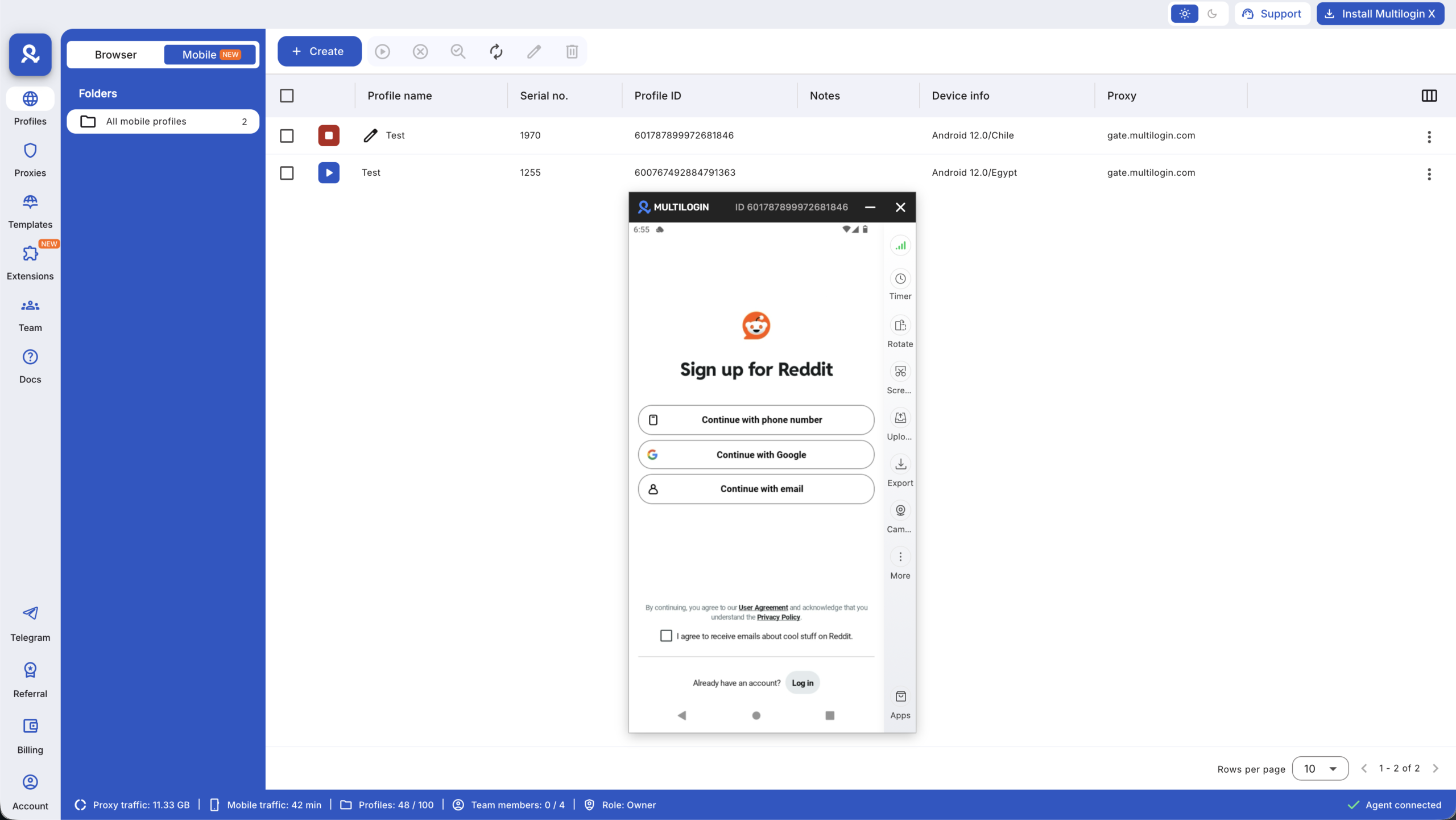
That means you can handle web-based tasks (scheduling posts, analytics dashboards, ad account management) and mobile app operations (posting stories, engaging with followers, responding to DMs) from a single platform.
One subscription. Complete control over desktop and mobile workflows.
How agencies manage multiple client social media accounts efficiently
Let’s talk workflow. You have 10 clients. Each client has Instagram, TikTok, Facebook, and maybe LinkedIn. That’s 40+ accounts you need to keep completely separate.
Here’s how agencies manage multiple client accounts with cloud phones:
- Set up isolated Android environments for each client
Launch a new cloud phone for each client account. Each phone gets:
- Unique device fingerprint (from a pool of approximately 30 real device models)
- Separate app storage
- Independent login sessions
- Dedicated mobile-grade proxy connection
No shared data. No overlapping signals. Platforms see each account as coming from a completely different device.
- Install and configure native apps once
Download Instagram, TikTok, Facebook Business Suite, WhatsApp Business — whatever your clients need. Set up accounts, enable two-factor authentication, and configure settings. Everything persists between sessions.
The next time you open that cloud phone, your apps are exactly where you left them. No re-logging. No “verify this device” messages.
- Organize by client, campaign, or team member
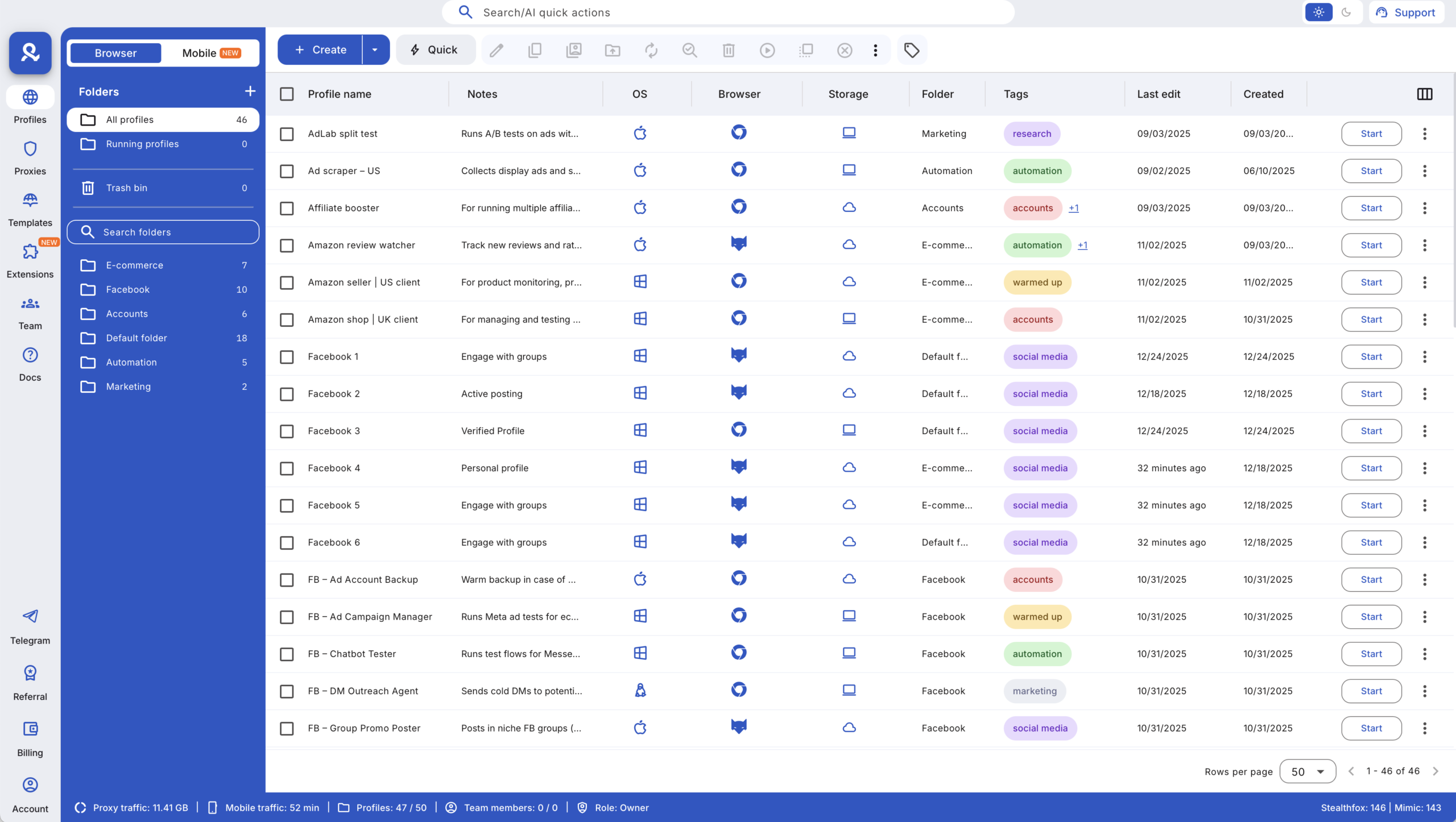
Use Multilogin’s desktop app to organize cloud phones with custom tags, notes, and color coding. Create folders for each client. Assign profiles to specific team members. Set permissions so junior staff can access certain accounts but not others.
- Automate repetitive tasks across accounts
Connect cloud phones to automation frameworks like Selenium, Puppeteer, Playwright, or Postman. Automate posting schedules, engagement actions, data collection — whatever makes sense for your workflow.
Or use Multilogin’s API to programmatically create cloud phones, install apps, and manage sessions without touching the UI.
- Monitor everything from one dashboard
Track which profiles are active, who’s using them, and when they were last accessed. The “Running Profiles” dashboard shows real-time activity across your entire agency operation.
Which phone is best for digital marketing?
If someone asks “which phone is best for digital marketing,” they’re probably thinking about buying physical devices. Samsung Galaxy S23? iPhone 15 Pro? Google Pixel 8?
Wrong question for agency work.
Physical phones create problems:
- Hardware overhead: Buying 50 phones means $20,000+ upfront. Then you need charging stations, storage space, and someone to physically manage them.
- Account linking risks: Platforms track device history. If you log into multiple client accounts from the same physical phone (even after factory resets), you’re creating linking signals.
- Team access friction: How do you share access? Pass phones around the office? Ship them to remote team members?
- No version control: Physical phones can’t be cloned, backed up, or restored easily. If someone drops a phone, you lose that account’s entire history.
The best phone for digital marketing in 2026 is a cloud phone because it gives you the authenticity of a real Android device without any of the physical limitations.
You get genuine hardware identifiers that platforms trust. Persistent app states that build account history naturally. And desktop-level control that scales across hundreds of profiles without buying a single piece of hardware.
Best practices for managing multiple client accounts in agencies
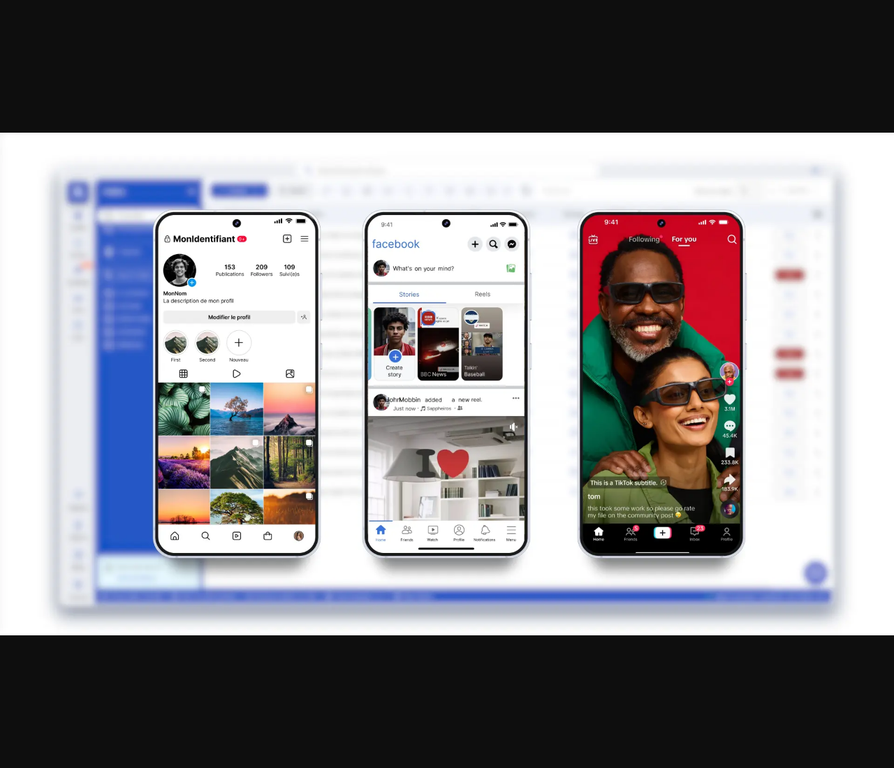
These are patterns that work for agencies running 50+ client accounts across Instagram, TikTok, Facebook, and other mobile-first platforms:
Match proxies to client locations
If your client’s business operates in Los Angeles, their Instagram account should show signals from Los Angeles. That means:
- Mobile-grade proxy with a Los Angeles IP
- Timezone set to Pacific Time
- Geolocation coordinates near the client’s actual business address
Multilogin handles this automatically. Our built-in residential proxies cover 195+ countries and 1,400+ cities with mobile-grade IP rotation. You don’t need to buy proxies separately or configure complex routing rules.
Warm up new accounts gradually
Don’t create an Instagram account today and immediately start posting 15 times. Platforms track behavior patterns.
With cloud phones, you can:
- Log in from the same device fingerprint every day
- Gradually increase posting frequency over 2–3 weeks
- Build natural engagement patterns (likes, comments, follows)
- Let app cache and storage accumulate over time
Persistent sessions mean platforms see consistent device usage, not sudden spikes from “new” devices.
Set team permissions based on roles
Junior account managers don’t need access to client billing information. Freelance content creators shouldn’t see other clients’ accounts.
Use Multilogin’s permission controls to:
- Share specific cloud phones with specific team members
- Restrict access to sensitive profiles (ad accounts, business managers)
- Allow view-only access for trainees
- Track who accessed which account and when
Unlimited team seats are included in business plans, so you can scale your team without worrying about per-user licensing costs.
Run bulk operations when you need speed
Need to post the same update across 20 client Instagram accounts? Bulk launch all 20 cloud phones. Queue up your posts. Execute in parallel.
Same workflow applies for:
- Updating bio information
- Responding to comment threads
- Collecting analytics data
- Testing new content formats
How to manage multiple Instagram accounts for clients
Instagram is brutal about account linking. One mistake, and the platform connects all your client accounts to a single entity. Then comes the suspension wave.
Here’s how managing multiple Instagram accounts for clients works with cloud phones:
Each account gets its own Android identity
When you create a cloud phone for Client A’s Instagram, that profile runs with:
- A unique device fingerprint (IMEI, Android ID, MAC address)
- Separate Instagram app installation
- Independent app cache and login state
- Dedicated proxy connection matched to the client’s location
Client B’s Instagram runs on a completely different cloud phone with different hardware signals. Instagram sees two separate devices in two separate locations used by two separate people.
No shared data between profiles
Unlike browser-based solutions where cookies or cache might leak between sessions, cloud phones maintain complete isolation. Each Android environment is fully sandboxed.
When you switch from Client A’s Instagram to Client B’s Instagram, you’re not just switching browser tabs. You’re launching a completely different Android device.
Account history builds naturally
Because app data persists, Instagram sees:
- Consistent login patterns from the same device
- Gradual engagement growth over weeks
- Natural app usage (not just posting, but browsing, liking, commenting)
- Stable device signals (not constant “new device” verification requests)
This is how you build account trust without triggering Instagram’s anti-spam systems.
Want to see this in action? Check out our guide on managing multiple Instagram accounts for clients with step-by-step setup instructions.
What are the disadvantages of a cloud mobile phone?
Let’s be honest about the tradeoffs. Cloud phones solve massive problems for agencies, but they’re not magic.
You’ll need a stable internet connection
When you launch a cloud phone, you’re streaming a live Android session from the cloud to your desktop. If your internet drops or slows down, that session might lag or disconnect.
For most agency work, this isn’t a problem. You’re not using cloud phones in airplane mode. But if you’re in an area with unreliable connectivity, factor that in.
There’s a small learning curve
If this is your first time working with cloud phones, give yourself 30 minutes to understand the interface. How do you create profiles? How do you assign proxies? How do you share access with team members?
It’s simpler than setting up 50 physical phones, but it’s not zero learning. The good news: our support team is available 24/7 in five languages to guide you through setup.
Bigger setups need planning
If you’re managing 200+ client accounts across multiple platforms, you’ll want to think through your organization system upfront. How will you structure profiles? What naming conventions make sense? Which team members need access to what?
This isn’t a disadvantage unique to cloud phones — any multi-account operation at scale requires planning. But it’s worth acknowledging.
Some apps require newer Android versions
A few apps only work on Android 12+. We offer cloud phones running Android 10–15 across approximately 30 real device models (Samsung, Google, OPPO, OnePlus, Redmi, Vivo). You can pick the exact device types that match your workflow needs.
If a specific app requires Android 14 and you’re using an Android 11 profile, just switch to a newer device model. Not a blocker — just something to configure correctly.
Cloud phones vs. physical phone farms: what works for agencies?
Some agencies still run physical phone farming operations — racks of 50–100 Android phones connected to chargers, managed with automation tools.
This can work for certain use cases (crypto airdrops, app installs, reward programs). But for managing client social media accounts, physical farms create more problems than they solve.
Physical phone farms:
✅ Real Android devices (genuine hardware)
✅ No virtualization detection risk
❌ Massive upfront hardware cost ($10,000–$50,000+)
❌ Physical space requirements (dedicated room or office area)
❌ Maintenance overhead (broken screens, charging failures, OS updates)
❌ Team access requires physical presence or complex remote desktop setups
❌ Scaling means buying more hardware
Cloud phones:
✅ Real Android devices hosted remotely
✅ Genuine hardware identifiers (not spoofed)
✅ Zero hardware costs
✅ Managed from any desktop
✅ Team collaboration built-in
✅ Scale by adding more cloud profiles (no hardware procurement)
✅ Usage-based pricing (pay only for minutes used)
❌ Requires stable internet
❌ Small learning curve for new users
For agencies managing client accounts, cloud phones win on every operational metric: cost, scalability, team access, and maintenance burden.
How digital marketers manage client accounts efficiently with unified tools
Here’s a pattern we see across successful agencies: they stop using 5–10 separate tools and consolidate into platforms that handle multiple use cases.
The old fragmented workflow:
- VPN service for IP masking
- Separate proxy provider for residential IPs
- Antidetect browser for desktop account management
- Physical phones or emulators for mobile apps
- Social media scheduling tool
- Analytics platform
- Team collaboration app
Eight tools. Eight monthly subscriptions. Eight different interfaces your team needs to learn. For agencies managing multiple clients, choosing the best marketing agency software can help bring these workflows together and reduce the need to switch between disconnected platforms.
The unified workflow with Multilogin Cloud Phones:
When you purchase Multilogin Cloud Phones, you get access to our full-capacity antidetect browser included in the same dashboard. That means:
✅ Cloud phones for mobile app management (Instagram, TikTok, WhatsApp, Telegram)
✅ Browser profiles for web-based tasks (Facebook Ads Manager, Google Ads, scheduling tools, analytics dashboards)
✅ Built-in residential proxies for both desktop and mobile (no separate proxy subscription needed)
✅ Team collaboration features (share profiles, set permissions, track usage)
✅ Automation support (Selenium, Puppeteer, Playwright, Postman, API access)
One platform. One subscription. Complete control over web and mobile operations.
This is how agencies manage multiple Google Ads client accounts, run Instagram campaigns, schedule TikTok posts, and track performance metrics without switching between fragmented tools.
Want to see how this works for social media marketing operations? We’ve built workflows specifically for agencies running multi-client campaigns.
Managing multiple Google Ads client accounts alongside social media
Google Ads presents its own linking challenges. If you manage ad accounts for 20 clients from the same device and IP, Google’s systems might flag unusual patterns.
Here’s how agencies handle it:
Use browser profiles for Google Ads Manager
Google Ads is primarily web-based, so you’ll manage client accounts using Multilogin’s antidetect browser (included with your cloud phone subscription).
Each client gets:
- Separate browser profile with unique fingerprint
- Dedicated residential proxy connection
- Isolated cookies, cache, and storage
- Independent login session
No shared data between client accounts. Google sees each ad account as accessed from a different device and location.
Match proxies to client business locations
If your client’s business operates in Chicago, their Google Ads account should show Chicago-area signals. Use our built-in proxies with city-level targeting (1,400+ cities supported).
This matters for local campaigns where Google checks if ad accounts match business locations listed in Google Business Profile.
Combine with cloud phones for social ad integrations
Many agencies run social ads (Instagram, TikTok, Facebook) alongside Google Ads. When you manage both from Multilogin:
- Google Ads client accounts run in desktop browser profiles
- Social media accounts run on cloud phones
- Same unified dashboard
- Proxies matched across both environments
You’re not juggling separate tools or trying to sync data between platforms. Everything lives in one ecosystem.
Collaboration features for managing multiple client accounts in agencies
Team management gets messy fast. Who has access to which client account? Did someone just log into the wrong profile? How do you onboard a new account manager without sharing passwords everywhere?
Granular permission controls
Assign specific cloud phones and browser profiles to specific team members. Set permissions at the profile level:
- Full access: Launch, edit, delete profiles
- View and use: Launch profiles but can’t modify settings
- No access: Profile hidden from this team member
Unlimited team seats in business plans
You’re not paying per-user. Add your entire team — account managers, content creators, strategists, freelancers — without worrying about licensing costs.
Activity tracking and audit logs
See who accessed which profile and when. If a client account shows unusual activity, you can trace exactly which team member was logged in.
Shared profile templates
Create a “client onboarding template” with preconfigured settings (proxy, device type, app installations). When you onboard a new client, clone the template and customize.
This keeps setups consistent across your agency and speeds up new account launches.
Setting up cloud phones for your agency: practical steps
Ready to implement this in your workflow? Here’s the setup process:
- Choose your plan based on profile count
Multilogin Cloud Phones use usage-based pricing at €0.009/minute. All plans include:
- Bonus minutes to get started
- Built-in residential proxy traffic
- Full access to the antidetect browser
- Team collaboration features
Check flexible pricing plans starting at €5.85/month to find what fits your agency size.
- Create cloud phones for each client account
Launch the desktop app. Create a new cloud phone profile. Select:
- Device type (choose from approximately 30 real Android models)
- Android version (10–15)
- Proxy location (match to client’s business address)
- Storage option (local or cloud)
- Install apps and configure accounts
Open the cloud phone. Download Instagram, TikTok, Facebook Business Suite, WhatsApp Business — whatever your client needs. Log into accounts, enable 2FA, configure settings.
Everything persists. The next time you open this profile, apps are exactly where you left them.
- Organize profiles with tags and notes
Add custom tags (client name, campaign type, team assignment). Use color coding to visually separate clients. Add notes for internal tracking (account creation date, credentials location, special instructions).
- Set team permissions
Share profiles with team members who need access. Assign permission levels based on roles. Track who’s using which profiles in the activity dashboard.
- Connect automation tools (optional)
If you’re automating posting, engagement, or data collection, connect cloud phones to:
- Selenium for browser automation
- Puppeteer/Playwright for JavaScript workflows
- Postman for API testing
- Multilogin’s API for programmatic profile management
Or skip automation entirely and manage everything manually from the desktop app. Both workflows are fully supported.
Why agencies choose Multilogin Cloud Phones over alternatives
Let’s compare what you get:
Multilogin Cloud Phones:
✅ Real Android devices with genuine hardware IDs (IMEI, Android ID, MAC)
✅ Approximately 30 device models to choose from
✅ Persistent app data and login states
✅ Full antidetect browser included in the same dashboard
✅ Built-in residential proxies (30M+ IPs, 195+ countries, 1,400+ cities)
✅ Desktop management with team collaboration features
✅ Automation support (Selenium, Puppeteer, Playwright, Postman, API)
✅ Usage-based pricing (pay only for minutes used)
✅ 24/7 support in 5 languages
For agencies managing client social media accounts at scale, cloud phones deliver the authenticity of real devices without operational headaches.
Learn more about how Multilogin works as a complete social media management tool for agencies handling multiple client accounts.


